Customer Ratings & Reviews
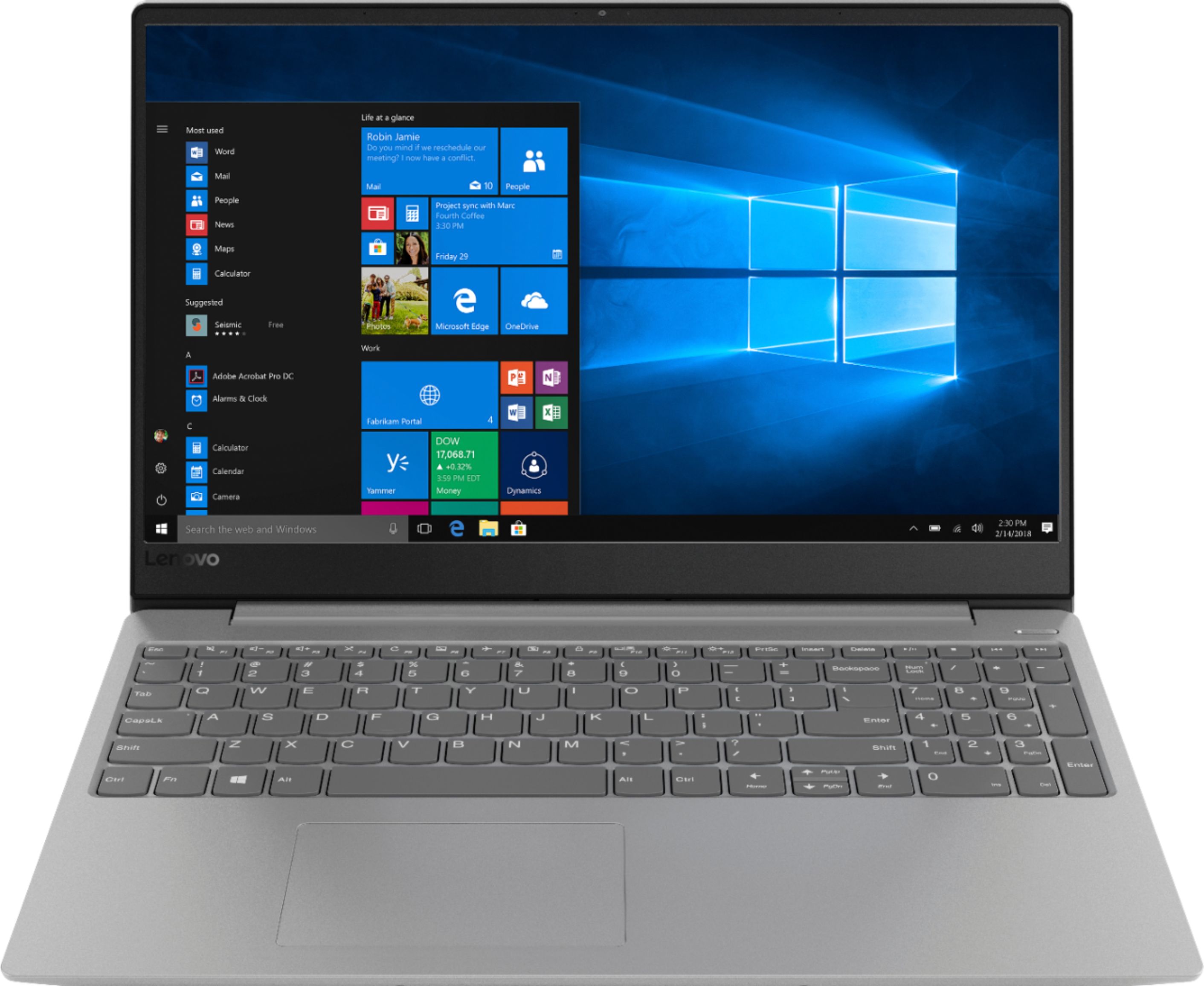
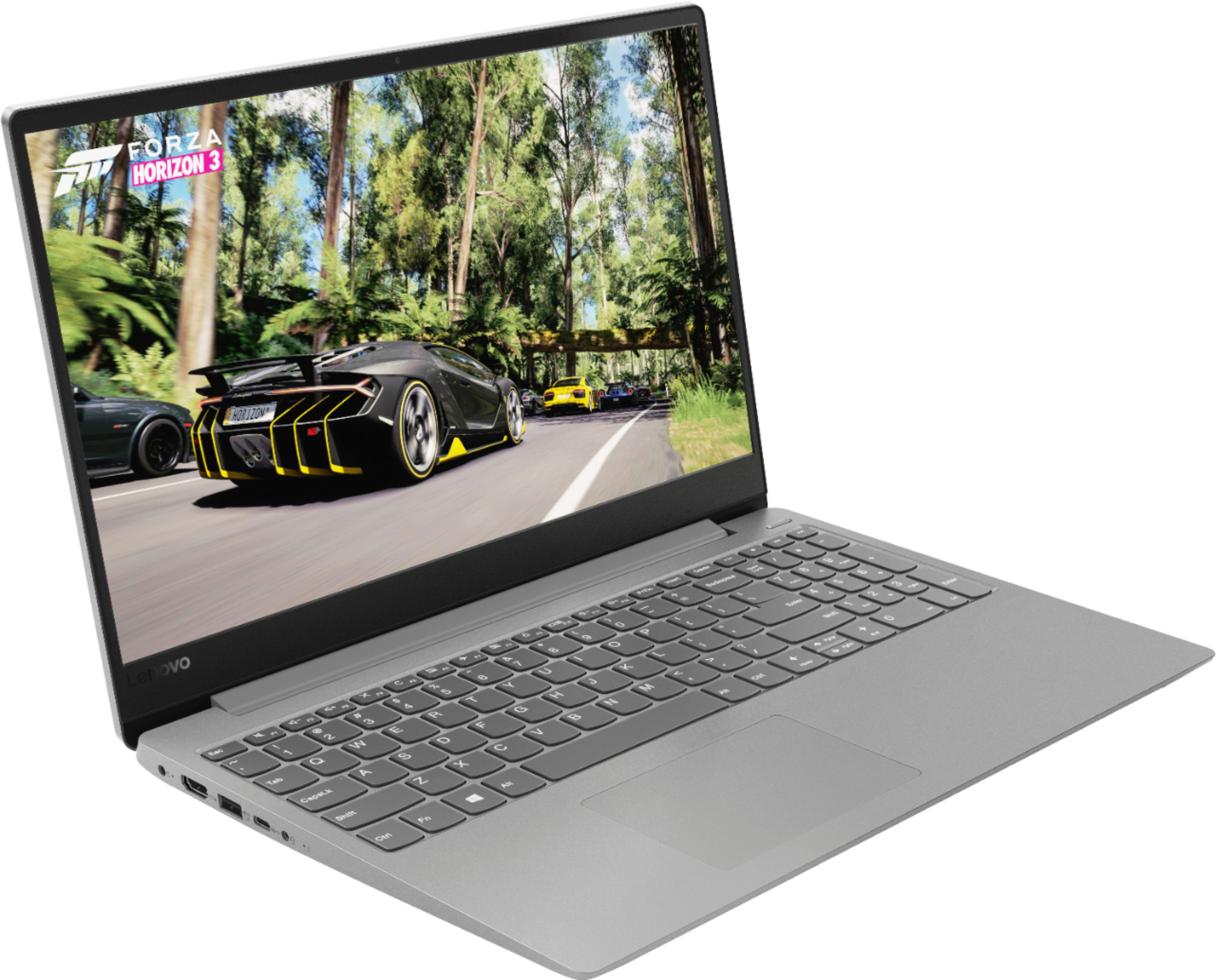
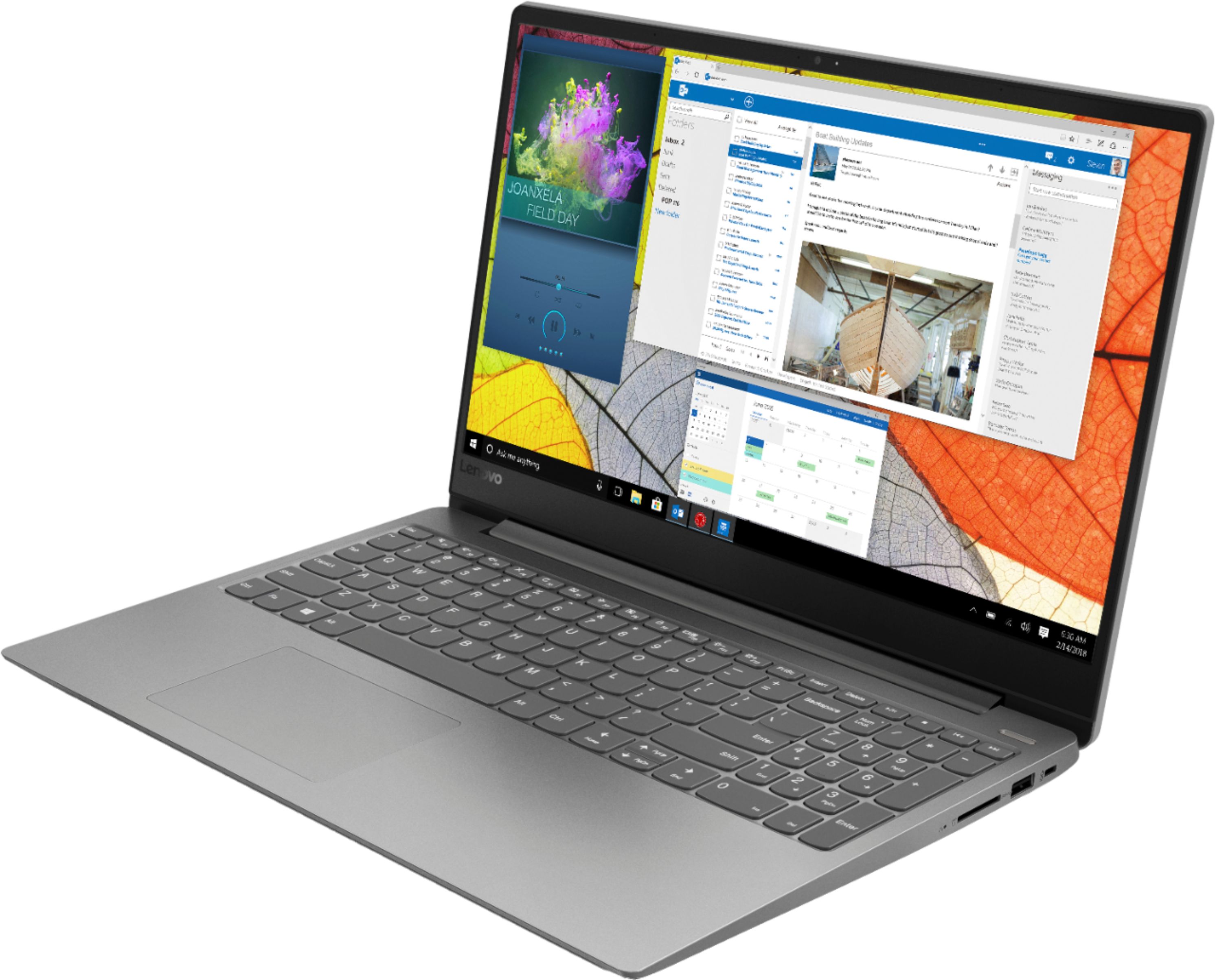
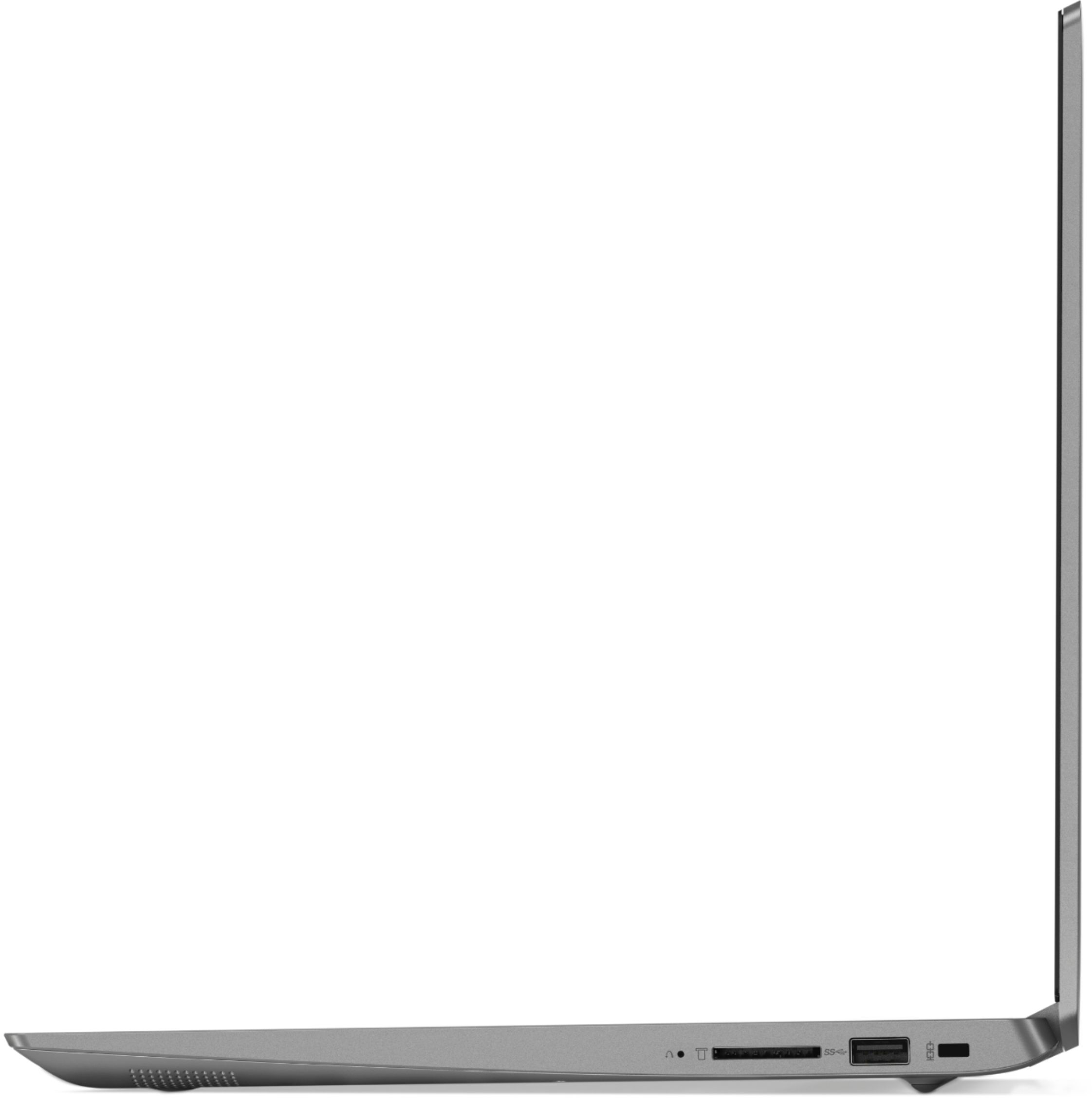
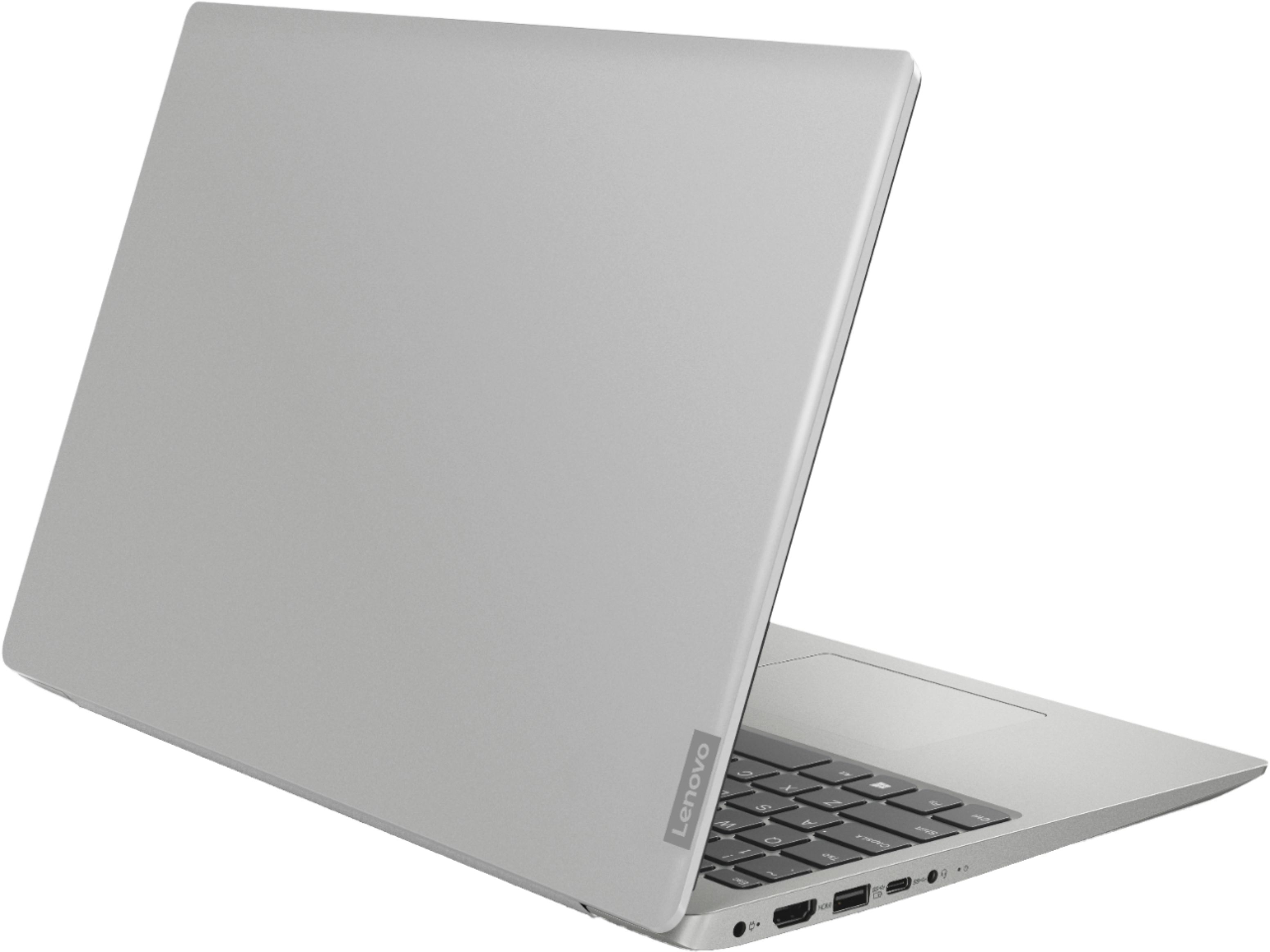
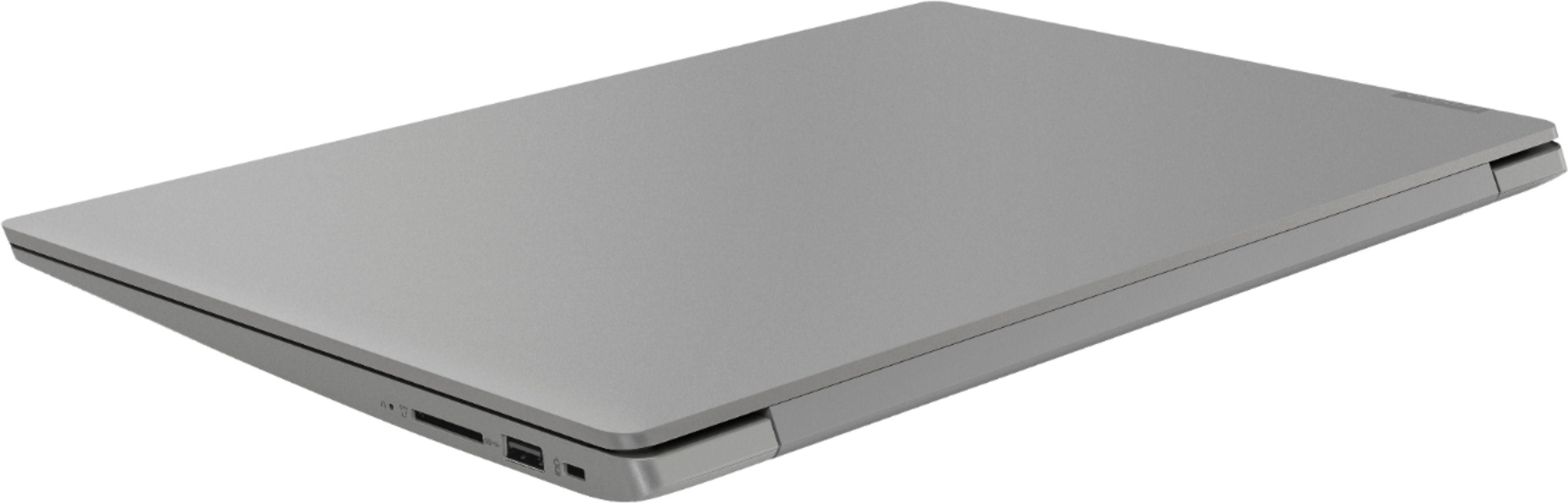
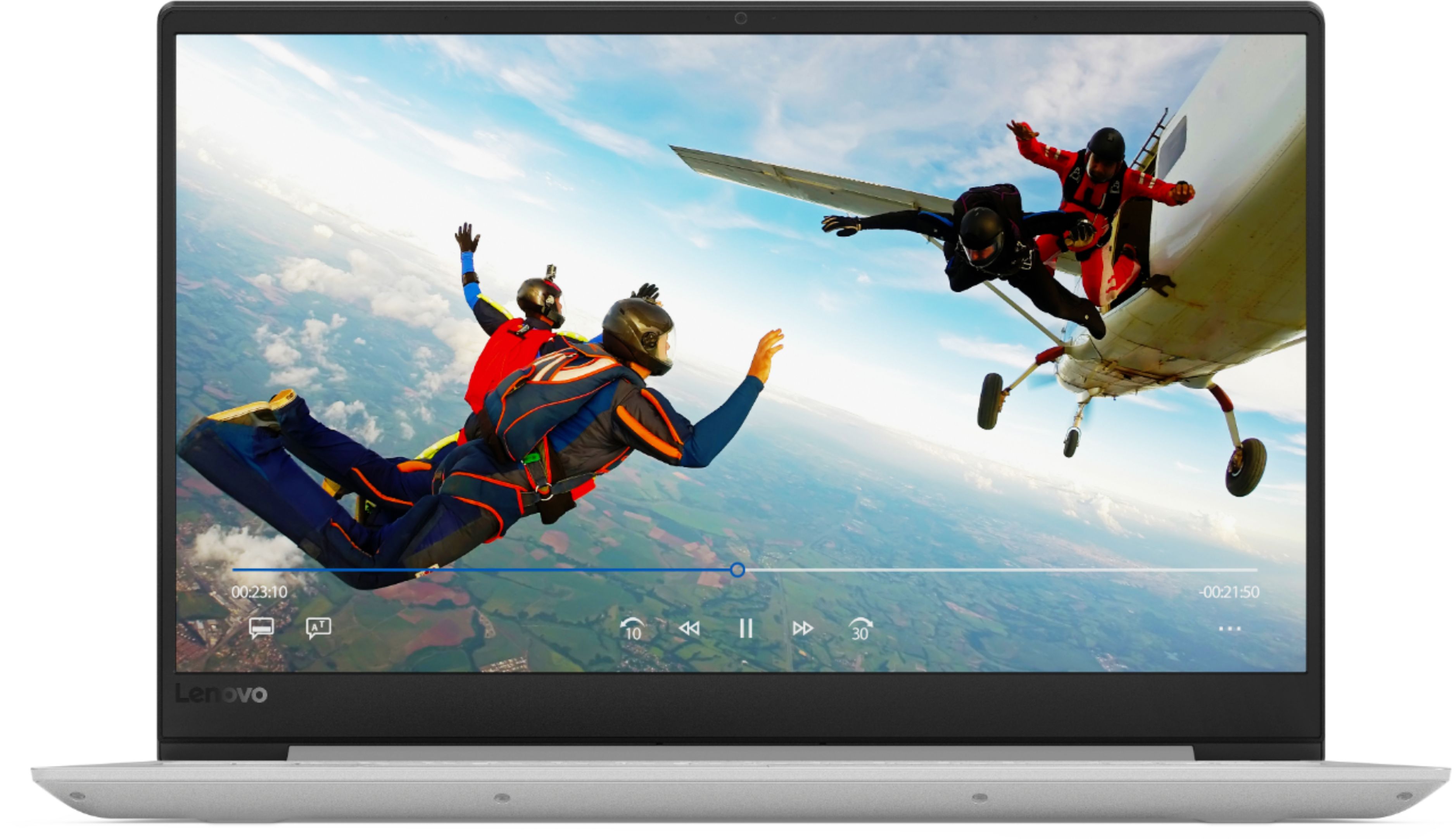
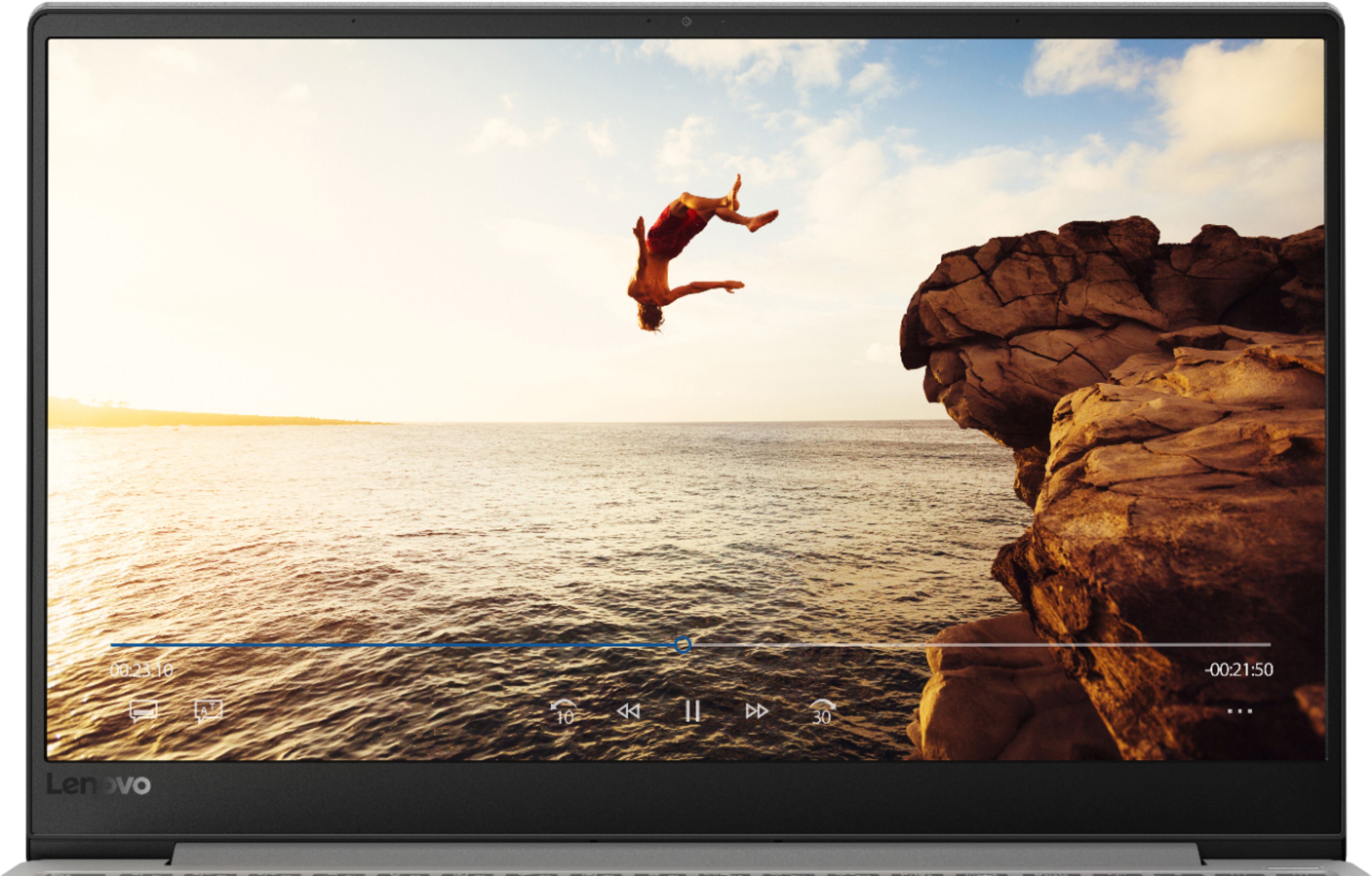

- Model:
- 81F500NSUS
- SKU:
- 6291881
Rating by feature
- Battery Life
Rating 4.5 out of 5 stars
- Speed
Rating 4.5 out of 5 stars
- Display
Rating 4.6 out of 5 stars
Customers are saying
Customers find value in the IdeaPad 330S laptop's fast performance, affordable price, and lightweight design. Many users appreciate its large storage capacity and excellent performance for the price. However, some users have concerns about its short battery life and noisy fan.
This summary was generated by AI based on customer reviews.
- Pros mentioned:Fast
So far so great
||Posted .This reviewer received promo considerations or sweepstakes entry for writing a review.I am very satisfied with the purchase. It was very easy to set-up/use for the neophyte and I believe it has the capacity for the new 365Office applications I intend to use in the future.
I would recommend this to a friendBrand response from Lenovo Product Expert
Posted .Thank you for choosing the Lenovo IdeaPad 330s-15 laptop. We are pleased to hear that the performance of the IdeaPad 330s-15 meets your computing needs so well. The Lenovo IdeaPad 330s-15 ships with a powerful Quad-Core/Eight-Thread Intel Core i5-8250U processor, 8GB of DDR4-2400MHz RAM. This configuration has a 15.6" (measured diagonally) 1920 x 1080 (FHD) resolution screen, with a brightness level of 250 nits. The Lenovo IdeaPad 330s-15 ships with a 1TB standard hard drive, supported by 16GB of Intel Optane Memory. This configuration can handle many of today's most demanding programs and is good with multi-tasking. If this describes the kind of computing you do, the Lenovo IdeaPad 330s-15 will be a great choice for you. For 2018, Lenovo retained its place for a second year as the best laptop vendor:
https://www.laptopmag.com/articles/laptop-brand-ratings
2 BIOS crashes on 2 laptops
Posted .This reviewer received promo considerations or sweepstakes entry for writing a review.I bought this Lenovo 330S-15IKB at Best Buy online and picked it up in store. I set it up the first day, and it was fine. On day 2, it ran a Lenovo BIOS update, and locked up on the "Preparing Automatic Repair" screen for several hours. I took it in to Geek Squad. They said it was very difficult to fix, and gave me an exchange at no charge. The 2nd machine had the exact same problem, so I returned it and got my money back. Now I will buy a different brand. But the Best Buy service and Geek Squad people were very friendly and helpful. So no problem buying from Best Buy.
No, I would not recommend this to a friendBrand response from Lenovo Product Expert
Posted .We are sorry to hear that you had issues with a BIOS update on your Lenovo IdeaPad 330s-15 laptop. Always use the Lenovo Utility software installed on this computer to update operating software. This will insure that you install the correct software for your system's specific configuration. This system has Lenovo utilities installed to help maintain the health of the device and keep the operating system software up to date. Type "Lenovo Vantage" in the Cortana Search window (if Lenovo Vantage is not installed on your device, you can download the APP and install it now). Select Lenovo Vantage from the list. In the window that opens, click on "Health and Support". In the expanded menu, select "Hardware Scan" In the window that opens, select "Run Quick Tests". This will scan your entire system for errors. Follow any directions that may pop up. If the problem continues after this scan, now click on "System Update". First select Windows update from the menu. Scan your system to be sure you have the latest version of Windows 10. Once that scan is complete, select "Additional Updates". This will scan your device to be sure there are no new BIOS/Driver updates needed. Follow any instructions that may pop up. If the issue still continues after these updates, we recommend you call Lenovo Tech Support at: 877-453-6686 for additional help.
Great laptop for the price!
||Posted .This reviewer received promo considerations or sweepstakes entry for writing a review.I love this laptop! Wasn't sure about getting a laptop verses my desk top,but happy to say it fits my needs & I can sit & be with my husband & play my games! It works Well for games, searches, & email! Nice little laptop computer!
I would recommend this to a friendBrand response from Lenovo Product Expert
Posted .Thank you for choosing the Lenovo IdeaPad 330s-15 laptop. We are pleased to hear that the IdeaPad 330s-15 meets your computing needs so well. The Lenovo IdeaPad 330s-15 ships with a powerful Quad-Core/Eight-Thread Intel Core i5-8250U processor, 8GB of DDR4-2400MHz RAM. This configuration has a 15.6" (measured diagonally) 1920 x 1080 (FHD) resolution screen, with a brightness level of 250 nits. The Lenovo IdeaPad 330s-15 ships with a 1TB standard hard drive, supported by 16GB of Intel Optane Memory. This configuration can handle many of today's most demanding programs and is good with multi-tasking. If this describes the kind of computing you do, the Lenovo IdeaPad 330s-15 will be a great choice for you. For 2018, Lenovo retained its place for a second year as the best laptop vendor:
https://www.laptopmag.com/articles/laptop-brand-ratings
- Pros mentioned:Lightweight
Sleek design, nice display, adequate speed
||Posted .This reviewer received promo considerations or sweepstakes entry for writing a review.I like the design. It is easy to use while traveling. The display is crisp. The performance speed is adequate for my use, but I am not a gamer. The mouse pad is overly sensitive.
I would recommend this to a friendBrand response from Lenovo Product Expert
Posted .Thank you for choosing the Lenovo IdeaPad 330s-15 laptop. With regard to the touchpad, you can make adjustments to the touchpad in your system settings. You can get there by clicking on the magnifying glass at the bottom left of your Windows 10 screen. Type "touchpad" in the search window. Select "Mouse & touchpad settings" from the list of choices. You can make general adjustments to the touchpad there. You can also select "Additional mouse options" for more detailed adjustments to the touchpad sensitivity by increasing the delay of the touchpad. The Lenovo IdeaPad 330s-15 ships with a powerful Quad-Core/Eight-Thread Intel Core i5-8250U processor, 8GB of DDR4-2400MHz RAM. This configuration has a 15.6" (measured diagonally) 1920 x 1080 (FHD) resolution screen, with a brightness level of 250 nits. The Lenovo IdeaPad 330s-15 ships with a 1TB standard hard drive, supported by 16GB of Intel Optane Memory. This configuration can handle many of today's most demanding programs and is good with multi-tasking. If this describes the kind of computing you do, the Lenovo IdeaPad 330s-15 will be a great choice for you.
- Cons mentioned:Battery life
Very good for price.
||Posted .This reviewer received promo considerations or sweepstakes entry for writing a review.This was purchased for student family member. Some initial issues with battery not maintaining charge for time indicated. Seems to be okay otherwise. Only purchased 2 months ago.
I would recommend this to a friendBrand response from Lenovo Product Expert
Posted .The Lenovo IdeaPad 330s-15 laptop ships with a 2CELL 30WH, Lithium Polymer battery, with a battery life of 7 hours, depending on the work that the device is performing. Upon initial setup of the device, automatic Windows 10 updates that go on in the background on the device will lessen the battery life until the updates are fully completed. The Lenovo IdeaPad 330s-15 ships with a powerful Quad-Core/Eight-Thread Intel Core i5-8250U processor, 8GB of DDR4-2400MHz RAM. This configuration has a 15.6" (measured diagonally) 1920 x 1080 (FHD) resolution screen, with a brightness level of 250 nits. The Lenovo IdeaPad 330s-15 ships with a 1TB standard hard drive, supported by 16GB of Intel Optane Memory. This configuration can handle many of today's most demanding programs and is good with multi-tasking. If this describes the kind of computing you do, the Lenovo IdeaPad 330s-15 will be a great choice for you.
- Pros mentioned:Performance
A very capable laptop with stylish looks.
||Posted .This reviewer received promo considerations or sweepstakes entry for writing a review.The laptop is excellent in performance and value. Very solid with excellent workmanship. Overall performance rates an 8. Great for various uses. Battery life is acceptable.
I would recommend this to a friendBrand response from Lenovo Product Expert
Posted .Thank you for choosing the Lenovo IdeaPad 330s-15 laptop. The Lenovo IdeaPad 330s-15 ships with a powerful Quad-Core/Eight-Thread Intel Core i5-8250U processor, 8GB of DDR4-2400MHz RAM. This configuration has a 15.6" (measured diagonally) 1920 x 1080 (FHD) resolution screen, with a brightness level of 250 nits. The Lenovo IdeaPad 330s-15 ships with a 1TB standard hard drive, supported by 16GB of Intel Optane Memory. This configuration can handle many of today's most demanding programs and is good with multi-tasking. If this describes the kind of computing you do, the Lenovo IdeaPad 330s-15 will be a great choice for you. For 2018, Lenovo retained its place for a second year as the best laptop vendor:
https://www.laptopmag.com/articles/laptop-brand-ratings
- Cons mentioned:Fan noise
Laptop
||Posted .This reviewer received promo considerations or sweepstakes entry for writing a review.Over all a great laptop for the price. Only issue i find is what I have read by others, the fan is very noisy. If it continues I will bring it back for them to check it out.
I would recommend this to a friendBrand response from Lenovo Product Expert
Posted .Thank you for choosing the Lenovo IdeaPad 330s-15 laptop. This is a high performance system with its Quad-Core/Eight-Thread Intel Core i-5-8250U processor and 8GB of RAM. It will generate heat whenever it is turned on, even at idle, this is normal. The onboard fan will maintain the proper operating temperature for the device. You will hear the fan whenever it runs, this too is normal. It is possible that frequent fan throttling can be due to out of date BIOS and Drivers on your computer. You can easily check to be sure your computer has the latest BIOS and Driver updates by using the Lenovo Utility software on this device. This system has Lenovo utilities installed to help maintain the health of the device and keep the operating system software up to date. Type "Lenovo Vantage" in the Cortana Search window (if Lenovo Vantage is not installed on your device, you can download the APP and install it now). Select Lenovo Vantage from the list. In the window that opens, click on "Health and Support". In the expanded menu, select "Hardware Scan" In the window that opens, select "Run Quick Tests". This will scan your entire system for errors. Follow any directions that may pop up. If the problem continues after this scan, now click on "System Update". First select Windows update from the menu. Scan your system to be sure you have the latest version of Windows 10. Once that scan is complete, select "Additional Updates". This will scan your device to be sure there are no new BIOS/Driver updates needed. Follow any instructions that may pop up. If the issue still continues after these updates, we recommend you call Lenovo Tech Support at: 877-453-6686 for additional help.
- Cons mentioned:Battery life
Good laptop for the price
||Posted .This reviewer received promo considerations or sweepstakes entry for writing a review.Overall it's a good laptop for what I need it for. The keys are a little cheap and have already had one pop off. It doesn't keep a charge for as long as I was told it would.
I would recommend this to a friendBrand response from Lenovo Product Expert
Posted .The Lenovo IdeaPad 330s-15 laptop ships with a 2CELL 30WH, Lithium Polymer battery, with a battery life of up to 7 hours, depending on the work that the device is performing. To maximize battery life, first adjust your battery saver settings. Here is a link to instruction for doing this in Windows 10: https://www.digitalcitizen.life/how-use-configure-battery-saver-windows-10. Next, to maximize battery life, be sure there are no unwanted programs running in the background, draining the battery. Here is a link to some tips for finding out what is draining your battery:
https://www.laptopmag.com/articles/battery-saver-windows-10. Also, to maximize battery life, try changing your power management setting to a more conservative one. You can do this in the control panel, in the power management category on your system. Select a more conservative power management setting to extend battery life. Finally, if the battery life does not improve, a battery reset may help. Here is a link to instructions for resetting a non-removable battery. If you need further assistance, we recommend you call Lenovo Tech Support at: 877-453-6686. Here is the link: https://www.techwalla.com/articles/how-to-reset-a-laptop-battery
Great laptop for nursing student!
||Posted .This reviewer received promo considerations or sweepstakes entry for writing a review.The optane RAM really made a difference! I compared it to a similar laptop that doesn’t have the optane RAM, and the difference between them: this laptop is about 5 times faster! Really fast startup! I clocked in 14 seconds. And the laptop looks solid! I appreciate the thin bezel which makes the screen looks larger. And because of the housing, this 15” laptop is smaller than other 15” in the market. Quite light for me. Not the best battery life, but c’mon, it’s a laptop! Took me a while to find the right laptop for college, and I’m glad I found what I believe as the middle ground for affordability & performance!
I would recommend this to a friendBrand response from Lenovo Product Expert
Posted .Thank you for choosing the Lenovo IdeaPad 330s-15 laptop. This system ships with a 2CELL 30WH, Lithium Polymer battery, with a battery life of up to 7 hours, depending on the work that the device is performing. The Lenovo IdeaPad 330s-15 ships with a powerful Quad-Core/Eight-Thread Intel Core i5-8250U processor, 8GB of DDR4-2400MHz RAM. This configuration has a 15.6" (measured diagonally) 1920 x 1080 (FHD) resolution screen, with a brightness level of 250 nits. The Lenovo IdeaPad 330s-15 ships with a standard 1TB hard drive supported by 16GB of Intel Optane Memory. This configuration can handle many of today's most demanding programs and is good with multi-tasking. If this describes the kind of computing you do, the Lenovo IdeaPad 330s-15 will be a great choice for you.
- Cons mentioned:Battery life
Good for a side system
||Posted . Owned for 6 months when reviewed.This reviewer received promo considerations or sweepstakes entry for writing a review.Overall this was a good purchase. Battery doesn't last as long as it should for a new system. Have to get use to using the Fn key to do a basic select function.
I would recommend this to a friend - Cons mentioned:Screen
lenovo 33OS-15IKB laptop
||Posted .This reviewer received promo considerations or sweepstakes entry for writing a review.its okay but I wish I could have afforded a better laptop (faster one). I recommend that you purchase a wireless mouse - much easier to navigate than the touch screen
No, I would not recommend this to a friendBrand response from Lenovo Product Expert
Posted .The Lenovo IdeaPad 330s-15 laptop does not have a touchscreen. With regard to the touchpad, you can make adjustments to the touchpad in your system settings. You can get there by clicking on the magnifying glass at the bottom left of your Windows 10 screen. Type "touchpad" in the search window. Select "Mouse & touchpad settings" from the list of choices. You can make general adjustments to the touchpad there. You can also select "Additional mouse options" for more detailed adjustments to the touchpad sensitivity by increasing the delay of the touchpad. The Lenovo IdeaPad 330s-15 ships with a powerful Quad-Core/Eight-Thread Intel Core i5-8250U processor, 8GB of DDR4-2400MHz RAM. This configuration has a 15.6" (measured diagonally) 1920 x 1080 (FHD) resolution screen, with a brightness level of 250 nits. The Lenovo IdeaPad 330s-15 ships with a 1TB standard hard drive, supported by 16GB of Intel Optane Memory. This configuration can handle many of today's most demanding programs and is good with multi-tasking. If this describes the kind of computing you do, the Lenovo IdeaPad 330s-15 will be a great choice for you.
- Cons mentioned:Battery life
Not the greatest
||Posted .This reviewer received promo considerations or sweepstakes entry for writing a review.For the amount I paid, it's not a bad computer, but it is still slow and the battery life is not the greatest. I would say spend more money and get a better one.
No, I would not recommend this to a friendBrand response from Lenovo Product Expert
Posted .The Lenovo IdeaPad 330s-15 ships with a powerful Quad-Core/Eight-Thread Intel Core i5-8250U processor, 8GB of DDR4-2400MHz RAM. This configuration has a 15.6" (measured diagonally) 1920 x 1080 (FHD) resolution screen, with a brightness level of 250 nits. The Lenovo IdeaPad 330s-15 ships with a 1TB standard hard drive, supported by 16GB of Intel Optane Memory. This configuration can handle many of today's most demanding programs and is good with multi-tasking. If the performance you are experiencing is below this standard, be sure any software you installed is compatible with Windows 10. There is no need to install Microsoft Office software. The software is already part of the operating system, you just need to activate the software with a purchased product key. If you have installed a copy of Microsoft Office, this is conflicting with the existing copy on the system and this will slow your system down. If you have installed a 3rd party anti-virus program, be sure that Windows Defender is turned off and that the trial version of McAfee Anti-Virus software is uninstalled. There can only be one anti-virus program on the system. You may need to restore your system to original factory default settings if any of the programing errors have occurred. You can do that by typing "restore" in the Cortana search window. Just click on the magnifying glass icon at the bottom left of your Windows 10 Desktop. Click on "Reset This PC" Then click on "Get Started" and follow the on screen directions to restore to factory defaults. If the problem persists, we recommend you contact Lenovo Tech Support at: 877-453-6686.
- Pros mentioned:Price
Good
||Posted .This reviewer received promo considerations or sweepstakes entry for writing a review.Pretty Good laptop for the proce. Obviously their are better ones out there. I’m trying to get used to new windows software. My old laptop didn’t have windows 10.
I would recommend this to a friendBrand response from Lenovo Product Expert
Posted .Thank you for choosing the lenovo IdeaPad 330s-15 laptop. The Lenovo IdeaPad 330s-15 ships with a powerful Quad-Core/Eight-Thread Intel Core i5-8250U processor, 8GB of DDR4-2400MHz RAM. This configuration has a 15.6" (measured diagonally) 1920 x 1080 (FHD) resolution screen, with a brightness level of 250 nits. The Lenovo IdeaPad 330s-15 ships with a 1TB standard hard drive, supported by 16GB of Intel Optane Memory. This configuration can handle many of today's most demanding programs and is good with multi-tasking. If this describes the kind of computing you do, the Lenovo IdeaPad 330s-15 will be a great choice for you. The heart of the IdeaPad 330s-15 is the Windows 10 Operating System. With regard to learning your way around Windows 10, you may want to try YouTube.com (just type that address in your browser address window). There are hundreds for free instructional videos there about Windows 10. Just type Windows 10 Introduction in to the YouTube search window. You can watch free videos there that will show you the basics all the way up to tips and tricks videos and they're all free.
Solid laptop for college student
||Posted .This reviewer received promo considerations or sweepstakes entry for writing a review.Solid laptop for college student. Good battery life, easy to type, clear screen. Does fit in a backpack easily. Some might find it a bit large, but met our needs.
I would recommend this to a friendBrand response from Lenovo Product Expert
Posted .Thank you for choosing the Lenovo IdeaPad 330s-15 laptop. Though this is a full size 15.6" (screen size measured diagonally) laptop, the device only measures 14.11 x 9.61 x 0.76 inches and weighs just 3.96 lbs. The Lenovo IdeaPad 330s-15 ships with a powerful Quad-Core/Eight-Thread Intel Core i5-8250U processor, 8GB of DDR4-2400MHz RAM. This configuration has a 15.6" (measured diagonally) 1920 x 1080 (FHD) resolution screen, with a brightness level of 250 nits. This configuration can handle many of today's most demanding programs and is good with multi-tasking. If this describes the kind of computing you do, the Lenovo IdeaPad 330s-15 will be a great choice for you.
- Pros mentioned:Fast
Fast, light-weight. This laptop is fantastic.
||Posted .This reviewer received promo considerations or sweepstakes entry for writing a review.Caught this laptop at a great price. Love that it is light-weight so that it can be carried back and forth to school. Fast. This Lenovo is a very good product.
I would recommend this to a friendBrand response from Lenovo Product Expert
Posted .Thank you for choosing the lenovo IdeaPad 330s-15 laptop. We are pleased to hear that the features and performance of the IdeaPad 330s-15 meets your computing needs so well. The Lenovo IdeaPad 330s-15 ships with a powerful Quad-Core/Eight-Thread Intel Core i5-8250U processor, 8GB of DDR4-2400MHz RAM. This configuration has a 15.6" (measured diagonally) 1920 x 1080 (FHD) resolution screen, with a brightness level of 250 nits. The Lenovo IdeaPad 330s-15 ships with a 1TB standard hard drive, supported by 16GB of Intel Optane Memory. This configuration can handle many of today's most demanding programs and is good with multi-tasking. If this describes the kind of computing you do, the Lenovo IdeaPad 330s-15 will be a great choice for you. For 2018, Lenovo retained its place for a second year as the best laptop vendor:
https://www.laptopmag.com/articles/laptop-brand-ratings
- Cons mentioned:Battery life
Nice Laptop for the Price.
||Posted .This reviewer received promo considerations or sweepstakes entry for writing a review.The only issue I have with it is the battery life. If I had to travel and depended on a long battery life this is not the one for you. It lasts about 2.5 hrs.
I would recommend this to a friendBrand response from Lenovo Product Expert
Posted .The Lenovo IdeaPad 330s-15 laptop ships with a 2CELL 30WH, Lithium Polymer battery, with a battery life of up to 7 hours depending on the work that the device is performing. To maximize battery life, first adjust your battery saver settings. Here is a link to instruction for doing this in Windows 10: https://www.digitalcitizen.life/how-use-configure-battery-saver-windows-10. Next, to maximize battery life, be sure there are no unwanted programs running in the background, draining the battery. Here is a link to some tips for finding out what is draining your battery:
https://www.laptopmag.com/articles/battery-saver-windows-10. Also, to maximize battery life, try changing your power management setting to a more conservative one. You can do this in the control panel, in the power management category on your system. Select a more conservative power management setting to extend battery life. Finally, if the battery life does not improve, a battery reset may help. Here is a link to instructions for resetting a non-removable battery. If you need further assistance, we recommend you call Lenovo Tech Support at: 877-453-6686. Here is the link: https://www.techwalla.com/articles/how-to-reset-a-laptop-battery
Great laptop, USB-C not fully featured
||Posted .This reviewer received promo considerations or sweepstakes entry for writing a review.I really like this laptop! It is quick and capable for the tasks I need to complete (Office, internet, simple games, music, videos). I have one gripe: the USB-C port does not support charging. I use a compatible dock that supplies video/monitor and internet connections, but will not charge the laptop. I read after purchasing on Lenovo’s website that only their more pricey models support that feature. I thought USB-C was all the same, but apparently I was wrong. Overall I would recommend this laptop, as long as that is not a feature that you are needing.
I would recommend this to a friendBrand response from Lenovo Product Expert
Posted .Thank you for choosing the Lenovo IdeaPad 330s-15 laptop. This model uses a dedicated AC adapter for charging. The Lenovo IdeaPad 330s-15 ships with a powerful Quad-Core/Eight-Thread Intel Core i5-8250U processor, 8GB of DDR4-2400MHz RAM. This configuration has a 15.6" (measured diagonally) 1920 x 1080 (FHD) resolution screen, with a brightness level of 250 nits. The Lenovo IdeaPad 330s-15 ships with a 1TB standard hard drive, supported by 16GB of Intel Optane Memory. This configuration can handle many of today's most demanding programs and is good with multi-tasking. If this describes the kind of computing you do, the Lenovo IdeaPad 330s-15 will be a great choice for you.
- Pros mentioned:Lightweight
Great computer for homework
||Posted .This reviewer received promo considerations or sweepstakes entry for writing a review.It is perfect for my college homework and research. Fits easily into my bag but is big enough to watch videos and has a nice keyboard layout for quick typing. Would recommend for common use
I would recommend this to a friendBrand response from Lenovo Product Expert
Posted .Thank you for choosing the Lenovo IdeaPad 330s-15 laptop. We are pleased to hear that the features and performance of the IdeaPad 330s-15 meets your computing needs so well. The Lenovo IdeaPad 330s-15 ships with a powerful Quad-Core/Eight-Thread Intel Core i5-8250U processor, 8GB of DDR4-2400MHz RAM. This configuration has a 15.6" (measured diagonally) 1920 x 1080 (FHD) resolution screen, with a brightness level of 250 nits. The Lenovo IdeaPad 330s-15 ships with a 1TB standard hard drive, supported by 16GB of Intel Optane Memory. This configuration can handle many of today's most demanding programs and is good with multi-tasking. If this describes the kind of computing you do, the Lenovo IdeaPad 330s-15 will be a great choice for you. For 2018, Lenovo retained its place for a second year as the best laptop vendor:
https://www.laptopmag.com/articles/laptop-brand-ratings
- Cons mentioned:Battery life
Pretty good
||Posted . Owned for 1 year when reviewed.This reviewer received promo considerations or sweepstakes entry for writing a review.Great for the price, battery life a little short after a few months. Computer itself runs good for simple everyday use.
I would recommend this to a friend - Pros mentioned:Fast
FAST!
||Posted .This reviewer received promo considerations or sweepstakes entry for writing a review.This computer is so quiet and so FAST, I LOVE it!! I just hated my old DELL, it was so slow and sounded like it would just die, had problems from the day I bought it. Lenovo is the best!
I would recommend this to a friendBrand response from Lenovo Product Expert
Posted .Thank you for choosing the Lenovo IdeaPad 330s-15 laptop. We are pleased to hear that the performance of the IdeaPad 330s-15 meets your computing needs so well. The Lenovo IdeaPad 330s-15 ships with a powerful Quad-Core/Eight-Thread Intel Core i5-8250U processor, 8GB of DDR4-2400MHz RAM. This configuration has a 15.6" (measured diagonally) 1920 x 1080 (FHD) resolution screen, with a brightness level of 250 nits. The Lenovo IdeaPad 330s-15 ships with a 1TB standard hard drive, supported by 16GB of Intel Optane Memory. This configuration can handle many of today's most demanding programs and is good with multi-tasking. If this describes the kind of computing you do, the Lenovo IdeaPad 330s-15 will be a great choice for you. For 2018, Lenovo retained its place for a second year as the best laptop vendor:
https://www.laptopmag.com/articles/laptop-brand-ratings