Customer Ratings & Reviews
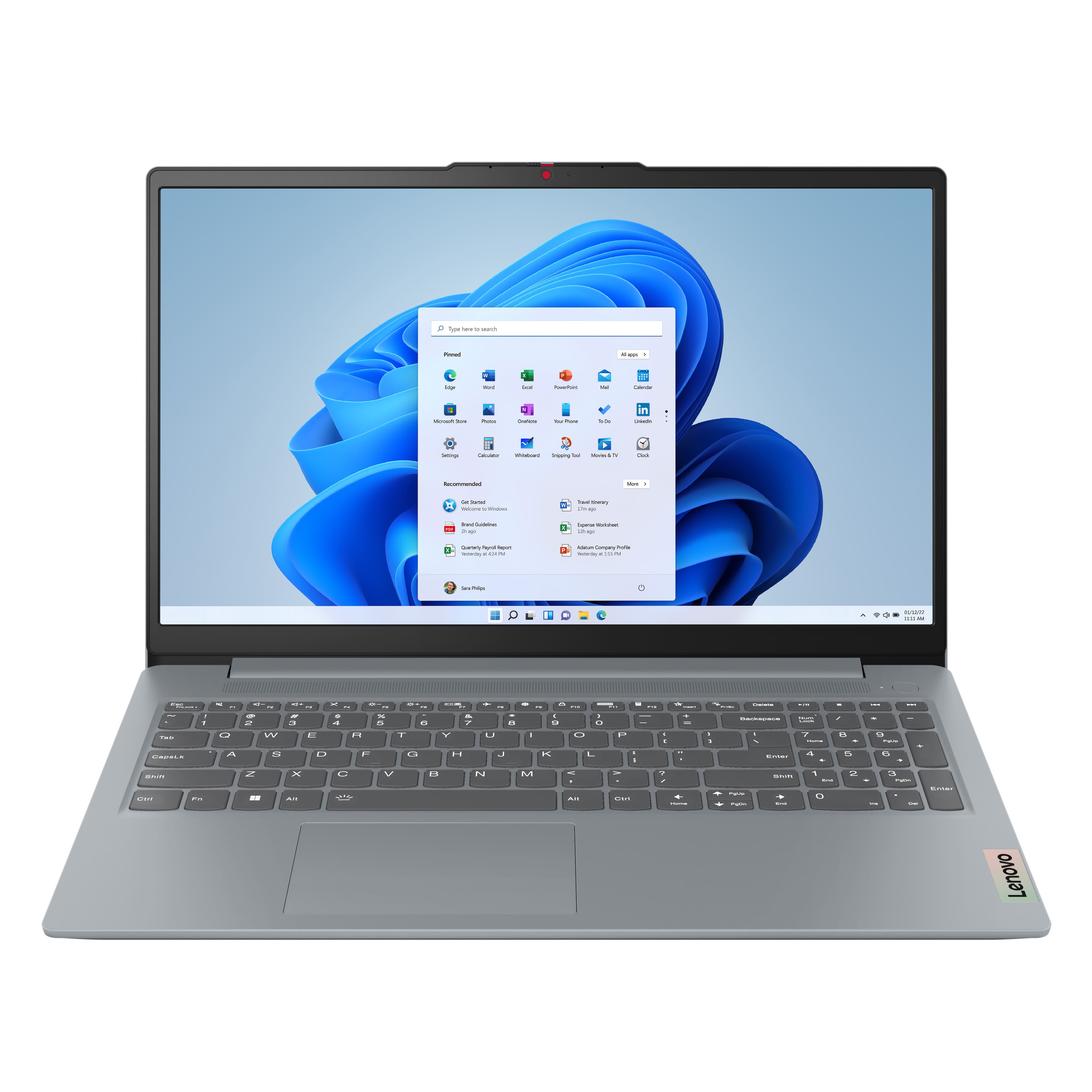


![Sure, here is the corrected and grouped text from the image:
---
**Top Row:**
- Esc
- Fn
- F1
- F2
- F3
- F4
- F5
- F6
- F7
- F8
- F9
- F10
- F11
- F12
**Number Row:**
- 1
- 2
- 3
- 4
- 5
- 6
- 7
- 8
- 9
- 0
- -
- =
- Backspace
**Letter Row:**
- Tab
- Q
- W
- E
- R
- T
- Y
- U
- I
- O
- P
- [
- ]
- \
- Delete
**Letter Row:**
- Caps Lock
- A
- S
- D
- F
- G
- H
- J
- K
- L
- ;
- '
- Enter
**Letter Row:**
- Shift
- Z
- X
- C
- V
- B
- N
- M
- ,
- .
- /
- Shift](https://pisces.bbystatic.com/image2/BestBuy_US/images/products/f79b3ed3-e46f-4e66-923f-76d4538361a2.jpg)


- Model:
- 82XM00LMUS
- SKU:
- 11629910
Rating by feature
- Battery Life
Rating 4.7 out of 5 stars
- Speed
Rating 4.7 out of 5 stars
- Display
Rating 4.7 out of 5 stars
School Class CoolTool
||Posted . Owned for 2 weeks when reviewed.This reviewer received promo considerations or sweepstakes entry for writing a review.Its a great device for the price quality craftsmanship and features. My daughter loves it using for school
I would recommend this to a friendBrand response from Lenovo Product Expert
Posted .Hi AMB1210,
Thanks for choosing Lenovo and for sharing your feedback with us!
We are pleased to read that your daughter is loving this IdeaPad Slim 3.
Please feel free to reach out to us via the Q& A section of this product page should you have any questions or need assistance.
Best,
Lenovo
Easy to use
||Posted .This reviewer received promo considerations or sweepstakes entry for writing a review.It does exact what I need it to do. Super easy to set up and be on the Web in no time.
I would recommend this to a friendBrand response from Lenovo Product Expert
Posted .Hi,
Thanks for choosing Lenovo and for sharing your feedback with us!
We are glad to read that you are satisfied with your purchase.
Please don't hesitate to reach out to us via the Q& A section of this product page or contact Lenovo Support should you have any questions or need assistance.
Regards,
Lenovo
Good for price
||Posted . Owned for 2 months when reviewed.This reviewer received promo considerations or sweepstakes entry for writing a review.Decent laptop for students Screen quality is good Not for gaming
I would recommend this to a friendBrand response from Lenovo Product Expert
Posted .Hey Simer,
Thanks for choosing Lenovo and for sharing your feedback with us!
We are glad to read that this IdeaPad Slim 3 offers good value to you.
Please feel free to reach out to us via the Q& A section of this product page should you have any questions or need assistance.
Best,
Lenovo
Ideapad
||Posted .This reviewer received promo considerations or sweepstakes entry for writing a review.A good modern laptop at an affordable price. Only a few Lenovo bloatware apps that are easily removed after setup. It’s not a beast but it can run remote apps well if you need to connect to another machine for more power.
I would recommend this to a friendBrand response from Lenovo Product Expert
Posted .Hey Jordan,
Thank you for choosing Lenovo and for sharing your feedback with us!
We are glad to hear that your IdeaPad Slim 3 is working out well for you.
Please feel free to reach out to us should you have any questions.
Best,
Lenovo
Slow computer
||Posted . Owned for 3 weeks when reviewed.This reviewer received promo considerations or sweepstakes entry for writing a review.The computer is slow. Many people are telling me that a laptop should not be plugged in all of the time so I unplug it when it's full. The charged battery lasts a short time.
No, I would not recommend this to a friendBrand response from Lenovo Product Expert
Posted .Hey VeronicaS,
Thank you for sharing your feedback with us. We are sorry to hear that you had trouble with your IdeaPad Slim 3. We apologize for any inconvenience that this may have caused you, and we'd like to work with you to resolve the matter, as we strive to provide the best experience possible.
To start with system performance, as well as system efficiency, we recommend ensuring you have the latest software by checking for updates, as this could correct the issue. To do so, first, open the Settings app > Select the Windows update tab > Select the Check for updates button, apply all available updates. Next, open the Lenovo Vantage app > on the homepage, select the Check for updates button, following on-screen prompts to apply all available updates here as well.
Regarding your issue with battery life – there are many variables that contribute to shorter battery life. Thankfully, many of those variables can be adjusted. By default, the system will tend to give more speed when needed, which can sacrifice battery life. If you want to squeeze out more battery life, we recommend utilizing the Lenovo Vantage application that is preinstalled to adjust settings related to power and battery performance (to access relevant settings, open Vantage > Device Settings > Power). You can also take advantage of the keyboard shortcut, Fn + Q to toggle thermal modes and easily switch between prioritizing battery life or power, or even the best of both worlds.
We hope that the information shared proves to be insightful and helpful for your, and please don't hesitate to let us know what else we can do to improve your experience, as your satisfaction is important to us.
Regards,
Lenovo
Excellent Appliance Purchase Experience at BestBay
||Posted . Owned for 1 month when reviewed.This reviewer received promo considerations or sweepstakes entry for writing a review.I’m very satisfied with my recent appliance purchase from BestBay. The buying process was quick, simple, and completely secure. I’ll definitely shop at BestBay again and highly recommend it to anyone looking for quality products and great service.
I would recommend this to a friendGreat laptop
||Posted .This reviewer received promo considerations or sweepstakes entry for writing a review.This is the perfect laptop for me and my needs for school. I’m in college and my laptop has been great so far.
I would recommend this to a friendBrand response from Lenovo Product Expert
Posted .Hi JarrodW,
Thanks for choosing Lenovo and for sharing your feedback with us!
We are pleased to read that this IdeaPad Slim 3 is perfect for you and your needs.
Please feel free to reach out to us via the Q& A section of this product page should you have any questions or need assistance.
Best,
Lenovo
Great for the price
||Posted .This reviewer received promo considerations or sweepstakes entry for writing a review.Good laptop for the price. My only concern is the ventilation system which is located at the bottom and can sometimes overheat.
I would recommend this to a friendBrand response from Lenovo Product Expert
Posted .Hi FranciscoC-
Thank you for choosing Lenovo and sharing your experience with us. We are happy to hear that you are enjoying IdeaPad Slim 3. We aim to offer great user experience, and we would like to recommend a few actions you can take to address your concerns.
Firstly, we recommend running and installing all available drivers updates through Lenovo Vantage and Windows Update Settings, these updates are crucial to the device’s health and will affect power regulation leading to enhanced thermals. To check for updates within Lenovo Vantage begin by launching the application, then select the “Check for updates” button on the top of the right-hand of the display. To check for Windows Updates, start by launching the Settings app, then selecting the Windows Update tab on the left-hand side of the page, finally select the “Check for updates’ button located in the top right of the page.
Secondly, the IdeaPad Slim 3 allows you to change the computer’s thermal mode. This will allow your device to cycle between higher performance, quiet, or automatically adjust based on your needs. To start, launch the Lenovo Vantage app, select the "Device Settings" tab from the left-hand side of the display, scroll down to "Power modes" and select the best mode based on your needs. We suggest using Quiet mode which will lower the temperature of your IdeaPad Slim 3 when under load. You can also toggle thermal modes simply with the Fn+Q hotkey.
Please reach out to us through the Q & A section of this product webpage if you have any questions or need any assistance.
Best wishes,
Lenovo
Senior citizen friendly computer
||Posted . Owned for 1 week when reviewed.This reviewer received promo considerations or sweepstakes entry for writing a review.Im intimidated by technology. After doing some research this computer seems to be perfect for my needs and affodable.
I would recommend this to a friendBrand response from Lenovo Product Expert
Posted .Hi DeannaW,
Thanks for choosing Lenovo and for sharing your feedback with us!
We are pleased to read that this IdeaPad Slim 3 is perfect for your needs.
Please feel free to reach out to us via the Q& A section of this product page should you have any questions or need assistance.
Best,
Lenovo
Good value
||Posted .This reviewer received promo considerations or sweepstakes entry for writing a review.Overall good product except for battery life i would recommend it.
I would recommend this to a friendExcellent inversion
||Posted .This reviewer received promo considerations or sweepstakes entry for writing a review.I use it for documents and reviewing X-ray images, CT scans, and echocardiograms, and I am very satisfied with the price I paid and what it gives me.
I would recommend this to a friendBrand response from Lenovo Product Expert
Posted .Hello AndresV,
Thanks for choosing Lenovo again and for sharing your feedback with us!
We are happy to read that you are quite satisfied with your IdeaPad Slim 3.
Please feel free to reach out to us via the Q& A section of this product page should you have any questions or need assistance.
Best,
Lenovo
Lenova-Idea Pad Slim 3 15.6"
||Posted . Owned for 1 month when reviewed.This reviewer received promo considerations or sweepstakes entry for writing a review.Still learning how to use it. So far it has been great, with help from the Geek Squad and my wife.
I would recommend this to a friendBrand response from Lenovo Product Expert
Posted .Hey,
Thanks for choosing Lenovo and for sharing your feedback with us!
We are glad to read that your experience with this IdeaPad Slim 3 has been great thus far.
Please feel free to reach out to us via the Q&A section of the product page should you have any questions or need assistance.
Best,
Lenovo
Great computer
||Posted . Owned for 3 weeks when reviewed.This reviewer received promo considerations or sweepstakes entry for writing a review.We bought this computer for our daughter that just went back to school.
I would recommend this to a friendBrand response from Lenovo Product Expert
Posted .Hi,
Thanks for choosing Lenovo and for sharing your feedback with us!
We are glad to read that you are satisfied with your purchase.
Please don't hesitate to reach out to us via the Q& A section of this product page or contact Lenovo Support should you have any questions or need assistance.
Regards,
Lenovo
Great price for personal usage
||Posted . Owned for 3 weeks when reviewed.This reviewer received promo considerations or sweepstakes entry for writing a review.This is a over all great laptop for daily usage of school and work. The price is reasonable and affordable.
I would recommend this to a friendBrand response from Lenovo Product Expert
Posted .Hi TAMIKAS,
Thanks for choosing Lenovo and for sharing your feedback with us!
We are pleased to read that this IdeaPad Slim 3 has been amazing for you overall.
Please feel free to reach out to us via the Q& A section of this product page should you have any questions or need assistance.
Best,
Lenovo
leclair
||Posted . Owned for 2 weeks when reviewed.This reviewer received promo considerations or sweepstakes entry for writing a review.Everything went very well still working on getting use to the new laptop
I would recommend this to a friendBrand response from Lenovo Product Expert
Posted .Hey MarkL,
Thanks for choosing Lenovo and for sharing your feedback with us!
We are glad to read that this IdeaPad Slim 3 is working quite well for you.
Please feel free to reach out to us via the Q&A section of the product page should you have any questions or need assistance.
Best,
Lenovo
From Mac to PC
||Posted . Owned for 2 weeks when reviewed.This reviewer received promo considerations or sweepstakes entry for writing a review.I’ve never been a PC guy but the Lenovo Ideapad was so easy to transition into.
I would recommend this to a friendBrand response from Lenovo Product Expert
Posted .Hi,
Thanks for choosing Lenovo and for sharing your feedback with us!
We are glad to read that you are satisfied with your purchase.
Please don't hesitate to reach out to us via the Q& A section of this product page or contact Lenovo Support should you have any questions or need assistance.
Regards,
Lenovo
Sonia's laptop
||Posted .This reviewer received promo considerations or sweepstakes entry for writing a review.Very Helpful qqqqqqqqqqqqqqqqqqqqqqqqqqqqqqqqqqqqqqqqqqqqqqqqqqqqqqq
I would recommend this to a friendBrand response from Lenovo Product Expert
Posted .Hi DaleC,
Thanks for choosing Lenovo and for sharing your feedback with us!
We are pleased to read that this IdeaPad Slim 3 has been very helpful for its intended use.
Please feel free to reach out to us via the Q& A section of this product page should you have any questions or need assistance.
Best,
Lenovo
product is great with great processor
||Posted . Owned for 1 month when reviewed.This reviewer received promo considerations or sweepstakes entry for writing a review.great computer. I would not know which computers were best for me without knowledgeable customer service.
I would recommend this to a friendBrand response from Lenovo Product Expert
Posted .Hi COLLEEN,
Thanks for choosing Lenovo and for sharing your feedback with us!
We are pleased to read that this IdeaPad Slim 3 is working great for you.
Please feel free to reach out to us via the Q& A section of this product page should you have any questions or need assistance.
Best,
Lenovo
Lenova
||Posted .This reviewer received promo considerations or sweepstakes entry for writing a review.I have really enjoyed the new Lenovo computer from Best Buy.
I would recommend this to a friendBrand response from Lenovo Product Expert
Posted .Hi,
Thanks for choosing Lenovo and for sharing your feedback with us!
We are glad to read that you are satisfied with your purchase.
Please don't hesitate to reach out to us via the Q& A section of this product page or contact Lenovo Support should you have any questions or need assistance.
Regards,
Lenovo
Computadora
||Posted . Owned for 5 months when reviewed.This reviewer received promo considerations or sweepstakes entry for writing a review.Computadora los mensajes articulos los encuentran en esta tienda no lo cambio solo lo mejor y lo mas barato
I would recommend this to a friendBrand response from Lenovo Product Expert
Posted .Hola MaryurisM,
¡Gracias por elegir Lenovo y por compartir tus comentarios!
No dudes en contactarnos a través de la sección de preguntas frecuentes de la página del producto si tienes alguna pregunta o necesitas ayuda.
Saludos,
Lenovo