Customer Ratings & Reviews

- Model:
- 80QD00DRUS
- SKU:
- 5225001
to a friend
Customers are saying
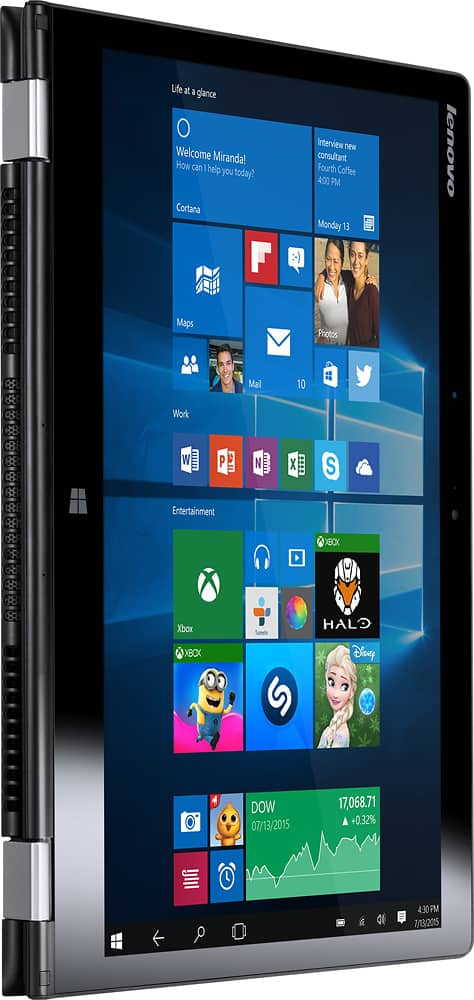
Customers enjoy the Yoga 700 14 2-in-1 laptop's responsive touchscreen, ease of use, and lightweight design. Positive feedback also highlights its long battery life, solid performance, and convenient size. The fast SSD is frequently praised. While some users experienced issues with the display driver, the overall customer sentiment is overwhelmingly positive.
This summary was generated by AI based on customer reviews.
Lenovo
||Posted .This reviewer received promo considerations or sweepstakes entry for writing a review.I liked the computer but the only thing I did not like was that it was heavy
I would recommend this to a friendBrand response from Lenovo Product Expert
Posted .This system weighs 3.53 lbs.

Good
||Posted .This reviewer received promo considerations or sweepstakes entry for writing a review.Good product. Keyboard and touchpad tacky. Overall average product
No, I would not recommend this to a friendBrand response from Lenovo Product Expert
Posted .Thank you for choosing the Lenovo Yoga 700-14. You can make adjustments to the touchpad in setting settings.
Ok
||Posted .This reviewer received promo considerations or sweepstakes entry for writing a review.Don't like windows 10. Won't connect to blue tooth enabled printer
No, I would not recommend this to a friendBrand response from Lenovo Product Expert
Posted .Thank you for choosing the Lenovo Yoga 700-14. This system does have Bluetooth 4.0. It should pair with any device compatible with Bluetooth 4.o. You may need to install drivers for the printer as well. They will need to be Windows 10 drivers. Check at the printer manufacturer's web site for the latest driver.
Not much better than other laptops
||Posted .This reviewer received promo considerations or sweepstakes entry for writing a review.It's an ok machine, frustrating at times. Won't buy again
No, I would not recommend this to a friendDO NOT WASTE YOUR MONEY
||Posted .This reviewer received promo considerations or sweepstakes entry for writing a review.I research most products I purchase, especially if the cost exceeds $50.00 dollars. Unfortunately, in this case I was in a hurry and did NOT do my homework. I openly expressed my lack of knowledge and hesitancy in purchasing the Lenovo-Yoga 700, 1. 2-in-1 14 Touch-screen Laptop (w/Intel Core I5 - 8gb Memory etc.etc...) long story short, the salesman was a very polite, fantastic salesman and spent over an hour discussing why I should purchase a Lenovo for my 6th grade son. After four months of use, the cursor and touchpad are unresponsive, worst still the cursor disappears, which I have learned has been an ongoing issue with Lenovo, since 2013. My BAD, my fault....but Best Buy is very much aware of this particular issues. Lesson learned.
No, I would not recommend this to a friendBrand response from Lenovo Product Expert
Posted .With regard to the issues you mention with your device, there may be driver updates for your specific system. Follow the link below to look for new driver updates for your specific system. You can also run diagnostics from the Lenovo site as well. As always, be sure to create a restore point on your system before you make any changes. Here is the link:
http://support.lenovo.com/us/en/products/Laptops-and-netbooks/Yoga-Series/yoga-700-14isk/80QD/00DRUS?linkTrack=Caps%253ABody_SearchProduct&tabName=downloads&beta=false
- Pros mentioned:Speed, Weight
speedy, lightweight, nice screen
Posted .This reviewer received promo considerations or sweepstakes entry for writing a review.I'm a gadget lover, got multiple tablets, multiple laptops (15 inch macbook pro retina, lenovo x230, dell inspiron 15), latest cell phones I was looking for a lightweight computer with decent processor, good amount of memory and ssd. I also needed it to have a good trackpad (so far nothing beats macbook pro's trackpad). I was able to get what I wanted with this laptop. I'm quite happy with it's build quality, with it's weight (3.5 pounds), it's nice screen, speedy processor, memory and SSD. The touchscreen and trackpad is not as good as what I've seen on Microsoft surface, but for the price, you're getting a very nice, capable, computer. I got an even better deal by purchasing it open-box.
I would recommend this to a friendBrand response from Lenovo Product Expert
Posted .Thank you for choosing the Lenovo Yoga 700-14. We are pleased that the Yoga 700-14 is meeting your computing needs so well.
Track Pad Erratic
||Posted .This reviewer received promo considerations or sweepstakes entry for writing a review.Unfortunately I cannot return this item. I am passed the 15 days. The track pad is erratic. The arrow cursor will move on its own like a ghost is in the computer opening windows disturbing what you are working on nothing will help. You have to restart the laptop and hope that it doesn't come back so you can finish what you are working on. Terrible when you are video conferencing and doing online courses. Apparently some Lenovo laptops commonly have this problem, which I would have seen this prior to purchasing.
No, I would not recommend this to a friendBrand response from Lenovo Product Expert
Posted .With regard to the touchpad, you can make adjustments to the touchpad in your system settings. You can get there by clicking on the magnifying glass at the bottom left your Windows 10 screen. Type "touchpad" in the search window. Select "Mouse & touchpad settings" from the list of choices. You can make general adjustments to the touchpad there. You can also select "Additional mouse options" for more detailed adjustments to the touchpad sensitivity by increasing the delay of the touchpad. If the issue continues after you have made these adjustments, there may be mouse/keyboard driver updates for your specific system. Follow the link below to look for new driver updates for your specific system. You can also run diagnostics from the Lenovo site as well. As always, be sure to create a restore point on your system before you make any changes. You can do this by just typing "restore point" in the search window within Cortana and follow the link to create a restore point. Here is the link:
http://pcsupport.lenovo.com/us/en/products/laptops-and-netbooks/yoga-series/yoga-700-14isk/80qd/80qd00drus/downloads?linkTrack=Caps%3ABody_SerialNumber. Finally, if driver updates do not solve the issue, you can reset the device to original factory settings, then try the driver updates again. You can do that by typing "restore" in the Cortana search window. Just click on the magnifying glass icon at the bottom left of your Windows 10 Desktop. Click on "Reset This PC" Then click on "Get Started" and follow the on screen directions to restore to factory defaults.
Needed to be reset
||Posted .This reviewer received promo considerations or sweepstakes entry for writing a review.The laptop didn't come with a charging cable and therefore upon purchase of one through Amazon the laptop needed to be reset. Had to make another trip to store.
No, I would not recommend this to a friendLooks good, runs bad
||Posted .This reviewer received promo considerations or sweepstakes entry for writing a review.I bought based on specs and appearance. Took it home and it lasted 2 weeks before keyboard/ mouse issues began. They stopped working. GS recommended replacing, which I did. New one lasted 4 days before screen was shot. Switched to HP...much happier.
No, I would not recommend this to a friendDon't recommend
||Posted .This reviewer received promo considerations or sweepstakes entry for writing a review.The screen would go black and flash different colors and the sound would skip then close out of the programs I was using
No, I would not recommend this to a friendBrand response from Lenovo Product Expert
Posted .With regard to the issues you mention with your device, there may be driver updates for your specific system. Follow the link below to look for new driver updates for your specific system. You can also run diagnostics from the Lenovo site as well. As always, be sure to create a restore point on your system before you make any changes. You can do this by just typing "restore point" in the search window within Cortana and follow the link to create a restore point. Here is the link:
http://pcsupport.lenovo.com/us/en/products/laptops-and-netbooks/yoga-series/yoga-700-14isk/80qd/80qd00drus/downloads?linkTrack=Caps%3ABody_SearchProduct
Monitor goes black while on the web
||Posted .This reviewer received promo considerations or sweepstakes entry for writing a review.Poor perforformance on the web. The screen glitches or goes completely black. It comes back but this happens repeatedly.
No, I would not recommend this to a friendBrand response from Lenovo Product Expert
Posted .Thank you for choosing the Lenovo Yoga 700-14. With regard to the video screen issues you mention with your device, there may be driver updates for your specific system. Follow the link below to look for new driver updates for your specific system. As always, be sure to create a restore point on your system before you make any changes. Here is the link:
http://support.lenovo.com/us/en/products/Laptops-and-netbooks/Yoga-Series/yoga-700-14isk/80QD/00DRUS?query=&Shallow=1&Type=&OperatingSystems=&Component=&Symptom=&linkTrack=Caps%253ABody_SearchProduct&tabName=downloads&beta=false
- Pros mentioned:Touch screen, Weight
Good for college freshman
Posted .This reviewer received promo considerations or sweepstakes entry for writing a review.Purchased over July 4 for my son heading to college this fall. He loves it so far. Weight is good for hauling around campus, screen is easy to read and backlit keyboard is big plus. Getting i5, 8GB and SSD at this sale price with Lenovo quality was nice for me too. We've had a Lenovo desktop for years, so expect it to last. The back comes off with a few screws, so the memory and SSD should be upgradable and, if it's ever an issue, the battery should be able to be replaced with a little effort. Many thanks to Best Buy and Lenovo for making the college PC purchase easy and affordable, now if you could only help with tuition ;-)
I would recommend this to a friendBrand response from Lenovo Product Expert
Posted .Thank you for choosing the Lenovo Yoga 700-14. We are pleased to hear that the Yoga 700-14 is meeting your computing needs so well.
laptop is not charging after 20 days.
||Posted .This reviewer received promo considerations or sweepstakes entry for writing a review.laptop is not charging after 20 days. I can;t exchange the laptop as it crossed 15 days period.
No, I would not recommend this to a friendBrand response from Lenovo Product Expert
Posted .Check the AC adapter to make sure it is sending a charge to the device. You may need to bring this in to the Geek Squad at your local Best Buy to check this out. If the AC adapter is working, you can follow the link below and look for new power management driver updates for your specific device. As always, be sure to create a restore point on your system before you make changes, then create a new restore point once the issue is fixed. Here's the link:
http://support.lenovo.com/us/en/products/Laptops-and-netbooks/Yoga-Series/yoga-700-14isk/80QD/00DRUS?linkTrack=Caps%253ABody_SearchProduct&beta=false
- Pros mentioned:Speed, Weight
Excellent 2 in 1 for the money
Posted .This reviewer received promo considerations or sweepstakes entry for writing a review.This convertible laptop has performed very well since we received it. It's light, very fast and although I have read some reviews with concerns about the brightness of the screen it's been just fine for us. I've loaded Microsoft office, my google drive and a few apps on it and the drive is about 1/2 full, so you can't put your entire life on this machine, but it has enough storage for everyday work or for doing things on the web. Only has a micro-HDMI port, so you will need a different cable or adapter. For the money, a good all-around laptop.
I would recommend this to a friendBrand response from Lenovo Product Expert
Posted .Thank you for choosing the Lenovo Yoga 700-14. We are pleased to hear that the features and performance of the Yoga 700-14 meet your computing needs so well.
- Pros mentioned:Speed
Functional Laptop for Everyday Use
Posted .This reviewer received promo considerations or sweepstakes entry for writing a review.This laptop is very functional for everyday web surfing, emails, MS Office, etc. The 2-in1 is a nice addition that I will need to get used to. The processor is sufficient for every day use. I would very much also recommend the Solid State Drive hard drive!
I would recommend this to a friendBrand response from Lenovo Product Expert
Posted .Thank you for choosing the Lenovo Yoga 700-14. We are pleased to hear that the performance of the Yoga 700-14 meets your computing needs so well.
- Pros mentioned:Weight
Nice comp
Posted .This reviewer received promo considerations or sweepstakes entry for writing a review.I needed a quick computer starting for school...and I hear about the yoga. I liked all the specs etc. It works great the one thing is that when the screen times out and I try to either touch the screen or the mouse pad it just lights up the black screen then I have to turn it off and wait then hit the button again to turn it back on.... just kinda irritating... and I am not use to the type of comp it is so it's been a while since I've got used to everything..it is hard to open... I do love it tho.. very light weight and durable for exactly what i need!
I would recommend this to a friendBrand response from Lenovo Product Expert
Posted .Thank you for choosing the Lenovo Yoga 700-14. With regard to waking up the screen after it times out, try hitting the spacebar rather than the screen or touchpad.
- Pros mentioned:Speed
Good laptop at good price.
Posted .This reviewer received promo considerations or sweepstakes entry for writing a review.This laptop is great for all types of work I have thrown at it so far. Starts up very fast and continues to run fast. I wanted to give the product 5 stars, but my speakers have randomly stopped working one day. I can plug in headphones and listen to everything, but once I take the headphones out, all I get is silence from the speakers. I have tried to update the sound/speaker drivers, done a rollback driver, uninstalled and reinstalled drivers. Nothing has worked so far.
I would recommend this to a friend - Cons mentioned:Display driver
Great for price, but ...
Posted .This reviewer received promo considerations or sweepstakes entry for writing a review.Overall it's a good laptop for the price, but I had several usability issues that I ended up returning it. Got a Dell instead. 1. Display driver crashed on first login, and multiple times since then, when Reccent apps icon was tapped. 2. System scan failed some mathematical tests. 3. If I turn the keyboard backlight on (Fn + Space) and then close the lid, the backlight doesnt turn on the next time lid is opened, and has to be turned on by Fn+Space keys. How I am supposed to find those keys in the dark? 4. Scrolling with two fingers on the pad doesnt work well, even the touch screen scrolling with finger results in tap events many times instead of scrolling, e.g., in browser, maybe a browser issue or a general scrolling issue. 5. Display is not crisp compared to a Macbook pro, but that would be an unfair comparison, given the price and specs of the two devices, so it's ok for the price, I guess.
No, I would not recommend this to a friend Great laptop
Posted .This reviewer received promo considerations or sweepstakes entry for writing a review.In a summary this is a great laptop for the price. after being immediately attracted to the hp pavilion x360 m3 i bought that and ended up returning it 3 times until i was told there was a design flaw after being fed up needing a new laptop i went over to a different best buy hoping for success and found the yoga suits my needs perfectly i love it but my only complaint is when you put it in 2 in one mode the speakers become extremely tinny and i was wondering why this is and if there's a fix?
I would recommend this to a friendBrand response from Lenovo Product Expert
Posted .Thank you for choosing the Lenovo Yoga 700-14. With regard to the audio issue you mentioned, there are a couple things you can try, this system is equipped with Dolby Sound Equalizer. Try adjusting the equalizer settings. If that doesn't improve the sound, there may be Realtek Audio driver updates for your specific system. Follow the link below to look for new driver updates for your specific system. As always, be sure to create a restore point on your system before you make any changes. Here is the link:
http://support.lenovo.com/us/en/products/Laptops-and-netbooks/Yoga-Series/yoga-700-14isk/80QD/00DRUS?query=&Shallow=1&Type=&OperatingSystems=&Component=&Symptom=&linkTrack=Caps%253ABody_SearchProduct&tabName=downloads&beta=false
Nice 2-1 Laptop
Posted .This reviewer received promo considerations or sweepstakes entry for writing a review.Great combination of size and power. Solid build. Works well in tent mode. Only cons: screen a little dim, battery lasts about 6 hrs during normal use, sound and video drivers may initially have to be upgraded from Lenova website. A quality product.
I would recommend this to a friendBrand response from Lenovo Product Expert
Posted .Thank you for choosing the Lenovo Yoga 700-14. We are pleased to hear that the features and performance of the Yoga 700-14 met your computing needs so well.