Customer Ratings & Reviews

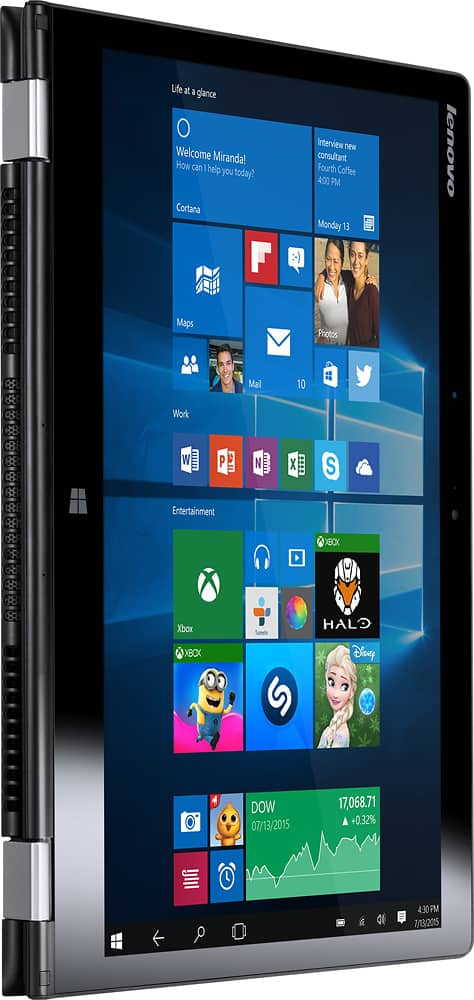
- Model:
- 80QD00DRUS
- SKU:
- 5225001
to a friend
Customers are saying
Customers enjoy the Yoga 700 14 2-in-1 laptop's responsive touchscreen, ease of use, and lightweight design. Positive feedback also highlights its long battery life, solid performance, and convenient size. The fast SSD is frequently praised. While some users experienced issues with the display driver, the overall customer sentiment is overwhelmingly positive.
This summary was generated by AI based on customer reviews.
- Pros mentioned:Ease of use, Weight
Great touch screen laptop for a beginner
Posted .This reviewer received promo considerations or sweepstakes entry for writing a review.This is really a good one for a beginner, light weight and user friendly
I would recommend this to a friendBrand response from Lenovo Product Expert
Posted .Thank you for choosing the Lenovo Yoga 700-14. We are pleased to hear that the features and performance of the Yoga 700-14 meets your computing needs so well.

Over-all this is a good computer. Just too picky?
Posted .This reviewer received promo considerations or sweepstakes entry for writing a review.I am really picky about quality. This computer feels as if it has been built fairly well. I like the back-lit keyboard, just kinda goofy way to turn it on/off via software vs just a simple key? I should rate this a 5 star... or maybe not. The main issue I have is that the SD memory card reader does not allow me to just plug in an SD card and forget it is there to double the hard drive space. Nope, instead it sticks out over halfway from the side of the computer and randomly un-mounts the card? Oh, a couple of more issues came up after I thought I could live with the SD card concern. The 2nd issue was burning electric smell? This computer has a strange in between USB-C and USB 3 and Lenovo's old rectangle plug. It has a full sized USB-A plug that has like a small tail on it? Okay, no big deal just use an extra heavy duty USB custom cable or not the power brick was getting extremely hot during any charge that lasted more than 30 minutes? The 3rd issue serious throttling. During the two weeks I had to do a few Windows updates. The first batch happens with every new Windows computer straight out of the box and then update Tuesdays for two weeks. Each update pushed this laptop very hard and it throttled down slower than an i3 and possibly as low as a Pentium. This is an i5. I have to update laptops at work all the time and they have traditional 5400rpm or 7200rpm drives with only an 4th generation i3 u-series. This 6th generation i5 u benches out higher and is backed with an SSD so the only explanation I can come up with is throttled due to a slightly thinner design? Lenovo builds decent products and has a decent warranty back with decent customer service ... so I would still recommend this for basic use. I returned mine as I could not get over all three of my concerns. Maybe other users would not mind a memory card reader that is only good for temporary use to transfer photos or songs? I wanted to use it for a couple of extra cards to expand the permanent storage. Unsure on the over-heating and throttling. I really just do not have the time to spend the window of return fully bench testing a computer to find out what the issue was, I gave up and returned it. Trying an Asus ZenPad 10 running Android 6.0 if it will hold a MicroSD card with my MakeZine (Make: Magazine) collection and allow me to use email, surf and write papers maybe that is best for my use.
I would recommend this to a friend- Pros mentioned:Weight
Great graphics!!! Very sleek and easy to use
Posted .This reviewer received promo considerations or sweepstakes entry for writing a review.I really enjoy my new laptop. I had bought it for college and it is very sleek and light for carrying to classes. I love the two in one design (tablet mode and laptop). Although I did not know that there was no CD Jack when I purchased it- it hasn't been much of a problem since a lot of things are accessed digitally now.
I would recommend this to a friendBrand response from Lenovo Product Expert
Posted .Thank you for choosing the Lenovo Yoga 700-14. We are pleased to hear that the features and performance of the Yoga 700-14 meets your computing needs so well.
- Pros mentioned:Ease of use
Great Headphones
Posted .This reviewer received promo considerations or sweepstakes entry for writing a review.I really enjoy these headphones. Great sound, and easy to use. Only negative thing I can say about them is they don't stay in place well at the gym.
I would recommend this to a friendBrand response from Lenovo Product Expert
Posted .Thank you for choosing the Lenovo Yoga 700-14. We are pleased to hear that the Yoga 700-14 is working out for you.
Great versatality could work on HDMI
Posted .This reviewer received promo considerations or sweepstakes entry for writing a review.Hi really like the versitality of my lenovo yoga! Its great for switching to tablet mode and reading while doing homework. My only complaint is the micro hdmi. You need to by an adapter and I have had so many problems trying to get the sound to work through the HDMI cable. Even when I plugged speakers directly into the lenovo I had to mess with a bunch of settings to get the sound to work on the TV. Really annoying. Overall though a great purchase. Had for a few months and it does take some getting used to--tablet mode, etc but I like it.
I would recommend this to a friendBrand response from Lenovo Product Expert
Posted .Thank you for choosing the Lenovo Yoga 700-14. With regard to the audio through the Micro-HDMI-Out port on this device, there is audio going out from this system. You should check with your TV manufacturer to confirm that the HDMI-IN port on your TV accepts audio with the video signal.
- Pros mentioned:Weight
Worth it
Posted .This reviewer received promo considerations or sweepstakes entry for writing a review.Loved design and flexibility of this touchscreen laptop. It is light weight which makes easy to carry. Happy with purchase.
I would recommend this to a friendBrand response from Lenovo Product Expert
Posted .Thank you for choosing the Lenovo Yoga 700-14. We are pleased to hear that the features and performance of the Yoga 700-14 meets your computing needs so well.
Great Laptop For Great Price
Posted .This reviewer received promo considerations or sweepstakes entry for writing a review.I got this computer for high school and so far its worked out really well. The only 2 issues in my opinion are that the shift key on the right side is kinda small and I keep on mistyping using it. My second is that sometimes when I have the volume turned up really high to like about 100 out loud the speakers have a little hiccup and a bit of static comes out but this is really rare for me and I just put it at 80 instead of 100 and so far I haven't have any issues.
I would recommend this to a friendBrand response from Lenovo Product Expert
Posted .Thank you for choosing the Lenovo Yoga 700-14. With regard to the right shift key and hitting the wrong key, there is free software called KeyTweak that will allow you to switch the functionality of select keys on your keyboard. This means you can change the function of the key you are hitting when you mean to hit the right shift key. Just Google KeyTweak for more information on the software and where to download. If you choose to download the software be sure to create a restore point on your system before you make changes, then create a new restore point if you decide to keep the software.
Great for class and entertainment
Posted .This reviewer received promo considerations or sweepstakes entry for writing a review.I really like this laptop! At first I was annoyed because it would constantly say a driver had stopped but I found out it was because I needed to update the laptop! Works amazing and haven't had an issue yet.
I would recommend this to a friendBrand response from Lenovo Product Expert
Posted .Thank you for choosing the Lenovo Yoga 700-14. We are pleased to hear that the Yoga 700-14 meets your computing needs so well.
Nice machine overall
Posted .This reviewer received promo considerations or sweepstakes entry for writing a review.Overall, this computer is serving its purpose for work, but have had a couple issues with my battery being dead in the morning, and with it randomly shutting off a couple times. I like the screen and the ability to change the position of it making it into a tablet, though I do not like having the keyboard on the bottom when it is in tablet mode.
I would recommend this to a friendDisappointed in this model
Posted .This reviewer received promo considerations or sweepstakes entry for writing a review.I'm a repeat "Yoga" owner. Loved my previous model that I purchased 4 years ago, and decided to upgrade with the latest 700. First, the computer programs and everything I loaded work great. Screen is beautiful. Sound is great. But ... a.) It sometimes freezes and causes me to restart. I've had troubleshooting done and we cannot find the problem. b.) Location of fan and microphone! Wow. HUGE engineering issue. Something I never thought about. I use Skype quite often during coaching sessions, and I cannot use this laptop because the sound of the cooling fan interferes with the microphone. My clients cannot hear me without it sounding as if I'm on an air strip. If anyone knows a way around this, I'd appreciate your insight.
No, I would not recommend this to a friendBrand response from Lenovo Product Expert
Posted .Thank you for choosing the Lenovo Yoga 700-14. With regard to the freezing issues you mention with your device, there may be driver updates for your specific system. Follow the link below to look for new driver updates for your specific system. As always, be sure to create a restore point on your system before you make any changes. Here is the link:
http://support.lenovo.com/us/en/products/Laptops-and-netbooks/Yoga-Series/yoga-700-14isk/80QD/00DRUS?linkTrack=Caps%253ABody_SearchProduct&tabName=downloads&beta=false
Concerning the sound of the fan interfering with the microphone during Skype sessions, I would use an external microphone, especially one with noise cancelling capabilities.
Good, fast , and reliable after updates!
Posted .This reviewer received promo considerations or sweepstakes entry for writing a review.I bought my Yoga 700 six months ago. I had issues with ghost touches after two weeks of purchasing. I am a novice computer person. The lenovo support team helped me work out the issues. I love this computer, and would buy again, even with the kinks.
I would recommend this to a friendFair Laptop
Posted .This reviewer received promo considerations or sweepstakes entry for writing a review.Bought this 8 months ago and since then I have had to disable the touch feature of this laptop because of ghosting issues. Sent the laptop back to Lenovo and they just reinstalled everything. I could have done that. Another issue is the the screws hold the plate underneath have begun to fall out. Out of the 11 screws underneath 7 remain . They are lost to world to which they fell upon. Researched the price for replacements and they run about $15.00 a piece. Another problem is the graphics driver seems to have some issues, reinstalled many times and still at random points during the day the screen goes blank for 5 seconds then returns to normal. I will be looking for a new laptop this holiday season most likely going back to a Macbook and just give this laptop to a family member in need of one and let them deal with the problems of this laptop. Thanks for reading this and have a nice day.
No, I would not recommend this to a friendBrand response from Lenovo Product Expert
Posted .We are sorry to hear about the issues you are experiencing with your Lenovo Yoga 700-14. With regard to the issues you mention with your device, there may be driver updates for your specific system. Follow the link below to look for new driver updates for your specific system. You can also run diagnostics from the Lenovo site as well. As always, be sure to create a restore point on your system before you make any changes. Here is the link:
http://support.lenovo.com/us/en/products/Laptops-and-netbooks/Yoga-Series/yoga-700-14isk/80QD/00DRUS?linkTrack=Caps%253ABody_SearchProduct&tabName=downloads&beta=false
Looks good, works even better :)
Posted .This reviewer received promo considerations or sweepstakes entry for writing a review.Works as expected, looks great, absolutely no issues. Great purchase overall !
I would recommend this to a friendBrand response from Lenovo Product Expert
Posted .Thank you for choosing the Lenovo Yoga 700-14. We are pleased to hear that the Yoga 700-14 is meeting your expectations so well.
Awesome !
Posted .This reviewer received promo considerations or sweepstakes entry for writing a review.the screen is super clear. the performance is great, best deal for the specs, SSD drive 8gbs of ram and a 6th gen chip i5
I would recommend this to a friendBrand response from Lenovo Product Expert
Posted .Thank you for choosing the Lenovo Yoga 700-14. We are pleased to hear that the Yoga 700-14 is meeting your computing needs so well.
Poor internet connectivity
Posted .This reviewer received promo considerations or sweepstakes entry for writing a review.My biggest grievance w/ this laptop is the poor internet connectivity. In my experience, the internet goes in and out when streaming videos or live tv, which causes a disjointed viewing experience. I know this is not my internet as I also own a Lenovo Yoga 3 that does not have any issues w/ connectivity. Otherwise, this laptop is decent, apps have crashed on me, but that may have been because I had multiple videos open. There are the phantom touches that require turning the screen on and off several times, but that has been my experience w/ other Lenovo 2-in-1 laptops in the past as well.
No, I would not recommend this to a friendBrand response from Lenovo Product Expert
Posted .With regard to the WiFi and Ghost Touch issues you mention with your device, there may be driver updates for your specific system. Follow the link below to look for new driver updates for your specific system. You can also run diagnostics from the Lenovo site as well. As always, be sure to create a restore point on your system before you make any changes. You can do this by just typing "restore point" in the search window within Cortana and follow the link to create a restore point. Here is the link:
http://support.lenovo.com/us/en/products/Laptops-and-netbooks/Yoga-Series/yoga-700-14isk/80QD/00DRUS?linkTrack=Caps%253ABody_SearchProduct&tabName=downloads&beta=false
Great 2 in 1!
Posted .This reviewer received promo considerations or sweepstakes entry for writing a review.This is my first 2 in 1 and I am very pleased with it! I definitely recommend this Lenovo!
I would recommend this to a friendBrand response from Lenovo Product Expert
Posted .Thank you for choosing the Lenovo Yoga 700-14. We are pleased to hear that the Yoga 700-14 is meeting your computing needs so well.
It started out well then randomly broke
Posted .This reviewer received promo considerations or sweepstakes entry for writing a review.I had this laptop for a few months because I wanted a good sturdy laptop and it just randomly stopped working and won't turn on after having it for less than 6 months
No, I would not recommend this to a friendBrand response from Lenovo Product Expert
Posted .This system is equipped with OneKey Recovery System. There is a very small pin hole on the right side of the device, right near the power button on the device. You will need a pin to push this reset button. Plug the device in. Let the battery charge for about 15 minutes. Push the reset button. The system should boot to a choice screen where you can choose "Restore To Factory Default". Select this. It will delete everything from the hard drive except the original factory install of the operating system. You will need to reinstall all programs and files after the reset. If you don't have copies of the files, try to make one before you restore by selecting "Boot to desktop" and trying to back up your files.
Excellent Sales Tool
Posted .This reviewer received promo considerations or sweepstakes entry for writing a review.Excellent for daily use and for business meetings.
I would recommend this to a friendBrand response from Lenovo Product Expert
Posted .Thank you for choosing the Lenovo Yoga 700-14. We are pleased to hear that the performance of the Yoga 700-14 meets your computing needs so well.
solid
Posted .This reviewer received promo considerations or sweepstakes entry for writing a review.Solid computer, doesn't come with all the blotware
I would recommend this to a friendBrand response from Lenovo Product Expert
Posted .Thank you for choosing the Lenovo Yoga 700-14. We are pleased to hear that the features and performance of the Yoga 700-14 meets your computing needs so well.
Aggravated
Posted .This reviewer received promo considerations or sweepstakes entry for writing a review.I had purchased this laptop as an upgrade from what i had which was only 2 years old. I was excited about the 2 in 1 features and the screen display and speed. I had to order it because the store was out of stock. At first it was great, then it kept giving a graphics driver error. So i searched on both Lenovo and Intels website for an updated version, which none of them were compatible. Then one night i was working on school work, the laptop screen went blue with a sad face and was screeching like an angry cat. This was in the first three days i owned the computer. So off to the store i went to exchange it, well they had none in stock. I decided to purchase the Lenovo Thinkpad yoga 14,which i picked up on Friday 8/26. After setting it up it was working great, now on day 2 of owning it i went to type an address into the search bar and the top of the screen gets black and chopped up and the fan continuously goes on and off. So now back to the store i go to return the second laptop in a week Made by Lenovo. I guess i need to purchase another brand because this is crazy.
No, I would not recommend this to a friend