Customer Ratings & Reviews

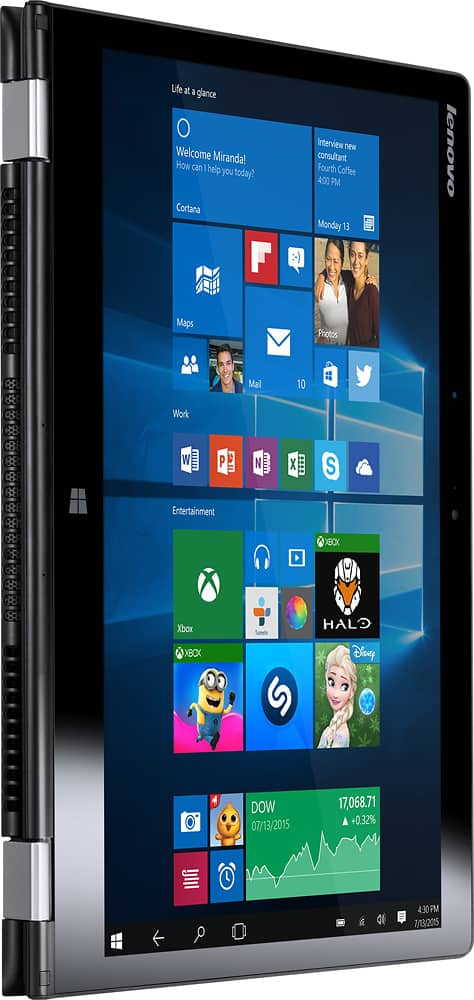
- Model:
- 80QD00DRUS
- SKU:
- 5225001
to a friend
Customers are saying
Customers enjoy the Yoga 700 14 2-in-1 laptop's responsive touchscreen, ease of use, and lightweight design. Positive feedback also highlights its long battery life, solid performance, and convenient size. The fast SSD is frequently praised. While some users experienced issues with the display driver, the overall customer sentiment is overwhelmingly positive.
This summary was generated by AI based on customer reviews.
Laptop Stopped Functioning after 6 Months
Posted .This reviewer received promo considerations or sweepstakes entry for writing a review.I was pretty optimistic when I got this laptop. The associate that had helped me at Best Buy explained that this computer was similar to a top priced HP computer on display, but for a cheaper price. I was sold! In the first month of having this laptop I experienced ghost touches which are apparently common with Lenovos. I disabled the touchscreen and continued along like that. 6 months later during midterms week, I was writing a paper for class, and the keyboard quit operating. Neither the keyboard nor the mouse would work for me since. Then a week later, the laptop was unable to register the charger and would not turn on. As a college student who had to spend my own money on a laptop for school, I was very sad to have it only last 6 months when I expected it to last for at least 4 years. I unfortunately do not even have money to replace it. Spare your bank account and the tears and go with a different laptop!
No, I would not recommend this to a friendBrand response from Lenovo Product Expert
Posted .Because the system worked for the first 6-months, it sounds like a Windows 10 update that conflicts with older drivers. This system is equipped with OneKey Recovery System. There is a very small pin hole on the right side of the device, right near the power button on the device. You will need a pin to push this reset button. Plug the device in. Let the battery charge for about 15 minutes. Push the reset button. The system should boot to a choice screen where you can choose "Restore To Factory Default". Select this. It will delete everything from the hard drive except the original factory install of the operating system. You will need to reinstall all programs and files after the reset. Be sure you only install programs that are compatible with Windows 10. If you don't have copies of the files, try to make one before you restore by selecting "Boot to desktop" and trying to back up your files. After you have restore the device, there may be driver updates for your specific system. Follow the link below to look for new driver updates for your specific system. You can also run diagnostics from the Lenovo site as well. As always, be sure to create a restore point on your system before you make any changes. You can do this by just typing "restore point" in the search window within Cortana and follow the link to create a restore point. Here is the link:
http://pcsupport.lenovo.com/us/en/products/laptops-and-netbooks/yoga-series/yoga-700-14isk/80qd/80qd00drus/downloads
Poor Display
Posted .This reviewer received promo considerations or sweepstakes entry for writing a review.If I would have left a review right after the purchase, it would probably been 5 stars. I got an excellent deal for a decent computer. However, just 2 or 3 months after receiving, the display developed large yellow areas on each side. This was purchased for my college son, so we waited until Christmas break to get it fixed. We took it to Geek Squad at Best Buy for repair. We got a call 2 weeks later and was told that it could not be fixed. We did get our money back, but was not offered the same model as a replacement. Now we are in a time crunch and he will be going back to school without a laptop. In addition, a suitable, comparable laptop will cost us an extra $200. I do not know if this is a Lenovo or Best Buy issue, but it is frustrating that we could not get an exact replacement, which is in stock. The laptop was clearly defective.
No, I would not recommend this to a friend- Cons mentioned:Display driver
Lenovo Joke
Posted .This reviewer received promo considerations or sweepstakes entry for writing a review.I had to spend hours of time with Lenovo to download a BETA version of the display driver! It's DARK!! I'm returning it to Best Buy...
No, I would not recommend this to a friend Do not buy a Lenovo
Posted .This reviewer received promo considerations or sweepstakes entry for writing a review.This is a laptop that is just like a bad mobile phone. It runs a phone operating system, so you can't do anything an adult would want to do. Just to give you an idea, while writing this review, the 'photo' app has opened itself up 3 times, and the only way out of it is to CTL-ALT-Delete to task manager and close it. If you have a cell phone or an ipad, I'm not sure what the point of this is. Totally frustrated. Trying to ONLY manage family photos and file my taxes, and it's still too much for this giant paper weight.
No, I would not recommend this to a friendBrand response from Lenovo Product Expert
Posted .Thank you for choosing the Lenovo Yoga 700-14. This system runs a full version of Windows 10 Home 64-bit operating system. For any APP to open, you must he hitting the shortcut keys to open the APP. You might want to review navigating your way around Windows 10 by viewing some free videos at YouTube.com. With regard to learning your way around Windows 10, you may want to try YouTube.com (just type that address in your browser address window). There are hundreds for free instructional videos there about Windows 10. Just type Windows 10 Introduction in to the YouTube search window. You can watch free videos there that will show you the basics all the way up to tips and tricks videos and they're all free.
Cannot power
Posted .This reviewer received promo considerations or sweepstakes entry for writing a review.Never go to the Lenovo again. I had a Yoga 3 14. Sometimes it stops working and I have to hold the power button to restart the laptop. This month, it stopped working forever, unfortunately, my laptop just passed the warranty. I called to Lenovo supporting service but it was not helpful. I brought it to the repair store, the technician cannot do anything to make it work again. He said it is very common for the Yoga with the power, he has got many clients have the same problem.
No, I would not recommend this to a friendBrand response from Lenovo Product Expert
Posted .This system is equipped with OneKey Recovery System. There is a very small pin hole on the right side of the device, right near the power button on the device. You will need a pin to push this reset button. Plug the device in. Let the battery charge for about 15 minutes. Push the reset button. The system should boot to a choice screen where you can choose "Normal boot to desktop". Select this. Once you have the device booted and connected to the internet, you can run a diagnostic at Lenovo.com-support, updating any drivers that may be an older version. Follow the link below to look for new driver updates for your specific system. You can also run diagnostics from the Lenovo site as well. As always, be sure to create a restore point on your system before you make any changes. You can do this by just typing "restore point" in the search window within Cortana and follow the link to create a restore point. Here is the link:
http://pcsupport.lenovo.com/us/en/products/Laptops-and-netbooks/Yoga-Series/yoga-700-14isk/80QD/00DRUS/downloads?linkTrack=Caps%3ABody_SerialNumber
States will take Sata Drive - they don't fit
Posted .This reviewer received promo considerations or sweepstakes entry for writing a review.Before I bought this model, I chatted with Best Buy online to make sure I could replace the SSD drive to a larger SATA hard drive. They stated yes and the product info even states this. The current SSD drive is only 5mm thick. I tried a 7mm SATA and it doesn't fit. No one carries a 5mm SATA drive so I am stuck with a small 128 GB SSD without an option to upgrade. and of course it past the 15 day return policy before I realized that what they promised doesn't work.
No, I would not recommend this to a friendBrand response from Lenovo Product Expert
Posted .All work on this system must be done by a certified technician so as to not void the warranty. Here is the part number for a 5mm. 256GB SSD drive that can replace the 128GB drive in this system. SSD, 2.5" 5mm 256G, Samsung MZYLN256HCHP 2.5'' 5mm 256GB SSD/(Part Number): 5SD0H00097
THIS THE WORST COMPUTER EVER!!!
Posted .This reviewer received promo considerations or sweepstakes entry for writing a review.I don't know, but maybe my computer is defective or something, but every time whenever I'm on it the screen seems to block out for no reason at all. sometimes it even take about 25 mins just to start up and please to remind you I only had this laptop only for a one month.
No, I would not recommend this to a friendBrand response from Lenovo Product Expert
Posted .Thank you for choosing the Lenovo Yoga 700-14. With regard to the issues you mention with your device, there may be driver updates for your specific system. Follow the link below to look for new driver updates for your specific system. As always, be sure to create a restore point on your system before you make any changes. Here is the link:
http://support.lenovo.com/us/en/products/Laptops-and-netbooks/Yoga-Series/yoga-700-14isk/80QD/00DRUS?tabName=Downloads&linkTrack=Mast:SubNav:Support:Drivers and Software|Drivers and Software
Very Poor Computer
Posted .This reviewer received promo considerations or sweepstakes entry for writing a review.This is the worst computer I have owned. Have had nothing but trouble since we bought it. I would not buy another Lenovo product. Have had it to the Geek Squad twice and still can't get it to function properly. I am currently submitting a warranty claim through Lenovo.
No, I would not recommend this to a friendBrand response from Lenovo Product Expert
Posted .We are sorry to hear about the issues you are experiencing with your Lenovo Yoga 700-14. With regard to the issues you mention with your device, there may be driver updates for your specific system. Follow the link below to look for new driver updates for your specific system. You can also run diagnostics from the Lenovo site as well. As always, be sure to create a restore point on your system before you make any changes. Here is the link:
http://support.lenovo.com/us/en/products/Laptops-and-netbooks/Yoga-Series/yoga-700-14isk/80QD/00DRUS?linkTrack=Caps%253ABody_SearchProduct&tabName=downloads&beta=false
The worst laptop ever
Posted .This reviewer received promo considerations or sweepstakes entry for writing a review.This is the worst laptop i bought ever. This laptop is so painful in work. I am fetching so much problem and it is like a scrap materials. This is useless laptop. i would like to give this laptop minus rating!!!
No, I would not recommend this to a friendBrand response from Lenovo Product Expert
Posted .We are sorry to hear that you are having issues with your Yoga 700-14. We would like to help you with your issues. You can provide details here and will try to help you. You can also go to Lenovo.com-support. There may be driver updates for your specific system. Follow the link below to look for new driver updates for your specific system. You can also run diagnostics from the Lenovo site as well. As always, be sure to create a restore point on your system before you make any changes. You can do this by just typing "restore point" in the search window within Cortana and follow the link to create a restore point. Here is the link:
http://pcsupport.lenovo.com/us/en/products/laptops-and-netbooks/yoga-series/yoga-700-14isk/80qd/80qd00drus/downloads?linkTrack=Caps%253ABody_SerialNumber. Finally, you can call Lenovo Tech Support for help. The number is 877-453-6686.