Customer Ratings & Reviews








- Model:
- 80VF001TUS
- SKU:
- 5579125
to a friend
Customers are saying
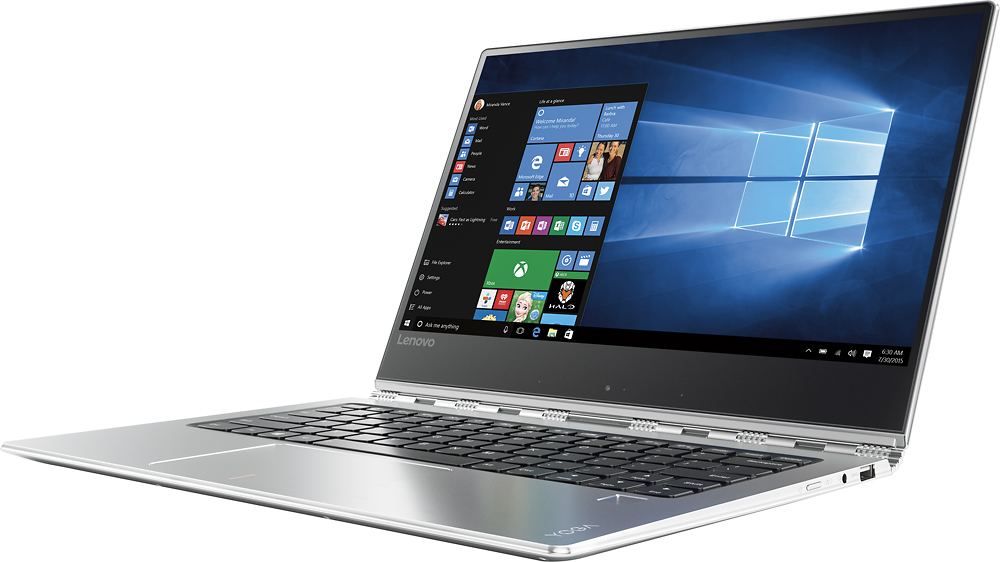
Customers enjoy the Yoga 910's lightweight design, impressive screen size, and strong performance. Many appreciate its long battery life and ease of use. However, some users have noted issues with fan noise and heat generation, while others find the placement of the shift key less than ideal. The fast SSD is also a frequently cited positive.
This summary was generated by AI based on customer reviews.
- Pros mentioned:Performance
Perfect so far
||Posted .This reviewer received promo considerations or sweepstakes entry for writing a review.Absolutly love it. Prefect for any user and fast!!
I would recommend this to a friendBrand response from Lenovo Product Expert
Posted .Thank you for choosing the Lenovo Yoga 910-14. We are pleased to hear that the Yoga 910-14 is working out so well for you.

All I Expected
||Posted .This reviewer received promo considerations or sweepstakes entry for writing a review.Great easy to use Laptop. Was very easy to set up.
I would recommend this to a friendBrand response from Lenovo Product Expert
Posted .Thank you for choosing the Lenovo Yoga 910-14. We are pleased to hear that the performance of the Yoga 910-14 meets your computing needs so well.
- Pros mentioned:Weight
Great Laptop
||Posted .This reviewer received promo considerations or sweepstakes entry for writing a review.Small, compact, light weight! It's a great laptop!
I would recommend this to a friendBrand response from Lenovo Product Expert
Posted .Thank you for choosing the Lenovo Yoga 910-14. We are pleased to hear that the Yoga 910-14 meets your computing needs so well.
- Pros mentioned:Processor speed
Small but no user software bundle
||Posted .This reviewer received promo considerations or sweepstakes entry for writing a review.Easy to use. Very fast. Bright screen and great graphics. The only drawback is that it virtually has no user software. It's all extra.
No, I would not recommend this to a friendBrand response from Lenovo Product Expert
Posted .This system comes with a Signature Edition Windows 10 Home 64-bit operating system. There is no adware installed on this device.
Great Ultrabook
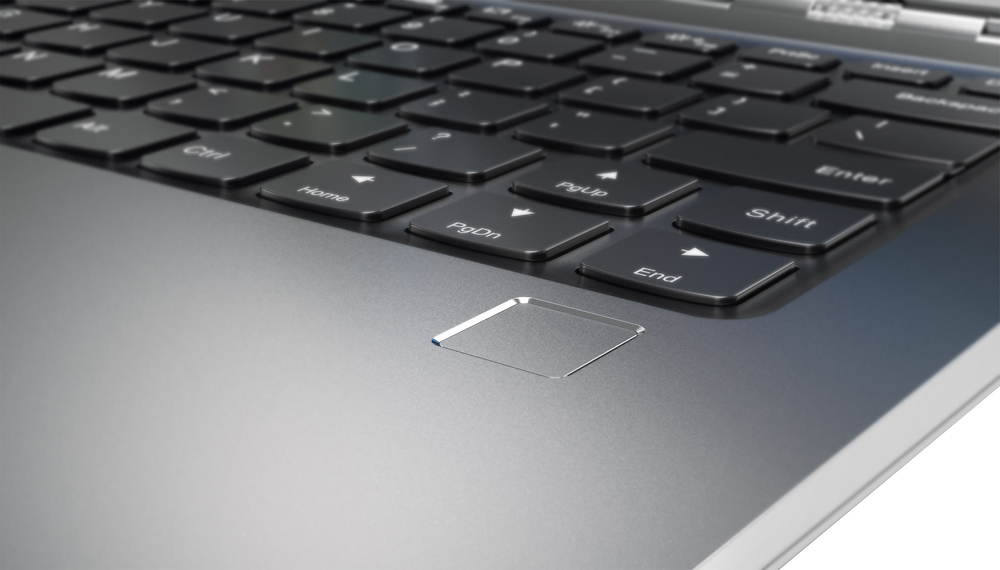
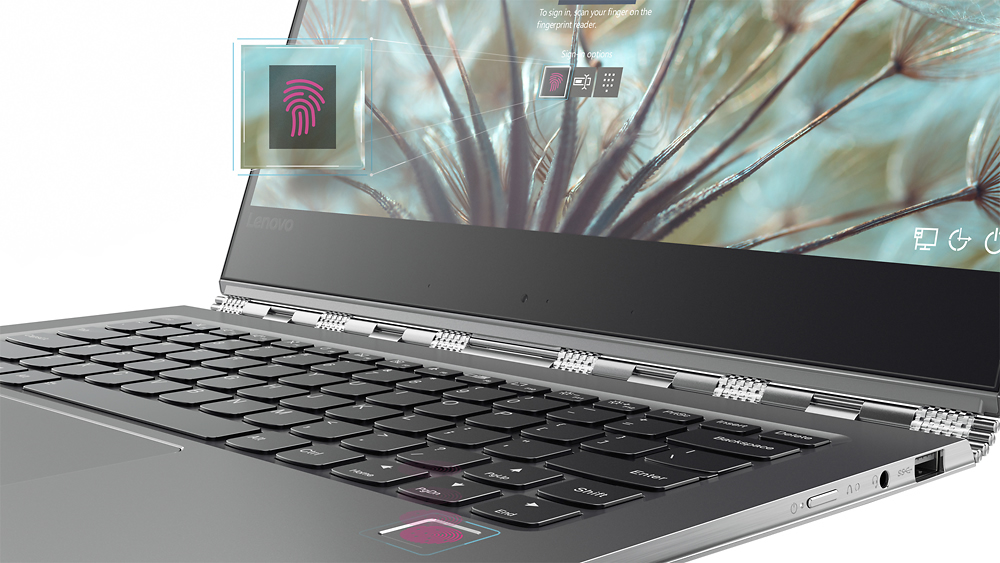
||Posted .This reviewer received promo considerations or sweepstakes entry for writing a review.Runs windows 10 really well. Probably due to 16GB of Ram. Nice construction and features. Like the fingerprint recognition. Also has a really good trackpad. One of the best I've used on a Windows computer. Not as good as a MacBook but pretty close. Wasn't cheap. Sale price helped but overall I thought it worth it.
I would recommend this to a friendBrand response from Lenovo Product Expert
Posted .Thank you for choosing the Lenovo Yoga 910-14. We are pleased to hear that the value, features and performance of the Yoga 910-14 meets your computing needs so well.
Lenovo Yoga
||Posted .This reviewer received promo considerations or sweepstakes entry for writing a review.I like the lightweight, flexibility of my new laptop. It sometimes stops mid-whatever I'm doing and goes black. My other computer didn't do that, so not sure of the reason. Haven't been back to Geek Squad to get help yet.
I would recommend this to a friendBrand response from Lenovo Product Expert
Posted .Thank you for choosing the Lenovo Yoga 910-14. It is not normal for this system to go black while you are working on a program. This system should be a fast system with its Core I-7 processor and 16GB of RAM. It should be able to handle most programs with ease. Be sure any software you installed is compatible with Windows 10. There is no need to install Microsoft Office software. The software is already part of the operating system, you just need to activate the software with a purchased product key. If you have installed a copy of Microsoft Office, this is conflicting with the existing copy on the system and this will slow your system down. If you have installed a 3rd party anti-virus program, be sure that Windows Defender is turned off and that the trial version of McAfee Anti-Virus software is uninstalled. There can only be one anti-virus program on the system. You may need to restore your system to original factory default settings if any of the programing errors have occurred. You can do that by typing "restore" in the Cortana search window. Just click on the magnifying glass icon at the bottom left of your Windows 10 Desktop. Click on "Reset This PC" Then click on "Get Started" and follow the on screen directions to restore to factory defaults.
Easy to use - Works as Designed
||Posted .This reviewer received promo considerations or sweepstakes entry for writing a review.Nice laptop overall. The one thing that I don't like is the cut edge. It's hard to set the laptop comfortably in my lap, the edge isn't beveled and seems to dig into my hands or lap. Other than that, works as designed.
I would recommend this to a friendNo more problems, please
||Posted .This reviewer received promo considerations or sweepstakes entry for writing a review.I have had really good luck with Lenovo products in the past. The original purchased laptop developed a bad space bar. Returned it to Best Buy, just in time. Out of stock but they must have expadited delivery, 2 days
I would recommend this to a friendAwesome except for shift key
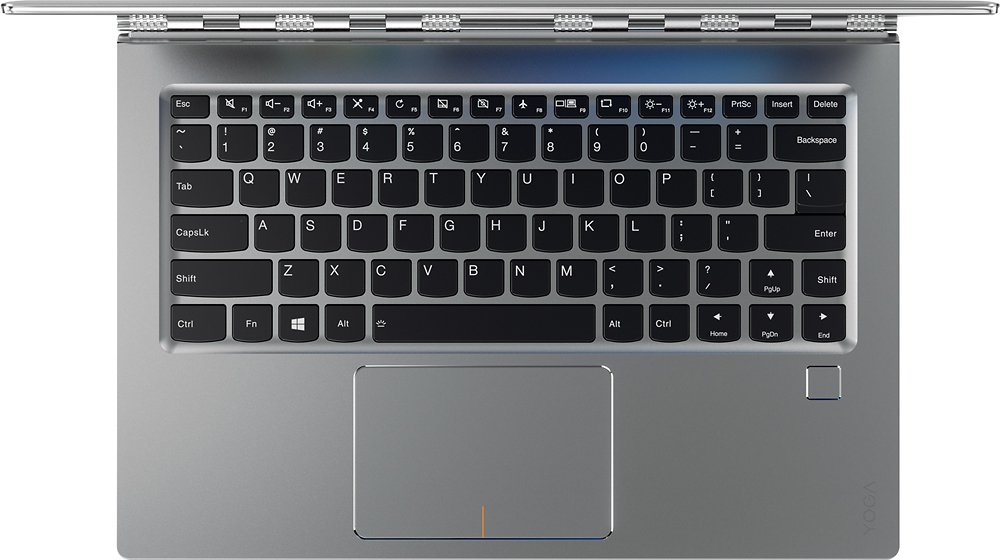
||Posted .This reviewer received promo considerations or sweepstakes entry for writing a review.Everything about this computer is awesome except that the right shift key is half the typical size and the other half is arrow up.....so instead of shifting, I often move the cursor up a line. Otherwise, one of the best computers I've ever had!
I would recommend this to a friendBrand response from Lenovo Product Expert
Posted .Thank you for choosing the Lenovo Yoga 910-14. With regard to the right shift key issue you mention, there is a free software APP called KeyTweak that may help you. You can switch the key functions of specific keys on your keyboard with this software, so you could change the right shift key with the key you hit in its place. Just Google search "KeyTweak" and you will find articles about what the software does and you will find the download location for this free APP.
Powerful computer
||Posted .This reviewer received promo considerations or sweepstakes entry for writing a review.This is the first time buying this brand. Read many reviews and decided on this one. The speed is amazingly fast and will do more functions than I will need. Can find this model discounted somewhere. Very good PC.
I would recommend this to a friendExcellent high class 2 in 1,the best one.
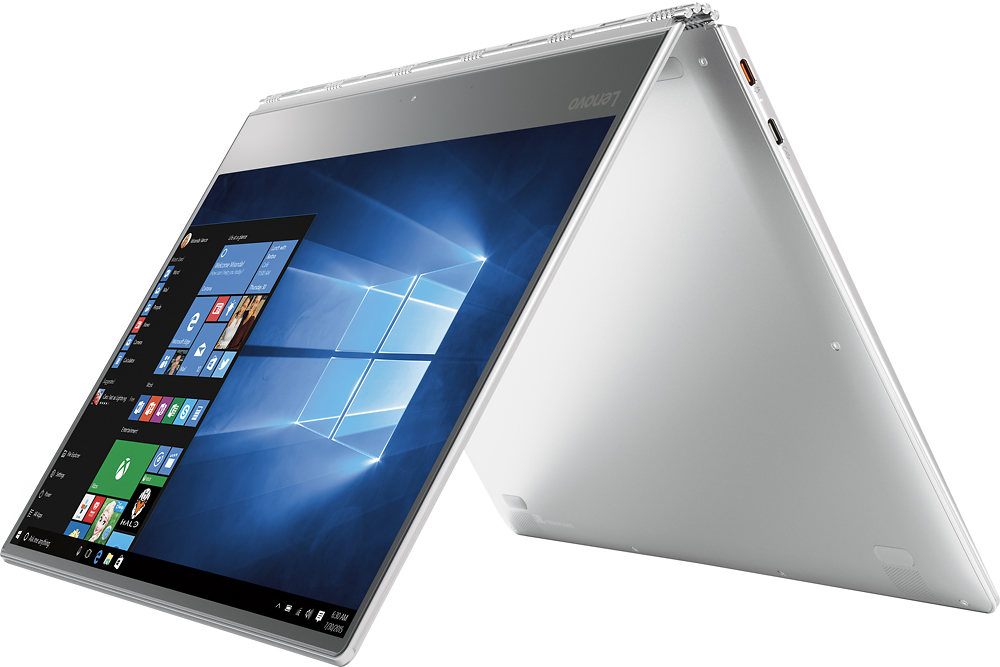
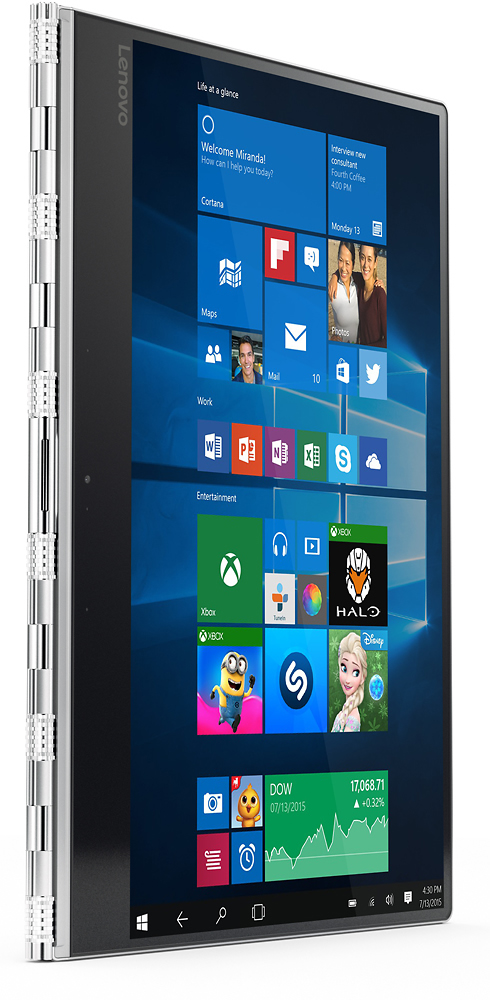
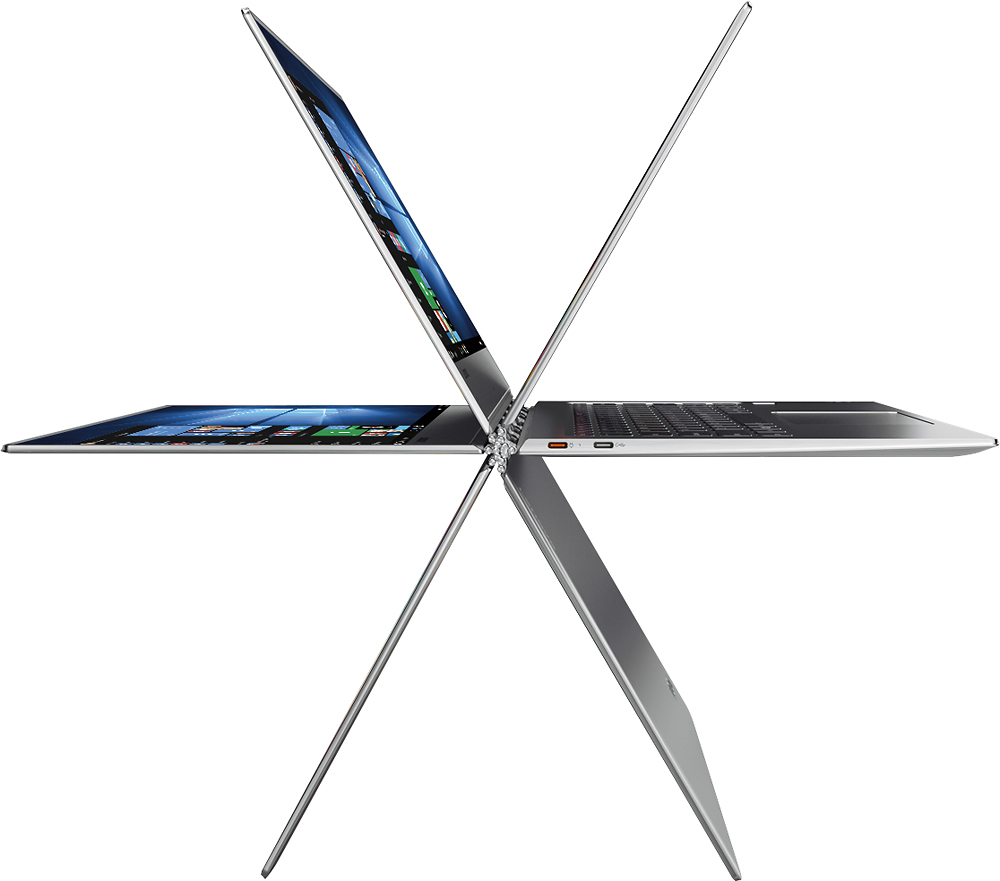
||Posted .This reviewer received promo considerations or sweepstakes entry for writing a review.I am very happy to get this marvelous 2 in one laptop and tablet.When I read the reviews I was a little afraid about the fan noise.I honest need to say ,so far so good.Excellent touch screen and very powerful and the fast one.I am an apple fan but I am so happy to get this new choice for me and my family.
I would recommend this to a friendBrand response from Lenovo Product Expert
Posted .Thank you for choosing the Lenovo Yoga 910-14. We are pleased to hear that the performance of the Yoga 910-14 meets your computing needs so well.
Very responsive
||Posted .This reviewer received promo considerations or sweepstakes entry for writing a review.For what I need this laptop is quick easy to use. The touch screen is definitely a plus to have. I don't like the fact that the keyboard is not quite standard. The right shift key is not where I normally expect it.
I would recommend this to a friendBrand response from Lenovo Product Expert
Posted .Thank you for choosing the Lenovo Yoga 910-14. With regard to the right shift key issue you mention, there is a free software APP called KeyTweak that may help you. You can switch the key functions of specific keys on your keyboard with this software, so you could change the right shift key with the key you hit in its place. Just Google search "KeyTweak" and you will find articles about what the software does and you will find the download location for this free APP.
Rocks!
||Posted .This reviewer received promo considerations or sweepstakes entry for writing a review.For a quasi traditional laptop this is the best bang. I researched the heck out of these before purchasing and even purchased the 8g ram version 1st. After playing around for 20 minutes I knew this was it but I returned it for the 16g ram and 4K monitor. If you have the cash to step up... this is for you.
I would recommend this to a friendBrand response from Lenovo Product Expert
Posted .Thank you for choosing the Lenovo Yoga 910-14. We are pleased to hear that the performance of the Yoga 910-14 meets your computing needs so well.
Love my Laptop !!
||Posted .This reviewer received promo considerations or sweepstakes entry for writing a review.I did not read about this laptop and was advised by the Best Buy sales guy to get this. I would say so far I enjoy this laptop and it is super sleek and awesome. Hope I will enjoy this laptop for long.
I would recommend this to a friendBrand response from Lenovo Product Expert
Posted .Thank you for choosing the Lenovo Yoga 910-14. We are pleased to hear that the Yoga 910-14 is working out so well for you.
Didnt keep it...
||Posted .This reviewer received promo considerations or sweepstakes entry for writing a review.I bought it but returned it to.purchase a Surface Pro. Reason was because I liked that I was able to use the surface pro.without the keyboard and was able to.write on it. But if not i would have kept it.
I would recommend this to a friendfast
||Posted .This reviewer received promo considerations or sweepstakes entry for writing a review.It turns on pretty fast. The only thing I hate is the position of the right shift key. It's smaller than the left shift and I'm constantly pressing the up arrow when I'm trying to type a capital letter.
I would recommend this to a friendBrand response from Lenovo Product Expert
Posted .With regard to the right shift key issue you mention, there is a free software APP called KeyTweak that may help you. You can switch the key functions of specific keys on your keyboard with this software, so you could change the right shift key with the key you hit in its place. Just Google search "KeyTweak" and you will find articles about what the software does and you will find the download location for this free APP.
Small but significant flaw
||Posted .This reviewer received promo considerations or sweepstakes entry for writing a review.There are many thing I really like about this computer, however the shift key on the right side is half the size it needs to be and in the wrong place. I have to look at the key every time I need to use it, which is frequent. I can't figure out why Lenovo placed the page up arrow where the shift key should be. It truly causes issues. Had I tried it first, I would NOT have bought it. Other than that, it has the speed and capacity I need and is a pretty good computer.
No, I would not recommend this to a friendBrand response from Lenovo Product Expert
Posted .Thank you for choosing the Lenovo Yoga 910-14. With regard to the right shift key issue you mention, there is a free software APP called KeyTweak that may help you. You can switch the key functions of specific keys on your keyboard with this software, so you could change the right shift key with the key you hit in its place. Just Google search "KeyTweak" and you will find articles about what the software does and you will find the download location for this free APP.
Been perfect
||Posted .This reviewer received promo considerations or sweepstakes entry for writing a review.I was looking for a new computer for college. I thought I knew what I wanted talking with the sales rep he recommended this computer. The knowledge study had and the experience he had with that computer allowed me to purchase it feeling safe and it has been a wonderful computer.
I would recommend this to a friendYoga 910
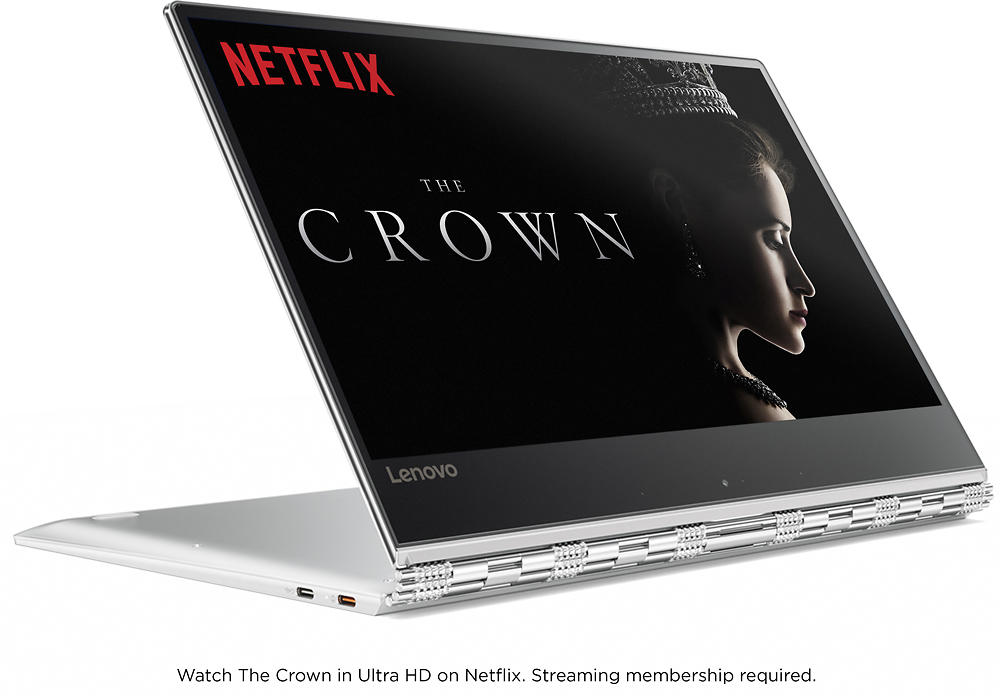
||Posted .This reviewer received promo considerations or sweepstakes entry for writing a review.Have been using for several months now and I am very happy with it. The screen is very sharp and clear. Streaming is great in 4K UHD. You can't beat it. Windows 10 is even better than I thought it would be. Very good touch screen. Us Bluetooth speaker and the sound is great.
I would recommend this to a friendGreat with 4K screen
||Posted .This reviewer received promo considerations or sweepstakes entry for writing a review.Use this laptop to review/edit photos in both Lightroom and Photoshop. The 4K screen is excellent. Mine also has 16gb ram...so very responsive. This laptop replaced a much earlier edition of the Yoga, additional ram (16gb vs. 8gb) and 512 gb SSD makes it much more versatile.
I would recommend this to a friendBrand response from Lenovo Product Expert
Posted .Thank you for choosing the Lenovo Yoga 910-14. We are pleased to hear that the features and performance of the Yoga 910-14 meets your computing needs so well.