Customer Ratings & Reviews








- Model:
- 80VF001TUS
- SKU:
- 5579125
to a friend
Customers are saying
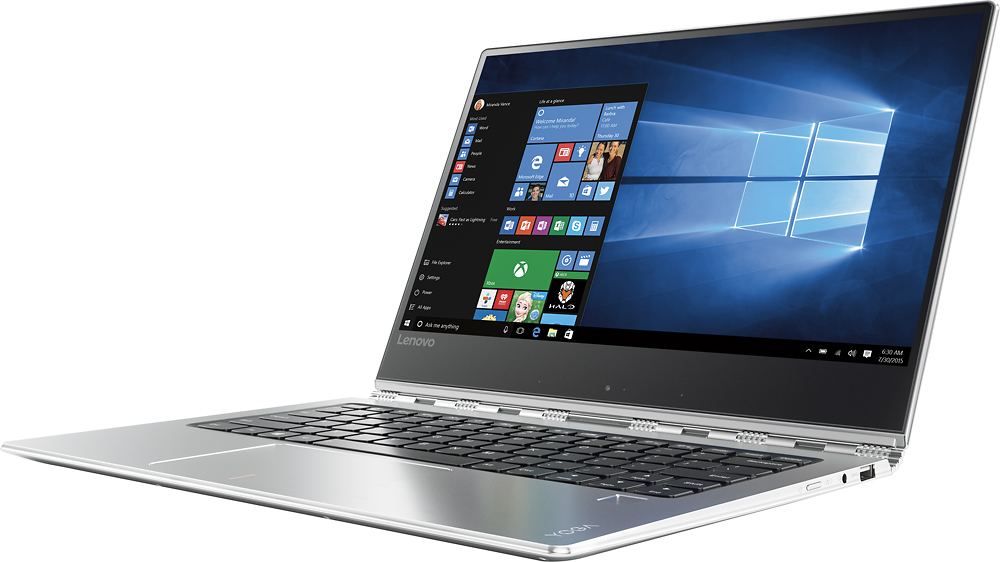
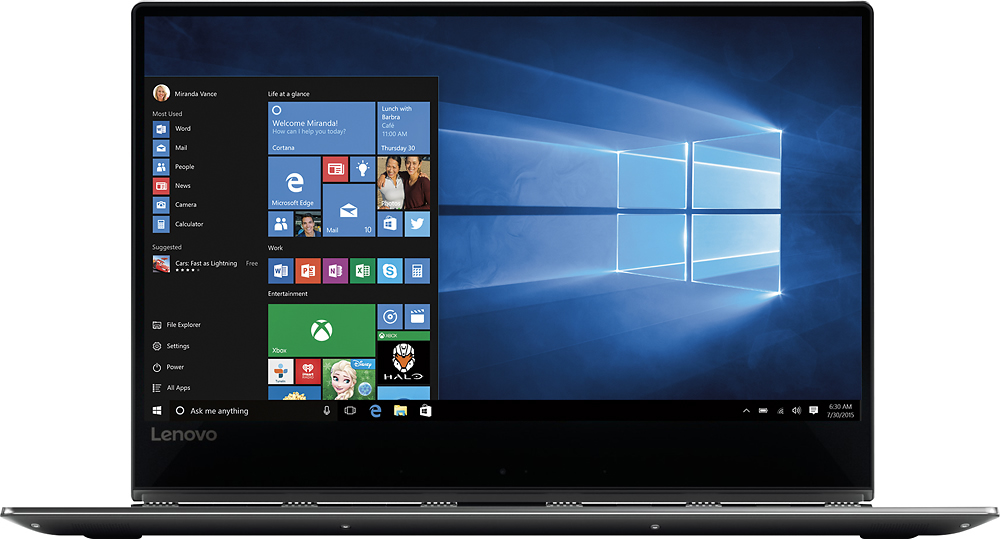
Customers enjoy the Yoga 910's lightweight design, impressive screen size, and strong performance. Many appreciate its long battery life and ease of use. However, some users have noted issues with fan noise and heat generation, while others find the placement of the shift key less than ideal. The fast SSD is also a frequently cited positive.
This summary was generated by AI based on customer reviews.
- Pros mentioned:Battery life, Processor speed, WeightCons mentioned:Fan noise
AMAZING...when you don't get a lemon...
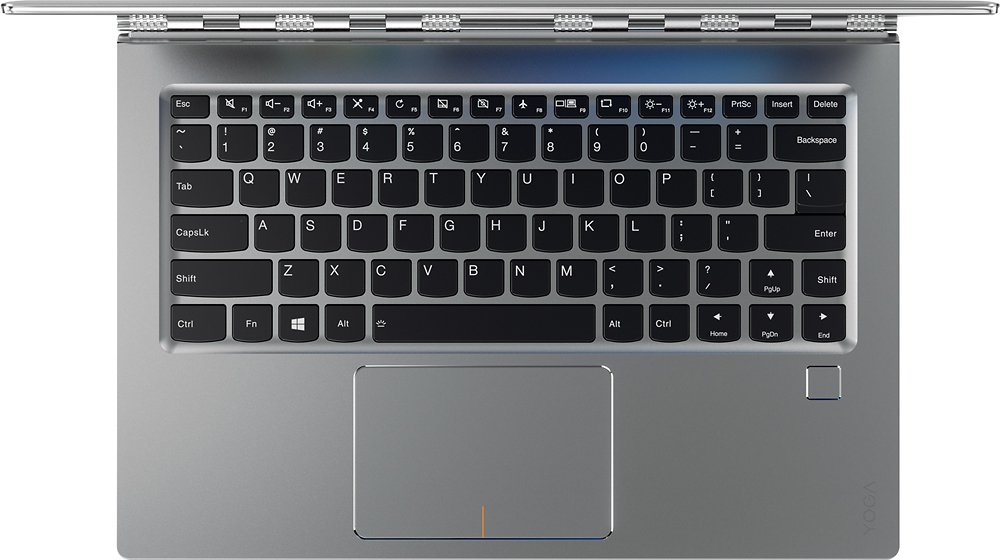
||Posted .This reviewer received promo considerations or sweepstakes entry for writing a review.This computer is awesome. Insane screen. Great battery life. Beautiful form factor. CRAZY FAST. Very light. Very quiet. I absolutely LOVE IT. However, I had to return my first two. The first had a fan issue where the fan was loud and noisy and NEVER turned off. The second one's chain link hinge was bent something terrible. In other words, this is an insane computer, but make sure yours is working before you keep it.
I would recommend this to a friendBrand response from Lenovo Product Expert
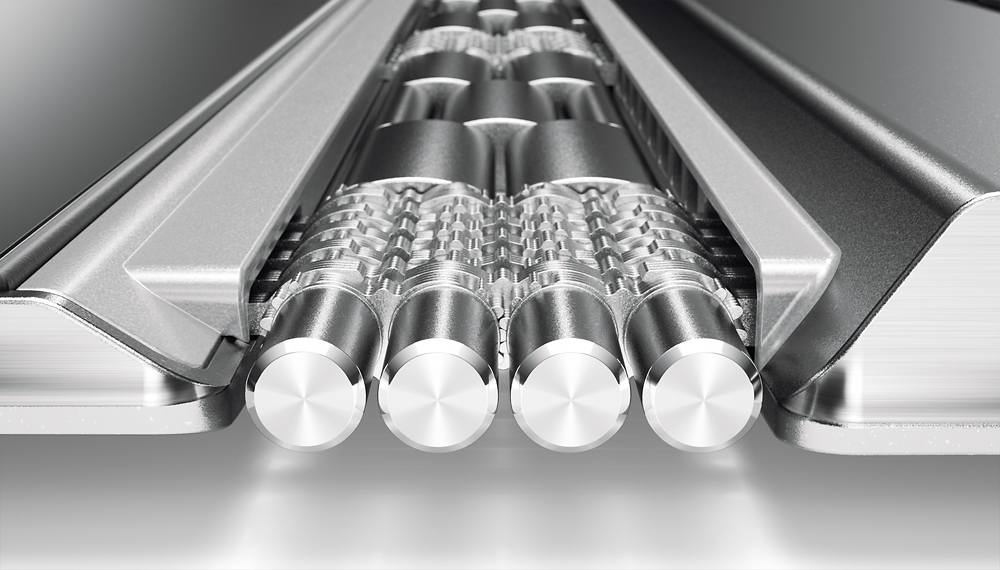
Posted .Thank you for choosing the Lenovo Yoga 910-14. Concerning the bent hinge you experienced, not sure how this could happen with six points of contact. It is something we will look in to. With regard to the fan issue you had, for those Yoga 910-14 owners who might be experiencing this problem as well, there may be BIOS and power management driver updates that can help. You can follow the link below to look for new driver updates for your specific system. You can also run diagnostics from the Lenovo site as well. As always, be sure to create a restore point on your system before you make any changes. Here is the link:
http://support.lenovo.com/us/en/products/Laptops-and-netbooks/Yoga-Series/yoga-910-13ikb/80VF/007TUS?linkTrack=Caps%253ABody_SearchProduct&tabName=downloads&beta=false
- Pros mentioned:WeightCons mentioned:Fan noise
Love it but hate the fan noise!
||Posted .This reviewer received promo considerations or sweepstakes entry for writing a review.This is an absolutely well crafted laptop. It has all the features I was looking for and it's very lightweight. Lenovo did an amazing job and excelled my expectations, but Lenovo felt short in designing the fan. The fan is so loud! The fan can be heard spinning and its very distracting. For the price of the laptop I would think they would come up with a better model for the fan.
No, I would not recommend this to a friend - Pros mentioned:PerformanceCons mentioned:Fan noise
Awesome 2 in 1 that does everything!
||Posted .This reviewer received promo considerations or sweepstakes entry for writing a review.I am impressed with the build quality and overall performance. Pay no attention to negative comments about the fan noise as a bios update has fixed the issue. I work on the Base and find observers envious, but curious about this well crafted machine. A quick side note to praise the Best Buy staff for their knowledge of the technology and for not trying to persuade me to buy something I did not want or need. I purchased cheaper model but returned it after seeing the 4k model that has double specs. This model includes 16 gb of ram and SSD 512 gb hard drive. The Lenovo Yoga 910 2 is number 1 or 2 in its class compared to the HP x360. Another negative comment that is null and void is the thunderbolt 3 port. I have no need to hook up an external graphics card and could care less about thunderbolt 3. If I needed a gaming machine I would not have sold my gaming desktop that has 2 GTX 1070 cards and i7 6700k cpu. I hope this helps with your decision to purchase! Did I mention that this machine is very fast and gorgeous!
I would recommend this to a friendBrand response from Lenovo Product Expert
Posted .Thank you for choosing the Lenovo Yoga 910-14. We are pleased to hear that the value and performance of the Yoga 910-14 meets your computing needs so well.
- Pros mentioned:Battery life, Screen size
Lenovo Yoga 910 v HP Spectre x360
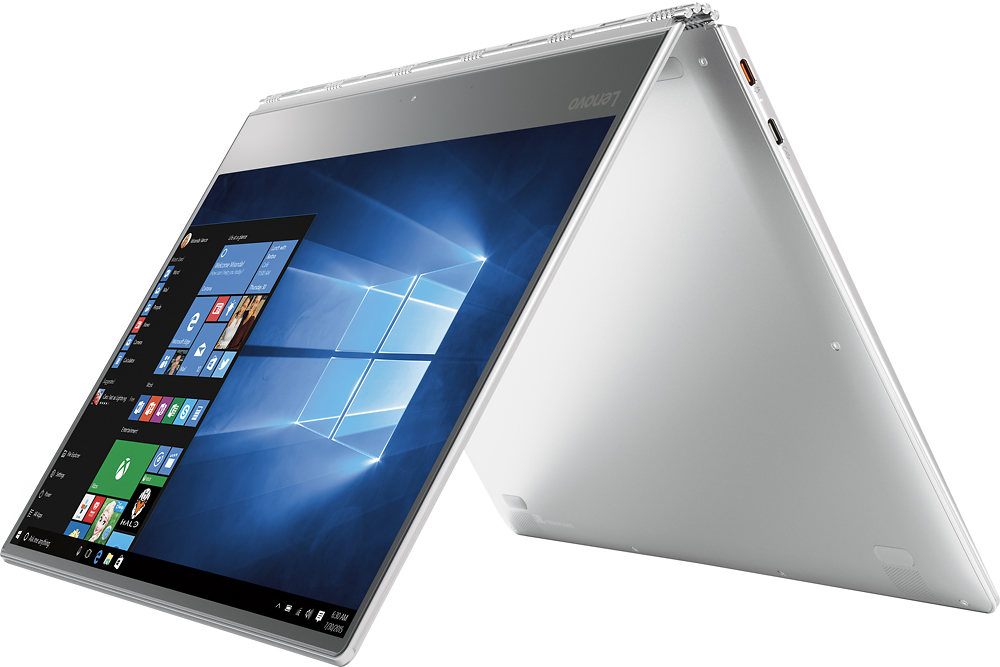
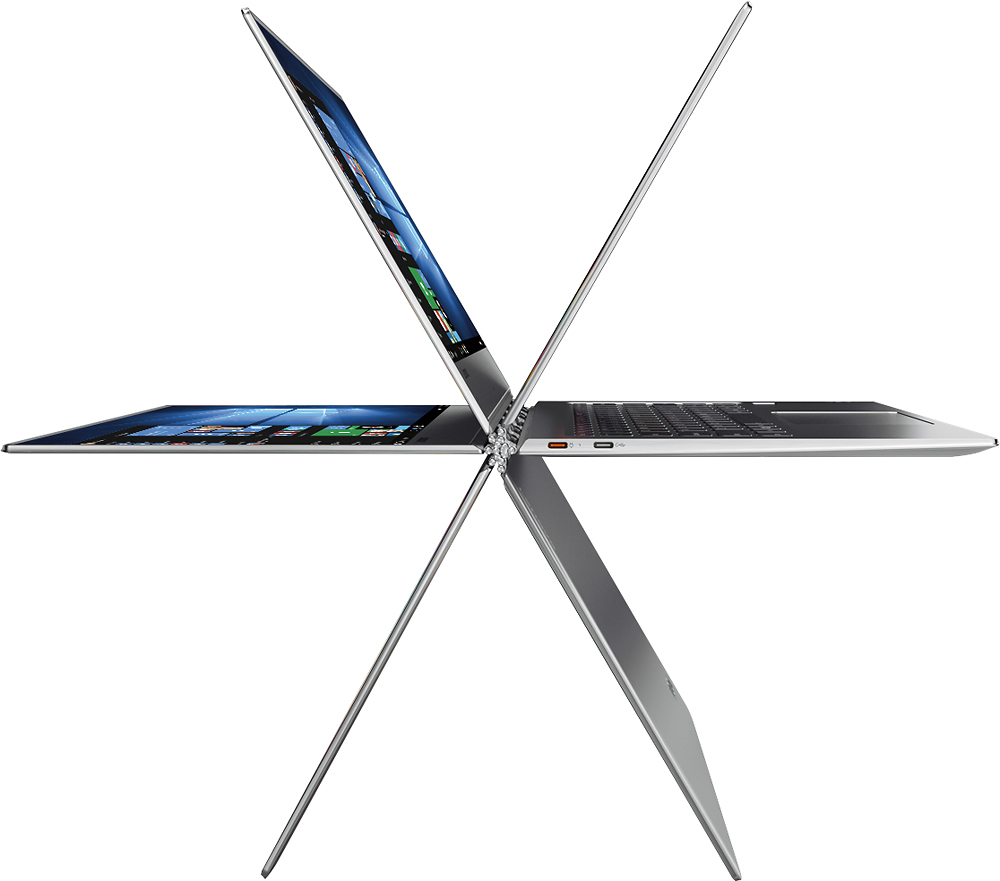
||Posted .This reviewer received promo considerations or sweepstakes entry for writing a review.This review covers both the Lenovo Yoga 910 and the HP Spectre x360, as I have had the opportunity to work with both, taking advantage of the return policies of Best Buy (thank you, Best Buy) and, earlier, the Microsoft Store. Short summary and bottom line – I went through four HP Spectre x360s in total and never got one that worked. I got the Lenovo Yoga 910 because of the HP failures and was so pleased with it, I returned it to upgrade to the limited edition Yoga 910, on which I am now writing this review. For the record, all machines are i7 with 512GB SSD and 16 gig of RAM. Also, for the record, I first started this quest for a Windows 10 laptop after being a Mac user for 12 years. So my baseline frame of reference is to a brand that is well recognized for build quality and design/aesthetics. Notable features on the Lenovo: The build quality is very good. Feels solid and stable, and the keyboard is nice to work on. I don’t feel this is a downgrade in terms of build quality in any way from my Mac laptops. Perhaps the strongest feature is the screen. It is larger, brighter, sharper, and higher resolution than on the HP Spectre x360. This is an elegant and attractive machine that really stands out. The two drawbacks to the machine are the often-mentioned location of the right shift key, and the location of the camera. The right shift key issue is easily overcome by downloading a program called “keytweak.” It allows you to swap the function of the up arrow and the right shift key (or any other functions of any other keys). The one gap is I haven’t been able to get the “new” cursor up key (labeled on the keyboard as the shift key) to repeat when I hold it down. So if I am in a spreadsheet and want to move up several rows, I have to hit the key once for each row. The other weakness – the location of the camera – is overcome by using the laptop in tent mode. The camera is then at the top of the screen, and the angle can be adjusted to be the same as if one were using a laptop with the camera at the top. If you type a lot while on video conferences this won’t work for you as you are limited to the on-screen soft keyboard. But I don’t type much on video conferences (I tend to take notes using a pen and paper in most every setting) so this works for me. Notable features (and failings) of the HP Spectre x360: I started this quest for a new Windows 10 laptop when the HP Spectre x360 came with a 6th generation i7 processor (they are now available with either a 6th or a 7th generation processor – note the 7th generation version usually sells for less, so don’t even look at the 6th generation). The first Windows 10 laptop I bought was the HP Spectre x360, 6th generation i7, at the Microsoft store. It came out of the box with a dent in it, right there at the store. So Microsoft did a swap to HP laptop #2. About two weeks in, it became unusable due to phantom touches (the cursor flashed on the screen as though someone were constantly tapping, making user input impossible). Microsoft gladly exchanged that machine for machine #3. Two days later, phantom touches again. So back to Microsoft, where they promptly refunded my money with no hassle. Kudos to them for that. By this time the HP Spectre x360 7th generation i7 had come out, exclusively at Best Buy, and was rumored to have solved the issues with the prior version. I purchased the new version at Best Buy (now 4th HP machine for me), along with the Lenovo Yoga 910, so I could compare them side-by-side. The HP is a very nice machine, as long as you don’t often need to run it on battery. The keyboard is good, without the idiosyncrasy of the Lenovo keyboard. The HP keyboard has a different feel than the Lenovo. It is hard to say which I prefer – they are just a bit different. I think the screen is better on the Lenovo, but the screen on the HP is perfectly fine. Overall, I think the build quality, fit, finish and sturdiness is better on the Lenovo, though the HP is a sharper looking machine. Where the HP really fails is in the battery. Not only is the battery life better under real working conditions on the Lenovo, but the HP utterly fails the test of use under travel conditions. Plug in and charge your HP to 100%, unplug it and leave it turned off (put it in your travel bag the night before leaving town, say), and 12 hours later you have lost about 12% of the battery charge. It seems for every day that it is not plugged in, and not turned on, it loses about 24% of the battery (or 1% per hour of being turned off – not in sleep mode, mind you, but off). For example, on the last trip I took with the HP (and the Lenovo – again, testing side-by-side) I decided to put the HP away on Friday night, fully charged, and not use it anymore. It sat there all day Saturday, I flew home on Sunday, and when I turned it on Monday morning the battery was down below 50% of capacity. I can’t imagine how that meets the needs of anyone who does serious traveling with a laptop. If you are using it around an office, unplugging it to carry to a meeting down the hall, then plugging it in again, I can see someone deciding to go with the HP because it looks a little nicer or the keyboard feels better as a matter of personal taste. The single biggest advantage of the HP is the camera is placed at the top of the screen, but this isn’t much in my mind compared to the disadvantage of the battery issues. If you want a laptop that can live away from a charger all day, you need the Lenovo.
I would recommend this to a friendBrand response from Lenovo Product Expert
Posted .Thank you for choosing the Lenovo Yoga 910-14. We are pleased to hear that the features and performance of the Yoga 910-14 meets your computing needs so well.
- Pros mentioned:Battery life, Processor speed, Screen size
Superb
||Posted .This reviewer received promo considerations or sweepstakes entry for writing a review.This laptop is super fast, super light, super slim! Start up time is extremely fast, loading time is minimal. All apps run smoothly including Adobe Illustrator and Olympus Metamorph and CellSence for image analysis. The screen is gorgeous and 4k stunning. It is hard to see the pixels. Battery life is great. It runs 8-10h on light to medium usage.
I would recommend this to a friendBrand response from Lenovo Product Expert
Posted .Thank you for choosing the Lenovo Yoga 910-14. We are pleased to hear that the features and performance of the Yoga 910-14 meets your computing needs so well.
- Pros mentioned:Performance, Screen sizeCons mentioned:Fan noise
Excellent Laptop !
||Posted .This reviewer received promo considerations or sweepstakes entry for writing a review.Love this Yoga laptop ! Really like the high resolution screen, slick design, speed and performance. Minor issues with small shift key (just need to get use) and fan noise at times. Overall - very happy with this laptop !
I would recommend this to a friendBrand response from Lenovo Product Expert
Posted .Thank you for choosing the Lenovo Yoga 910-14. With regard to the right shift key issue you mention, there is a free software APP called KeyTweak that may help you. You can switch the key functions of specific keys on your keyboard with this software, so you could change the right shift key with the key you hit in its place. Just Google search "KeyTweak" and you will find articles about what the software does and you will find the download location for this free APP. Concerning the fan noise, there is a BIOS update that may help: http://support.lenovo.com/us/en/products/Laptops-and-netbooks/Yoga-Series/yoga-910-13ikb/80VF/007TUS/downloads/DS119202
- Pros mentioned:Processor speed, Screen sizeCons mentioned:Fan noise
Great Portable Machine
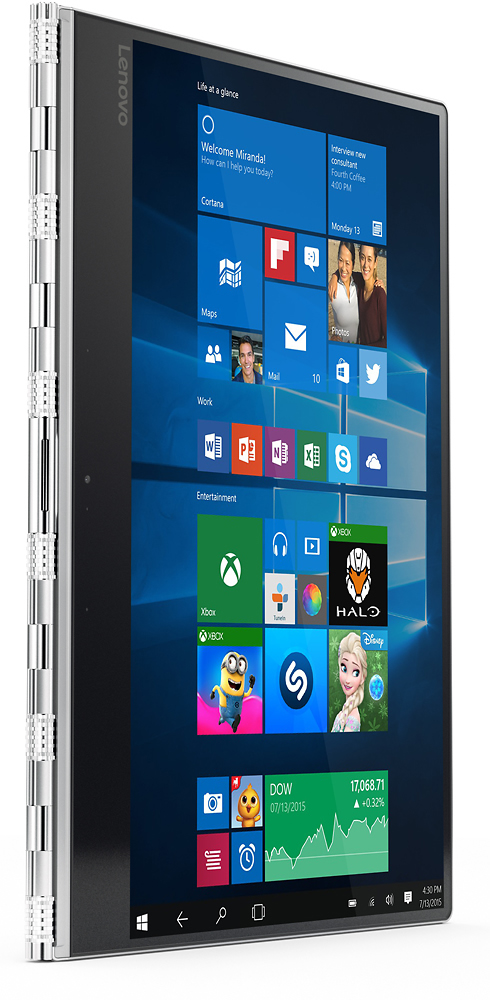
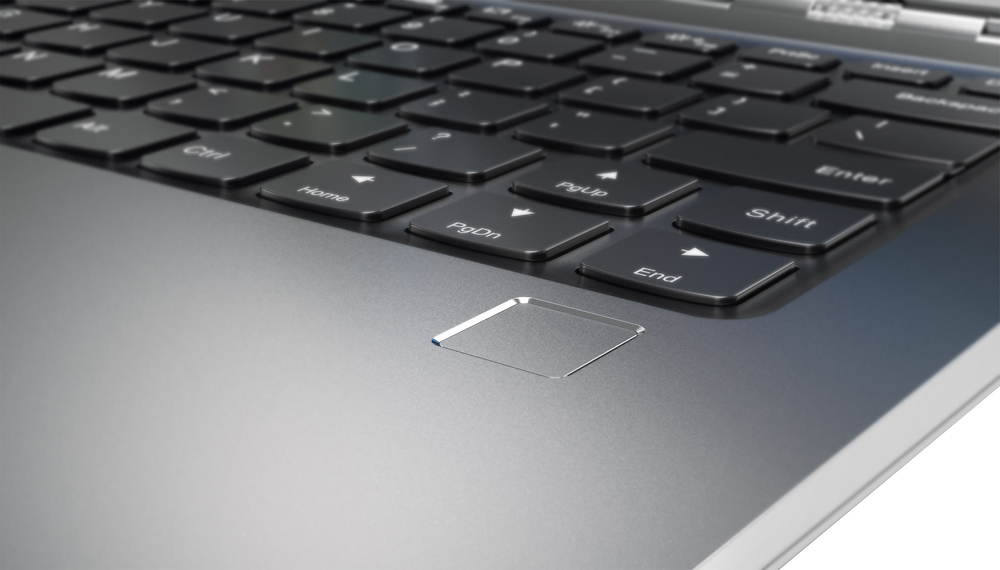
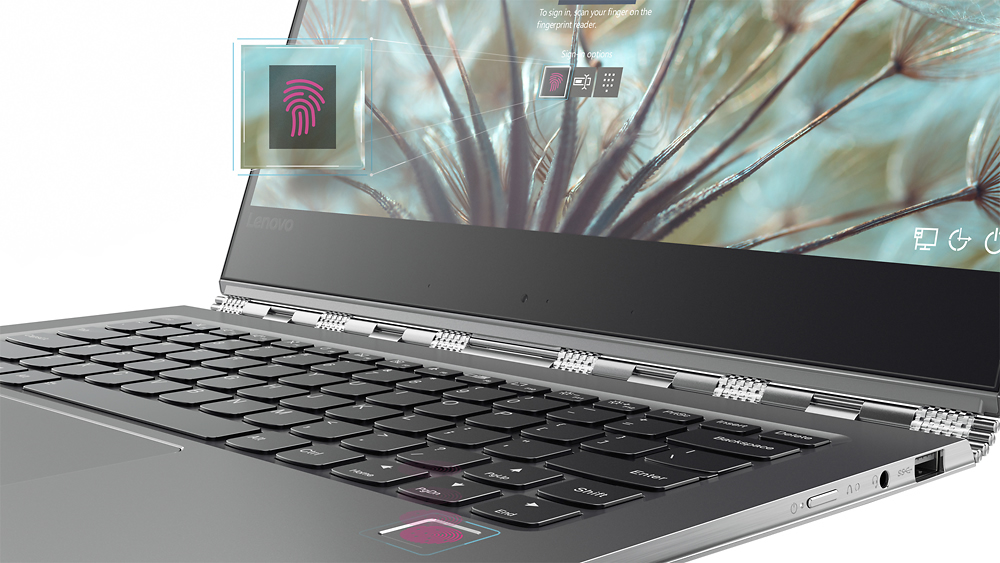
||Posted .This reviewer received promo considerations or sweepstakes entry for writing a review.Bought a higher end model with the i7, 16gig of ram, 4k screen, and 512mb of storage. Coming from a MacBook Pro from a few years ago I wasn't very impressed by the new models and decided to give Windows 10 a try. I've been very happy with the purchase. The screen is freaking beautiful, the computer runs very well and smooth, and I'm really liking having a fingerprint scanner to log in which making logging in very fast. I also love being able to flip the screen around and use my fingers at times which I wasn't expecting. The only issue with the 910 is that the fans are really loud and are prone to going full blast under ANY stress. I was able to fix it a bit by limiting the CPU to 99% instead of 100. Although I wish I didn't have to limit my 1500 dollar machine it has really helped and I haven't felt any slow down. Overall after a bunch of research and messing with some other windows machines I think the 910 is the best windows ultra portable of 2016 and I've very happy with it!
I would recommend this to a friend - Pros mentioned:Battery life, WeightCons mentioned:Fan noise
Great Performance and Stylish Design
||Posted .This reviewer received promo considerations or sweepstakes entry for writing a review.Overall the laptop looks good. Pros: Nice Design Light Weight Good Display Good Battery Cons: Loud Fan sound sometimes which I need to worry keyboard is not up to the standard
I would recommend this to a friend - Pros mentioned:Battery life, Screen size, Weight
4.5 Stars
||Posted .This reviewer received promo considerations or sweepstakes entry for writing a review.This is a great laptop. Mostly using for home office. Very sleek. Did some research before purchasing and ended up choosing this over the HP because of the graphics. The only thing that takes the review down is the lack of USB ports (easily remedied with a hub). This is lightweight, but still feels substantial (as in, it doesn't feel like it is going to fall apart when folding). Sound quality is above average and the touch screen is calibrated well out-of-the-box. Haven't even come close to running down the battery. The keyboard does have shallow keys but I didn't even notice after about an hour of use.
I would recommend this to a friendBrand response from Lenovo Product Expert
Posted .Thank you for choosing the Lenovo Yoga 910-14. We are pleased to hear that the features and performance of the Yoga 910-14 meets your computing needs so well.
- Pros mentioned:Performance, Screen size
If you want a Mac alternative, you just found it!
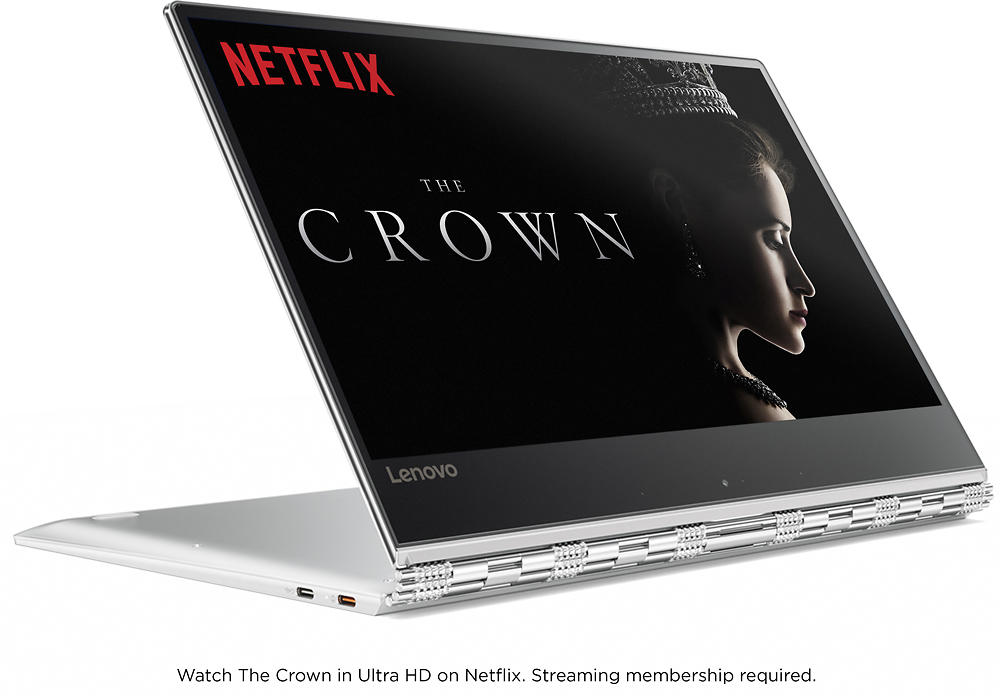
||Posted .This reviewer received promo considerations or sweepstakes entry for writing a review.I have had this for two weeks now. Coming from a 2 years old Macbook pro and landing on this after searching and trying different options: Dell Xps13 (returned because without the two-in-one felt already old, camera at the bottom of the screen made me look awkward, and got hot), HP Spectre (unusable mouse pad, got so so hot, and lower quality screen and camera)...to finally land on this one! Premium built, powerful, amazing screen, super responsive mouse-pad! The mouse-pad was actually a big deal for me, I use it a lot for my work, and I could not deal with the imprecision and un-responsiveness of the other windows computer I tried (if you are a mac user, this is the only computer that has anything comparable to what you are used too--the Dell had a good one too). And then, the watch hinge, so sturdy...so much fun to use this computer in presentation mode to watch movies (takes away the computer/I am at work feeling), or have a skype call in tent mode (this has the low positioned camera two, but in tent mode the problem gets resolved). In tablet mode is perfect to read comics on its beautiful screen . I am writing right now lying on my couch, The computer rested on my knees, able to open the laptop passed the point a normal laptop would, which makes it extra comfortable to type on even in this loungy position! I always dreamed of using my computer this way, ad without the magic hing flexiility I would always have to shift position and sit up! All this new ways of interacting with it, make me feel like I am holding the laptop of the future. I know many complain about the vents...they rarely go on on mine, they have two speeds and yes, the high speed one is loud...and again super rare (if you set cpu at 99, it's almost never on..maybe if you are loading a big game?) It Never gets too hot, even my Mac gets hotter (not to talk about the other Windows I tried, not even comparable! Not having any problem with the absence of a card reader (I bough a 6 $ converter), and 3 ports are enough for me. Yes, I am in love! The things I have actually been missing from Mac are Mag-safe-magnetic powercord (and the new Mac has lost that too!), and the right shift key ( that in the 910 is smaller- although I am getting used to it, not a biggie for me).
I would recommend this to a friendBrand response from Lenovo Product Expert
Posted .Thank you for choosing the Lenovo Yoga 910-14. We are pleased to hear that the features and performance of the Yoga 910-14 meets your computing needs so well.
- Pros mentioned:Screen size, WeightCons mentioned:Heat
Not perfect, but good for the price
||Posted .This reviewer received promo considerations or sweepstakes entry for writing a review.The Yoga 910 2-in-1 14" 4K Ultra HD Touch-Screen Laptop - Intel Core i7 - 16GB Memory - 512GB SSD - Silver is very similar to the Spectre 360 that I used at work last year. On the negative, it tends to get uncomfortably hot and and tends to run out of memory easily if I open too many tabs. I'm not sure I understand why, as my Spectre, which had the same specs, did not. On the positive side, I love the touch screen, being able to switch to the tent position for watching movies and the light weight, easy to carry size. Overall, it's a good computer.
I would recommend this to a friend - Pros mentioned:Battery life, Screen sizeCons mentioned:Fan noise
Great Laptop!
||Posted .This reviewer received promo considerations or sweepstakes entry for writing a review.I am very happy with this laptop! Price, components, speed, and look make this a great fit for me. There are some cons that were not game breakers for me. The fan is more active then I am use to. Some programs are just not ready for a 4k 14inch screen, and no thunderbolt option. The screen is Amazing, the battery is good, the SSD is fast, and Windows 10 works really well on it. Plus, the bloatware was really low. Much less than other companies have. I would suggest buying it from Best Buy because on Lenovo's site there is no 512gb SSD option.
I would recommend this to a friendBrand response from Lenovo Product Expert
Posted .Thank you for choosing the Lenovo Yoga 910-14. We are pleased to hear that the features and performance of the Yoga 910-14 meets your computing needs so well.
- Pros mentioned:Screen size, WeightCons mentioned:Fan noise
Solid Machine
||Posted .This reviewer received promo considerations or sweepstakes entry for writing a review.I definitely had mixed opinions on whether or not I would like this machine after the very mixed reviews I read about fan noise and WiFi signal strength. Ultimately the package I got from Best Buy was a terrific deal and one of the best spec'd options out there. Sure the fan has a minor buzz when it spins up, and the WiFi reception doesn't seem AS strong as my old machine, but the computer really is a great size and weight, and the versatility is unmatched. I definitely recommend it if you're not overly picky about some minor deficiencies.
I would recommend this to a friendBrand response from Lenovo Product Expert
Posted .With regard to WiFi reception, the Yoga 910-14 has enhanced antennas and excellent WiFi-AC reception. You may want to check for wireless LAN driver updates here (as always, be sure to create a restore point on your system before you make any changes. You can do this by just typing "restore point" in the search window within Cortana and follow the link to create a restore point.) here is the link: http://support.lenovo.com/us/en/products/Laptops-and-netbooks/Yoga-Series/yoga-910-13ikb/80VF/007TUS/downloads/DS119197. There is also a BIOS update that can help with the fan noise: http://support.lenovo.com/us/en/products/Laptops-and-netbooks/Yoga-Series/yoga-910-13ikb/80VF/007TUS/downloads/DS119202.
- Pros mentioned:Screen sizeCons mentioned:Fan noise
Not for me
||Posted .This reviewer received promo considerations or sweepstakes entry for writing a review.Pros: nice weight, build, screen size, trackpad feel and response, lots of RAM and SSD space, good price. loud enough speakers. Cons: fan is louder than expected- turns on and off annoyingly, keyboard right shift is tiny and located to the far right making it difficult for touch typists. Even with latest specs, laptop feels slow at times. Out of the box, Windows will need to be updated or WIFI doesn't work well. Antenna is weaker than expected. When the 910 is compared against my MacBook pro 15 non retina, the screen is not that bright and punchy, has a slight bluish tint. Overall, I can't use this machine because of fan noise and tiny shift key. What a shame, really wanted to like this laptop.
No, I would not recommend this to a friendBrand response from Lenovo Product Expert
Posted .Thank you for choosing the Lenovo Yoga 910-14. With regard to the right shift key issue you mention, there is a free software APP called KeyTweak that may help you. You can switch the key functions of specific keys on your keyboard with this software, so you could change the right shift key with the key you hit in its place. Just Google search "KeyTweak" and you will find articles about what the software does and you will find the download location for this free APP. As for the fan running, this is a powerful system. It generates heat and the fan keeps the system at optimum temperatures. We hope you decide to keep the Yoga 910-14.
- Pros mentioned:Screen size, Weight
It's perfect for advanced users.
||Posted .This reviewer received promo considerations or sweepstakes entry for writing a review.I buy this laptop because it is only 14 inches monitor and only about 3lbs. By the way, it is also what I recommend about the features, i7 7500, 4K display, SSD 512 hard drive with 16 Gb memory too. The only thing I don't like is Win 10 is not a full version but upgraded from Win 7. The other feature is that the user name of folder on hard won't change even I have changed the login name. The battery is a little bit hot when charging. Except this, everything looks perfect.
I would recommend this to a friend - Pros mentioned:Processor speed, Screen sizeCons mentioned:Fan noise
The Best Form Factor Available but its noisy
||Posted .This reviewer received promo considerations or sweepstakes entry for writing a review.This is an exceptional laptop/hybrid. Great to use, light and the right mix of size, speed, and affordability. I would call the best ....period, but the darn fan kills the experience. I came from an Apple laptop and was not prepared for the noise.Apple doesn't have anything as good as this laptop except I do miss the operating system. Would I change my mind? No way. This is the right combo of size, functionality, adaptability and robustness.
I would recommend this to a friendBrand response from Lenovo Product Expert
Posted .Thank you for choosing the Lenovo Yoga 910-14. Here is the latest driver update from Lenovo addressing the fan noise issue:
http://support.lenovo.com/us/en/products/Laptops-and-netbooks/Yoga-Series/yoga-910-13ikb/80VF/007TUS/downloads/DS119202
- Pros mentioned:Battery life, Screen sizeCons mentioned:Fan noise
I like my Yoga
||Posted .This reviewer received promo considerations or sweepstakes entry for writing a review.Meets my expectations. Sleek and looks great. Fast and great screen. Have not done battery test but seems like it holds a charge for much longer than I would have expected. I read fan noise was an issue. Its not on my unit. Three things I don't like. The button on the right side to turn the computer on is not an easy work. I hit it two or more times before it flicks on. Opening the case is not easy either unless you have long finger nails to get under display and lift. How about an finger indentation ? And lastly the shift key is a crazy- who designed that? Overall however, I like it.
I would recommend this to a friend - Pros mentioned:Processor speed, Screen sizeCons mentioned:Fan noise
Lean & Mean Machine
||Posted .This reviewer received promo considerations or sweepstakes entry for writing a review.Pro's: 1. Screen is crisp and colorful. 2. Processor is really fast and very rarely gets hot. 3. Very light and portable. 4. Amazing trackpad. Con's: 1. Sometimes those jet engine like fans turn on and is kinda noisy. 2. Keyboard layout needs to be revamped (right shift key). 3. Need thunder bolt ports and should've made both USB C ports to read and write data. (one is locked for charging only).
I would recommend this to a friend - Pros mentioned:Processor speed, Screen sizeCons mentioned:Heat
RETURNED IT
||Posted .This reviewer received promo considerations or sweepstakes entry for writing a review.Very slim, nice size, super fast and easy to use. However, it got really hot the first day while setting it up. It ended up having an issue not telling itself to turn on the fan when needed. After a day with geek squad it continued getting hot. It was sent back as defective. I got the new 720 and love it!
No, I would not recommend this to a friend - Pros mentioned:Screen sizeCons mentioned:Fan noise, Heat
Great but not perfect
||Posted .This reviewer received promo considerations or sweepstakes entry for writing a review.Super Slim! So much packed into such a small case. Extremely sexy case too. The downfalls are a weak GPU and a loud fan as well as excessive heat from the rear. It's a little pricey and def. not for gaming but VERY sleek, slim and smooth.
I would recommend this to a friendBrand response from Lenovo Product Expert
Posted .Thank you for choosing the Lenovo Yoga 910-14. There is no GPU within this system. Intel® HD Graphics 620 is integrated within the Core I-7 processor.