Customer Ratings & Reviews








- Model:
- 80VF001TUS
- SKU:
- 5579125
to a friend
Customers are saying
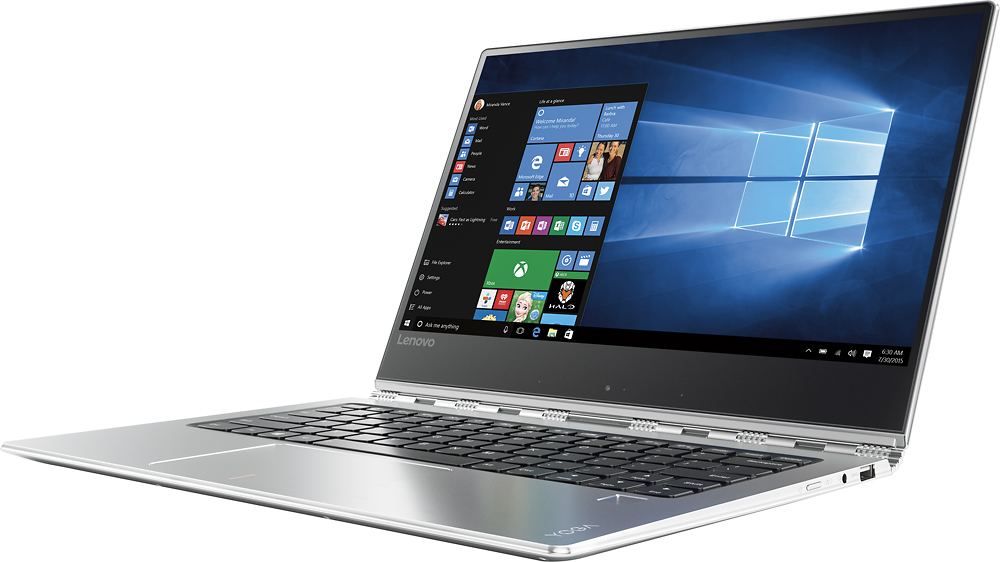
Customers enjoy the Yoga 910's lightweight design, impressive screen size, and strong performance. Many appreciate its long battery life and ease of use. However, some users have noted issues with fan noise and heat generation, while others find the placement of the shift key less than ideal. The fast SSD is also a frequently cited positive.
This summary was generated by AI based on customer reviews.
- Cons mentioned:Fan noise
Not as expected
||Posted .This reviewer received promo considerations or sweepstakes entry for writing a review.It looks beautiful but the Fan is very noisy and gets very hot.
No, I would not recommend this to a friend Impulse Purchased
||Posted .This reviewer received promo considerations or sweepstakes entry for writing a review.The most expensive Laptop I have ever purchased has resulted on the worse purchase decision I have ever made. Few months after I need to get the PC to be service still on warranty. Have a lot of problems with the ports, problem with the screen and the battery life significantly decrease during the first year.
No, I would not recommend this to a friendBad hardware quality product
||Posted .This reviewer received promo considerations or sweepstakes entry for writing a review.Delete key stopped working suddenly. I have hardly used this keyboard since I use a docking station. Probably less than one hour of total typing and less than 100 delete key strokes with the built-in keyboard. The display quality is poor even with a 4K monitor. Display on a 1920x1080 is horrible. I am an expert user.
No, I would not recommend this to a friend- Pros mentioned:Processor speedCons mentioned:Fan noise, Heat
2-in-1 for show
Posted .This reviewer received promo considerations or sweepstakes entry for writing a review.So I did as many people probably do before buying, I read the product reviews. I was aware that there is a sound issue with the fan and heat of the product. I've owned it for about a month now and ran some of the BIO updates that were suggested by Lenovo. So I'll start with the negatives. The fan will likely be an issue for anyone wanting to use this during business meetings. To say its "loud" is a bit ridiculous, but to say it is "noticeable" is more than fair. It kind of made me laugh the first time I heard it as I describe the noise as if a tiny commercial jet airliner is about to take flight--that's the only way I can describe it. Yet, when there is a background noise in the room, the fan is pretty much not noticeable. So, I do not use this computer in an office setting, so it is a non-issue for me personally. (the bio updates did not fix the issue) The heat is kind of an issue as well. I am a little concerned that down the line it may burn-out the PC due to overheating eventually. That said, the last laptop I bought was in 2008 and it was an Acer that burnt out within a year, but it was an insanely cheap product for the time. This lenovo yoga 910 takes about 30 minutes to get sort of hot. Its not the end of the world, but a little concerning. (the bio updates did not fix the issue) The positives are that this is the nicest product I have ever bought. It is sleek, cool, light weight, and impressive. The display is nice and the system can run the only game I wanted to play, Starcraft II, at high settings (textures set to low)--which was unexpected. This particular game looks great at these settings. It must be running mostly off the speed of the processor which is impressive in of itself and suggests that the PC has a long life ahead in terms of what it can handle. I'm not sure what else to write, because I'm not sure what else someone should expect from a laptop. The product works as expected, and as long as it lasts at least a few years I'll be happy. 5/5 for me due to the function of the product for me personally being a cool thing to have. I guess a last bit of info is that if you do buy the product, it doesn't hurt to download the BIO updates that are most recent.
I would recommend this to a friendBrand response from Lenovo Product Expert
Posted .Thank you for choosing the Lenovo Yoga 910-14. Here is the latest driver update from Lenovo addressing this issue:
http://support.lenovo.com/us/en/products/Laptops-and-netbooks/Yoga-Series/yoga-910-13ikb/80VF/007TUS/downloads/DS119202. There has been no reports of this model running hot or over heating.
Always Crashes - Avoid!
||Posted .This reviewer received promo considerations or sweepstakes entry for writing a review.Have had this computer for nearly a year now and regret my purchase entirely. The computer constantly crashes and has had problems from day 1. Skip this and buy a computer directly from Microsoft / Windows instead. They back their products up longer and have much more reliable computers.
No, I would not recommend this to a friendVery disapointed
||Posted .This reviewer received promo considerations or sweepstakes entry for writing a review.I finally returned it and got an HP Spectre x360. Software issues.
No, I would not recommend this to a friendNot lucky with open box
||Posted .This reviewer received promo considerations or sweepstakes entry for writing a review.I picked up a open box y900 and it had processor problems
No, I would not recommend this to a friendNot worth the price
||Posted .This reviewer received promo considerations or sweepstakes entry for writing a review.overheating so much you cannot even touch it. I am so disappointed on the product. Never had such bad experience with previous laptops.
No, I would not recommend this to a friendReturned product not what i expected and Best Buy
||Posted .This reviewer received promo considerations or sweepstakes entry for writing a review.This laptop does not have any ports for flash drives and that is awful for such a state of the art product!!!!!! Best Buy has the worst customer service on the planet. AWFUL
No, I would not recommend this to a frienddon't buy it
||Posted .This reviewer received promo considerations or sweepstakes entry for writing a review.highly disappointed unless I was watching a movie. doesn't sync with other monitor.. the sound is wacked.....and best buy isn't handling it.
No, I would not recommend this to a friendBrand response from Lenovo Product Expert
Posted .This sounds like a conflict with software/drivers on the system. Be sure any software you installed is compatible with Windows 10. There is no need to install Microsoft Office software. The software is already part of the operating system, you just need to activate the software with a purchased product key. If you have installed a copy of Microsoft Office, this is conflicting with the existing copy on the system and this will slow your system down. If you have installed a 3rd party anti-virus program, be sure that Windows Defender is turned off and that the trial version of McAfee Anti-Virus software is uninstalled. There can only be one anti-virus program on the system. You may need to restore your system to original factory default settings if any of the programing errors have occurred. You can do that by typing "restore" in the Cortana search window. Just click on the magnifying glass icon at the bottom left of your Windows 10 Desktop. Click on "Reset This PC" Then click on "Get Started" and follow the on screen directions to restore to factory defaults. If you feel there is no conflicting software, you can follow the link below to scan your system an check for driver updates. Follow the link below to scan your system and look for new driver updates for your specific system. You can also run diagnostics from the Lenovo site as well. As always, be sure to create a restore point on your system before you make any changes. You can do this by just typing "restore point" in the search window within Cortana and follow the link to create a restore point. Here is the link:
http://pcsupport.lenovo.com/us/en/products/laptops-and-netbooks/yoga-series/yoga-910-13ikb/80vf/80vf007tus/downloads?linkTrack=Caps%3ABody_SerialNumber
- Pros mentioned:Battery life, Processor speed, Screen size
Great laptop for the money
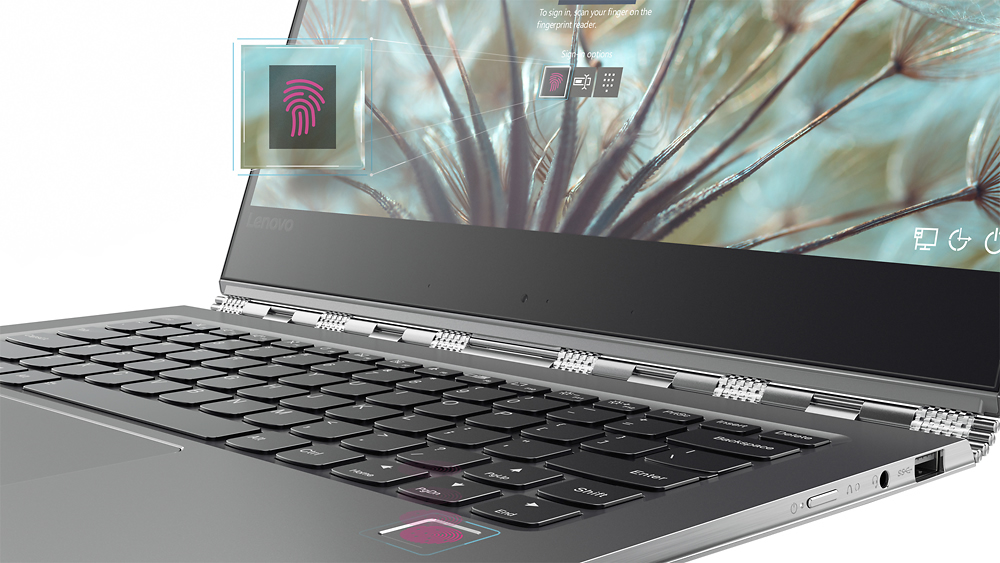
Posted .This reviewer received promo considerations or sweepstakes entry for writing a review.I love almost everything about this laptop. It's quick, adjustable, and has a long battery life. The fingerprint worker has had little difficulty and the keys are soft and responsive. The 4K takes a bit getting used to, but that's all right. My only quibbles are that the webcam's placement, as well as the speakers. The speakers are tinny. You'll need headphones or an auxiliary speaker with this. Otherwise, you'll be dissatisfied. Overall, though, I love this computer. Aside from the speaker issue, it's my ideal computer.
I would recommend this to a friendBrand response from Lenovo Product Expert
Posted .Thank you for choosing the Lenovo Yoga 910-14. With regard to the speakers, this system has stereo JBL speakers and Dolby sound equalization. Be sure that the Dolby sound enhancement is turned on and adjusted to your preferences.
- Pros mentioned:Screen sizeCons mentioned:Fan noise
Great laptop, best bang for your buck!
Posted .This reviewer received promo considerations or sweepstakes entry for writing a review.I was deciding for a while between several different laptops, including this Yoga 910 and several other competitors. I tried all of the laptops and ultimately decided on the Yoga 910, it always just had a feature better the competitors. The 4k screen is gorgeous, fingerprint scanner and the touchscreen super convenient (features not always available on other premium laptops). It's very light and portable. I haven't had the heating issues other reviewers were pointing out. The fan does get loud at certain times but it's not constant, it would turn on for a bit and then quiet down and I would no longer notice it. The only thing I haven't quite figured out yet, is the webcam. The picture is right side up when it is in normal laptop position, but when I turn it to presentation or tablet stance, my image is upside down. Not sure if there's a way to fix this, hopefully Lenovo specialist will assist. But otherwise, great laptop overall and would highly recommend!
I would recommend this to a friendBrand response from Lenovo Product Expert
Posted .Thank you for choosing the Lenovo Yoga 910-14. With regard to flipping your image when using the web cam in tent mode, we will look in to this.
- Pros mentioned:Processor speedCons mentioned:Fan noise
nice laptop but loud sound
Posted .This reviewer received promo considerations or sweepstakes entry for writing a review.after reading the reviews and doing research for several days, i finally bought this laptop on march 03, 2017 but i regret now. The laptop is pretty nice from outside, its fast and pretty good overall but when i start typing codes in visual studio or in noteplusplus, it starts making big sound. Its the fan that makes that sound. The sound seemed so big that my little girl sleeping next bed woke up. Its already been more than a month since i got it, so ican't return now, but I REQUEST ALL PEOPLE WHO ARE WILLING TO GET ONE OF THIS, PLEASE DO SO ONLY AFTER THEY SOLVE THIS ISSUE. I have a thinkpad bought in 2011, never had such issue. so I was pretty happy in the beginning that i got nice laptop, but its just waste of money!
No, I would not recommend this to a friendBrand response from Lenovo Product Expert
Posted .Here is the latest driver update from Lenovo addressing this issue:
http://support.lenovo.com/us/en/products/Laptops-and-netbooks/Yoga-Series/yoga-910-13ikb/80VF/007TUS/downloads/DS119202
- Cons mentioned:Fan noise
Heed the warnings
Posted .This reviewer received promo considerations or sweepstakes entry for writing a review.I spent alot of time reading the reviews on this site before making a purchase. I purchased a brand new Lenovo 910 limited edition glass top I figured I will add the eviews to this existing chain since it is the same machine pretty much. I am running 7th gen i7, 512SSD, 16g ram. It has been 3 hours since I have opened it and have charged it to 100% and went through and updated all the firmware and what not like the "Lenovo Product Experts mentioned. Right after it initially booted up the wailing fan was heard. I thought this may be normal since it is the first time a machine of this caliber is waking up. After giving it some time to wake up and open some basic programs I closed everything out and let it sit...boy did the fan get to work.. constant acceleration and deceleration just sitting in idle with no programs running. The others were right when they said it ran like a jet engine. I thought it was truly an understatement and bought this lap top anyway. Now I am here to let everyone beware it is annoyingly loud. The other known annoyance I chose to disregard when buying this was the location of the shift key on the right side of the keyboard. I have had to correct myself numerous times just in typing this review. I am flabbergasted by my expencience but it was also i ignorance. I should have listened to what the other owners were saying. I feel sad...anyway, before the "Lenovo Product Expert" tells me this is normal and just need to update the firmware I will be returning it today....the same day I purchased it..,
No, I would not recommend this to a friendBrand response from Lenovo Product Expert
Posted .Thank you for giving the Yoga 910-14 Limited Edition a try. We are sorry to hear that it did not work out for you.
- Pros mentioned:Screen sizeCons mentioned:Fan noise
awesome laptop, fan is not a problem
Posted .This reviewer received promo considerations or sweepstakes entry for writing a review.ok, I wish I could give a 4.5 because the right shift key placement is my only gripe. The 4k screen is super sharp and worth the xtra amount. Similarly the 16GB memory is also worth it as this remains super fast even with multiple tabs open and directv streaming at the same time. OK the fan is a serious problem until you easily fix it. Yes, the fan comes on and is really loud but all you have to do is change the power management on the processor to 99% and the problem is solved. I love that it is as small and light as all of the high end 13's but you get a 14 screen.
I would recommend this to a friendBrand response from Lenovo Product Expert
Posted .Thank you for choosing the Lenovo Yoga 910-14. We are pleased to hear that the performance of the Yoga 910-14 is working out so well.
- Pros mentioned:Processor speedCons mentioned:Fan noise
It's a winner
Posted .This reviewer received promo considerations or sweepstakes entry for writing a review.I thoroughly read the posted reviews and decided to buy this convertible based on the positive feedback. It's a great laptop and very fast compared to my old Sager gaming laptop of 2007 with Win10 Pro, no less. The noise complaints aren't concerning. I use different laptops for work and this Lenovo is by no means loud, especially compared to my Sager which was a 10+ out of 10. This Lenovo is maybe a 3 out of 10, but only for brief moments. Otherwise it's a powerhouse. I haven't loaded all my video apps just yet, but expect it to perform as expected.
I would recommend this to a friendBrand response from Lenovo Product Expert
Posted .Thank you for choosing the Lenovo Yoga 910-14. We are pleased to hear that the performance of the Yoga 91014 meets your computing needs so well.
- Pros mentioned:Screen size
4K is worth it. Would not hesitate to buy again.
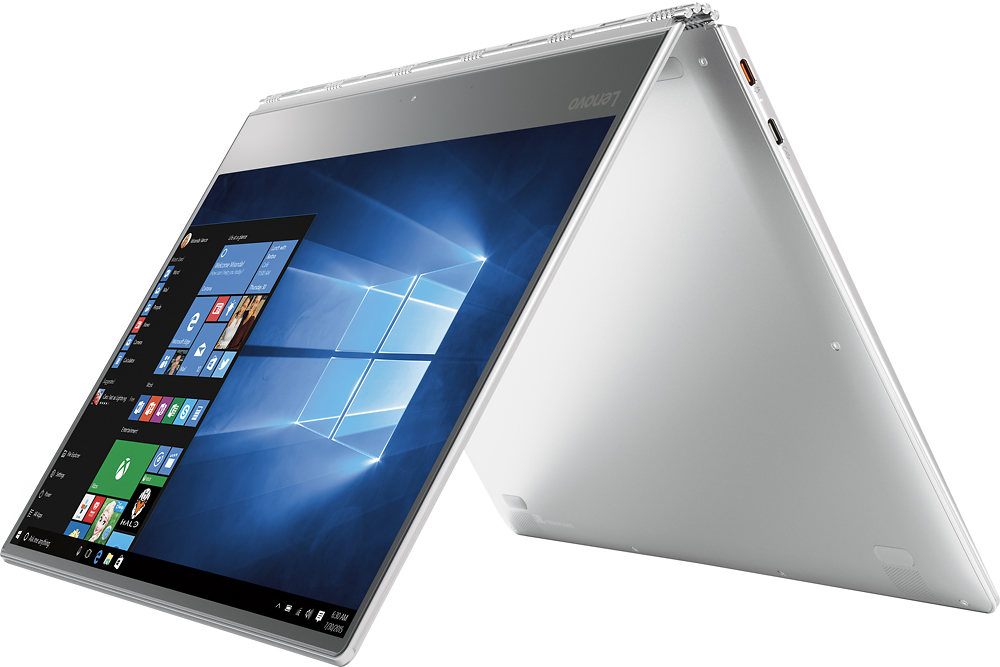
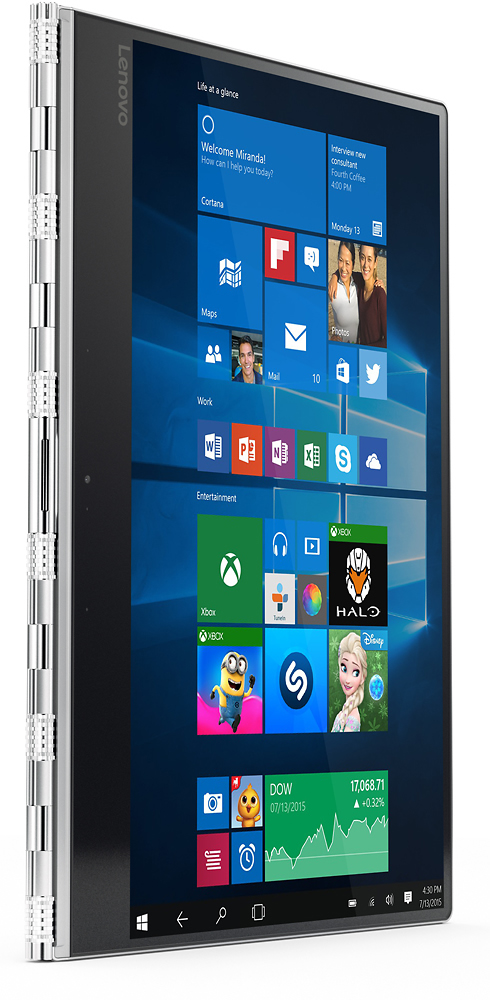
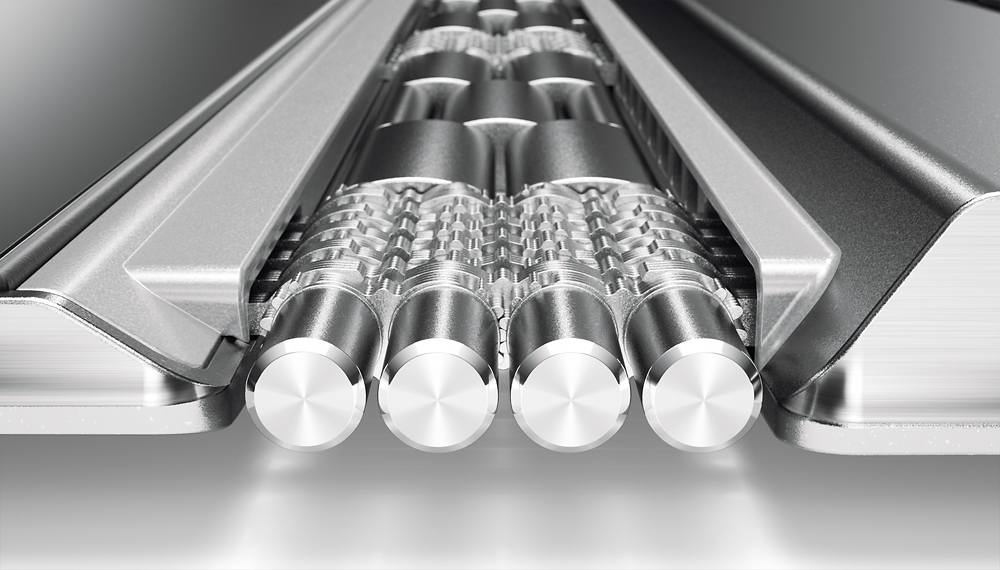
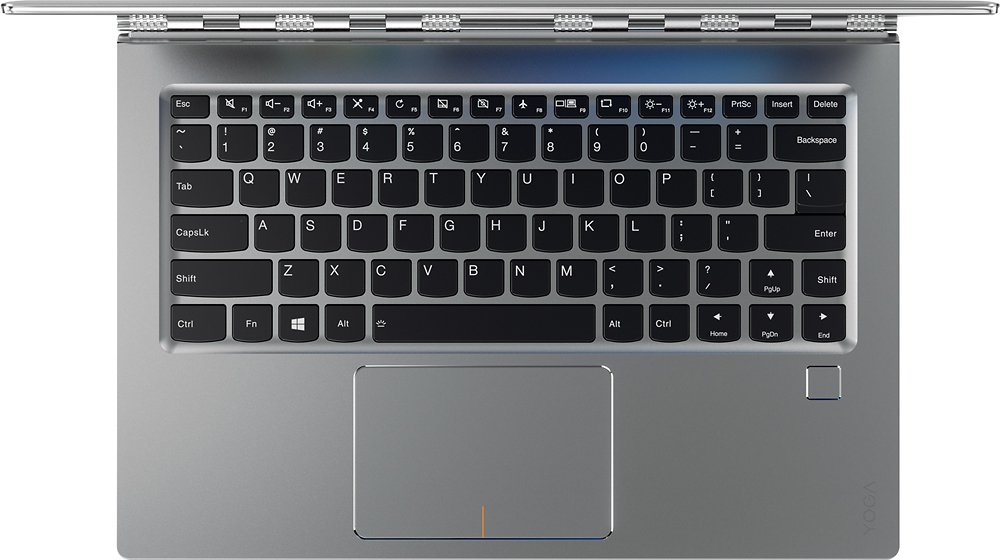
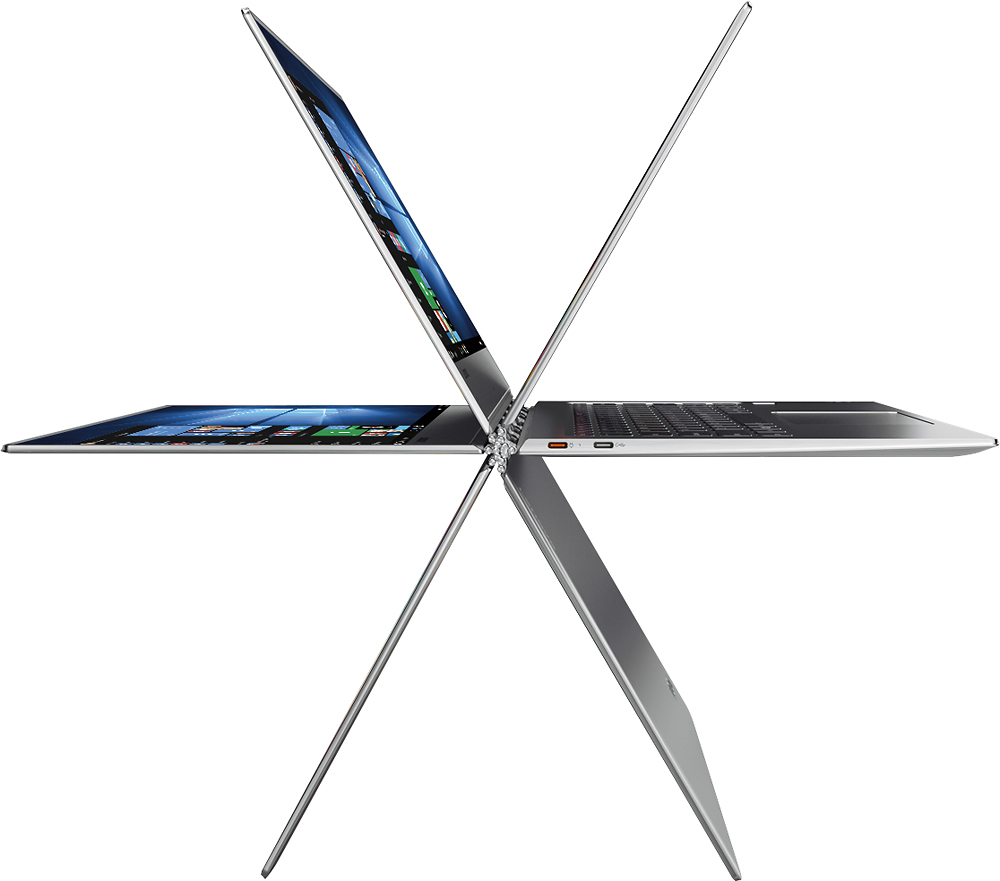
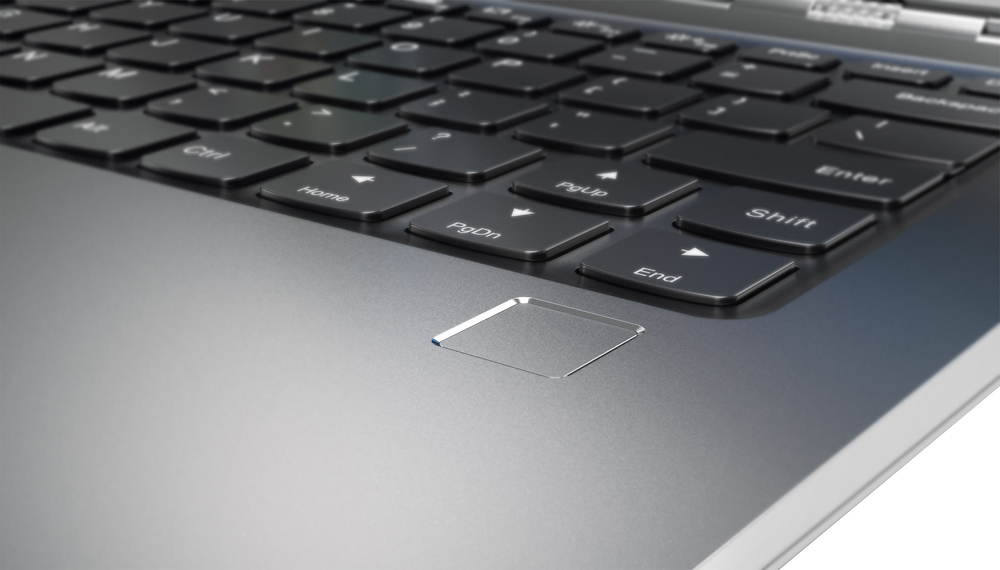
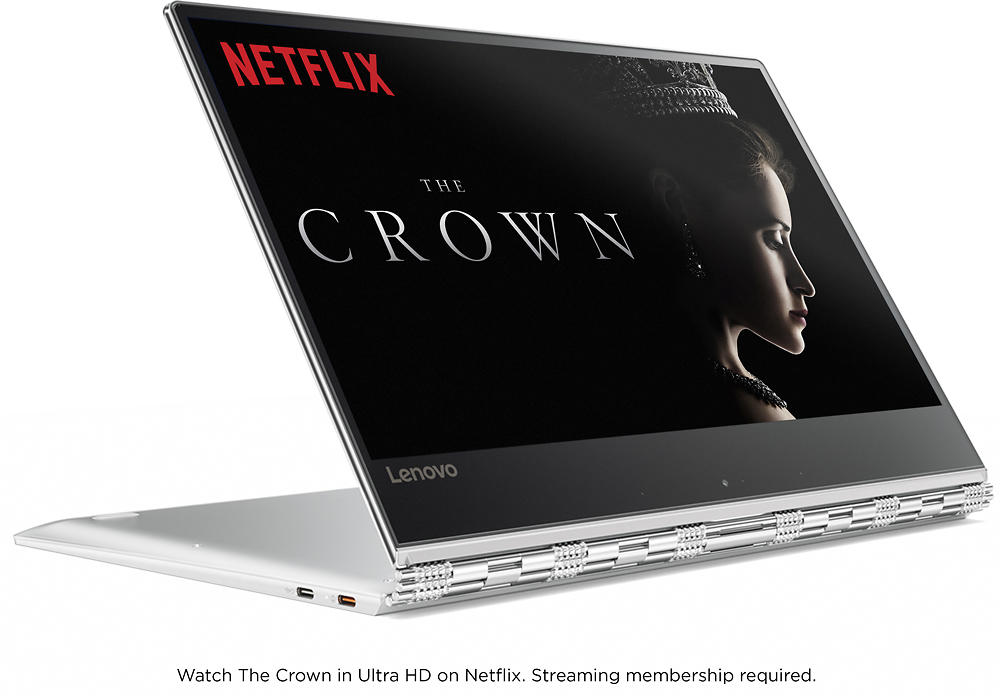
Posted .This reviewer received promo considerations or sweepstakes entry for writing a review.I was very close to buying one of two similar HP 13" convertibles but glad I saw the 910 when I did. It's well worth the small amount of extra money. The 4K display and fingerprint reader are great. Convertible is great when you want to watch TV or use it like a tablet with no compromises. Very nice, solid laptop. Pros: - 4K display: Was skeptical at first and thought it was a waste of pixels, but now I'm sold. Everything is so perfectly clear and sharp that it's hard to go back to lower resolutions. The more I use it the more I appreciate it. 4K is great in tablet mode too where I think 1080p is not sufficient. Text, icons, etc are much clearer and easier on the eyes. Minimal scaling issues - not a concern with software I use at least. - 13.9" not 13.1": 13 is too small while 15 is too big in my opinion. Perfect in-between size for a small laptop, and near bezel-free looks great. - Fingerprint reader: Big selling point for me. Works great - as well as touchID on iPhone, not like the readers on older laptops. Almost instantaneous with a touch, not a swipe. I feel this is better option than camera-based Windows Hello login. - Hinge: No wobble at all. Best convertible hinge. - USB-C charging port. I bought a USB-C hub with a power passthrough. Convenience of a docking station. - Trackpad is very smooth and responsive. Wish it were a tad wider. Cons: - Right shift key location! I haven't gotten used to it and don't want to remap it yet. This was an obvious fail by lenovo that shouldn't have happened. Rest of the computer is great so I can overlook it. Overzealous cooling fans: Seem to come on based on CPU usage, not on actual temperature. At least it turns off quickly when not under load again. Hopefully fixed with software update. To be fair I've seen same issues on other brands. - No USB 3.1 or thunderbolt. Not a deal-killer for me. - Webcam below screen may bother some. Use it in tent mode if using webcam.
I would recommend this to a friend - Cons mentioned:Shift key
It is good laptop
Posted .This reviewer received promo considerations or sweepstakes entry for writing a review.wanted to write review just after purchase but I waited till 15 days and was trying to find out issue so that i can return easily, but unfortunately. i did not find any such issue so that i can return it. I am giving 4 star because of high resolution issue, actually high resolution is not issue it is working find but when you open legacy software or want to install ms office 2007 or want to RDP other computer then fonts and icon are very small , I searched a lot for this issue and found this is windows issue and all the high resolution laptop having same problem xps , espectr, surface all except macbook pro 2015/2016. so keep this laptop, people are reporting shift key design problem yes that is also true but for me it took two week to get use to it .
I would recommend this to a friendBrand response from Lenovo Product Expert
Posted .Thank you for choosing the Lenovo Yoga 910-14. We are pleased to hear that there are no issues for you with the Yoga 910-14 and it is working out so well for you.
Wonderful! Great screen - Needs port replicator.
Posted .This reviewer received promo considerations or sweepstakes entry for writing a review.My 3rd I7 based computer in 5 years. This is by far the nicest. The 2 in 1 works flawlessly especially nice when squished in a coach seat and the person in front reclines. The hinge keeps the screen where you wanted it, even if you are tapping on it a bit. The 500gb ssd drive is good, the screen is super. The keyboard feels good, the mouse pad is better than most, though I still plug in a mouse at my desk. To plug in a hdmi monitor you need to buy a dock $79. The major cons is the special charging port makes 2 connections required on you usb dock. A power cord cant be connected to the dock and then passed into the computer. Other thinkpads have proper docks available. There is no bloat software on this machine. Thank you Lenovo!
I would recommend this to a friendBrand response from Lenovo Product Expert
Posted .Thank you for choosing the Yoga 910-14. With regard to connecting an HDMI monitor to this device, you can use a $40 USB-C to HDMI adapter like this one: http://www.bestbuy.com/site/insignia-usb-type-c-to-hdmi-adapter-white/4480802.p?skuId=4480802.
Had limited edition but regular version is better!
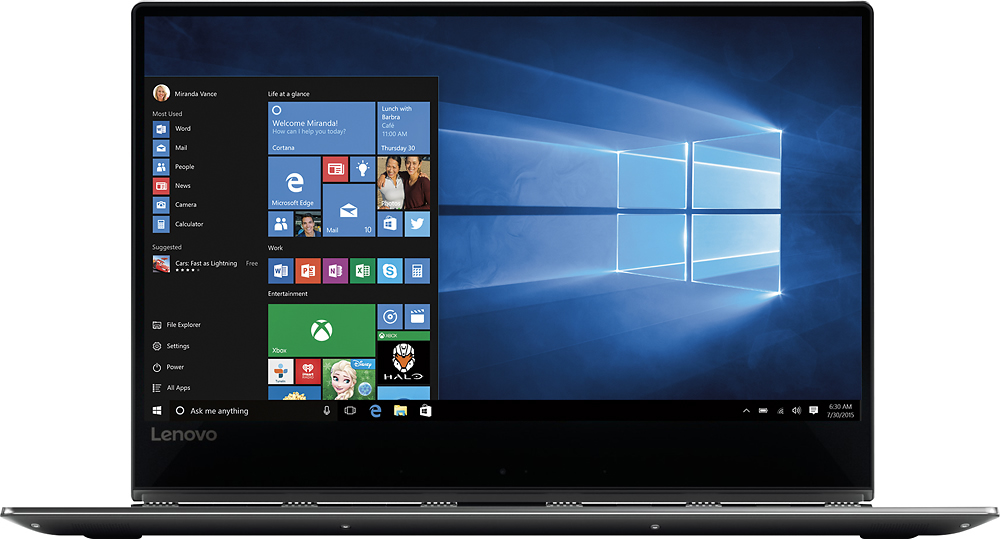
Posted .This reviewer received promo considerations or sweepstakes entry for writing a review.I first had the limited edition Best Buy version with the glass top, and it was so, so beautiful. Unfortunately I think it had a major design flaw that lead to the screen cracking all the way across only two weeks after I bought it (thank god I got the protection plan). The whole lid/screen part on that machine was constructed differently from the regular version in order to house the glass top, and the result was that the lid was MUCH stiffer than on the regular version. It was so tight that I had to pry the laptop open with both hands like it was a live clam. The tension on the glass of the screen was, I think, too much--and it cracked after just the corner of a pillowcase got closed up in the computer and someone tried to pull it out without opening the thing. Imagine how I felt when, after Geek Squad had had it for 30 days, I was told that Lenovo may never manufacture the parts needed to replace the special edition's screen. By this time all of the other limiteds had been sold and my beautiful glass-top edition was irreplaceable. So, I got my current machine instead, the regular edition Lenovo Yoga 910 4k. I was very disappointed at first, but I am so glad now that I was able to make the switch. Here's why: The Fan Noise: the limited edition was noisier. I think maybe it was because they put a beefier battery into that edition that lasted me about 10 hours, and it needed more cooling. I'm not certain of why really, but it was definitely worse for fan noise. It's not so much that the fans were louder, I don't think there's a difference in just how loud these things can get between the two computers. But the frequency with which the fans come on, and how long they stay on is definitely improved in this regular version of the Yoga 910, and they don't go up to full force nearly as often. I've been using the new machine for a total of about twelve hours now and I have only heard the fans come on in full force twice, and only for a moment each time. The limited edition was almost constantly whirring, and the fans must have been going at full speed the majority of the time that they were on, because the machine usually sounded like a drone about to take flight. If you need a computer to use in meetings at work or in classes, I wouldn't take the limited, but I would most definitely take the reg version, no hesitation. The Keyboard: at this point I haven't had the limited edition in my hands for about a month, but I do believe I can feel a huge difference in the keyboard now that I have the reg version. It was stiff on the limited, to the point of being potentially problematic for typing essays for school, but I bought the machine anyway because it was just so pretty. The regular version has a wonderful keyboard--better than the majority of the other high-end ultrabooks I tried (and I tried MANY, Surface Pro 4, a 4k version of the Asus Zenbook, all the Dells--which had awful keyboards, Razor Blade--basically everything in both my local Best Buy and Microsoft Store other than the Apple stuff). I can definitely type out some long-form writing on this. I've already edited a short story on it and the keyboard does what a keyboard is supposed to do--be unnoticeable to the typist. Everything Else: ...is freaking awesome, guys. This machine is the most petite computer I have ever held, light weight and well-balanced, but the 14" screen is just large enough to be good for everyday use. The bottom bezel is large but it doesn't bother me one bit. I think it's a smart design choice actually, as it keeps the bezel around the top and edges very small, and this is where the majority of a user's focus remains. The result is gorgeous. The "nose hair cam" won't be desirable for people who Skype a lot as it's down at the bottom of the screen, but this thing is so nice that I'd tell those people to go buy a little clip-on camera. At least those can be removed when not in use so that nobody can use them to spy on you. The screen is incredible--great contrast and coloration, and intense resolution. When I look at photos and videos I feel like I am seeing what is actually there, rather than a twice filtered digital representation. People say this high resolution is only useful for video and image editors, but I think it's great for anyone who appreciates beauty :) Though I'll admit that I'm so into staring at it that I end up with a slight headache at the end of the day. The computer is fast and agile, shockingly so in such a thin package, and the fingerprint reader is very accurate and signs you in quite quickly. It's faster than any other print reader I've ever used. The ports on this thing are wonderful. It's got USB3, and the charger is not prong-style--it's a USB style port too. Prongs can be easily jostled around over time and eventually break loose the soldering that holds the charger port in place inside the computer, and the magnetic kind can vary in how tightly it will hold to the port, but this style of charger seems very stable to me. Oh, and it charges pretty quickly and maintains a charge, for my regular use, for about seven to eight hours, which is perfect. Also, the Lenovo Settings apps that come with their products are very useful and simple to use. They're an unexpected bonus as they ad some settings control to Windows 10. All in all, I think this computer is the best ultrabook on the market right now. Of course, I don't use Apple products so I can't speak to their comparative quality, but I do know that they don't offer a touchscreen, and I think a touchscreen option is necessary for laptop computers that are this small, if you actually plan to use them in your lap. Also, I personally am not enchanted by Apple's stiff control over the functionality of their machines, by iTunes, or by their degree of control over the marketplace, so, that is what it is. If you've got the money and you want a smooth-operating, fast, beautiful, lightweight, future-proof PC that can be a workhorse when you need it to, I'm telling you, this here's the one. Just get that protection plan!
I would recommend this to a friend