Customer Ratings & Reviews








- Model:
- 80VF001TUS
- SKU:
- 5579125
to a friend
Customers are saying
Customers enjoy the Yoga 910's lightweight design, impressive screen size, and strong performance. Many appreciate its long battery life and ease of use. However, some users have noted issues with fan noise and heat generation, while others find the placement of the shift key less than ideal. The fast SSD is also a frequently cited positive.
This summary was generated by AI based on customer reviews.
Wonderful Laptop!
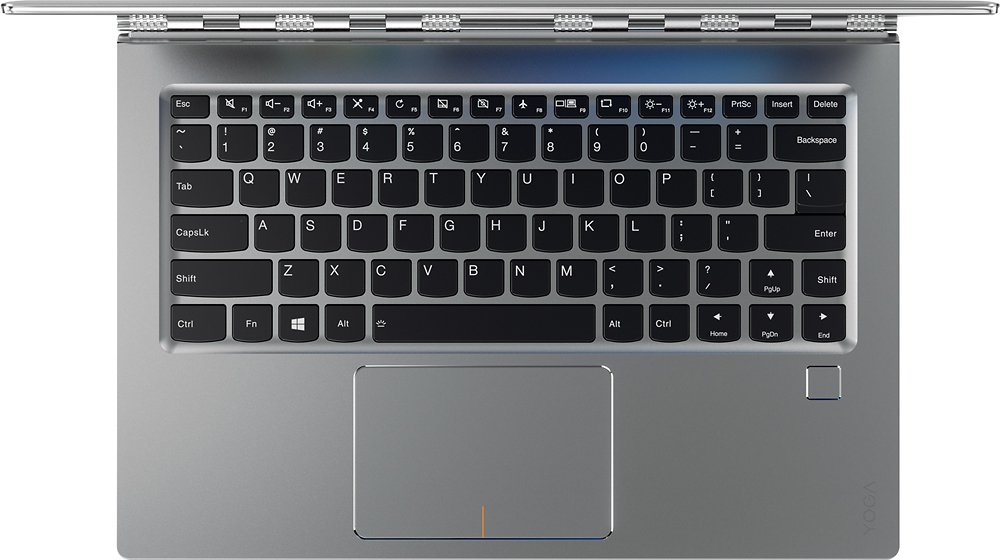
Posted .This reviewer received promo considerations or sweepstakes entry for writing a review.Like many before me, I did lots of research on this product (and other comparable laptops - Dell XPS 13, HP Spectre 13, HP Spectre 360 - I did not consider a Mac as they are too overpriced for the specs you get) before I purchased. I chose this one (mine had the glass lid) due to the aesthetics, the specs, and the dark keyboard on the silver case (makes the keys really easy to see). All the computers I considered would have been adequate for my needs - office work when home, web browsing, email etc. There is a lot of comments about the fan noise and here is my take: When I first booted it up, I went straight to Windows Updates and took care of all of them (took about 30 minutes). The fan ran pretty continuously and loudly through that process (was not obnoxiously loud to me). I next went to Lenovo's website, created an account and then entered my product info (serial number). Once done, I clicked on support for this product and then went to the Drivers Update section. There were numerous driver updates including the BIOS update - all in all there was about 10 driver updates to take care of. I updated all of these (took 30 minutes or so) and the fan ran continuously and loudly through this process as well (again, not obnoxiously loud). Once that was done I added all my photos, documents, and music to the computer (130 gb of data). Fan ran intermittently and sometimes loudly though all that. After that was completed, I uploaded my non sensitive files to my Google Drive and the fan ran intermittently again. Once all this "homework" was completed, this laptop has been very very quiet (can barely hear it). Fan kicks in briefly now and again at a very low level for 10-15 seconds and to me, not bothersome at all. As a good reference, I have been using this computer this morning for work for the last 3 hours and I have heard the fan all of 4 times, each time being about 20 seconds then it shuts off. Of note, I will say that there was one Lenovo Driver Update that got "stuck" and kept trying to install itself so i had to go into Task Manager and stop the process as it was causing the processor to work at 30% and the fan would run continuously. I uninstalled that driver update, went to Lenovo's website and re downloaded it, reinstalled it and the issue resolved. I purchase a Logitech Anywhere MX2 Mouse to connect via Bluetooth and that frees up my USB type A 3.0 port and the 2, USB type C ports are free unless charging. I have no need for USB thunderbolt ports at this time so that was a complete non issue for me. Once all my personal 130gb of data was transferred, I will not need much in the way of fast transfer speeds or thunderbolt connections. To extend the battery life, I then went to the Power Settings and created my own Balanced settings that I prefer. I turned off all things that run in the background that I do not use and I am happy to say I am getting about 10 hours on a charge which is more than plenty for me. Regarding the keyboard, I find it stellar. The black keys with light grey letter/numbers on a silver case makes it extremely easy to see the keys, even in low light. When low enough the keyboard light turns on. The much mentioned Right Shift Key is different but has been a non issue for me after typing for a week. My fingers have already "learned" the new position and I have no more errors now than I do on a different keyboard. I recommend you download a 4k picture and use it as the desktop background as this will show you what the screen is capable of....stunning actually. I have used this laptop now for about a week since all the above was done and I have found that it is lightening fast, runs quiet and cool, looks amazing and has been a pleasure to own.
I would recommend this to a friendBrand response from Lenovo Product Expert
Posted .Thank you for choosing the Lenovo Yoga 910-14. We are pleased to hear that the features, value and performance of the Yoga 910-14 meets your computing needs so well.

- Cons mentioned:Fan noise
Great but the fans are killing the purchase
Posted .This reviewer received promo considerations or sweepstakes entry for writing a review.I just bought this laptop yesterday. And I fell in love with it. But then the fan started going off - Then I read the reviews with all the noisy fan problems. I tried the bios thing. Still the same. Clearly Lenovo, you have a problem to address and it's not getting solved by the solutions you suggested. So unless you plan to fix this, I am returning this beauty and going with the HP.
No, I would not recommend this to a friendBrand response from Lenovo Product Expert
Posted .Thank you for choosing the Lenovo Yoga 910-14. We are looking in to this noisy fan issue for future improvements.
- Cons mentioned:Fan noise, Shift key
Lenovo has terrible quality control (bad fans)
Posted .This reviewer received promo considerations or sweepstakes entry for writing a review.This is the perfect laptop. Except two issues, one small, the other utterly annoying. 1. The fan makes an terrible whistling noise. I dont mind fans being on in general, but the high pitched whistle is very bothersome, shameful for a $1500 machine. Not only that, but it comes on far too much of the time. I would often have no apps open (task manager showing low cpu usage) and have the fan continually running with its whistling noise. Lenovo has tried a bios fix, which I have applied and turned on, but only have minor improvements in *when* the fan turns on, yet its still on half the time and still makes that dang whistling noise. 2. The shift button is a very bad engineering decision. I have 14 more days and unless I find a solution will be returning this laptop. Its a shame. I really want to love it.
No, I would not recommend this to a friendBrand response from Lenovo Product Expert
Posted .With regard to the right shift key issue you mention, there is a free software APP called KeyTweak that may help you. You can switch the key functions of specific keys on your keyboard with this software, so you could change the right shift key with the key you hit in its place. Just Google search "KeyTweak" and you will find articles about what the software does and you will find the download location for this free APP.
- Pros mentioned:Performance
Very light and portable
Posted .This reviewer received promo considerations or sweepstakes entry for writing a review.I tested this with Vegas Pro rendering HD video. Compared it to XPS 15 Quad core. As expected the XPS performed better in the rendering; 38 minutes compared with XPS 18 minutes. However, reboots, program installations and everyday functions were very similar. So if you are an every day user, this is a fine computer. I prefer this form factor. Very comfortable and solid. No real bad fan noise, so this one was good. I bough the Yoga open-box at Best Buy online, but returned it since Best Buy failed to include the charger for the laptop. They included old Nokia earbuds instead. Way to go Best Buy! Beware of open box from the online store.
I would recommend this to a friend - Pros mentioned:Processor speed
Awesome Laptop/2 in 1
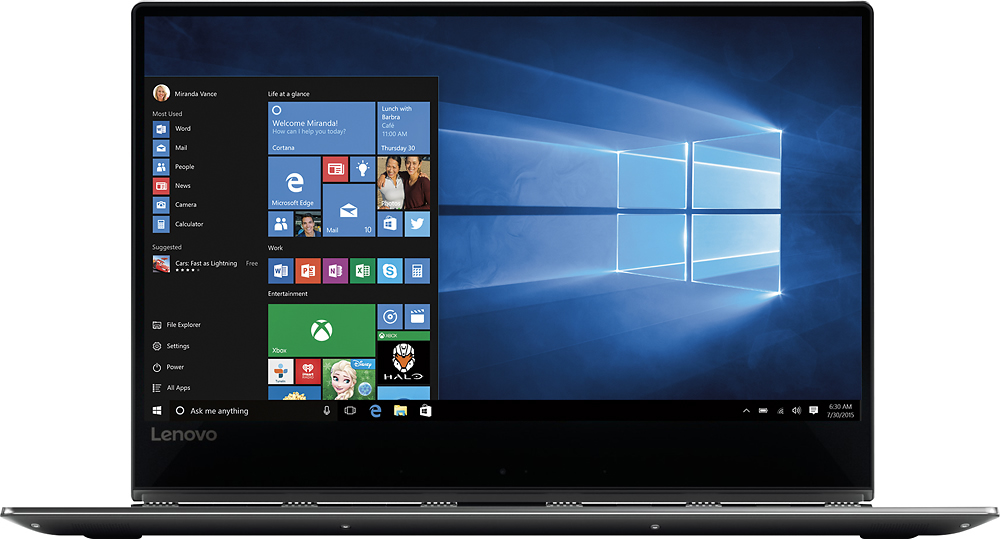
Posted .This reviewer received promo considerations or sweepstakes entry for writing a review.I am one of the few "techy" girls that loves techy stuff. I have an early 2015 MacBook Pro which I love and will not give up and since Windows 10 I am also a windows laptop owner. Recently owned a HP Spectre 360x and Dell XPS 13. Both were nice but after seeing the Lenovo 910 I knew I had to have it. The 4K display is like no other, just beautiful. The speed of the laptop as well, like no other. I haven't had any fan issues or any other issues to date. The shift key debate is neither a pain or a plus and also there is an app you can change what keys do what so that you can have the shift key closer if you want. All in all, I love it and it is definitely a good buy. Thanks
I would recommend this to a friendBrand response from Lenovo Product Expert
Posted .Thank you for choosing the Lenovo Yoga 910-14. We are pleased to hear that the features and performance of the Yoga 910-14 meets your computing needs so well.
- Cons mentioned:Fan noise
so far good
Posted .This reviewer received promo considerations or sweepstakes entry for writing a review.ok i just bought this and so far it seems a-ok the fan noise dont see how others say its way loud mine aint, so far no louder than like are on full size lap top or desk top. my issue is i know that asus 13.3 Q302 and 304. windows 10 you can choose the updates to be installed like windows 7. on this one you dont have that option i dont know why windows 10 is windows 10. the finger print log in is cool but have to set up pin and pass word i understand why yet should be able to do fp. and not ask ur choice to login. if finger print didnt work then ask for other options to login. the unit is quite high dollar. no dvd cd drive one usb port. hope the unit is built to last.
I would recommend this to a friendBrand response from Lenovo Product Expert
Posted .Thank you for choosing the Lenovo Yoga 910-14. We are pleased to hear that the features and performance of the Yoga 910-14 meets your computing needs so well.
- Cons mentioned:Fan noise
Quality control issues
Posted .This reviewer received promo considerations or sweepstakes entry for writing a review.The Yoga 910 has the potential to be a great everyday laptop, however, I'm seeing a couple of quality issues and see others have too. I purchased mine about a week ago prior to making a business trip. For the past five years or so I've had various Surface pro models. My latest Pro 3 is having some problems and I feel I need a slightly larger area for typing for my hands to be more comfortable and a bit more screen real estate. For work I'm a software manager and my laptop is typically plugged into two additional monitors. The Yoga is not going to make it to the office as I will be returning for a couple reasons. 1. The trackpad is defective on my unit. I've compared it to a couple others that were on display at multiple best buy stores. Its hard to describe the problem in writing but the best I can explain it is that there is play in the pad and it's loose. You can hear an abnormal clicking sound with just the lightest touch. None of the store display models have this issue. 2. The fan is loud and remains on constantly. The battery is also draining fairly quickly but I believe it's due to the fan constantly running. I've tried adjusting brightness and monitoring back ground applications, but nothing seems to work. I've also checked for system updates both through Lenovo's utility tool and Microsoft updates and all is up to date. The hardware side of the company I work for always orders Lenovo's and they've seen quality control issues like this before. I don't think I'm going to buy another Lenovo. Still in search for another machine.
No, I would not recommend this to a friendBrand response from Lenovo Product Expert
Posted .We are sorry to hear about your issues with your Lenovo Yoga 910-14. With regard to the fan issues you mention with your device, there may be BIOS and power management driver updates for your specific system. Follow the link below to look for new driver updates for your specific system. You can also run diagnostics from the Lenovo site as well. As always, be sure to create a restore point on your system before you make any changes. Here is the link:
http://support.lenovo.com/us/en/products/Laptops-and-netbooks/Yoga-Series/yoga-910-13ikb/80VF/007TUS?linkTrack=Caps%253ABody_SearchProduct&tabName=downloads&beta=false
- Pros mentioned:Battery life
Great computer for travel
Posted .This reviewer received promo considerations or sweepstakes entry for writing a review.Very rugged, battery last all day and very impressive power. Grab the 512g version. only one con: same as Apple MacBook pro no SD car slot but there's one USB slot
I would recommend this to a friendBrand response from Lenovo Product Expert
Posted .Thank you for choosing the Lenovo Yoga 910-14. With regard to the missing SD card reader, we will look in to this for future improvements.
Good laptop...nice buy
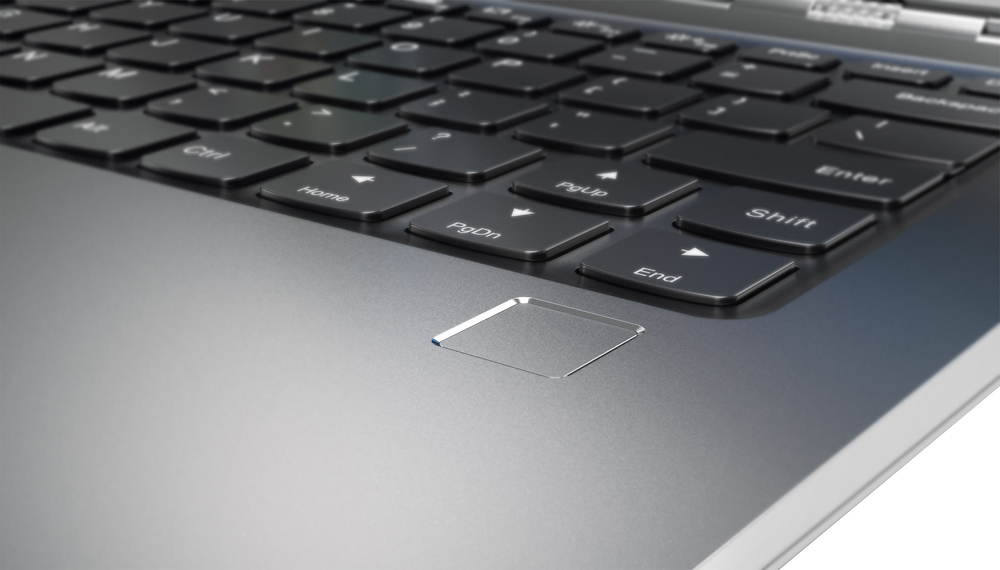
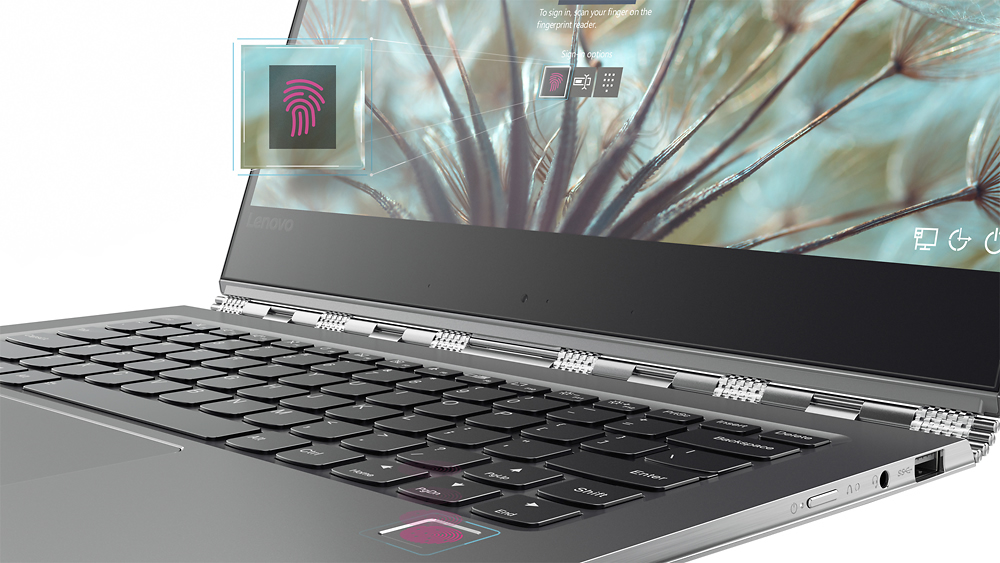
Posted .This reviewer received promo considerations or sweepstakes entry for writing a review.I originally purchase an open box item of this same laptop. Unfortunately, the battery life didn't seem to function as promised (less than 4 hours on a full charge and rapidly decreasing, less than 3 hours after only 20 minutes of we browsing, etc..) so I exchanged it for a new unopened item. My daughter and I love the screen clarity...the 4K is gorgeous. It also spins up quickly. I could change this review to a 5-star if someone could advise us on how they are getting 8-10 hours of battery life on the model with the 4K screen. Some of the reviewers claim to be getting that...I would love to know how. We just don't seem to be getting close to that at all and we do use the battery saver mode and the screen brightness is at 50% or less at any given time. We are not running any hard-drive intensive programs or large scale games or movies and still cannot get near the promised battery life of 9-10 hours. I agree with others that reviewed and found the shift key placement awkward/troublesome. Following the advice of the Lenovo expert regarding KeyTweak, I did swap the key functions and problem solved. As the key tops just snap in place, I even carefully removed the two key tops and snapped them into place so the keyboard reads the way I remapped the keys with the right shift key second from the edge of the laptop and the Up arrow key on the outside edge. The fact that Lenovo has a suitable answer for this odd key placement begs the question of why they would set the keys up that way in the first place...? Anyhow, it is easily fixable so if you have read other reviews and that is the only caveat in your mind, buy this laptop and follow the advice for using KeyTweak. It's a no brainer. As for the rest of the laptop, it is gorgeous and the construction and feel are solid. The touchscreen works well. The fingerprint scanner works well and significantly speeds up the login process. There is almost no bloat ware loaded on this machine which is a definite plus!!! Good move Lenovo. For the price, the solid look and feel, the gorgeous screen and the quick processing I would definitely recommend this beauty...with the KeyTweak!
I would recommend this to a friendBrand response from Lenovo Product Expert
Posted .Thank you for choosing the Lenovo Yoga 910-14. With regard to your battery life, the 4K model should be getting 8 to 10 hours of life from a full battery charge. Check to be sure that there are no unwanted programs running in the background, like location services. Additionally, Be sure any software you installed is compatible with Windows 10. There is no need to install Microsoft Office software. The software is already part of the operating system, you just need to activate the software with a purchased product key. If you have installed a copy of Microsoft Office, this is conflicting with the existing copy on the system and this will slow your system down. If you have installed a 3rd party anti-virus program, be sure that Windows Defender is turned off and that the trial version of McAfee Anti-Virus software is uninstalled. There can only be one anti-virus program on the system. If you have any of these program conflicts, you may need to restore your system to original factory default settings if any of the programing errors have occurred. You can do that by typing "restore" in the Cortana search window. Just click on the magnifying glass icon at the bottom left of your Windows 10 Desktop. Click on "Reset This PC" Then click on "Get Started" and follow the on screen directions to restore to factory defaults. Finally, as you point out, continue to try changing your power management setting to a more conservative one. You can do this in the control panel, in the power management category on your system. Select a more conservative power management setting to extend battery life.
- Cons mentioned:Fan noise
Loud but very nice and fast
Posted .This reviewer received promo considerations or sweepstakes entry for writing a review.This is the ideal laptop I have been looking for, But pls someone help to solve this noise problem. It is really loud even the usage is below 30%. I have try to update the BIOS suggested by another post but it said my system doesn't need any update. Lenovo please help to solve this problem. Before that I really don't recommend anyone buy this laptop.
No, I would not recommend this to a friendBrand response from Lenovo Product Expert
Posted .Thank you for choosing the Lenovo Yoga 910-14. I had the opportunity to test one of these systems for two days of constant use and I never heard the fan. With regard to the fan issues you mention with your device, there may be power and BIOS driver updates for your specific system that may help the issue. Follow the link below to look for new driver updates for your specific system. You can also run diagnostics from the Lenovo site as well. As always, be sure to create a restore point on your system before you make any changes. Here is the link:
http://support.lenovo.com/us/en/products/Laptops-and-netbooks/Yoga-Series/yoga-910-13ikb/80VF/001TUS?linkTrack=Caps%253ABody_SearchProduct&tabName=downloads&beta=false
Excellent laptop with a few caveats
Posted .This reviewer received promo considerations or sweepstakes entry for writing a review.Let me preface by saying that I'm a software developer, and I never liked working on laptops. I was always a desktop guy - give me a decent CPU, plenty of RAM, full size keyboard, and at least two 27" monitors, so I can run all my Linux VMs and all the compilations without any hiccups. But recently I've found myself meeting with customers more and more often, and that requires a light but powerful laptop which I can carry around. Initially I tried to go with 15.6" ASUS laptop, which was powerful but too heavy. 13" laptops screens are just too small for me. So this Lenovo 14" 4K display is a perfect balance between portability and size. If I put my glasses on, and scale the fonts down, I can fit a lot of useful info on the screen. The screen is sharp and just simply gorgeous. The laptop is light enough so when needed I can balance it in one hand, while typing with the other hand. There are only 2 minor but annoying problems: Issue #1. As other mentioned the infamous fan noise. Yes, I did update the BIOS to the latest version which was supposed to fix this issue. But even when laptop sits idle occasionally fans will kick into a high gear. The noise is not terrible, and I'm not planning to return the laptop for that reason. But it is still mildly annoying. Issue #2. USB 3.0 port on the right hand side of the laptop fails to accept some of my thumb drives with the error "USB device not recognized". I tried 5 different USB thumb drives (some of them USB 2.0 and some of them USB 3.0). All of them recognized by any other computer I tried them on except this laptop which fails to connect 2 out of those 5 USB sticks. I updated the BIOS, I updated drivers, I called Lenovo support (not much help there) - still no solution. And before you say anything - no, the USB port on the laptop doesn't seem to be defective, because it recognizes the USB Hub, and other USB sticks (both USB 2.0 and 3.0).
I would recommend this to a friendBrand response from Lenovo Product Expert
Posted .Thank you for choosing the Lenovo Yoga 910-14. With regard to the fan noise, be sure you have the latest BIOS update version, here is the link: http://support.lenovo.com/us/en/products/Laptops-and-netbooks/Yoga-Series/yoga-910-13ikb/80VF/007TUS/downloads/DS119202. Concerning Windows 10 not "seeing" several of your Flash Drives, here's some troubleshooting ideas you might try: https://www.howtogeek.com/howto/22251/find-your-missing-usb-drive-in-windows-7-vista/
- Cons mentioned:Fan noise
Great laptop but ...
Posted .This reviewer received promo considerations or sweepstakes entry for writing a review.The display is absolutely beautiful, very bright and sharp. The key board is a pleasure to use, has a nice travel distance and feels good under the finger. Ive had two other Lenovo laptops and each one had a minor problem from the beginning and, unfortunately this one is no exception. The fan is extremely loud under load. If they fix it before the return period expires I'll keep it.
No, I would not recommend this to a friendBrand response from Lenovo Product Expert
Posted .With regard to the fan issues you mention with your device, there may be BIOS and power management driver updates for your specific system. Follow the link below to look for new driver updates for your specific system. You can also run diagnostics from the Lenovo site as well. As always, be sure to create a restore point on your system before you make any changes. Here is the link:http://support.lenovo.com/us/en/products/Laptops-and-netbooks/Yoga-Series/yoga-910-13ikb/80VF/007TUS?linkTrack=Caps%253ABody_SearchProduct&tabName=downloads&beta=false
Almost a 5 but...
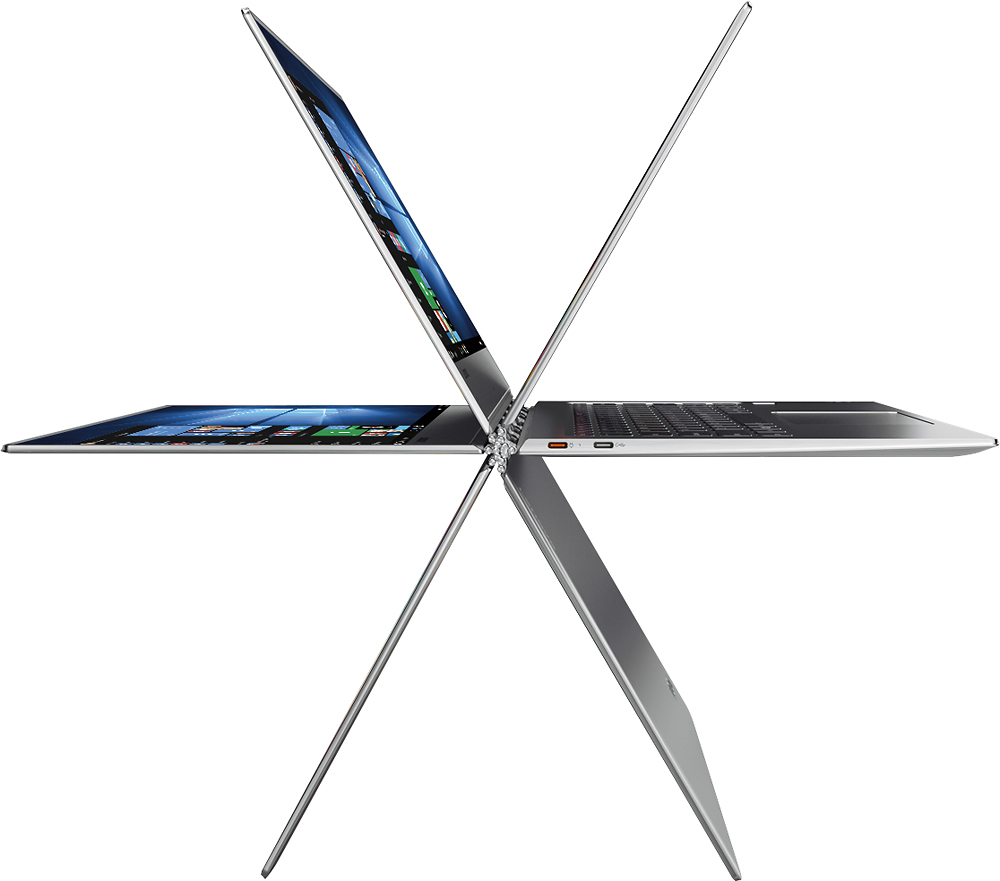
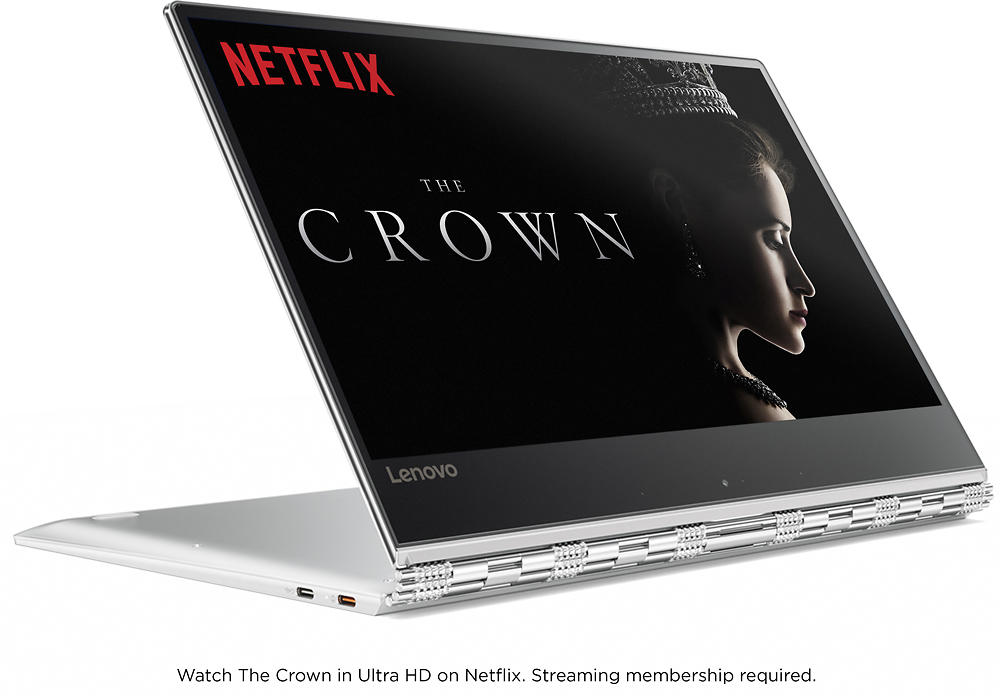
Posted .This reviewer received promo considerations or sweepstakes entry for writing a review.So I really like this laptop. I read many reviews before actually purchasing. I was upgrading from an Windows 7 HP laptop that was constantly running at high CPU (ie loud fan) so when I read reviews about the loud fan I was very worried. However, all the other specs and the price for those specs sold me. Having used if for about 3 months now I can tell you the fan that does come on occasionally is NOTHING compared to previous laptops I have used. for the most part it is whisper quiet. Pros: Quiet Fast The screen is very nice. I love being able to flip the screen around and be able to use it in a tablet form or fold it so that I can prop it up on a table and only see the screen for movie watching. Bluetooth is great and has connected to many headsets and speakers without issue. Very thin and light weight (not surface pro light) but feels sturdy, not like a piece of plastic Cons: THE KEYBOARD! so I had read the complaints about the placement of the right shift key but did not think too much about it as I normally use a wireless keyboard and mouse. However, any time I use this keyboard I get SO frustrated. I will for sure need to see about getting a keyboard mapping software and changing the up arrow to the shift key! Very annoying! Though I do not use the web cam often I have to admit that the placement of it is frustrating if you had to use it in laptop mode (the only way I would ever use it) I have had to use in in a conference call once and the view for my audience was not pleasant (and not because of the subject they were looking at) All in all I would for sure purchase again as I only use the laptops keyboard maybe once a week and hardly use the web cam. The pros far out weigh the cons.
I would recommend this to a friendBrand response from Lenovo Product Expert
Posted .Thank you for choosing the Lenovo Yoga 910-14. With regard to the right shift key issue you mention, there is a free software APP called KeyTweak that may help you. You can switch the key functions of specific keys on your keyboard with this software, so you could change the right shift key with the key you hit in its place. Just Google search "KeyTweak" and you will find articles about what the software does and you will find the download location for this free APP.
- Pros mentioned:Screen size
overall good but color of screen
Posted .This reviewer received promo considerations or sweepstakes entry for writing a review.so at maximum brightness its really white, however as soon as i lower one brightness i see little yellowish color on my 4k screen and this really disrupt me.. unlike apple macbook the color of screen should stay white regardless of dimming screen brightness.. any idea to fix this? i'm really thinking about returning it because of this yellowish reason. and i'm not on paper screen mode either.
No, I would not recommend this to a friendBrand response from Lenovo Product Expert
Posted .You might try this, set the brightness level you want then recalibrate the screen by following the steps at the article the link blow leads to:
http://www.laptopmag.com/articles/calibrate-monitor-windows-10
- Pros mentioned:Screen size
Great screen, one big keyboard glitch
Posted .This reviewer received promo considerations or sweepstakes entry for writing a review.I purchased this laptop with great enthusiasm and indeed, the touch screen was amazing. I played with it for two days before I even tried doing any basic typing. It was then that I discovered the glitch (which was the reason some of my passwords hadn't worked until I typed them one-fingered): the small right shift key was simply too small and too far away, and -- crucially -- was not a mirror image of the left shift key. I kept hitting Enter or the Up arrow instead, which was serious. I have been touch-typing very effectively for years on standard keyboards, and found it maddening to have to keep thinking every time I came to a capital letter: is this letter on the right or left side of the keyboard? I spent three days trying to retrain myself, and then decided that was ridiculous: when paying this much for a laptop, I should at least be able to type comfortably and accurately on it. I regretfully returned the laptop (I just loved the beautiful touch screen, and it appeared to be a solidly made laptop). This issue should affect only fast touch-typists.
No, I would not recommend this to a friendBrand response from Lenovo Product Expert
Posted .With regard to the right shift key issue you mention, there is a free software APP called KeyTweak that may help you. You can switch the key functions of specific keys on your keyboard with this software, so you could change the right shift key with the key you hit in its place. Just Google search "KeyTweak" and you will find articles about what the software does and you will find the download location for this free APP.
- Pros mentioned:Screen sizeCons mentioned:Fan noise
Couldn't get over the fan noise.
Posted .This reviewer received promo considerations or sweepstakes entry for writing a review.So I purchased this computer in November and right out of the box, I noticed that the fan was super loud...I thought it would get better/ it was just because it was doing a lot of downloading. However, whenever I did anything the fan would turn on and it was super high pitched. So, I exchanged it in hopes it was just a software/hardware issue. It wasn't. The fan was quieter but still there. I was super impressed with the screen quality and the touchscreen worked wonderfully! The 360 was super cool. Honestly I wish the fan would have been quieter because it was so much cheaper than a mac, and was cooler.
No, I would not recommend this to a friendBrand response from Lenovo Product Expert
Posted .There is a BIOS update to help with this issue: http://support.lenovo.com/us/en/products/Laptops-and-netbooks/Yoga-Series/yoga-910-13ikb/80VF/007TUS/downloads/DS119202
- Pros mentioned:Screen size, Weight
VERY COOL LAPTOP
Posted .This reviewer received promo considerations or sweepstakes entry for writing a review.yoga 910 has great 4k screen, very thin and very light. like it
I would recommend this to a friendBrand response from Lenovo Product Expert
Posted .Thank you for choosing the Lenovo Yoga 910-14. We are pleased to hear that the features and performance of the Yoga 910-14 meets your computing needs so well.
Nice Laptop - Hot and loud Fan
Posted .This reviewer received promo considerations or sweepstakes entry for writing a review.The laptop is overall pretty good. Beautiful screen, nice design and very thin. I would love it but a few things are becoming major issues: 1) Shift key is tiny. You'll end up hitting the "up" key every time. Takes a while to get used to and affects day to day workflow. This is a minor issue though and I fixed it by using the program sharpkeys to reassign the keys. 2) This is one of the major issues. The laptop gets very hot, especially when watching videos on youtube. In my lap, it's close to scorching. 3) The other issue is that the fan seems to run non stop. Not only is the laptop still hot, but the fan is always running and is super loud. Doesn't matter what you're doing - organizing files, running excel/word, browsing the internet - it's always on. I checked the Bios and it's up to date. I want to love this laptop like I did my last, but might end up returning or selling if these fan/heat issues aren't fixed.
No, I would not recommend this to a friendBrand response from Lenovo Product Expert
Posted .This system should never become uncomfortably hot. We recommend you bring your Yoga 910-14 in to your local Best Buy and have the Geek Squad check out the heat being generated by this system to see if it within normal range.
Worth the Money But ...
Posted .This reviewer received promo considerations or sweepstakes entry for writing a review.This Yoga 910 is my 2nd Lenovo laptop and I love it. But I've had problems with the touchpad sensor. Within 3 weeks of purchase I had to exchange it for another new one but I'm having the same exact issue on the new unit as well. The touchpad sensor randomly stops working so the only way to access things is to actually press/click the touchpad down. Restarting the laptop fixes the issue but for a brand new laptop, 2 units in a row at that, this shouldn't happen. I didn't have this problem with my previous laptop which I had for 3.5 years. Otherwise this is a fantastic laptop. I do wonder if others are having the same touchpad issue though? I've already taken 2 trips to my local BestBuy once to buy, 2nd time to exchange for a new unit but hoping I'm not forced to go a 3rd time if this problem persists. I'm hoping for a response from the Lenovo rep that responds to reviews on here to perhaps enlighten me with a solution.
I would recommend this to a friendBrand response from Lenovo Product Expert
Posted .Thank you for choosing the Lenovo Yoga 910-14. With regard to the touchpad, you can make adjustments to the touchpad in your system settings. You can get there by clicking on the magnifying glass at the bottom left your Windows 10 screen. Type "touchpad" in the search window. Select "Mouse & touchpad settings" from the list of choices. You can make general adjustments to the touchpad there. You can also select "Additional mouse options" for more detailed adjustments to the touchpad sensitivity by increasing the delay of the touchpad.
- Cons mentioned:Fan noise
Great laptop, Fans are very loud
Posted .This reviewer received promo considerations or sweepstakes entry for writing a review.For a laptop $1500. You would think they would make fans quite. Everything about this product is absolutely fantastic. Sound,screen,specs the sound card for headphones just breathtaking. Streaming music over bluetooth to bluetooth headsets not the great quality. I installed BIOS update and bunch of other updates from lenovo website and it still didn't help with noise od fans. Took my lenovo laptop to business meeting. Few mins of use the fans kicked in, everyone gave me a look. Luckily, I brought pan and paper.
No, I would not recommend this to a friend