Customer Ratings & Reviews








- Model:
- 80VF001TUS
- SKU:
- 5579125
to a friend
Customers are saying
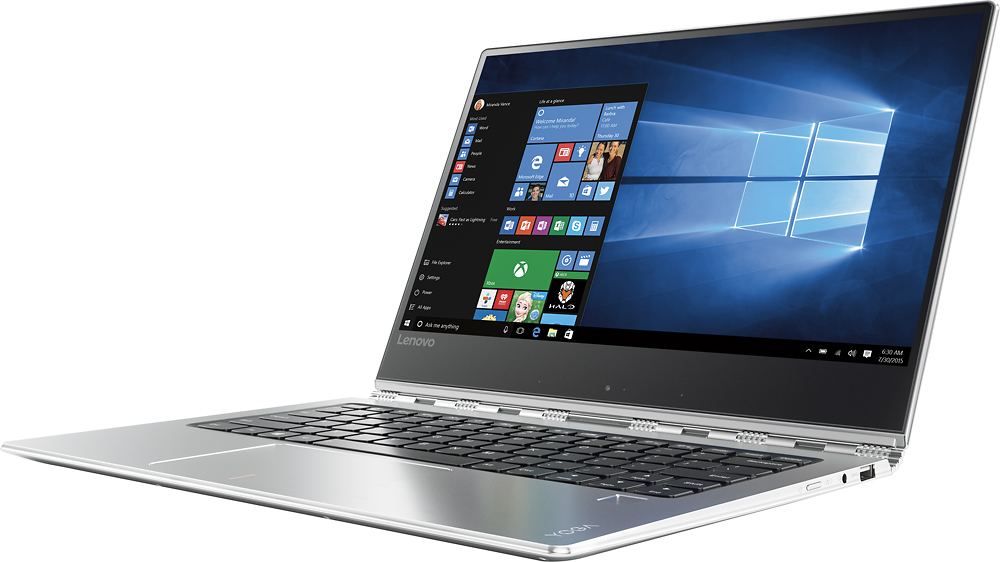
Customers enjoy the Yoga 910's lightweight design, impressive screen size, and strong performance. Many appreciate its long battery life and ease of use. However, some users have noted issues with fan noise and heat generation, while others find the placement of the shift key less than ideal. The fast SSD is also a frequently cited positive.
This summary was generated by AI based on customer reviews.
- Cons mentioned:Fan noise
Stylish laptop with faults
||Posted .This reviewer received promo considerations or sweepstakes entry for writing a review.After extensive research I picked the Lenovo Yoga 910. It is sleek and stylish with all the functions I needed. I purchased the 4k option with 16GB RAM and 512 GB SSD. The screen is beautiful but the glossy finish makes it difficult to read text on my laptop under harsh lighting or outdoors. The fan is also very unbearable and turns on even during light internet browsing. After the first couple days of use my laptop continuously showed blue screens of death. I did a hard factory reset as suggested by the lenovo support team but that only made it worse. It was unable to be turned on and I ultimately ended up returning the unit. I hope this was just a defective model.
No, I would not recommend this to a friend - Pros mentioned:Weight
Yoga, Yoga!!
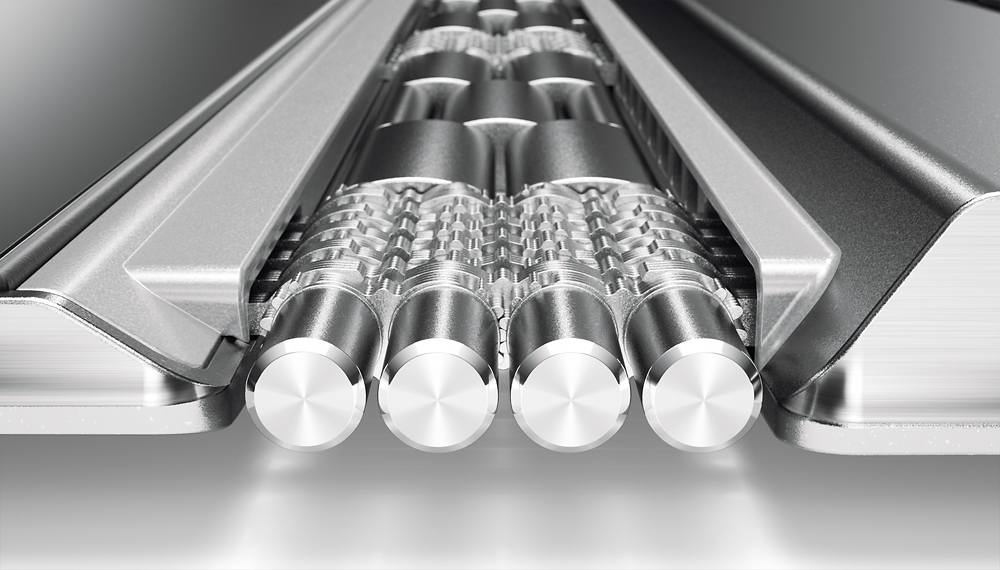
||Posted .This reviewer received promo considerations or sweepstakes entry for writing a review.I love this laptop, lit keyboard, fingerprint scanner, 4k, light sleek and stylish. From the watchband hindge to the aluminium case then theres the inside, i7 7th gen, 16gb ram, 500gb SSD, swwweeeeettt! Lovin it, 37 sec to boot I mean I'm opening email by 50 sec's.
I would recommend this to a friendBrand response from Lenovo Product Expert
Posted .Thank you for choosing the Lenovo Yoga 910-14. We are pleased to hear that the features and performance of the Yoga 910-14 meets your computing needs so well.

- Pros mentioned:Screen size
Great laptop
||Posted .This reviewer received promo considerations or sweepstakes entry for writing a review.It's pretty and light! And the 4K screen is good. 16G ram is good enough for me. It pretty much satisfies all my need.
I would recommend this to a friend - Pros mentioned:Processor speed, Screen size
Everything that I expected and more.
||Posted .This reviewer received promo considerations or sweepstakes entry for writing a review.I purchased this laptop for my wife. My wife is the family tutor. She may have several projects going on at any one time. This laptop has the processor, the storage space, and the memory to handle many projects at the same time. The laptop is very fast with excellent screen resolution and audio. My wife and I are very happy.
I would recommend this to a friendBrand response from Lenovo Product Expert
Posted .Thank you for choosing the Lenovo Yoga 910-14 for your wife. We are pleased to hear that the performance of the Yoga 910-14 meets your wife's computing needs so well.
- Pros mentioned:Screen sizeCons mentioned:Fan noise
I like it alot but it is noisy
||Posted .This reviewer received promo considerations or sweepstakes entry for writing a review.Speedy boot up and shut down. Love the touch screen, but it is noisier than my old Lenovo Yoga 2. The case does seem much sturdier though. A little heavy but I needed the extra disc space so all in all, highly recommend it.
I would recommend this to a friend - Pros mentioned:PerformanceCons mentioned:Fan noise
Best package at price tag
||Posted .This reviewer received promo considerations or sweepstakes entry for writing a review.I've been using the Yoga 910 for more than a month now and it delivers good performance. Some times the fan does make some noise but that usually happens when allot of processing is demanded. I've used the pc for regular business activities, web browsing and some video editing with good performance in all cases.
I would recommend this to a friendBrand response from Lenovo Product Expert
Posted .Thank you for choosing the Lenovo Yoga 910-14. We are pleased to hear that the Yoga 910-14 meets your computing needs so well.
- Pros mentioned:Battery life, Screen size
Shift button was a deal breaker
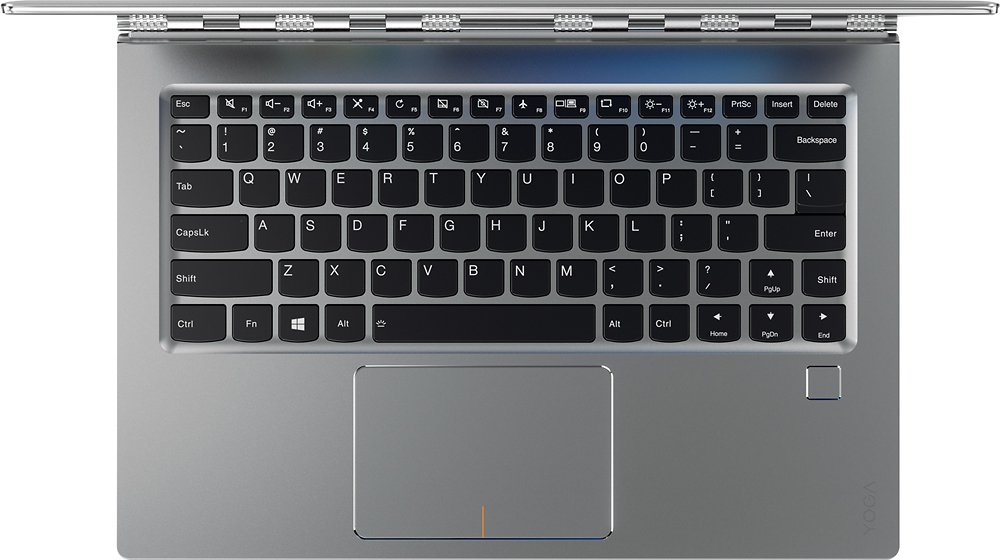
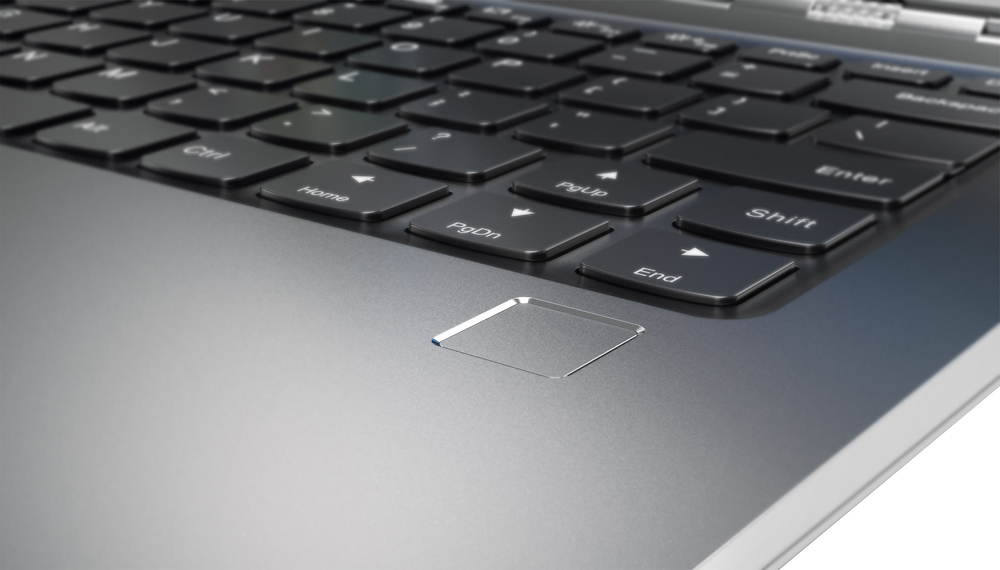
||Posted .This reviewer received promo considerations or sweepstakes entry for writing a review.I bought this after reading how the shift button was in an odd spot. I don't know why I thought it would be any different for me. Maybe because I loved the 4K screen and the sleek design. I did read on forums that if you are just in love with this and want to switch the shift button function with the page up button function by downloading a program and changing the keyboard function for those two keys. It is very unfortunate that the only reason I returned this machine was a shift key. I tried to get used to it but I hated every time I went to capitalize a letter I would hit page up and type in the middle of another sentence. I replaced it with the HP spectra 360. Same specs but no 4K screen. Probably better for me because I went from a computer with 4 hr battery life to a computer with a 14 hr battery life. If you don't type much this won't be a problem for you. If you do and don't mind reconfigureing the keyboard after you drop a pretty penny then it will work for you. I love Lenovo I think they make work horses but I won't be buying laptops from them until they change it so the shift key issue is fixed.
No, I would not recommend this to a friendBrand response from Lenovo Product Expert
Posted .With regard to the right shift key issue you mention, there is a free software APP called KeyTweak that may help you. You can switch the key functions of specific keys on your keyboard with this software, so you could change the right shift key with the key you hit in its place. Just Google search "KeyTweak" and you will find articles about what the software does and you will find the download location for this free APP.
- Pros mentioned:Screen size, Weight
Good Decision
||Posted .This reviewer received promo considerations or sweepstakes entry for writing a review.Pro: 1. Nice size 2. Light weight 3. Good support 4. Lighted keyboard 5. Bright display 6. Convertible to tablet Con: 1. I don’t need, want, or use 95% of the Windows 10 apps that come with the system. I rather have Office included and pay for such things as Skype, Xbox, Candy Crunch etc.
I would recommend this to a friendBrand response from Lenovo Product Expert
Posted .Thank you for choosing the Lenovo Yoga 910-14. We are pleased to hear that the features and performance of the Yoga 910-14 meets your computing needs so well.
- Pros mentioned:Processor speed, Screen size
Worth the Cost
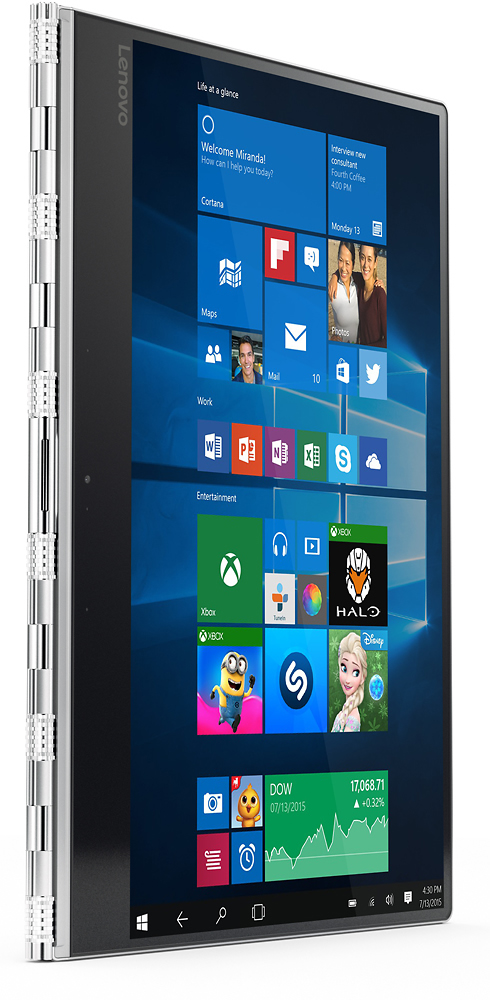
||Posted .This reviewer received promo considerations or sweepstakes entry for writing a review.After alot of research my husband decided this was the computer he wanted. It is awesome, the 4K screen is great and the speed of the processor is better than expected. The ease of transforming to the tablet format is great as well. I am now considering getting one for me as well.
I would recommend this to a friendBrand response from Lenovo Product Expert
Posted .We are pleased to hear that the Yoga 910-14 met your husband's requirements for a new computer and that the features and performance of the Yoga 910-14 are working out so well for your husband that you too are considering the Yoga 910-14 for yourself. We appreciate your loyalty to both the Yoga 910-14 and the Lenovo Brand.
- Pros mentioned:Processor speed, Screen size
Faster and higher resolution
||Posted .This reviewer received promo considerations or sweepstakes entry for writing a review.upgraded from the 900 (passed that down). the 910 is noticeably faster and the screen is definitely larger and higher resolution. Downsides: 1) only 1 regular USB ports. 2 type C. 2) the camera is at the bottom of the screen, which produces weird angles in laptop mode
I would recommend this to a friend - Pros mentioned:Performance, Weight
Elegant and Powerful
||Posted .This reviewer received promo considerations or sweepstakes entry for writing a review.This laptop is one of the best so far. It is light, powerful and elegant. I have compared this laptop with latest HP Spector, Dell and few others. Dell comes second with some very good products but new Lenovo - Yoga 910 is on different level. I would highly recommend it.
I would recommend this to a friendBrand response from Lenovo Product Expert
Posted .Thank you for choosing the Lenovo Yoga 910-14. We are pleased to hear that the features and performance of the Yoga 910-14 meets your computing expectations so well.
- Cons mentioned:Fan noise, Heat
Excellent light weight laptop
||Posted .This reviewer received promo considerations or sweepstakes entry for writing a review.Owned this for a year now .. had problem initially with the fan heating up but i had the bios update the fan noise has gone out and the laptop doesnt heat up anymore ...
I would recommend this to a friend - Pros mentioned:Screen size
Absolutely worth it
||Posted .This reviewer received promo considerations or sweepstakes entry for writing a review.I owned a Yoga Pro 2 before skipping version #3, and while I loved the older model enough to hang on to it even after it had begun to slow down, I wasn't going to buy out of mere loyalty. But the 910 is everything I could have hoped for in an update - just as fast and light and convenient to carry as the older models were when they first came out. The full-size arrow keys are crucial for me (don't ever change this Lenovo), and the keyboard in general is quite comfortable. The high-res screen is a dream, particularly for multitasking. The only issue has been some genuinely stupid default settings for the function keys that can't be changed. As someone who relies heavily on keyboard shortcuts, this was frustrating, but there are decent enough workarounds that I don't mind *too* much. Highly recommended.
I would recommend this to a friendBrand response from Lenovo Product Expert
Posted .Thank you for choosing the Lenovo Yoga 910-14. With regard to reversing the function keys, you should be able to do this in Lenovo Settings. If it is not there in Lenovo Settings, update the BIOS and use Lenovo Settings and then you will be able to set the default behavior of the top row of keys. Here is the link for the latest BIOS update for the Yoga 910-14:
http://pcsupport.lenovo.com/us/en/products/Laptops-and-netbooks/Yoga-Series/yoga-910-13ikb/80VF/007TUS/downloads/DS119202
- Pros mentioned:Screen size, Weight
Excellent laptop for my consulting job.
||Posted .This reviewer received promo considerations or sweepstakes entry for writing a review.The laptop is perfect for my consulting job. It's lightweight making it easy to bring to my client and take to meetings. The touch screen makes it very easy to find what I'm looking for without having to use the touch pad or a mouse.
I would recommend this to a friendBrand response from Lenovo Product Expert
Posted .Thank you for choosing the Lenovo Yoga 910-14. We are pleased to hear that the performance and features of the Yoga 910-14 meets your business computing needs so well.
- Pros mentioned:Performance
Awesome laptop!
||Posted .This reviewer received promo considerations or sweepstakes entry for writing a review.The best laptop I have had to date! Highly recommended product!
I would recommend this to a friend Love it after solving the fan noise problem
||Posted .This reviewer received promo considerations or sweepstakes entry for writing a review.I had wanted to buy a Yoga some 3 years ago, but was dissuaded by the reviews, and ended up buying a more expensive XPS. So when I was in the market looking for a new laptop last month, I knew Yoga is going to be at the top of my list. The reviews, however, once again were pointing to problems with fan and heating and the shift key... yet, I decided to give it a try. The Good: ============ This machine is super fast - thanks to the 16GB RAM and SSD and the 7th gen i7 processor. It slick too! Love the looks, wrist watch band hinge and everything else about it. The Bad =========== The fan is noisy no doubt! Once you hear it, you can't unhear it! The most annoying thing about it was - that it was CONTINUOUS! Also, the laptop was heating up to alarming levels and the CPU usage was 50%, even though I was not using any application, other than the browser. The Solution =========== First off, to fix the fan noise problem, I downloaded and installed the latest BIOS. What that does is introduces a Quiet mode (after installing BIOS, you will have to go into the BIOS settings). Select Quiet Mode, instead of Balanced Mode, and this will kill the fan noise to half. But this is not the end of the problem. The real problem (at least in my case) is actually with the Qualcomm Atheros WLAN Driver software that's supplied with this laptop. This software has a problem as a result, it does not get installed correctly and the process gets stuck. This process runs continuously, using 40-50% CPU, which is causing the laptop to heat up, which in-turn results in continuous fan operation. To check whether that's a problem in your case or not, launch the Task Manager and check if there is an entry - "TODO: <File Description> (32 bit)". If you see this entry and it has high CPU usage, you know that's the culprit. To fix that, you have to uninstall this software, which will also roll back the WLAN driver to an older version. To get the latest driver, you don't need this software... instead, just launch the Device Manager, expand the "Network Adapters" entry and click "Update driver" then let Windows search for the latest driver. It'll find the correct driver without launching any Qualcomm installers. (I Found this solution on a Lenovo forum). After following the above steps, the TODO entry disappeared, the CPU usage went down and the fan operation became normal. The smaller Shift key or the Function keys don't bother me really. I am now quite happy with this laptop, despite it's high price tag. Roy
I would recommend this to a friend- Pros mentioned:Screen size
Love the screen and how it folds to tablet style
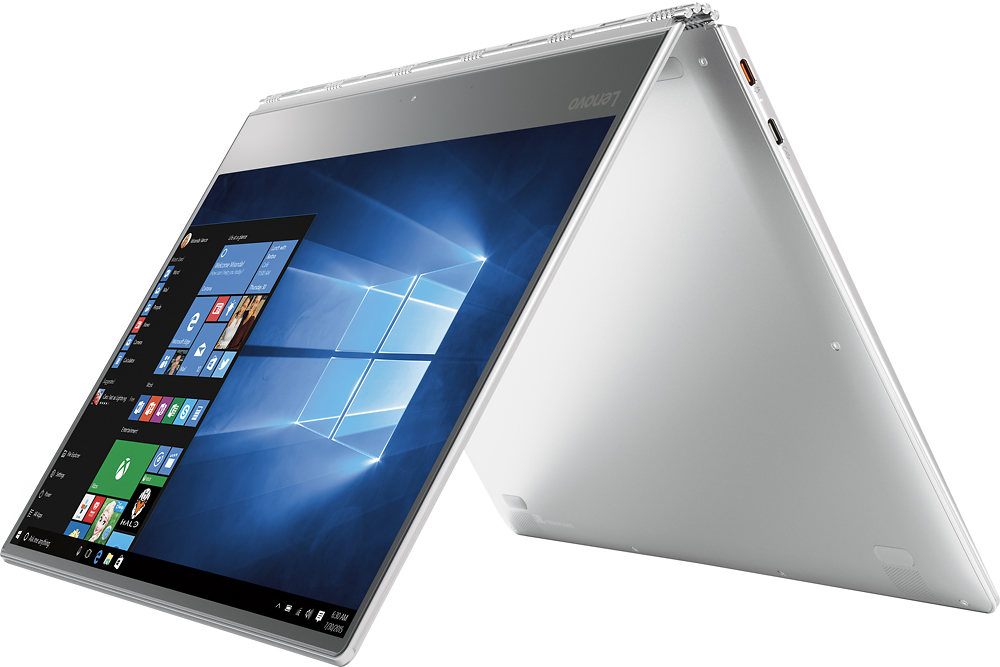
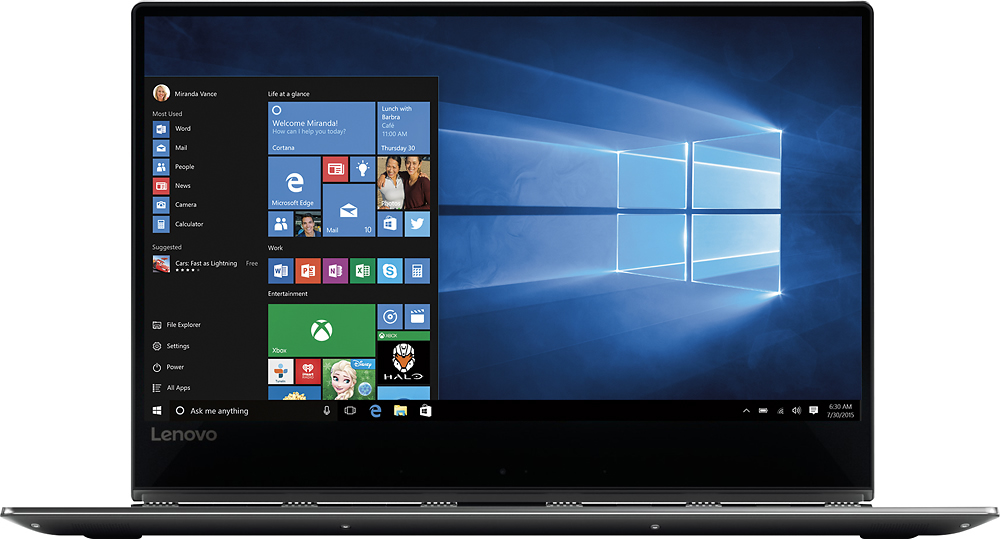
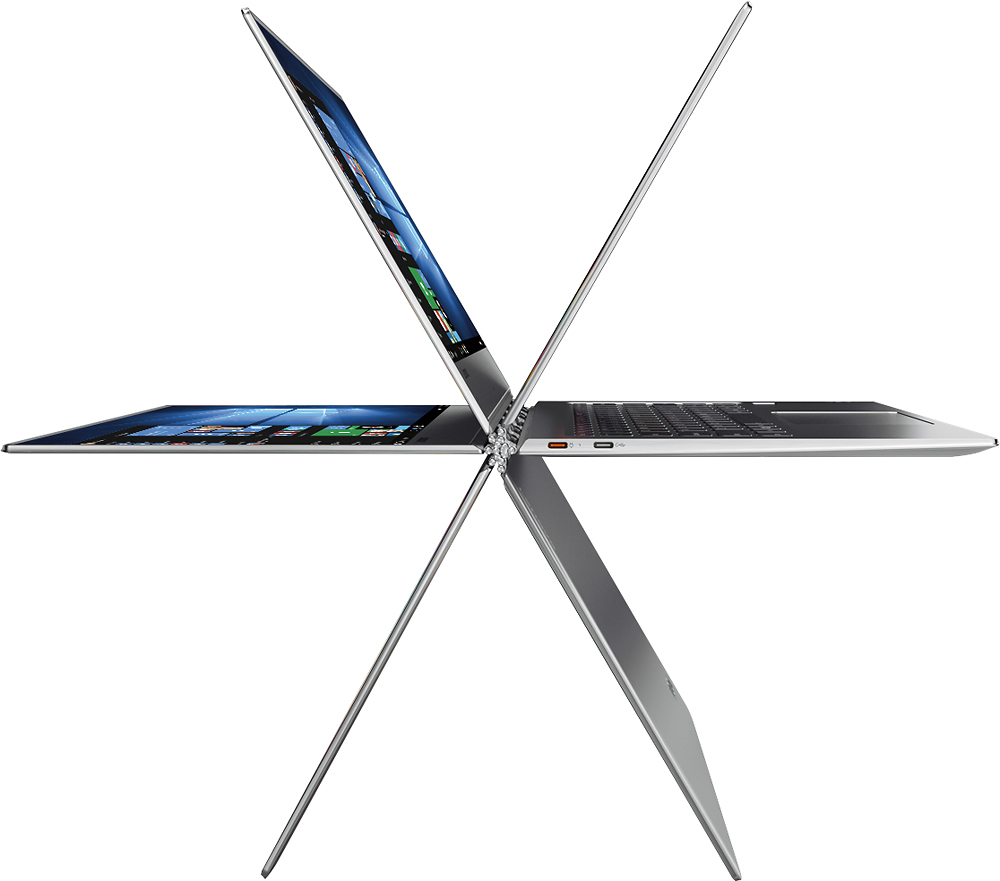
||Posted .This reviewer received promo considerations or sweepstakes entry for writing a review.I love how the screen doesn't have any boarders. It makes the viewing area appear bigger that it actually is and the quality is excellent. The way it folds to a tablet or tent mode is unique! I am very happy with the purchase!!
I would recommend this to a friendBrand response from Lenovo Product Expert
Posted .Thank you for choosing the Lenovo Yoga 910-14. We are pleased to hear that the features and performance of the Yoga 910-14 meets your computing needs so well.
- Pros mentioned:WeightCons mentioned:Fan noise
A good computer
||Posted .This reviewer received promo considerations or sweepstakes entry for writing a review.It is light, thin, look good, but the fan is loud and quiet hot while running. But it is reasonable price.
I would recommend this to a friendBrand response from Lenovo Product Expert
Posted .Here is the latest driver update from Lenovo addressing this issue:
http://support.lenovo.com/us/en/products/Laptops-and-netbooks/Yoga-Series/yoga-910-13ikb/80VF/007TUS/downloads/DS119202
- Pros mentioned:Processor speed, Weight
Nice graphic and fast computer
||Posted .This reviewer received promo considerations or sweepstakes entry for writing a review.This is a very light computer, being an i7 it is a very fast computer. I have been using this computer for 3 weeks. So far I am very satisfied.
I would recommend this to a friendBrand response from Lenovo Product Expert
Posted .Thank you for choosing the Lenovo Yoga 910-14. We are pleased to hear that the performance of the Yoga 910-14 meets your computing needs so well.
- Pros mentioned:Screen size, Weight
Excellent size, weight and speed
||Posted .This reviewer received promo considerations or sweepstakes entry for writing a review.I like the Size and weight. The glossy screen can cause issues in some light. The outer case gets scuffed up real easy. Overall a superior machine
I would recommend this to a friend