Customer Ratings & Reviews





- Model:
- 81Q9003QUS
- SKU:
- 6388039
Rating by feature
- Value
Rating 3.5 out of 5 stars
- Quality
Rating 3.5 out of 5 stars
- Ease of Use
Rating 4.2 out of 5 stars
Customers are saying
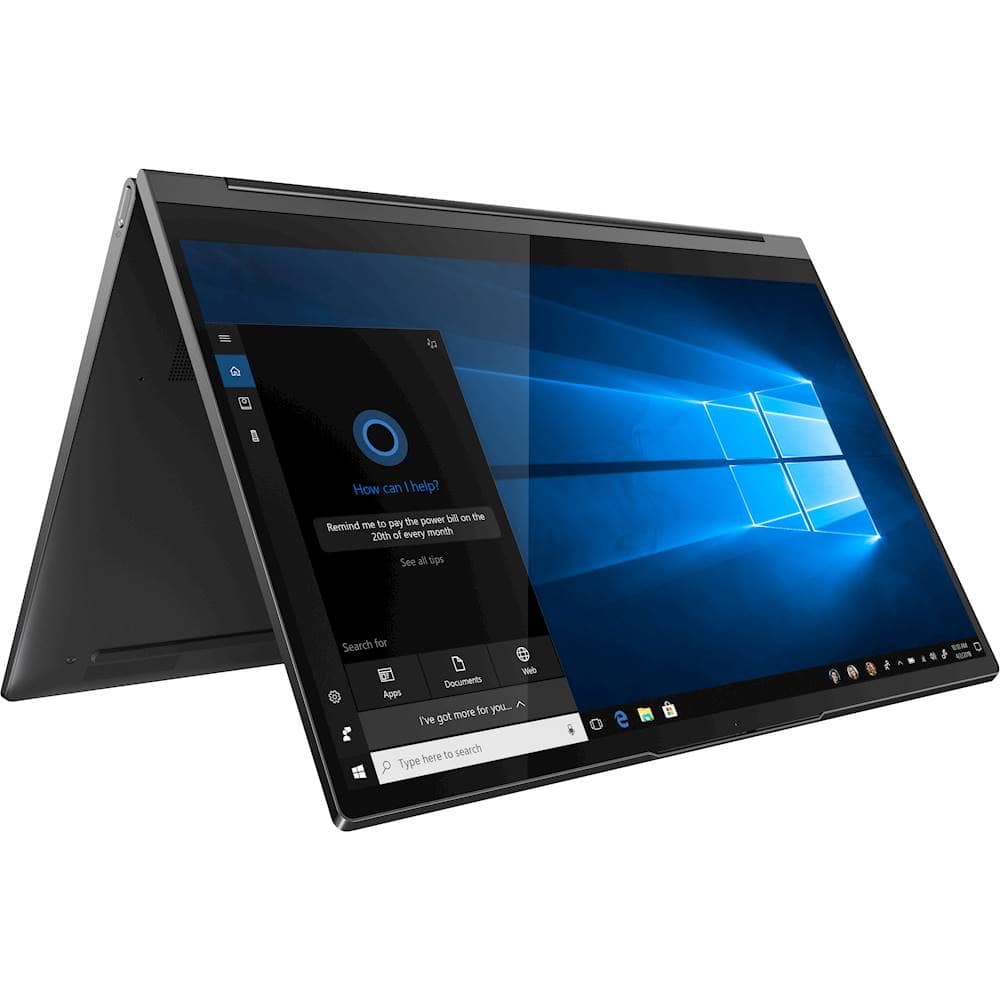
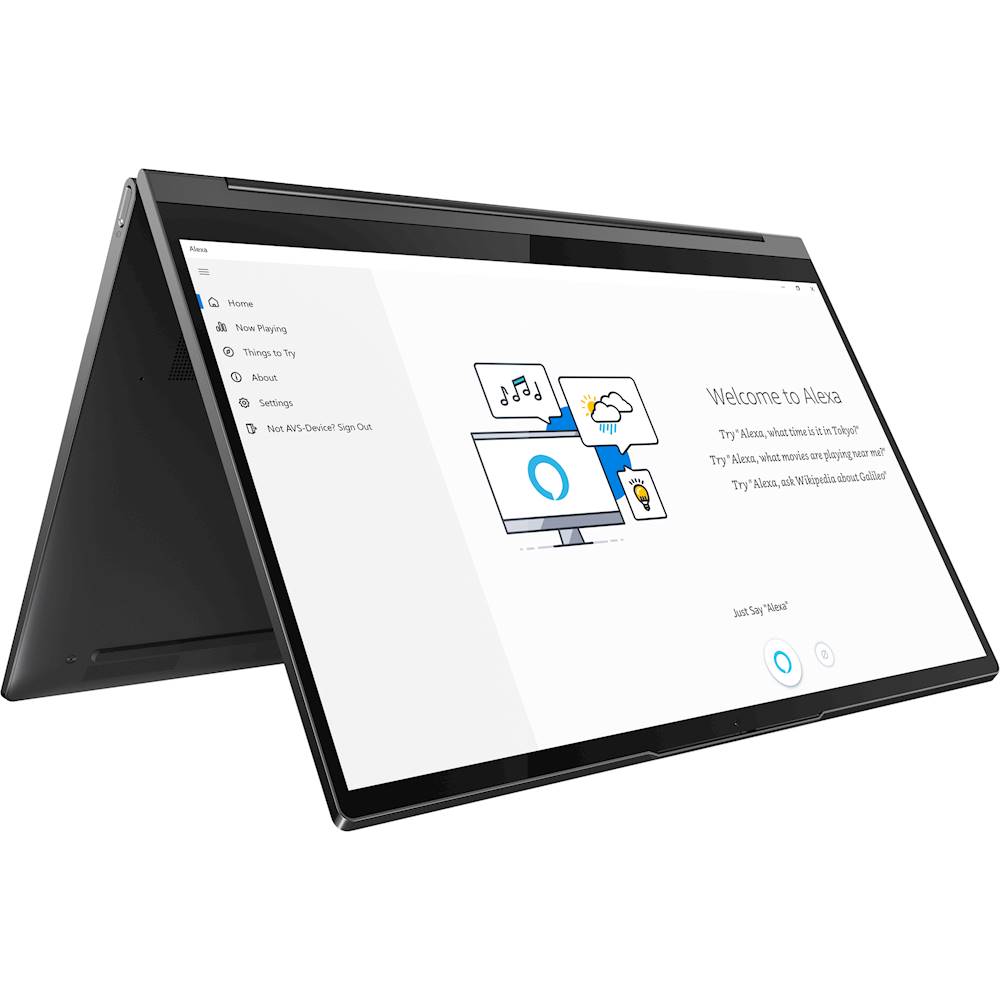
Customers find value in the Yoga C940 2-in-1 laptop for its portability and sturdy build quality. Customers appreciate that it is easy to carry around and the battery life is impressive. They also highlight the laptop's solid construction and durability.
This summary was generated by AI based on customer reviews.
- Cons mentioned:Difficult to open, Fear of dropping
The best laptop and the worst to handle.
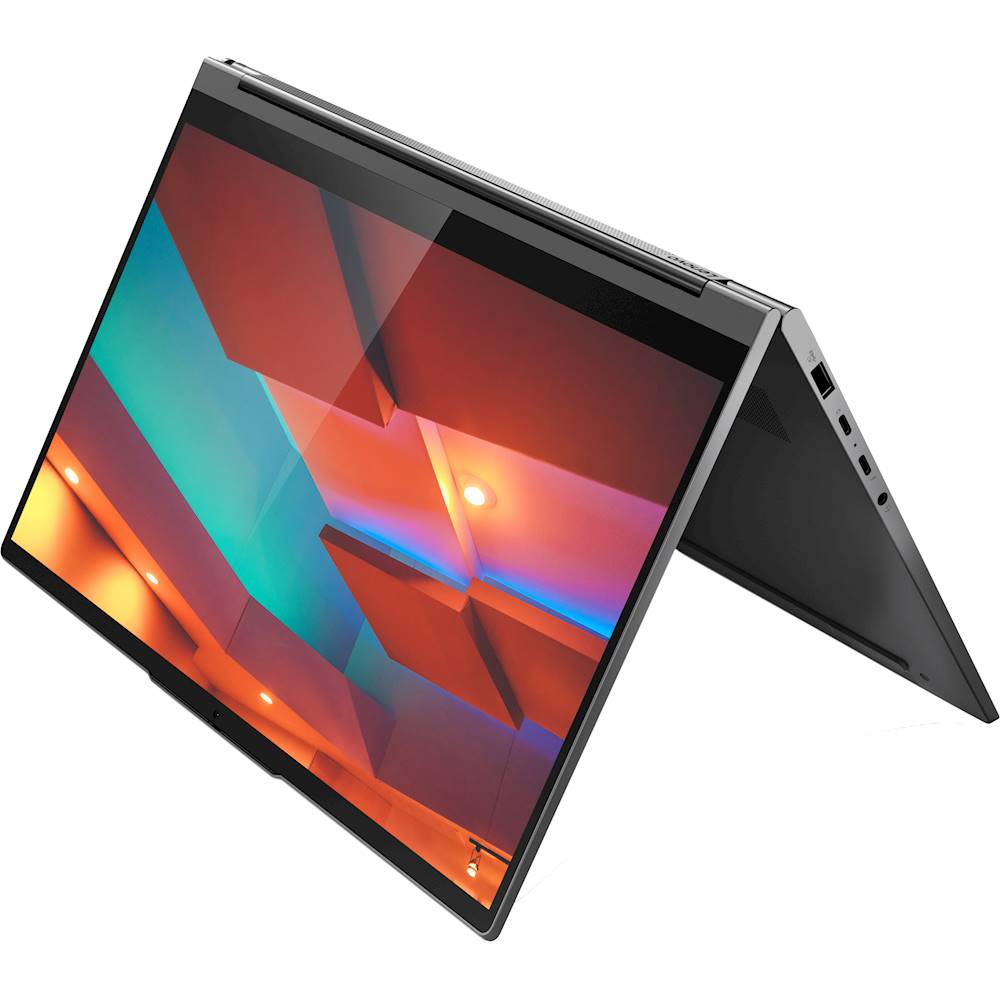
||Posted . Owned for 1 month when reviewed.This reviewer received promo considerations or sweepstakes entry for writing a review.The unit itself is very good. A little sticky in Excel. But the worst is the metal finish. This thing is so slippery it is hard to hold on to. My last Yoga had a great touch to the metal you could handle it with out fear of dropping it. This new design is difficult to open. the design is so sleek it is actually hard to lift the top to open. These laptops are laptops made to be used with your hands, yet the finish on the metal is not friendly to the touch. When used as tablet it scares me that I may drop it. Really do not understand why Lenovo would not make a laptop easy to hold on too. And for that I do not give it 5 stars. Looks are one aspect of design, feel and ease of handling should be incorporated into the design.
I would recommend this to a friend - Pros mentioned:4k display, Portable
Perfect size for commuting to and fro
||Posted . Owned for 1 month when reviewed.This reviewer received promo considerations or sweepstakes entry for writing a review.I Love the HD touchscreen and the colors are so vibrant! The letters on the keyboard are easy to see. Also, the fact that the speakers are front facing is great because the sound comes straight at me. It’s also lightweight and compact so taking it along with me is a breeze.
I would recommend this to a friendBrand response from Lenovo Product Expert
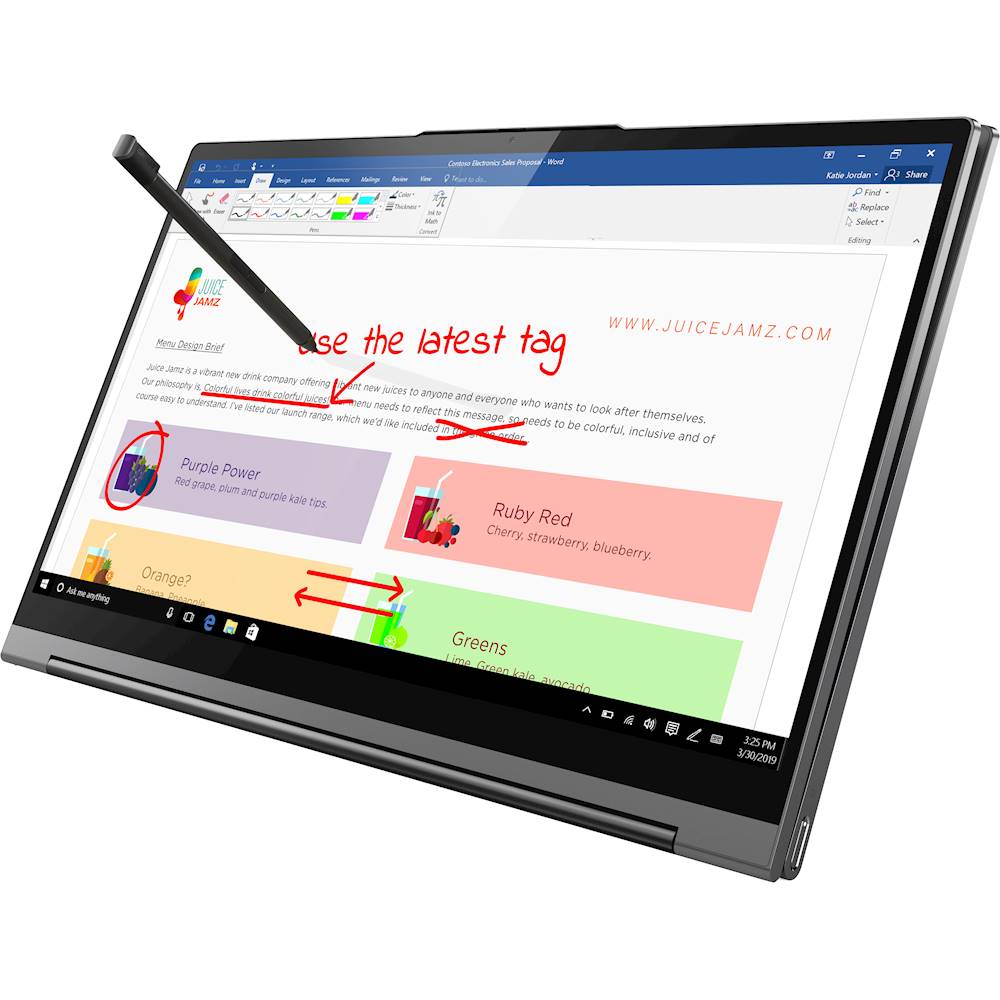
Posted .Thank you for choosing the Lenovo Yoga C940-14 4K Model. We are pleased to hear that the features and performance of the Yoga C940-14 4K Model meets your computing needs so well. Every component of Yoga C940 was engineered with your experience in mind. That’s why The Yoga C940 offers the brilliant color and clarity of a 4K VESA-Certified Display HDR 400 edged with ultra-narrow bezels. At 500 nits brightness, it’s 50-percent brighter than standard SDR displays. You’ll enjoy amazing realism that's vivid, nuanced, and powerful. Capture your ideas the moment inspiration hits with a garaged digital pen. Featuring an in-body charging compartment, the Yoga C940 ensures you’ll never lose a thought—or your digital pen—again. The convertible hinge hides a powerful Dolby Atmos Speaker System that immerses you in 3D sound in every mode. Combined with two sets of speakers featuring powerful subwoofers, custom tweeters, and unique vibration buffers that reduce unwanted noise, your audio will sound bigger, deeper, and more accurate. Experience how the Yoga C940 embodies world-class craftsmanship, innovative solutions, and elevated design. Log into your Yoga C940 in less than two seconds with an integrated fingerprint reader. That’s three times faster than the average time it takes to type a password. Forget your password. Yoga is committed to protecting your privacy. Slide the Yoga C940’s TrueBlock Privacy Shutter closed for true peace of mind when you’re not using your webcam.

- Pros mentioned:Build quality
Premium 2-in-1 product!
||Posted . Owned for 3 weeks when reviewed.This reviewer received promo considerations or sweepstakes entry for writing a review.I've needed an upgrade from my older yoga 710 and this one just tops my old one with its nice looks, picture, sound quality, and build quality. This product feels very premium!! I've been using this laptop everyday for about a month now and the only thing I'm a little disappointed about is that it does lag sometimes. I got 16 gb ram with and i7 core processor so that I can run my school programs with no problem which it definitely does but there are just times when it just acts a little laggy even when I'm just on an internet browser. I'm not sure if the product is still just new and breaking in but my old laptop with 8gb ram and an i5 core didn't do that. Overall the product is great! Also the fan isn't as loud as my old laptop which I was happy about, but when you do run it hard it does get very hot at top of the keyboard.
I would recommend this to a friendBrand response from Lenovo Product Expert
Posted .Thanks for choosing the Lenovo Yoga C940 4k Laptop. We are pleased to hear the features, performance, ultra HD resolution, build quality, included pen, and feather light design of the Yoga C940 4k are meeting your computing needs so well! We value your feedback and have some suggestions. , be sure any software you installed is compatible with Windows 10. Incompatible software will drain the battery at a faster rate. There is no need to install Microsoft Office software. The software is already part of the operating system, you just need to activate the software with a purchased product key. If you have installed a copy of Microsoft Office, this is conflicting with the existing copy on the system and this will slow your system down. If you have installed a 3rd party anti-virus program, be sure that Windows Defender is turned off and that the trial version of McAfee Anti-Virus software is uninstalled. There can only be one anti-virus program on the system.: You can use Lenovo Q-Control to manually control fan performance: (Fn + Q ) option to change the fan. If the issue continues, we recommend you call Lenovo Tech Support at: 877-453-6686.
- Pros mentioned:Portable, Stylus
Great Laptop!
||Posted . Owned for less than 1 week when reviewed.This reviewer received promo considerations or sweepstakes entry for writing a review.This laptop is the best laptop I've ever owned. Compact, light, fast, great color, great sound. Love 2 in 1 and the pen. My girlfriend has the Dell XPS and she has had nothing but problems...she is so jealous! Couldn't ask for more!
I would recommend this to a friendBrand response from Lenovo Product Expert
Posted .Thank you for choosing the Lenovo Yoga C940-13 4K Model. We are pleased to hear that the features and performance of the Yoga C940-14 4K Model meets your computing needs so well. Every component of Yoga C940 was engineered with your experience in mind. That’s why The Yoga C940 offers the brilliant color and clarity of a 4K VESA-Certified Display HDR 400 edged with ultra-narrow bezels. At 500 nits brightness, it’s 50-percent brighter than standard SDR displays. You’ll enjoy amazing realism that's vivid, nuanced, and powerful. Capture your ideas the moment inspiration hits with a garaged digital pen. Featuring an in-body charging compartment, the Yoga C940 ensures you’ll never lose a thought—or your digital pen—again. The convertible hinge hides a powerful Dolby Atmos Speaker System that immerses you in 3D sound in every mode. Combined with two sets of speakers featuring powerful subwoofers, custom tweeters, and unique vibration buffers that reduce unwanted noise, your audio will sound bigger, deeper, and more accurate. Experience how the Yoga C940 embodies world-class craftsmanship, innovative solutions, and elevated design. Log into your Yoga C940 in less than two seconds with an integrated fingerprint reader. That’s three times faster than the average time it takes to type a password. Forget your password. Yoga is committed to protecting your privacy. Slide the Yoga C940’s TrueBlock Privacy Shutter closed for true peace of mind when you’re not using your webcam.
- Pros mentioned:Build quality, Portable
Back to school gem!!!
||Posted . Owned for 2 months when reviewed.This reviewer received promo considerations or sweepstakes entry for writing a review.It's wonderful, my wife is back in school and its the perfect size for working anywhere around the house. Also it's very portable and the battery life is amazing. I really like the build quality and it's very sturdy. I cannot say much more about how happy I am with this purchase.
I would recommend this to a friend - Cons mentioned:Software issues
Too many issues
||Posted . Owned for 2 months when reviewed.This reviewer received promo considerations or sweepstakes entry for writing a review.I'm debating returning this because I've had problems with the camera, Bluetooth (which didn't work at all and I had to spend hours on the phone with Lenovo), Google Drive, and other various issues. I had a Lenovo before which was great so I'm really sad this one is a disappointment.
No, I would not recommend this to a friendBrand response from Lenovo Product Expert
Posted .We are sorry to hear that you are having issues with your Intel Evo Certified, lenovo Yoga 9i 14. Resetting your computer back to original factory setting may correct the issues you are having. This system is equipped with OneKey Recovery System. There is a very small pin hole on the bottom left side of the device, right near the bottom left corner of the cooling vent on the bottom of the device. You will need a pin to push this reset button. Plug the device in. Let the battery charge for about 15 minutes. Push the reset button. The system should boot to a choice screen where you can choose "Restore To Factory Default". Select this. It will delete everything from the hard drive except the original factory install of the operating system. You will need to reinstall all programs and files after the reset. If you don't have copies of the files, try to make one before you restore by selecting "Boot to desktop" and trying to back up your files. Once you have the computer reset, be sure any software you installed is compatible with Windows. There is no need to install Microsoft Office software. The software is already part of the operating system, you just need to activate the software with a purchased product key. If you have installed a copy of Microsoft Office, this is conflicting with the existing copy on the system and this will slow your system down. If you have installed a 3rd party anti-virus program, be sure that Windows Defender is turned off and that the trial version of McAfee Anti-Virus software is uninstalled. There can only be one anti-virus program on the system. You may need to restore your system to original factory default settings if any of the programming errors have occurred. You can do that by typing "restore" in the Cortana search window. Just click on the magnifying glass icon at the bottom left of your Windows Desktop. Click on "Reset This PC" Then click on "Get Started" and follow the on screen directions to restore to factory defaults. If the problem persists, we recommend you contact Lenovo Tech Support at: 877-453-6686.
- Pros mentioned:Portable
overall powerhouse!
||Posted . Owned for 1 month when reviewed.This reviewer received promo considerations or sweepstakes entry for writing a review.Has been a great purchase. Portability is top notch. Build quality is excellent and the spec options cover all needs. Keyboard is one of the best ive used
I would recommend this to a friendBrand response from Lenovo Product Expert
Posted .Thank you for choosing the Lenovo Yoga C940-14 4K Model. We are pleased to hear that the features and performance of the Yoga C940-14 4K Model meets your computing needs so well. Every component of Yoga C940 was engineered with your experience in mind. That’s why The Yoga C940 offers the brilliant color and clarity of a 4K VESA-Certified Display HDR 400 edged with ultra-narrow bezels. At 500 nits brightness, it’s 50-percent brighter than standard SDR displays. You’ll enjoy amazing realism that's vivid, nuanced, and powerful. Capture your ideas the moment inspiration hits with a garaged digital pen. Featuring an in-body charging compartment, the Yoga C940 ensures you’ll never lose a thought—or your digital pen—again. The convertible hinge hides a powerful Dolby Atmos Speaker System that immerses you in 3D sound in every mode. Combined with two sets of speakers featuring powerful subwoofers, custom tweeters, and unique vibration buffers that reduce unwanted noise, your audio will sound bigger, deeper, and more accurate. Experience how the Yoga C940 embodies world-class craftsmanship, innovative solutions, and elevated design. Log into your Yoga C940 in less than two seconds with an integrated fingerprint reader. That’s three times faster than the average time it takes to type a password. Forget your password. Yoga is committed to protecting your privacy. Slide the Yoga C940’s TrueBlock Privacy Shutter closed for true peace of mind when you’re not using your webcam.
- Pros mentioned:4k display
Great Laptop!
||Posted . Owned for 1 month when reviewed.This reviewer received promo considerations or sweepstakes entry for writing a review.Bought this because my son has one and he talked me in to it. Love the 4K!
I would recommend this to a friendBrand response from Lenovo Product Expert
Posted .Thanks for choosing the Lenovo Yoga C940 4k Laptop. We are pleased to hear the features, performance, ultra HD resolution, build quality, included pen, and feather light design of the Yoga C940 4k are meeting your computing needs so well!
Wrong item showing from site
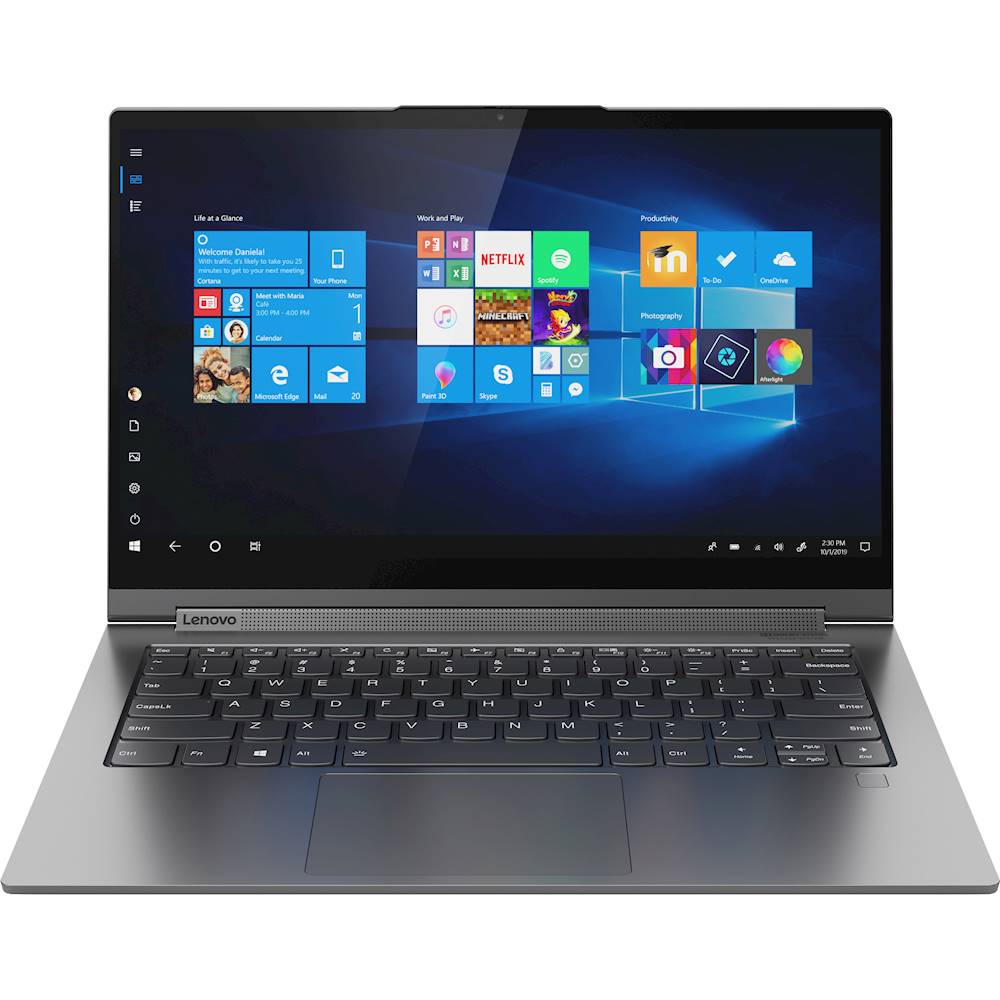
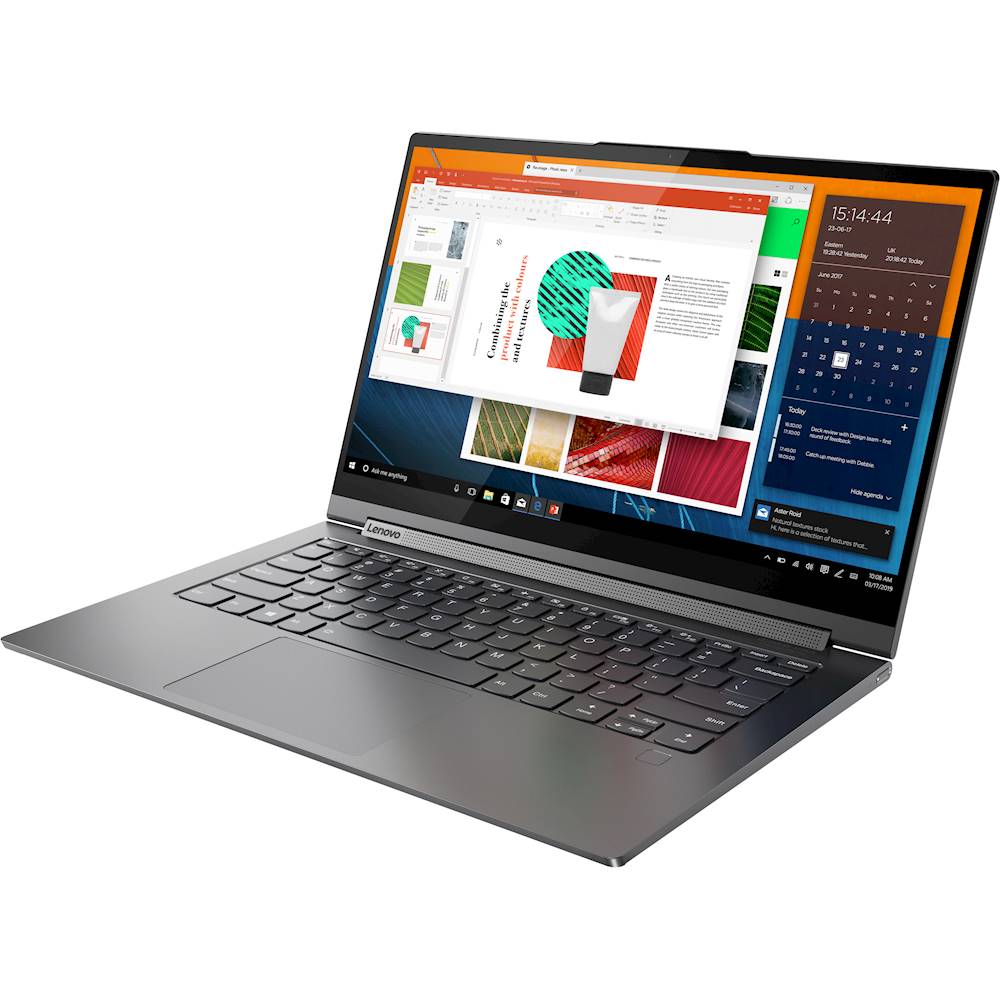
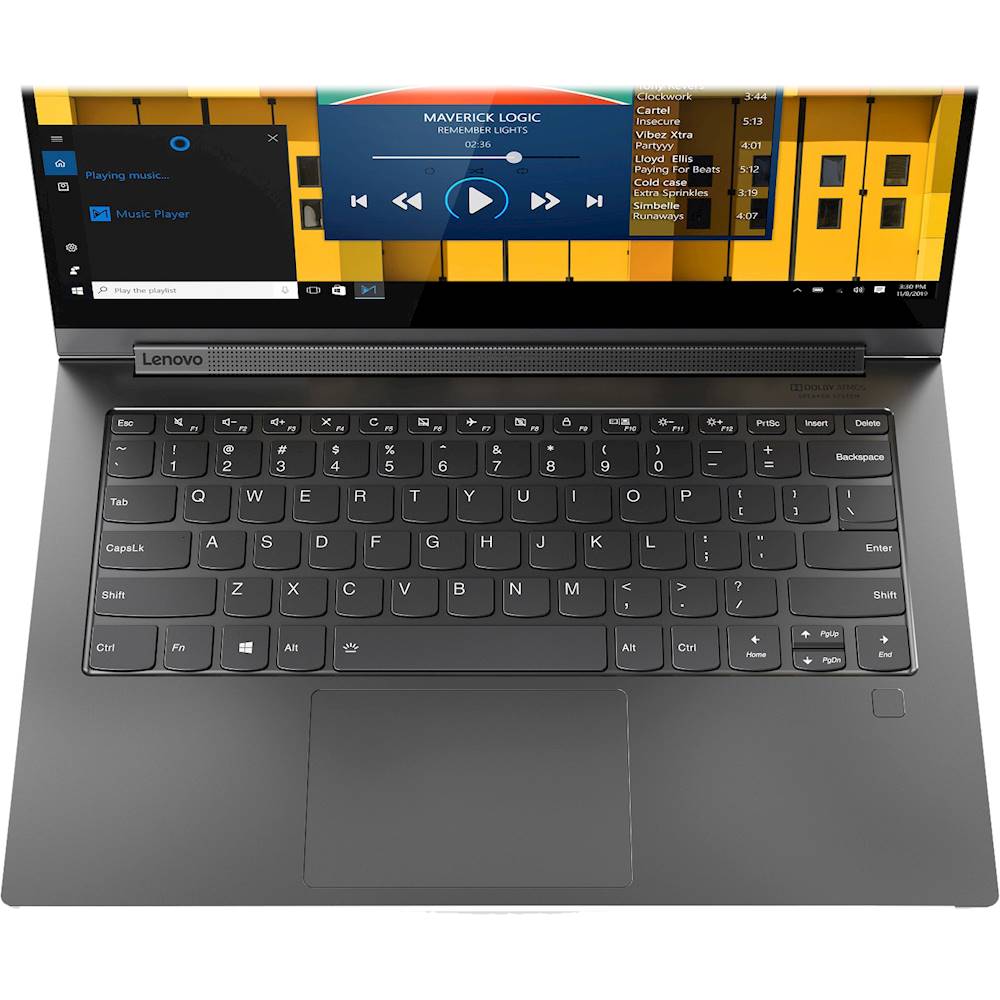
||Posted . Owned for less than 1 week when reviewed.This reviewer received promo considerations or sweepstakes entry for writing a review.I purchased this knowing it comes with a numeric keypad but sadly the items pictured are the 15.6" version, not the 14" - misleading ad. So buyer beware!
No, I would not recommend this to a friendBrand response from Lenovo Product Expert
Posted .The Lenovo Yoga C940-14, model number 81Q9003QUS, does not ships with a 10-key numeric pad. The image shown on the web page is incorrect.
my favorite computer
||Posted .This reviewer received promo considerations or sweepstakes entry for writing a review.Owned the same computer before and replacing an older one. Like this over others because it had what I needed.
I would recommend this to a friendBrand response from Intel team
Posted .Hello DebB, thank you for your great review! We are pleased to know that you are happy with the performance of your new Lenovo Yoga C940 2-in-1 touch-screen laptop along with the performance of the 10th Generation Intel® Core™ i7-1065G7 Processor.
Thank you for choosing Intel!
Great Lightweight full PC
||Posted . Owned for 3 weeks when reviewed.This reviewer received promo considerations or sweepstakes entry for writing a review.Has been a wonderful PC,. Easy to set-up and start using.
I would recommend this to a friendBrand response from Lenovo Product Expert
Posted .Thank you for choosing the Lenovo Yoga C940-14 4K model. We are pleased to hear that the Yoga C940-14 4K model meets your computing needs so well.
- Pros mentioned:Build qualityCons mentioned:Software issues
Would not boot after less than 2 weeks
Posted .This reviewer received promo considerations or sweepstakes entry for writing a review.I am extremely disappointed with this computer. I was initially impressed with build quality, sound, keyboard and pen. It took me a few days to dial-in all of the software. I use PDF Annotator to markup documents up to 600 pages. Things were going alone fine until it took a dump. It would not boot Windows 10. None of the reset options worked, none of the advanced options worked. I had to return it to Best Buy. I do not fault Best Buy. I think perhaps there is a bad batch of 512 GB SSD drives. I suggest you NOT BUY this computer. Sad to say. It was great until it was not. About 10 days of use was all it was good for. GRRR!
No, I would not recommend this to a friendBrand response from Lenovo Product Expert
Posted .We are sorry to hear that you had issues with your Lenovo Yoga C940-14 4K Model. From the description of the issue you describe, it is possible that restoring the computer back to original factory settings may correct the issue. If you can no longer boot the computer normally, this system is equipped with OneKey Recovery System. There is a very small pin hole on the back, left side of the device, right near the cooling vent on the device. You will need a pin to push this reset button. Plug the device in. Let the battery charge for about 15 minutes. Push the reset button. The system should boot to a choice screen where you can choose "Restore To Factory Default". Select this. It will delete everything from the hard drive except the original factory install of the operating system. You will need to reinstall all programs and files after the reset. If you don't have copies of the files, try to make one before you restore by selecting "Boot to desktop" and trying to back up your files. Once you have the computer restored, be sure any software you installed is compatible with Windows 10. There is no need to install Microsoft Office software. The software is already part of the operating system, you just need to activate the software with a purchased product key. If you have installed a copy of Microsoft Office, this is conflicting with the existing copy on the system and this will slow your system down. If you have installed a 3rd party anti-virus program, be sure that Windows Defender is turned off and that the trial version of McAfee Anti-Virus software is uninstalled. There can only be one anti-virus program on the system. You may need to restore your system to original factory default settings if any of the programming errors have occurred. You can do that by typing "restore" in the Cortana search window. Just click on the magnifying glass icon at the bottom left of your Windows 10 Desktop. Click on "Reset This PC" Then click on "Get Started" and follow the on screen directions to restore to factory defaults. If the problem persists, we recommend you contact Lenovo Tech Support at: 877-453-6686.
- Pros mentioned:Bending, StylusCons mentioned:Screen
NO NO NO! Random black screens and shut downs
Posted .This reviewer received promo considerations or sweepstakes entry for writing a review.So many issues! Please don't get this computer. I got this for grad school and within a few days of using it, the screen randomly goes black (NOT A DEAD BATTERY), the computer shuts down and you have to force restart to get the screen to light up again. I've looked online for solutions and haven't found any. The only way to prevent this random shutdown is to keep the laptop plugged in 100% of the time you are using it (which is bad for the battery). Also, it is metal with metal keyboard keys, so it gets very hot very fast. All I had open was zoom and excel and the keys were hot to the touch. Other than those issues, it sounds great, has great display, touch screen is great, has a built-in stylus, can bend in ways most laptops won't! I want to love this laptop, but it has so many issues. Please pick a different Lenovo model!
No, I would not recommend this to a friend - Cons mentioned:Frequent crash
Great When It Works -- Beware
Posted .This reviewer received promo considerations or sweepstakes entry for writing a review.Great computer, when it works. Like others have noted, mine crashed within 4 months of use. Geek Squad has had it for two weeks trying to fix it. They suggested it needed a new motherboard. Something is wrong with these laptops that so many of them are having serious problems so soon. I am still within warranty, but how can I count on it when the warranty runs out? Cannot recommend. Too bad.
No, I would not recommend this to a friendBrand response from Lenovo Product Expert
Posted .We are sorry to hear that you are having issues with your Lenovo Yoga C940-14 4K model. It is possible that restoring the computer to original factory settings may fix the issues you are experiencing. Since you can not boot the computer, this system is equipped with OneKey Recovery System. There is a very small pin hole on the bottom, left side of the device, right near the top left side of the cooling vent on the bottom device. You will need a pin to push this reset button. Plug the device in. Let the battery charge for about 15 minutes. Push the reset button. The system should boot to a choice screen where you can choose "Restore To Factory Default". Select this. It will delete everything from the hard drive except the original factory install of the operating system. You will need to reinstall all programs and files after the reset. If you don't have copies of the files, try to make one before you restore by selecting "Boot to desktop" and trying to back up your files. Once you have the computer restored, be sure any software you installed is compatible with Windows 10. There is no need to install Microsoft Office software. The software is already part of the operating system, you just need to activate the software with a purchased product key. If you have installed a copy of Microsoft Office, this is conflicting with the existing copy on the system and this will slow your system down. If you have installed a 3rd party anti-virus program, be sure that Windows Defender is turned off and that the trial version of McAfee Anti-Virus software is uninstalled. There can only be one anti-virus program on the system. You may need to restore your system to original factory default settings if any of the programming errors have occurred. You can do that by typing "restore" in the Cortana search window. Just click on the magnifying glass icon at the bottom left of your Windows 10 Desktop. Click on "Reset This PC" Then click on "Get Started" and follow the on screen directions to restore to factory defaults. If the problem persists, we recommend you contact Lenovo Tech Support at: 877-453-6686.
- Cons mentioned:Screen
Multiple defective computers
Posted .This reviewer received promo considerations or sweepstakes entry for writing a review.We purchased this computer (spending a LOT of money) as a Christmas present. Within 20 minutes after opening,the computer completely died on us - the power button was the only light that showed on the computer. On 12/26 we took it back to the Best Buy store and, to their credit, gave us another computer (same brand). This one worked well until 1/23, when suddenly the screen went blank. If I touched the screen, or even barely moved it, the screen would come back on for .5 to 5 seconds, then go blank again. After staying on the phone with Lenovo for 30 minutes, they determined (as I did) that there was something wrong with the screen. I am now awaiting a Greek Squad appointment to see what can be done. This was suggested by the Lenovo tech. The bottom line is that I would strongly suggest staying away from this model. I don't know if it's the 2-1 design, the extra memory, the 4k screen, the graphics card to support it, or what, but apparently this model has severe problems. We have always used Lenovos (and have had a basic Yoga for years), but I will not purchase another high-end Yoga.
No, I would not recommend this to a friendBrand response from Lenovo Product Expert
Posted .We are sorry to hear that you are having issues with your Lenovo Yoga C940-14 4K Model. Because the issue occurred on two different computers, be sure any software you installed is compatible with Windows 10. There is no need to install Microsoft Office software. The software is already part of the operating system, you just need to activate the software with a purchased product key. If you have installed a copy of Microsoft Office, this is conflicting with the existing copy on the system and this will slow your system down. If you have installed a 3rd party anti-virus program, be sure that Windows Defender is turned off and that the trial version of McAfee Anti-Virus software is uninstalled. There can only be one anti-virus program on the system. You may need to restore your system to original factory default settings if any of the programming errors have occurred. You can do that by typing "restore" in the Cortana search window. Just click on the magnifying glass icon at the bottom left of your Windows 10 Desktop. Click on "Reset This PC" Then click on "Get Started" and follow the on screen directions to restore to factory defaults. If the problem persists, we recommend you contact Lenovo Tech Support at: 877-453-6686.
Great attempt, but not a great laptop.
Posted .This reviewer received promo considerations or sweepstakes entry for writing a review.This computer has too many issues to worth the purchase price. First the display, 4K is beautiful. But, the driver is a custom driver that is unstable and the screen is constantly glitching. I'm thinking about the installing the stock driver just to stop the flickering and constant instability of the monitor. Second, battery life sucks. Terrible battery life. There is no way to get through a "business" day without having to put this back on charger. When charging, the battery (and metal case) get super hot. Really hot. When you use the charger or using a high CPU usage program, the fans kick in and they are loud. Louder than you should expect for a laptop. I also own a early model Lenovo Carbon X1. If you want the Lenovo, go Carbon X1 version. WAY better battery life. More input and output features. For this amount of money, you shouldn't have the issues that the Yoga 940 is experiencing and for the same $$$ the X1 Gen 10 is a way better option.
No, I would not recommend this to a friendBrand response from Lenovo Product Expert
Posted .We are sorry to hear that you are having issues with your Lenovo Yoga C940-14 4K model. You can update all Operating System software, including BIOS files and drivers, including the screen drivers, to fix screen flicker issues. You can easily accomplish this by scanning the computer with the Lenovo Utility software available on this computer. This system has Lenovo utilities installed to help maintain the health of the device and keep the operating system software up to date. Type "Lenovo Vantage" in the Cortana Search window (if Lenovo Vantage is not installed on your device, you can download the APP and install it now). Select Lenovo Vantage from the list. In the window that opens, click on "Health and Support". In the expanded menu, select "Hardware Scan" In the window that opens, select "Run Quick Tests". This will scan your entire system for errors. Follow any directions that may pop up. If the problem continues after this scan, now click on "System Update". First select Windows update from the menu. Scan your system to be sure you have the latest version of Windows 10. Once that scan is complete, select "Additional Updates". This will scan your device to be sure there are no new BIOS/Driver updates needed. Follow any instructions that may pop up. This model, the Yoga C940-14 4K model number 81Q9003QUS, ships with a 4CELL_60WH_INTERNAL, Lithium Polymer Battery, with within this configuration, has a battery life of up to 10 hours, depending on the work the device is performing. If you are getting substantially less battery life, first, set your screen brightness at less than 100-percent - try 80-percent to start with. Then, be sure Battery conservation Mode is turned off. This power management setting should only be used when the laptop is plugged in all the time. It will prolong overall battery life by only charging the battery to 60-percent of capacity. Here is a link to instructions for turning off Battery Conservation Mode: https://support.lenovo.com/us/en/solutions/ht103159. Also check what programs are running in the background on the computer. Be sure only the programs you want running in the background are. These programs will drain the battery. Here is a link to information about how to find out what programs are running in the background on your Windows 10 computer and how to manage them for better system performance: https://www.windowscentral.com/how-prevent-apps-running-background-windows-10. Then, finally, be sure any software you installed is compatible with Windows 10. Incompatible software will drain the battery at a faster rate. There is no need to install Microsoft Office software. The software is already part of the operating system, you just need to activate the software with a purchased product key. If you have installed a copy of Microsoft Office, this is conflicting with the existing copy on the system and this will slow your system down. If you have installed a 3rd party anti-virus program, be sure that Windows Defender is turned off and that the trial version of McAfee Anti-Virus software is uninstalled. There can only be one anti-virus program on the system. You may need to restore your system to original factory default settings if any of the programming errors have occurred. You can do that by typing "restore" in the Cortana search window. Just click on the magnifying glass icon at the bottom left of your Windows 10 Desktop. Click on "Reset This PC" Then click on "Get Started" and follow the on screen directions to restore to factory defaults. You can manually control both fan and system performance. You can use Lenovo Q-Control to manually control fan and system performance: ( Fn + Q ) option to change the fan by undervolting the processor. The computer as well as the AC adapter/charger will feel warm to the touch while the device is charging. If you continue to have issues, we recommend you contact Lenovo Tech Support for further assistance at: 877-453-6686.
2nd swing a home run
Posted .This reviewer received promo considerations or sweepstakes entry for writing a review.[Repost from separate site. Also would like to include that the staff at Westminster CO store are outstanding!] Returning. like the layout, keys, screen. Reviews kept saying this only had two ports but it has three, 2 x type C and 1 x 3.1 A. BUT crashes all the time in different ways . I get the 'error has occurred must restart' with in the first five minutes of turning on most sessions. Also does a hard lockup with speaker doing a warble/screech thing at max volume from time to time. in addition the pwr button only works about a third of the time- have to play around with it for a few minutes before there is any response.. so, lemon and try again? seems like a lot of stuff not right. I like the chip (1065g7) video is good for me, graphics are fine, screen is great (portable trading system with lots of windows open and an external monitor some times). might update with decision to try again or move on. Update1/3: Exchanged. Update 1/8: No issues, rock solid this far. None of the problems that presented in the initial one are present in this one. Seems like maybe just a bad unit that got dropped or maybe a bad memory chip (which happens). Anyway this one seems fine and feels like it will be for years to come.
I would recommend this to a friendBrand response from Lenovo Product Expert
Posted .We are sorry to hear that you had issues with your Lenovo Yoga C940-14 4K Model number 81Q9003QUS. It is possible that restoring the computer back to original factory settings may correct the issues you experienced. Here is a link to instructions for resetting a Windows 10 computer back to original factory settings: https://support.microsoft.com/en-us/help/4026528/windows-10-reset-or-reinstall. If you can not boot the Yoga C940-14 4K Model, this system is equipped with OneKey Recovery System. There is a very small pin hole on the back left side of the device, right near the cooling vent on the device. You will need a pin to push this reset button. Plug the device in. Let the battery charge for about 15 minutes. Push the reset button. The system should boot to a choice screen where you can choose "Restore To Factory Default". Select this. It will delete everything from the hard drive except the original factory install of the operating system. You will need to reinstall all programs and files after the reset. If you don't have copies of the files, try to make one before you restore by selecting "Boot to desktop" and trying to back up your files. If the problem persists after the factory reset, we recommend you contact Lenovo Tech Support at: 877-453-6686.
Worst Computer Ever
Posted .This reviewer received promo considerations or sweepstakes entry for writing a review.I initially LOVED my Yoga, but it started to completely malfunction after a few months of owning it. I brought it to Geek Squad numerous times, and each trip there was a new problem with the computer. After about a year of this, Best Buy just ended up reimbursing me for the computer. I was lucky, but I dont think that a full reimbursement is normal! Considering the price, you would think that it would work for at least a year. Do not buy this computer!!!
No, I would not recommend this to a friendWould not start...at all
Posted .This reviewer received promo considerations or sweepstakes entry for writing a review.Bought two of these from Best Buy. Returned them the same day. Neither unit would power on. Zero. Zilch. Lenovo suggested I send them in for repair or return them. Easy decision. Best Buy took them back no problem.
No, I would not recommend this to a friendBrand response from Lenovo Product Expert
Posted .We are sorry to hear that you had issues with two Lenovo Yoga C940-14 models. It is possible that resetting the computer back to original Windows 10 factory settings will clear any issues and also reset the battery. Since you can not boot the computers, these systems are equipped with OneKey Recovery System. There is a very small pin hole on the bottom left side of the device, right near the left edge of the cooling vent on the device. You will need a pin to push this reset button. Plug the device in. Let the battery charge for about 15 minutes. Push the reset button. The system should boot to a choice screen where you can choose "Restore To Factory Default". Select this. It will delete everything from the hard drive except the original factory install of the operating system. You will need to reinstall all programs and files after the reset. If you don't have copies of the files, try to make one before you restore by selecting "Boot to desktop" and trying to back up your files. Once you have the computers reset to original settings, be sure any software you installed is compatible with Windows 10. There is no need to install Microsoft Office software. The software is already part of the operating system, you just need to activate the software with a purchased product key. If you have installed a copy of Microsoft Office, this is conflicting with the existing copy on the system and this will slow your system down. If you have installed a 3rd party anti-virus program, be sure that Windows Defender is turned off and that the trial version of McAfee Anti-Virus software is uninstalled. There can only be one anti-virus program on the system. You may need to restore your system to original factory default settings if any of the programming errors have occurred. You can do that by typing "restore" in the Cortana search window. Just click on the magnifying glass icon at the bottom left of your Windows 10 Desktop. Click on "Reset This PC" Then click on "Get Started" and follow the on screen directions to restore to factory defaults. If the problem persists, we recommend you contact Lenovo Tech Support at: 877-453-6686.
Waste
Posted .This reviewer received promo considerations or sweepstakes entry for writing a review.I bought this laptop under 2 years ago, and when I went to go trade it in, Best Buy valued it at $0. There are no dents and is the exact same computer as this one valued at $1600. Don't bother.
No, I would not recommend this to a friend