Customer Ratings & Reviews





- Model:
- 81Q9003PUS
- SKU:
- 6388042
Rating by feature
- Battery Life
Rating 4.2 out of 5 stars
- Speed
Rating 4.4 out of 5 stars
- Display
Rating 4.5 out of 5 stars
Customers are saying
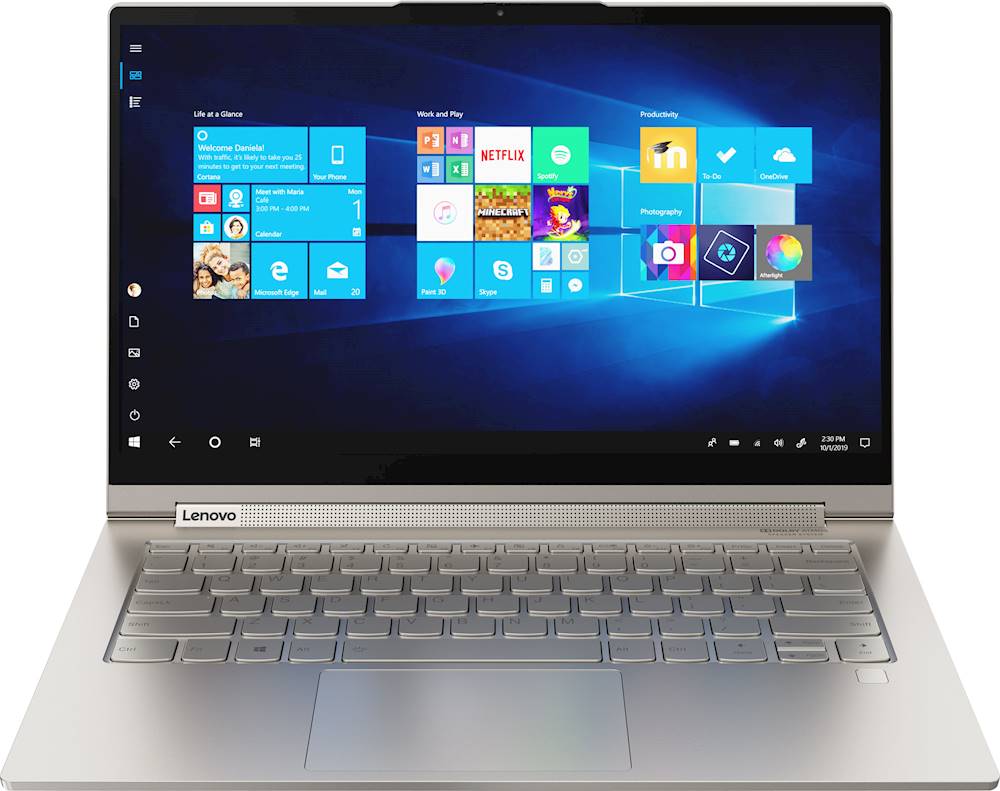
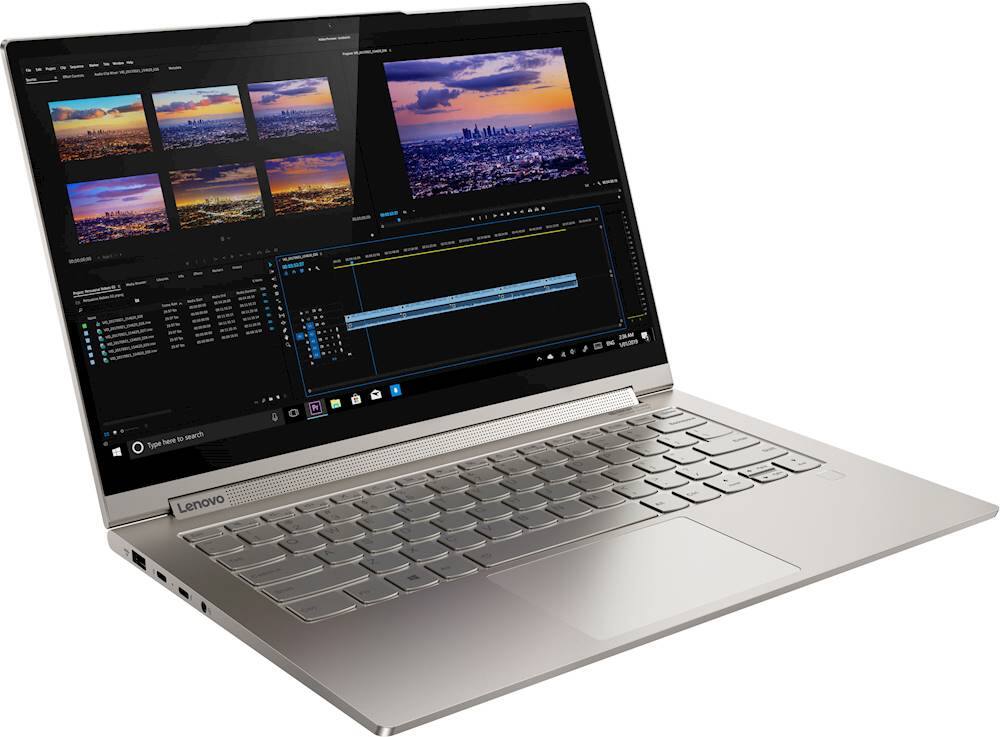
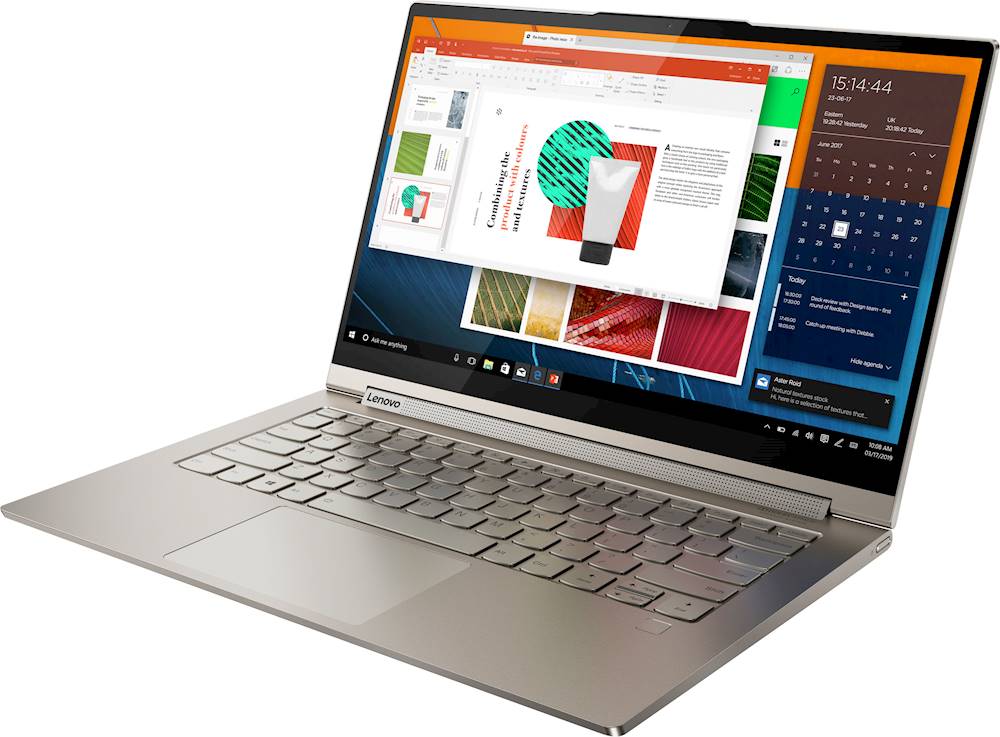
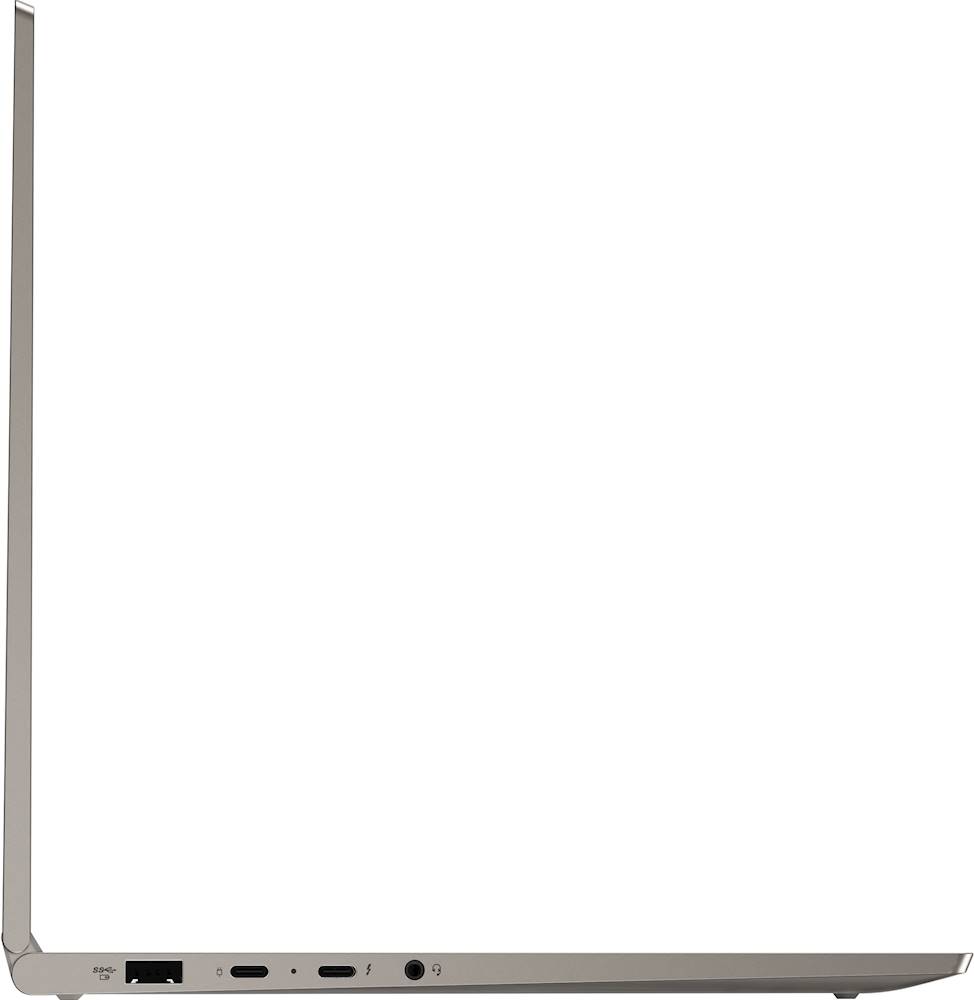
Customers are enthusiastic about the Yoga C940 2-in-1 laptop's fast performance, responsive touch screen, long battery life, and lightweight design. They appreciate the solid build quality and high-quality screen. However, some customers have concerns about the limited number of ports, occasional fan noise, and higher price point.
This summary was generated by AI based on customer reviews.
- Pros mentioned:Battery life
Great w/ 1 minor glitch - cursor vanishes (fixable
||Posted . Owned for 1 month when reviewed.This reviewer received promo considerations or sweepstakes entry for writing a review.This was the one 13-inch-ish laptop that my college-student-to-be liked in side-by-side comparisons with the Dell XPS 13 and HP Spectre 13. Both of those felt too small for her, although there is not a major difference between a 13.3 and 14" screen. But the keyboard on those feels cramped because there is no *gutter* space on the left and right sides of the keys. Yes, we understand that this is so you can make the body smaller, but some people like to have edges... At least on the keyboard--nobody likes fat screen bezels. Speaking of which, this top bezel bump for the webcam is actually a nice design thing. My HP Spectre can be awfully hard to open with the beveled edge, firm hinge, and flush edges. So the bump makes it easier to open. Liked the specs for college use. With 12 of RAM you're nicely situated between 8 and 16. Plenty of speed without paying for it in battery drain. (My son's Dell XPS 15 sucks battery life, what with the 4K resolution, 15" screen size, and 16gb of RAM. And speaking of display, this is also great for college students who want battery life for doing work (as opposed to skipping homework to do gaming or stream Netflix or Hulu). The HD display is very nice, and for *normal* computer work the trade-off of 4K for longer battery life was worth it. Semi-complaint: USB-C world is just dongle dependent. Not a fan of it, but what can you do? Love that my 3-year-old Spectre has plugs for everything, but all of the skinny premium 2-in-ones now have far fewer options. This Lenovo does have one full-size USB slot, though, which will be handy. Real compaint: the cursor frequently disappears. This seems to be a known problem with Lenovo. What you do to get it back is put the laptop in tablet mode and then switch it back. You can do this physically, but you can also use your taskbar (lower right). My expectation that this will be a firmware fix at some point. So I'd definitely recommend it, especially to someone who favors battery life over super-saturated colors (that probably aren't necessary for most people).
I would recommend this to a friendBrand response from Lenovo Product Expert
Posted .Thank you for choosing the Lenovo Yoga C940-14 your student. Regarding the cursor disappearing, first be sure that the HotKey in the F6 position on the Yoga C940-14 keyboard has not been inadvertently tapped. This HotKey toggles the touchpad on/off and will have the effect of making the cursor disappear. Next time the cursor disappears, tap the F6 HotKey to see if it reappears. If not, be sure the computer has the latest version of Windows 10, the update all of the BIOS files and drivers to this latest version of Windows 10. You can easily accomplish this by scanning the computer with the Lenovo Utility software available on this computer. This system has Lenovo utilities installed to help maintain the health of the device and keep the operating system software up to date. Type "Lenovo Vantage" in the Cortana Search window (if Lenovo Vantage is not installed on your device, you can download the APP and install it now). Select Lenovo Vantage from the list. In the window that opens, click on "Health and Support". In the expanded menu, select "Hardware Scan" In the window that opens, select "Run Quick Tests". This will scan your entire system for errors. Follow any directions that may pop up. If the problem continues after this scan, now click on "System Update". First select Windows update from the menu. Scan your system to be sure you have the latest version of Windows 10. Once that scan is complete, select "Additional Updates". This will scan your device to be sure there are no new BIOS/Driver updates needed. Follow any instructions that may pop up. If the issue still continues after these updates, we recommend you call Lenovo Tech Support at: 877-453-6686 for additional help

- Pros mentioned:Battery life
Perfect work machine for work and home
||Posted . Owned for 3 weeks when reviewed.This reviewer received promo considerations or sweepstakes entry for writing a review.First time buyer of 2-1 Tablet, excellent build quality,, perfect for dual working, during the day i use usb-c port with additional connection to plug in dual monitor , and use it while lying dying on couch to use stylus for reading purpose . Lenovo setting to charge till 60% then power from adapter is great fo rlife of battery.best buy delivered in less than 24 hrs. Highly recommended.
I would recommend this to a friendBrand response from Lenovo Product Expert
Posted .Thank you for choosing the Lenovo Yoga C940-14. We are pleased to hear that the Yoga C940-14 is working out so well for you.
- Pros mentioned:Fast, Touch screenCons mentioned:Ports
!
||Posted . Owned for 1 month when reviewed.This reviewer received promo considerations or sweepstakes entry for writing a review.Love this laptop, having a touchscreen is the best. Fast boot time, fast everything. Wish there was maybe another usb or an hdmi input, but overall great.
I would recommend this to a friend - Pros mentioned:Touch screenCons mentioned:Camera
Defects and glitches
||Posted . Owned for 5 months when reviewed.This reviewer received promo considerations or sweepstakes entry for writing a review.I really wanted to love this laptop. I purchased it during Black Friday weekend and within a few months the screen was starting to glitch and the in-laptop camera was also buggy. Finally after the bottom third started showing static lines, I took it in to be fixed. After a few weeks they returned the laptop and claimed they replaced the display and camera. Now, a few days later the fingerprint sign-in isn't working and I've already had the screen freeze a few times. I expect these issues from my 7 year old macbook, not a less than 6 month old laptop I barely have any files on. Sadly I'm going to have to bring it in to geeksquad again. Pros: Smooth, clear display when it actually works. Loved the in-laptop charging station for the stylus. Keyboard is a great size/layout. Lightweight. Bright screen for streaming. Touchscreen works bette than the touchpad. Cons: The aspect ratio of the screen is off-putting and makes it difficult to have multiple windows open simultaneously and actually get anything written. Touchpad is a little jumpy. The laptop gets really hot. The battery life is okay, but it's also mercurial, sometimes lasting 90 minutes and getting super hot (and loud, thanks fan) and other days lasting upwards of 6 hours.
No, I would not recommend this to a friendBrand response from Lenovo Product Expert
Posted .We are sorry to hear that you are having issues with your Lenovo Yoga C940-14 model number 81Q9002GUS. Be sure any software you installed is compatible with Windows 10. There is no need to install Microsoft Office software. The software is already part of the operating system, you just need to activate the software with a purchased product key. If you have installed a copy of Microsoft Office, this is conflicting with the existing copy on the system and this will slow your system down. If you have installed a 3rd party anti-virus program, be sure that Windows Defender is turned off and that the trial version of McAfee Anti-Virus software is uninstalled. There can only be one anti-virus program on the system. You may need to restore your system to original factory default settings if any of the programming errors have occurred. You can do that by typing "restore" in the Cortana search window. Just click on the magnifying glass icon at the bottom left of your Windows 10 Desktop. Click on "Reset This PC" Then click on "Get Started" and follow the on screen directions to restore to factory defaults. If the problem persists, we recommend you contact Lenovo Tech Support at: 877-453-6686.
- Pros mentioned:Touch screen
this is as close as you can get to perfection.
||Posted . Owned for 1 year when reviewed.This reviewer received promo considerations or sweepstakes entry for writing a review.THE BEST WINDOWS LAPTOP HANDS DOWN-EVER! I have to say besides the XPS laptop that could've won be over this one. THIS is by far the best laptop I've ever own. From keyboard/touchscreen/build quality/ sound quality (2nd to MACs) and a USB A port. Look no where else if you want a premium flagship Windows PC. Wish Lenovo had a 2k panel with an SD card reader. would've ben perfect. Reason why I mentioned 2k is 4k do reduce battery life. I went with the 1080p for longer Juice.
I would recommend this to a friend - Cons mentioned:Fan noise
Great if not for the noise
||Posted . Owned for 1 week when reviewed.This reviewer received promo considerations or sweepstakes entry for writing a review.This is a great package for the price, especially if you get it on sale. The 12GB memory is a big bonus compared to many 8GB laptops. The included pen is responsive and conveniently stowed on the hinge. Speaking of which, the soundbar hinge's design is absolutely genius and seemed to be very durable. However, there was a loud, high-pitched, whistling sound that came from the vent holes when the fan turned on. This was extremely evident when the machine was on load. The problem seems to be coming from how small the vent holes are. I've tried this solution: https://www.reddit.com/r/Lenovo/comments/egxkta/c940_yoga_possible_fix_for_the_high_pitched_fan/. While it reduces the noise, it's still there. There was also some coil whine, which isn't very noticeable a foot away. I exchanged my first unit and got a second unit. The vent hole noise was still there, although the coil whine was louder and much more prevalent. The noise seems to be a design problem. I have since returned that second machine. This laptop would be amazing if it weren't for the noise. The value and build quality are great, and the machine felt very durable and high quality. If you need a quiet environment, however, I would advise you to look elsewhere.
No, I would not recommend this to a friendBrand response from Lenovo Product Expert
Posted .We are sorry to hear that you are having issues with your Lenovo Yoga C940-14 and fan noise. You can use Lenovo Q-Control to manually control fan performance: ( Fn + Q ) option to change the fan. If the issue continues, we recommend you call Lenovo Tech Support at: 877-453-6686.
This Laptop is Yoga-licious Overall Experience
||Posted . Owned for 3 weeks when reviewed.This reviewer received promo considerations or sweepstakes entry for writing a review.I live in a mixed household. Not red and blue. But, Mac and Windows. Over the past couple of years, we've used a MacBook Pro, Dell XPS, Surface Laptop 3 and now the Lenovo Yoga C940 for office and home. All of these machines have much going for them, but all of them also have shortcomings. I now believe the Lenovo Yoga C940 may be the best overall laptop of this illustrious group. Why? The Yoga is sleek and a solid build. It's faster than the comparable laptops, has longer battery life, a brighter display, incredibly powerful speakers, a slightly larger display and a responsive track pad. Its pencil is smartly tucked away inside the back of the machine where it's accessible and not easily lost. My only complaints about the Yoga are the price, and the annoying, unrelenting third-party pop ups for security software. Here's how I'd compare the C940 Lenovo Yoga to the others: * Yoga vs. MacBook Pro: the MBP is my long-time, go-to laptop, and I still love its power, ease of use, reliability and convenience within the Apple ecosystem. The Yoga has a better keyboard and superior display. * Yoga vs. Dell XPS: The XPS is sporty, a bit more compact, has a bezel-less screen and a terrific keyboard. The Yoga feels more solidly built, has a quieter fan and longer battery life. (The XPS also has already been in the shop for a repair). * Yoga vs. Surface Laptop 3: The Surface is lightweight and great for travel, and it has my favorite track pad of this group. Compared to the Yoga, though, the Surface seems more sluggish and its display and speakers more middling. While the Lenovo Yoga is not inexpensive, its high-powered performance, portability and stunning looks make this among the best in class overall.
I would recommend this to a friendBrand response from Lenovo Product Expert
Posted .Thank you for choosing the lenovo Yoga C940-14, model number 81Q9002GUS. If you are receiving pop-up from McAfee virus protection software, it is because your 30-day trial has expired. You do not need to use McAfee. You can uninstall McAfee and then install any 3rd. party virus protection you choose, but until you uninstall McAfee software, you will continue to receive pop-ups as the software is still active even tough the trial period is expired. This can also cause issues with your choice of other virus protection software, if you installed it over McAfee. Here is a link to information on uninstalling McAfee from Windows 10: https://service.mcafee.com/webcenter/portal/oracle/webcenter/page/scopedMD/s55728c97_466d_4ddb_952d_05484ea932c6/Page29.jspx?wc.contextURL=%2Fspaces%2Fcp&articleId=TS101331&_afrLoop=1355161020222084&leftWidth=0%25&showFooter=false&showHeader=false&rightWidth=0%25¢erWidth=100%25#!%40%40%3FshowFooter%3Dfalse%26_afrLoop%3D1355161020222084%26articleId%3DTS101331%26leftWidth%3D0%2525%26showHeader%3Dfalse%26wc.contextURL%3D%252Fspaces%252Fcp%26rightWidth%3D0%2525%26centerWidth%3D100%2525%26_adf.ctrl-state%3Dx25crirbo_9
- Pros mentioned:Touch screen
Great Laptop for back to school
||Posted . Owned for 3 weeks when reviewed.This reviewer received promo considerations or sweepstakes entry for writing a review.It comes with a pen parked in the back. Not the greatest feeling pen but does the job quite well. The screen is very vibrant and great speakers. Performance as expected nothing ground breaking. Better to get rid of lenovo preloaded softwares or soft reset once you get the laptop. Great speakers and best of all USB C charging ! Works pretty much with any charger. No need to carry a special charger for the laptop anymore. Can use your Mac/phone USB C charger. Build quality is A1.
I would recommend this to a friendBrand response from Lenovo Product Expert
Posted .Thank you for choosing the Lenovo Yoga C940-14. The Lenovo Yoga C940-14 ships with just two adware programs, a 30-day trial of Microsoft Office 365 (as part of Windows 10 operating system) and a 30-day trial of McAfee virus protection. Lenovo computers ship with one of the cleanest factory software installs within the consumer computer industry. Every component of Yoga C940 was engineered with your experience in mind. That’s why The Yoga C940 offers the brilliant color and clarity with ultra-narrow bezels. At 400 nits brightness, it’s brighter than standard SDR displays. You’ll enjoy amazing realism that's vivid, nuanced, and powerful. Capture your ideas the moment inspiration hits with a garaged digital pen. Featuring an in-body charging compartment, the Yoga C940 ensures you’ll never lose a thought—or your digital pen—again. The convertible hinge hides a powerful Dolby Atmos Speaker System that immerses you in 3D sound in every mode. Combined with two sets of speakers featuring powerful subwoofers, custom tweeters, and unique vibration buffers that reduce unwanted noise, your audio will sound bigger, deeper, and more accurate. Experience how the Yoga C940 embodies world-class craftsmanship, innovative solutions, and elevated design. Log into your Yoga C940 in less than two seconds with an integrated fingerprint reader. That’s three times faster than the average time it takes to type a password. Forget your password.
- Pros mentioned:FastCons mentioned:Ports
A great laptop
||Posted .This reviewer received promo considerations or sweepstakes entry for writing a review.I love this laptop. I really appreciate the garaged pen and its functionality. At first I thought the pen was a gimmick but I actually use it, it really is a nice addition. The display is very nice and the speed is great. The keyboards only flaw is the size of the arrow buttons. The lack of ports and none on the right side is a slight bummer, but an aukey USB-C hub saves the day. These negatives barely register as issues, because otherwise this machine feels and seems perfect.
I would recommend this to a friendBrand response from Lenovo Product Expert
Posted .Once again, thank you for choosing the Lenovo Yoga C940-14. You can keep your computer running at its best by keeping the Windows 10 Operating System and all supporting BIOS files and drivers up to date. You can easily accomplish this by scanning the computer with the Lenovo Utility software available on this computer. This system has Lenovo utilities installed to help maintain the health of the device and keep the operating system software up to date. Type "Lenovo Vantage" in the Cortana Search window (if Lenovo Vantage is not installed on your device, you can download the APP and install it now). Select Lenovo Vantage from the list. In the window that opens, click on "Health and Support". In the expanded menu, select "Hardware Scan" In the window that opens, select "Run Quick Tests". This will scan your entire system for errors. Follow any directions that may pop up. If the problem continues after this scan, now click on "System Update". First select Windows update from the menu. Scan your system to be sure you have the latest version of Windows 10. Once that scan is complete, select "Additional Updates". This will scan your device to be sure there are no new BIOS/Driver updates needed. Follow any instructions that may pop up. If you ever need additional help with your Lenovo computer, we recommend you call Lenovo Tech Support at: 877-453-6686 for additional help.
- Pros mentioned:PerformanceCons mentioned:Overheating
Runs Fast, Runs Hot
||Posted . Owned for 3 months when reviewed.This reviewer received promo considerations or sweepstakes entry for writing a review.Fast, seems to handle all my mostly office based apps just fine. Only issue is that it's very hot. I even put feet on it to elevate it about 0.5" off the table and it still runs the fan pretty fast and the underside is hot--not warm--to the touch. CPU temps look OK, so maybe the heat dispersion system just works really well. I'd rather have a hot case than an overheated CPU.
I would recommend this to a friendBrand response from Lenovo Product Expert
Posted .Thank you for choosing the Lenovo Yoga C940-14. You can use Lenovo Q-Control to manually control fan and system performance: ( Fn + Q ) option to change the fan by undervolting the processor. If the issue continues, we recommend you call Lenovo Tech Support at: 877-453-6686.
- Pros mentioned:Fast
sexy laptop
||Posted . Owned for 1 week when reviewed.This reviewer received promo considerations or sweepstakes entry for writing a review.very happy with this laptop, considering I got it for $300 off. The speakers are the best I've heard on a laptop, and the typing experience is very pleasant. The build quality feels solid (despite the laptop being light enough to comfortably hold in one hand) and looks very clean in this iron gray color. I use it for schoolwork including running statistical programs, and the speed is nice, as expected from the i7 and 12 GB of RAM
I would recommend this to a friend - Pros mentioned:Fast, Light weight
Yoga does it all!
||Posted . Owned for 1 week when reviewed.This reviewer received promo considerations or sweepstakes entry for writing a review.I spent a lot of time researching 2 in 1 laptops and chose the Yoga, very happy with the decision. The Yoga hit every box on my checklist...plus. It is fast, light, great screen and sound, includes Alexa and has a built in pen. It has a solid feel of a quality build and the thunderbolt 3 connections were an added bonus. I plan to connect to an external monitor and the thunderbolt allows for a one cord connection for a clean and simple desktop.
I would recommend this to a friendBrand response from Lenovo Product Expert
Posted .Thank you for choosing the Lenovo Yoga C940-14. We are pleased to hear that the features and performance of the Yoga C940-14 meets your computing needs so well. Every component of Yoga C940 was engineered with your experience in mind. That’s why The Yoga C940 offers the brilliant color and clarity with ultra-narrow bezels. At 400 nits brightness, it’s brighter than standard SDR displays. You’ll enjoy amazing realism that's vivid, nuanced, and powerful. Capture your ideas the moment inspiration hits with a garaged digital pen. Featuring an in-body charging compartment, the Yoga C940 ensures you’ll never lose a thought—or your digital pen—again. The convertible hinge hides a powerful Dolby Atmos Speaker System that immerses you in 3D sound in every mode. Combined with two sets of speakers featuring powerful subwoofers, custom tweeters, and unique vibration buffers that reduce unwanted noise, your audio will sound bigger, deeper, and more accurate. Experience how the Yoga C940 embodies world-class craftsmanship, innovative solutions, and elevated design. Log into your Yoga C940 in less than two seconds with an integrated fingerprint reader. That’s three times faster than the average time it takes to type a password. Forget your password.
- Pros mentioned:Light weight, Touch screen
Laptop
||Posted . Owned for 2 weeks when reviewed.This reviewer received promo considerations or sweepstakes entry for writing a review.I Purchased this for my son to do online schooling we liked it so much and it was so light weight that I ended up going back and buying myself one you can use it in tablet mode it’s touchscreen and you can use it as a regular laptop The only thing that I have a downfall with is if you’re listening to class the speakers aren’t very loud. But overall it’s a good computer I would definitely recommend it.
I would recommend this to a friendBrand response from Lenovo Product Expert
Posted .The Lenovo Yoga C940-14 ships with 3-dimensional sound in every mode. The convertible hinge hides a powerful Dolby Atmos Speaker System that immerses you in 3D sound in every mode. Combined with two sets of speakers featuring powerful subwoofers, custom tweeters, and unique vibration buffers that reduce unwanted noise, your audio will sound bigger, deeper, and more accurate. for the best audio experience, be sure you have Dolby Atmos sound enhancement turned on and adjusted to your personal preferences. Also while using a video conferencing APP, be sure the audio within the APP is also adjusted to your personal preference as the video conferencing APP audio will over-ride the system audio controls. If the issue continues, we recommend you call Lenovo Tech Support for additional help at: 877-453-6686.
Good for what I want
||Posted . Owned for 3 weeks when reviewed.This reviewer received promo considerations or sweepstakes entry for writing a review.The amount of storage is great for the price, which is the main reason I bought it. I never wanted to see “Your Startup Disk is Full” ever again! I use this computer for general use (bills, shopping) and light work for grad school (no crazy programs). I’ve had MacBooks since 2010 and I will say this is not as nice as a MacBook, nor is it as nice as Microsoft Surface 3 Laptop (my husband has one). It is not as sleek or smooth as either if that makes sense, but I use Windows at work and it made sense to also use it at home as well. Here are my main gripes coming from using a MacBook for 10 years: - The track pad is tiring to use on the finger. Not as slide-y as the MacBook. - The keyboard buttons are a little strangely placed. I’ve had it for almost a month and it’s still hard for me to type quickly without lots of typos. - The webcam is very dark. I have to have my screen brightness all the way up in Zoom calls so I don’t look like I’m in a cave. - The speakers sound like they are in a cave almost, or like there is too much bass. Not as loud/clear as a MacBook. Pros: - Love the finger print unlock. - Nice and clear display. - Fast (so far). - The tablet/flip option is kind of cool for having your recipe up while cooking. Overall I am happy with it, it is just going to take some getting used to coming from a Mac. While the “experience” of using this laptop isn’t as nice as a Mac, I don’t think I’ll ever go back to a MacBook. If you’re looking for something fast with a nice display and lots of storage, I highly recommend.
I would recommend this to a friendBrand response from Lenovo Product Expert
Posted .With regard to the touchpad on your Lenovo Yoga C940-14, you can make adjustments to the touchpad in your system settings. You can get there by clicking on the magnifying glass at the bottom left of your Windows 10 screen. Type "touchpad" in the search window. Select "Mouse & touchpad settings" from the list of choices. You can make general adjustments to the touchpad there. You can also select "Additional mouse options" for more detailed adjustments to the touchpad sensitivity by increasing the delay of the touchpad. The Yoga C940-14 ships with a standard QWERTY keyboard with the keys having approximately 1.5mm travel. The Yoga C940-14 ships with a 720p (HD) webcam. Here is a link to instructions for adjusting the brightness of your webcam within Windows 10: https://www.howto-connect.com/change-camera-brightness-windows-10/. The Yoga C940-14 ships with a convertible hinge, that hides a powerful Dolby Atmos Speaker System that immerses you in 3D sound in every mode you position the screen in. Combined with two sets of speakers featuring powerful subwoofers, custom tweeters, and unique vibration buffers that reduce unwanted noise, your audio will sound bigger, deeper, and more accurate.
- Pros mentioned:Performance, Touch screen
Great Device for a Busy Student
||Posted . Owned for 10 months when reviewed.This reviewer received promo considerations or sweepstakes entry for writing a review.I love this computer. I was hesitant because of the price but it is exactly what I expected and then some. Great touch screen (and even better with the Lenovo Pen). The computer is smaller than what I have had in the past but it's plenty big enough for what I needed. Runs lots of statistical and programming software with ease. Very quick to turn on/boot up. Overall worth the money.
I would recommend this to a friendBrand response from Lenovo Product Expert
Posted .Thank you for choosing the Lenovo Yoga C940-14. We are pleased to hear that the Yoga C940-14 meets your computing needs so well.
- Pros mentioned:Battery life
It's an amazing laptop..
||Posted . Owned for 1 week when reviewed.This reviewer received promo considerations or sweepstakes entry for writing a review.After some extensive research in laptops the past few months I pulled the trigger on this Lenovo C940. I almost went with the 4k screen but there is a major battery life difference. For a 14" screen its looks clean and sharp. As a self employed digital marketing consultant I bought this mainly to present on at clients offices but with Covid-19 messing with our way of life right now. This laptop has been a lifesaver being able to work in any part of my house or even outside. Battery life is long, It handles multiple windows and tasks like my custom home office computer that has an i7 with 32Gig of ram. Another reason I bought the C940 was for the built in pen since that was mainly for my clients to use to sign contracts on screen. Going completely paperless in 2020 is saving trees, time, and hundreds on toner. Overall this Lenovo is a must buy. I like it better that Dell and HP.
I would recommend this to a friendBrand response from Lenovo Product Expert
Posted .The Lenovo Yoga C940-14 model number 81Q9002GUS, ships with 12GB LPDDR4x 3733MHz RAM. There is also a 512GB M.2 NVMe solid state hard drive. Every component of Yoga C940 was engineered with your experience in mind. That’s why The Yoga C940 offers the brilliant color and clarity with ultra-narrow bezels. At 400 nits brightness, it’s brighter than standard SDR displays. You’ll enjoy amazing realism that's vivid, nuanced, and powerful. Capture your ideas the moment inspiration hits with a garaged digital pen. Featuring an in-body charging compartment, the Yoga C940 ensures you’ll never lose a thought—or your digital pen—again. The convertible hinge hides a powerful Dolby Atmos Speaker System that immerses you in 3D sound in every mode. Combined with two sets of speakers featuring powerful subwoofers, custom tweeters, and unique vibration buffers that reduce unwanted noise, your audio will sound bigger, deeper, and more accurate. Experience how the Yoga C940 embodies world-class craftsmanship, innovative solutions, and elevated design. Log into your Yoga C940 in less than two seconds with an integrated fingerprint reader. That’s three times faster than the average time it takes to type a password. Forget your password.
- Pros mentioned:Touch screen
Good laptop for most buyers.
||Posted . Owned for 1 month when reviewed.This reviewer received promo considerations or sweepstakes entry for writing a review.The Lenovo C940 14" laptop is a very good overall package that I believe would please almost everyone except high-end gamers and professionals, but they probably wouldn't look at this particular model configuration anyway. This is a lightweight, but sturdy model, much lighter than my previous Lenovo 15.6" model from a couple of years ago. The screen is much brighter, and the soundbar of this laptop is probably just about the best there is. It is speedy and does everything I need it to do with ease. The fingerprint reader works quickly and flawlessly every time. The battery life could be better, but it is adequate, lasting about 7 to 8 hours of fairly high use. I think it is a pretty decent value for the cost, especially if you can find it on sale like I did. I have no regrets over this purchase and would recommend this laptop to my friends without reservation.
I would recommend this to a friendBrand response from Lenovo Product Expert
Posted .Thank you for choosing the Lenovo Yoga C940-14, model number 81Q9002GUS, ships with a 4CELL_60WH_INTERNAL, Lithium Polymer Battery, with a battery life of up to 15 hours, depending on the work the device is performing. To maximize battery life, first adjust your battery saver settings. Here is a link to instruction for doing this in Windows 10: https://www.digitalcitizen.life/how-use-configure-battery-saver-windows-10. Next, to maximize battery life, be sure there are no unwanted programs running in the background, draining the battery. Here is a link to some tips for finding out what is draining your battery:
https://www.laptopmag.com/articles/battery-saver-windows-10. Also, to maximize battery life, try changing your power management setting to a more conservative one. You can do this in the control panel, in the power management category on your system. Select a more conservative power management setting to extend battery life. Finally, if the battery life does not improve, a battery reset may help. Here is a link to instructions for reconditioning a non-removable battery, using the Battery Management Software installed on the computer. If you need further assistance, we recommend you call Lenovo Tech Support at: 877-453-6686. Here is the link: https://windowsreport.com/laptop-battery-not-charging-windows-10/
- Pros mentioned:Touch screen
GREAT LAPTOP - I RECOMMEND!
||Posted . Owned for 10 months when reviewed.This reviewer received promo considerations or sweepstakes entry for writing a review.I purchased this as a Certified Excellent Laptop. The Laptop is FANTASTIC! The only caveat is that I don't know a way to deactivate the thumb pad - I DO NOT USE IT!!! Unfortunately, I don't know if that's available on any laptop. I should be. I use a mouse and that or the touchscreen only. The thumb pad messes me up. I must say the SPEAKERS ARE WONDERFUL! After attempting to purchase a laptop for3 months, I finally was able to find one that has worked and lasted! Each of 4 or 5 (I forget now) ohters, various brands, had one thing or another wrong, even BRAND NEW! This was the 1st one I purchased that was not new - Certified Excellent - and the only problems I have had is that personal issue with the mouse and this: The enclosed paperwork was filled out as if the "inspector" I'll call ther person just went down the form and checked off each box to ship the laptop out without filling out the form as per the questions and responses as they should have been. I called up Tech Support immediately and explained. OTHERWISE THIS IS A TERRIFIC LAPTOP AND I RECOMMEND IT!
I would recommend this to a friend - Pros mentioned:Battery life, Fast
Suits My Needs
||Posted . Owned for 3 weeks when reviewed.This reviewer received promo considerations or sweepstakes entry for writing a review.I use this laptop in a business environment and it handles all of my tasks with ease. Even though I use two monitors and have several applications running simultaneously, the speed is more than adequate. In addition, the battery life is good. I get around 7 hours on a full charge.
I would recommend this to a friendBrand response from Lenovo Product Expert
Posted .Thank you for choosing the Lenovo Yoga C940-14. We are pleased to hear that the performance of the Yoga C940-14 meets your computing needs so well.
- Pros mentioned:Fast
Lovely upgrade from my sisters Toshiba Satellie!
||Posted . Owned for 1 month when reviewed.This reviewer received promo considerations or sweepstakes entry for writing a review.I was loaned my sisters laptop which a Toshiba Satellite 2-in-1. It had a fanning issue which ended up being replaced by my dad. Used it as my go to laptop for school. Unfortunately, it couldn't hold up to the amount of tabs I have open for my homework. At 8 gigs it was really slow. Thanks to my Fafsa, I was able to obtain a neat upgrade to my sisters aging Toshiba. The Lenovo Yoga had been in my radar for a while. Sporting a 12 gig ram and the newest Intel Core processor, it ran so many tabs without fail! Quick start up as well as a quick shut down. It's built it pen garage is an awesome plus, since I could now do digital art on a bigger screen instead of my phone! It was either this laptop or the Dell Inspiron 7000 2-in-1. But this laptop was on sale so I couldn't pass up the opportunity! Sound quality is also amazing! It has a 360 speaker bar which allows me to listen either in front or behind the laptop if I wanted! Very good audio for something in a laptop! Light up keys are just as a necessity since I usually do my creative writing at night! Overall, after a month, I have had no issues with this laptop and it boosted through my current semester in college with speed! Note: It can run games that are not graphics intense!
I would recommend this to a friendBrand response from Lenovo Product Expert
Posted .Once again, thank you for choosing the Lenovo Yoga C940-14. You can keep your computer running at its best by keeping the Windows 10 Operating System and all supporting BIOS files and drivers up to date. You can easily accomplish this by scanning the computer with the Lenovo Utility software available on this computer. This system has Lenovo utilities installed to help maintain the health of the device and keep the operating system software up to date. Type "Lenovo Vantage" in the Cortana Search window (if Lenovo Vantage is not installed on your device, you can download the APP and install it now). Select Lenovo Vantage from the list. In the window that opens, click on "Health and Support". In the expanded menu, select "Hardware Scan" In the window that opens, select "Run Quick Tests". This will scan your entire system for errors. Follow any directions that may pop up. If the problem continues after this scan, now click on "System Update". First select Windows update from the menu. Scan your system to be sure you have the latest version of Windows 10. Once that scan is complete, select "Additional Updates". This will scan your device to be sure there are no new BIOS/Driver updates needed. Follow any instructions that may pop up. If you ever need additional help with your Lenovo computer, we recommend you call Lenovo Tech Support at: 877-453-6686 for additional help.