Customer Ratings & Reviews





- Model:
- 81Q9003PUS
- SKU:
- 6388042
Rating by feature
- Battery Life
Rating 4.2 out of 5 stars
- Speed
Rating 4.4 out of 5 stars
- Display
Rating 4.5 out of 5 stars
Customers are saying
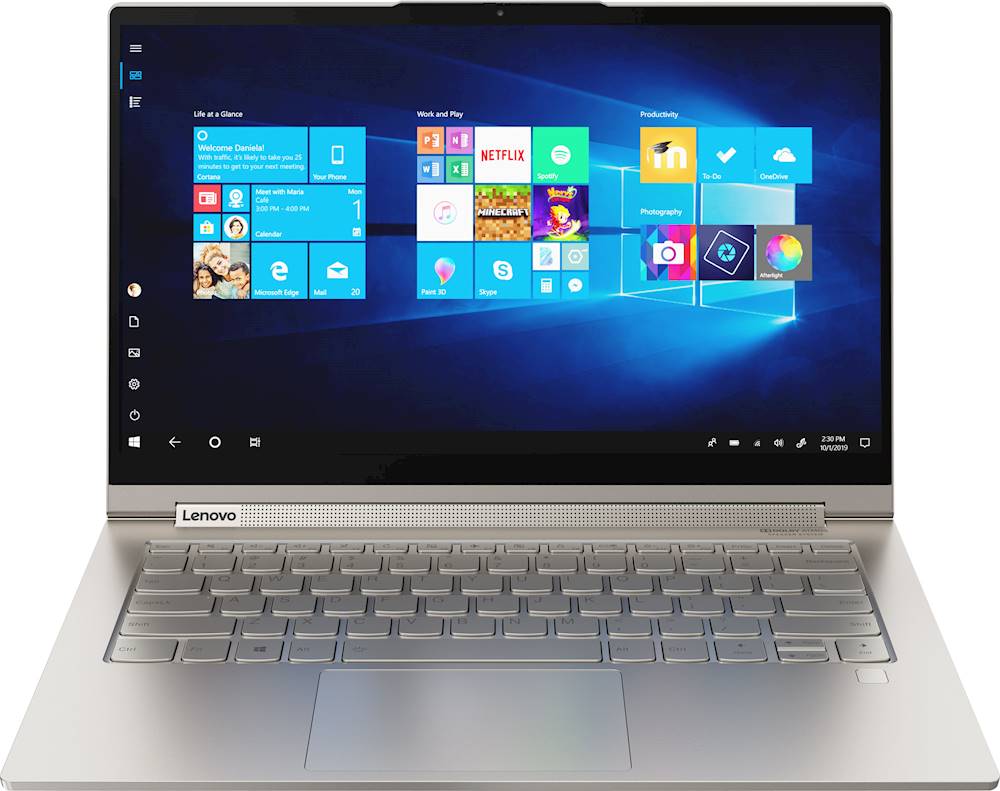
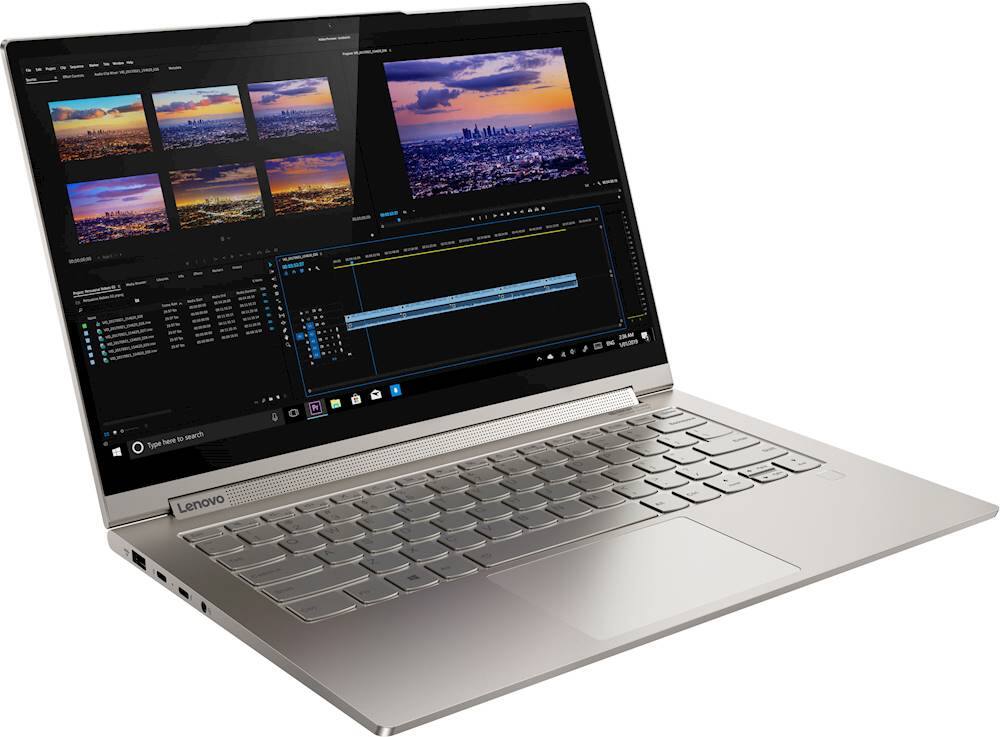
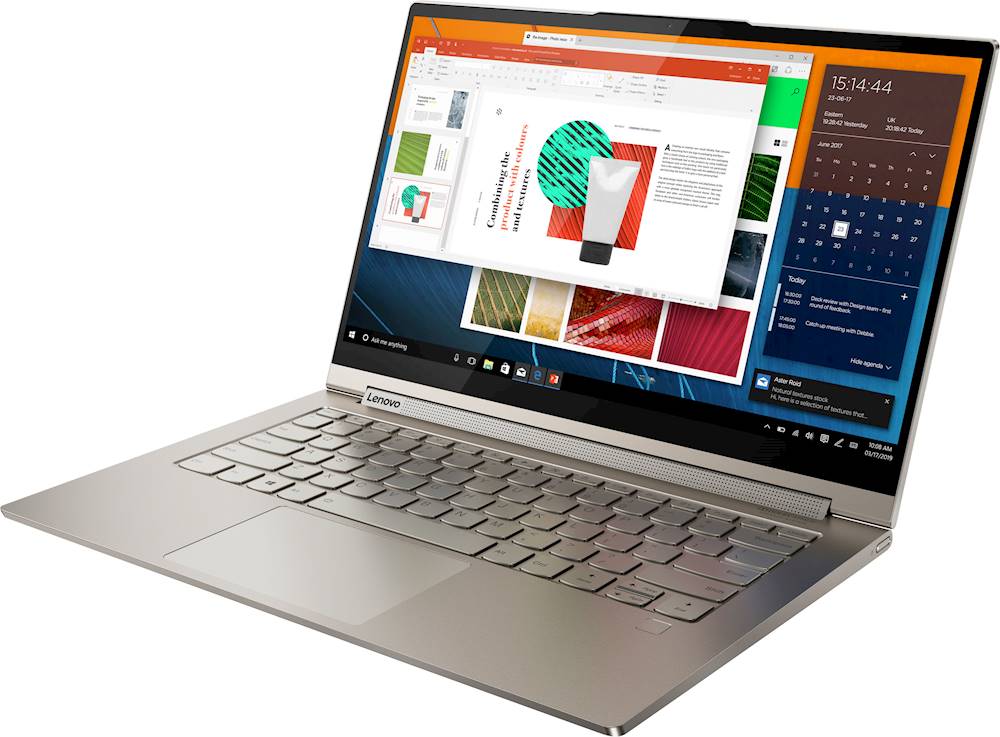
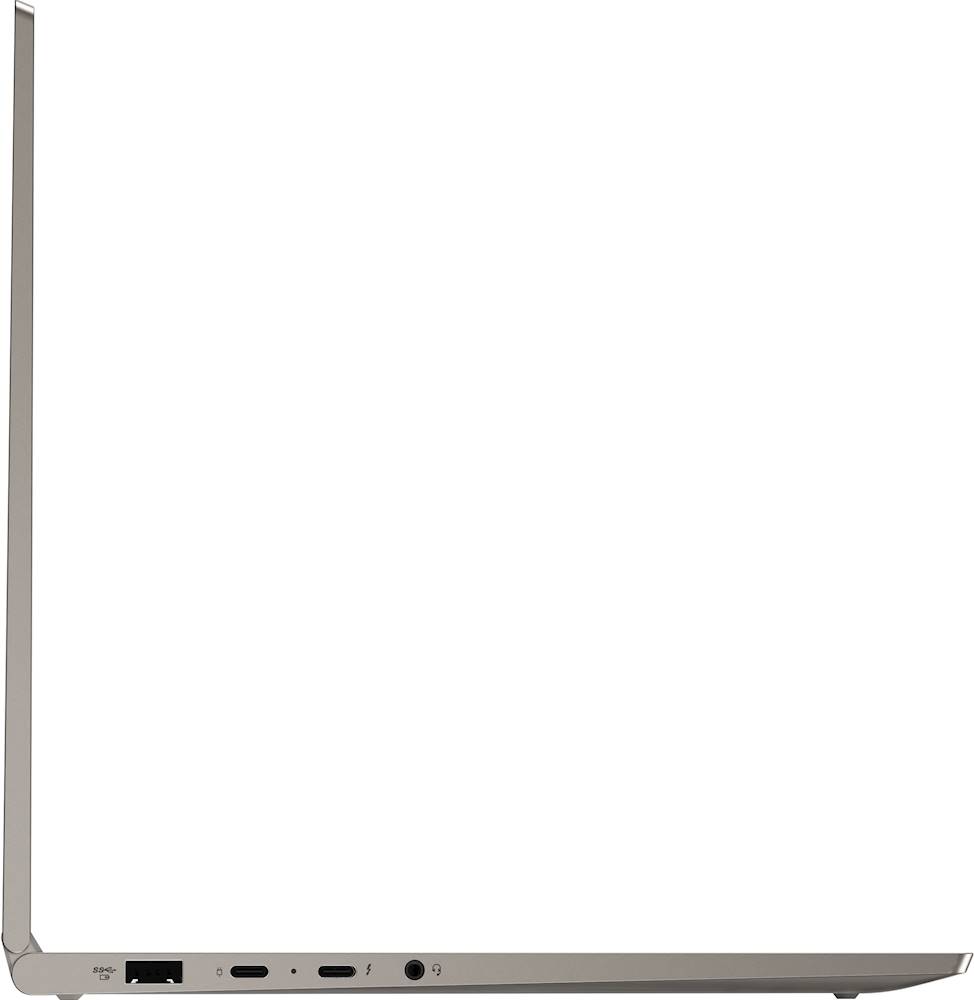
Customers are enthusiastic about the Yoga C940 2-in-1 laptop's fast performance, responsive touch screen, long battery life, and lightweight design. They appreciate the solid build quality and high-quality screen. However, some customers have concerns about the limited number of ports, occasional fan noise, and higher price point.
This summary was generated by AI based on customer reviews.
- Pros mentioned:Performance
Best laptop overall for the money
||Posted . Owned for 3 weeks when reviewed.This reviewer received promo considerations or sweepstakes entry for writing a review.I own a Surface Pro 7 and decide to buy another computer. I like my pro 7 tablet/laptop, but at the end I decided to get this laptop. The performance is better significantly (my Pro 7 is a i5 core and this one is i7 core) and eased to use. The rest is the same. I paid the same amount of money because I get this one on sale, and I brought the Surface Pro 7 at regular price. So...for the money, this is best choice; unless you get the Surface Pro 7 on sale. But still, I think this is the best choice because has better specs. Surface Pro 7 12" paid $850 including the cover i5 @ 1.3 Ghz 8 GB memory. 126 SSD hard drive Bought the pen and mouse separately on sale. Paid extra $120 Yoga c940 14" paid $995. No need to buy extras i7 @ 1.6 Ghz 12 GB memory 512GB SSD hard drive I notice better performance... for the same amount of money. Period.
I would recommend this to a friendBrand response from Lenovo Product Expert
Posted .Thank you for choosing the Lenovo Yoga C940-14. We are pleased to hear that the value, features and performance of the Yoga C940-14 meets your computing needs so well. Every component of Yoga C940 was engineered with your experience in mind. That’s why The Yoga C940 offers the brilliant color and clarity with ultra-narrow bezels. At 400 nits brightness, it’s brighter than standard SDR displays. You’ll enjoy amazing realism that's vivid, nuanced, and powerful. Capture your ideas the moment inspiration hits with a garaged digital pen. Featuring an in-body charging compartment, the Yoga C940 ensures you’ll never lose a thought—or your digital pen—again. The convertible hinge hides a powerful Dolby Atmos Speaker System that immerses you in 3D sound in every mode. Combined with two sets of speakers featuring powerful subwoofers, custom tweeters, and unique vibration buffers that reduce unwanted noise, your audio will sound bigger, deeper, and more accurate. Experience how the Yoga C940 embodies world-class craftsmanship, innovative solutions, and elevated design. Log into your Yoga C940 in less than two seconds with an integrated fingerprint reader. That’s three times faster than the average time it takes to type a password. Forget your password.

- Pros mentioned:Battery life, Fast
SO FAST!!
||Posted . Owned for 3 months when reviewed.This reviewer received promo considerations or sweepstakes entry for writing a review.absolutely best laptop I have ever owned. It is super quick and the batt last so long even if I'm playing a game for a while. One of my most prized possessions!!! Worth every penny.
I would recommend this to a friend - Pros mentioned:Fast, Touch screen
Lenovo, the best.....
||Posted . Owned for 1 month when reviewed.This reviewer received promo considerations or sweepstakes entry for writing a review.I am impressed with the speed of this laptop the image on the screen looks perfect I am very excited using it I think it is one of the best I have had. The size is perfect and the weight is Excellent, very light.
I would recommend this to a friendBrand response from Lenovo Product Expert
Posted .Thank you for choosing the Lenovo Yoga C940-14. We are pleased to hear that the features and performance of the Yoga C940-14 meets your computing needs so well.
- Pros mentioned:Battery life
Yoga C940, YES!
||Posted . Owned for 3 weeks when reviewed.This reviewer received promo considerations or sweepstakes entry for writing a review.I've always had a 15.6 laptop so I was worried about smaller size. Thanks to the tiny bezels, 14 inch screen which is larger than competitors this wasn't a problem at all. Better yet, the computer is so light, doesn't weigh much more than a tablet. I use the pen for handwritten notes and it works great. The garage makes it easy to keep track of. Battery life is good (of course not as great as specs claim). Sound is good. Quickly processes photo editing tasks (using PS Elements). I'm not a big gamer, but has no problem playing standard games. The wifi antennas are excellent. I did purchase a powered hub to attach an external hd and mouse. As other reviews have pointed out, my biggest complaint (and it's not much of one) is all the ports on one side. Overall, I'm thrilled with the Yoga C940.
I would recommend this to a friendBrand response from Lenovo Product Expert
Posted .Thank you for choosing the Lenovo Yoga C940-14 model number 81Q9002GUS. This model ships with a 4CELL_60WH_INTERNAL, Lithium Polymer Battery, with a battery life of up to 15 hours, depending on the work the device is performing. If you are getting substantially less battery life, First, set your screen brightness at less than 100-percent - try 80-percent to start with. Then, be sure Battery conservation Mode is turned off. This power management setting should only be used when the laptop is plugged in all the time. It will prolong overall battery life by only charging the battery to 60-percent of capacity. Here is a link to instructions for turning off Battery Conservation Mode: https://support.lenovo.com/us/en/solutions/ht103159. Also check what programs are running in the background on the computer. Be sure only the programs you want running in the background are. These programs will drain the battery. Here is a link to information about how to find out what programs are running in the background on your Windows 10 computer and how to manage them for better system performance: https://www.windowscentral.com/how-prevent-apps-running-background-windows-10. Then, finally, be sure any software you installed is compatible with Windows 10. Incompatible software will drain the battery at a faster rate. There is no need to install Microsoft Office software. The software is already part of the operating system, you just need to activate the software with a purchased product key. If you have installed a copy of Microsoft Office, this is conflicting with the existing copy on the system and this will slow your system down. If you have installed a 3rd party anti-virus program, be sure that Windows Defender is turned off and that the trial version of McAfee Anti-Virus software is uninstalled. There can only be one anti-virus program on the system. You may need to restore your system to original factory default settings if any of the programming errors have occurred. You can do that by typing "restore" in the Cortana search window. Just click on the magnifying glass icon at the bottom left of your Windows 10 Desktop. Click on "Reset This PC" Then click on "Get Started" and follow the on screen directions to restore to factory defaults. If the problem persists, we recommend you contact Lenovo Tech Support at: 877-453-6686.
- Pros mentioned:FastCons mentioned:Price
LENOVO YOGA
||Posted . Owned for 3 weeks when reviewed.This reviewer received promo considerations or sweepstakes entry for writing a review.I looked at this computer last year but it was priced outside my budget. I bought a cheap floor model and was never very happy. The other computer pretty much died and this was on sale. Fast and plenty of power
I would recommend this to a friend - Pros mentioned:Touch screen
Love this box
||Posted . Owned for 1 month when reviewed.This reviewer received promo considerations or sweepstakes entry for writing a review.Bought this to replace my 5 year-old Lenovo (keyboard went out :( and I decided to go back to a Yoga 2-in-1 (like I bought 7 years ago). I love having the touchscreen again. No SD card readeer or HDMI port, so I bought a HUB for adapting my SD cards and HDMI that works great. Lightweight, sharp screen, responsive active pen is included. The keyboard lights up and has great contrast to the letters. The only issue is the occassional WiFi connectivity that delays connections, but I'm used to that since I've been a loyal Lenovo notebook & tablet user for 7 years now. I even converted my husband to try Lenovo tablets. Also love the Lenovo Vantage software that checks hardware & software and has the "conservation mode" for the battery --- really keeps the battery in great condition.
I would recommend this to a friendBrand response from Lenovo Product Expert
Posted .Thank you for choosing the Lenovo Yoga C940-14, model number 81Q9002GUS, ships with the latest Intel 6G, Wide-Range/High-Speed 2x2 802.11AX WiFi which is backward compatible to older, b/g//n/ac frequency WiFi, so there should be no connectivity issues. If you are dropping your WiFi signal, use Lenovo Vantage to be sure you have the latest version of Windows 10 on the computer and that all of the BIOS files and drivers - Including the WiFi driver, are up todate with the latest version of Windows 10. You can easily accomplish this by scanning the computer with the Lenovo Utility software available on this computer. This system has Lenovo utilities installed to help maintain the health of the device and keep the operating system software up to date. Type "Lenovo Vantage" in the Cortana Search window (if Lenovo Vantage is not installed on your device, you can download the APP and install it now). Select Lenovo Vantage from the list. In the window that opens, click on "Health and Support". In the expanded menu, select "Hardware Scan" In the window that opens, select "Run Quick Tests". This will scan your entire system for errors. Follow any directions that may pop up. If the problem continues after this scan, now click on "System Update". First select Windows update from the menu. Scan your system to be sure you have the latest version of Windows 10. Once that scan is complete, select "Additional Updates". This will scan your device to be sure there are no new BIOS/Driver updates needed. Follow any instructions that may pop up. If the issue still continues after these updates, we recommend you call Lenovo Tech Support at: 877-453-6686 for additional help.
Display problems on start up
Posted .This reviewer received promo considerations or sweepstakes entry for writing a review.I should've known better. I keep getting reeled in by Yoga specs, and every time there is some problem from the start. This one is no different. But this time I'm returning and not going to bother with Geek Squad or the mess that is Lenovo factory service. 1) Second time I started up the machine, the screen was bright, blinding green. Only thing that made it go away was restarting computer. 2) 3rd time I tried using machine, fingerprint scanner did not recognize me. Had to use pin to sign in. Now it's a crapshoot each time I try starting the computer. Sometimes scanner works, sometimes it doesn't. My fingerprint hasn't changed... 3) Also 3rd time I started up computer (after using pin because fingerprint didn't work), the screen was bright red/pink. This time it reverted back to normal after a minute or so. 4) Still third time using computer, now when I scroll vertically on websites, the screen will momentarily turn black. This also happened with my Yoga 900. 5) Uncomfortable keyboard. Surface is too hard after using Yoga 900 rubberized board, and the edge is really sharp, as mentioned in another review. My hands feel weirdly overextended or cramped when typing. I honestly can't figure out which. Only that they start to hurt while using this keyboard. Sound quality is nice, speed is good. But display problems out of the box is too reminiscent of my Yoga 900 and Yoga Pro 2. Not going to deal wit the hassle again. Tried out a Dell XPS 2 in 1 today and I'm going to order one. My last Dell had almost no issues until the hinge broke. All my Yogas have been beautiful to look at, but too many technical problems and no support at all from Lenovo. it's an awful company. Returning.
No, I would not recommend this to a friendBrand response from Lenovo Product Expert
Posted .We are sorry to hear that you are having issues with your Lenovo Yoga C940-14. Concerning the screen image issues you mention, be sure the latest version of Windows 10 is on the computer. Then update all of the BIOS files and drivers up to that latest Windows 10 version. You can easily accomplish this by scanning the computer with the Lenovo Utility software installed. This system has Lenovo utilities installed to help maintain the health of the device and keep the operating system software up to date. Type "Lenovo Vantage" in the Cortana Search window (if Lenovo Vantage is not installed on your device, you can download the APP and install it now). Select Lenovo Vantage from the list. In the window that opens, click on "Health and Support". In the expanded menu, select "Hardware Scan" In the window that opens, select "Run Quick Tests". This will scan your entire system for errors. Follow any directions that may pop up. If the problem continues after this scan, now click on "System Update". First select Windows update from the menu. Scan your system to be sure you have the latest version of Windows 10. Once that scan is complete, select "Additional Updates". This will scan your device to be sure there are no new BIOS/Driver updates needed. Follow any instructions that may pop up. Here's a tip for making your fingerprint reader work every time: Try lightly sliding your finger over the fingerprint reader. No need to press hard on the reader, in fact pressing hard on the fingerprint reader will distort your fingerprint and cause read errors. If the issues continue, we recommend you call Lenovo Tech Support for specific help with your issues at: 877-453-6686.
Awesome - EXCEPT IT HEATS UP SO MUCH
||Posted . Owned for less than 1 week when reviewed.This reviewer received promo considerations or sweepstakes entry for writing a review.I decided to get this computer because of the good specs and I read great reviews about the speed, display, performance, battery, and no heating up issues. I need a computer with all those things because for school I use heavy programs from Adobe like Premiere, After Effects, Photoshop, Illustrator and InDesign. I also use Cinema 4D for 3D Animation/Modeling so I needed something that could do faster render times. I came from a MacBook Air Early 2015 model that could handle all these things pretty well - but it started heating up A LOT right into March once quarantine hit. This computer is GREAT...except that it heats up A LOT. I haven't run a temp check (not sure how to). But when I feel the computer its warm! When I boot up, its warm, and on edge it gets more warm. I tried downloading League of Legends today and it HEATED UP and I just get afraid that it'll shut down and won't turn on and then Best Buy will say "Sorry, not our fault." This makes no sense that a computer built for heavy programs/games heats up dramatically. I've gone to Best Buy in the last week alone to exchange because the other ones heated up too! I originally bought the Samsung Galaxy Book Flex Alpha with the same core and same amount of memory - exchanged it for the Lenovo C740 (same specs) and exchanged that for the C940 :(. I explained this to a Best Buy guy during the exchange and he said "That's normal - its a software update issue. All the computers will do that." Geek Squad said about the other computers that it might take a few days for it to not heat up like this. I talked to a friend who bought a new HP two months ago who said her's heated up and she was afraid it would burn out too. But reading these reviews almost nobody on here has had heat issues so I'm so confused and scared I got a dud. AGAIN. I shouldn't be held liable for something I bought A DAY AGO. Pros: This computer is wonderful, its very fast and I LOVE that it comes with a pen. As a graphic design/animation student I love this feature, and needed the specific RAM/core because I also take 3D animation classes. The colors are vivid, and the pen is lovely, and its got great pressure sensitivity. Cons: -Biggest thing is that it heats up regardless of what I do. I keep it in battery save mode, and it helps a teeny bit. -The pen is small and very thin though, I'm used to working with my GAOMON tablet pen thats 6 inches long and way thicker. So that part is a little bothersome but its not a make or break. -battery is so so? On battery saver mode its good - yesterday I was drawing on Paint 3d for about 2 hours (I was too lazy to download adobe stuff) and listening to music and it was fine. Haven't charged it since yesterday and its on 48% (though it says I have 1 hr and 53 minutes of time left which is really off-putting because it advertises as having a great battery life. But it drops when its not in battery saver. Overall great, except heating up and the battery. I might have gotten a dud since only one other person has complained about this?
I would recommend this to a friendBrand response from Lenovo Product Expert
Posted .Thank you for choosing the Lenovo Yoga C940-14. Heat is a function of the workload the computer is under. There is an internal fan that will automatically modulate to cool the computer to the proper operating temperature, based on workload. Keep the computer on a flat surface and the bottom of the computer clear to allow proper venting. You can manually adjust cooling performance by using Lenovo Q-Control. You can use Lenovo Q-Control to manually control fan performance: ( Fn + Q ) option to change the fan. If the issue continues, we recommend you call Lenovo Tech Support at: 877-453-6686. This model ships with a 4CELL_60WH_INTERNAL, Lithium Polymer Battery, with a battery life of up to 15 hours depending on the work the device is performing. If you are getting less battery life, first be sure Battery Conservation Mode (located within the Lenovo Vantage Dashboard) is turned off. This power management setting is used for laptops that are plugged in all the time. This software will only charge the battery to 60-percent to prolong the overall battery life. If Battery Conservation Mode is not turned on, then be sure any software you installed is compatible with Windows 10. There is no need to install Microsoft Office software. The software is already part of the operating system, you just need to activate the software with a purchased product key. If you have installed a copy of Microsoft Office, this is conflicting with the existing copy on the system and this will slow your system down. If you have installed a 3rd party anti-virus program, be sure that Windows Defender is turned off and that the trial version of McAfee Anti-Virus software is uninstalled. There can only be one anti-virus program on the system. You may need to restore your system to original factory default settings if any of the programming errors have occurred. You can do that by typing "restore" in the Cortana search window. Just click on the magnifying glass icon at the bottom left of your Windows 10 Desktop. Click on "Reset This PC" Then click on "Get Started" and follow the on screen directions to restore to factory defaults. If the problem persists, we recommend you contact Lenovo Tech Support at: 877-453-6686.
- Pros mentioned:Battery life, Light weight
Well rounded off laptop
||Posted . Owned for 4 months when reviewed.This reviewer received promo considerations or sweepstakes entry for writing a review.Well built and configured. Got it off a bargain price when on sale. Working great so far. Light, long lasting battery. The glossy screen leaves something to be desired though.
I would recommend this to a friendBrand response from Lenovo Product Expert
Posted .Once again, thank you for choosing the Lenovo Yoga C940-14. You can keep your computer running at its best by keeping the Windows 10 Operating System and all supporting BIOS files and drivers up to date. You can easily accomplish this by scanning the computer with the Lenovo Utility software available on this computer. This system has Lenovo utilities installed to help maintain the health of the device and keep the operating system software up to date. Type "Lenovo Vantage" in the Cortana Search window (if Lenovo Vantage is not installed on your device, you can download the APP and install it now). Select Lenovo Vantage from the list. In the window that opens, click on "Health and Support". In the expanded menu, select "Hardware Scan" In the window that opens, select "Run Quick Tests". This will scan your entire system for errors. Follow any directions that may pop up. If the problem continues after this scan, now click on "System Update". First select Windows update from the menu. Scan your system to be sure you have the latest version of Windows 10. Once that scan is complete, select "Additional Updates". This will scan your device to be sure there are no new BIOS/Driver updates needed. Follow any instructions that may pop up. If you ever need additional help with your Lenovo computer, we recommend you call Lenovo Tech Support at: 877-453-6686 for additional help.
A solid choice
||Posted . Owned for 1 month when reviewed.This reviewer received promo considerations or sweepstakes entry for writing a review.Very impressive for the price. This laptop is built like it's out of solid steel. While not home theater quality, the sound is the best I've heard from a laptop, even a 'gaming laptop'. The screen is bright and battery life has been good. There are a few negatives. Thefe are few ports and it's inevitable that the area around the ones there will get scratched up. No SD card reader is a big miss. The pen while very useful is a pain to get out of its silo. All and all, this is the highest quality laptop I've ever bought. I don't know how you could built it stiffer and solider.
I would recommend this to a friendBrand response from Lenovo Product Expert
Posted .Thank you for choosing the Lenovo Yoga C940-14. This is an ultra-portable, 2 in 1 configuration. For a more Workstation setup, you may want to consider adding a universal Thunderbolt 3.0 docking station like this one, there are many varieties available, this is just one example, find a universal Thunderbolt 3.0 dock with the port configuration you need: https://www.bestbuy.com/site/belkin-thunderbolt-3-docking-station/6343826.p?skuId=6343826
- Pros mentioned:Touch screen
Solid laptop with great features
||Posted . Owned for 1 month when reviewed.This reviewer received promo considerations or sweepstakes entry for writing a review.I got this for my son who is going off to college. His biggest requirement was a touch screen and a laptop that can work in tablet mode. This fits the bill perfectly. I like that the stylus is embedded in the case to prevent loss. My other son easily lost his HP stylus which doesn't attach anyone on the laptop. This stylus is a little difficult to extract, though, since it's at the back. You can't have it open very far, or you won't be able to get the stylus out. Other than that, it has an i7 with enough RAM to make Windows run well. The speakers are nice, and the screen is vibrant. I did install a screen protector since I'm worried the stylus may scratch it over time. All in all, this is a great laptop.
I would recommend this to a friendBrand response from Lenovo Product Expert
Posted .Thank you for choosing the Lenovo Yoga C940-14 for your son. We are pleased to hear that the features and performance of the Yoga C940-14 meets your son's computing needs so well. Every component of Yoga C940 was engineered with your experience in mind. That’s why The Yoga C940 offers the brilliant color and clarity with ultra-narrow bezels. At 400 nits brightness, it’s brighter than standard SDR displays. You’ll enjoy amazing realism that's vivid, nuanced, and powerful. Capture your ideas the moment inspiration hits with a garaged digital pen. Featuring an in-body charging compartment, the Yoga C940 ensures you’ll never lose a thought—or your digital pen—again. The convertible hinge hides a powerful Dolby Atmos Speaker System that immerses you in 3D sound in every mode. Combined with two sets of speakers featuring powerful subwoofers, custom tweeters, and unique vibration buffers that reduce unwanted noise, your audio will sound bigger, deeper, and more accurate. Experience how the Yoga C940 embodies world-class craftsmanship, innovative solutions, and elevated design. Log into your Yoga C940 in less than two seconds with an integrated fingerprint reader. That’s three times faster than the average time it takes to type a password. Forget your password.
- Pros mentioned:Touch screen
Great laptop for the price
||Posted . Owned for 1 month when reviewed.This reviewer received promo considerations or sweepstakes entry for writing a review.It's hard to beat the specs on this when you're coming from a Macbook Pro. While the resolution isn't as high as a Macbook, the screen still looks fantastic and has great brightness and color. The system is so snappy and really benefits from the latest gen i7 processor. I liked this keyboard more than the HP Spectre x360 when I tried it in the store. It felt like it had more key travel and made a more satisfying click. 14" is really the perfect laptop size for someone who wants to get some work done but also needs portability. That was another knock against the HP Spectre--13" was just too small. There wasn't a ton of bloatware installed so it was easy enough to get it cleaned up from the start and ready to go.
I would recommend this to a friendBrand response from Lenovo Product Expert
Posted .Once again, thank you for choosing the Lenovo Yoga C940-14. You can keep your computer running at its best by keeping the Windows 10 Operating System and all supporting BIOS files and drivers up to date. You can easily accomplish this by scanning the computer with the Lenovo Utility software available on this computer. This system has Lenovo utilities installed to help maintain the health of the device and keep the operating system software up to date. Type "Lenovo Vantage" in the Cortana Search window (if Lenovo Vantage is not installed on your device, you can download the APP and install it now). Select Lenovo Vantage from the list. In the window that opens, click on "Health and Support". In the expanded menu, select "Hardware Scan" In the window that opens, select "Run Quick Tests". This will scan your entire system for errors. Follow any directions that may pop up. If the problem continues after this scan, now click on "System Update". First select Windows update from the menu. Scan your system to be sure you have the latest version of Windows 10. Once that scan is complete, select "Additional Updates". This will scan your device to be sure there are no new BIOS/Driver updates needed. Follow any instructions that may pop up. If you ever need additional help with your Lenovo computer, we recommend you call Lenovo Tech Support at: 877-453-6686 for additional help.
- Pros mentioned:Touch screen
One of the best yet!
||Posted . Owned for 3 weeks when reviewed.This reviewer received promo considerations or sweepstakes entry for writing a review.Out of the past 5 laptops I've purchased from Best Buy over the last few years - for myself and family members , three have been Lenovo. The other Lenovo's have been dependable so I expect the same for this one. This latest one has the best features in a very trim and lightweight form factor. I needed a disk drive on others but not this one. Plenty of RAM for most applications and the solid state hard drive make it pretty quick. The touch screen works flawlessly. Definitely a Lenovo fan. Best Buy pricing and delivery was also spot on. Very pleased.
I would recommend this to a friendBrand response from Lenovo Product Expert
Posted .Thank you for choosing the Lenovo Yoga C940-14. We are pleased to hear that the features and performance of the Yoga C940-14 meets your computing needs so well. We appreciate your loyalty to the Lenovo Brand. Every component of Yoga C940 was engineered with your experience in mind. That’s why The Yoga C940 offers the brilliant color and clarity with ultra-narrow bezels. At 400 nits brightness, it’s brighter than standard SDR displays. You’ll enjoy amazing realism that's vivid, nuanced, and powerful. Capture your ideas the moment inspiration hits with a garaged digital pen. Featuring an in-body charging compartment, the Yoga C940 ensures you’ll never lose a thought—or your digital pen—again. The convertible hinge hides a powerful Dolby Atmos Speaker System that immerses you in 3D sound in every mode. Combined with two sets of speakers featuring powerful subwoofers, custom tweeters, and unique vibration buffers that reduce unwanted noise, your audio will sound bigger, deeper, and more accurate. Experience how the Yoga C940 embodies world-class craftsmanship, innovative solutions, and elevated design. Log into your Yoga C940 in less than two seconds with an integrated fingerprint reader. That’s three times faster than the average time it takes to type a password. Forget your password.
- Pros mentioned:Touch screen
Excellent 2-in-1 Laptop
||Posted . Owned for 1 month when reviewed.This reviewer received promo considerations or sweepstakes entry for writing a review.Latest technology, 2-in-1 tablet capabilities, great processing speed and memory. The10th Generation chipset is fast, and this is priced at the right number. I have been an Apple Macbook, Apple Macbook Air and new 2017 Macbook Retina ($2K) and this blows them out of the water. I recommend trying it out for speed, lightweight multitasking capabilities and versatility. The Touch screen is different and Im still not using it nor have I used it as a tablet quite yet but knowing I can is awesome. The accidental protection and extended warranty we less than $68 and apple charges $200+accidental is even more. Lenovo has done great things with this computer, one of its best. 9,5/10
I would recommend this to a friendBrand response from Lenovo Product Expert
Posted .Once again, thank you for choosing the Lenovo Yoga C940-14. You can keep your computer running at its best by keeping the Windows 10 Operating System and all supporting BIOS files and drivers up to date. You can easily accomplish this by scanning the computer with the Lenovo Utility software available on this computer. This system has Lenovo utilities installed to help maintain the health of the device and keep the operating system software up to date. Type "Lenovo Vantage" in the Cortana Search window (if Lenovo Vantage is not installed on your device, you can download the APP and install it now). Select Lenovo Vantage from the list. In the window that opens, click on "Health and Support". In the expanded menu, select "Hardware Scan" In the window that opens, select "Run Quick Tests". This will scan your entire system for errors. Follow any directions that may pop up. If the problem continues after this scan, now click on "System Update". First select Windows update from the menu. Scan your system to be sure you have the latest version of Windows 10. Once that scan is complete, select "Additional Updates". This will scan your device to be sure there are no new BIOS/Driver updates needed. Follow any instructions that may pop up. If you ever need additional help with your Lenovo computer, we recommend you call Lenovo Tech Support at: 877-453-6686 for additional help.
- Pros mentioned:Battery life, Touch screen
So far, so good
||Posted . Owned for 1 month when reviewed.This reviewer received promo considerations or sweepstakes entry for writing a review.Excellent lightweight laptop. Extremely long battery life, very good screen and brightness (use outdoors a lot). Was not much for Lenovo products before, but this Yoga C940 changed my mind...
I would recommend this to a friendBrand response from Lenovo Product Expert
Posted .Once again, thank you for choosing the Lenovo Yoga C940-14. You can keep your computer running at its best by keeping the Windows 10 Operating System and all supporting BIOS files and drivers up to date. You can easily accomplish this by scanning the computer with the Lenovo Utility software available on this computer. Just type "Lenovo Vantage" in the Cortana Search window (if Lenovo Vantage is not installed on your device, you can download the APP and install it now). Select Lenovo Vantage from the list. In the window that opens, click on "Health and Support". In the expanded menu, select "Hardware Scan" In the window that opens, select "Run Quick Tests". This will scan your entire system for errors. Follow any directions that may pop up. If the problem continues after this scan, now click on "System Update". First select Windows update from the menu. Scan your system to be sure you have the latest version of Windows 10. Once that scan is complete, select "Additional Updates". This will scan your device to be sure there are no new BIOS/Driver updates needed. Follow any instructions that may pop up. If you ever need additional help with your Lenovo computer, we recommend you call Lenovo Tech Support at: 877-453-6686 for additional help.
- Cons mentioned:Camera
Great Product. Alright Price
||Posted . Owned for 3 weeks when reviewed.This reviewer received promo considerations or sweepstakes entry for writing a review.Product works great. Only downside is the poor quality of the camera. Sometimes it gets stuck in a boot loop but windows update solved that issue. I’ve been researching products the last two months looking for something that would fit my needs. Best Buy is a great place to get hands on with the products. Best Buy had this product on sale. Instead of buying it from a Best Buy in a different city I went back to my local Best Buy and they would not honor the sale price the other had. Although I had a dated picture of the sale price with the same number.
I would recommend this to a friendBrand response from Lenovo Product Expert
Posted .Once again, thank you for choosing the Lenovo Yoga C940-14. You can keep your computer running at its best by keeping the Windows 10 Operating System and all supporting BIOS files and drivers up to date. You can easily accomplish this by scanning the computer with the Lenovo Utility software available on this computer. This system has Lenovo utilities installed to help maintain the health of the device and keep the operating system software up to date. Type "Lenovo Vantage" in the Cortana Search window (if Lenovo Vantage is not installed on your device, you can download the APP and install it now). Select Lenovo Vantage from the list. In the window that opens, click on "Health and Support". In the expanded menu, select "Hardware Scan" In the window that opens, select "Run Quick Tests". This will scan your entire system for errors. Follow any directions that may pop up. If the problem continues after this scan, now click on "System Update". First select Windows update from the menu. Scan your system to be sure you have the latest version of Windows 10. Once that scan is complete, select "Additional Updates". This will scan your device to be sure there are no new BIOS/Driver updates needed. Follow any instructions that may pop up. If you ever need additional help with your Lenovo computer, we recommend you call Lenovo Tech Support at: 877-453-6686 for additional help.
- Pros mentioned:Touch screen
Lenovo quality
||Posted . Owned for 5 months when reviewed.This reviewer received promo considerations or sweepstakes entry for writing a review.Second C940 which wife bought to replace an HP. The first replaced a Yoga 2 Pro that traveled a bit for 4 years and is now in the garage for Youtube DIY projects. Keyboard is a pleasure to use. The backlight can be a pain as it dims when not in use so in the dark need to get on the keys for the light to provide guidance. Fingerprint recognition sometimes does not like your finger and getting to a manual log in takes a bit more time than what I would like. Overall: a good machine that delivers and being able to pull the pen to sign documents has been helpful, especially since nothing drives me crazier than fingerprints on screens.
I would recommend this to a friendBrand response from Lenovo Product Expert
Posted .Thank you for choosing the Lenovo Yoga C940-14. The backlighting on the keyboard will dim when the keyboard is not in use to preserve battery life. Try setting your power management settings to performance to see if this turns off the conservation feature of the backlight dimming when not in use. This will shorten overall battery operating time on a given charge. Here's a tip for making your fingerprint reader work every time: Try lightly sliding your finger over the fingerprint reader. No need to press hard on the reader, in fact pressing hard on the fingerprint reader will distort your fingerprint and cause read errors.
- Pros mentioned:Battery life, Fast
You Can’t Go Wrong on this one!
||Posted . Owned for 2 weeks when reviewed.This reviewer received promo considerations or sweepstakes entry for writing a review.One of the best laptops I have every purchased. Very fast, display is clear and detailed and rendering of all programs so far has been flawless. Very long battery live.
I would recommend this to a friendBrand response from Lenovo Product Expert
Posted .Thank you for choosing the Lenovo Yoga C940-14. We are pleased to hear that the performance of the Yoga C940-14 meets your computing needs so well.
- Pros mentioned:Battery life
Well built, reliable laptop
||Posted . Owned for 3 weeks when reviewed.This reviewer received promo considerations or sweepstakes entry for writing a review.So far, I've used this laptop for everything from Zoom calls to digital art to music composition and it has met my expectations and beyond. The garaged pen is a little small compared to other drawing tablet pens, but it works great. The touch sensitivity is fantastic, everything loads quickly, the battery life is phenomenal, and the fan only comes on under the most strenuous of applications. I definitely recommend this laptop to any student or person working from home. My only wish is that there were better options for hard cases to protect it from scratches/damage. The laptop itself though? No complaints here.
I would recommend this to a friend - Cons mentioned:Ports
good machine
||Posted . Owned for 7 months when reviewed.This reviewer received promo considerations or sweepstakes entry for writing a review.Very good laptop. I used it for school, it did the job. Easy to use, pen/touch screen are very convenient. My only complaints are that it only has 1 USB port and no HDMI port (which I did not realize until I needed it), and the sound bar volume is very low. I didn't do much other than write a few papers and watch lecture videos on it, so take it for what it's worth. Good value for a solid machine. lightweight, aesthetically pleasing, built-in pen is a nice perk.
I would recommend this to a friend