Customer Ratings & Reviews





- Model:
- 81Q9003PUS
- SKU:
- 6388042
Rating by feature
- Battery Life
Rating 4.2 out of 5 stars
- Speed
Rating 4.4 out of 5 stars
- Display
Rating 4.5 out of 5 stars
Customers are saying
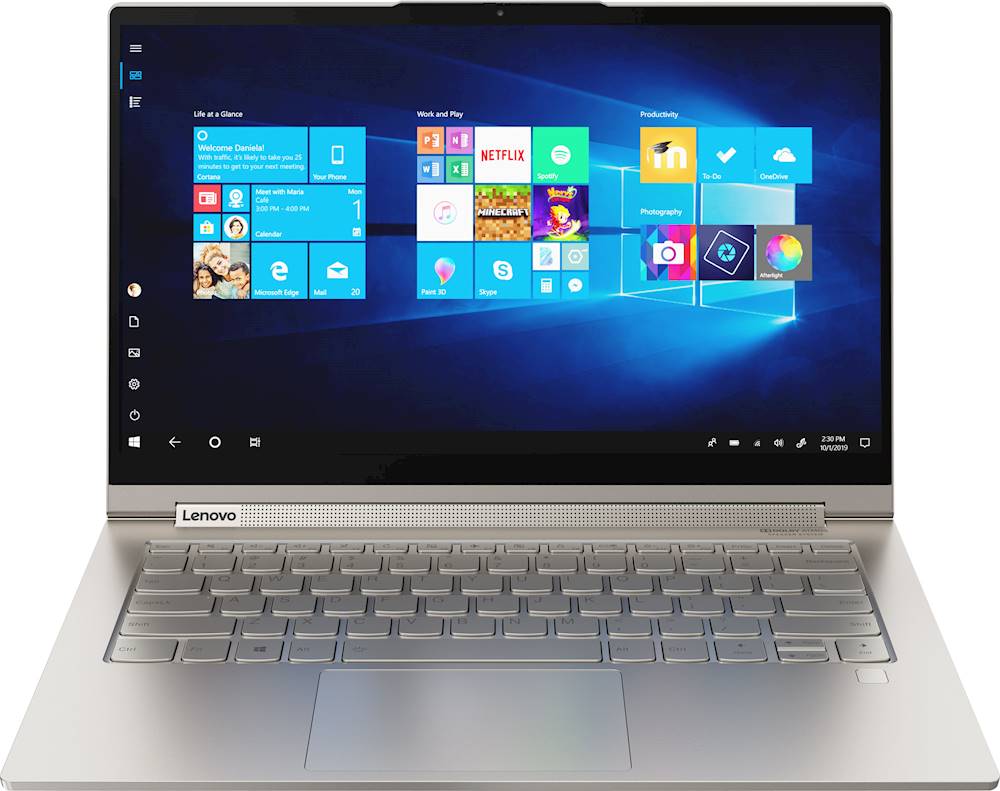
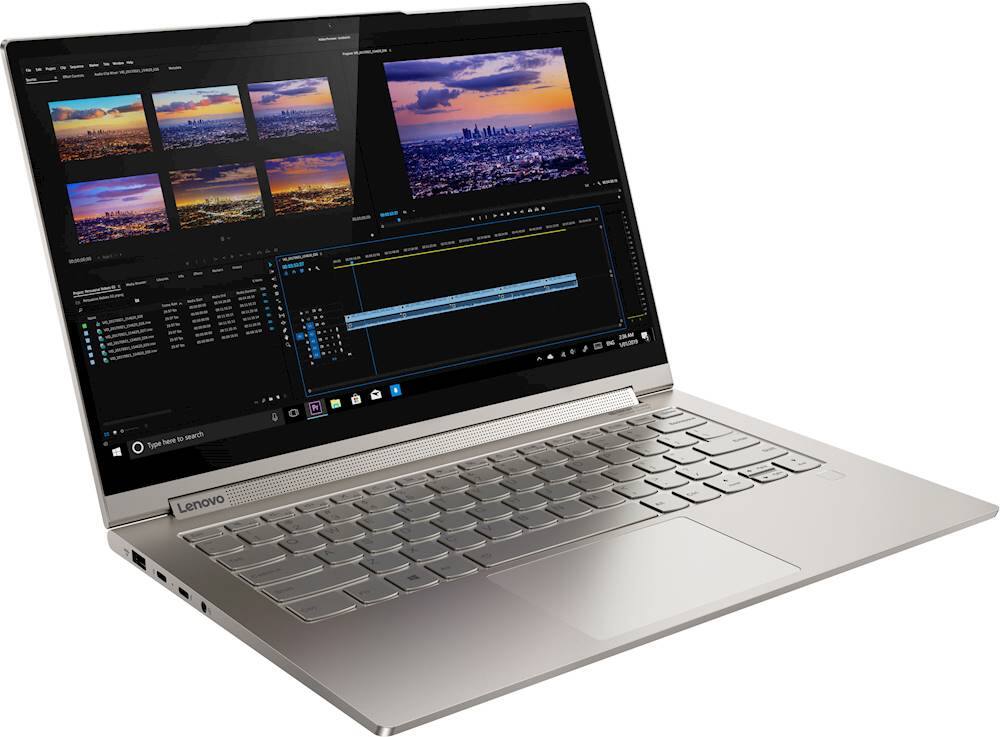
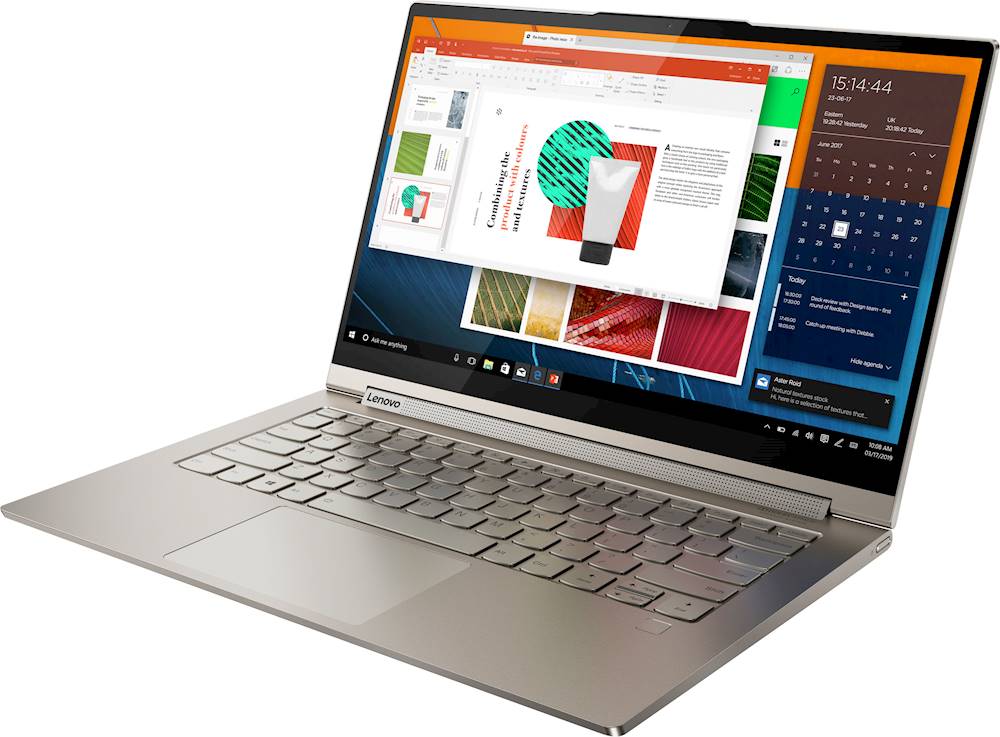
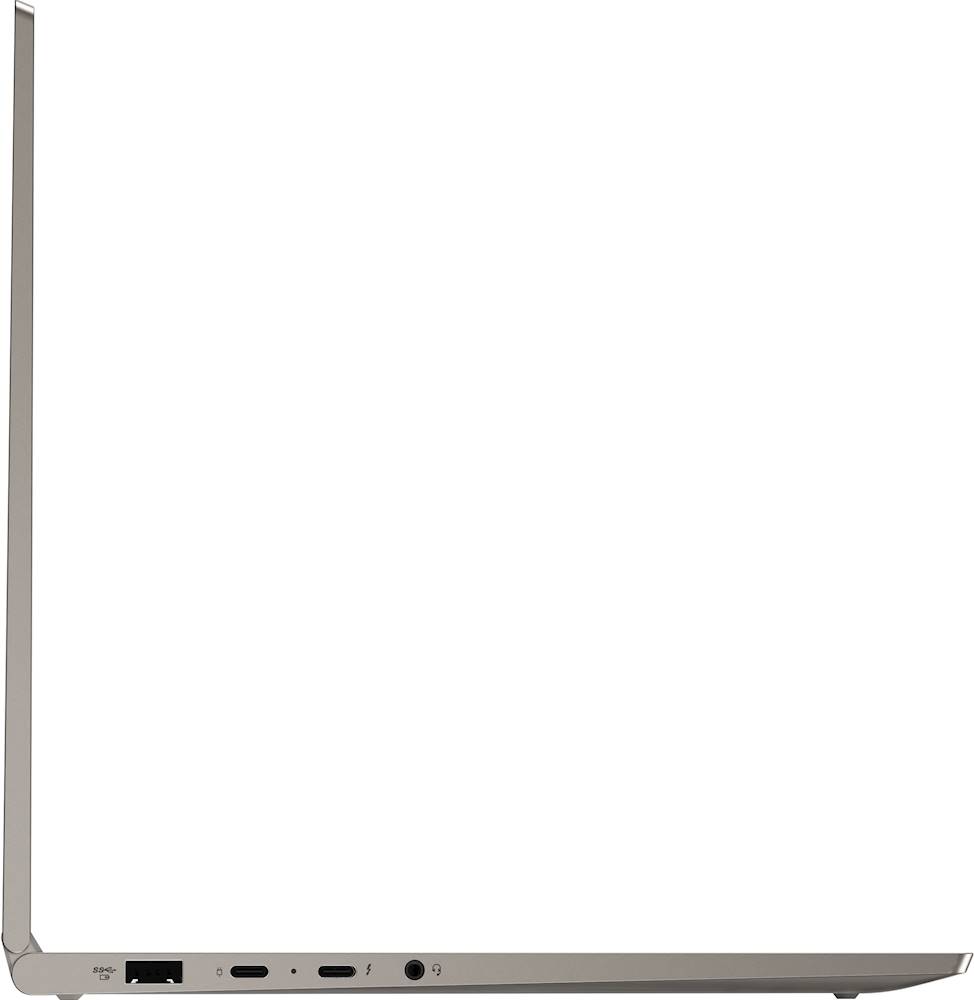
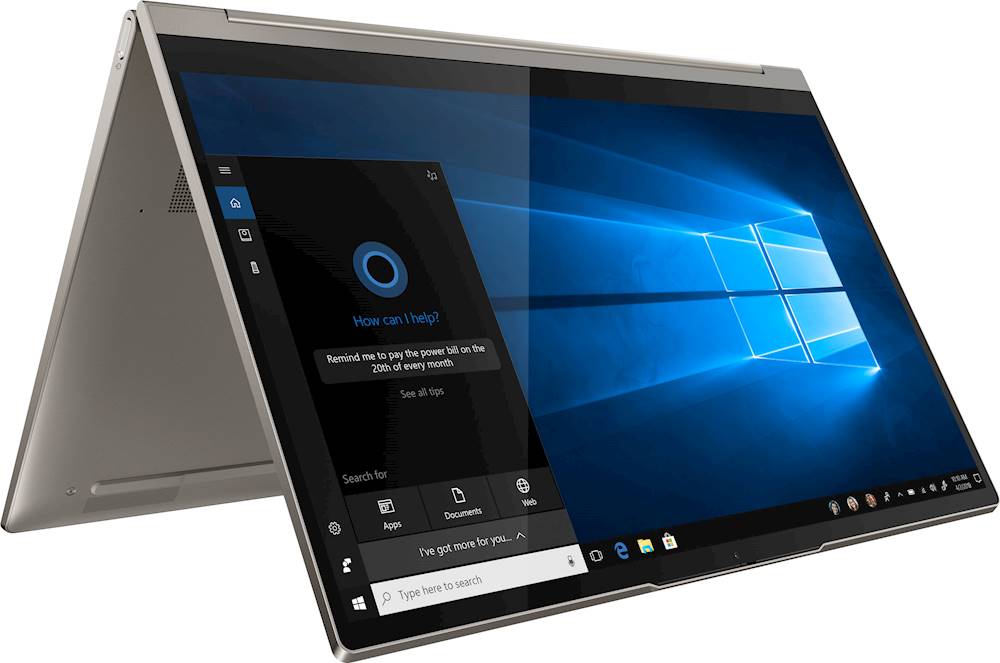
Customers are enthusiastic about the Yoga C940 2-in-1 laptop's fast performance, responsive touch screen, long battery life, and lightweight design. They appreciate the solid build quality and high-quality screen. However, some customers have concerns about the limited number of ports, occasional fan noise, and higher price point.
This summary was generated by AI based on customer reviews.
- Pros mentioned:Touch screen
My Yoga is exactly what I needed.
||Posted . Owned for 2 weeks when reviewed.This reviewer received promo considerations or sweepstakes entry for writing a review.Enjoying the features of the Yoga C940. Was able to transfer all my legacy files without any loss. Secure in knowing they are there for support when I have issues or need help. The security features, the touch screen and the finger print login are three of my favorite features. Perfect screen size and weight for ease of portability but also large enough to review documents and watch videos. Exactly what I needed to solve both my home and travel needs in one device.
I would recommend this to a friend - Pros mentioned:Battery life, Touch screen
Fabulous Laptop
||Posted . Owned for 11 months when reviewed.This reviewer received promo considerations or sweepstakes entry for writing a review.Love this computer. has great battery and wonderful easy to use functions. Will never not buy a touchscreen again!
I would recommend this to a friend - Pros mentioned:Touch screen
Nice laptop, expected better given price
||Posted . Owned for 1 month when reviewed.This reviewer received promo considerations or sweepstakes entry for writing a review.Purchased this laptop as I was hoping to stick to a Windows operating system and felt at the price point, I would have a flawless experience. I loved the idea of a touchscreen and having a 2-in-1 laptop/tablet however, the system would stick when switching from laptop to tablet and the keystroke lagged frequently for no apparent reason. One would think with an i7 processor these issues would not exist.
No, I would not recommend this to a friendBrand response from Lenovo Product Expert
Posted .We are sorry to hear that you are having issues with your Lenovo Yoga C940-14. Be sure you have the latest version of Windows 10 on the computer, then update all of the BIOS files and drivers up to that latest version of Windows 10. You can easily accomplish this by using the Lenovo Utility software. This system has Lenovo utilities installed to help maintain the health of the device and keep the operating system software up to date. Type "Lenovo Vantage" in the Cortana Search window (if Lenovo Vantage is not installed on your device, you can download the APP and install it now). Select Lenovo Vantage from the list. In the window that opens, click on "Health and Support". In the expanded menu, select "Hardware Scan" In the window that opens, select "Run Quick Tests". This will scan your entire system for errors. Follow any directions that may pop up. If the problem continues after this scan, now click on "System Update". First select Windows update from the menu. Scan your system to be sure you have the latest version of Windows 10. Once that scan is complete, select "Additional Updates". This will scan your device to be sure there are no new BIOS/Driver updates needed. Follow any instructions that may pop up. If the issue still continues after these updates, we recommend you call Lenovo Tech Support at: 877-453-6686 for additional help.

- Pros mentioned:Fast
Great, but freezes
||Posted . Owned for 3 months when reviewed.This reviewer received promo considerations or sweepstakes entry for writing a review.This laptop is lightweight, fast, and the garaged pen is a nice bonus. The speakers are also great whether the laptop is folded or not. Unfortunately, I have been having issues with it freezing, which is odd since it is only 4 months old. The laptop would freeze or shut off randomly. I contacted Lenovo and sent it in for repair (they replaced the fan), but the back of the laptop was partially open when it was returned. After sending it back in for repair, the freezing/shutting down is still an issue. As a teacher who is starting work soon, I cannot send it in for repair a third time and go 2 weeks without a device. While it is a great laptop, due to this issue and the customer service, I would not recommend.
No, I would not recommend this to a friendBrand response from Lenovo Product Expert
Posted .The Lenovo Yoga C940-14 ships with Windows 10 Home 64-bit Operating System and should not freeze. Be sure any software you installed is compatible with Windows 10. There is no need to install Microsoft Office software. The software is already part of the operating system, you just need to activate the software with a purchased product key. If you have installed a copy of Microsoft Office, this is conflicting with the existing copy on the system and this will slow your system down. If you have installed a 3rd party anti-virus program, be sure that Windows Defender is turned off and that the trial version of McAfee Anti-Virus software is uninstalled. There can only be one anti-virus program on the system. You may need to restore your system to original factory default settings if any of the programming errors have occurred. You can do that by typing "restore" in the Cortana search window. Just click on the magnifying glass icon at the bottom left of your Windows 10 Desktop. Click on "Reset This PC" Then click on "Get Started" and follow the on screen directions to restore to factory defaults. If the problem persists, we recommend you contact Lenovo Tech Support at: 877-453-6686.
- Pros mentioned:Battery life
Its a good 14” laptop
||Posted . Owned for 1 month when reviewed.This reviewer received promo considerations or sweepstakes entry for writing a review.I'm mostly using it for school it's a great laptop overall. When in use for a long period of time it does get heat but nothing to be concerned about You can hear the fans but it's little to none the battery life gives me about 9 to 10 hours when using multiple apps like Word, Google, youtube, and taking notes. The Display can get pretty bright and dim. Overall It's a really good laptop for a student!! 9/10 Especially if you can get a really good deal like I did.
I would recommend this to a friendBrand response from Lenovo Product Expert
Posted .Once again, thank you for choosing the Lenovo Yoga C940-14. You can keep your computer running at its best by keeping the Windows 10 Operating System and all supporting BIOS files and drivers up to date. You can easily accomplish this by scanning the computer with the Lenovo Utility software available on this computer. This system has Lenovo utilities installed to help maintain the health of the device and keep the operating system software up to date. Type "Lenovo Vantage" in the Cortana Search window (if Lenovo Vantage is not installed on your device, you can download the APP and install it now). Select Lenovo Vantage from the list. In the window that opens, click on "Health and Support". In the expanded menu, select "Hardware Scan" In the window that opens, select "Run Quick Tests". This will scan your entire system for errors. Follow any directions that may pop up. If the problem continues after this scan, now click on "System Update". First select Windows update from the menu. Scan your system to be sure you have the latest version of Windows 10. Once that scan is complete, select "Additional Updates". This will scan your device to be sure there are no new BIOS/Driver updates needed. Follow any instructions that may pop up. If you ever need additional help with your Lenovo computer, we recommend you call Lenovo Tech Support at: 877-453-6686 for additional help.
Buy this while it's on sale at BestBuy.
||Posted . Owned for less than 1 week when reviewed.This reviewer received promo considerations or sweepstakes entry for writing a review.I bought this laptop as my home/work laptop and it's been such a pleasant machine to work on. Opening up the laptop is effortless, one finger needed only. There's no need to hold down the bottom of the laptop. Hinges feel well built, but don't just go opening and closing the laptop all you want. Learn to take care of your things (Life lesson is general.) Keyboard buttons are a a smooth, hard plastic. It's nicely spaced out. Feedback feels nice. Sometimes, I'll just type unnecessary words just so I can enjoy the typing experience. It feels that good. Trackpad is super responsive, it also also had multi touch gestures so you can switch between windows and screens. You can look up tutorials on YouTube. The aluminum build makes it feel super premium. Definitely makes me feel better about typing on it, since there's no give unlike those with a plastic build. The speakers are great for listening to. They can get loud, although they lack a bit of bass. The 1920x1080p FHD screen is sufficient, it also makes the battery last longer throughout your day. Do you use Dropbox? Lenovo has partnered with Dropbox to give you 100GB of storage for 1 year, with a purchase of a Lenovo laptop! (This is not a sponsored comment, just saying.)
I would recommend this to a friend- Pros mentioned:Light weight, Touch screen
It learns from you
||Posted . Owned for 5 months when reviewed.This reviewer received promo considerations or sweepstakes entry for writing a review.This is a great laptop. It has everything you need to be productive. Light weight, touch screen. Great keys.
I would recommend this to a friendBrand response from Lenovo Product Expert
Posted .Thank you for choosing the Lenovo Yoga C940-14. We are pleased to hear that the features and performance of the Yoga C940-14 meets your computing needs so well. Smarter performance for all
Lenovo is expanding what’s possible in a new class of Yoga laptops co-engineered by Lenovo and Intel to think smart with AI. Smarter responds to your voice from across the room. Smarter proactively optimizes battery life based on your work habits, up-scales streaming resolution to give you the best entertainment experience for your PC, and more. Intelligent performance
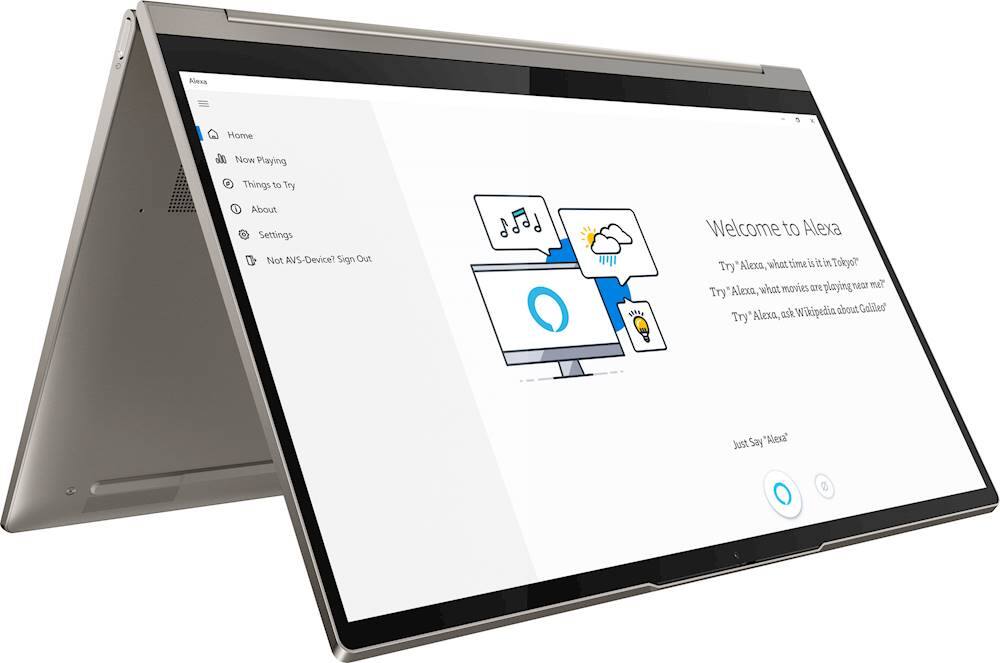
The Yoga C940 laptop offers an intuitive and personalized experience thanks to smarter 10th Gen Intel Core mobile processors that dynamically adjust performance based on what you need. Using Alexa and Cortana are as simple as asking a question. Get and set reminders, order dinner, turn on your favorite playlist and more. Talk more and type less—from up to 4 meters / 13 feet, with the Yoga C940’s far-field microphones.
- Pros mentioned:Fast
Very Impressed
||Posted . Owned for 3 weeks when reviewed.This reviewer received promo considerations or sweepstakes entry for writing a review.First off, I’ve owned several different brands of laptops. Dell was my go to for some time; however, Lenovo has become my choice. I find them to be very well made, and this Yoga is no different. It is quick and very smooth, and the sound is simply unbelievable. I had originally purchased this laptop directly through Lenovo; however, I cancelled my order when I found it on Bestbuy for a cheaper price and better specs. Also, it arrived the very next day!
I would recommend this to a friendBrand response from Lenovo Product Expert
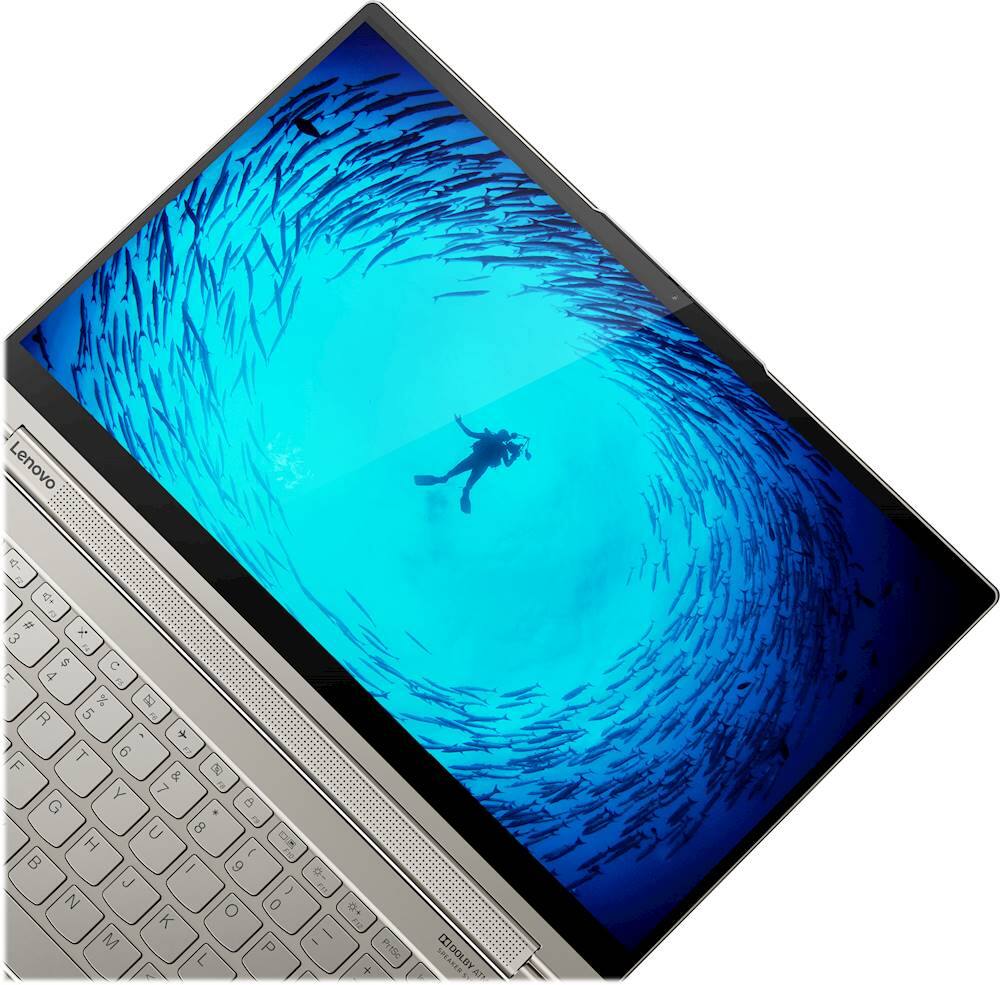
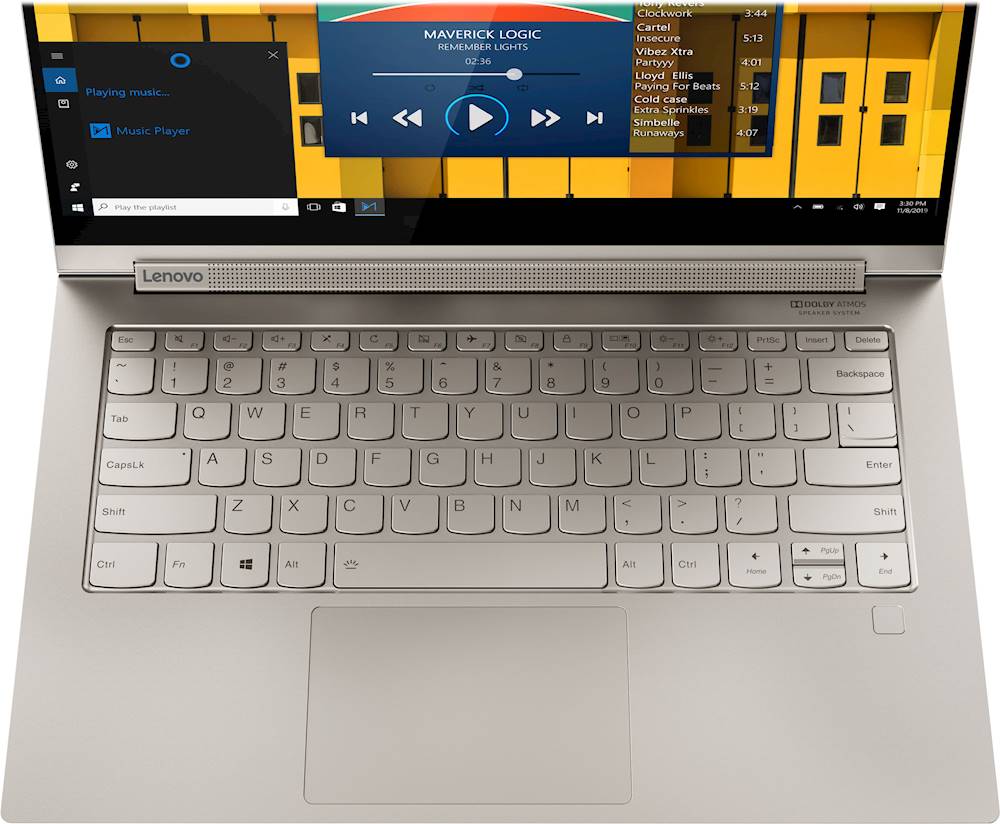
Posted .Thank you for choosing the Lenovo Yoga C940-14. We are pleased to hear that the value, features and performance of the Yoga C940-14 meets your computing needs so well. Every component of Yoga C940 was engineered with your experience in mind. That’s why The Yoga C940 offers the brilliant color and clarity with ultra-narrow bezels. At 400 nits brightness, it’s brighter than standard SDR displays. You’ll enjoy amazing realism that's vivid, nuanced, and powerful. Capture your ideas the moment inspiration hits with a garaged digital pen. Featuring an in-body charging compartment, the Yoga C940 ensures you’ll never lose a thought—or your digital pen—again. The convertible hinge hides a powerful Dolby Atmos Speaker System that immerses you in 3D sound in every mode. Combined with two sets of speakers featuring powerful subwoofers, custom tweeters, and unique vibration buffers that reduce unwanted noise, your audio will sound bigger, deeper, and more accurate. Experience how the Yoga C940 embodies world-class craftsmanship, innovative solutions, and elevated design. Log into your Yoga C940 in less than two seconds with an integrated fingerprint reader. That’s three times faster than the average time it takes to type a password. Forget your password.
Good machine.
||Posted . Owned for 3 weeks when reviewed.This reviewer received promo considerations or sweepstakes entry for writing a review.Feels very solid when I pick it up to carry. I'm not sure if it's a feature for the touchscreen to turn on and off. Right now, it's off. I bought this machine open-box and proud of it everytime I open it. The processor i7 is very fast, and the stylus type pen; I haven't figured out
I would recommend this to a friendBrand response from Lenovo Product Expert
Posted .Thank you for choosing the Lenovo Yoga C940-14. The touchscreen function should be on for this device. Here is a link to instructions for activating the touchscreen function within Windows 10. Your active pen will not work unless the touchscreen function is turned on: https://support.microsoft.com/en-us/windows/enable-and-disable-your-touchscreen-in-windows-10-b774e29d-be94-990f-c20f-e02892e572fc. If the touchscreen issue continues, we recommend you contact Lenovo Tech Support at: 877-453-6686.
- Cons mentioned:Price
Great computer for middle school
||Posted . Owned for 1 month when reviewed.This reviewer received promo considerations or sweepstakes entry for writing a review.Having a middle school child who will be taking online school for the 2020-2021 school year, this computer is great. Being able to go from traditional laptop to tablet helps...especially reading for language arts in tablet mode. The sound is also great for live learning lessons. It may be a little over-the-top for many especially when it comes to justifying price, but I believe the quality build and features will be worth it in the long run.
I would recommend this to a friendBrand response from Lenovo Product Expert
Posted .Thank you for choosing the Lenovo Yoga C940-14 for your child. We are pleased to hear that the features and performance of the Yoga C940-14 meets the computing needs of your child so well. Every component of Yoga C940 was engineered with your experience in mind. That’s why The Yoga C940 offers the brilliant color and clarity with ultra-narrow bezels. At 400 nits brightness, it’s brighter than standard SDR displays. You’ll enjoy amazing realism that's vivid, nuanced, and powerful. Capture your ideas the moment inspiration hits with a garaged digital pen. Featuring an in-body charging compartment, the Yoga C940 ensures you’ll never lose a thought—or your digital pen—again. The convertible hinge hides a powerful Dolby Atmos Speaker System that immerses you in 3D sound in every mode. Combined with two sets of speakers featuring powerful subwoofers, custom tweeters, and unique vibration buffers that reduce unwanted noise, your audio will sound bigger, deeper, and more accurate. Experience how the Yoga C940 embodies world-class craftsmanship, innovative solutions, and elevated design. Log into your Yoga C940 in less than two seconds with an integrated fingerprint reader. That’s three times faster than the average time it takes to type a password. Forget your password.
- Pros mentioned:Fast, Light weight
Great computer
||Posted . Owned for 1 month when reviewed.This reviewer received promo considerations or sweepstakes entry for writing a review.This is a great computer. It is very fast, the display is clear and precise. The light weight is a huge plus.
I would recommend this to a friendBrand response from Lenovo Product Expert
Posted .Thank you for choosing the Lenovo Yoga C940-14. This model weighs just 2.97 lbs. We are pleased to hear that the features and performance of the Yoga C940-14 meets your computing needs so well. Every component of Yoga C940 was engineered with your experience in mind. That’s why The Yoga C940 offers the brilliant color and clarity with ultra-narrow bezels. At 400 nits brightness, it’s brighter than standard SDR displays. You’ll enjoy amazing realism that's vivid, nuanced, and powerful. Capture your ideas the moment inspiration hits with a garaged digital pen. Featuring an in-body charging compartment, the Yoga C940 ensures you’ll never lose a thought—or your digital pen—again. The convertible hinge hides a powerful Dolby Atmos Speaker System that immerses you in 3D sound in every mode. Combined with two sets of speakers featuring powerful subwoofers, custom tweeters, and unique vibration buffers that reduce unwanted noise, your audio will sound bigger, deeper, and more accurate. Experience how the Yoga C940 embodies world-class craftsmanship, innovative solutions, and elevated design. Log into your Yoga C940 in less than two seconds with an integrated fingerprint reader. That’s three times faster than the average time it takes to type a password. Forget your password.
- Pros mentioned:Light weight
Yoga C940
||Posted . Owned for 1 month when reviewed.This reviewer received promo considerations or sweepstakes entry for writing a review.Its a really good laptop, very easy to use and very light too.. so far, I have no problems booting the machine, or no delays while opening it up from sleep. It has very fast processor and no lagging issues as of now. Although it seems to leave the color while viewing ultra hd content. But no major issues in that since it comes up very quickly from that.
I would recommend this to a friend - Pros mentioned:Battery life, Touch screen
Lenovo Yoga
||Posted . Owned for 2 months when reviewed.This reviewer received promo considerations or sweepstakes entry for writing a review.Great laptop. This Lenovo Yoga has a long battery life, responds fast and love the touch screen.
I would recommend this to a friendBrand response from Lenovo Product Expert
Posted .Hello. Thanks for choosing the Lenovo Yoga C940 Laptop. We are pleased to hear the features, performance, and design of the Yoga C940 are meeting your computing needs so well!
- Cons mentioned:Ports
Great laptop
||Posted . Owned for 3 weeks when reviewed.This reviewer received promo considerations or sweepstakes entry for writing a review.I had the original Lenovo yoga 13 from many years ago and upgraded to this one. Got a great deal from best buy. Definitely worth it for the price. The screen is actually bigger than my previous one, with a smaller form factor than the older laptop. Was very easy to set up and works great. The only thing I miss is the HDMI port since I also use an external monitor. But was able to get a USB-C to HDMI adapter and it works fine with that.
I would recommend this to a friendBrand response from Lenovo Product Expert
Posted .Once again, thank you for choosing the Lenovo Yoga C940-14. We appreciate your loyalty to the Yoga Product Family and the Lenovo Brand. You can keep your new computer running at its best by keeping the Windows 10 Operating System and all supporting BIOS files and drivers up to date. You can easily accomplish this by scanning the computer with the Lenovo Utility software available on this computer. Just type "Lenovo Vantage" in the Cortana Search window (if Lenovo Vantage is not installed on your device, you can download the APP and install it now). Select Lenovo Vantage from the list. In the window that opens, click on "Health and Support". In the expanded menu, select "Hardware Scan" In the window that opens, select "Run Quick Tests". This will scan your entire system for errors. Follow any directions that may pop up. If the problem continues after this scan, now click on "System Update". First select Windows update from the menu. Scan your system to be sure you have the latest version of Windows 10. Once that scan is complete, select "Additional Updates". This will scan your device to be sure there are no new BIOS/Driver updates needed. Follow any instructions that may pop up. If you ever need additional help with your Lenovo computer, we recommend you call Lenovo Tech Support at: 877-453-6686 for additional help.
- Pros mentioned:Touch screen
Open Box this is a must buy if you get a good unit
||Posted .This reviewer received promo considerations or sweepstakes entry for writing a review.I got this open box, and while it took me about 2 different units to get the pen included, it was an excellent purchase for $550. The sound is top tier, full and LOUD. The screen is bright at around 500 nits. Keyboard and glass trackpad are great as well, clicky and tactile. I contacted Lenovo and got the warranty restarted as well from a year from purchase. Could not be happier with this laptop.
I would recommend this to a friendBrand response from Lenovo Product Expert
Posted .Thank you for choosing the Lenovo Yoga C940-14 model number 81Q9002GUS. This model ships with a 14 inch (screen size measured diagonally) IPS - FHD (1920x1080) 10-point Multi-touch screen, with a brightness level of 400 nits, has a Glossy finish. This screen is Dolby Vision Certified. We are pleased to hear that the features and performance of the Yoga C940-14 meets your computing needs so well.
- Pros mentioned:Fast
New Lenova C940
||Posted . Owned for 2 weeks when reviewed.This reviewer received promo considerations or sweepstakes entry for writing a review.My old Lenova Yoga was finally having some issues and I need a reliable laptop for my college work (adjunct professor and tutoring). The new Lenova C940 is fast, the video is crisp and the laptop is amazing. Very happy after 3 weeks and I know it will last me a while. The only issue I have is the little band aid they have for the webcam. Once you open the band aid up it is hard to stay sticky. Other than that, the laptop is a keeper!
I would recommend this to a friend Great Value
||Posted . Owned for 3 weeks when reviewed.This reviewer received promo considerations or sweepstakes entry for writing a review.If you want a 2 in 1 with a little kick, the iris plus graphics are good enough. Pen experience is great, although I wish it was easier to take the pen out while not in tablet mode. Build quality is excellent and feels good to use. The display is beautiful. Overall, very satisfied with the purchase, and on sale it was an unbeatable deal for the quality.
I would recommend this to a friendBrand response from Lenovo Product Expert
Posted .Once again, thank you for choosing the Lenovo Yoga C940-14. You can keep your computer running at its best by keeping the Windows 10 Operating System and all supporting BIOS files and drivers up to date. You can easily accomplish this by scanning the computer with the Lenovo Utility software available on this computer. Just type "Lenovo Vantage" in the Cortana Search window (if Lenovo Vantage is not installed on your device, you can download the APP and install it now). Select Lenovo Vantage from the list. In the window that opens, click on "Health and Support". In the expanded menu, select "Hardware Scan" In the window that opens, select "Run Quick Tests". This will scan your entire system for errors. Follow any directions that may pop up. If the problem continues after this scan, now click on "System Update". First select Windows update from the menu. Scan your system to be sure you have the latest version of Windows 10. Once that scan is complete, select "Additional Updates". This will scan your device to be sure there are no new BIOS/Driver updates needed. Follow any instructions that may pop up. If you ever need additional help with your Lenovo computer, we recommend you call Lenovo Tech Support at: 877-453-6686 for additional help.
- Pros mentioned:Performance, Touch screen
laptop computer
||Posted . Owned for 3 weeks when reviewed.This reviewer received promo considerations or sweepstakes entry for writing a review.Faster excellent easy to drivetouching the screen is the best of the best that I bought
I would recommend this to a friend - Pros mentioned:Battery life
Almost Perfect
||Posted . Owned for 1 month when reviewed.This reviewer received promo considerations or sweepstakes entry for writing a review.I purchased because of its small size and battery life. I wasn’t disappointed. However, I thought it had a slot for a cellular SIM card. Other than the missing sim slot, it is excellent for doing business on the road. Using the cellular hotspot isn’t as bad as I thought it would be. The battery life, sound quality and display are awesome.
I would recommend this to a friend - Pros mentioned:Fast, Light weight
A great computer & getting better
||Posted . Owned for 3 weeks when reviewed.This reviewer received promo considerations or sweepstakes entry for writing a review.Fast, light and great to work with I wish the pen was larger
I would recommend this to a friendBrand response from Lenovo Product Expert
Posted .Once again, thank you for choosing the Lenovo Yoga C940-14. You can keep your computer running at its best by keeping the Windows 10 Operating System and all supporting BIOS files and drivers up to date. You can easily accomplish this by scanning the computer with the Lenovo Utility software available on this computer. Just type "Lenovo Vantage" in the Cortana Search window (if Lenovo Vantage is not installed on your device, you can download the APP and install it now). Select Lenovo Vantage from the list. In the window that opens, click on "Health and Support". In the expanded menu, select "Hardware Scan" In the window that opens, select "Run Quick Tests". This will scan your entire system for errors. Follow any directions that may pop up. If the problem continues after this scan, now click on "System Update". First select Windows update from the menu. Scan your system to be sure you have the latest version of Windows 10. Once that scan is complete, select "Additional Updates". This will scan your device to be sure there are no new BIOS/Driver updates needed. Follow any instructions that may pop up. If you ever need additional help with your Lenovo computer, we recommend you call Lenovo Tech Support at: 877-453-6686 for additional help.