Customer Ratings & Reviews
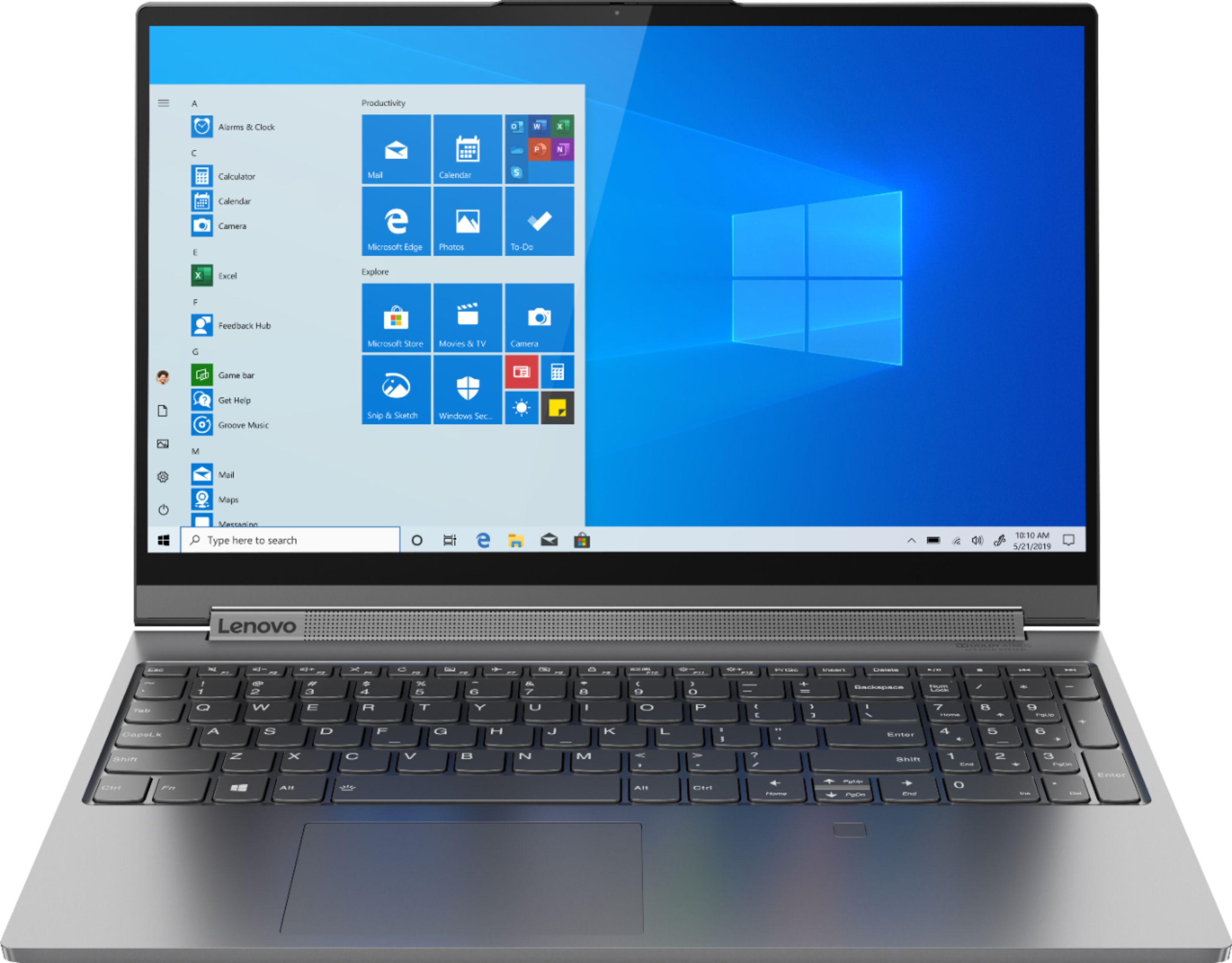

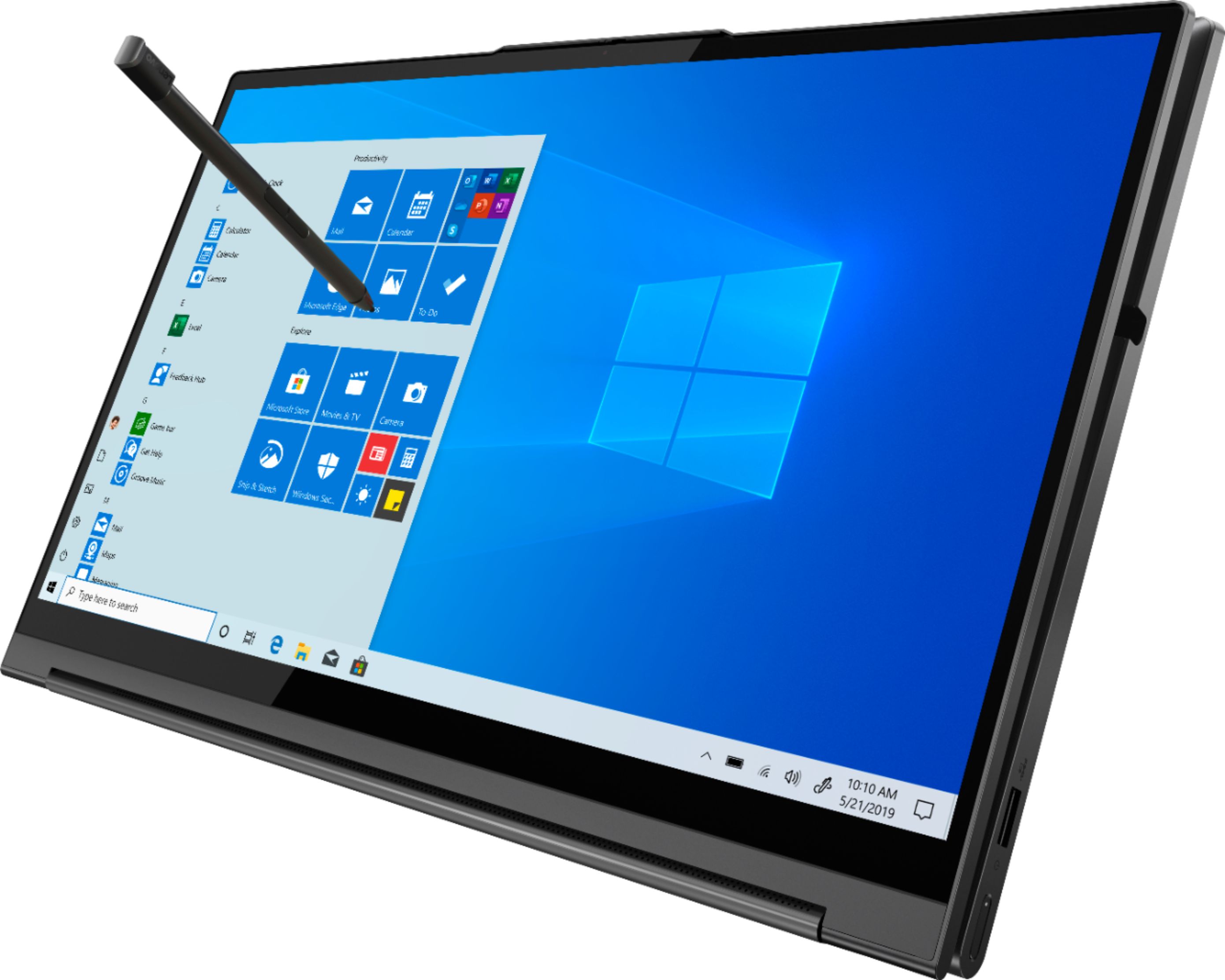

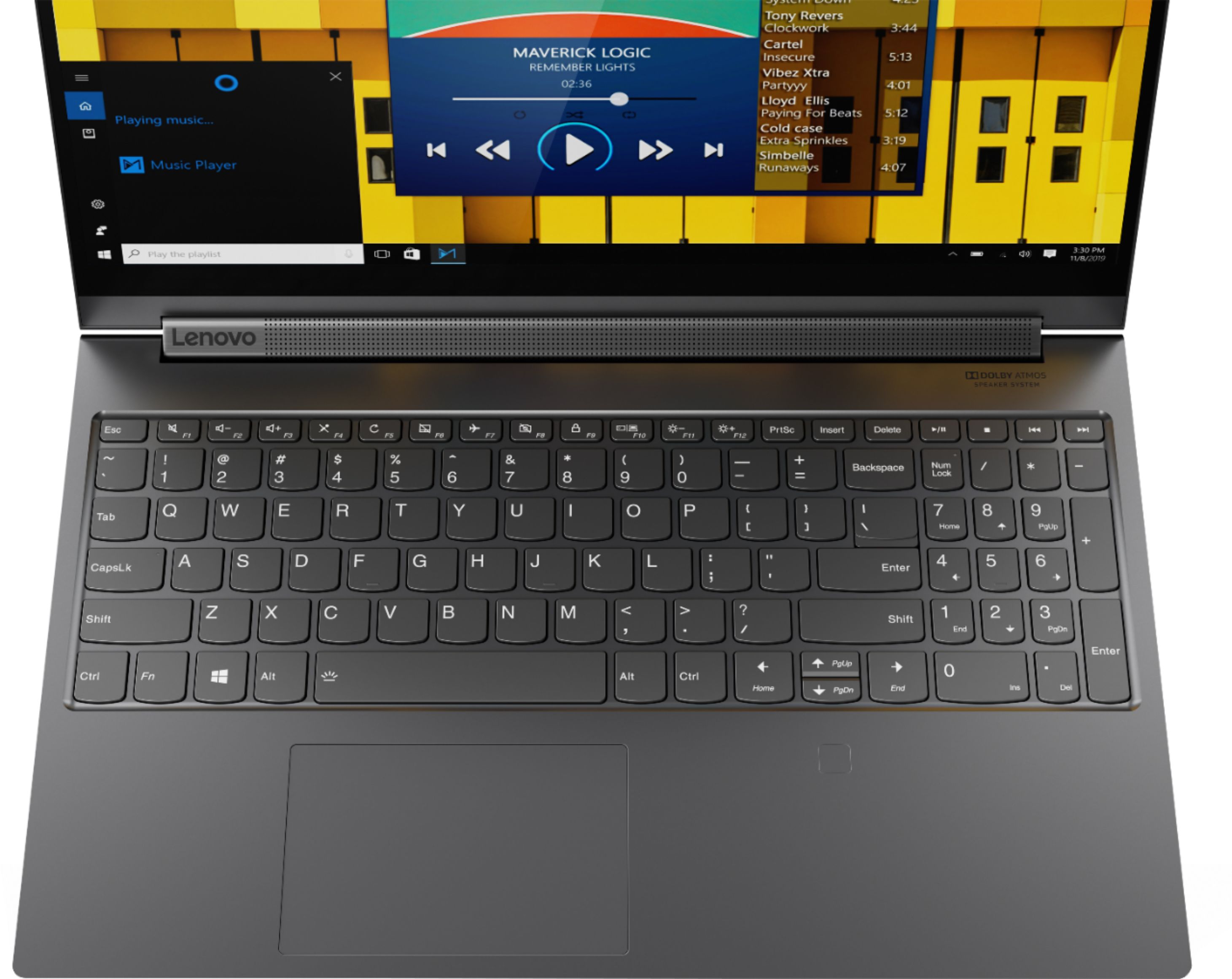
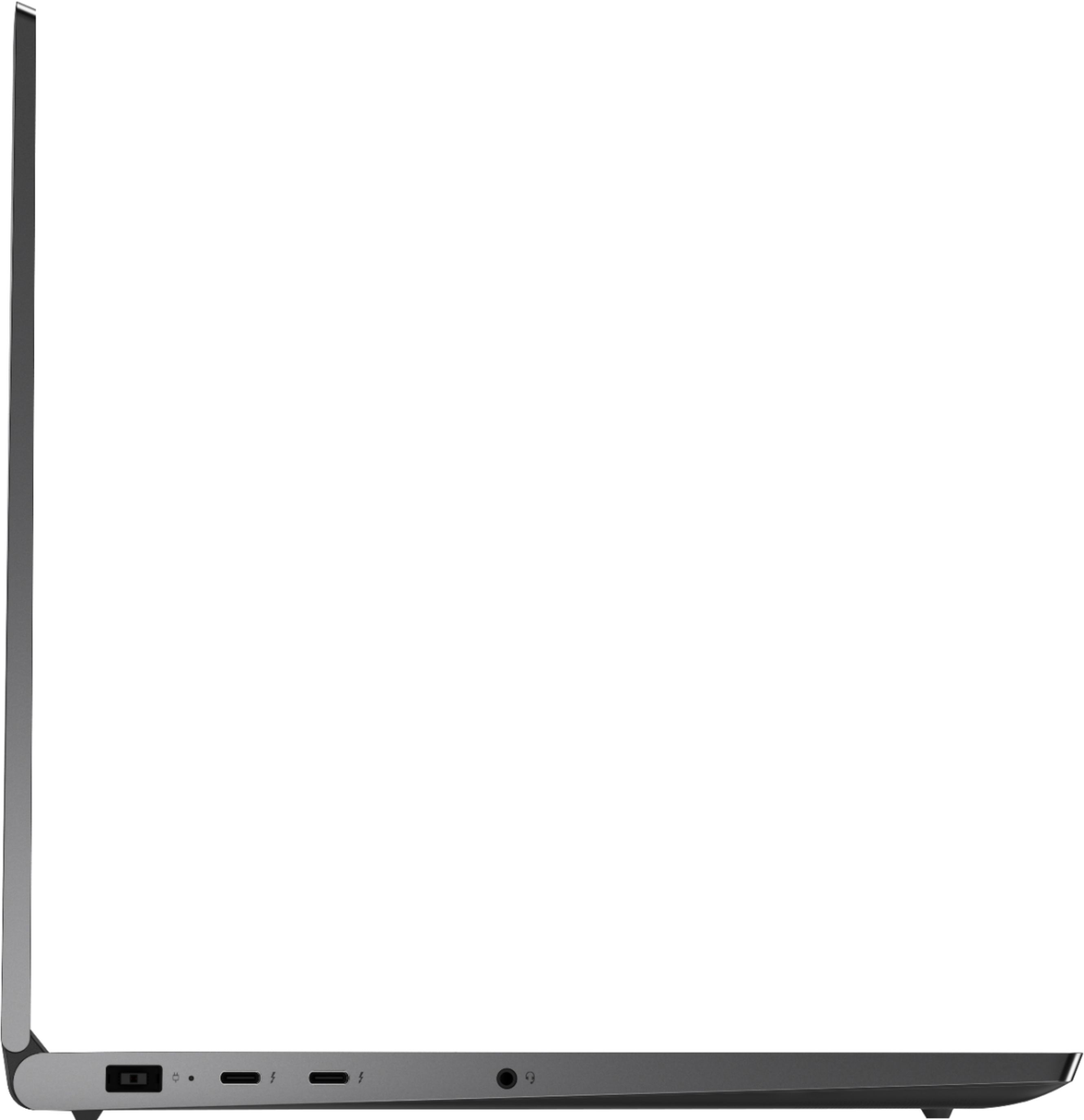






- Model:
- 81TE0000US
- SKU:
- 6367793
Rating by feature
- Battery Life
Rating 3.7 out of 5 stars
- Speed
Rating 4.3 out of 5 stars
- Display
Rating 4.3 out of 5 stars
Customers are saying
Customers consistently note the Yoga C940's powerful performance, excellent build quality, and responsive touch screen. Many users also appreciate its great price, easy-to-use interface, and impressive multitasking capabilities. However, some users have expressed concerns about its short battery life, loud fan noise, and tendency to overheat.
This summary was generated by AI based on customer reviews.
- Cons mentioned:Overheating
Geek Squad lied
||Posted . Owned for 6 months when reviewed.This reviewer received promo considerations or sweepstakes entry for writing a review.I purchased this lap top in Feb. 2020. Since then on 3 occasions it overheated when left plugged in over night. It was almost to hot to touch. I have never had this experience with a lap top until now. Concerned about circuit board or battery damage I took it into Geek Squad on Aug 20 for an evaluation. They completed a diagnostic and found no problems. I was told however that a laptop should never be left plugged in indefinitely as it could overcharge the Lithium Ion battery. later that day I called sales support to see if this was a correct assessment of a laptop? It should never be left plugged in indefinitely. The sales person was from a different store and asked her Geek Squad tech if a laptop should never be left plugged in. He told her that there was something wrong with the laptop and it should be opened up to inspect the circuit boards and probably a defective battery replacement. Sound familiar? A Lithium Ion battery that overheats and catches fire? I am taking the unit back and demanding a replacement battery at the least. I also want a picture of the circuit board to confirm no discoloration due to heat. Beware of Geek Squad?
I would recommend this to a friendBrand response from Lenovo Product Expert
Posted .Hello, we are sorry to hear you experienced this issue with your Lenovo Yoga C940. We recommend reaching out to Lenovo Customer support at 877-453-6686

Great 2-in-1!
||Posted . Owned for 2 weeks when reviewed.This reviewer received promo considerations or sweepstakes entry for writing a review.I absolutely love this laptop. It can handle all of my software for work and is so easy to transport which was crucial for me. I love the built-in pen, headphone jack, usb, and two usb-c slots. I would have loved an hdmi but I was able to get an attachment that has all the slots needed that hooks through the usb-c.
I would recommend this to a friendBrand response from Lenovo Product Expert
Posted .Thank you for choosing the Lenovo Yoga C940-15. We are pleased to hear that the features and performance of the Yoga C940-15 meets your computing needs so well. Every component of Yoga C940 was engineered with your experience in mind. That’s why the Yoga C940 offers the brilliant color and clarity with ultra-narrow bezels, with 500 nits brightness, it’s 50-percent brighter than standard SDR displays. You’ll enjoy amazing realism that's vivid, nuanced, and powerful. Capture your ideas the moment inspiration hits with a garaged digital pen. Featuring an in-body charging compartment, the Yoga C940 ensures you’ll never lose a thought—or your digital pen—again. The convertible hinge hides a powerful Dolby Atmos Speaker System that immerses you in 3D sound in every mode. Combined with two sets of speakers featuring powerful subwoofers, custom tweeters, and unique vibration buffers that reduce unwanted noise, your audio will sound bigger, deeper, and more accurate. Experience how the Yoga C940 embodies world-class craftsmanship, innovative solutions, and elevated design. Log into your Yoga C940 in less than two seconds with an integrated fingerprint reader. That’s three times faster than the average time it takes to type a password. Forget your password.
YOGA C940 is great until it's NOT
||Posted . Owned for 2 months when reviewed.This reviewer received promo considerations or sweepstakes entry for writing a review.I bought this laptop 3 months ago... I have loved it. Its soundbar is awesome and the 4k screen is unreal... again until it's not. My screen has recently started to flicker and do crazy things... I did some research and who knew!... This is not uncommon with this laptop. I contacted Lenovo support because of course, it is still under the factory warranty. After trying to talk to a real person for 48 hours, I got someone, with roosters making noise in the background, who insisted it was the graphics card that was fried. They wanted me to send in my laptop which could take up to a month and I couldn't send it in anyways due to compliance issues. They then said I could bring it to a certified Lenovo repair center so I drove into the city for them to look at it. Nope. They were going to send it out anyways. BAD BAD BAD. So now my screen does not work and when it does the colors off and turns into a strobe light every so often. After doing further research it is not the graphics card, it is the wiring in from the screen to the computer and the whole screen and wires need to be replaced. This is caused by you folding the laptop screen back in forth... which it is meant to do. The tablet feature is awesome until it breaks your screen. Going to Best Buy tomorrow and demanding a return and buying a new laptop. It is insane to me that you buy a brand new $1,500 laptop that is known to have these issues.
No, I would not recommend this to a friendBrand response from Lenovo Product Expert
Posted .We are sorry to hear that you are having issues with your Lenovo Yoga C940-15. It is possible that a reset of the computer back to original factory settings may correct the issue you describe. Since you are having issues with the screen, you may not be able to properly boot the computer to reset it. This system is equipped with OneKey Recovery System. There is a very small pin hole on the bottom, right side of the device, right near the top right corner of the cooling vent on the bottom of the device. You will need a pin to push this reset button. Plug the device in. Let the battery charge for about 15 minutes. Push the reset button. The system should boot to a choice screen where you can choose "Restore To Factory Default". Select this. It will delete everything from the hard drive except the original factory install of the operating system. You will need to reinstall all programs and files after the reset. If you don't have copies of the files, try to make one before you restore by selecting "Boot to desktop" and trying to back up your files. Once you have the computer reset, be sure any software you installed is compatible with Windows 10. There is no need to install Microsoft Office software. The software is already part of the operating system, you just need to activate the software with a purchased product key. If you have installed a copy of Microsoft Office, this is conflicting with the existing copy on the system and this will slow your system down. If you have installed a 3rd party anti-virus program, be sure that Windows Defender is turned off and that the trial version of McAfee Anti-Virus software is uninstalled. There can only be one anti-virus program on the system. You may need to restore your system to original factory default settings if any of the programming errors have occurred. You can do that by typing "restore" in the Cortana search window. Just click on the magnifying glass icon at the bottom left of your Windows 10 Desktop. Click on "Reset This PC" Then click on "Get Started" and follow the on screen directions to restore to factory defaults. If the problem persists, we recommend you contact Lenovo Tech Support at: 877-453-6686.
Great metal build
||Posted . Owned for 3 months when reviewed.This reviewer received promo considerations or sweepstakes entry for writing a review.Great laptop that includes a numeric keypad for rapid numeric inputs!! Solid metal body just like my Dell XPS 15. Good value for the money.
I would recommend this to a friendLenovo -Yoga C940
||Posted . Owned for 1 month when reviewed.This reviewer received promo considerations or sweepstakes entry for writing a review.The Lenovo C940 is much better and faster with the new modern processor then my old laptop. The touch screen is a nice option, but I find myself just going old school most of the time. Would definitely recommend!
I would recommend this to a friendNot the best keyboard
||Posted .This reviewer received promo considerations or sweepstakes entry for writing a review.I found it difficult to use, uncomfortable. Other than that everything ok but I returned it in a few days cause I couldn’t get used to that keyboard.
No, I would not recommend this to a friendBrand response from Lenovo Product Expert
Posted .The Lenovo Yoga C940-15, model number 81TE0000US, ships with a standard QWERTY keyboard with 1.5 mm key travel for a comfortable typing experience. There is also an included 10 key numeric pad.
Worth the price & good battery life
||Posted . Owned for 9 months when reviewed.This reviewer received promo considerations or sweepstakes entry for writing a review.A bit pricey, but wow, what a nice computer! Light and thin, beautiful screen, fast WI-Fi 6, and the touch screen is great,
I would recommend this to a friendWay too loud
||Posted . Owned for less than 1 week when reviewed.This reviewer received promo considerations or sweepstakes entry for writing a review.The fans on this thing are way too loud. The pitch is not as irritatingly high as some other laptops but my unit had a kind of rattling noise in addition to just the regular fan noise. The trackpad feels really cheap when you left or right click. The screen is kind of bland. Aside from those things it was a well equipped and decent machine. I returned mine just because I'm sensitive to noise. Also note that it won't charge from the thurnderbolt port.
No, I would not recommend this to a friendBrand response from Lenovo Product Expert
Posted .We are sorry to hear you are having issues with your Lenovo Yoga C940-15. You can use Lenovo Q-Control to manually control fan performance: ( Fn + Q ) option to change the fan. The Yoga C940-15 ships with a one piece touchpad. You can make adjustments to the touchpad in your system settings. You can get there by clicking on the magnifying glass at the bottom left of your Windows 10 screen. Type "touchpad" in the search window. Select "Mouse & touchpad settings" from the list of choices. You can make general adjustments to the touchpad there. You can also select "Additional mouse options" for more detailed adjustments to the touchpad sensitivity by increasing the delay of the touchpad. The Yoga C940-15, model number 81TE0000US, ships with a beautiful, HDR Vision screen, that is IPS LCD w/LED Backlight, with a resolution of 1920 x 1080 (FHD) and a crystal-clear 500 nits of brightness. If you continue to have issues with your Yoga C940-15, we recommend you call Lenovo Tech Support at: 877-453-6686.
Best in town
||Posted . Owned for 3 weeks when reviewed.This reviewer received promo considerations or sweepstakes entry for writing a review.Best 2 in 1 laptop on the market. Sturdy designed with no flex. Graphics card is good enough for most gaming needs. Beautiful display. Very good battery life. Only downside is the device has an issue maintaining a 5.0 ghz wifi signal while gaming, but 2.4 works so I'm good.
I would recommend this to a friendReally great 2 in 1 laptop
||Posted .This reviewer received promo considerations or sweepstakes entry for writing a review.This is the best laptop I have ever had! I love how crisp the graphics are and the battery life is really great. It's a little spendy but it is worth the price. It's not too heavy and it has a nice storage compartment for the stylus. The only downside for me is the lack of ports.
I would recommend this to a friendBrand response from Lenovo Product Expert
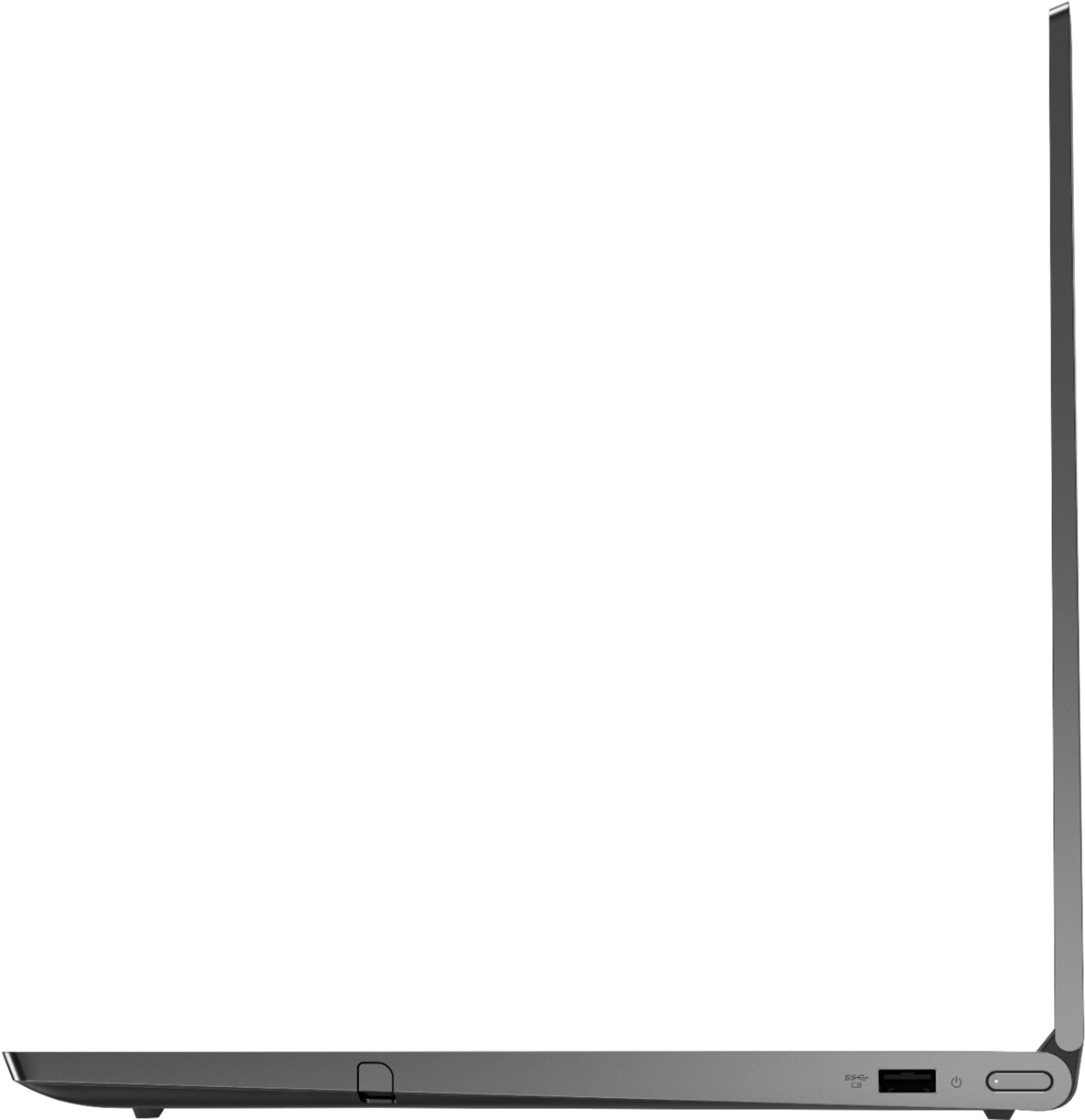
Posted .Thank you for choosing the Lenovo Yoga C940-15, model number 81TE0000US. This powerful configuration ships with one standard USB 3.1 port and two Thunderbolt 3.0 ports with video out, for connecting an external monitor or a docking station for even more capability. There is also a 3.5mm audio jack. Every component of Yoga C940 was engineered with your experience in mind. That’s why the Yoga C940 offers the brilliant color and clarity with ultra-narrow bezels, with 500 nits brightness, it’s 50-percent brighter than standard SDR displays. You’ll enjoy amazing realism that's vivid, nuanced, and powerful. Capture your ideas the moment inspiration hits with a garaged digital pen. Featuring an in-body charging compartment, the Yoga C940 ensures you’ll never lose a thought—or your digital pen—again. The convertible hinge hides a powerful Dolby Atmos Speaker System that immerses you in 3D sound in every mode. Combined with two sets of speakers featuring powerful subwoofers, custom tweeters, and unique vibration buffers that reduce unwanted noise, your audio will sound bigger, deeper, and more accurate. Experience how the Yoga C940 embodies world-class craftsmanship, innovative solutions, and elevated design. Log into your Yoga C940 in less than two seconds with an integrated fingerprint reader. That’s three times faster than the average time it takes to type a password. Forget your password.
- Cons mentioned:Overheating
Overheats despite driver and bios update
||Posted . Owned for 3 months when reviewed.This reviewer received promo considerations or sweepstakes entry for writing a review.Everything about this laptop is nice except for one major issue : The unit overheats on hard surfaces, i would imagine it would melt if i ever used it on my bed. When I first got the unit i noticed the fans ramped up quite a bit so i quickly updated the drivers and bios from lenovo's website. It didn't make a big difference but i figured I could workaround it. Well today, I had Adobe XD open and I closed the lid for a few minutes and came back, the laptop would not wake from sleep; it was so hot i could barely hold it. Just opened a ticket with Lenovo
No, I would not recommend this to a friendBrand response from Lenovo Product Expert
Posted .We are sorry to hear that you are having issues with your Lenovo Yoga C940-15. If you have updated Windows 10 to the latest version, then updated all BIOS files and drivers by using Lenovo Vantage Utility and the issue still continues, then be sure any software you installed is compatible with Windows 10. There is no need to install Microsoft Office software. The software is already part of the operating system, you just need to activate the software with a purchased product key. If you have installed a copy of Microsoft Office, this is conflicting with the existing copy on the system and this will slow your system down. If you have installed a 3rd party anti-virus program, be sure that Windows Defender is turned off and that the trial version of McAfee Anti-Virus software is uninstalled. There can only be one anti-virus program on the system. You may need to restore your system to original factory default settings if any of the programming errors have occurred. You can do that by typing "restore" in the Cortana search window. Just click on the magnifying glass icon at the bottom left of your Windows 10 Desktop. Click on "Reset This PC" Then click on "Get Started" and follow the on screen directions to restore to factory defaults. If the problem persists, we recommend you contact Lenovo Tech Support at: 877-453-6686.
After 43 days it's out for repairs.
||Posted . Owned for 1 month when reviewed.This reviewer received promo considerations or sweepstakes entry for writing a review.Not sure! I had this computer for 43 days. It was working fine. Yesterday I tried to turn it on and got a blank screen. I took it back to Best Buy Geek Squad. The tech took it in the back room where he took out the battery and put it back in. He said that had no effect; the screen was still blank. He told me he'd send it to Lexington Kentucky. I will be without it for two weeks. He told me it may be a defective motherboard - not sure.
I would recommend this to a friendBrand response from Lenovo Product Expert
Posted .We are sorry to hear that you are having issues with your Lenovo Yoga C940-14. It is possible that restoring the computer back to original factory settings may correct the issue you describe. Since you can not boot the computer, this system is equipped with OneKey Recovery System. There is a very small pin hole on the bottom right side of the device, right near the top right side of the cooling vent on the bottom of the device. You will need a pin to push this reset button. Plug the device in. Let the battery charge for about 15 minutes. Push the reset button. The system should boot to a choice screen where you can choose "Restore To Factory Default". Select this. It will delete everything from the hard drive except the original factory install of the operating system. You will need to reinstall all programs and files after the reset. If you don't have copies of the files, try to make one before you restore by selecting "Boot to desktop" and trying to back up your files. If the problem persists after the factory reset, we recommend you contact Lenovo Tech Support at: 877-453-6686.
- Cons mentioned:Overheating
Runs Hot and Shuts off when computer goes to sleep
||Posted .This reviewer received promo considerations or sweepstakes entry for writing a review.Computer is fast and nice when it works. Had to return it because it both ran very hot and would completely turn off if it goes to sleep or you closed the screen. This was not a software issue since we've tried everything under the books. There are other forums where users have complained about the same problem(s) having to due with shutting off.
No, I would not recommend this to a friendBrand response from Lenovo Product Expert
Posted .We are sorry to hear that you are having issues with your Lenovo Yoga C940-15. Be sure any software you installed is compatible with Windows 10. There is no need to install Microsoft Office software. The software is already part of the operating system, you just need to activate the software with a purchased product key. If you have installed a copy of Microsoft Office, this is conflicting with the existing copy on the system and this will slow your system down. If you have installed a 3rd party anti-virus program, be sure that Windows Defender is turned off and that the trial version of McAfee Anti-Virus software is uninstalled. There can only be one anti-virus program on the system. You may need to restore your system to original factory default settings if any of the programming errors have occurred. You can do that by typing "restore" in the Cortana search window. Just click on the magnifying glass icon at the bottom left of your Windows 10 Desktop. Click on "Reset This PC" Then click on "Get Started" and follow the on screen directions to restore to factory defaults. If the problem persists, we recommend you contact Lenovo Tech Support at: 877-453-6686.
Laptop
||Posted . Owned for 3 weeks when reviewed.This reviewer received promo considerations or sweepstakes entry for writing a review.Great product!!! Works great for new business venture. Only downside is that I had to purchase a docking station in order to connect other devices to it. It should come with one to at least have USB, and HDMI on it.
I would recommend this to a friendBrand response from Lenovo Product Expert
Posted .Thank you for choosing the Lenovo Yoga C940-14 model number 81TE0000US. This configuration ships with one standard USB port and two Thunderbolt ports that carry video out signals. If you need to connect an HDMI external monitor to this device, you can by using a Thunderbolt to HDMI adapter. Every component of Yoga C940 was engineered with your experience in mind. That’s why the Yoga C940 offers the brilliant color and clarity with ultra-narrow bezels, with 500 nits brightness, it’s 50-percent brighter than standard SDR displays. You’ll enjoy amazing realism that's vivid, nuanced, and powerful. Capture your ideas the moment inspiration hits with a garaged digital pen. Featuring an in-body charging compartment, the Yoga C940 ensures you’ll never lose a thought—or your digital pen—again. The convertible hinge hides a powerful Dolby Atmos Speaker System that immerses you in 3D sound in every mode. Combined with two sets of speakers featuring powerful subwoofers, custom tweeters, and unique vibration buffers that reduce unwanted noise, your audio will sound bigger, deeper, and more accurate. Experience how the Yoga C940 embodies world-class craftsmanship, innovative solutions, and elevated design. Log into your Yoga C940 in less than two seconds with an integrated fingerprint reader. That’s three times faster than the average time it takes to type a password. Forget your password.
Decent
||Posted . Owned for less than 1 week when reviewed.This reviewer received promo considerations or sweepstakes entry for writing a review.Purchases several of these over the last year. One was dead out of the box & another had a dead camera. Ask thre others worked well.
I would recommend this to a friendWorth the price
||Posted . Owned for 7 months when reviewed.This reviewer received promo considerations or sweepstakes entry for writing a review.Had it for months now, and I'm very happy with it. Fast to boot up, to load, and it's built pretty sturdy (I've dropped it a couple times from the bed but it's still working fine). Folding is easy and it works well as basically a giant tablet.
I would recommend this to a friendI love this computer
||Posted . Owned for 1 month when reviewed.This reviewer received promo considerations or sweepstakes entry for writing a review.It is a beautiful and fast computer, love everything about it except for its one poorly thought out feature, the positioning of the trackpad which is off center and makes typing awkward. It is a small setback considering how fantastic everything else is.
I would recommend this to a friendBrand response from Lenovo Product Expert
Posted .The Lenovo Yoga C940-15 ships with a standard QWERTY keyboard and a 10 key numeric pad. The Touchpad on the Yoga C940-15 is centered under the QWERTY keys, so when the typist's hands are in the Home Position on the keyboard, the Touchpad is centered under the typist's hands for easy access.
Had to return
||Posted . Owned for 7 months when reviewed.This reviewer received promo considerations or sweepstakes entry for writing a review.I am not sure if it is good or not. I had the previous version of the Yoga and loved it. Then during the pandemic, something made the computer unstable and it kept giving me blue screens and restarting on its own. I tried reinstalling but it did not work. I purchased this new computer and had the same problem so I switched to HP Spectre 360 and have had no problems.
No, I would not recommend this to a friend- Cons mentioned:Overheating
worse electronics purchase i've ever made
||Posted . Owned for 10 months when reviewed.This reviewer received promo considerations or sweepstakes entry for writing a review.this laptop has been a nightmare to use. constantly ovearheats to the point where it's too hot to even touch . i had to replace the initial purchase with a replacement "twice" due to other issues, and even then, what I ended up with is basically a hazard to leave unattended at home even in sleep mode. did i mention i sent it to Lenovo's service center where they claimed to have replaced the logic board and CPU fan, and after that was returned back to me, the laptop "still" ended up doing the exact same thing. at this point, i've lost all trust in the Yoga brand of laptops. I wish i could've exchanged this for a regular Thinkpad equivalent since i've never had an issue with that brand. But all i got from Lenovo support is to just send over the laptop to their service center one more time. this has been unequivocally the worst purchase i've ever made.
No, I would not recommend this to a friendBrand response from Lenovo Product Expert
Posted .The Lenovo IdeaPad 1-14 laptop is an entry level, light use system with its AMD A6-9220e processor, with a base speed of 1.6GHz and a boost speed of up to 2.4GHz, 4GB of RAM and a 64GB eMMC solid state hard drive, for quick access to files and programs. This model ships with Windows 10 S-Mode Operating System. Windows 10 S-Mode provides added security by only allowing APPs available ( and therefore certified by Microsoft) at the Microsoft Store. If you don't need the added security or you need to install APPs not available at the Microsoft Store, you can switch to standard Windows 10 Home 64-bit Operating System, at no additional cost. The Lenovo IdeaPad 1-14 laptop is not meant for multi-tasking or demanding programs. It is good for Microsoft Office and light internet browsing. The Lenovo IdeaPad 1-14 laptop ships with a free 1-year subscription to Microsoft Office 365 (a $69.00 value).
Good computer
||Posted . Owned for 3 months when reviewed.This reviewer received promo considerations or sweepstakes entry for writing a review.This is an overall good computer. We have had some issues along the way which many were cleared up with updates.
I would recommend this to a friendBrand response from Lenovo Product Expert
Posted .Hi Katie Thanks for choosing the Lenovo Yoga C940 Laptop. We are pleased to hear the features, performance, build quality, included pen, and feather light design of the Yoga C940 are meeting your computing needs so well! We apologize for any issues that may have arisen and are happy most were resolved with updates. If there are any lingering issues with the system please don't hesitate to reach out to Lenovo Technical Support at 877-453-6686