Customer Ratings & Reviews
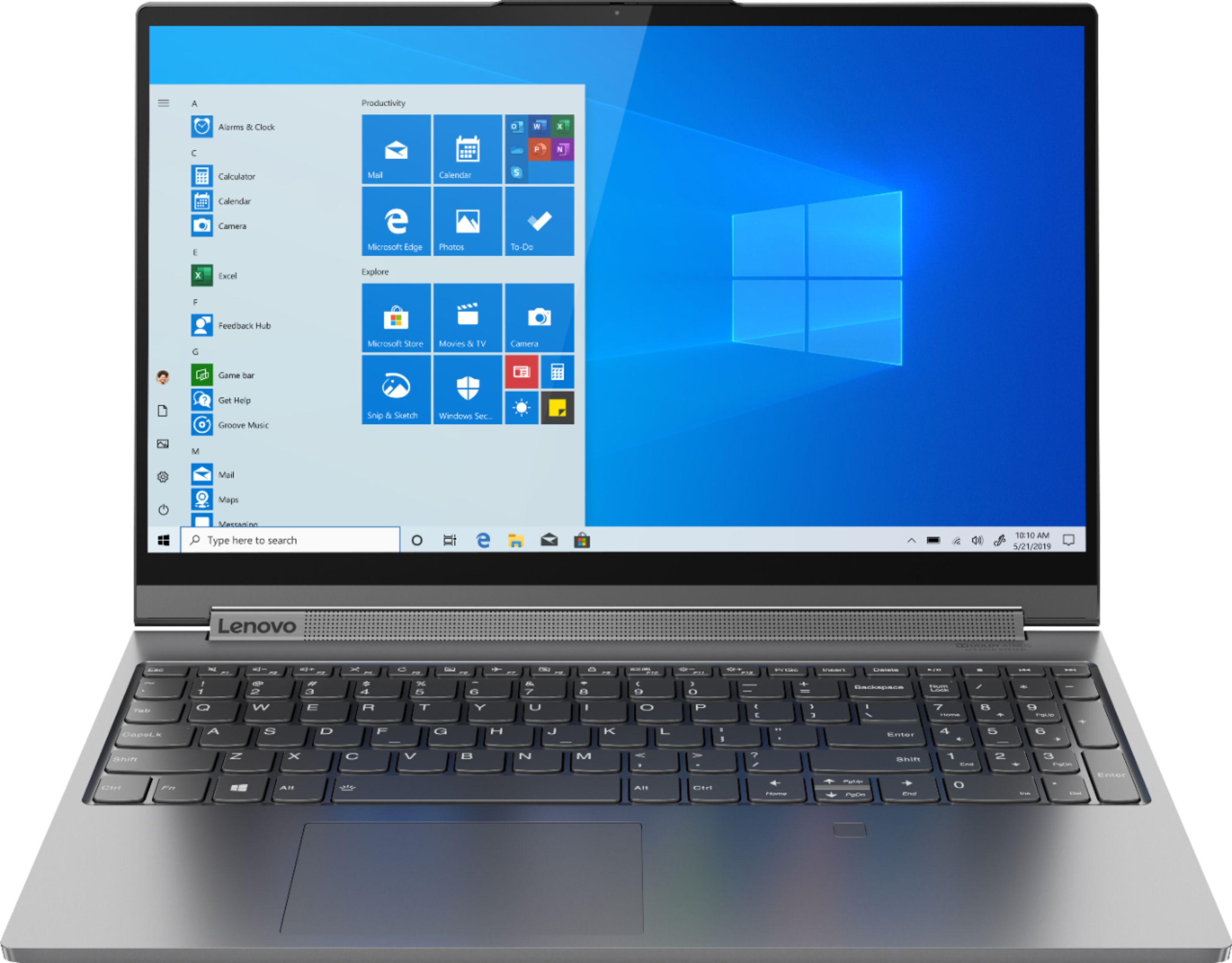

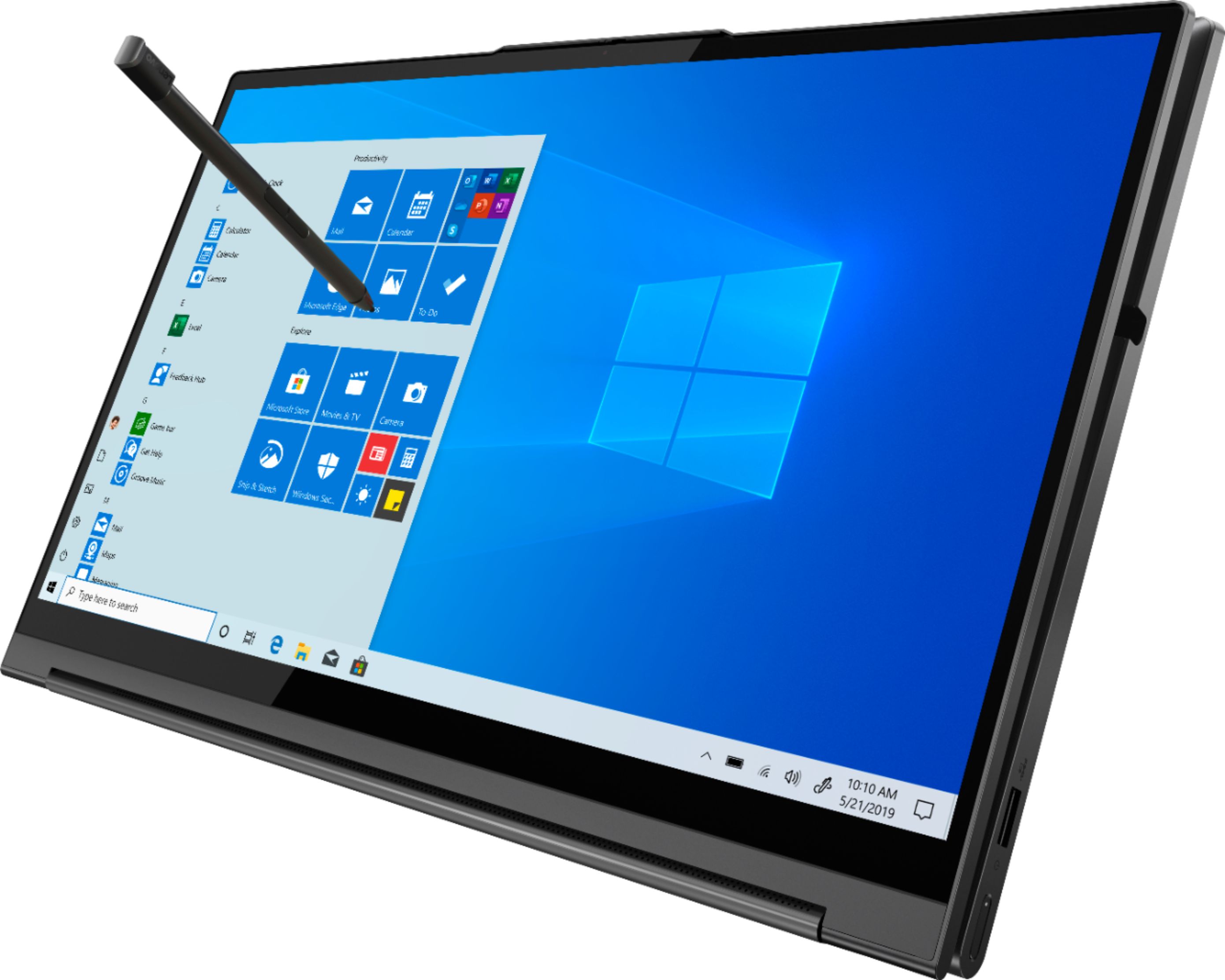

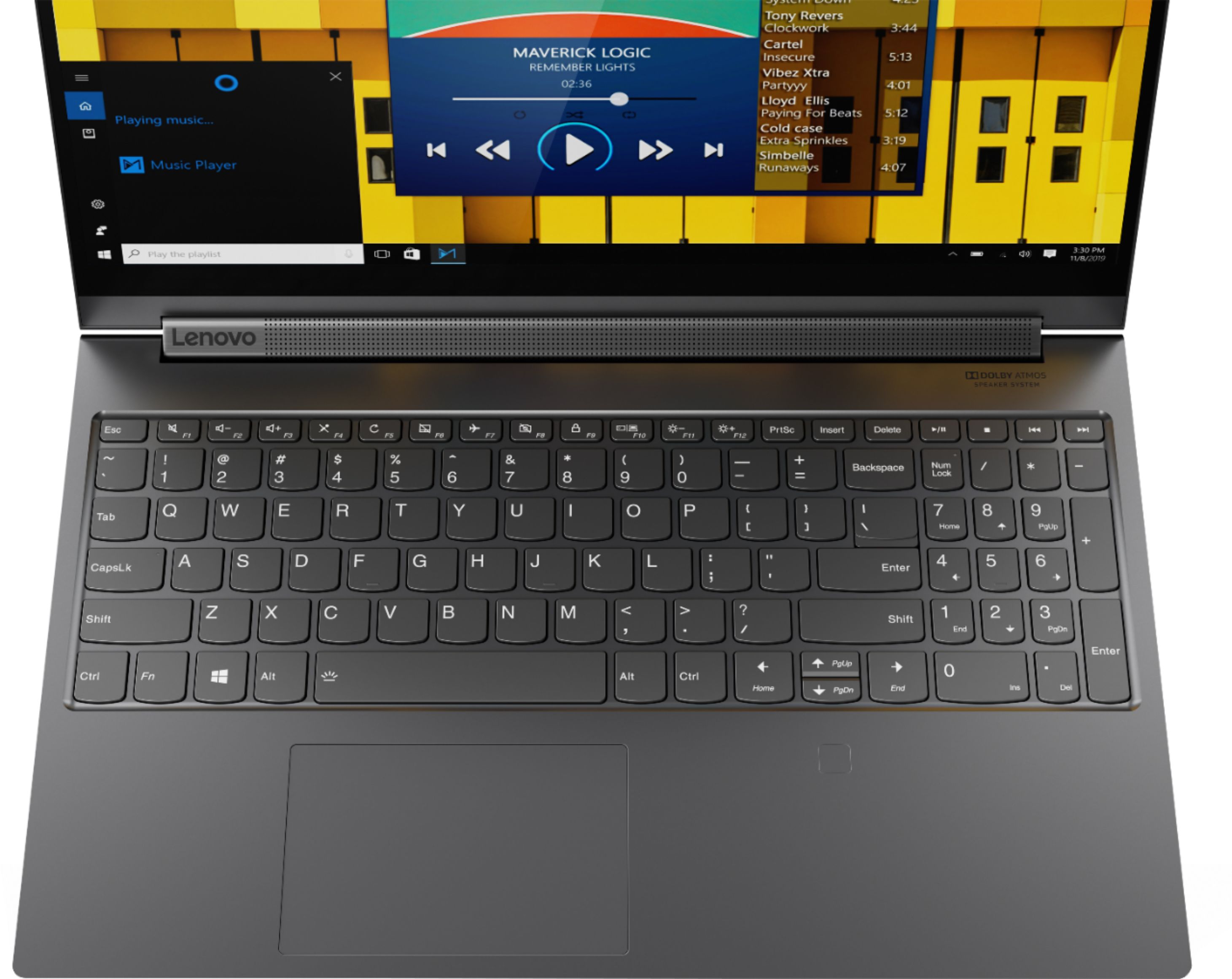
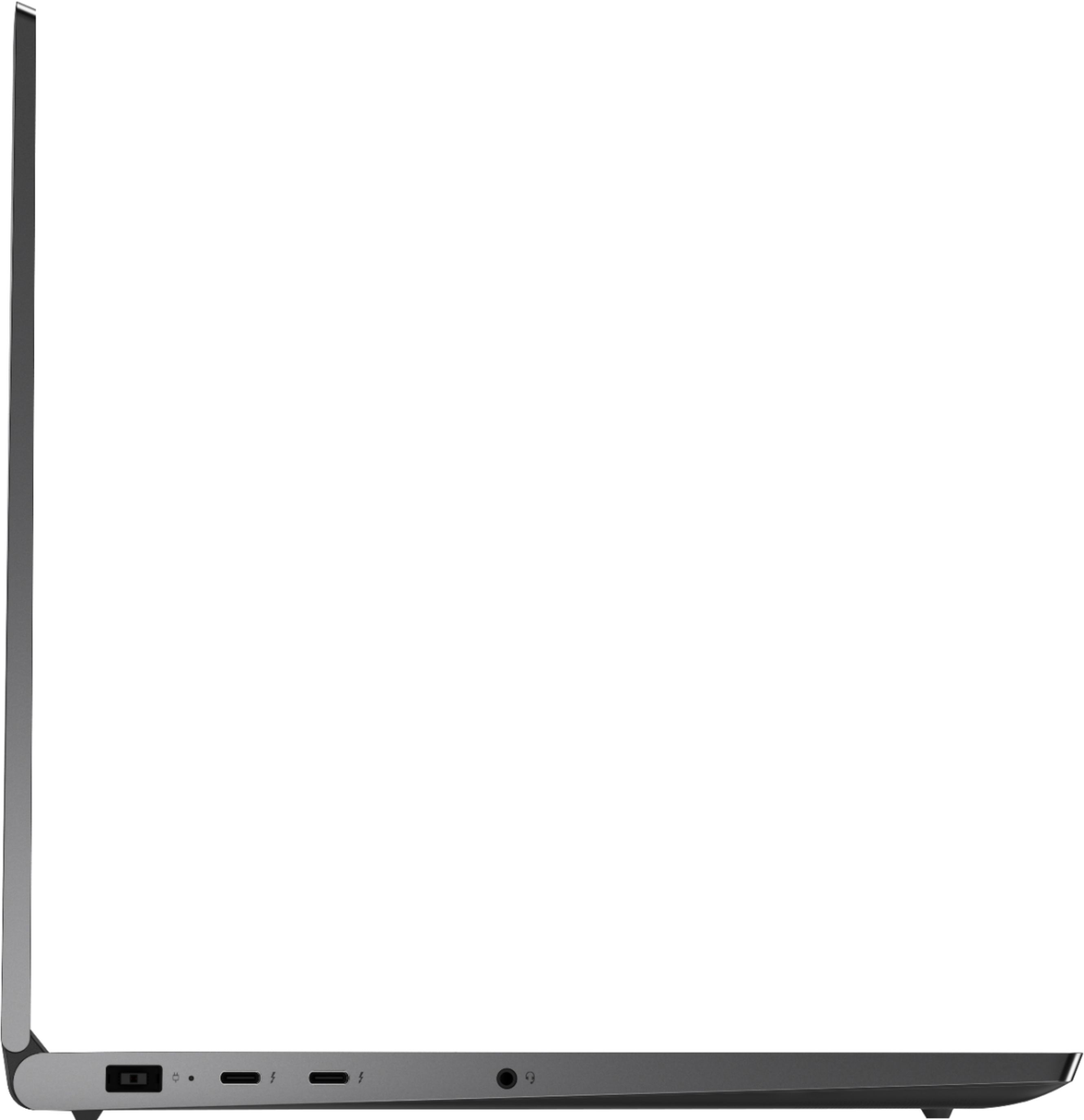






- Model:
- 81TE0000US
- SKU:
- 6367793
Rating by feature
- Battery Life
Rating 3.7 out of 5 stars
- Speed
Rating 4.3 out of 5 stars
- Display
Rating 4.3 out of 5 stars
Customers are saying
Customers consistently note the Yoga C940's powerful performance, excellent build quality, and responsive touch screen. Many users also appreciate its great price, easy-to-use interface, and impressive multitasking capabilities. However, some users have expressed concerns about its short battery life, loud fan noise, and tendency to overheat.
This summary was generated by AI based on customer reviews.
Great laptop
||Posted . Owned for 1 month when reviewed.This reviewer received promo considerations or sweepstakes entry for writing a review.absolutely no problems with the wifi or cpu best investment
I would recommend this to a friendBrand response from Lenovo Product Expert
Posted .Thank you for choosing the Lenovo Yoga C940-15. Every component of Yoga C940 was engineered with your experience in mind. That’s why the Yoga C940 offers the brilliant color and clarity with ultra-narrow bezels, with 500 nits brightness, it’s 50-percent brighter than standard SDR displays. You’ll enjoy amazing realism that's vivid, nuanced, and powerful. Capture your ideas the moment inspiration hits with a garaged digital pen. Featuring an in-body charging compartment, the Yoga C940 ensures you’ll never lose a thought—or your digital pen—again. The convertible hinge hides a powerful Dolby Atmos Speaker System that immerses you in 3D sound in every mode. Combined with two sets of speakers featuring powerful subwoofers, custom tweeters, and unique vibration buffers that reduce unwanted noise, your audio will sound bigger, deeper, and more accurate. Experience how the Yoga C940 embodies world-class craftsmanship, innovative solutions, and elevated design. Log into your Yoga C940 in less than two seconds with an integrated fingerprint reader. That’s three times faster than the average time it takes to type a password. Forget your password.

Quick start up and response to apps
||Posted . Owned for less than 1 week when reviewed.This reviewer received promo considerations or sweepstakes entry for writing a review.Purchased for Autidesk Investor programs. Not disappointed...
I would recommend this to a friendBrand response from Lenovo Product Expert
Posted .Thank you for choosing the Lenovo Yoga C940-15. We are pleased to hear that the Yoga C940-15 meets your computing needs so well. Every component of Yoga C940 was engineered with your experience in mind. That’s why the Yoga C940 offers the brilliant color and clarity with ultra-narrow bezels, with 500 nits brightness, it’s 50-percent brighter than standard SDR displays. You’ll enjoy amazing realism that's vivid, nuanced, and powerful. Capture your ideas the moment inspiration hits with a garaged digital pen. Featuring an in-body charging compartment, the Yoga C940 ensures you’ll never lose a thought—or your digital pen—again. The convertible hinge hides a powerful Dolby Atmos Speaker System that immerses you in 3D sound in every mode. Combined with two sets of speakers featuring powerful subwoofers, custom tweeters, and unique vibration buffers that reduce unwanted noise, your audio will sound bigger, deeper, and more accurate. Experience how the Yoga C940 embodies world-class craftsmanship, innovative solutions, and elevated design. Log into your Yoga C940 in less than two seconds with an integrated fingerprint reader. That’s three times faster than the average time it takes to type a password. Forget your password.
Awesome laptop!
||Posted . Owned for 3 weeks when reviewed.This reviewer received promo considerations or sweepstakes entry for writing a review.Very easy to set up and use. Love the color and the features.
I would recommend this to a friendBrand response from Lenovo Product Expert
Posted .Thank you for choosing the Lenovo Yoga C940-15. e are pleased to hear that the ease of use, features and performance of the Yoga C940-15 meets your computing needs so well. Every component of Yoga C940 was engineered with your experience in mind. That’s why the Yoga C940 offers the brilliant color and clarity with ultra-narrow bezels, with 500 nits brightness, it’s 50-percent brighter than standard SDR displays. You’ll enjoy amazing realism that's vivid, nuanced, and powerful. Capture your ideas the moment inspiration hits with a garaged digital pen. Featuring an in-body charging compartment, the Yoga C940 ensures you’ll never lose a thought—or your digital pen—again. The convertible hinge hides a powerful Dolby Atmos Speaker System that immerses you in 3D sound in every mode. Combined with two sets of speakers featuring powerful subwoofers, custom tweeters, and unique vibration buffers that reduce unwanted noise, your audio will sound bigger, deeper, and more accurate. Experience how the Yoga C940 embodies world-class craftsmanship, innovative solutions, and elevated design. Log into your Yoga C940 in less than two seconds with an integrated fingerprint reader. That’s three times faster than the average time it takes to type a password. Forget your password.
Great computer
||Posted . Owned for 3 weeks when reviewed.This reviewer received promo considerations or sweepstakes entry for writing a review.I was rocking a surface pro 4 and I am enjoying this upgrade
I would recommend this to a friendBrand response from Lenovo Product Expert
Posted .Thank you for choosing the Lenovo Yoga C940-15. We are pleased to hear that the features and performance of the Yoga C940-15 meets your computing needs so well.
Awesome
||Posted . Owned for 3 weeks when reviewed.This reviewer received promo considerations or sweepstakes entry for writing a review.Excellent. Would definitely recommend a Lenovo laptop.
I would recommend this to a friendBrand response from Lenovo Product Expert
Posted .thank you for choosing the Lenovo Yoga C940-15. Every component of Yoga C940 was engineered with your experience in mind. That’s why the Yoga C940 offers the brilliant color and clarity with ultra-narrow bezels, with 500 nits brightness, it’s 50-percent brighter than standard SDR displays. You’ll enjoy amazing realism that's vivid, nuanced, and powerful. Capture your ideas the moment inspiration hits with a garaged digital pen. Featuring an in-body charging compartment, the Yoga C940 ensures you’ll never lose a thought—or your digital pen—again. The convertible hinge hides a powerful Dolby Atmos Speaker System that immerses you in 3D sound in every mode. Combined with two sets of speakers featuring powerful subwoofers, custom tweeters, and unique vibration buffers that reduce unwanted noise, your audio will sound bigger, deeper, and more accurate. Experience how the Yoga C940 embodies world-class craftsmanship, innovative solutions, and elevated design. Log into your Yoga C940 in less than two seconds with an integrated fingerprint reader. That’s three times faster than the average time it takes to type a password. Forget your password.
Great laptop
||Posted . Owned for 7 months when reviewed.This reviewer received promo considerations or sweepstakes entry for writing a review.use it at school, double math and statistics senior
I would recommend this to a friendExcellent laptop
||Posted . Owned for 1 month when reviewed.This reviewer received promo considerations or sweepstakes entry for writing a review.It works great, best laptop for me, cannot complain.
I would recommend this to a friendGreat computer for college
||Posted . Owned for 1 month when reviewed.This reviewer received promo considerations or sweepstakes entry for writing a review.Works great, has enough storage and is a great buy
I would recommend this to a friendBrand response from Lenovo Product Expert
Posted .Thank you for choosing the Lenovo Yoga C940-15. We are pleased to hear that the value and performance of the Yoga C940-15 meets your computing needs so well. Every component of Yoga C940 was engineered with your experience in mind. That’s why the Yoga C940 offers the brilliant color and clarity with ultra-narrow bezels, with 500 nits brightness, it’s 50-percent brighter than standard SDR displays. You’ll enjoy amazing realism that's vivid, nuanced, and powerful. Capture your ideas the moment inspiration hits with a garaged digital pen. Featuring an in-body charging compartment, the Yoga C940 ensures you’ll never lose a thought—or your digital pen—again. The convertible hinge hides a powerful Dolby Atmos Speaker System that immerses you in 3D sound in every mode. Combined with two sets of speakers featuring powerful subwoofers, custom tweeters, and unique vibration buffers that reduce unwanted noise, your audio will sound bigger, deeper, and more accurate. Experience how the Yoga C940 embodies world-class craftsmanship, innovative solutions, and elevated design. Log into your Yoga C940 in less than two seconds with an integrated fingerprint reader. That’s three times faster than the average time it takes to type a password. Forget your password.
Excellent
||Posted . Owned for 3 weeks when reviewed.This reviewer received promo considerations or sweepstakes entry for writing a review.Excellent laptop for both personal and professional.
I would recommend this to a friendBrand response from Lenovo Product Expert
Posted .Once again, thank you for choosing the Lenovo Yoga C940-15. You can keep your computer running at its best by keeping the Windows 10 Operating System and all supporting BIOS files and drivers up to date. You can easily accomplish this by scanning the computer with the Lenovo Utility software available on this computer. This system has Lenovo utilities installed to help maintain the health of the device and keep the operating system software up to date. Type "Lenovo Vantage" in the Cortana Search window (if Lenovo Vantage is not installed on your device, you can download the APP and install it now). Select Lenovo Vantage from the list. In the window that opens, click on "Health and Support". In the expanded menu, select "Hardware Scan" In the window that opens, select "Run Quick Tests". This will scan your entire system for errors. Follow any directions that may pop up. If the problem continues after this scan, now click on "System Update". First select Windows update from the menu. Scan your system to be sure you have the latest version of Windows 10. Once that scan is complete, select "Additional Updates". This will scan your device to be sure there are no new BIOS/Driver updates needed. Follow any instructions that may pop up. If you ever need additional help with your Lenovo computer, we recommend you call Lenovo Tech Support at: 877-453-6686 for additional help.
EXCELLENT, but too expensive.
||Posted . Owned for 1 month when reviewed.This reviewer received promo considerations or sweepstakes entry for writing a review.EXCELLENT, but too expensive. Returned, due to price.
I would recommend this to a friendBrand response from Lenovo Product Expert
Posted .Every component of Yoga C940 was engineered with your experience in mind. That’s why the Yoga C940 offers the brilliant color and clarity with ultra-narrow bezels, with 500 nits brightness, it’s 50-percent brighter than standard SDR displays. You’ll enjoy amazing realism that's vivid, nuanced, and powerful. Capture your ideas the moment inspiration hits with a garaged digital pen. Featuring an in-body charging compartment, the Yoga C940 ensures you’ll never lose a thought—or your digital pen—again. The convertible hinge hides a powerful Dolby Atmos Speaker System that immerses you in 3D sound in every mode. Combined with two sets of speakers featuring powerful subwoofers, custom tweeters, and unique vibration buffers that reduce unwanted noise, your audio will sound bigger, deeper, and more accurate. Experience how the Yoga C940 embodies world-class craftsmanship, innovative solutions, and elevated design. Log into your Yoga C940 in less than two seconds with an integrated fingerprint reader. That’s three times faster than the average time it takes to type a password. Forget your password.
Like it alot
||Posted . Owned for 3 weeks when reviewed.This reviewer received promo considerations or sweepstakes entry for writing a review.Very good Very good very good Very good very good!
I would recommend this to a friendlaptop
||Posted . Owned for 1 month when reviewed.This reviewer received promo considerations or sweepstakes entry for writing a review.excellent product, I would recommend this to a friend.
I would recommend this to a friendBrand response from Lenovo Product Expert
Posted .Thank you for choosing the Lenovo Yoga C940-15. Every component of Yoga C940 was engineered with your experience in mind. That’s why the Yoga C940 offers the brilliant color and clarity edged with ultra-narrow bezels. With 500 nits brightness, it’s 50% brighter than standard SDR displays. You’ll enjoy amazing realism that's vivid, nuanced, and powerful. 9th Gen Intel Core i7 processing powers the 15.6-inch Yoga C940 laptop to ultra responsive performance and faster video and photo editing, with up to 4.80GHz, turbo, 8 cores, and dynamic tuning that automatically adjusts performance for your needs. Boost your creativity and productivity with NVIDIA GeForce GTX 1650 graphics. Dedicated GeForce graphics accelerate your favorite apps for better performance and faster speed in video editing, graphic design, and streaming 4K entertainment. Capture your ideas the moment inspiration hits with a garaged digital pen. Featuring an in-body charging compartment, the Yoga C940 ensures you’ll never lose a thought—or your digital pen—again. The convertible hinge hides a powerful Dolby Atmos Speaker System that immerses you in 3D sound in every mode. Combined with two sets of speakers featuring powerful subwoofers, custom tweeters, and unique vibration buffers that reduce unwanted noise, your audio will sound bigger, deeper, and more accurate. Experience how the Yoga C940 embodies world-class craftsmanship, innovative solutions, and elevated design. Log into your Yoga C940 in less than two seconds with an integrated fingerprint reader. That’s three times faster than the average time it takes to type a password. Forget your password. Yoga is committed to protecting your privacy. Slide the Yoga C940’s TrueBlock Privacy Shutter closed for true peace of mind when you’re not using your webcam.
Great camera
||Posted . Owned for 1 month when reviewed.This reviewer received promo considerations or sweepstakes entry for writing a review.Awesome laptop deal. Great processor and camera..:
I would recommend this to a friendBrand response from Lenovo Product Expert
Posted .Every component of Yoga C940 was engineered with your experience in mind. That’s why the Yoga C940 offers the brilliant color and clarity with ultra-narrow bezels, with 500 nits brightness, it’s 50-percent brighter than standard SDR displays. You’ll enjoy amazing realism that's vivid, nuanced, and powerful. Capture your ideas the moment inspiration hits with a garaged digital pen. Featuring an in-body charging compartment, the Yoga C940 ensures you’ll never lose a thought—or your digital pen—again. The convertible hinge hides a powerful Dolby Atmos Speaker System that immerses you in 3D sound in every mode. Combined with two sets of speakers featuring powerful subwoofers, custom tweeters, and unique vibration buffers that reduce unwanted noise, your audio will sound bigger, deeper, and more accurate. Experience how the Yoga C940 embodies world-class craftsmanship, innovative solutions, and elevated design. Log into your Yoga C940 in less than two seconds with an integrated fingerprint reader. That’s three times faster than the average time it takes to type a password. Forget your password.
DO NOT BUY!
||Posted . Owned for 1 week when reviewed.This reviewer received promo considerations or sweepstakes entry for writing a review.After researching and reading so many reviews and good comments about this computer, I was so excited to receive it. Best Buy replaced my first one I bought 4 weeks ago with a new one a week ago. Today I opened it up and the EXACT same problem i had with the first one happened with the new one. I went to Best Buy today and they said that it's a Lenovo problem and the computer can not be fixed. I can not connect to Wi-Fi. What is the point of having a portable computer if you cant get in a network. The problem has to do with the driver and the Intel Driver is not compatible and/or does not have the ability to keep with the laptops hardware. I am so upset and mad that I have to return a second laptop within a week and now have to search for a new laptop. After reading more reviews after the fact, I realized that the problem I have been having is common. It's also annoying that the 3 times I have gone to Geek Squad, they have given me 3 different responses and now telling me it cant be fixed. Save your money and find a better laptop that doesn't cost as much.
No, I would not recommend this to a friendBrand response from Lenovo Product Expert
Posted .We are sorry to hear that you are having issues with WiFi connectivity with your Lenovo Yoga C940-15 Laptop, model number 81TE0000US. This model ships with the latest Intel 6G, Wide-Range/High Speed 2x2 802.11AX WiFi. This WiFi is also backward compatible to older b/g/n/ac frequency WiFi routers. Be sure you have the latest version of of Windows 10 on the computer, then update all of the BIOS files and drivers up to the latest version of Windows 10. You can easily accomplish this by scanning the computer with the Lenovo Utility software available on this computer. This system has Lenovo utilities installed to help maintain the health of the device and keep the operating system software up to date. Type "Lenovo Vantage" in the Cortana Search window (if Lenovo Vantage is not installed on your device, you can download the APP and install it now). Select Lenovo Vantage from the list. In the window that opens, click on "Health and Support". In the expanded menu, select "Hardware Scan" In the window that opens, select "Run Quick Tests". This will scan your entire system for errors. Follow any directions that may pop up. If the problem continues after this scan, now click on "System Update". First select Windows update from the menu. Scan your system to be sure you have the latest version of Windows 10. Once that scan is complete, select "Additional Updates". This will scan your device to be sure there are no new BIOS/Driver updates needed. Follow any instructions that may pop up. If the issue still continues after these updates, we recommend you call Lenovo Tech Support at: 877-453-6686 for additional help.
Arrived with a dead battery and missing parts
||Posted . Owned for 2 weeks when reviewed.This reviewer received promo considerations or sweepstakes entry for writing a review.I purchased this laptop as an "open box excellent" product. I drove 40 miles to the only best buy store that had it in stock. Upon arrival, they could not locate the laptop. After approximately 15 minutes, I was handed the laptop with nothing else. No box, no papers, no power cord. Nothing. I pointed out that the power cord was missing and proceeded to wait another 15 minutes before I was handed a power cord. I drove back home (after using my entire lunch break and then some), excited to use the computer. But the battery was dead, of course. I used the charger provided and it was the wrong one. I was able to use a charger I had from another gaming laptop to get it to work. I went through the installation process and after a few minutes, the computer shut off. I couldn't get it to turn back on. I had to make another trip to a best buy store to return it. I have zero faith in Besy Buy's open box items. I would purchase new items but never again would I go with the open box option. This is the second time I've had a problem with an open box laptop. Buyer beware
No, I would not recommend this to a friendLid hard to open
||Posted . Owned for 1 month when reviewed.This reviewer received promo considerations or sweepstakes entry for writing a review.Laptop itself is great , how can it not be with these specs But the lid is annoyingly hard to open
No, I would not recommend this to a friendBrand response from Lenovo Product Expert
Posted .We are sorry to hear that you are having difficulty opening your Lenovo Yoga C940-15. This model ships with a built in lip on the top front of the lid to make the lid easy to open. Just use your thumb on the middle front of the lid to lift the lid open. Additionally, you can keep your computer running at its best by keeping the Windows 10 Operating System and all supporting BIOS files and drivers up to date. You can easily accomplish this by scanning the computer with the Lenovo Utility software available on this computer. This system has Lenovo utilities installed to help maintain the health of the device and keep the operating system software up to date. Type "Lenovo Vantage" in the Cortana Search window (if Lenovo Vantage is not installed on your device, you can download the APP and install it now). Select Lenovo Vantage from the list. In the window that opens, click on "Health and Support". In the expanded menu, select "Hardware Scan" In the window that opens, select "Run Quick Tests". This will scan your entire system for errors. Follow any directions that may pop up. If the problem continues after this scan, now click on "System Update". First select Windows update from the menu. Scan your system to be sure you have the latest version of Windows 10. Once that scan is complete, select "Additional Updates". This will scan your device to be sure there are no new BIOS/Driver updates needed. Follow any instructions that may pop up. If you ever need additional help with your Lenovo computer, we recommend you call Lenovo Tech Support at: 877-453-6686 for additional help.
Hardware issues w/camera & microphone from Day 1
||Posted . Owned for 2 weeks when reviewed.This reviewer received promo considerations or sweepstakes entry for writing a review.Overall a good computer, however, there were hardware issues with the camera and microphone from Day 1 that could not be resolved so I had to return it. The camera would turn off intermittently. I had to go into the settings and turn it back on. The microphone would turn itself down without warning. I had to go into settings and turn it back up. This happened numerous times. I never knew when it was going to cut off. The camera would not video more than 10 minutes without cutting off. I reinstalled the drivers and that didn’t fix the problems. I finally contacted Lenovo and was told it was a hardware issue and to return it to the place where I purchased it. The return process was easy enough.
No, I would not recommend this to a friendBrand response from Lenovo Product Expert
Posted .We are sorry to hear that you had issues with your lenovo Yoga C940-15, regarding the webcam and microphone. First, be sure that the webcam Privacy Shutter is completely open. If you see any of the red dot over the webcam lens, even a part of the red dot, the Privacy Shutter is not completely open and this can cause the webcam to intermittently fail to operate. If the Privacy Shutter is in the full open position, you see no red dot over the webcam lens or any part of the red dot, and the issue continues, resetting the computer back to original factory settings may correct the issue. Here is a link to instructions for resetting your Windows 10 computer: https://support.microsoft.com/en-us/help/12415. If the issue continues after the reset, we recommend you contact Lenovo Tech Support at: 877-453-6686.
- Cons mentioned:Overheating
Just awful
||Posted . Owned for 9 months when reviewed.This reviewer received promo considerations or sweepstakes entry for writing a review.Just awful. Overheats when sleeping. Microphone cuts out, making it useless for any video conferences. Cheap feeling trackpad, dim screen, mushy keyboard. Don't waste your money; a MacBook killer this ain't.
No, I would not recommend this to a friend - Cons mentioned:Overheating
Don't purchase open box computer
||Posted . Owned for 1 month when reviewed.This reviewer received promo considerations or sweepstakes entry for writing a review.It is an open box item. the computer very easy to get hot in less than 10 minutes,, the cooling fan did not function properly. So I returned to the store.
No, I would not recommend this to a friend Bestbuy and Lenovo, Useless Together!
||Posted . Owned for 6 months when reviewed.This reviewer received promo considerations or sweepstakes entry for writing a review.makes noise like a jet taking off, camera works intermittently, likes to go blank screen randomly. The SUPER STARS OF THE GEEK SQUAD!! took a can of compressed air and blew the fan area out with it. Told us to come back if the problem persists. My daughter went to college. Has a video of it making the noise. now back for winter break we call the GEEK SQUAD AGAIN. this time they quote the warranty to me and tell me to bring it in that for $85 they will ship it to lenovo for an estimate. So glad BB harps on my Elite status. Only if I buy more, but please don't need our help.
No, I would not recommend this to a friendBrand response from Lenovo Product Expert
Posted .We are sorry to hear that your daughter is having issues with her Lenovo Yoga C940-15. She can use Lenovo Q-Control to manually control fan and system performance: ( Fn + Q ) option to change the fan by undervolting the processor. Additionally, check to be sure any software you installed is compatible with Windows 10. There is no need to install Microsoft Office software. The software is already part of the operating system, you just need to activate the software with a purchased product key. If you have installed a copy of Microsoft Office, this is conflicting with the existing copy on the system and this will slow your system down. If you have installed a 3rd party anti-virus program, be sure that Windows Defender is turned off and that the trial version of McAfee Anti-Virus software is uninstalled. There can only be one anti-virus program on the system. You may need to restore your system to original factory default settings if any of the programming errors have occurred. You can do that by typing "restore" in the Cortana search window. Just click on the magnifying glass icon at the bottom left of your Windows 10 Desktop. Click on "Reset This PC" Then click on "Get Started" and follow the on screen directions to restore to factory defaults. Also, check to be sure that the latest version of Windows 10 is on the computer. Then update all of the BIOS files and drivers up to that latest version of Windows 10. You can easily accomplish this by scanning the computer with the Lenovo Utility software available on this computer. This system has Lenovo utilities installed to help maintain the health of the device and keep the operating system software up to date. Type "Lenovo Vantage" in the Cortana Search window (if Lenovo Vantage is not installed on your device, you can download the APP and install it now). Select Lenovo Vantage from the list. In the window that opens, click on "Health and Support". In the expanded menu, select "Hardware Scan" In the window that opens, select "Run Quick Tests". This will scan your entire system for errors. Follow any directions that may pop up. If the problem continues after this scan, now click on "System Update". First select Windows update from the menu. Scan your system to be sure you have the latest version of Windows 10. Once that scan is complete, select "Additional Updates". This will scan your device to be sure there are no new BIOS/Driver updates needed. Follow any instructions that may pop up. If the issue still continues after these updates, we recommend you call Lenovo Tech Support at: 877-453-6686 for additional help.