Customer Ratings & Reviews








- Model:
- 81TE0000US
- SKU:
- 6367793
Rating by feature
- Battery Life
Rating 3.7 out of 5 stars
- Speed
Rating 4.3 out of 5 stars
- Display
Rating 4.3 out of 5 stars
Customers are saying
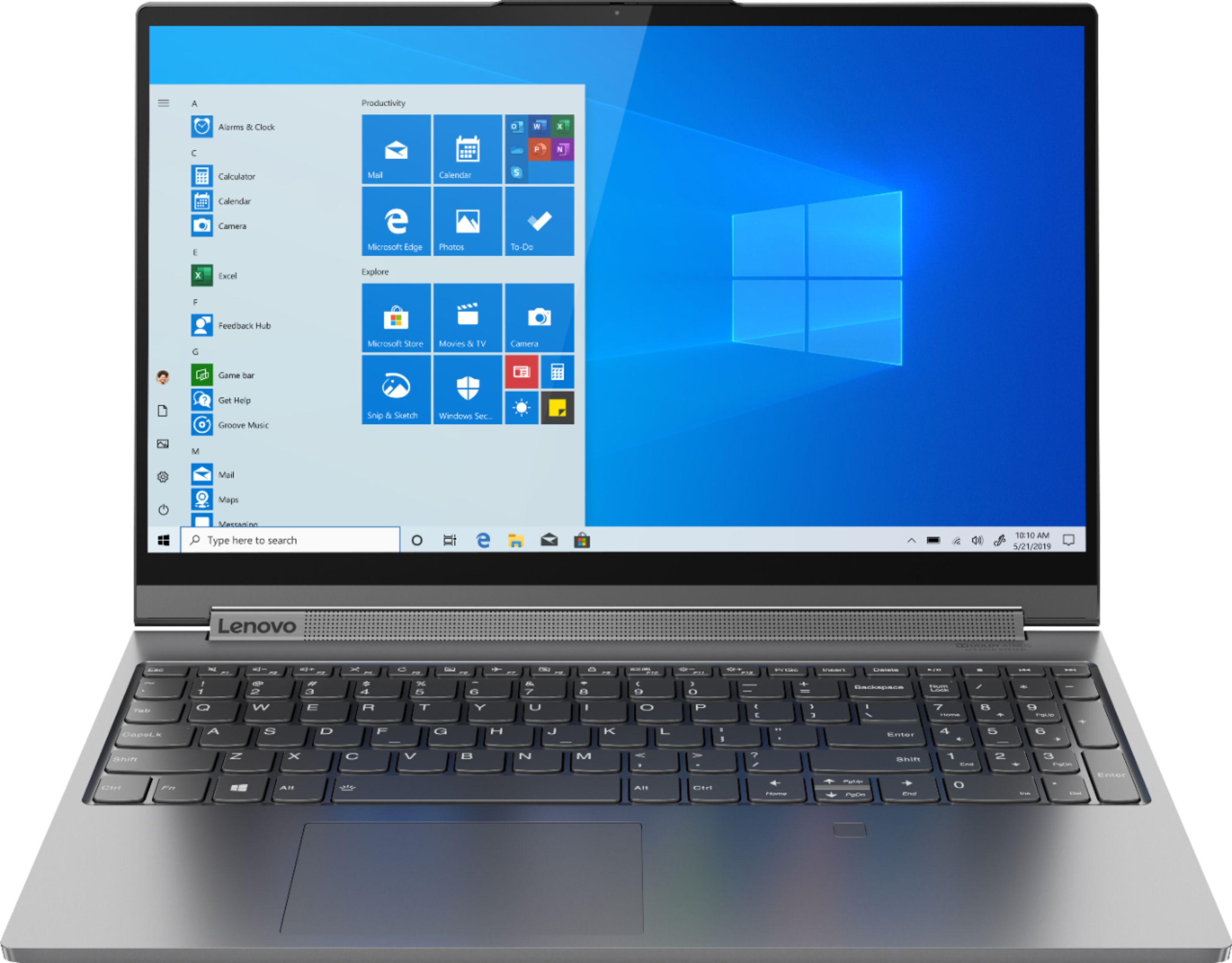
Customers consistently note the Yoga C940's powerful performance, excellent build quality, and responsive touch screen. Many users also appreciate its great price, easy-to-use interface, and impressive multitasking capabilities. However, some users have expressed concerns about its short battery life, loud fan noise, and tendency to overheat.
This summary was generated by AI based on customer reviews.
- Cons mentioned:Battery life
Great laptop for students and for gaming
||Posted . Owned for 3 weeks when reviewed.This reviewer received promo considerations or sweepstakes entry for writing a review.I bought this laptop for school and it has performed great it is great for multitasking and the Nvidia graphics plus the 16gb of ram allow you to run any games. The only thing is the battery life which is not so great although keeping the charger plugged in while the battery is at 100 is a solution to that issue.
I would recommend this to a friendBrand response from Lenovo Product Expert
Posted .Thank you for choosing the lenovo Yoga C940-15, model number 81TE0000US. This model ships with a 4CELL_68WH_INTERNAL, Lithium Polymer Battery with a battery life of up to 12 hours, depending on the work the device is performing. If you are getting substantially less battery life, be sure Battery conservation Mode is turned off. This power management setting should only be used when the laptop is plugged in all the time. It will prolong overall battery life by only charging the battery to 60-percent of capacity. Here is a link to instructions for turning off Battery Conservation Mode: https://support.lenovo.com/us/en/solutions/ht103159. Also check what programs are running in the background on the computer. Be sure only the programs you want running in the background are. These programs will drain the battery. Here is a link to information about how to find out what programs are running in the background on your Windows 10 computer and how to manage them for better system performance: https://www.windowscentral.com/how-prevent-apps-running-background-windows-10. Then, finally, be sure any software you installed is compatible with Windows 10. Incompatible software will drain the battery at a faster rate. There is no need to install Microsoft Office software. The software is already part of the operating system, you just need to activate the software with a purchased product key. If you have installed a copy of Microsoft Office, this is conflicting with the existing copy on the system and this will slow your system down. If you have installed a 3rd party anti-virus program, be sure that Windows Defender is turned off and that the trial version of McAfee Anti-Virus software is uninstalled. There can only be one anti-virus program on the system. You may need to restore your system to original factory default settings if any of the programming errors have occurred. You can do that by typing "restore" in the Cortana search window. Just click on the magnifying glass icon at the bottom left of your Windows 10 Desktop. Click on "Reset This PC" Then click on "Get Started" and follow the on screen directions to restore to factory defaults. If the problem persists, we recommend you contact Lenovo Tech Support at: 877-453-6686.

- Pros mentioned:Build quality
Great creative 2 in 1
||Posted . Owned for 1 month when reviewed.This reviewer received promo considerations or sweepstakes entry for writing a review.I purchased this laptop for 2 reasons. One was for art, and the other was for audio production. Bothe sides work better than expected. For audio production I use Pro tools 11, UA twin usb console, and some waves plug ins no problems. For art I use basic stuff like sketchbook. If you’re getting it for art, I would suggest getting a wacom smart pen. The one that comes with the laptop is real tiny, so unless it’s for child like hands, it will not suffice. Other than that there are no issues yet,( 1 month in). The display is bright and crisp, and the keyboard feels great. The build quality is excellent.
I would recommend this to a friendBrand response from Lenovo Product Expert
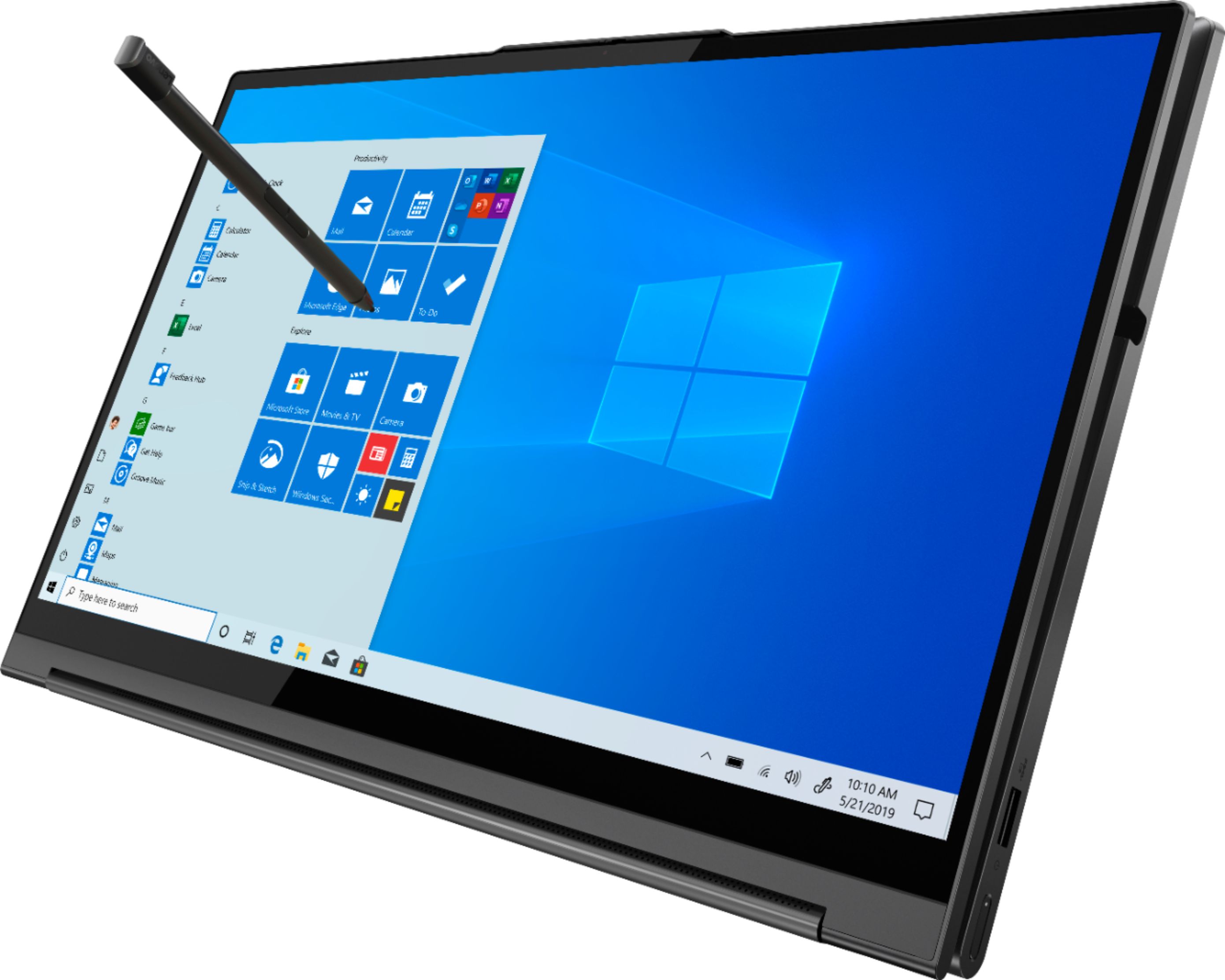
Posted .The Lenovo Yoga C940-15, model number 81TE0000US, ships with it own, garaged active pen, featuring an in-body charging compartment with 4,096 levels of sensitivity within the pen. Every component of Yoga C940 was engineered with your experience in mind. That’s why the Yoga C940 offers the brilliant color and clarity with ultra-narrow bezels, with 500 nits brightness, it’s 50-percent brighter than standard SDR displays. You’ll enjoy amazing realism that's vivid, nuanced, and powerful. Capture your ideas the moment inspiration hits with a garaged digital pen. Featuring an in-body charging compartment, the Yoga C940 ensures you’ll never lose a thought—or your digital pen—again. The convertible hinge hides a powerful Dolby Atmos Speaker System that immerses you in 3D sound in every mode. Combined with two sets of speakers featuring powerful subwoofers, custom tweeters, and unique vibration buffers that reduce unwanted noise, your audio will sound bigger, deeper, and more accurate. Experience how the Yoga C940 embodies world-class craftsmanship, innovative solutions, and elevated design. Log into your Yoga C940 in less than two seconds with an integrated fingerprint reader. That’s three times faster than the average time it takes to type a password. Forget your password.
- Pros mentioned:Touch screen
Light weight heavy weight player
||Posted . Owned for 1 month when reviewed.This reviewer received promo considerations or sweepstakes entry for writing a review.A bit costly but exceeds expectation in performance. It is fast and friendly. Especially with its very ligh weight and touch screen, it doubles as a touch pad. It works fine as a heavy weight work horse and doubles as a fine light weight carry on with finess. Not much to ask for more.
I would recommend this to a friend - Pros mentioned:Powerful, Speed
Yoga C940 - Great Laptop
||Posted . Owned for 2 weeks when reviewed.This reviewer received promo considerations or sweepstakes entry for writing a review.Fast, great graphics, powerful. Pretty much exactly as advertised and lives up to the great reviews by the professionals. Only "objection" is that I keep hitting the touch pad with my wrist when I am typing so I have to figure that out. But that's my issue, not the Yoga's issue
I would recommend this to a friendBrand response from Lenovo Product Expert
Posted .Hi there! Thank you for choosing the Lenovo Yoga C940. We are so happy to hear the amazing performance, features, premium look, and feel of the Yoga C940 is meeting your computing needs so well.
- Pros mentioned:PowerfulCons mentioned:Battery life
Only for the right customer
||Posted . Owned for 2 weeks when reviewed.This reviewer received promo considerations or sweepstakes entry for writing a review.The is Laptop is a very good and powerful laptop, as a student I needed a laptop that was like this. Only downside to me and the reason I returned it is because the battery life was horrible, couldn’t make it through a 6 hour school day without charging at least once or so. I ended up returning in exchange for the i7 16gb ram surface book 3 from Microsoft and I love it so much would highly recommend if anyone is looking for a really good laptop with high battery.
No, I would not recommend this to a friend - Pros mentioned:Build quality, Speed
Excellent Machine 5 of 5 Stars
||Posted . Owned for 1 month when reviewed.This reviewer received promo considerations or sweepstakes entry for writing a review.The Build Quality is excellent. I purchased this for my daughter for online school, she loves it. Everything is fast, and the machine is lite and easy to carry. Highly recommend for a younger person who wants power, some gaming cred, and easy of moving it around.
I would recommend this to a friendBrand response from Lenovo Product Expert
Posted .Thank you for choosing the Lenovo Yoga C940-15 for your daughter. We are pleased to hear that the features and performance of the Yoga C940-15 meet your daughter's computing needs so well. This configuration provides a beautiful, 15.6-inch (screen size measured diagonally) HDR Vision, IPS LCD w/LED Backlight screen, with a resolution of 1920 x 1080 (FHD) and an HDR-Ready 500 nits of screen brightness, but the device only measures 13.98 x 9.39 x 0.78 inches total and weighs just 4.18 lbs.
- Pros mentioned:Speed
Fast & powerful.
||Posted . Owned for 6 months when reviewed.This reviewer received promo considerations or sweepstakes entry for writing a review.Between work and studying, I spend at least 11 hours a day on this laptop during the week, and probably 7+ hours a day on the weekends - so I use it a lot! I'm not super savvy on computer tech, I just want a computer that is fast and responsive, well-built, and with some extra features (number pad, touch screen, backlit keyboard, etc.) This laptop is all that and more. When one of the IT guys at work was in the laptop remotely to help me get the VPN set up, he even commented on how well it ran - and I hadn't mentioned anything about it being new. Now, 6 months later, I'm still completely enamored with it. I have encountered NO technical issues whatsoever. It boots up and is ready to go quickly, and is super fast and responsive. It's solid but light, very well built. I don't play games on it so I don't know how well it does there. I just feel like you can't go wrong with this one. I am glad I purchased it.
I would recommend this to a friendBrand response from Lenovo Product Expert
Posted .Thank you for choosing the Lenovo Yoga C940-15. We are pleased to hear that the features and performance of the Yoga C940-15 meets your computing needs so well. Every component of Yoga C940 was engineered with your experience in mind. That’s why the Yoga C940 offers the brilliant color and clarity with ultra-narrow bezels, with 500 nits brightness, it’s 50-percent brighter than standard SDR displays. You’ll enjoy amazing realism that's vivid, nuanced, and powerful. Capture your ideas the moment inspiration hits with a garaged digital pen. Featuring an in-body charging compartment, the Yoga C940 ensures you’ll never lose a thought—or your digital pen—again. The convertible hinge hides a powerful Dolby Atmos Speaker System that immerses you in 3D sound in every mode. Combined with two sets of speakers featuring powerful subwoofers, custom tweeters, and unique vibration buffers that reduce unwanted noise, your audio will sound bigger, deeper, and more accurate. Experience how the Yoga C940 embodies world-class craftsmanship, innovative solutions, and elevated design. Log into your Yoga C940 in less than two seconds with an integrated fingerprint reader. That’s three times faster than the average time it takes to type a password. Forget your password.
- Cons mentioned:Overheating
Nice laptop with a big concern
||Posted . Owned for 1.5 years when reviewed.This reviewer received promo considerations or sweepstakes entry for writing a review.I've had this laptop for two years now. I like everything about it, except one thing. For some reason the laptop will start overheating to the point that you can't touch it, without pulling your hands away. It is toooo hot to hold or touch for that matter. This has happened perhaps 3 or 4 times in the past 2 years. I have no idea what causes this. But I never leave it plugged in when I'm not home.
No, I would not recommend this to a friend Great computer with one minor flaw
||Posted . Owned for 1 month when reviewed.This reviewer received promo considerations or sweepstakes entry for writing a review.Overall this computer is fantastic. Biggest issue is the fans on this unit are terrible. Buy a laptop cooling pad/fan that goes underneath and you will never have a problem. If you don't have an extra fan the laptop will get extremely hot and shut down while you are doing a task. Best computer for the price. Just buy a $30-$45 cooling fan and it will be the best laptop 2-in-1 on the market.
I would recommend this to a friendBrand response from Lenovo Product Expert
Posted .Hello. Thanks for choosing the Lenovo Yoga C940 Laptop. We are pleased to hear the features, performance, and design of the Yoga C940 are meeting your computing needs so well! We appreciate your feedback in regards to the fans, and it is possible that your fans are not operating correctly. We recommend reaching out to Lenovo Support at 877-453-6686
- Pros mentioned:Speed
Excellent laptop
||Posted . Owned for 1 week when reviewed.This reviewer received promo considerations or sweepstakes entry for writing a review.Fast speed, amazing pictures and lots of ports. The 940 met all of the requirements we needed for undergraduate engineering program. Best Buy has a great price and shipping was only a few days. Best Buy offered to price match any lower price.
I would recommend this to a friendBrand response from Lenovo Product Expert
Posted .Thank you for choosing the Lenovo Yoga C940-15. We are pleased to hear that the performance of the Yoga C940-15 meets your computing needs so well. Every component of Yoga C940 was engineered with your experience in mind. That’s why the Yoga C940 offers the brilliant color and clarity with ultra-narrow bezels, with 500 nits brightness, it’s 50-percent brighter than standard SDR displays. You’ll enjoy amazing realism that's vivid, nuanced, and powerful. Capture your ideas the moment inspiration hits with a garaged digital pen. Featuring an in-body charging compartment, the Yoga C940 ensures you’ll never lose a thought—or your digital pen—again. The convertible hinge hides a powerful Dolby Atmos Speaker System that immerses you in 3D sound in every mode. Combined with two sets of speakers featuring powerful subwoofers, custom tweeters, and unique vibration buffers that reduce unwanted noise, your audio will sound bigger, deeper, and more accurate. Experience how the Yoga C940 embodies world-class craftsmanship, innovative solutions, and elevated design. Log into your Yoga C940 in less than two seconds with an integrated fingerprint reader. That’s three times faster than the average time it takes to type a password. Forget your password.
- Cons mentioned:Overheating
Powerful inside, poorly designed outside
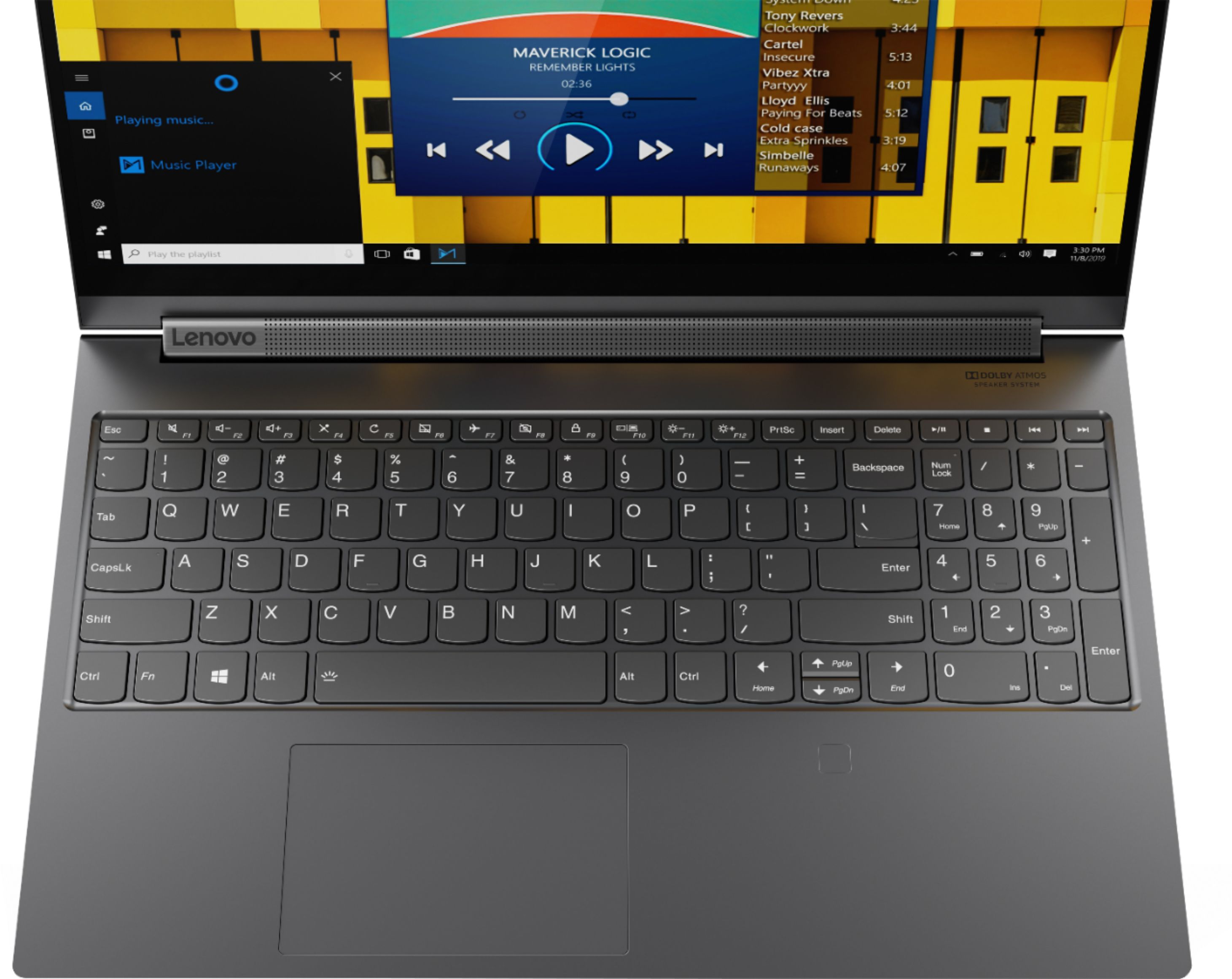
||Posted . Owned for 3 weeks when reviewed.This reviewer received promo considerations or sweepstakes entry for writing a review.It is pretty powerful from inside, however, it is getting very overheated when using its preference mode. Hot air vent is located in a front of the speakers, so probably what makes hard for hot air to escape. Screen bezel sits on a double side tape, and it is getting loose on one end, gives impression of a cheap product. Only one USB port. I like the keyboard, screen, and tablet mode, however cooling is a big problem, fans simply cannot keep up while on high performance.
No, I would not recommend this to a friendBrand response from Lenovo Product Expert
Posted .The Lenovo Yoga C940-15 model number 81TE0000US, ships with dynamic tuning that automatically adjusts performance for specific workload needs. Be sure you have the latest version of Windows 10 on the computer, then update all of the BIOS files and drivers up to that latest version of Windows 10. You can easily accomplish this by scanning the computer with the Lenovo Utility software available on this computer. This system has Lenovo utilities installed to help maintain the health of the device and keep the operating system software up to date. Type "Lenovo Vantage" in the Cortana Search window (if Lenovo Vantage is not installed on your device, you can download the APP and install it now). Select Lenovo Vantage from the list. In the window that opens, click on "Health and Support". In the expanded menu, select "Hardware Scan" In the window that opens, select "Run Quick Tests". This will scan your entire system for errors. Follow any directions that may pop up. If the problem continues after this scan, now click on "System Update". First select Windows update from the menu. Scan your system to be sure you have the latest version of Windows 10. Once that scan is complete, select "Additional Updates". This will scan your device to be sure there are no new BIOS/Driver updates needed. Follow any instructions that may pop up. To maintain proper cooling of the system, be sure the computer is on a flat, level surface and that the cooling vent is clear from obstruction. If the issue still continues after these updates, we recommend you call Lenovo Tech Support at: 877-453-6686 for additional help.
- Pros mentioned:Powerful
Lenovo - best 2 in 1, powerful, responsive, etc...
||Posted . Owned for 1 month when reviewed.This reviewer received promo considerations or sweepstakes entry for writing a review.My last laptop was a Lenovo for grad school and it lasted for 10 years. So when I started looking to buy a laptop again, I looked at all the usual brands and did a ton of research. I came back to Lenovo. I love that the computer is a 2 in 1 laptop, that it is metal and NOT plastic like everyone else and that it has a built in keypad. If you go smaller than a 15.6" system forget the side keypad. The screen, is vivid... the power of the system is awesome, fast with tons of power, storage, etc... keyboard feels natural for my hands. I have had no issues, problems with the computer. If you are looking for a high quality 2 in 1 laptop, buy this one (or the one that will be replacing this, it is coming out soon), you will not be disappointed.
I would recommend this to a friendBrand response from Lenovo Product Expert
Posted .Thank you for choosing the Lenovo Yoga C940-15. We are pleased to hear that the features and performance of the Yoga C940-15 meets your computing needs so well. Every component of Yoga C940 was engineered with your experience in mind. That’s why the Yoga C940 offers the brilliant color and clarity with ultra-narrow bezels, with 500 nits brightness, it’s 50-percent brighter than standard SDR displays. You’ll enjoy amazing realism that's vivid, nuanced, and powerful. Capture your ideas the moment inspiration hits with a garaged digital pen. Featuring an in-body charging compartment, the Yoga C940 ensures you’ll never lose a thought—or your digital pen—again. The convertible hinge hides a powerful Dolby Atmos Speaker System that immerses you in 3D sound in every mode. Combined with two sets of speakers featuring powerful subwoofers, custom tweeters, and unique vibration buffers that reduce unwanted noise, your audio will sound bigger, deeper, and more accurate. Experience how the Yoga C940 embodies world-class craftsmanship, innovative solutions, and elevated design. Log into your Yoga C940 in less than two seconds with an integrated fingerprint reader. That’s three times faster than the average time it takes to type a password. Forget your password.
Power, looks and battery life. And power.
||Posted . Owned for 1 month when reviewed.This reviewer received promo considerations or sweepstakes entry for writing a review.This laptop is perfect if you want a sleek, understated piece of hardware that retains some of the horsepower of a gaming laptop with a lot less of the baggage. The battery life is excellent, the touchscreen can be anywhere between a cool option to a must have feature depending on your needs, comes with a tuck-away pen for notes or drawing. These things are all ultra-book type features which is to be expected in a Yoga, but this Yoga has lightning fast responsiveness and is a genuine mid-low tier gaming machine. I enjoy the laptop for it's no-waiting, snappy (gaming laptop like) responsiveness and long battery life. The sound is also top of the heap imo. A couple things the put me off about this laptop are the lack of more USB type A ports (only one) as well as lack of an HDMI port. Granted it has dual USB-C ports which is great in their own, but not so great when used as replacements for other USB A ports and an HDMI which forces you to carry an extension dongle around. Also, while the build is innovative, the quality is not everything I would want from a laptop at this cost. It's definitely good, not great. Getting this one on sale is recommended. Paying full price, just only maybe. Oh, also the keyboard chops the legs off this thing as much as the lack of ports, if not more so. It's an ok keyboard for a laptop. But for a Lenovo product it just feels disappointing that it could have been so much more. All in all, I got mine on a sale day and am happy.
I would recommend this to a friend- Pros mentioned:SpeedCons mentioned:Loud fan
Excellent Computer
||Posted . Owned for 2 weeks when reviewed.This reviewer received promo considerations or sweepstakes entry for writing a review.I picked this computer up on an open box buy for a huge discount. Not disappointed at all. It's blazing fast and does everything I need it to do. High quality build. The fan is a little louder than normal.
I would recommend this to a friendBrand response from Lenovo Product Expert
Posted .Thank you for choosing the Lenovo Yoga C940-15. You can use Lenovo Q-Control to manually control fan performance: ( Fn + Q ) option to change the fan performance.
- Pros mentioned:Graphics, Touch screen
Great investment
||Posted . Owned for 1 month when reviewed.This reviewer received promo considerations or sweepstakes entry for writing a review.Very versatile device. We purchased this for remote learning and gaming. The touch screen function is perfect for travel and school work. The graphics are an added bonus for gaming during down time!
I would recommend this to a friendBrand response from Lenovo Product Expert
Posted .Hey there! Thanks for choosing the Lenovo Yoga C940 Laptop. We are pleased to hear the design, performance, and features of the C940 Laptop are meeting your computing needs so well!
- Pros mentioned:Touch screen
Great laptop for reading and working
||Posted .This reviewer received promo considerations or sweepstakes entry for writing a review.Great 2-in-1 for work, has good battery life without having to bring the charging cable with you if you need to work on the go for a bit (which is good, because the charging cable itself is a bit heavy). Touchscreen is sensitive, however if you're planning to use this laptop for art and detailed drawing, there's still a considerable amount of jitter when you're using a stylus.
I would recommend this to a friendBrand response from Lenovo Product Expert
Posted .Hi there! Thank you for choosing the Lenovo Yoga C940. We are so happy to hear the amazing performance, features, premium look, and feel of the Yoga C940 is meeting your computing needs so well. We found a helpful link from WindowsCentral.com with instructions on how to calibrate your touchscreen in Windows10. https://www.windowscentral.com/how-calibrate-touch-enabled-display-windows-10 . If you need further assistance please don't hesitate to reach out to Lenovo Tech Support at 877-453-6686
- Pros mentioned:Build quality, Speed
Solid build and great performance.
||Posted . Owned for 3 weeks when reviewed.This reviewer received promo considerations or sweepstakes entry for writing a review.Wife really likes the speed and build quality. It has 10 key so she is very happy.
I would recommend this to a friendBrand response from Lenovo Product Expert
Posted .Thank you for choosing the Lenovo Yoga C940-15 for your wife. We are pleased to hear that the features and performance of the Yoga C940-15 meets your wife's computing needs so well. Every component of Yoga C940 was engineered with your experience in mind. That’s why the Yoga C940 offers the brilliant color and clarity with ultra-narrow bezels, with 500 nits brightness, it’s 50-percent brighter than standard SDR displays. You’ll enjoy amazing realism that's vivid, nuanced, and powerful. Capture your ideas the moment inspiration hits with a garaged digital pen. Featuring an in-body charging compartment, the Yoga C940 ensures you’ll never lose a thought—or your digital pen—again. The convertible hinge hides a powerful Dolby Atmos Speaker System that immerses you in 3D sound in every mode. Combined with two sets of speakers featuring powerful subwoofers, custom tweeters, and unique vibration buffers that reduce unwanted noise, your audio will sound bigger, deeper, and more accurate. Experience how the Yoga C940 embodies world-class craftsmanship, innovative solutions, and elevated design. Log into your Yoga C940 in less than two seconds with an integrated fingerprint reader. That’s three times faster than the average time it takes to type a password. Forget your password.
- Pros mentioned:Touch screen
It's alright..
||Posted .This reviewer received promo considerations or sweepstakes entry for writing a review.First of all: My unit gave me the "Black Screen of Death" issue which seems to be common with Lenovo. When this happens, you literally can't do anything. Manually rebooting makes the fans go loud for a second and the keyboard light up, then NOTHING happens (external monitor did not work). My fix was to let the battery drain. Luckily I was only at like 20% when it occurred, but it still took a while. Others have to fix this by getting their motherboard replaced. This issue happened two weeks in. Unreliable. Pros: -It bends -backlit keyboard -fingerprint scanner -touchscreen and has a pen -good speakers for a laptop -9th gen i7 Cons: -Only 1 Usb port, with 2 usb c ports that you CAN'T use to charge. -The pen makes an awful noise when pulling out -You need two hands to open it most of the time -Gave me an issue within 2 weeks. UNRELIABLE!
No, I would not recommend this to a friendBrand response from Lenovo Product Expert
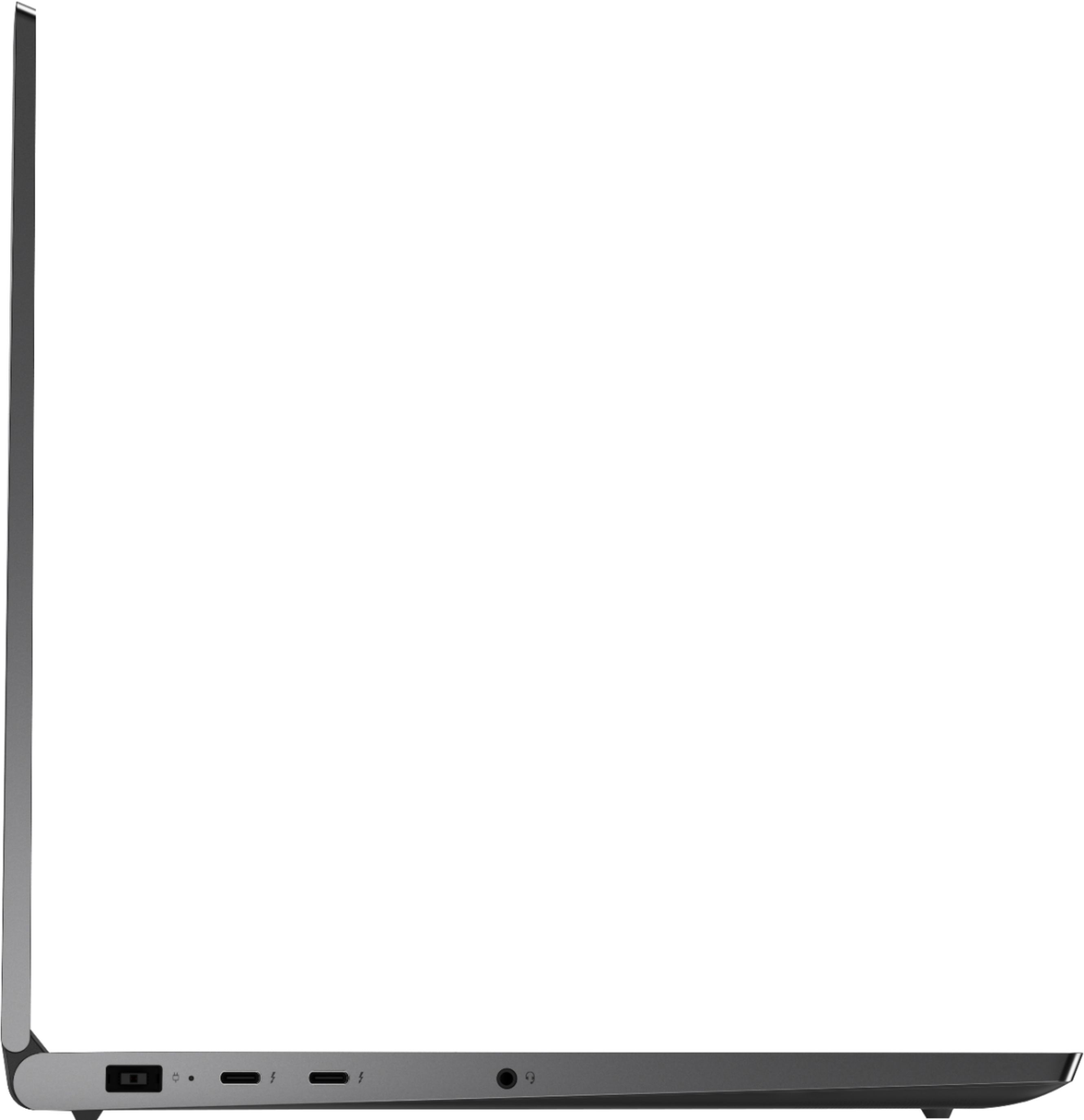
Posted .We are sorry to hear that you had issues with your Lenovo Yoga C940-15. This model ships with Windows 10 Home 64-bit Operating System and should not fail. Be sure any software you installed is compatible with Windows 10. There is no need to install Microsoft Office software. The software is already part of the operating system, you just need to activate the software with a purchased product key. If you have installed a copy of Microsoft Office, this is conflicting with the existing copy on the system and this will slow your system down or cause a failure as you describe. If you have installed a 3rd party anti-virus program, be sure that Windows Defender is turned off and that the trial version of McAfee Anti-Virus software is uninstalled. There can only be one anti-virus program on the system. You may need to restore your system to original factory default settings if any of the programming errors have occurred. You can do that by typing "restore" in the Cortana search window. Just click on the magnifying glass icon at the bottom left of your Windows 10 Desktop. Click on "Reset This PC" Then click on "Get Started" and follow the on screen directions to restore to factory defaults. If you can no longer boot the computer to restore to factory settings, this system is equipped with OneKey Recovery System. There is a very small pin hole on the bottom of the device, right near the top right corner of the cooling vent on the bottom device. You will need a pin to push this reset button. Plug the device in. Let the battery charge for about 15 minutes. Push the reset button. The system should boot to a choice screen where you can choose "Restore To Factory Default". Select this. It will delete everything from the hard drive except the original factory install of the operating system. You will need to reinstall all programs and files after the reset. If you don't have copies of the files, try to make one before you restore by selecting "Boot to desktop" and trying to back up your files. The Lenovo Yoga C940-15 model number 81TE0000US, ships with two Thunderbolt 3.0 ports and one standard USB Type A 3.1 version port. The Yoga C940-15 requires a 135W external power supply to power the high performance Intel Core i7-9750H processor and the discrete NVIDIA GeForce GTX 1650 GPU. The maximum power throughput of a USB-c/Thunderbolt 3.0 port is 100W. If you are having any issues with the operation of your Yoga C940-15 we recommend you call Lenovo Tech Support for help with your specific issues at: 877-453-6686.
- Pros mentioned:Speed
Love it
||Posted . Owned for less than 1 week when reviewed.This reviewer received promo considerations or sweepstakes entry for writing a review.Bought this because my old laptop is starting to go out I was getting slow and sluggish. The display on this thing is amazing so vibrant battery life seems to be pretty decent too. It’s pretty good for a student and even if you’re on your own business. Yes the price tag is a little high but the processor and the other chips in it is what gives it its speeds. I love the pin that comes with it
I would recommend this to a friendBrand response from Lenovo Product Expert
Posted .Every component of Yoga C940 was engineered with your experience in mind. That’s why the Yoga C940 offers the brilliant color and clarity with ultra-narrow bezels, with 500 nits brightness, it’s 50-percent brighter than standard SDR displays. You’ll enjoy amazing realism that's vivid, nuanced, and powerful. Capture your ideas the moment inspiration hits with a garaged digital pen. Featuring an in-body charging compartment, the Yoga C940 ensures you’ll never lose a thought—or your digital pen—again. The convertible hinge hides a powerful Dolby Atmos Speaker System that immerses you in 3D sound in every mode. Combined with two sets of speakers featuring powerful subwoofers, custom tweeters, and unique vibration buffers that reduce unwanted noise, your audio will sound bigger, deeper, and more accurate. Experience how the Yoga C940 embodies world-class craftsmanship, innovative solutions, and elevated design. Log into your Yoga C940 in less than two seconds with an integrated fingerprint reader. That’s three times faster than the average time it takes to type a password. Forget your password.
- Cons mentioned:Overheating
Great for traveling day trader!
||Posted . Owned for 1 month when reviewed.This reviewer received promo considerations or sweepstakes entry for writing a review.Although it started to overheat the first day that I had it I was able to this remedy by propping it up for better airflow and later purchased a Dock with a fan. I believe this computer is powerful enough to run multiple monitors, but the dedicated graphics made it effortless. I don't know if it makes a difference but I went into the settings and went to the programs that I use for day trading and I specifically set them for the dedicated graphics card rather than relying on my computer to pick and choose.
I would recommend this to a friendBrand response from Lenovo Product Expert
Posted .Thank you for choosing the lenovo Yoga C940-15. We are pleased to hear that the performance of the Yoga C940-15 meets your computing needs so well. Every component of Yoga C940 was engineered with your experience in mind. That’s why the Yoga C940 offers the brilliant color and clarity with ultra-narrow bezels, with 500 nits brightness, it’s 50-percent brighter than standard SDR displays. You’ll enjoy amazing realism that's vivid, nuanced, and powerful. Capture your ideas the moment inspiration hits with a garaged digital pen. Featuring an in-body charging compartment, the Yoga C940 ensures you’ll never lose a thought—or your digital pen—again. The convertible hinge hides a powerful Dolby Atmos Speaker System that immerses you in 3D sound in every mode. Combined with two sets of speakers featuring powerful subwoofers, custom tweeters, and unique vibration buffers that reduce unwanted noise, your audio will sound bigger, deeper, and more accurate. Experience how the Yoga C940 embodies world-class craftsmanship, innovative solutions, and elevated design. Log into your Yoga C940 in less than two seconds with an integrated fingerprint reader. That’s three times faster than the average time it takes to type a password. Forget your password.