Customer Ratings & Reviews
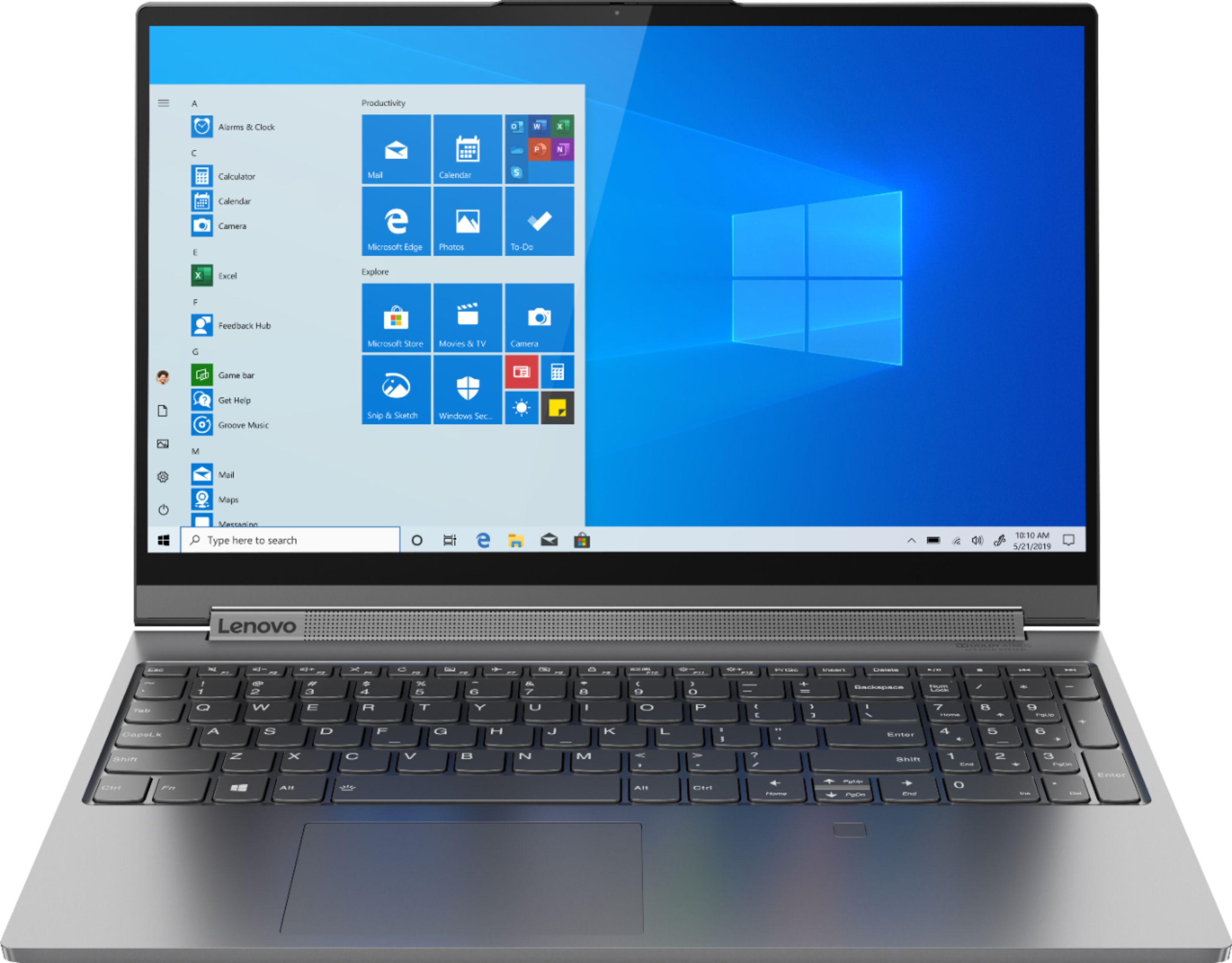

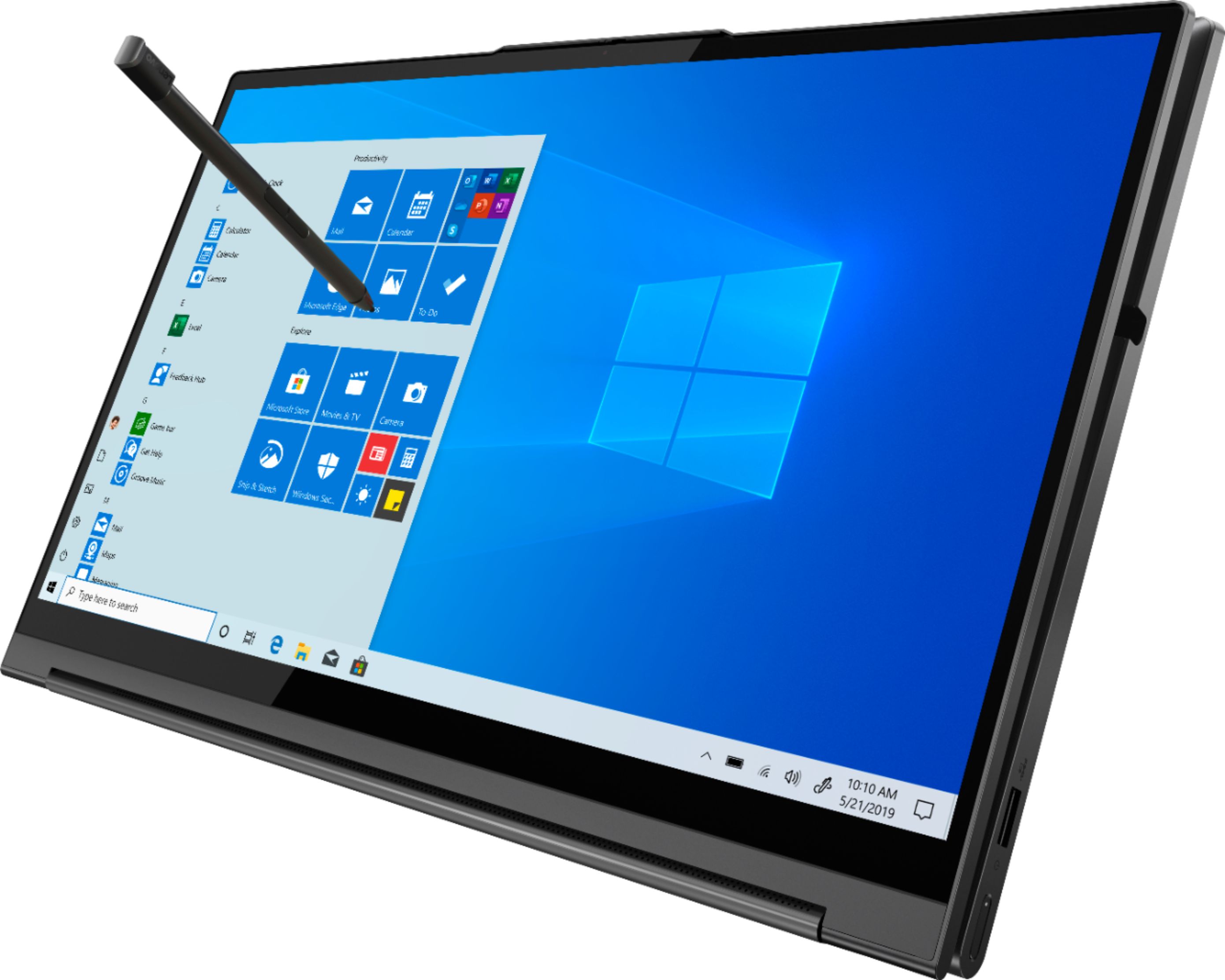

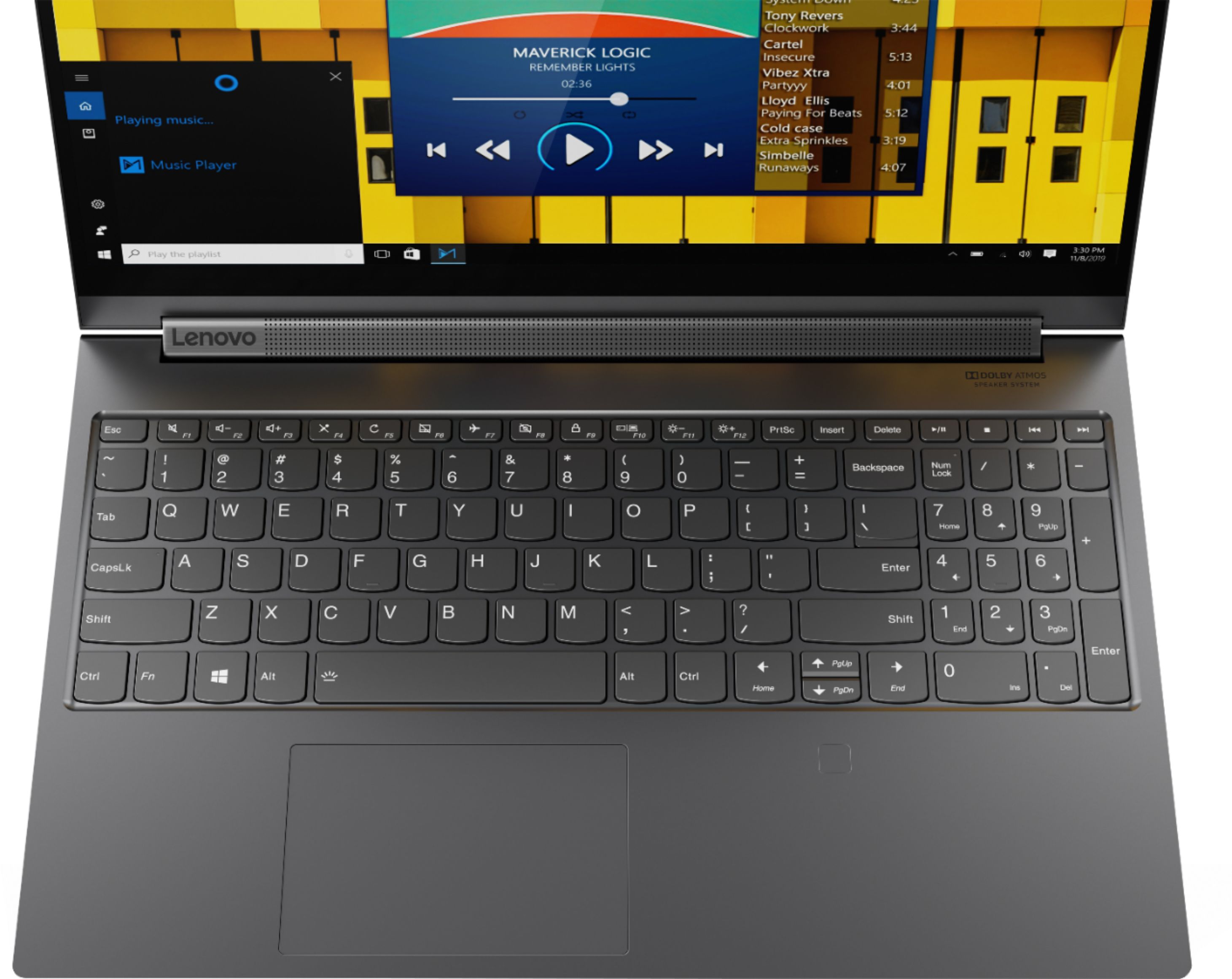
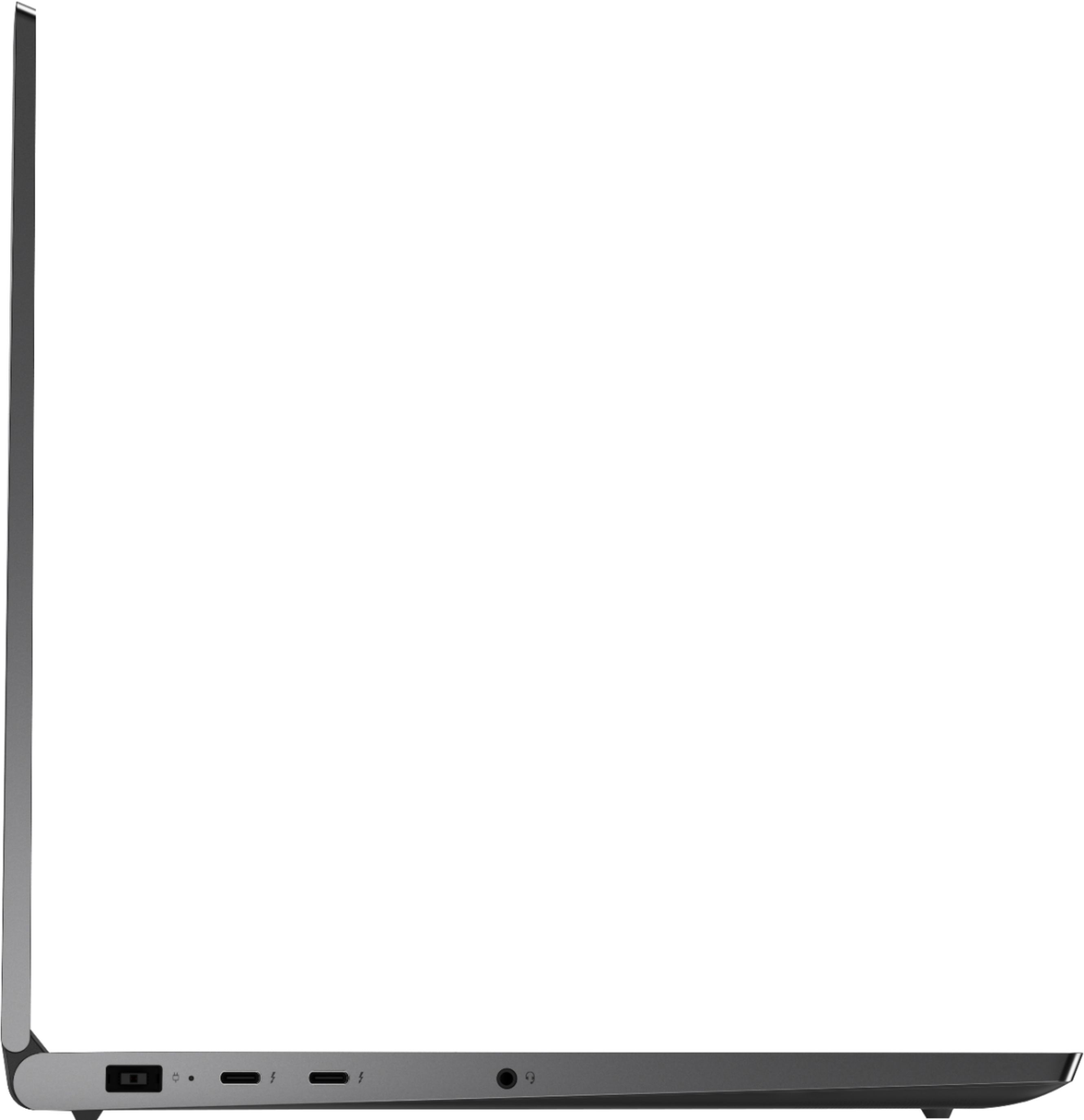






- Model:
- 81TE0000US
- SKU:
- 6367793
Rating by feature
- Battery Life
Rating 3.7 out of 5 stars
- Speed
Rating 4.3 out of 5 stars
- Display
Rating 4.3 out of 5 stars
Customers are saying
Customers consistently note the Yoga C940's powerful performance, excellent build quality, and responsive touch screen. Many users also appreciate its great price, easy-to-use interface, and impressive multitasking capabilities. However, some users have expressed concerns about its short battery life, loud fan noise, and tendency to overheat.
This summary was generated by AI based on customer reviews.
Awesome all around laptop!
||Posted . Owned for 6 months when reviewed.This reviewer received promo considerations or sweepstakes entry for writing a review.With my 6 year old laptop quickly slowing to a crawl, I set out in search of a replacement to use in my pursuit of a career in programming. I’m not much of a gamer, but this laptop can not only handle everything I’ve thrown at it, but it looks and sounds great doing it. The full keyboard and trackpad are comfortable for extended periods, and the screen and speakers make watching content a dream. Highly recommend.
I would recommend this to a friendBrand response from Lenovo Product Expert
Posted .Thank you for choosing the Lenovo Yoga C940-15. We are pleased to hear that the features and performance of the Yoga C940-15 meets your computing needs so well. Every component of Yoga C940 was engineered with your experience in mind. That’s why the Yoga C940 offers the brilliant color and clarity with ultra-narrow bezels, with 500 nits brightness, it’s 50-percent brighter than standard SDR displays. You’ll enjoy amazing realism that's vivid, nuanced, and powerful. Capture your ideas the moment inspiration hits with a garaged digital pen. Featuring an in-body charging compartment, the Yoga C940 ensures you’ll never lose a thought—or your digital pen—again. The convertible hinge hides a powerful Dolby Atmos Speaker System that immerses you in 3D sound in every mode. Combined with two sets of speakers featuring powerful subwoofers, custom tweeters, and unique vibration buffers that reduce unwanted noise, your audio will sound bigger, deeper, and more accurate. Experience how the Yoga C940 embodies world-class craftsmanship, innovative solutions, and elevated design. Log into your Yoga C940 in less than two seconds with an integrated fingerprint reader. That’s three times faster than the average time it takes to type a password. Forget your password.

- Cons mentioned:Overheating
Indifferent
||Posted . Owned for 3 weeks when reviewed.This reviewer received promo considerations or sweepstakes entry for writing a review.I enjoy using a Lenovo, but it was quite pricy. After having the product for a week, I woke the laptop up from sleep mode and noticed it was extremely hot. Once I realized how much heat it was putting off, I unplugged the power and HDMI cord. After taking it outside to cool down, it wouldn't turn on. I left it alone for about five days until I tried turning it on. Thankfully it worked. I personally bought this laptop because it has the specs I was looking for, but I wouldn't recommend it because of its price.
No, I would not recommend this to a friendBrand response from Lenovo Product Expert
Posted .We are sorry to hear that you are having issues with your Lenovo Yoga C940-15. Be sure any software you installed is compatible with Windows 10. There is no need to install Microsoft Office software. The software is already part of the operating system, you just need to activate the software with a purchased product key. If you have installed a copy of Microsoft Office, this is conflicting with the existing copy on the system and this will slow your system down. If you have installed a 3rd party anti-virus program, be sure that Windows Defender is turned off and that the trial version of McAfee Anti-Virus software is uninstalled. There can only be one anti-virus program on the system. You may need to restore your system to original factory default settings if any of the programming errors have occurred. You can do that by typing "restore" in the Cortana search window. Just click on the magnifying glass icon at the bottom left of your Windows 10 Desktop. Click on "Reset This PC" Then click on "Get Started" and follow the on screen directions to restore to factory defaults. If the problem persists, we recommend you contact Lenovo Tech Support at: 877-453-6686.
Great laptop
||Posted . Owned for 2 months when reviewed.This reviewer received promo considerations or sweepstakes entry for writing a review.Super fast computer even if it does not have a ton of storage but everything else on it makes up for it. If you are a beginner or a veteran at looking at a good laptop this is great for you. Once it is fully set up everything is fast and easy to use. Finger reader loads your desktop in about a minute. Loading everything on the browser if fast as well this also depends on your internet speed but everything works.
I would recommend this to a friendBrand response from Lenovo Product Expert
Posted .The Lenovo Yoga C940-15 ships with a 512GB solid state hard drive plus 32GB Intel Optane Memory for super fast access to files and programs. This configuration ships with the fastest 6G, Wide-Range/High Speed 2x2 802.11AX WiFi. Every component of Yoga C940 was engineered with your experience in mind. That’s why the Yoga C940 offers the brilliant color and clarity with ultra-narrow bezels, with 500 nits brightness, it’s 50-percent brighter than standard SDR displays. You’ll enjoy amazing realism that's vivid, nuanced, and powerful. Capture your ideas the moment inspiration hits with a garaged digital pen. Featuring an in-body charging compartment, the Yoga C940 ensures you’ll never lose a thought—or your digital pen—again. The convertible hinge hides a powerful Dolby Atmos Speaker System that immerses you in 3D sound in every mode. Combined with two sets of speakers featuring powerful subwoofers, custom tweeters, and unique vibration buffers that reduce unwanted noise, your audio will sound bigger, deeper, and more accurate. Experience how the Yoga C940 embodies world-class craftsmanship, innovative solutions, and elevated design. Log into your Yoga C940 in less than two seconds with an integrated fingerprint reader. That’s three times faster than the average time it takes to type a password. Forget your password.
Laptop for everything!
||Posted . Owned for 3 weeks when reviewed.This reviewer received promo considerations or sweepstakes entry for writing a review.Looks great on the outside with great specs on the inside; an all around pretty awesome laptop in my opinion. Enough memory and a GPU that doesn't struggle to play games or export videos on Premier. Also has a really decent battery life. My only gripe is the webcam could be better, but as far as I can tell its pretty standard and I understand that most people hardly ever use them. Windows 10 updates have been annoying and have caused a couple of problems. One of them stopped my touchscreen from working so I had to uninstall it from the device manager and restart. But that's likely Microsoft shenanigans and not Lenovo Anywho. It's a really great laptop :)
I would recommend this to a friendBrand response from Lenovo Product Expert
Posted .The Lenovo Yoga C940-15 model number 81TE0000US, ships with a 720p (HD) webcam with a manual Privacy Shutter and microphone built in. You can easily keep your Operating System and supporting BIOS files and drivers up to date. You can easily accomplish this by scanning the computer with the Lenovo Utility software available on this computer. This system has Lenovo utilities installed to help maintain the health of the device and keep the operating system software up to date. Type "Lenovo Vantage" in the Cortana Search window (if Lenovo Vantage is not installed on your device, you can download the APP and install it now). Select Lenovo Vantage from the list. In the window that opens, click on "Health and Support". In the expanded menu, select "Hardware Scan" In the window that opens, select "Run Quick Tests". This will scan your entire system for errors. Follow any directions that may pop up. If the problem continues after this scan, now click on "System Update". First select Windows update from the menu. Scan your system to be sure you have the latest version of Windows 10. Once that scan is complete, select "Additional Updates". This will scan your device to be sure there are no new BIOS/Driver updates needed. Follow any instructions that may pop up. If the issue still continues after these updates, we recommend you call Lenovo Tech Support at: 877-453-6686 for additional help
- Pros mentioned:Graphics, Speed
Great Purchase
||Posted . Owned for 1 month when reviewed.This reviewer received promo considerations or sweepstakes entry for writing a review.This laptop is fast and of good quality. The graphics are great.
I would recommend this to a friendBrand response from Lenovo Product Expert
Posted .Thank you for choosing the Lenovo Yoga C940-15. We are pleased to hear that the features and performance of the Yoga C940-15 meets your computing needs so well.
- Pros mentioned:Speed
Love It!
||Posted . Owned for 1 month when reviewed.This reviewer received promo considerations or sweepstakes entry for writing a review.Love it my new Yoga! It is a very fast, easy to use notebook.
I would recommend this to a friend The one
||Posted . Owned for less than 1 week when reviewed.This reviewer received promo considerations or sweepstakes entry for writing a review.I like it. Bought to replace Surface Book 2 for work originally just because I liked the 2-1 without having to detach screen. My thought was the Surface would actually be a better machine considering it cost me over $1,000 more. I am glad to say I’m pleased and like this so much better I gave my Surface Book to my teenager to use for his new at home schooling needs
I would recommend this to a friendBrand response from Lenovo Product Expert
Posted .Once again, thank you for choosing the Lenovo Yoga C940-15. You can keep your computer running at its best by keeping the Windows 10 Operating System and all supporting BIOS files and drivers up to date. You can easily accomplish this by scanning the computer with the Lenovo Utility software available on this computer. This system has Lenovo utilities installed to help maintain the health of the device and keep the operating system software up to date. Type "Lenovo Vantage" in the Cortana Search window (if Lenovo Vantage is not installed on your device, you can download the APP and install it now). Select Lenovo Vantage from the list. In the window that opens, click on "Health and Support". In the expanded menu, select "Hardware Scan" In the window that opens, select "Run Quick Tests". This will scan your entire system for errors. Follow any directions that may pop up. If the problem continues after this scan, now click on "System Update". First select Windows update from the menu. Scan your system to be sure you have the latest version of Windows 10. Once that scan is complete, select "Additional Updates". This will scan your device to be sure there are no new BIOS/Driver updates needed. Follow any instructions that may pop up. If you ever need additional help with your Lenovo computer, we recommend you call Lenovo Tech Support at: 877-453-6686 for additional help
- Cons mentioned:Battery life
Bye
||Posted . Owned for 1 month when reviewed.This reviewer received promo considerations or sweepstakes entry for writing a review.Very good for multitasking but the batters drain very fast
I would recommend this to a friendBrand response from Lenovo Product Expert
Posted .Thank you for choosing the lenovo Yoga C940-15. This model ships with a 4CELL_68WH_INTERNAL, Lithium Polymer Battery, with a battery life of up to 12 hours, depending on the work the device is performing. If you are getting substantially less battery life, First, set your screen brightness at less than 100-percent - try 80-percent to start with. Then, be sure Battery conservation Mode is turned off. This power management setting should only be used when the laptop is plugged in all the time. It will prolong overall battery life by only charging the battery to 60-percent of capacity. Here is a link to instructions for turning off Battery Conservation Mode: https://support.lenovo.com/us/en/solutions/ht103159. Also check what programs are running in the background on the computer. Be sure only the programs you want running in the background are. These programs will drain the battery. Here is a link to information about how to find out what programs are running in the background on your Windows 10 computer and how to manage them for better system performance: https://www.windowscentral.com/how-prevent-apps-running-background-windows-10. Then, finally, be sure any software you installed is compatible with Windows 10. Incompatible software will drain the battery at a faster rate. There is no need to install Microsoft Office software. The software is already part of the operating system, you just need to activate the software with a purchased product key. If you have installed a copy of Microsoft Office, this is conflicting with the existing copy on the system and this will slow your system down. If you have installed a 3rd party anti-virus program, be sure that Windows Defender is turned off and that the trial version of McAfee Anti-Virus software is uninstalled. There can only be one anti-virus program on the system. You may need to restore your system to original factory default settings if any of the programming errors have occurred. You can do that by typing "restore" in the Cortana search window. Just click on the magnifying glass icon at the bottom left of your Windows 10 Desktop. Click on "Reset This PC" Then click on "Get Started" and follow the on screen directions to restore to factory defaults. If the problem persists, we recommend you contact Lenovo Tech Support at: 877-453-6686.
- Cons mentioned:Loud fan
I love my new Yoga 15.6" 2-in-1 laptop!
||Posted . Owned for 1 month when reviewed.This reviewer received promo considerations or sweepstakes entry for writing a review.The huge screen and numeric keypad are two of my favorite components of this laptop. Yes, the internal fan is somewhat loud and therefore noticeable at times but it quickly quiets down and is easily "tuned out" while using the machine. Internet access is fast. I've had this Yoga for about 2 months now and remain pleased with my purchase.
I would recommend this to a friendBrand response from Lenovo Product Expert
Posted .Thank you for choosing the Lenovo Yoga C940-15. You can use Lenovo Q-Control to manually control fan performance: ( Fn + Q ) option to change the fan by undervolting the processor. If the issue continues, we recommend you call Lenovo Tech Support at: 877-453-6686.
- Pros mentioned:Powerful
Excellent touchscreen laptop
||Posted . Owned for 4 months when reviewed.This reviewer received promo considerations or sweepstakes entry for writing a review.Best addition to my 2020 classroom. This machine is light and versatile and able to do everything I need to keep up with my classroom in class and remotely. The only concern I have is the heat produced when upgrading. Although, it is always fine afterward.
I would recommend this to a friend - Cons mentioned:Loud fan
Overall good laptop.
||Posted . Owned for 1 month when reviewed.This reviewer received promo considerations or sweepstakes entry for writing a review.When using headphones there were some setting I had to work around/correct for audio. Fan is loud when running more than a few tasks. Very fast, stylus works well, overall good laptop.
I would recommend this to a friendBrand response from Lenovo Product Expert
Posted .You can manually control the performance of the internal fan within the Lenovo Yoga C940-15. You can use Lenovo Q-Control to manually control fan performance: ( Fn + Q ) option to change the fan. Be sure you have the latest version of Windows 10 on the computer, then update all of the BIOS files and drivers up to that latest version of Windows 10 to keep your computer running at optimum levels. You can easily accomplish this by scanning the computer with the Lenovo Utility software available on this computer. This system has Lenovo utilities installed to help maintain the health of the device and keep the operating system software up to date. Type "Lenovo Vantage" in the Cortana Search window (if Lenovo Vantage is not installed on your device, you can download the APP and install it now). Select Lenovo Vantage from the list. In the window that opens, click on "Health and Support". In the expanded menu, select "Hardware Scan" In the window that opens, select "Run Quick Tests". This will scan your entire system for errors. Follow any directions that may pop up. If the problem continues after this scan, now click on "System Update". First select Windows update from the menu. Scan your system to be sure you have the latest version of Windows 10. Once that scan is complete, select "Additional Updates". This will scan your device to be sure there are no new BIOS/Driver updates needed. Follow any instructions that may pop up. If the issue still continues after these updates, we recommend you call Lenovo Tech Support at: 877-453-6686 for additional help.
- Cons mentioned:Battery life
Powerful enough for architecture programs
||Posted . Owned for 1 month when reviewed.This reviewer received promo considerations or sweepstakes entry for writing a review.I have already put this laptop through the most powerful programs I have used thus far in my architecture education. Revit and Lumion have been ran at the same time, including other background apps. It is used like more of a desktop where it is plugged in while using. But unplugged the battery doesn’t last longer than maybe 3 hours.
I would recommend this to a friendBrand response from Lenovo Product Expert
Posted .If you are still only getting 3 hours of battery life after running your Lenovo Yoga C940-15 on the plug most of the time, be sure you have Battery conservation Mode turned off. This should only be used for laptops that are used on the plug most of the time. Here is a link to instructions for turning off Battery Conservation Mode: https://support.lenovo.com/us/en/solutions/ht103159. Also check what programs are running in the background on the computer. Be sure only the programs you want running in the background are. These programs will drain the battery. Here is a link to information about how to find out what programs are running in the background on your Windows 10 computer and how to manage them for better system performance: https://www.windowscentral.com/how-prevent-apps-running-background-windows-10. Then, finally, be sure any software you installed is compatible with Windows 10. Incompatible software will drain the battery at a faster rate. There is no need to install Microsoft Office software. The software is already part of the operating system, you just need to activate the software with a purchased product key. If you have installed a copy of Microsoft Office, this is conflicting with the existing copy on the system and this will slow your system down. If you have installed a 3rd party anti-virus program, be sure that Windows Defender is turned off and that the trial version of McAfee Anti-Virus software is uninstalled. There can only be one anti-virus program on the system. You may need to restore your system to original factory default settings if any of the programming errors have occurred. You can do that by typing "restore" in the Cortana search window. Just click on the magnifying glass icon at the bottom left of your Windows 10 Desktop. Click on "Reset This PC" Then click on "Get Started" and follow the on screen directions to restore to factory defaults. If the problem persists, we recommend you contact Lenovo Tech Support at: 877-453-6686.
Great laptop
||Posted . Owned for 3 months when reviewed.This reviewer received promo considerations or sweepstakes entry for writing a review.I was very torn between this laptop and another brand that I have been loyal to for many years. I took a leap of faith based in part on the suggestion of the sales associate and also some other online reviews that I found and have been more than pleased with this laptop! It has so many good points that I will just touch on a few of them. 1. This laptop boots up and logs on in less than 10 seconds and is ready to get to work. 2. The battery has been surprising and lasts all day on a single charge, even with my power settings! 3. The processor is more than capable to handle even my most power intensive programs like Adobe Photoshop and not miss a beat. Great laptop...you won't be disappointed!!!
I would recommend this to a friendGreat laptop - Do NOT Buy Open Box
||Posted . Owned for 1 week when reviewed.This reviewer received promo considerations or sweepstakes entry for writing a review.This is an amazing laptop. It’s not the cheapest, but you get what you pay for. Unfortunately that is true of open box as well. As others have mentioned- avoid open box on this. Mine randomly froze within 30 minutes of booting, every time. Tried updating drivers and getting Lenovo support, but it was hours down the drain for nothing. You should absolutely get this laptop, but pay full price and don’t trust open box!
I would recommend this to a friendAlmost the best 15.6" laptop in the world 2020!
||Posted .This reviewer received promo considerations or sweepstakes entry for writing a review.The Lenovo Yoga C940 is a brilliant business laptop 2in1 with plenty of grunt and memory to do multiple tasks. It's a shame that after fifteen months on the market they still cannot get the Bios corrected to accept external monitors consistently. Lenovo technicians now refuse to respond to questions about why the laptop intermittently disconnects external second monitor for both intense business use or even conference trade show demonstration monitor use. This unit fails badly.
I would recommend this to a friendBrand response from Lenovo Product Expert
Posted .We are sorry to hear that you are having issues with your Lenovo Yoga C940-15, model number 81TE0000US. This model uses a Thunderbolt 3.0 port for video out to a monitor. You can connect an HDMI or other than Thunderbolt 3.0 monitor to this laptop by using the proper adapter for your format monitor. If you are having issues connecting your monitor to the Yoga C940-15 we recommend you check the version of Windows 10 you have on the computer, make sure it is the latest version. Then update all BIOS files and drivers up to that latest version of Windows 10. You can easily accomplish this by scanning the computer with the Lenovo Utility software available on this computer. This system has Lenovo utilities installed to help maintain the health of the device and keep the operating system software up to date. Type "Lenovo Vantage" in the Cortana Search window (if Lenovo Vantage is not installed on your device, you can download the APP and install it now). Select Lenovo Vantage from the list. In the window that opens, click on "Health and Support". In the expanded menu, select "Hardware Scan" In the window that opens, select "Run Quick Tests". This will scan your entire system for errors. Follow any directions that may pop up. If the problem continues after this scan, now click on "System Update". First select Windows update from the menu. Scan your system to be sure you have the latest version of Windows 10. Once that scan is complete, select "Additional Updates". This will scan your device to be sure there are no new BIOS/Driver updates needed. Follow any instructions that may pop up. If the issue still continues after these updates, we recommend you call Lenovo Tech Support at: 877-453-6686 for additional help.
- Cons mentioned:Battery life
Lenovo Yoga C940 (9i) review
||Posted . Owned for 3 weeks when reviewed.This reviewer received promo considerations or sweepstakes entry for writing a review.Wonderful Laptop. Couldn't be happier. The keyboard is a breeze to type on and the integrated pen is a nice-to-have. Be mindful that the TB3 does not charge for the 15in and if you opt for the 4k display your battery life will be impacted.
I would recommend this to a friend Best speakers and great functionality
||Posted . Owned for 1 month when reviewed.This reviewer received promo considerations or sweepstakes entry for writing a review.I had to buy a laptop for PT school and I was ecstatic when I discovered this one! Great thing about the 15" screen is that you can have two internet tabs open side by side at the same time and not have to shrink the pages a ton. Also, the rotating sound bar BY FAR has the best sound production compared to the HP and Dell models that put their speakers on the bottom of the computer or are on the sides of the keyboards. It is also great that this computer has a pen built into the keyboard so you don't have to worry about losing it or accommodating for the extra space. The laptop also charges quickly with such a chunky charger (no need to worry about USB C charging as this is more than sufficient to get the job done). The only negative thing I have to say is that there is a light static sound that you can hear when the computer is plugged into the charger, but I just keep it unplugged when using it so its not a big deal. I previously purchased a protection plan from Best Buy, but it is much cheaper to get it directly from Lenovo, AND Lenovo has more coverage options.
I would recommend this to a friendBrand response from Lenovo Product Expert
Posted .Hello. Thanks for choosing the Lenovo Yoga C940 Laptop. We are pleased to hear the features, performance, and design of the Yoga C940 are meeting your computing needs so well! We appreciate your loyalty to the Lenovo brand!
- Pros mentioned:Speed
Great upgrade!
||Posted . Owned for 3 weeks when reviewed.This reviewer received promo considerations or sweepstakes entry for writing a review.I was hesitant to spend a lot of money on a computer, but am sure glad I invested in this Yoga C940. Although I am still learning all the features, it has been a pretty easy transition. It seems to be made well, is very fast, and the graphics are beautiful. I can't wait to discover all the features of this laptop.
I would recommend this to a friendBrand response from Lenovo Product Expert
Posted .Thank you for choosing the lenovo Yoga C940-15. Here is a product tour video of the Yoga C940-15 that may help you learn more about your new computer: https://www.youtube.com/watch?v=s0eplCaq4vo. Every component of Yoga C940 was engineered with your experience in mind. That’s why the Yoga C940 offers the brilliant color and clarity with ultra-narrow bezels, with 500 nits brightness, it’s 50-percent brighter than standard SDR displays. You’ll enjoy amazing realism that's vivid, nuanced, and powerful. Capture your ideas the moment inspiration hits with a garaged digital pen. Featuring an in-body charging compartment, the Yoga C940 ensures you’ll never lose a thought—or your digital pen—again. The convertible hinge hides a powerful Dolby Atmos Speaker System that immerses you in 3D sound in every mode. Combined with two sets of speakers featuring powerful subwoofers, custom tweeters, and unique vibration buffers that reduce unwanted noise, your audio will sound bigger, deeper, and more accurate. Experience how the Yoga C940 embodies world-class craftsmanship, innovative solutions, and elevated design. Log into your Yoga C940 in less than two seconds with an integrated fingerprint reader. That’s three times faster than the average time it takes to type a password. Forget your password.
- Cons mentioned:Loud fan
Great Computer
||Posted . Owned for 2 weeks when reviewed.This reviewer received promo considerations or sweepstakes entry for writing a review.Great computer with a fast processor. Loads lightning fast compared to our older U processors. The fan is a little noisy and sometimes the cold metal casing of the laptop is cold on your legs if you place your laptop there. Got it for $1199.99 with my Best Buy and Student Discount!
I would recommend this to a friendBrand response from Lenovo Product Expert
Posted .Thank you for choosing the Lenovo Yoga C940-15. You can manually control fan performance by using Lenovo Q-Control. You can use Lenovo Q-Control to manually control fan performance: ( Fn + Q ) option to change the fan. Every component of Yoga C940 was engineered with your experience in mind. That’s why the Yoga C940 offers the brilliant color and clarity with ultra-narrow bezels, with 500 nits brightness, it’s 50-percent brighter than standard SDR displays. You’ll enjoy amazing realism that's vivid, nuanced, and powerful. Capture your ideas the moment inspiration hits with a garaged digital pen. Featuring an in-body charging compartment, the Yoga C940 ensures you’ll never lose a thought—or your digital pen—again. The convertible hinge hides a powerful Dolby Atmos Speaker System that immerses you in 3D sound in every mode. Combined with two sets of speakers featuring powerful subwoofers, custom tweeters, and unique vibration buffers that reduce unwanted noise, your audio will sound bigger, deeper, and more accurate. Experience how the Yoga C940 embodies world-class craftsmanship, innovative solutions, and elevated design. Log into your Yoga C940 in less than two seconds with an integrated fingerprint reader. That’s three times faster than the average time it takes to type a password. Forget your password.
- Cons mentioned:Battery life
It's a nice laptop
||Posted . Owned for 1 week when reviewed.This reviewer received promo considerations or sweepstakes entry for writing a review.I liked this laptop. I did exchange it but only because they had the newer one on a better sale and more memory for less $$ was appealing. But aside from that I really did like this laptop. The battery could last longer and the charger is a little awkward in length.
I would recommend this to a friend