Customer Ratings & Reviews
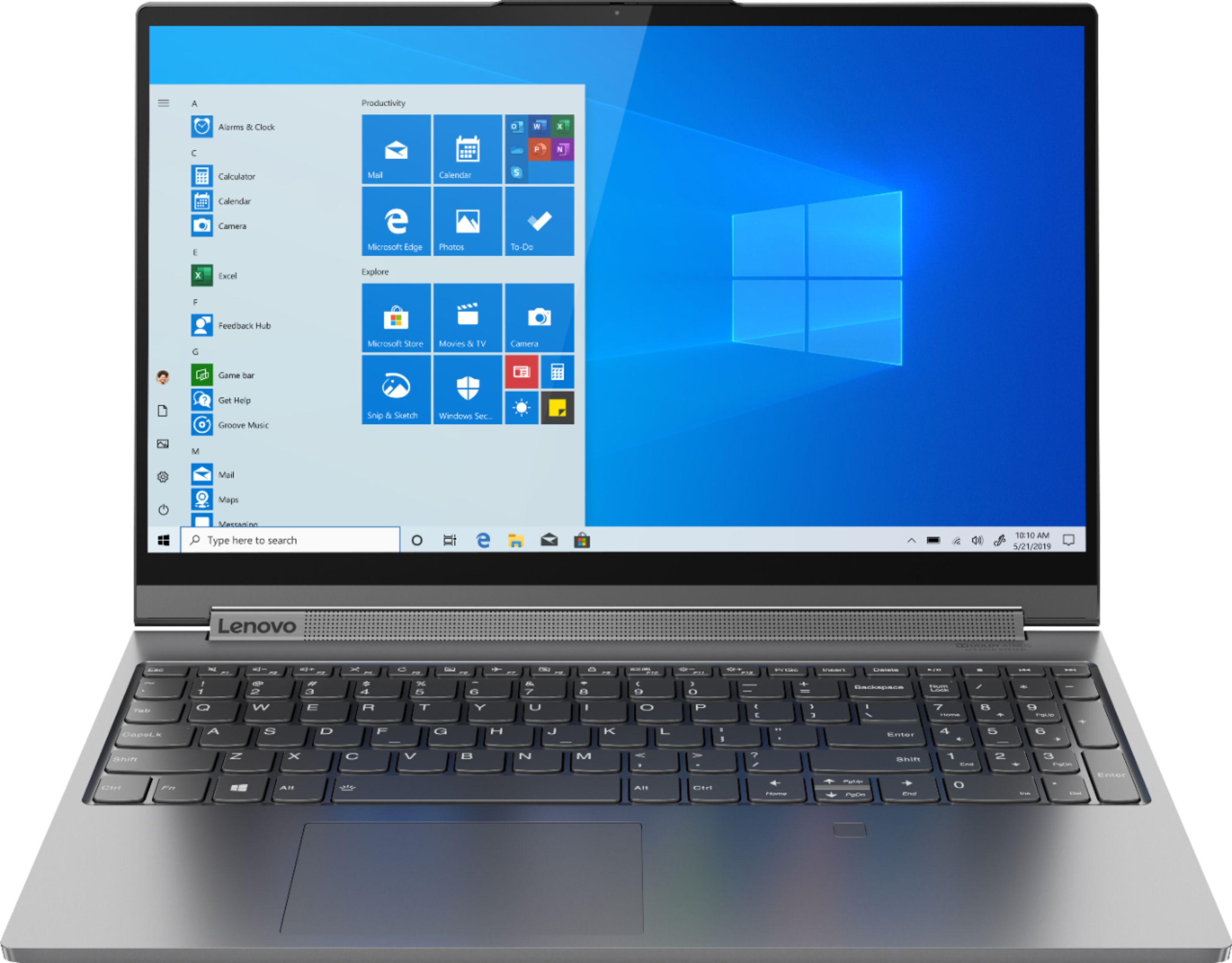

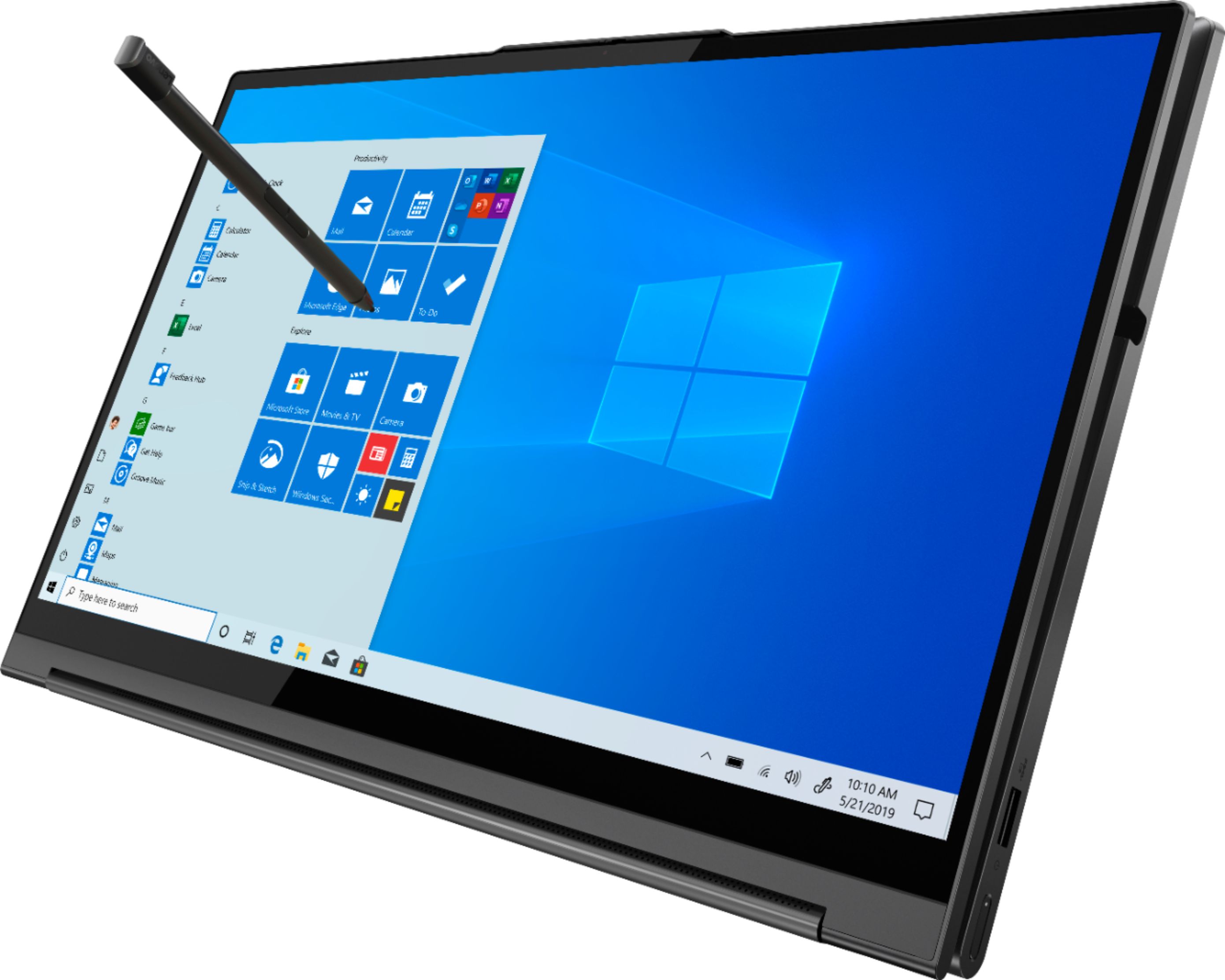

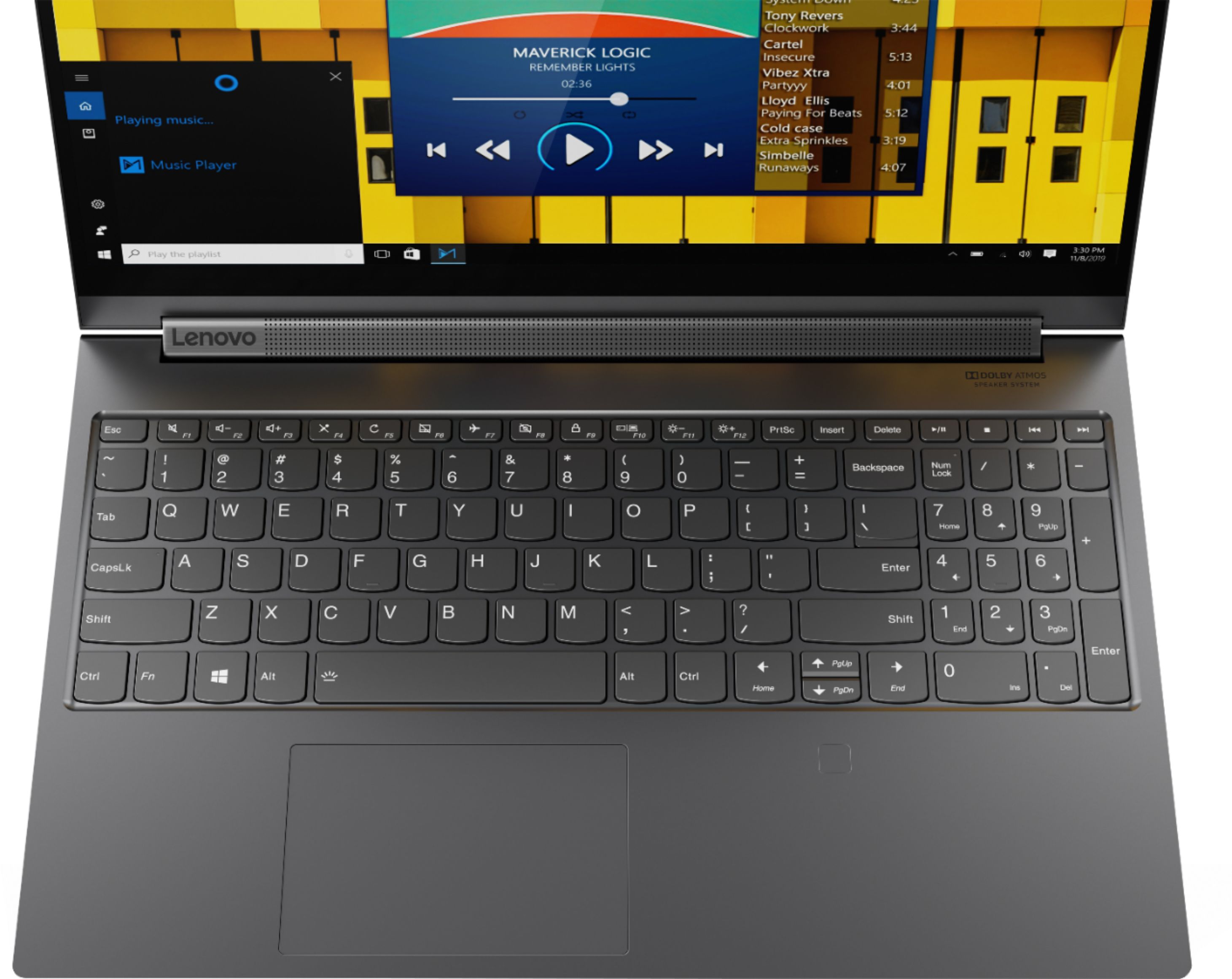
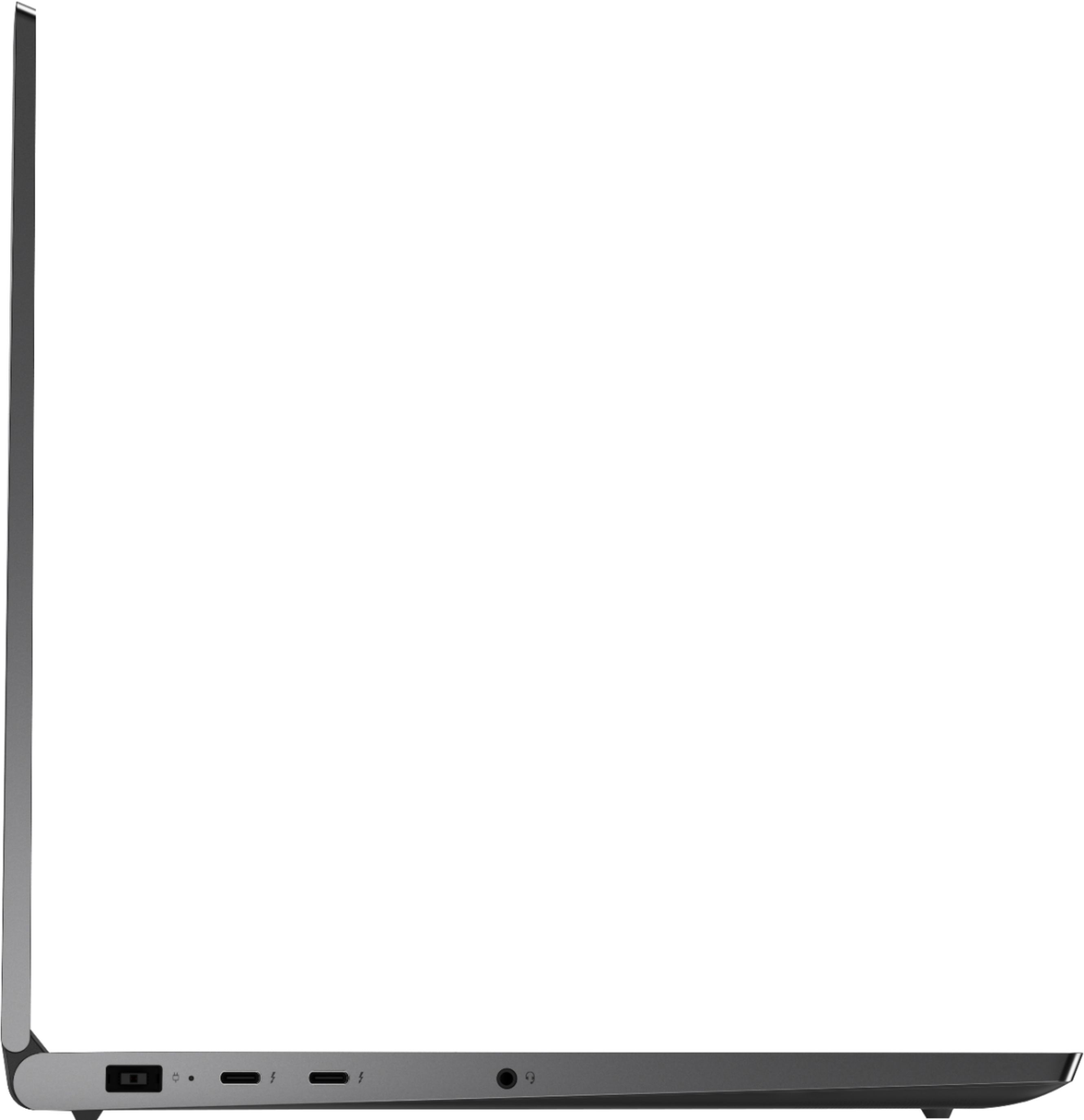






- Model:
- 81TE0000US
- SKU:
- 6367793
Rating by feature
- Battery Life
Rating 3.7 out of 5 stars
- Speed
Rating 4.3 out of 5 stars
- Display
Rating 4.3 out of 5 stars
Customers are saying
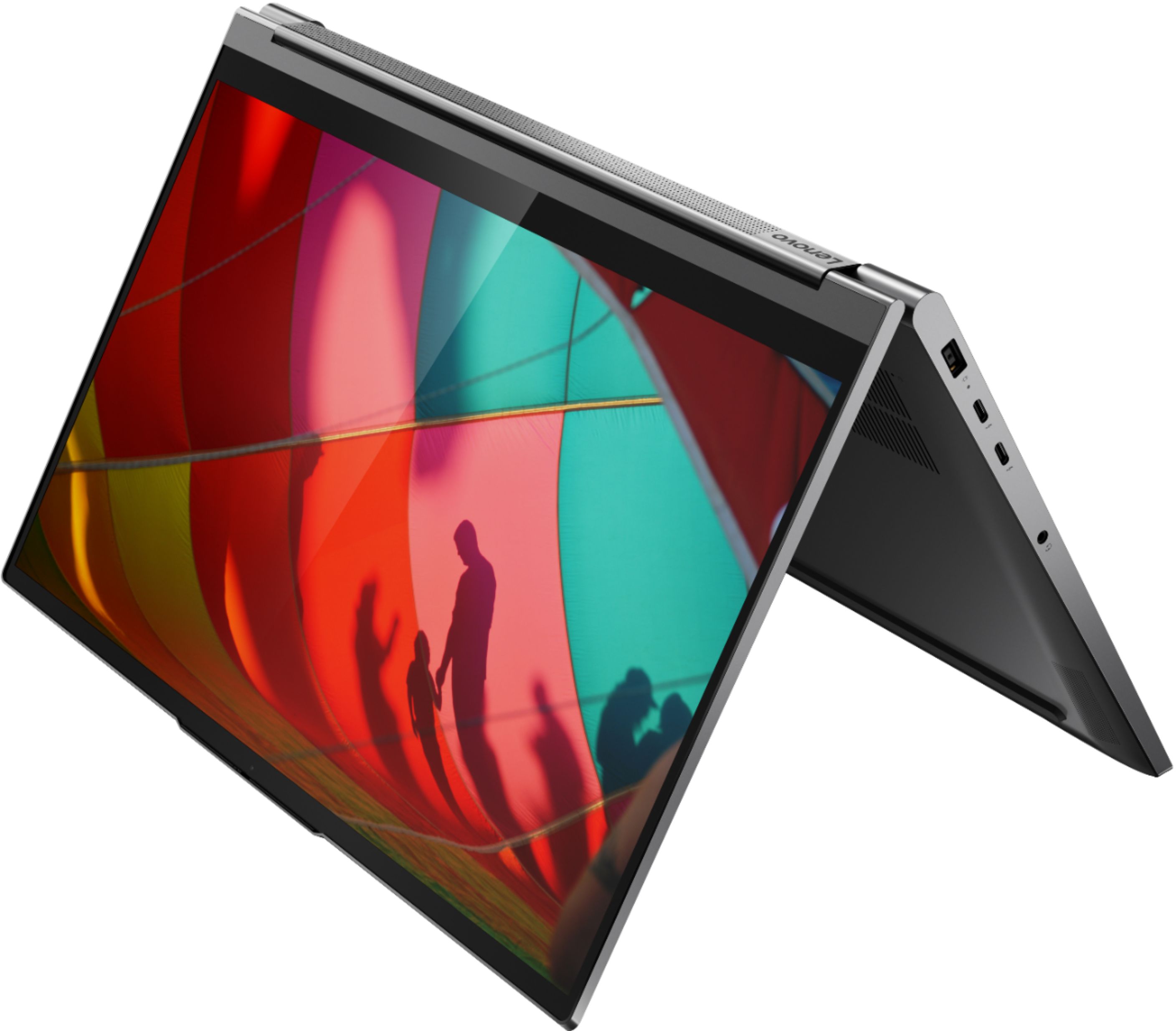
Customers consistently note the Yoga C940's powerful performance, excellent build quality, and responsive touch screen. Many users also appreciate its great price, easy-to-use interface, and impressive multitasking capabilities. However, some users have expressed concerns about its short battery life, loud fan noise, and tendency to overheat.
This summary was generated by AI based on customer reviews.
Great for videoEditing
||Posted . Owned for 4 months when reviewed.This reviewer received promo considerations or sweepstakes entry for writing a review.My wife is using this laptop for video editing and seems to working fine for her. Pros: The inbuilt stylus is great and easy to store and use Good Graphics card for photo and video editing Cons: Sometimes the laptop gets heated very badly. Also, the charger for this laptop is huge and heavy.
I would recommend this to a friendBrand response from Lenovo Product Expert
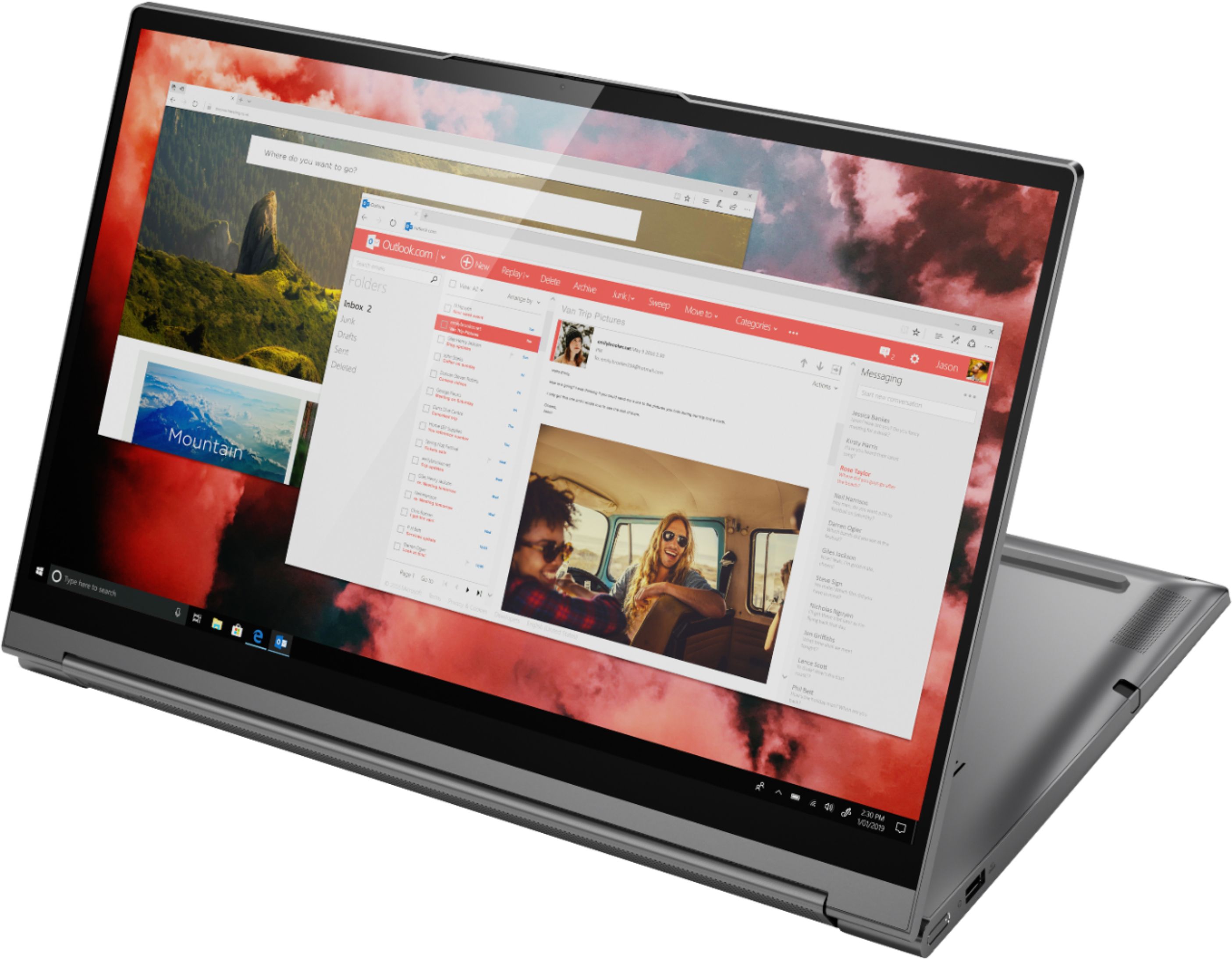
Posted .Thank you for choosing the lenovo Yoga C940-15. The Yoga C940-15 is configured for maximum computing power, but still is an ultra portable, 2 in 1 format device, weighing only 4.18 lbs. There is an internal fan to maintain the proper operating temperature of the system that works automatically, based on the system workload. At maximum workloads the Yoga C940-15 will feel warm to the touch. As long as you have the computer on a flat surface and leave space for the air to flow through the keyboard area and out through the bottom cooling vent, the internal fan will maintain proper operating temperatures. Because this is a high performance configuration, it uses a 135W external power supply and has an onboard 4CELL_68WH_INTERNAL, Lithium Polymer Battery, for up to 12 hours of battery life, when working remotely. Every component of Yoga C940 was engineered with your experience in mind. That’s why the Yoga C940 offers the brilliant color and clarity with ultra-narrow bezels, with 500 nits brightness, it’s 50-percent brighter than standard SDR displays. You’ll enjoy amazing realism that's vivid, nuanced, and powerful. Capture your ideas the moment inspiration hits with a garaged digital pen. Featuring an in-body charging compartment, the Yoga C940 ensures you’ll never lose a thought—or your digital pen—again. The convertible hinge hides a powerful Dolby Atmos Speaker System that immerses you in 3D sound in every mode. Combined with two sets of speakers featuring powerful subwoofers, custom tweeters, and unique vibration buffers that reduce unwanted noise, your audio will sound bigger, deeper, and more accurate. Experience how the Yoga C940 embodies world-class craftsmanship, innovative solutions, and elevated design. Log into your Yoga C940 in less than two seconds with an integrated fingerprint reader. That’s three times faster than the average time it takes to type a password. Forget your password.

Easy to use
||Posted . Owned for 1 month when reviewed.This reviewer received promo considerations or sweepstakes entry for writing a review.Daughter usually uses apple and converted very easily to this one.
I would recommend this to a friendBrand response from Lenovo Product Expert
Posted .We are pleased to hear that the Lenovo Yoga C940-15 is working out so well for your daughter. Every component of Yoga C940 was engineered with your experience in mind. That’s why the Yoga C940 offers the brilliant color and clarity with ultra-narrow bezels, with 500 nits brightness, it’s 50-percent brighter than standard SDR displays. You’ll enjoy amazing realism that's vivid, nuanced, and powerful. Capture your ideas the moment inspiration hits with a garaged digital pen. Featuring an in-body charging compartment, the Yoga C940 ensures you’ll never lose a thought—or your digital pen—again. The convertible hinge hides a powerful Dolby Atmos Speaker System that immerses you in 3D sound in every mode. Combined with two sets of speakers featuring powerful subwoofers, custom tweeters, and unique vibration buffers that reduce unwanted noise, your audio will sound bigger, deeper, and more accurate. Experience how the Yoga C940 embodies world-class craftsmanship, innovative solutions, and elevated design. Log into your Yoga C940 in less than two seconds with an integrated fingerprint reader. That’s three times faster than the average time it takes to type a password. Forget your password.
- Cons mentioned:Overheating
Decent
||Posted . Owned for 1 month when reviewed.This reviewer received promo considerations or sweepstakes entry for writing a review.Good laptop. Gets hot easily. Had some glitches but I repaired it
I would recommend this to a friendBrand response from Lenovo Product Expert
Posted .The Lenovo Yoga C940-15 will get warm to the touch when it is under heavy workloads. If you are feeling the computer get warm under light to moderate workloads, first, be sure any software you installed is compatible with Windows 10. Incompatible software will increase workload, thereby increasing the system heat. There is no need to install Microsoft Office software. The software is already part of the operating system, you just need to activate the software with a purchased product key. If you have installed a copy of Microsoft Office, this is conflicting with the existing copy on the system and this will slow your system down. If you have installed a 3rd party anti-virus program, be sure that Windows Defender is turned off and that the trial version of McAfee Anti-Virus software is uninstalled. There can only be one anti-virus program on the system. You may need to restore your system to original factory default settings if any of the programming errors have occurred. You can do that by typing "restore" in the Cortana search window. Just click on the magnifying glass icon at the bottom left of your Windows 10 Desktop. Click on "Reset This PC" Then click on "Get Started" and follow the on screen directions to restore to factory defaults. If the problem persists, we recommend you contact Lenovo Tech Support at: 877-453-6686.
- Pros mentioned:Powerful
Love the Lenovo Yoga series!!!!
||Posted . Owned for 1 month when reviewed.This reviewer received promo considerations or sweepstakes entry for writing a review.Great computer for the serious college student who isn't interested in all the gaming quirks--even though it could hold it's own if you are into that sort of thing.
I would recommend this to a friendBrand response from Lenovo Product Expert
Posted .Hello. Thanks for choosing the Lenovo Yoga C940 Laptop. We are pleased to hear the features, performance, and design of the Yoga C940 are meeting your computing needs so well!
- Cons mentioned:Heavy
A bit hot.
||Posted .This reviewer received promo considerations or sweepstakes entry for writing a review.Came with a few scratches but I'm happy overall with the laptop. It's a bit heavier and a bit hot. Buy as long if you update it. It'll be cool enough.
I would recommend this to a friend Workhorse of a computer
||Posted . Owned for 1 month when reviewed.This reviewer received promo considerations or sweepstakes entry for writing a review.I recently traded in my Asus gaming laptop for my currently owned Lenovo c950. I am so glad I did my Asus would get sometimes 5 hours of batter sometimes 1 hour. It was so loud when just updating the laptop. The fans came to life at 5% of the update and I thought the Asus was getting ready to take flight. I do python programming on my Lenovo which isn't the most demanding at all but I can't even hear it go.
I would recommend this to a friendBrand response from Lenovo Product Expert
Posted .Thank you for choosing the Lenovo Yoga C940-15. We are pleased to hear that the Yoga C940-15 is working out so well for you. Every component of Yoga C940 was engineered with your experience in mind. That’s why the Yoga C940 offers the brilliant color and clarity with ultra-narrow bezels, with 500 nits brightness, it’s 50-percent brighter than standard SDR displays. You’ll enjoy amazing realism that's vivid, nuanced, and powerful. Capture your ideas the moment inspiration hits with a garaged digital pen. Featuring an in-body charging compartment, the Yoga C940 ensures you’ll never lose a thought—or your digital pen—again. The convertible hinge hides a powerful Dolby Atmos Speaker System that immerses you in 3D sound in every mode. Combined with two sets of speakers featuring powerful subwoofers, custom tweeters, and unique vibration buffers that reduce unwanted noise, your audio will sound bigger, deeper, and more accurate. Experience how the Yoga C940 embodies world-class craftsmanship, innovative solutions, and elevated design. Log into your Yoga C940 in less than two seconds with an integrated fingerprint reader. That’s three times faster than the average time it takes to type a password. Forget your password.
Great Little Workhorse
||Posted . Owned for 1 month when reviewed.This reviewer received promo considerations or sweepstakes entry for writing a review.I do development work that can be pretty memory intensive. This laptop has been able to keep up just fine. The only problem I've had is with the Windows 10. There's so many security restrictions that dual booting with a different distro is near impossible for my daily workflow.
I would recommend this to a friendBrand response from Lenovo Product Expert
Posted .Every component of Yoga C940 was engineered with your experience in mind. That’s why the Yoga C940 offers the brilliant color and clarity with ultra-narrow bezels, with 500 nits brightness, it’s 50-percent brighter than standard SDR displays. You’ll enjoy amazing realism that's vivid, nuanced, and powerful. Capture your ideas the moment inspiration hits with a garaged digital pen. Featuring an in-body charging compartment, the Yoga C940 ensures you’ll never lose a thought—or your digital pen—again. The convertible hinge hides a powerful Dolby Atmos Speaker System that immerses you in 3D sound in every mode. Combined with two sets of speakers featuring powerful subwoofers, custom tweeters, and unique vibration buffers that reduce unwanted noise, your audio will sound bigger, deeper, and more accurate. Experience how the Yoga C940 embodies world-class craftsmanship, innovative solutions, and elevated design. Log into your Yoga C940 in less than two seconds with an integrated fingerprint reader. That’s three times faster than the average time it takes to type a password. Forget your password.
- Pros mentioned:Graphics
powerful machine for home use
||Posted . Owned for 3 weeks when reviewed.This reviewer received promo considerations or sweepstakes entry for writing a review.The Lenovo outperforms my previous laptop. And great graphics.
I would recommend this to a friendBrand response from Lenovo Product Expert
Posted .Thank you for choosing the lenovo Yoga C940-15. Every component of Yoga C940 was engineered with your experience in mind. That’s why the Yoga C940 offers the brilliant color and clarity with ultra-narrow bezels, with 500 nits brightness, it’s 50-percent brighter than standard SDR displays. You’ll enjoy amazing realism that's vivid, nuanced, and powerful. Capture your ideas the moment inspiration hits with a garaged digital pen. Featuring an in-body charging compartment, the Yoga C940 ensures you’ll never lose a thought—or your digital pen—again. The convertible hinge hides a powerful Dolby Atmos Speaker System that immerses you in 3D sound in every mode. Combined with two sets of speakers featuring powerful subwoofers, custom tweeters, and unique vibration buffers that reduce unwanted noise, your audio will sound bigger, deeper, and more accurate. Experience how the Yoga C940 embodies world-class craftsmanship, innovative solutions, and elevated design. Log into your Yoga C940 in less than two seconds with an integrated fingerprint reader. That’s three times faster than the average time it takes to type a password. Forget your password.
- Cons mentioned:Battery life
only had this a few days
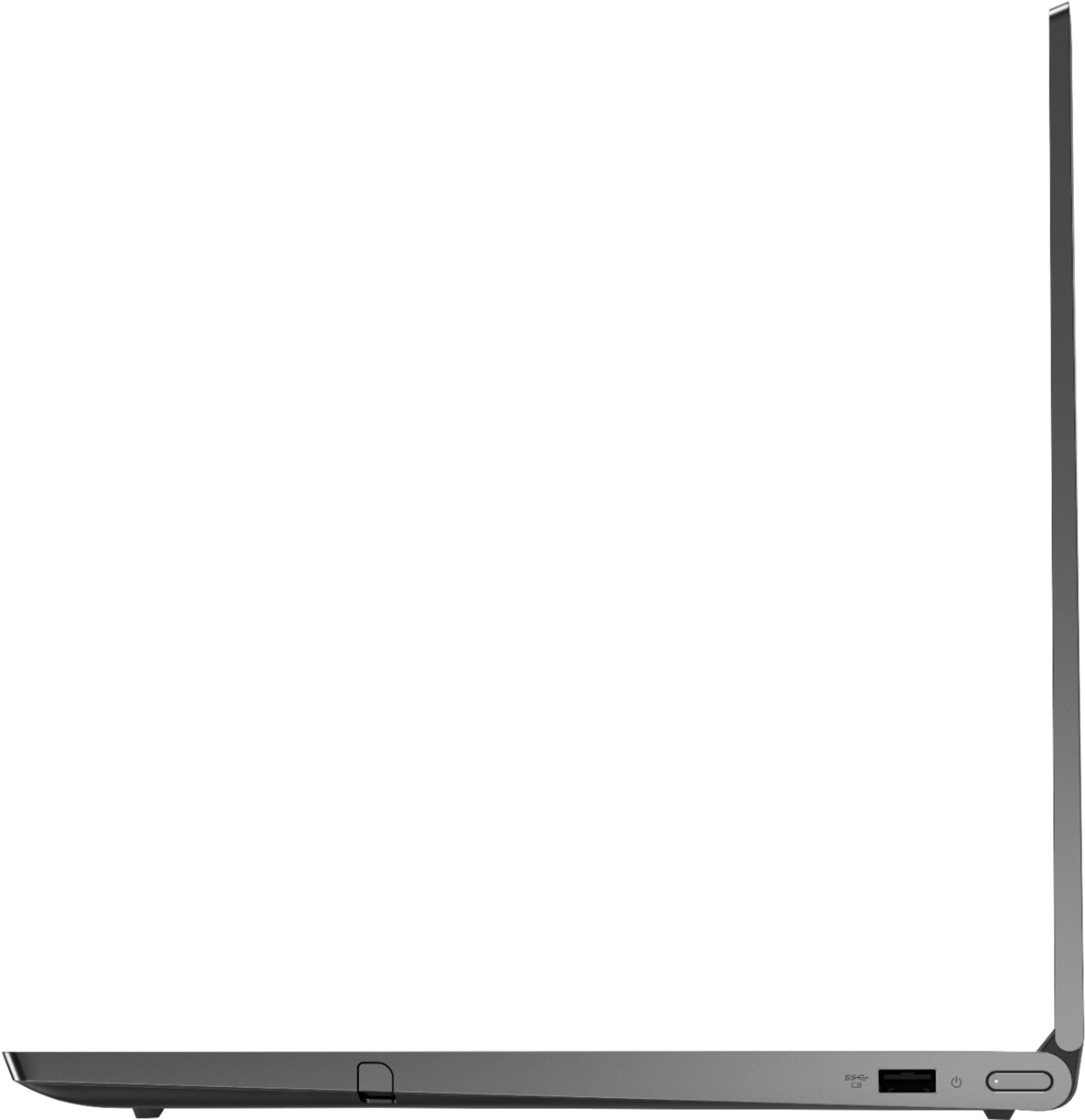
||Posted . Owned for less than 1 week when reviewed.This reviewer received promo considerations or sweepstakes entry for writing a review.Battery drains way quicker then advertised. Touch screen is a bit slow. No hdmi port and only one regular USB (the others are thunderbolt 3 ports). I might return this, the added pen seems to leave marks on the screen.
No, I would not recommend this to a friendBrand response from Lenovo Product Expert
Posted .The Lenovo Yoga C940-15 model number 81TE0000US, ships with a 4CELL_68WH_INTERNAL, Lithium Polymer Battery, with a battery life of up to 12 hours. If you are getting significantly less battery life, first, be sure Battery Conservation Mode is turned off. This only charges the battery to 60-percent capacity. It is to be used for laptops that are plugged in all the time. Here is a link to instructions for turning off Battery Conservation Mode:
https://support.lenovo.com/us/en/solutions/ht103159. Second, if Battery Conservation Mode is not turned on, be sure any software you installed is compatible with Windows 10. Incompatible software will drain the battery at a faster rate. There is no need to install Microsoft Office software. The software is already part of the operating system, you just need to activate the software with a purchased product key. If you have installed a copy of Microsoft Office, this is conflicting with the existing copy on the system and this will slow your system down. If you have installed a 3rd party anti-virus program, be sure that Windows Defender is turned off and that the trial version of McAfee Anti-Virus software is uninstalled. There can only be one anti-virus program on the system. You may need to restore your system to original factory default settings if any of the programming errors have occurred. You can do that by typing "restore" in the Cortana search window. Just click on the magnifying glass icon at the bottom left of your Windows 10 Desktop. Click on "Reset This PC" Then click on "Get Started" and follow the on screen directions to restore to factory defaults. Finally, here is a link to tips for getting more battery life within Windows 10: https://support.microsoft.com/en-us/help/20443/windows-10-battery-saving-tips. For video-out, this system has a Thunderbolt 3.0 port with a video out signal. You can connect an HDMI external monitor to this computer by using a HDMI to Thunderbolt 3.0 adapter. There is one standard USB 3.1 port on this model. If you need more USB ports, you may consider using a portable USB Hub with this device. If battery issue continues, we recommend you contact Lenovo Tech Support at: 877-453-6686.
- Cons mentioned:Heavy
Good all round computer
||Posted . Owned for 1 month when reviewed.This reviewer received promo considerations or sweepstakes entry for writing a review.This Lenovo laptop is quick, has a very good picture and has enough memory for my needs. It is a bit heavy for daily carrying, but great as a desktop replacement.
I would recommend this to a friendBrand response from Lenovo Product Expert
Posted .Once again, thank you for choosing the Lenovo Yoga C940-15. This configuration weighs just 4.18 lbs. You can keep your computer running at its best by keeping the Windows 10 Operating System and all supporting BIOS files and drivers up to date. You can easily accomplish this by scanning the computer with the Lenovo Utility software available on this computer. This system has Lenovo utilities installed to help maintain the health of the device and keep the operating system software up to date. Type "Lenovo Vantage" in the Cortana Search window (if Lenovo Vantage is not installed on your device, you can download the APP and install it now). Select Lenovo Vantage from the list. In the window that opens, click on "Health and Support". In the expanded menu, select "Hardware Scan" In the window that opens, select "Run Quick Tests". This will scan your entire system for errors. Follow any directions that may pop up. If the problem continues after this scan, now click on "System Update". First select Windows update from the menu. Scan your system to be sure you have the latest version of Windows 10. Once that scan is complete, select "Additional Updates". This will scan your device to be sure there are no new BIOS/Driver updates needed. Follow any instructions that may pop up. If you ever need additional help with your Lenovo computer, we recommend you call Lenovo Tech Support at: 877-453-6686 for additional help.
- Cons mentioned:Loud fan
Its ok
||Posted . Owned for 1 month when reviewed.This reviewer received promo considerations or sweepstakes entry for writing a review.The fans are loud, it runs really hot, and the sound is not nearly as good as i had hoped. But it works and I can do my work with it. I wish I had been able to see it in person before I bought it, but COVID happened. I'm hoping it lasts as long as my yoga 720, which I love.
No, I would not recommend this to a friendBrand response from Lenovo Product Expert
Posted .We are sorry to hear that you are having issues with your Lenovo Yoga C940-15. You can use Lenovo Q-Control to manually control fan performance: ( Fn + Q ) option to change the fan by undervolting the processor. The Yoga C940-15 delivers 3-dimensional sound in every mode
The Yoga C940's convertible hinge hides a powerful Dolby Atmos Speaker System that immerses you in 3D sound in every mode. Combined with two sets of speakers featuring powerful subwoofers, custom tweeters, and unique vibration buffers that reduce unwanted noise, your audio will sound bigger, deeper, and more accurate. If you are experiencing audio that is less than expected, be sure you have the latest version of Windows 10 on the computer, then update all of the BIOS files and drivers up to that latest version of Windows 10. You can easily accomplish this by scanning the computer with the Lenovo Utility software available on this computer. This system has Lenovo utilities installed to help maintain the health of the device and keep the operating system software up to date. Type "Lenovo Vantage" in the Cortana Search window (if Lenovo Vantage is not installed on your device, you can download the APP and install it now). Select Lenovo Vantage from the list. In the window that opens, click on "Health and Support". In the expanded menu, select "Hardware Scan" In the window that opens, select "Run Quick Tests". This will scan your entire system for errors. Follow any directions that may pop up. If the problem continues after this scan, now click on "System Update". First select Windows update from the menu. Scan your system to be sure you have the latest version of Windows 10. Once that scan is complete, select "Additional Updates". This will scan your device to be sure there are no new BIOS/Driver updates needed. Follow any instructions that may pop up. If the issue still continues after these updates, we recommend you call Lenovo Tech Support at: 877-453-6686 for additional help.
- Pros mentioned:Touch screen
Really all we need and more
||Posted . Owned for 1 month when reviewed.This reviewer received promo considerations or sweepstakes entry for writing a review.This was for my Wife who needed a computer quickly to run some programs for her schooling. This is our first laptop with a touch screen and my Wife really likes it.
I would recommend this to a friendBrand response from Lenovo Product Expert
Posted .Once again, thank you for choosing the Lenovo Yoga C940-15 for your wife. This computer can continue running at its best by keeping the Windows 10 Operating System and all supporting BIOS files and drivers up to date. You can easily accomplish this by scanning the computer with the Lenovo Utility software available on this computer. This system has Lenovo utilities installed to help maintain the health of the device and keep the operating system software up to date. Type "Lenovo Vantage" in the Cortana Search window (if Lenovo Vantage is not installed on your device, you can download the APP and install it now). Select Lenovo Vantage from the list. In the window that opens, click on "Health and Support". In the expanded menu, select "Hardware Scan" In the window that opens, select "Run Quick Tests". This will scan your entire system for errors. Follow any directions that may pop up. If the problem continues after this scan, now click on "System Update". First select Windows update from the menu. Scan your system to be sure you have the latest version of Windows 10. Once that scan is complete, select "Additional Updates". This will scan your device to be sure there are no new BIOS/Driver updates needed. Follow any instructions that may pop up. If you ever need additional help with your Lenovo computer, we recommend you call Lenovo Tech Support at: 877-453-6686 for additional help.
- Pros mentioned:Speed
Love this new Lenovo!
||Posted . Owned for 1 month when reviewed.This reviewer received promo considerations or sweepstakes entry for writing a review.I cannot believe how fast this computer is. The fact you can open the cover almost 360 degrees is really a plus! Now I understand why they call it the Yoga!!
I would recommend this to a friendBrand response from Lenovo Product Expert
Posted .Thank you for choosing the Lenovo Yoga C940-15. We are pleased to hear that the features and performance of the Yoga C940-15 meets your computing needs so well. Every component of Yoga C940 was engineered with your experience in mind. That’s why the Yoga C940 offers the brilliant color and clarity with ultra-narrow bezels, with 500 nits brightness, it’s 50-percent brighter than standard SDR displays. You’ll enjoy amazing realism that's vivid, nuanced, and powerful. Capture your ideas the moment inspiration hits with a garaged digital pen. Featuring an in-body charging compartment, the Yoga C940 ensures you’ll never lose a thought—or your digital pen—again. The convertible hinge hides a powerful Dolby Atmos Speaker System that immerses you in 3D sound in every mode. Combined with two sets of speakers featuring powerful subwoofers, custom tweeters, and unique vibration buffers that reduce unwanted noise, your audio will sound bigger, deeper, and more accurate. Experience how the Yoga C940 embodies world-class craftsmanship, innovative solutions, and elevated design. Log into your Yoga C940 in less than two seconds with an integrated fingerprint reader. That’s three times faster than the average time it takes to type a password. Forget your password.
Good laptop
||Posted . Owned for 1 month when reviewed.This reviewer received promo considerations or sweepstakes entry for writing a review.I'm honestly loving this machine. It has lots of features which I'm not aware of, but love how it handles things. I'm a programmer who basically needed a windows machine for specific reasons, but this machine exceeded my needs and expectations. I still have my macbook and imac, but have been using this machine a lot more at the moment. I'll most likely be switching windows out for a linux OS which I know this machine will handle like a champ!
I would recommend this to a friend- Pros mentioned:Speed
Great product
||Posted . Owned for 2 months when reviewed.This reviewer received promo considerations or sweepstakes entry for writing a review.Very fast and the screen is very vice. Do not expect the battery to last that long but that is not a problem for me. Good sound coming from a laptop.
I would recommend this to a friendBrand response from Lenovo Product Expert
Posted .The Lenovo Yoga C940-15, model number 81TE0000US, ships with a 4CELL_68WH_INTERNAL, Lithium Polymer Battery, with a battery life of up to 12 hours, depending on the work the device is performing. Every component of Yoga C940 was engineered with your experience in mind. That’s why the Yoga C940 offers the brilliant color and clarity with ultra-narrow bezels, with 500 nits brightness, it’s 50-percent brighter than standard SDR displays. You’ll enjoy amazing realism that's vivid, nuanced, and powerful. Capture your ideas the moment inspiration hits with a garaged digital pen. Featuring an in-body charging compartment, the Yoga C940 ensures you’ll never lose a thought—or your digital pen—again. The convertible hinge hides a powerful Dolby Atmos Speaker System that immerses you in 3D sound in every mode. Combined with two sets of speakers featuring powerful subwoofers, custom tweeters, and unique vibration buffers that reduce unwanted noise, your audio will sound bigger, deeper, and more accurate. Experience how the Yoga C940 embodies world-class craftsmanship, innovative solutions, and elevated design. Log into your Yoga C940 in less than two seconds with an integrated fingerprint reader. That’s three times faster than the average time it takes to type a password. Forget your password.
- Pros mentioned:Powerful
Great laptop
||Posted . Owned for 4 months when reviewed.This reviewer received promo considerations or sweepstakes entry for writing a review.This thing is so smooth and a real power house was always an apple guy but the way this thing works prob going too make the jump too other side
I would recommend this to a friend - Pros mentioned:Powerful
A great laptop
||Posted . Owned for 1 month when reviewed.This reviewer received promo considerations or sweepstakes entry for writing a review.I needed a laptop powerful enough to allow me to work from home (I am a computer programmer). This computer has power, memory, and a great display.
I would recommend this to a friendBrand response from Lenovo Product Expert
Posted .Thank you for choosing the lenovo Yoga C940-15. We are pleased to hear that the performance of the Yoga C940-15 meets your computing needs so well. Every component of Yoga C940 was engineered with your experience in mind. That’s why the Yoga C940 offers the brilliant color and clarity with ultra-narrow bezels, with 500 nits brightness, it’s 50-percent brighter than standard SDR displays. You’ll enjoy amazing realism that's vivid, nuanced, and powerful. Capture your ideas the moment inspiration hits with a garaged digital pen. Featuring an in-body charging compartment, the Yoga C940 ensures you’ll never lose a thought—or your digital pen—again. The convertible hinge hides a powerful Dolby Atmos Speaker System that immerses you in 3D sound in every mode. Combined with two sets of speakers featuring powerful subwoofers, custom tweeters, and unique vibration buffers that reduce unwanted noise, your audio will sound bigger, deeper, and more accurate. Experience how the Yoga C940 embodies world-class craftsmanship, innovative solutions, and elevated design. Log into your Yoga C940 in less than two seconds with an integrated fingerprint reader. That’s three times faster than the average time it takes to type a password. Forget your password.
- Pros mentioned:Powerful
Great power yet light
||Posted . Owned for 1 year when reviewed.This reviewer received promo considerations or sweepstakes entry for writing a review.Great power to handle more advanced processing. Larger than my old surface pro but good value with a graphics card
I would recommend this to a friend - Pros mentioned:Speed
laptop
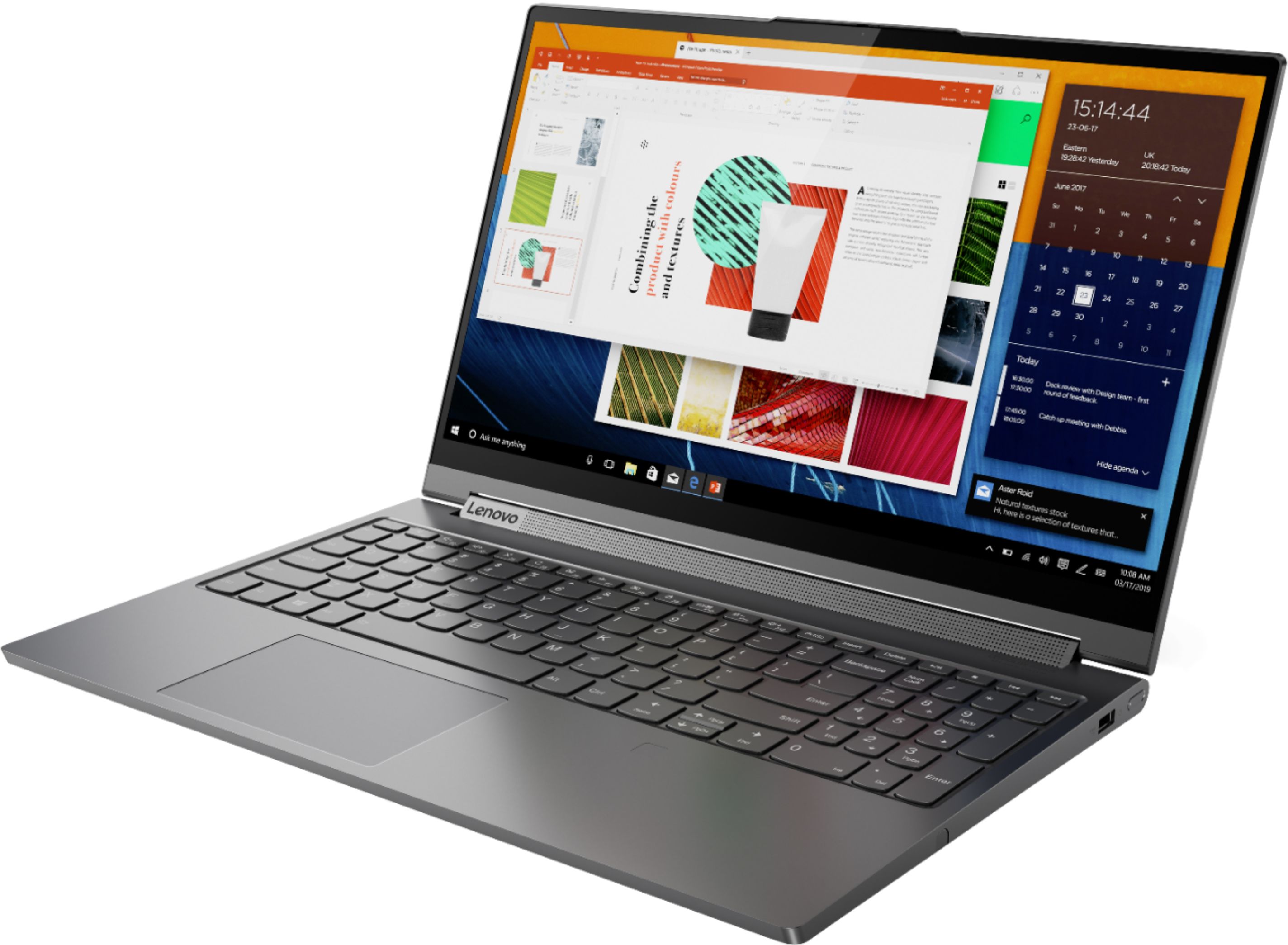
||Posted . Owned for 3 weeks when reviewed.This reviewer received promo considerations or sweepstakes entry for writing a review.I love the Lenovo Yoga C940 Touch-Screen Laptop. The keyboard is comfortable and the screen is clear. It's much faster than my old laptop.
I would recommend this to a friend - Cons mentioned:Battery life
It is not the best laptop but is good.
||Posted . Owned for 1 month when reviewed.This reviewer received promo considerations or sweepstakes entry for writing a review.it is good but not great. the Keyboard is little offset and the screen flick. the sound is not as great as it's made(it has a big speaker but it doesn't make good output). Little have and the battery doesn't last more than 3 hours. It gives good functionality.
I would recommend this to a friendBrand response from Lenovo Product Expert
Posted .The Lenovo Yoga C940-14 ships with a 4CELL_68WH_INTERNAL, Lithium Polymer Battery, with a battery life of up to 12 hours, depending on the work the device is performing. If you are getting only 3 hours, first, be sure that Battery Conservation Mode is turned off. This feature only charges the battery to 60-percent of capacity, to prolong the overall battery life, if the laptop is plugged in all the time. Here is a link to instructions for turning off Battery Conservation Mode:
https://support.lenovo.com/us/en/solutions/ht103159. If Battery Conservation Mode is not turned on but you still only get 3 hours battery life, then, be sure any software you installed is compatible with Windows 10. Incompatible software will drain the battery at a faster rate. There is no need to install Microsoft Office software. The software is already part of the operating system, you just need to activate the software with a purchased product key. If you have installed a copy of Microsoft Office, this is conflicting with the existing copy on the system and this will slow your system down. If you have installed a 3rd party anti-virus program, be sure that Windows Defender is turned off and that the trial version of McAfee Anti-Virus software is uninstalled. There can only be one anti-virus program on the system. You may need to restore your system to original factory default settings if any of the programming errors have occurred. You can do that by typing "restore" in the Cortana search window. Just click on the magnifying glass icon at the bottom left of your Windows 10 Desktop. Click on "Reset This PC" Then click on "Get Started" and follow the on screen directions to restore to factory defaults. If the problem persists, we recommend you contact Lenovo Tech Support at: 877-453-6686.