Customer Ratings & Reviews



- Model:
- EA7500
- SKU:
- 4830200
Rating by feature
- Value
Rating 4.5 out of 5 stars
- Quality
Rating 4.6 out of 5 stars
- Ease of Use
Rating 4.6 out of 5 stars
Customers are saying
Customers find value in the AC1900 Dual-Band WiFi 5 Router's ease of use, range, and strong signal, frequently praising its performance and simple setup process. Many appreciate the improved WiFi coverage and its suitability for streaming. While some find the router larger than expected, the overwhelmingly positive feedback highlights its effectiveness.
This summary was generated by AI based on customer reviews.
good router for price
||Posted .This reviewer received promo considerations or sweepstakes entry for writing a review.works great. good price for the quality. would buy
I would recommend this to a friendworks good a little to install
||Posted .This reviewer received promo considerations or sweepstakes entry for writing a review.works good, however it was a little hard to install to install
I would recommend this to a friendGood Product
||Posted .This reviewer received promo considerations or sweepstakes entry for writing a review.I have very satisfied with the Router, very easy to set up.
I would recommend this to a friendGood router
||Posted .This reviewer received promo considerations or sweepstakes entry for writing a review.Good router and easy to set up. Online access is great as well
I would recommend this to a friendRouter
||Posted .This reviewer received promo considerations or sweepstakes entry for writing a review.Great distance, goes for long time. I would suggest
I would recommend this to a friendworks like it should
||Posted .This reviewer received promo considerations or sweepstakes entry for writing a review.works like they said and was not very hard to install
I would recommend this to a friendit works good, but my internet is slow
||Posted .This reviewer received promo considerations or sweepstakes entry for writing a review.The sales person told me this is a good buy for the price.
I would recommend this to a friend- Pros mentioned:Performance
didn't make it one year
||Posted . Owned for 10 months when reviewed.This reviewer received promo considerations or sweepstakes entry for writing a review.Looking for my protection plan brought me here and prompted this review. I've had great results for 9 months. Over the last two months it kept needing to be rebooted nearly every day, and the last week I was lucky to have it working at all. I updated the firmware and I even had tech support run through and reset everything two days ago...and that worked for most of yesterday and today it's back to its non-functioning behavior. So glad I bought the protection plan because this is getting exchanged!
No, I would not recommend this to a friend very good
||Posted .This reviewer received promo considerations or sweepstakes entry for writing a review.it has great strength and reaches all over our building
I would recommend this to a friendExpected better performance.
||Posted .This reviewer received promo considerations or sweepstakes entry for writing a review.Looked at the reviews on modems. Thought this would be a top line product with all the new features. Can't see any difference in performance compared to my old Netgear 600. Can't control the settings unless you use a phone app or go to the Linksys web site.
No, I would not recommend this to a friendBrand response from Linksys Staff
Posted .Hi, Pwcheenie,
There are steps that would help you experience the optimum performance of this router. As for the web interface, you can also log into the local setup page using the router's IP address. To assist you with the process, please email us at [email protected] with your phone number and the link to this post so we can get you over to our Escalation Engineers.
Regards,
Irish
Linksys Support
it seems to be helping the internet go faster
||Posted .This reviewer received promo considerations or sweepstakes entry for writing a review.We were able to easily hook it up to our computer.
I would recommend this to a friendGood for Average plus user
||Posted .This reviewer received promo considerations or sweepstakes entry for writing a review.My hope was to have more fluid control over the kids devices. the parental set up is good but not as fluid as i had hoped or read about. If you take the time to define rigid usage times for the kid devices then this is a great appliance.
I would recommend this to a friendThis higher end router
||Posted .This reviewer received promo considerations or sweepstakes entry for writing a review.Linksys, dual band , wireless and 4 ports - guaranteed to eliminate dropping, buffering and support multiple devices. Came recommended by staff. Unless you're high speed is running "high speed" , this router is only as good as your internet.
I would recommend this to a friendBrand response from Linksys Staff
Posted .Hi, Heartland,
We appreciate your feedback. Yes, the EA7500 router is guaranteed to eliminate connectivity issues and is expected to provide you a faster internet connection. If you need assistance in optimizing the settings, feel free to contact us directly at [email protected], anytime. Our Escalation Engineers are always ready to help.
Regards,
Jay
Linksys Support
- Pros mentioned:Ease of use, Range, Speed

Easy set up and great speed!
|Posted .This reviewer received promo considerations or sweepstakes entry for writing a review.I have had the linksys router for about 10 days now. The set-up was very easy--I disconnected my old cable-provided router and plugged it straight into the linksys. It detected it right away, so then I hopped on my laptop, found the network and followed the instructions. Very quick and easy set up, and at both 2.4 ghz and 5 ghz a variety of connections the options are plentiful--should be able to connect to any device out there. I waited a few days to test at different times to check the speeds, and ALWAYS got the top speeds my provider says I should, and a few times got more (but never less). It's always a solid connection. The range is long--I tested on my phone and made it at least 100 yards from my house before losing it. If you need a wireless router this is one of the best I've used. Highly recommended.
I would recommend this to a friend Not as easy to set up as expected
||Posted .This reviewer received promo considerations or sweepstakes entry for writing a review.Finally managed to set this up after multiple attempts, but still having trouble with some aspects of connectivity. Will still need to call Linksys customer support for the fine tuning, which seems counterproductive.
No, I would not recommend this to a friendBrand response from Linksys Staff
Posted .Hi, UserID,
We're glad that you brought this to our attention so we can tap one of our Escalation Engineers to optimize your router's settings to resolve connectivity issues. Please shoot us an email at [email protected] with your contact information and the link to this review.
Regards,
Jay
Linksys Support
- Pros mentioned:Performance
Solid Router with a Beginner Friendly Setup Wizard
|Posted .This reviewer received promo considerations or sweepstakes entry for writing a review.This router replaced another AC 1900 router of a different brand that I installed about a year ago. My home router receives its Internet input from a DOCSIS 3.0 cable modem that brings Comcast Internet into our home. This Linksys EA7500 is the first router in my life that allowed me to perform the initial setup totally wirelessly. The included Ethernet cable is still wrapped up nicely in the box. I set up the EA7500 router from my desktop PC on another floor of my home that is connected wirelessly via a USB 3.0 Wi-Fi network adapter. The setup wizard is very beginner friendly and was enormously helpful in getting everything going without much interaction from me except for assigning SSID names and passwords for the two wireless channels (2.4 GHz and 5 GHz) and assigning a password for the router’s Admin user. To achieve basic Internet connectivity I didn’t have to worry about setting parameters for things like DHCP, IP addresses and range, DNS, ports, IPv4 and IPv6, MAC addresses, and security mode. All were preset by the wizard which provided me with the most painless router setup experience I’ve ever had. We have at least 27 wireless devices in our home plus one server wired directly to the router. The wireless devices are comprised of iPhones, Android phones, iPads, PCs, laptops, printers, smart TVs, Apple TV boxes, SmartCams, and smart BR/DVD players. Because we have multiple streaming devices for each TV, all 28 devices would never use the router simultaneously, but at least 14 are always connected and doing something each time I scan with Net Analyzer. During my testing, this Linksys router managed to handled three movies streaming without any spooling occurring. In fact, in the week I've had it, all connected devices have been humming along fine with no lag, dropouts, or other network problems. Our home is just over 2,000 sq ft on each floor and the router is centrally located on the main beam of the home in a floor joist cavity. The Wi-Fi Analyzer on my Android phone showed a strong -40 dBm to -60 dBm signal on the 2.4 GHz band in all areas of the home. However, the 5 GHz signal strength faded quickly as I left the center of the home. Yet, there was still a weak but useable -80 dBm signal in three of the four corners of the home. In the fourth corner the signal dropped to a barely usable -90 dBm. In fairness I should mention that to reach that fourth corner on the main floor the Wi-Fi signal has to travel through hardwood flooring, two walls, the kitchen refrigerator, and the washer/dryer in the laundry room. Back in the 802.11g days I was unimpressed with Linksys routers like the WRT54G. But, this new EA7500 is causing me to look at Linksys routers in a whole new light. Both novice home networkers and small business users alike should be very happy with this new router.
I would recommend this to a friend Problem?
||Posted . Owned for 1 month when reviewed.This reviewer received promo considerations or sweepstakes entry for writing a review.My husband told me this is not causing my problems, but ever since installing I have not been able to print to my WiFi printer, I frequently get pop ups that I need to sign in, etc.
No, I would not recommend this to a friendBrand response from Linksys Staff
Posted .Hi Novice,
Make sure that your Wi-Fi printer is connected to the same network as your devices. You can try to reset its wireless connection. We can also have our Second Level Technicians contact you for further isolation and troubleshooting.
Just send us your contact details at [email protected] so that we can escalate your case. Don't forget to include the link to this post as a reference.
We hope to hear from you soon.
Regards,
Thaddeus
Linksys Support
- Pros mentioned:Range
A must-have for heavy internet usage
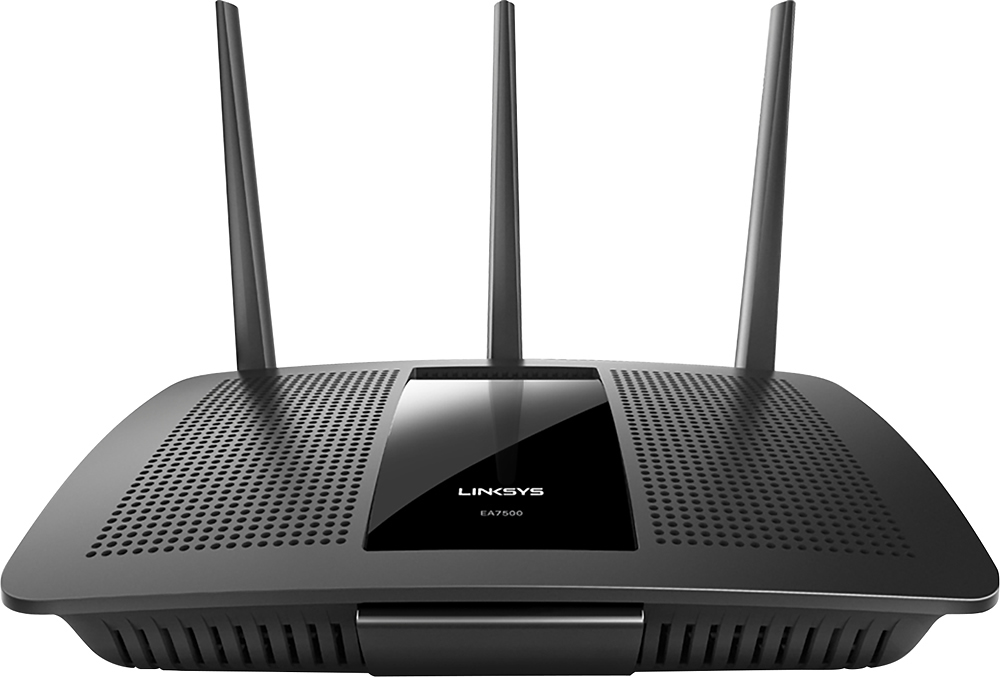
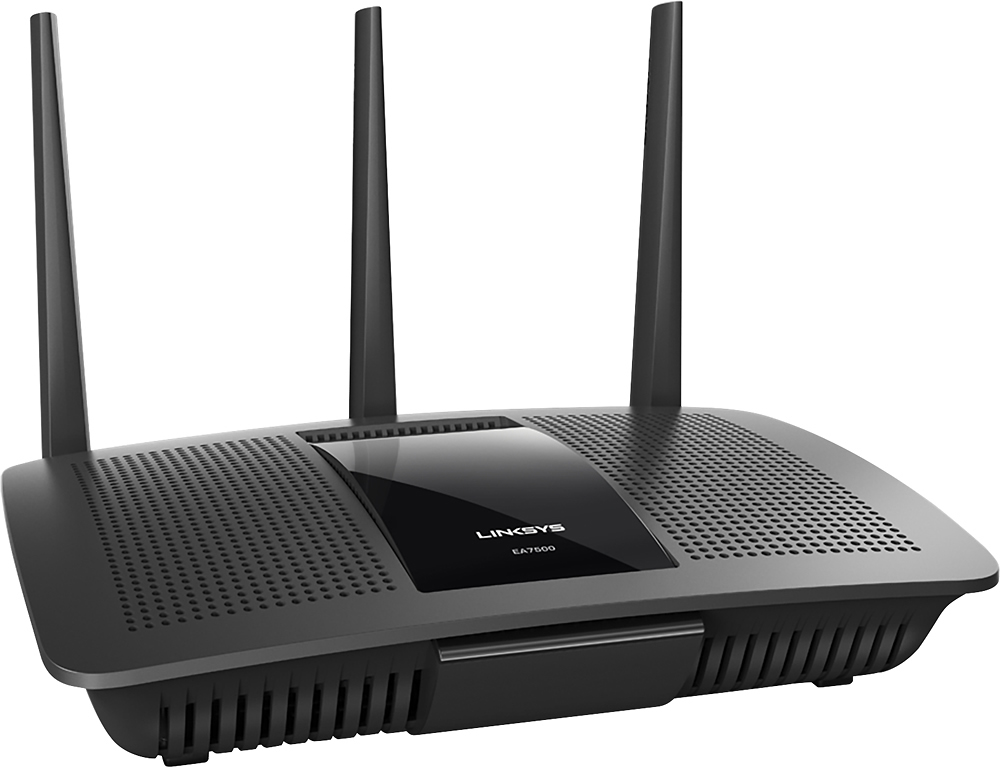
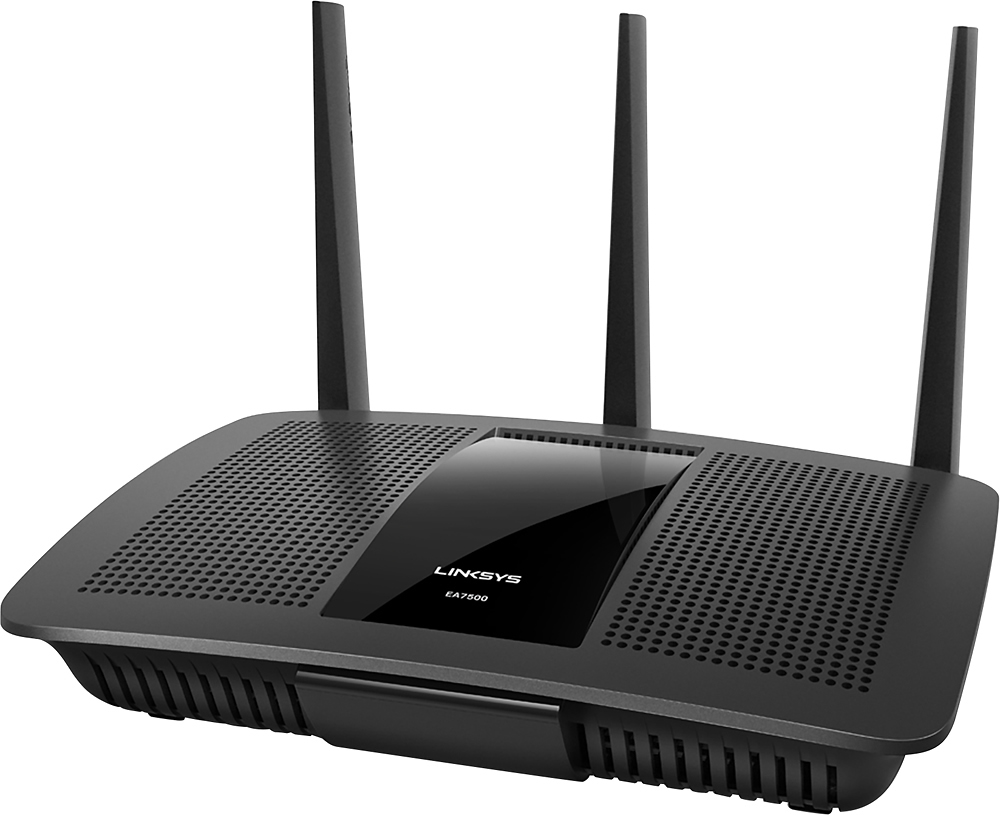
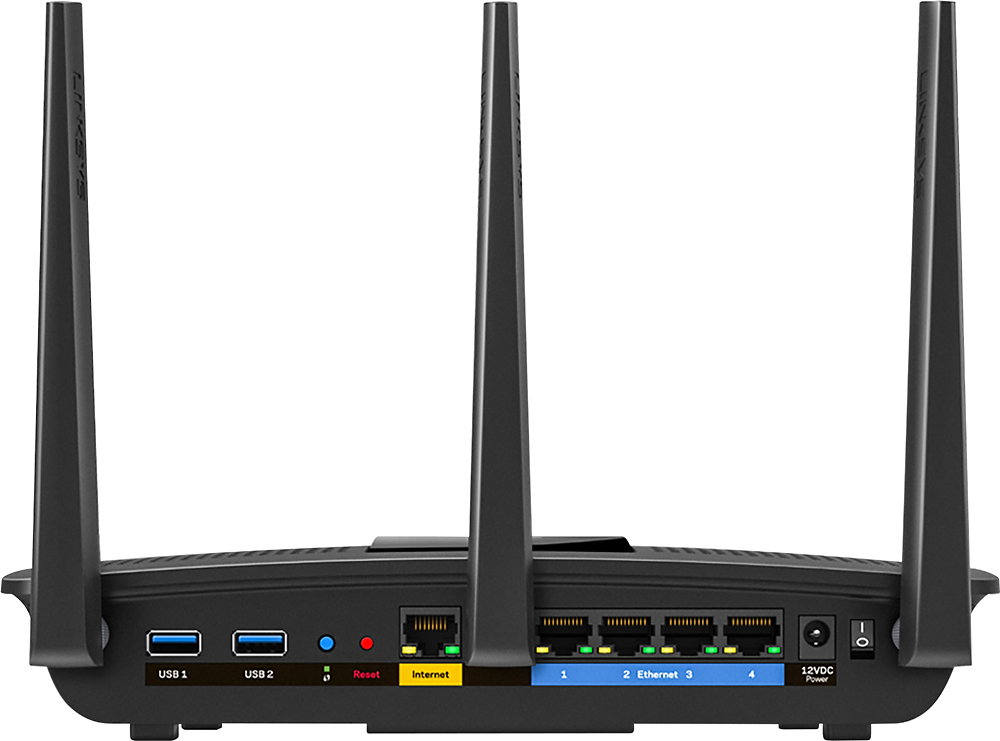
|Posted .This reviewer received promo considerations or sweepstakes entry for writing a review.The Linksys EA7500 is a powerful router! With 3 antennas on it, it is capable of reaching a medium range home. My home is about 2500 sq ft and it reaches every corner of it well. I got full or almost full bars everywhere. This router is well vented on the top side which will likely prevent it from overheating and keep performance at a max. The awesome thing about this router, is it has MU-MIMO (Multi-User Multi-input, Multi-output) which basically allows multiple devices to get bandwidth simultaneously. This is in contrast to traditional (non MU-MIMO) routers that can only provide bandwidth to one device at a time, switching really fast between devices to fulfill data requests. Where this comes in handy is in a household like mine, I have about 15 devices, both wired and wireless, all demanding bandwidth. On a few tests I ran, this router was able to maximize my bandwidth effectiveness and out of my 60mbps, my devices were all downloading a combined 60mbps, so there was no loss of bandwidth. I found this to be fantastic. The other aspect of this router is that it gives you an online portal through which you can login remotely to control your home network. You can see what devices are connected, create guests networks and passwords, and see your media from outside your home, provided you have a hard drive connected to your USB ports. It comes with 2 USB ports (2.0 and 3.0) both located in the back. It has 4 Ethernet out ports and 1 Ethernet in. Set up of this router was extremely easy and I was up and running in about 5 minutes. It has bells and whistles if you want to really get detailed about your network configuration, but also allows you to keep everything simple. It also transmits in 2.4ghz and 5ghz for your needs. Overall, this router is a very robust and capable device, and based on my initial assessment of it, I would recommend it to anyone looking for a router to satisfy heavy internet demands. If you have more than 10 devices, I think this router is a must have!
I would recommend this to a friend - Pros mentioned:Speed
Excellent product for any wireless need
|Posted .This reviewer received promo considerations or sweepstakes entry for writing a review.Let me first start by saying that we happen to have a Netgear cable modem/router for our "main" wifi experience in the house, but it doesn't do well in projecting signals to our upstairs office and bedrooms. Therefore, this device was specifically being used as a wireless bridge for both wireless and wired connections upstairs; this review will reflect that experience. Upon receiving the product, it appeared to be packaged very well with good use of internal box space. One concern I had regarding marketing materials was the statement, "Up to 12 devices." In reality, this isn't some sort of DHCP restriction; instead, this means that it will act like a switch and support up to 12 devices with the full throughput available of, say, your Internet connection, simultaneously. Off the top, this is a major advantage for this device over other products on the market that are more like hubs -- all devices are parceled a certain amount of bandwidth. The only knock on packaging was the fact that the three antennae were in plastic wrappers that could have been easier to open. I thought that part of the packaging was a bit over-engineered. Speaking of the antennae, when attaching them to the device, don't bend the terminators into their final positions until after attaching each. It's easier to turn each antenna without the bend, waiting to place them when all three are attached. The device has a separate on/off switch, so it doesn't automatically turn on when power is plugged in. No user guide is included (presumably this could be found online), and it includes a CD (for those who still have such drives) and a quick-start guide that conveniently includes the SSID and general router password. This is good for those of us who are DIYers. One of the best features of this router is that initial setup doesn't require having a separate computer physically plug into the router, make static IP changes on that computer, and then proceed with setup. This Linksys device can be configured wirelessly, which is exactly how I proceeded. The router was booted up and I set my laptop's wifi to the router's SSID. I received an initial page that had me choose to either go through their setup or configure the router manually. Since I am a DIYer, and I knew I wanted a wireless bridge configuration, and I initially didn't have Internet access configured, I decided to set up manually. When going this route, be aware that the admin password is admin (which I subsequently changed), and that's not printed anywhere. The web server on the router allowed me a slightly different wireless bridge configuration than I'm used to (e.g.: having to get main access point's MAC address, use only WEP security, etc.). I simply had to provide my main wifi SSID, choose which Ghz band, allowed WPA-2 Personal security, and the SSID's password. On reboot it threw a validation dialog saying that it was having to use my particular connection for upstream connectivity and another for downstream -- in other words, it was going to disconnect me prior to reboot. The router came back up after reboot. I rejoined the router's SSID. Even though it was now in wireless bridge mode, I went ahead and created a Linksys Smart Wi-Fi account, though that's beside the point for this mode. In wireless bridge mode, I'm now fully accessing my overall network and Internet. Two separate speed tests show that this mode does not sacrifice speed at all. Total setup time minus account creation took less than 10 minutes. Very impressive and excellent experience. And while I didn't go through a full-fledged router setup using this device as my only wifi router, the menus and screens are significantly intuitive enough to where this is suitable for most folks wanting to get into an advanced device for their networking needs. Highly recommended.
I would recommend this to a friend won't pair with my printer
||Posted .This reviewer received promo considerations or sweepstakes entry for writing a review.it doesn't come with a disc you have to go on a website but if you don't have a router how can you get on a website? plus it won't pair with my printer. the website is hard for a newbie to understand.
No, I would not recommend this to a friend