Customer Ratings & Reviews



- Model:
- EA7500
- SKU:
- 4830200
Rating by feature
- Value
Rating 4.5 out of 5 stars
- Quality
Rating 4.6 out of 5 stars
- Ease of Use
Rating 4.6 out of 5 stars
Customers are saying
Customers find value in the AC1900 Dual-Band WiFi 5 Router's ease of use, range, and strong signal, frequently praising its performance and simple setup process. Many appreciate the improved WiFi coverage and its suitability for streaming. While some find the router larger than expected, the overwhelmingly positive feedback highlights its effectiveness.
This summary was generated by AI based on customer reviews.
- Pros mentioned:Performance, Signal strength

Good router with a strong, penetrating signal
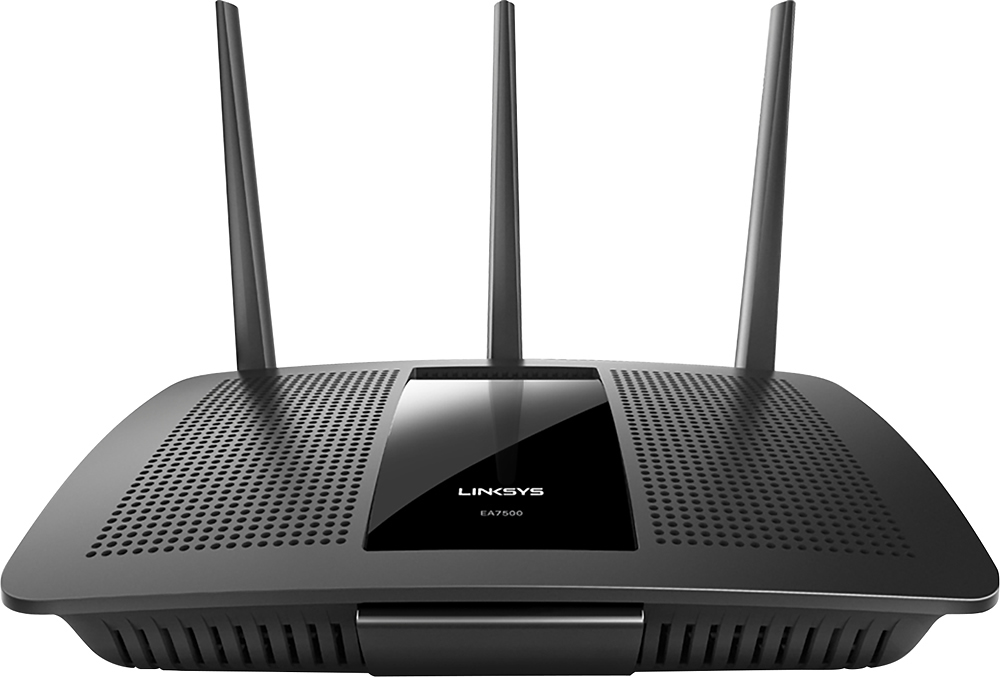
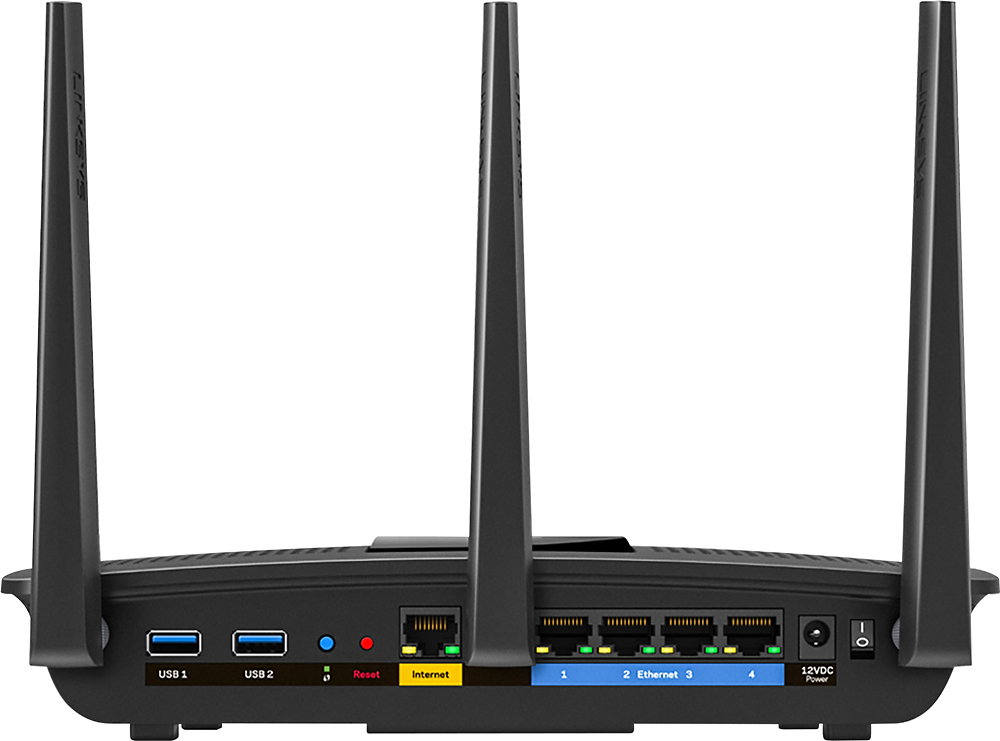
|Posted .This reviewer received promo considerations or sweepstakes entry for writing a review.I have 3 wireless routers in my home, and manage 3 more in other locations. I have used many different brands, and Linksys/Cisco has always offered a pretty consistent experience. The very first thing I noticed when cracking the package open was the build quality. While the device didn't have the best build quality I have ever seen, it is very well built. The materials have a sturdy and substantial feel, and the antennas echo that sentiment most. After connecting the router and placing it, there was one thing of note that bothered me - the location of the power button. It is nestled between the left antenna and the power cable, and the space it has been allotted is very tight. The remaining connections were pretty standard and presented no challenges during setup. Next was router configuration. The router has a default SSID and network security key prior to user configuration. That was a welcomed plus for the average user. This means that you can just plug it up and have a secure environment with minimal configuration effort from the user. It was a little irritating for me as an experienced user because I had to come to the knowledge there is another piece of paper in the box with detrimental information - yes, I did the "really quick" start. With configuration, and any other setup, your point of reference is always a trusty guide or manual. Here is something I really didn't like - it's on a CD. Here I am with mostly devices without disc drives but a CD manual. Not good. I would rather have the manual or a little thumb that I can plug into my Surface, Android, or whatever. CDs just don't cut it anymore. Heck, a link to the manual would have been great. A person could just pull it up on the phone, and look at it while configuring. The router admin interface is very good. I think Cisco has made significant strides in creating a very stable and user friendly environment. The visual nature of the interface is extremely helpful when understanding your network. There are tools allowing standard networking - routing, QoS, port forwarding/triggering, UPnP, MAC filtering, DDNS, DMZ, etc. I also like the speed test tool integration with OOKLA - nice! Cisco has also created an environment allowing administrators to access multiple devices from a single account. This also allows remote management of these devices from a universal interface. For this reason alone, a user would consider having devices from a single manufacturer. Other companies have taken the same approach, but Cisco has a very user-friendly interface that makes for a favorable experience. You can actually make significant changes (those requiring restart - changing the network configuration) and still manage the device once rebooted. No need for reconnection to the network, refreshing local ip configs, etc. Something to consider if you manage multiple devices in multiple locations. Once configured, the router performed exceptionally well throughout the entire building. Signal strength was very strong, even in the furthest corners of the building. Response time was great as well. All this with the router having to live in a corner of the building. The device also appears to be very reliable and stable. I haven't noticed any need to restart, nor have I experienced any lockups. It has been very good in this regard. This is a very good router, and is better than I expected. I initially gave it 4 stars, but I like the config interface, and more important than anything, it does best what you expect a wireless router to do - provide a good strong signal with stable and consistent performance. I only had a single Cisco/Linksys router remaining in my stable, but this experience will more than likely change that going forward.
I would recommend this to a friend - Pros mentioned:Performance, SpeedCons mentioned:Size
Nice Router - Quick, Fast, But a bit large.
|Posted .This reviewer received promo considerations or sweepstakes entry for writing a review.Nice router & it works great. I found it to be quite fast and it does what it's supposed to do. I did not have the opportunity to use it with 4K or gaming which is where it is supposed to shine. I can tell you this though - I did use it with multiple devices on purpose (3 televisions, 2 phones, 2 tablets and a wireless printer) and wherever I could, we streamed video off youtube and from what I could tell...nothing pixellated - even on the big screens - so on that level, it's likely very good for any home use, and probably most business uses! My neighbor tapped in from next door too (she's an older lady and doesn't use much net) and it worked great as well! Seems to be all around a nice unit...the only thing as I mentioned above is that it's a little wide in stature, so you'd have to put it under a desk or someplace out of the way...in all, a good unit.
I would recommend this to a friend - Pros mentioned:Range, Speed
Good range, cloud set-up may not be for everyone
|Posted .This reviewer received promo considerations or sweepstakes entry for writing a review.My review is based on wired bridge mode only. Note that there are also standard wireless and a wireless bridge mode that were not tested. [When using wireless bridge mode you lose 1 of the channels (2.4 or 5GHz).] I received an evaluation unit for review at no cost. My current network configuration includes a Comcast router handling wireless IP assignments. I have a 2nd Apple router that is also wireless N based used in wired bridge mode to extend range. This Linksys is being tested as a third router to extend range. Eventually it will replace the older Apple router if everything works well over time. We would be classified as above average data users. Our home network has multiple devices including 4 iPhones, an iPad, Fire and other tablets, 4 Chromebooks, 3 Mac laptops and 3 PC laptops plus a Nintendo and Xbox 360, 3 wireless printers as well as Roku, Chromecast and an Apple TV. We average over 300Gb data usage on a monthly basis primarily due to Netflix and Amazon video streaming and some online gaming. So having a fast reliable internet connection is important. Some of our newer devices are wireless AC based. However, in close proximity I was not able to achieve any noticeable throughput improvements with an AC device to AC router (Linksys) vs. an AC device to wireless N routers. I currently have a 75Mbs down/ 10 Mbs up internet connection. The biggest improvement I noticed with this router was range. I went to a historically poor connection area outside. I connected to each of the 3 routers and performed a speed test. The Linksys router was in the general proximity of the Comcast router. The Apple router was located on the other side of the house. While the upload speed was approximately the same for the 3 routers, the download throughput in this weaker area was about double for the Linksys router. I was able to achieve 40 Mbps down, (vs 20 for the next closest router), with the Linksys. I am speculating this is primarily due to the 3 directional antennas instead of the AC technology. In close proximity I can typically get approximately the same 80 Mbps downstream with any of the 3 routers. When initiating setup a cloud based approach is now used by default. While there are advantages, some may prefer a local setup. When using in wired bridge mode to extend another routers range much of the menu functionality is disabled. I opted to use local setup via IP address and wired bridge mode only. One word of caution. If you allow another router to control IP addresses and don’t assign a fixed IP address to your bridge router you will need to determine the IP address assigned to the Linksys to regain access to the menus. In my case I wanted to locally log back on to the Linksys to make some setting changes, I first had to log onto the Comcast router and see what IP address had been assigned. There are some other nice features with this router including USB ports for sharing printers or hard drives. I did experiment with a shared external hard drive from the USB 3 port and this seemed to work well. This router has next gen AC (MU_MIMO), however I did not have any standard wireless AC routers to test against. My initial opinion is that this router provides a fast reliable wireless connection with extended range and device sharing options via USB ports. Cloud setup may not be for everyone, but there are work arounds.
I would recommend this to a friend - Pros mentioned:Ease of use, Speed
Dead Simple Set Up, Very Fast and Reliable
|Posted .This reviewer received promo considerations or sweepstakes entry for writing a review.I'm a huge tech person, I stay on top of the latest technology, but I have to say, routers have always been that one area that I can't seem to wrap my head around, which is somewhat backwards because ALL of our technology relies so heavily on Wi-Fi. This review is for the person who needs basic advice in choosing a router. I know the basics of speed (AC faster than N+, N faster than G) and I understand certain features, but that's about it. I think part of the reason is the setup. In days past, you would have to pop a CD into your computer, install some software and then pick a bunch of settings, often times guessing because you didn't understand the terminology. And then if your internet went out, there was always the hope that unplugging everything and plugging it back in would help. SPEED In terms of download/upload speeds, I can't really tell you specific numbers and I don't think that really matters. I can tell you I have about 15-20 devices connected to my Wi-Fi at all times (connected home devices, Apple TVs, Logitech remote, 5 game systems, phones, tablets, computers, 4K TV) and in the week since I've been using this router, I've had absolutely no hiccups (I'm using Time Warner Cable, pay for 50 megs, but doubt it gets that high). I mean, I'm streaming 4K content from Amazon Prime and NO buffering. It is truly amazing. I purposely streamed WatchESPN, 4K content on Amazon Prime, Netflix on a tablet and played Xbox Live at the same time and I suffered no slowdowns. While I ONLY did this to see how well the network would hold up, and I would never find our house in a similar situation, it was nonetheless impressive. Again, I can't tell you the engineering behind how it works, I can just tell you it does, and with flying colors. EASE OF USE If I can give you one reason to buy this router, it is setting it up. NO computer necessary. This is huge. You literally plug it in, make sure you have the included Linksys set up card (with the Wifi passwords that are preinstalled on the router) and your smartphone (only thing in the box is router, three screw in antennas, and the power cord, again, A+ for simplicity). You find your network, and you are automatically taken to set up on the mobile Linksys website. Yes, there are quite a few pages you have to "click" through, but everything is simple enough that my mother could set it up without having to call me. You can choose to set up a Linksys account (highly recommend it) so you can download the app and access your router settings ANYWHERE, not just on your Wi-Fi. There's probably not many times that you'll need to change router settings when not in your house, but I like having the option. You can change settings on your phone without having to get a computer out, log into a specific 192.##.#### (you get the point) website to change any settings. And the app is laid out in a smart way; you can scroll through the options any normal person would use (guest network, shared network HDD, Wi-Fi network names) and the changes are easy to make. While I'm certainly impressed with the speed of this router (and it's "multitasking" abilities) what truly impressed me was setting it up. If you need to upgrade your aging router and are intimidated by the difficulties of setting up a router, this one is for you, hands down. You can have it up and running in less than 3 minutes, all on your phone.
I would recommend this to a friend Research what you need first
||Posted .This reviewer received promo considerations or sweepstakes entry for writing a review.I'm not sure how to rate this product. We purchased it thinking it would boost our internet strength. What we really needed to do was increase our bandwidth and signal strength.
No, I would not recommend this to a friendBrand response from Linksys Staff
Posted .Hi, TechFan,
The EA7500 is capable of delivering excellent coverage and speed on your home network. Our Escalation Engineers are eager to take a closer look at your network environment. This is for them to check the router and provide you the best recommendation for your setup. Please email us your contact information at [email protected] so that they can contact you as soon as possible. Indicate the link to this review for our reference.
Regards,
Kristine
Linksys Support
Not exactly what I expected
||Posted .This reviewer received promo considerations or sweepstakes entry for writing a review.I expected this to improve my WiFi speed tremendously. Not true. My devices still need to buffer constantly. I’m disappointed in my purchase for the price I paid.
No, I would not recommend this to a friendBrand response from Linksys Staff
Posted .Hello Twinsfan,
Your experience is definitely something we'd want to look into more. The EA7500 router should provide your devices with excellent and reliable wireless speeds. Make sure the unit is running on the latest firmware and is placed in a space that will not obstruct its signal for an optimized performance. Reach out to us at [email protected] so we can assist you better. Indicate your complete contact details with the link of your review for easy reference.
Hoping to hear from you soon.
Harvey
Linksys Support
Underpowered and the GUI is janky
||Posted .This reviewer received promo considerations or sweepstakes entry for writing a review.Low powered and the OS/GUI incorrectly identified things on the network and jumbled them together in the map.
No, I would not recommend this to a friend- Pros mentioned:Performance, Speed
Easy set up with strong performance
Posted .This reviewer received promo considerations or sweepstakes entry for writing a review.This was a sample product given to me by Linksys for an Honest review. This router was the easiest ever to set up which took about 5 minutes. I tested this router's power by streaming a college hockey game on a smart tv, 3 tablets and 3 pc's at the same time.It was perfect and not one device missed a beat. Also, this router performs great with My Cloud and my FTP drives attached to it, no problem connecting remotely.
I would recommend this to a friend - Pros mentioned:Ease of use, Signal strength, Speed
Excellent Router
|Posted .This reviewer received promo considerations or sweepstakes entry for writing a review.When this router says its easy to setup up, its not kidding. Even down stream of an ISP-provided router, this device can be setup easily following just the included quick setup instructions in just a few minutes. If you're more technical minded and need to fiddle with the configuration, the web-admin is easy to access, navigate and modify. Signal strength is huge advantage with this device. Using a wifi analyzer app from across the entire house, the Linksys showed signal strength comparable to the router that was in the next room. And it blew away the ISP-provided device. As for speed improvements, your mileage will vary. The more devices you're using concurrently, the more the MU-MIMO technology comes into play and the more you'll notice the improvement.
I would recommend this to a friend It did not perform as expected
||Posted .This reviewer received promo considerations or sweepstakes entry for writing a review.I asked a Best Buy employee for a whole house replacement and bought what was recommended. It does not do as well as what I had before. I was disappointed .
No, I would not recommend this to a friendBrand response from Linksys Staff
Posted .Hi, Rayk,
We are eager to gather more details of your experience with the router. Please get in touch with us at [email protected] so we can get you over to our Escalation Engineers. They'll closely work with you and help you get the EA7500 to work at its best. Indicate your contact information and the link to this review for our reference.
Regards,
Kristine
Linksys Support
- Pros mentioned:Ease of use, Performance
Awesome product - exceptional performance
Posted .This reviewer received promo considerations or sweepstakes entry for writing a review.I received this product as a free sample from Linksys in exchange for writing an honest and unbiased review. I am not a tech expert, but I'm probably somewhere in the middle of the tech inclined spectrum. I maintain a network for my house, which has 10 devices online (laptops, smart phones, Sonos, Desktops and gaming machines), all through the router. I won't be able to add much as far as the technical aspects of this router, because I've never really gotten into the details of how this all works. What I can tell you is that for my situation, I can not imagine being any happier than I am with this router. I am extremely pleased with the ease of use, and the performance. Set-up Took literally 5 minutes to unpack the router and have it kicking out a signal. I had budgeted two hours to sit and work on this project, but within 25 minutes had every device in the house hooked up to it. And that includes a tech support phone call, because it was only broadcasting a 5 ghz signal and not a 2.4 (small setting adjustment fixed it). I can not overstate how simple the installation and set-up was. And the free app that comes with it - awesome. It's perfect for someone that doesn't know all the technical aspects, but wants to control their network. Easiest piece of tech I've ever installed. Performance I have had the same router for two years before this new one, and I was perfectly happy with the performance of that router. There were times that traffic was really slow, but I assumed that was normal because of how many devices were online at the same time. I also assumed that buffering and spinning were a result of living in a rural area without a great broadband infrastructure. I was wrong. With this router, we saw an instant upgrade on the speed and reliability for our wireless devices. Last night I tested it out to see what would happen if I streamed video from as many devices as I could at once, and there was not the slightest delay or buffering. My wife and teenage daughter have commented several times about everything working faster and smoother. Also, I used to use a range extender to reach an unattached pool deck. This new router is kicking out a full signal thirty feet past the deck, without any extenders. Like I said, I am not tech savvy enough to list the specs of how fast everything is moving, but even without that - trust me, this thing is a beast. Overall It's extremely easy to set-up, the smart wi-fi app let's you control and monitor your network with ease, and with 10 simultaneous devices connected and active, it doesn't miss a beat. I would highly recommend this router to anyone. Great product.
I would recommend this to a friend Ok for the money
||Posted .This reviewer received promo considerations or sweepstakes entry for writing a review.This was very easy to set up and worked great. Except my house is 2500 sf and could not get decent signal there. Had to go to the next model.
I would recommend this to a friendBrand response from Linksys Staff
Posted .Hi, Bob228,
A couple of steps could help in optimizing the coverage of the router. For assistance, please email us at [email protected] with your phone number and the link to this post so that our Escalation Engineers can walk you through the process.
Regards,
Irish
Linksys Support
More options available at this price range
||Posted .This reviewer received promo considerations or sweepstakes entry for writing a review.The router was ok, but I had issues accessing wifi from the basement. The Linksys AC 2200 has better range and is around the same price point.
No, I would not recommend this to a friendBrand response from Linksys Staff
Posted .Hi, Andy,
Some settings might've to be adjusted to experience the maximum performance of the router. Based on your post, it looks like you already have a new Linksys router but do not hesitate to reach out to us via [email protected] for assistance and inquiries with our products.
Regards,
Irish
Linksys Support
Meh
||Posted .This reviewer received promo considerations or sweepstakes entry for writing a review.My last router worked brilliantly for over 10 years. This one won't reach my downstairs, so I'm eating up data when in my living room, on my phone!
No, I would not recommend this to a friendBrand response from Linksys Staff
Posted .Hi, TrishVtoo,
Proper positioning of the antennas and assigning fixed channels would help in boosting the range of your Wi-Fi network. Try channels 1, 6, 9 and 11 for the 2.4 GHz band, and channels 36, 40, 44 and 48 for the 5 GHz. Update us how it goes at [email protected] with your contact details and the link to this review.
We'll do our best to improve your overall Wi-Fi experience.
Regards,
Jay
Linksys Support
Doesn't fully meet my needs
||Posted .This reviewer received promo considerations or sweepstakes entry for writing a review.It's ok, but not strong enough for my needs. Still drops connections on my game systems. May need to relocate the router for full functionality.
I would recommend this to a friendBrand response from Linksys Staff
Posted .Hi, IPodtouch2013,
We agree that you may need to relocate the router as its location also plays an important factor in its overall performance. Also, setting a fixed channel on both networks can help improve its wireless connectivity to help avoid interference in your area.
Our Escalation Engineers are eager to check your network environment and help you achieve the unit's full potential. Please email us your contact information at [email protected] so that they can contact you as soon as possible. Indicate the link to this review for our reference.
Regards,
Kristine
Linksys Support
Has not perform as well as sales rep stated,
||Posted .This reviewer received promo considerations or sweepstakes entry for writing a review.Not happy with this purchase does not perform as well as the one I replaced, will not take a sales rep advice on this type of purchased again!
No, I would not recommend this to a friendBrand response from Linksys Staff
Posted .Hi,
It's quite unfortunate that our router has not met your expectations. Can you give us more details about your challenges? So that we can help you optimize the device to achieve your expected performance.
Just send us your contact details at [email protected] along with the link to this post.
We hope to hear from you soon.
Regards,
Thaddeus
Linksys Support
Can't get external drives to work, returned
||Posted .This reviewer received promo considerations or sweepstakes entry for writing a review.The setup was reasonable but I had to use wifi to do it, not just ethernet/wired connection. OK. I tried every combination of disk drives, cables and the two USB ports. I know about Windows not supporting SMBv1, but this NEVER recognized any disk in any port. Disgusted. Returned for a Netgear, which worked immediately. The networking worked fine and had good range, so some might not notice this deficiency for a while.
No, I would not recommend this to a friendBrand response from Linksys Staff
Posted .Hello, quicken2013reviewer1,
We understand that you no longer have the device and we appreciate that you're letting us know about the challenges that you've encountered with the Linksys router. In case you need our assistance in the future, please feel free to email us at [email protected] so we can get you over to our Escalation Engineers for further assistance.
Regards,
Princes
Linksys Support
Setup requires the automated function
||Posted .This reviewer received promo considerations or sweepstakes entry for writing a review.Not a great setup experience... the router requires using the auto setup and does not make it easy to setup in manual mode.
No, I would not recommend this to a friendBrand response from Linksys Staff
Posted .Hi Minora,
Hooking up the Linksys EA7500 router is made easy using the Smart Setup Wizar which is embedded in the firmware and is available even if the router does not have an Internet connection or is in its default settings. During setup, there should be an option to configure the router manually. If you haven't successfully installed the router yet, or if you need assistance with its current performance, feel free to contact us directly at [email protected] so we can have one of our Escalation Engineers walk you through the steps. Just indicate your contact details and the link to this review.
Best regards,
Jay
Linksys Support
Works decently but sometimes internet is slow.
||Posted . Owned for 4 months when reviewed.This reviewer received promo considerations or sweepstakes entry for writing a review.This provides a good internet signal but we have noticed that it loads websites slower than our previous router.
No, I would not recommend this to a friendBrand response from Linksys Staff
Posted .Hi gobrewers55,
Make sure to update the firmware of your Linksys EA7500 to the latest one as it may one of the reason why we encounter slow internet speed. You can also try power cycling it and send us an email at [email protected] so we can have this reviewed with our Escalation Engineers. Send along your contact info and the link of this review, for our reference.
Regards,
Elyza
Linksys Support
ok, but expected better
||Posted .This reviewer received promo considerations or sweepstakes entry for writing a review.This was supposed to be an upgrade to my Linksys EA6400 which broke. But it seems to be slower and I lose wifi more often. Disappointed so far.
No, I would not recommend this to a friendBrand response from Linksys Staff
Posted .Hi, MikeMendoza3,
The placement of your router can make a huge impact on its overall wireless network performance. It would be best to place it away from walls and other obstructions that may cause interference. We'll have our Escalation Engineers help you check your network setup and assist you in optimizing the wireless settings of the unit. Please email us your contact details at [email protected] with the link to this review so we can endorse your case to them.
Regards,
Kristine
Linksys Support