Customer Ratings & Reviews
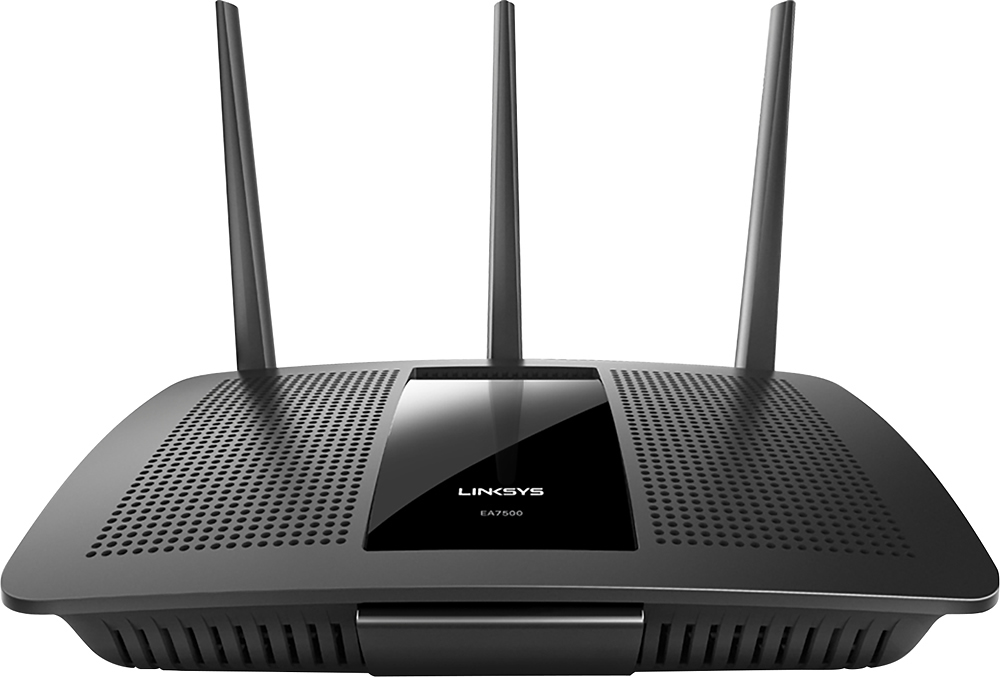
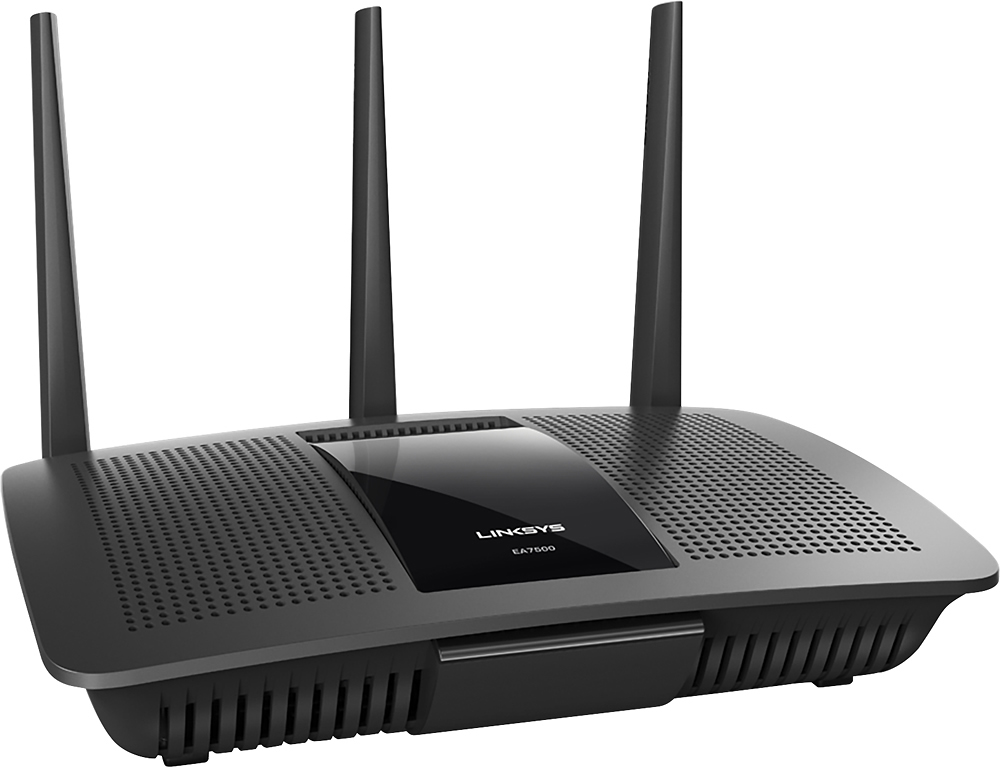
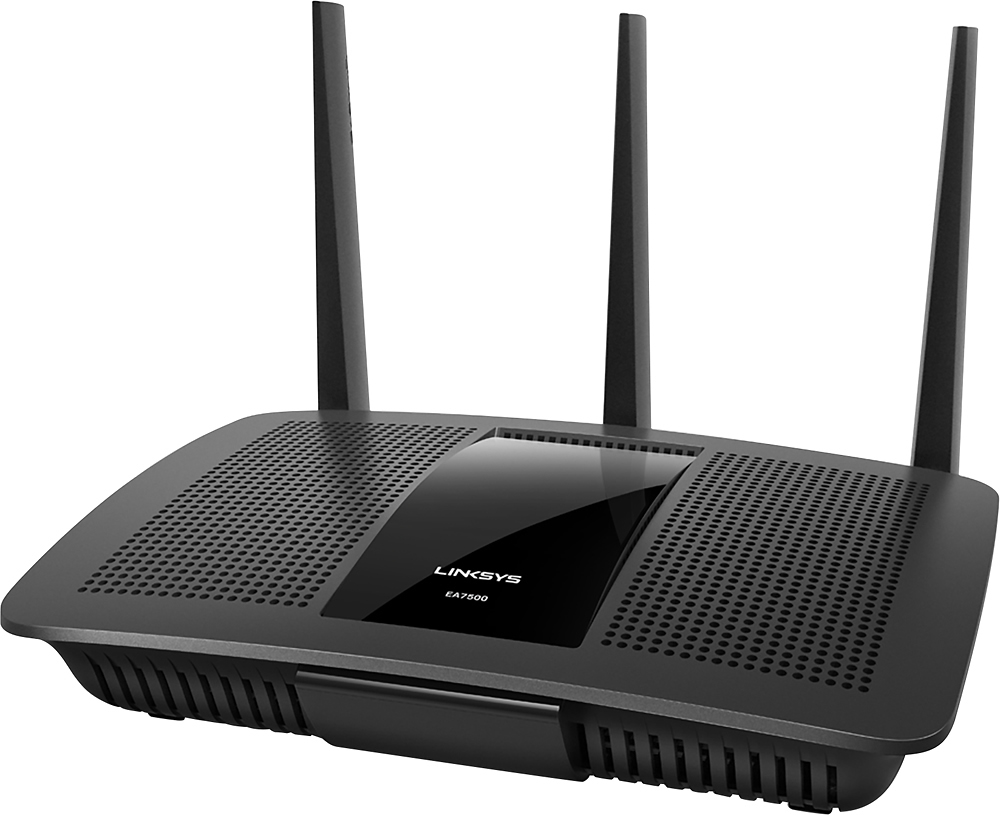
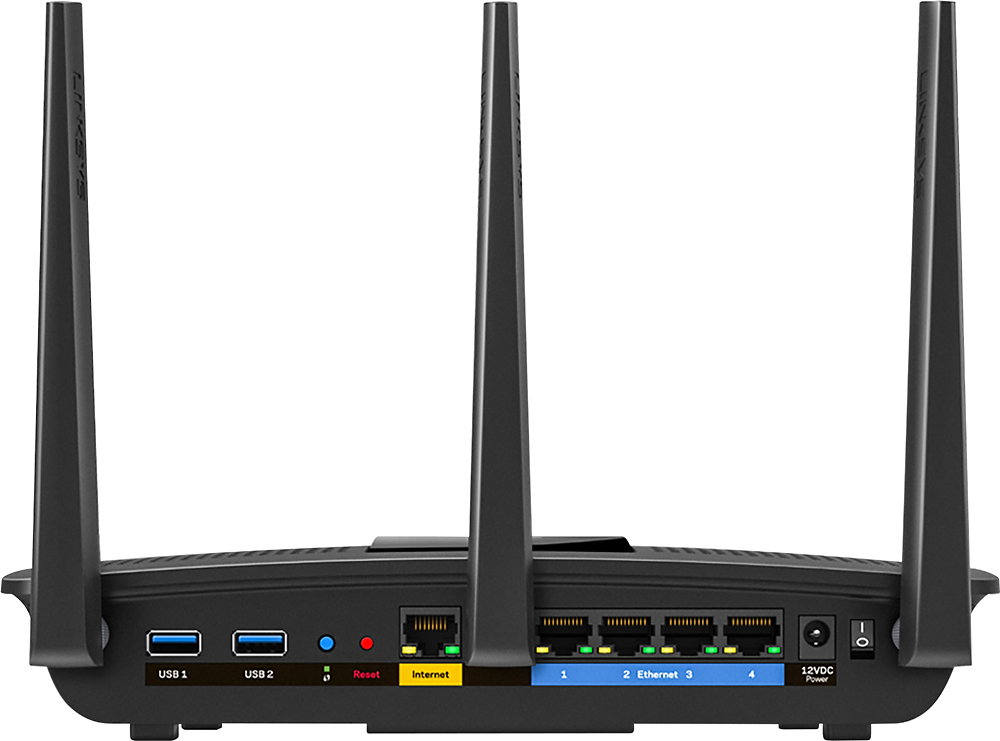



- Model:
- EA7500
- SKU:
- 4830200
Rating by feature
- Value
Rating 4.5 out of 5 stars
- Quality
Rating 4.6 out of 5 stars
- Ease of Use
Rating 4.6 out of 5 stars
Customers are saying
Customers find value in the AC1900 Dual-Band WiFi 5 Router's ease of use, range, and strong signal, frequently praising its performance and simple setup process. Many appreciate the improved WiFi coverage and its suitability for streaming. While some find the router larger than expected, the overwhelmingly positive feedback highlights its effectiveness.
This summary was generated by AI based on customer reviews.
Linksys - AC1900
||Posted . Owned for 7 months when reviewed.This reviewer received promo considerations or sweepstakes entry for writing a review.This router was ok. It is a little outdated just like the software. No internet usage info or anyway to set limits.
No, I would not recommend this to a friendEasy to install
||Posted .This reviewer received promo considerations or sweepstakes entry for writing a review.It works good but does not have a big range to make it work in areas away from my office I had to purchase an extension to go with it.
I would recommend this to a friendBrand response from Linksys Staff
Posted .Hi, Elvis,
We're glad to hear that the setup process of your EA7500 router runs smoothly for you. Adding a range extender is a good option, however, we can still boost your wireless network by assigning fixed channels that will fit with your current network environment. Try channels 1, 6, 9 and 11 for the 2.4 GHz band, and channels 36, 40, 44, and 48 for the 5 GHz. Should you need a hand, tap us anytime at [email protected].
Best regards,
Jay
Linksys Support
OK for a while
||Posted .This reviewer received promo considerations or sweepstakes entry for writing a review.Worked great for about 3 weeks now it keeps glitching and coming off network. Have had to reset at least twice a week
No, I would not recommend this to a friendBrand response from Linksys Staff
Posted .Hello Katgirl769,
We might need to update the Linksys routers firmware to help optimize its current performance. Email us at [email protected] along with your phone number and the link to this review for our reference. We'll have our Escalation Engineers lend you a hand.
Regards,
Princes
Linksys Support
- Pros mentioned:Ease of use, Speed

Very Fast, Best Router I've used
|Posted .This reviewer received promo considerations or sweepstakes entry for writing a review.I received this router about a week ago. The box included the router, AC power cord, three antennas, quick start guide, and set up disk. I had been using a Belkin router, and always felt it was fast enough. I quickly found I was wrong. I set up the router, plugged it in, turned it on, and and installed the set up disk into the computer. Set up was a breeze, I just clicked onto the new router network, put in the included password, and followed the directions. Total time spent, about five minutes. After getting it set up and changing the password, I decided to put it through its paces. There are a couple of options when you select the network, you can select guest, normal network or 5GHz network. I selected the 5GHz. First test was using my macbook, very fast, lightning fast actually, at least 4 - 5 times faster than my last router. First test was great. Next came streaming Netflix, again very fast. The navigation is almost instantaneous. I then decided on the big test. We have 4 Roku boxes and all stream different videos many times. I had everyone log on to netflix and find something to watch. Once we were all streaming, I got my phone and 2 tablets and started surfing the web. Everything was fast, no interruptions on any device. Now everyone can use the internet at the same time and suffer absolutely no slowdowns. I can finally use the maximum potential of the internet service I pay so much for each month. I recommend this router with the highest recommendation I can. Easily the fastest I've used, easy to set up and easy to use.
I would recommend this to a friend Worked great...
||Posted .This reviewer received promo considerations or sweepstakes entry for writing a review.I’m actually going to be returning this. It worked great at first but now after 2 weeks I’m having to reset it once a day.
No, I would not recommend this to a friendBrand response from Linksys Staff
Posted .Hi, Scottdunavan1987,
Your EA7500 router need not be reset on a daily basis if the firmware is up-to-date and the settings for both frequency bands are properly configured. We're glad that you posted this product review so we can make things right. Please shoot us an email at [email protected] with your contact details and the link to this review for reference. Our Escalation Engineers will take care of this.
Regards,
Jay
Linksys Support
- Pros mentioned:RangeCons mentioned:Size
Here comes the future!
|Posted .This reviewer received promo considerations or sweepstakes entry for writing a review.I had not heard of MU-MIMO technology prior to researching this router. Specifically, this router uses 802.11ac Wave 2 MU-MIMO, which stands for Multi-User, Multiple Input, Multiple Output. This is intended to ensure uninterrupted Wi-Fi connectivity to multiple devices in a home network, as if each device had its own dedicated router. Thus, multiple individuals in the household can play video games, listen to music, stream movies, etc., all at the same time without buffering or lag. In order to reap the benefit of this feature, however, the individual devices need to be compliant with the MU-MIMO standard. It is expected that the majority of new devices will incorporate this, and in the meantime, Linksys does make a USB adapter that will render a computer compliant. But for now, this router is simply a very good traditional router. Setup is super easy; plug it in, turn it on, go to the Linksys web portal to assign the SSID and password, and you are done. I simply assigned my previous SSID and password, and all of my household network devices automatically connected to the 5gHz network. I did have to reboot my wireless printer, but that was the extent of the hassle. The range is stellar! I can achieve the same maximum download speed at distances of 10 feet and 200 feet from the router, through walls and floors. I have never had such good signal reception from a router before. The usual Linksys management options are all there: guest networks, parental controls, USB storage, etc. I like the idea of having my own home network drive that I could access from anywhere, but I already use OneDrive for this. The only negative thing I can think of about this router is the size; it is larger than many simple routers, and needs to lie flat, thus occupying a substantial footprint. I have my device tucked in behind my flat screen TV monitor, so I don’t see it at all. The TV does not seem to attenuate the router signal. So, I am happy with this device, knowing that I am “future proofed” for new network devices that will be compliant with MU-MIMO in the coming years.
I would recommend this to a friend it works fine if you don't have very fast internet
||Posted .This reviewer received promo considerations or sweepstakes entry for writing a review.The router works for me because my internet is not the high speed one, and even though it still spools from time to time...
I would recommend this to a friendBrand response from Linksys Staff
Posted .Hi, Rosa,
The EA7500's Wi-Fi bands can deliver combined speeds of up to 1.9 Gbps and its ethernet ports are even Gigabit capable. Moreover, we are curious on what you meant by spools and allow us to gather more details about this matter. Please email us your contact information at [email protected] so we can get you over to our Escalation Engineers. They'll make sure that the router will work at its best. Indicate the link to this review for our reference.
Regards,
Kristine
Linksys Support
Had to return
||Posted .This reviewer received promo considerations or sweepstakes entry for writing a review.Needed to return was not working . They had none . Best buy was great was able to upgrade to the 2600 which I am very happy with
No, I would not recommend this to a friendBrand response from Linksys Staff
Posted .Hi, Mike,
We regret to hear that you've already returned the unit. We could have tapped our Escalation Engineers to double check if the unit is still good for reconfiguration.
If you have questions, or if you need assistance in the future, don't hesitate to email us at [email protected], anytime. We'd be more than happy to serve you.
Regards,
Jay
Linksys Support
- Pros mentioned:SpeedCons mentioned:Lag
Flawless Karaoke Streaming
|Posted .This reviewer received promo considerations or sweepstakes entry for writing a review.Switching over to a new wifi router proved to be not just a needed upgrade, but now a way of life changer. The Linksys EA7500-AC1900 met all my expectations with the demands of various devices that are shared on our network. From uninterrupted dual streaming video games in the upstair room, to the three tablets that my children play, to my online karaoke experience mirroring my phone's AirPlay. By the way no more lag time and interruptions during my singing, and that's what makes music to my ears.
I would recommend this to a friend Not so good
||Posted . Owned for 1 month when reviewed.This reviewer received promo considerations or sweepstakes entry for writing a review.It’s range is limited. If you have a two story house I don’t recommend this product.
I would recommend this to a friend- Pros mentioned:Speed
Constant resets and low internet speeds
||Posted .This reviewer received promo considerations or sweepstakes entry for writing a review.I have a gigabit connection, and for the past month, I have had slow speeds. when first bought, my speeds were around 400Mbps on 5g. Now 65, unless I reset the router back to factory settings. Constant, interruptions in service and resets makes this router a purchase I will be returning.
No, I would not recommend this to a friendBrand response from Linksys Staff
Posted .Hello Ashbri,
Let's make sure that your Linksys router is running on the latest firmware version to help optimize its current performance. Shoot us an email at [email protected] and we'll get you over to our Escalation Engineers. Include your phone number and the link to this review for our reference.
Regards,
Princes
Linksys Support
Lifespan just what expected
||Posted .This reviewer received promo considerations or sweepstakes entry for writing a review.Installation was simple but router only lasted me a year. I expected more of a lifespan for That brand.
I would recommend this to a friendBrand response from Linksys Staff
Posted .Hi, LynC,
If the firmware of your EA7500 router is up-to-date, then it should last longer than what you have described. Please tell us what's the current LED status of your device so we can have one of our Escalation Engineers check if it's still good for a fix. Tap us anytime at [email protected] with your contact details and the link to this post for easy reference.
Regards,
Jay
Linksys Support
Worse than my previous cheap router
||Posted .This reviewer received promo considerations or sweepstakes entry for writing a review.I bought this new router because I had spilled some water on my old one and needed to replace it. I decided to go for this one because of its promise for "whole house" coverage. Well, I live in a 2 bedroom apartment and it is without a doubt worse than the $40 router I had in here previously. It does have a guest network which is neat, but overall it is NOT worth the money.
No, I would not recommend this to a friendBrand response from Linksys Staff
Posted .Hi, Djorna11,
Interference in your area could be one of the factors affecting the router's overall performance. We can try setting a fixed channel on both networks. Please email us your contact information at [email protected] so we can get you over to our Escalation Engineers. They'll check the router and help you get it to work on its full potential. Indicate the link to this review for our reference.
Regards,
Kristine
Linksys Support
didnt see much difference in speed or coverage
||Posted .This reviewer received promo considerations or sweepstakes entry for writing a review.I replaced a 5 year old router and I haven't seen any difference in the speed or coverage like I was expecting.
No, I would not recommend this to a friendBrand response from Linksys Staff
Posted .Hi Dukes3,
The connection speed may decrease as you move farther away from the router. We’d suggest doing the following:
• Place the router in the center of your home away from walls and other obstructions.
• Tweak the wireless channel of the router to avoid possible interference.
• Use the Wi-Fi analyzer app to find a less crowded channel for your wireless router.
If the connection will not improve, please send us an email at [email protected] with your contact details, location, review title, and the link to this post so that we can assist you further.
Regards,
Linksys Support
Has to be reset constantly
||Posted .This reviewer received promo considerations or sweepstakes entry for writing a review.Not happy at all. At least once a week router stops communicating and has to be powered off to reset.
No, I would not recommend this to a friendBrand response from Linksys Staff
Posted .Hi, Bnas,
The Linksys EA7500 is expected to provide a stable connection to your network. This behavior is very weird for the router. We recommend that you try to reset and configure the router again to fix this. Also, make sure that the firmware of the router is up to date to fully enjoy the router's performance.
Should this persist, get in touch with us at [email protected] and we'll have our Level 2 Technicians assist you further. Don't forget to include your contact details and the link to this post.
We hope to hear from you soon.
Regards,
Thaddeus
Linksys Support
Didn’t Last
||Posted . Owned for 1 year when reviewed.This reviewer received promo considerations or sweepstakes entry for writing a review.We purchased this router on January 18, 2018. Yesterday, June 29, 2019, out of nowhere, the router stopped working. We called and paid for an extension on the warranty to have a Linksys rep trouble shoot for us. Turned out the Internet port on the router was no longer taking in the signal from our internet. The rep told me we purchased this unit before my actual purchase date (which is listed right here at Best Buy in my account proving her false). I was on hold for 50 min at midnight, waiting for a rep to take my call, therefore I did not think to log into my account here proving my purchase date as I knew the date she gave me was wrong. I don’t think it would have mattered anyway as they only warranty a year. There are only two of us living here. For this price, this should have lasted years. Our prior router was 8 years old and cost 1/3 of the price of this router. I would not purchase again.
No, I would not recommend this to a friendBrand response from Linksys Staff
Posted .Hello ATKK,
We'd like to review what happened to your case. Please email us the reference number provided by our technical support team at [email protected] along with your phone number and the link to this review for easy reference; let's take it from there.
Regards,
Princes
Linksys Support
Actual disappointment in myself
||Posted .This reviewer received promo considerations or sweepstakes entry for writing a review.I needed to get something quick and relied on the salesperson (who wasn't really qualified as he just read the boxes as I could also do.) He even made one recommendation based on the number of antennas Well, my bad. The signal is so undependable! Always re-booting which seems to get it corrected for less than a day. Will be looking into eero or something similar
No, I would not recommend this to a friendBrand response from Linksys Staff
Posted .Hi, Dfwsig,
The unstable signal is possibly due to some interference but it could be stabilized by changing the wireless channel of the router and properly positioning the antennas. If the same thing happens, please get in touch with us via [email protected] and indicate your phone number and the link to this post for our reference.
Regards,
Irish
Linksys Support
minimal
||Posted .This reviewer received promo considerations or sweepstakes entry for writing a review.after connecting the router, i did notice a little improvement with our internet speed
No, I would not recommend this to a friendBrand response from Linksys Staff
Posted .Hi rmem,
Thank you for sharing your feedback. We recommend that you compare the internet speed of the router to your expected subscription since the routers internet speed will depend on it. To test this, just connect one of your computers directly to your internet source and run a speed test.
For further assistance, get in touch with us at [email protected]. Don't forget to include your contact details and the link to this post.
We hope to hear from you soon.
Regards,
Thaddeus
Linksys Support
might be a good buy
||Posted .This reviewer received promo considerations or sweepstakes entry for writing a review.equipment did not come with a power cord and I have spent hours and $71.00 locating and ordering one.
No, I would not recommend this to a friendGreat, until you need to update it.
||Posted .This reviewer received promo considerations or sweepstakes entry for writing a review.Software and hardware is great; however, when you need to update the unit it will limit the ethernet speeds to 30 megs (Usually average 110). I was told by a Linksys representative, in order to fix the issue I have to reset it? Turns out the router needed to be reset every 2 weeks. Returned it for an Apple Airport unit which has been working much better since.
No, I would not recommend this to a friendBrand response from Linksys Staff
Posted .Hi, jpsulisz,
A firmware update should not be limiting ethernet speed, and a factory reset should not be causing intermittent connectivity. If you have a case number from your previous phone call, share it with us so we can review your case and check if there was a gap with the process. Feel free to reach out to us at [email protected], anytime.
If you have queries or if you have any Linksys device that needs assistance, please send us an email and we'd be more than willing to sort it out for you.
Regards,
Jay
Linksys Support