Customer Ratings & Reviews



- Model:
- EA7500
- SKU:
- 4830200
Rating by feature
- Value
Rating 4.5 out of 5 stars
- Quality
Rating 4.6 out of 5 stars
- Ease of Use
Rating 4.6 out of 5 stars
Customers are saying
Customers find value in the AC1900 Dual-Band WiFi 5 Router's ease of use, range, and strong signal, frequently praising its performance and simple setup process. Many appreciate the improved WiFi coverage and its suitability for streaming. While some find the router larger than expected, the overwhelmingly positive feedback highlights its effectiveness.
This summary was generated by AI based on customer reviews.
- Pros mentioned:Performance
This Router is Fast!
Posted .This reviewer received promo considerations or sweepstakes entry for writing a review.I received an EA7500 router free from Linksys in exchange for my honest review. When I received the router I really didn’t think I’d see much improvement in my home network. My home is a single level with lots of walls, which is why I doubted a Wireless-AC router would make a big difference. Well, I was about to be stunned; that is a strong word, but appropriate based on what I discovered. With my old router still running, I took TX (transmit) rate samples from several points within my home and recorded them. After I installed the EA7500 I rechecked TX rates from the same points. From several points I recorded an increased TX rate of 189%. Yes, 189%. From the worst spot in my home, through several walls, there was a 99% increase in the TX rate. I felt like jumping up and shouting Yes! This router is FAST! Streaming with Apple TV, Netflix, Minecraft, it all flows so smoothly. Setup was simple and easy. I asked my 12-year-old daughter to help me and she was able to follow the instructions along with me easily. We got connected and set up a Linksys Smart Wi-Fi account to manage the router. I was thrilled to see a Wi-Fi scheduler. With it you can create a schedule for your router’s Wi-Fi to turn on/off when you want it to. Really cool! The network map is helpful, showing connected devices and to which network they are connected. With the USB 3.0 and 2.0 ports I plan to connect external storage devices for movies and file backups. This router also gives your guests a 5Ghz connection. There is a statement on the router’s box that says “Next-Gen AC”; Next-Gen is where my home network is now and it is awesome!
I would recommend this to a friend Does OK
||Posted .This reviewer received promo considerations or sweepstakes entry for writing a review.Does an adequate job.It's only as good as the signal from your internet provider.
I would recommend this to a friendBrand response from Linksys Staff
Posted .Hi, Brudog,
We're grateful to hear your feedback. To improve your experience with the EA7500 router, feel free to email us at [email protected]. We'd love to be of help.
Regards,
Klaudette
Linksys Support
bad idea
||Posted .This reviewer received promo considerations or sweepstakes entry for writing a review.worst speed and router ever. the product is so terrible. I would not let a dog play with it
No, I would not recommend this to a friendBrand response from Linksys Staff
Posted .Hi, Rome,
The router is capable of providing an exceptional speed to all of your devices. However, the placement of the unit and physical obstructions in your area are a few of the factors that could affect its performance.
Please reach out to us at [email protected] so that our Escalation Engineers can check your network environment. Also, they'll help you optimize the unit's wireless settings and get it to work on its maximum potential. Indicate your contact information and the link to this review.
Regards,
Kristine
Linksys Support
It's ok.
||Posted .This reviewer received promo considerations or sweepstakes entry for writing a review.I can't tell a difference between the linksys and the other non AC router i replaced it for.
No, I would not recommend this to a friendBrand response from Linksys Staff
Posted .Hi, Chew,
Your feedback is of great value, and we appreciate you bringing this to our attention. We always aim to ensure satisfaction from our valued customers, that's why we would like to take this chance to help in improving the performance of your Linksys EA7500 router. We would much appreciate if you will share with us more details about your challenge if it pertains on the speed, or the wireless coverage so we can assist you accordingly. Feel free to email us at [email protected] along with your contact information and the link to this post for reference. We would be more than happy to lend a hand.
Regards,
Linksys Support
www.linksys.com
Could not get to Integrate into my need
||Posted . Owned for 1 year when reviewed.This reviewer received promo considerations or sweepstakes entry for writing a review.I sent it back as I could not get it to work correctly for my needs. My neighbor who is a tech guy helped me and we could not get the install right. Other carriers might have a different integration ability so I would still recommend giving it a go
I would recommend this to a friend- Pros mentioned:Range, Speed

A must-have for heavy internet usage
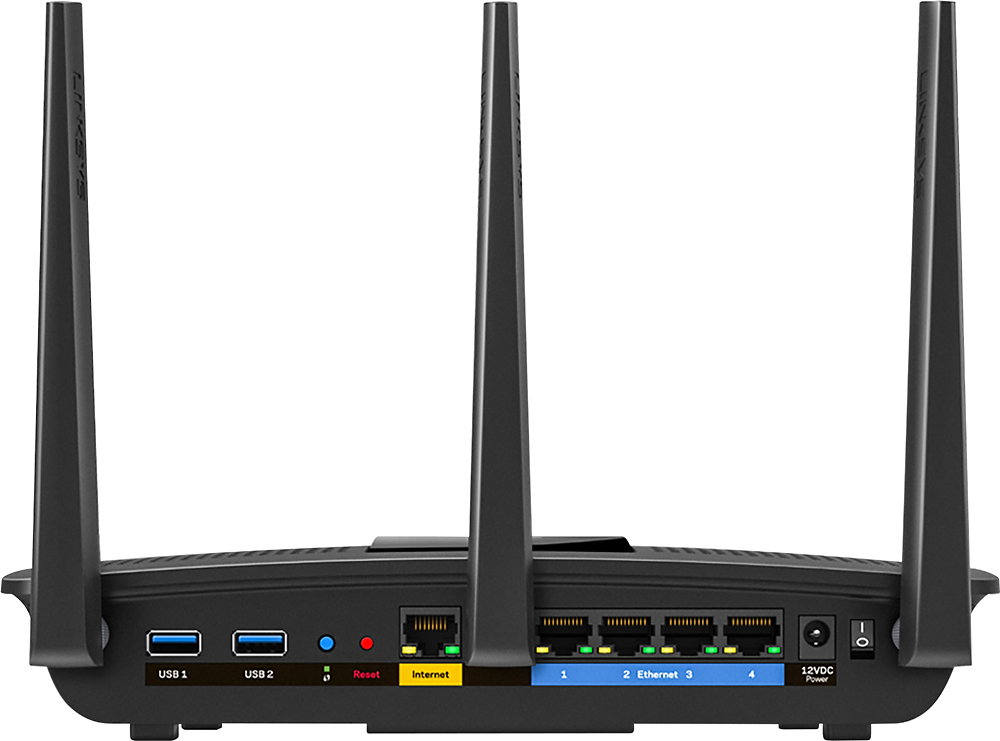
|Posted .This reviewer received promo considerations or sweepstakes entry for writing a review.This router is absolutely a must have for heavy internet users. It has new technology that allows multiple user devices to stream data simultaneously (MU-MIMO). Traditional routers allow only a single device to stream data so when multiple devices are connected, the router just switches back and forth really fast so it seems as if it were simultaneously. This router has great range (in a 2500 sq ft home) and somewhat centrally located, I get full signal everywhere. If you have a lot of devices and want no lag, this is your router. This router will maximize the use of your internet so that no bandwidth is lost. If you have 50mbps download speeds with multiple devices, you will get 50mpbs spread evenly among your devices provided they are all demanding bandwidth at the same time. It has 4 wired outlets, a wifi protected setup button, a USB 3.0 and 2.0 outlet for media, and a reset and power button. In my basic test, I found that this router was very effective and efficient and did improve my speeds over my other non MU-MIMO router. Additionally, Linksys provides an online portal to manage your wifi network with ease. It allows you to do things such as see your connected home devices, manage priority settings, create guest networks, among other things. I received this router for review at no cost and I hope my review helps you make your decision. Thanks.
I would recommend this to a friend grat for a medium size home
||Posted .This reviewer received promo considerations or sweepstakes entry for writing a review.did not work in a 2 storey home, as got blind spots on first floor.
I would recommend this to a friendBrand response from Linksys Staff
Posted .Hi,
It's possible that there are signal interferences in your area affecting the Wi-Fi range of your EA7500 Router. To boost the Wi-Fi signal, we can assign fixed channels for both frequency bands to what will work best with your existing network environment. Try channels 1, 6, 9 and 11 for the 2.4 GHz band, and channels 36, 40, 44, and 48 for the 5 GHz. Should you need a hand, tap us anytime at [email protected]. We have our Escalation Engineers always ready to serve you.
Best regards,
Jay
Linksys Support
Linkslys
||Posted .This reviewer received promo considerations or sweepstakes entry for writing a review.This is a decent product, good connection and decent reception
I would recommend this to a friendSecurity Issues
||Posted .This reviewer received promo considerations or sweepstakes entry for writing a review.I returned this router after 5 days of use. I just did NOT feel that the software and firmware were secure. I am used to ASUS routers and maybe that is the real reason. I am sure that it would work just fine for someone who is not interested in making changes to their LAN.
I would recommend this to a friendBrand response from Linksys Staff
Posted .Hello Josscue,
As long as the router is running the latest firmware, there shouldn't be any problem towards vulnerability as we constantly monitor the reports and update our products with the necessary firmware. We understand that the EA7500 is no longer with you, and feel free to email us at [email protected] anytime should you have further concerns.
Regards,
Klaudette
Linksys Support
- Pros mentioned:Speed
Quick easy setup, fast performance
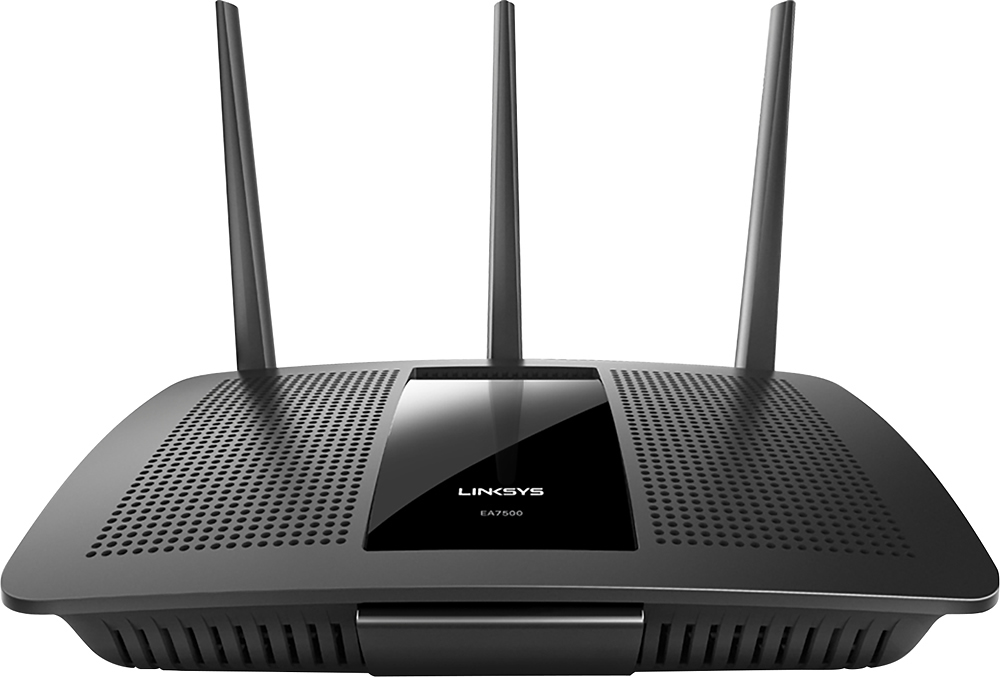
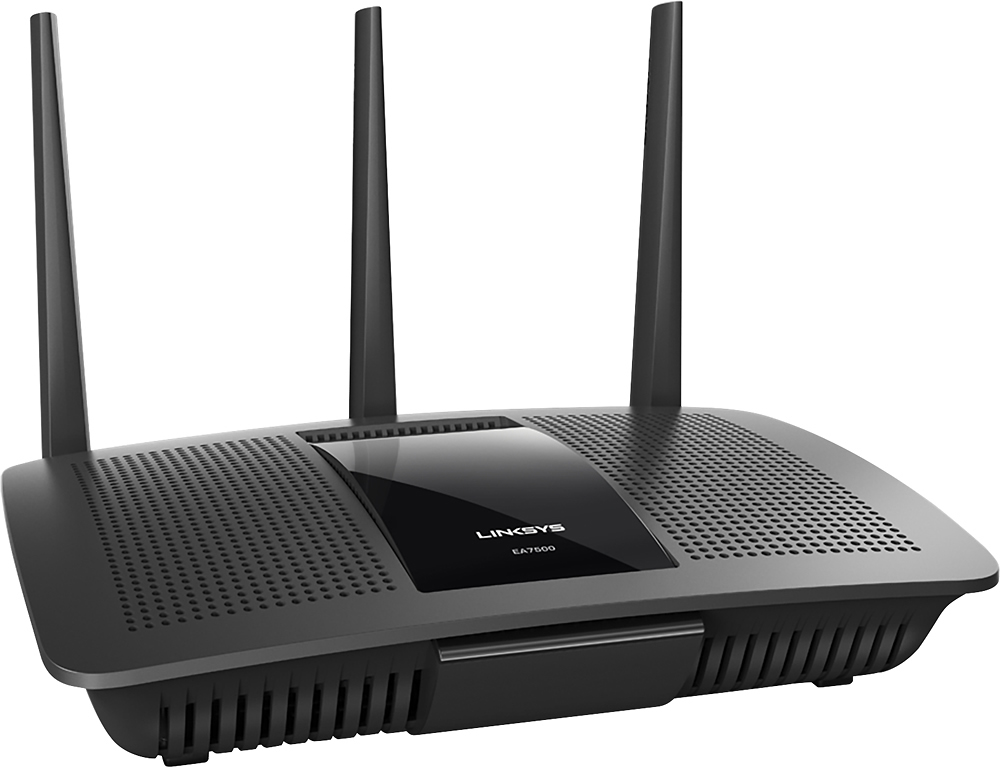
|Posted .This reviewer received promo considerations or sweepstakes entry for writing a review.I received my Linksys EA7500 last week and have impressed up to this point from the initial unboxing. It arrived packed in a typical Linksys brand boxing with a instructional DVD, quick start guide, 3 antennas, ac adapter, ethernet cable, and the main body. Upon fist handling the router it feels really nice and sturdy after installing the three antennas. It is fairly pleasant to the eye for a router. The initial setup was very easy and painless, almost plug and play if you are not concerned with changing any of the default settings. The Linksys smart wifi website used for the setup was just as easy and is very user friendly. You are able to change all settings from the network id, password, and more technical settings all in one place. It also displays all devices connected to your home network and also the convenience of setting up a "guest" access for friends and visiting family so they are not directly connected to your home network using your password. Performance wise, this router is extremely fast with no lagging or drop outs. The range is somewhat questionable though. It is great all throughout my house which is 2000sqft but tends to lose a bar in the signal when I walk to the opposite side of the house from where the router is located. When I exit my house on that same side and close the front or garage door, I lose signal totally. It is only slightly better on the same side outside of the house. I do like the option of 2 different frequencies that can be assigned to several devices (2.4ghz and 5ghz). I have at least 10 devices connected and they all work fine. Overall, the performance is great and well worth purchasing. The range could be better but I'm still adjusting and tweaking the settings a bit to hopefully make it better.
I would recommend this to a friend don't know
||Posted . Owned for 1 month when reviewed.This reviewer received promo considerations or sweepstakes entry for writing a review.haven't set it up yet, looking for the best spot.
I would recommend this to a friendBrand response from Linksys Staff
Posted .Hi nabit36,
Let us know if you encounter issues setting up the router at [email protected] and, we'll have our Escalation Engineers provide further assistance. Please don't forget to include your contact details and the link to this review for our quick reference.
Regards,
Jan
Linksys Support
it's ok
||Posted .This reviewer received promo considerations or sweepstakes entry for writing a review.I really don't see much of a difference. I expected more.
No, I would not recommend this to a friendBrand response from Linksys Staff
Posted .Hi, judym,
Thank you for sharing your feedback. The Linksys EA7500 features Next-Gen AC Wi-Fi with breakthrough MU-MIMO technology for powerful streaming, gaming and uninterrupted, simultaneous Wi-Fi connections. We'd love to forward your case to our Escalation Engineers so they can provide you some tips on how to make the device work up to its full potential. Reach out to us at [email protected] with your contact details and the link to this review for our reference.
Regards,
Joseph
Linksys Support
No range
||Posted .This reviewer received promo considerations or sweepstakes entry for writing a review.Not as great as advertised. Loses signal across 2,000 sf house.
No, I would not recommend this to a friendGood system for small Business
||Posted .This reviewer received promo considerations or sweepstakes entry for writing a review.Everything we purchased is working properly and I have no issues
I would recommend this to a friend- Pros mentioned:Speed
Great wifi speeds on 5ghz, easy setup
|Posted .This reviewer received promo considerations or sweepstakes entry for writing a review.We have been using this router for about two weeks. Prior to this we had been using a Netgear, dual band router. The setup for this router was very easy. Even a novice computer person should be able to handle it. After installation, you will see two network names under the name you assigned for your network during setup. One name will also indicate that it is the 5GHz band. The other is a 2.4GHz band that many wireless devices typically support. It is my understanding that the 5GHz will provide higher connection speeds, but may not cover quite the distance of a 2.4GHz. We have typically received wifi speeds on our pcs that were about 50 to 60% of the internet speed we are paying our service provider for when using the 2.4GHz connection. On the Linksys 5GHz band we are getting close to the internet speed we are paying for. The difference on 5GHz alone makes these dual band routers worth the cost in my opinion. The one negative to our experience is that we were unable to connect on the 2.4GHz band on two Windows pcs. One is running Windows 10 and the other an earlier version of Windows. I contacted Linksys and received a knowledgeable support person, but we were unable to resolve the problem. It was reported to their engineering team and she indicated that we would have to wait for a firmware update to fix this issue. All of our Apple devices had no issues connecting to either band on this router. Lastly, we are using a wireless HP printer that supports only the 2.4GHz band and we were able to print from our printers just fine on this dual band Linksys router. Linksys states this router can support up to 12 devices with no buffering or lag issues.
I would recommend this to a friend - Pros mentioned:Ease of use, Speed
Easy to install; Fast performance!
|Posted .This reviewer received promo considerations or sweepstakes entry for writing a review.I've had an Apple Airport Extreme router for over five years connected to several Macs, iPhones, and iPad, and a Nook HD+ with no complaints or problems. I was skeptical that a Linksys router could match Apple's ease-of-use and easy install. I was happy to be wrong! I followed the (literally) two-page, four-step Quick Start Guide and had everything up and running within a half hour. It would have been faster but I changed the name of the new router and had to restart. Family members and I did a before-and-after test using on-line games, streaming TV, and browser loading (my Nook had been especially slow lately...) and found the new dual band router to be faster in every test. My biggest (no pun) concern was the size of the router itself. It's footprint is about 8" x 10" x 7" with antennae extended and it can't stand up, so I had to clear more space than the compartatively small Apple Airport Extreme (about 6.5" x 6.5" x 1.5" and can stand on it's side). Once in place, however, this is not a deal-breaker in any way! Finally, we had some trouble getting our relatively new HD TV to connect to the new router. We got a message that said it couldn't connect to the gateway. I will need to investigate this further to see why.
I would recommend this to a friend Great if you have Ethernet cord
||Posted .This reviewer received promo considerations or sweepstakes entry for writing a review.It's good if you have a Ethernet cord due to having a cable.
I would recommend this to a friendBrand response from Linksys Staff
Posted .Hi, Supertkm,
We truly appreciate your product review. Your EA7500 router is good for both Ethernet and Wireless connection. Should you encounter any challenges, or should you have queries, feel free to email us anytime at [email protected].
Regards,
Jay
Linksys Support
router
||Posted .This reviewer received promo considerations or sweepstakes entry for writing a review.It's ok for a small home.You get what you pay for.
I would recommend this to a friendBrand response from Linksys Staff
Posted .Hi Joker1953,
Your product review is greatly appreciated. Aside from a small home, the EA7500 router is also perfect in providing a powerful Wi-Fi coverage throughout a medium-size house. Your entire family can stream, play, and work at once without experiencing any lag or buffering at up to 2 times the speed of a non-MU-MIMO router. Should you want to explore more of your router's potential, we have our Escalation Engineers always ready to serve you at [email protected].
Best regards,
Jay
Linksys Support
- Pros mentioned:Signal strength, Speed
Great product
Posted .This reviewer received promo considerations or sweepstakes entry for writing a review.I received a free sample from Linksys in exchange for my honest feedback. I received this router and immediately hooked it up. It was super easy to set up and get running. I get a full signal strength throughout my 2 story house. The speed is fantastic. Being a great looking product is a plus as well. I would definitely recommend this product.
I would recommend this to a friend Longevity
||Posted .This reviewer received promo considerations or sweepstakes entry for writing a review.This is the 4th one I have gotten from Best Buy. These have averaged about 8 months before either wireless or wired connectivity is lost. I bought warranty but it always costs me something to have it replaced. The current unit keeps losing SSID. I am looking for another brand.
No, I would not recommend this to a friendBrand response from Linksys Staff
Posted .Hi, johnl,
Having your router stopped working in a very short period of time is clearly unacceptable. Let's sort this out. We recommend to try upgrading the firmware of your router, followed by resetting and reinstalling it. Email us the results at [email protected] so we can properly address this setback with the assistance of our second level support team. Please include your contact information, the Title and Link to this review for reference.
We look forward to hearing from you the soonest possible.
Regards,
Jay
Linksys Support