Customer Ratings & Reviews
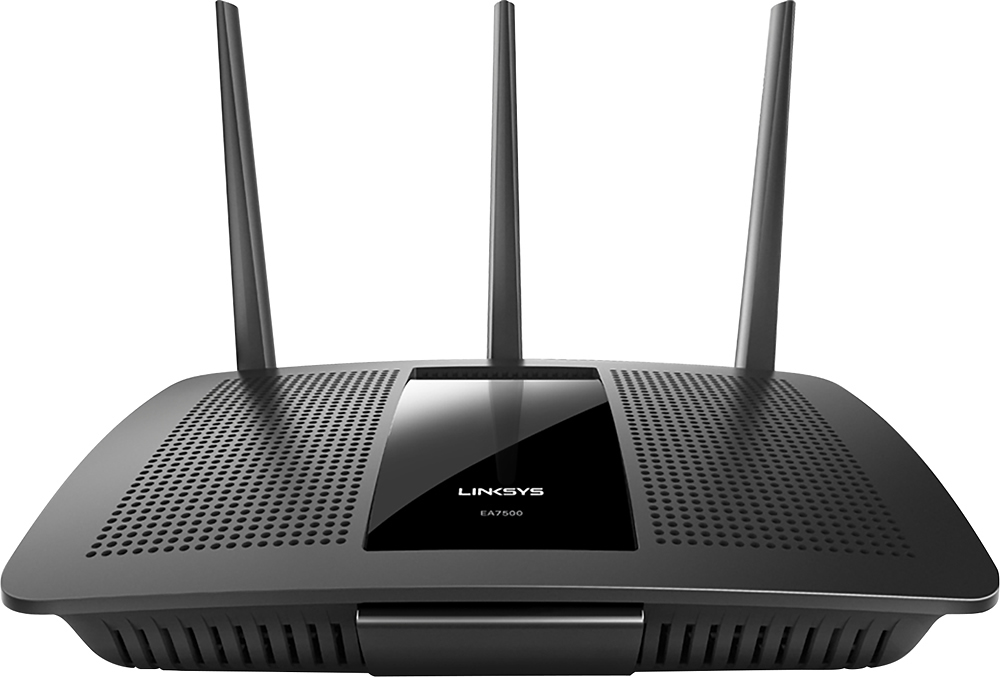
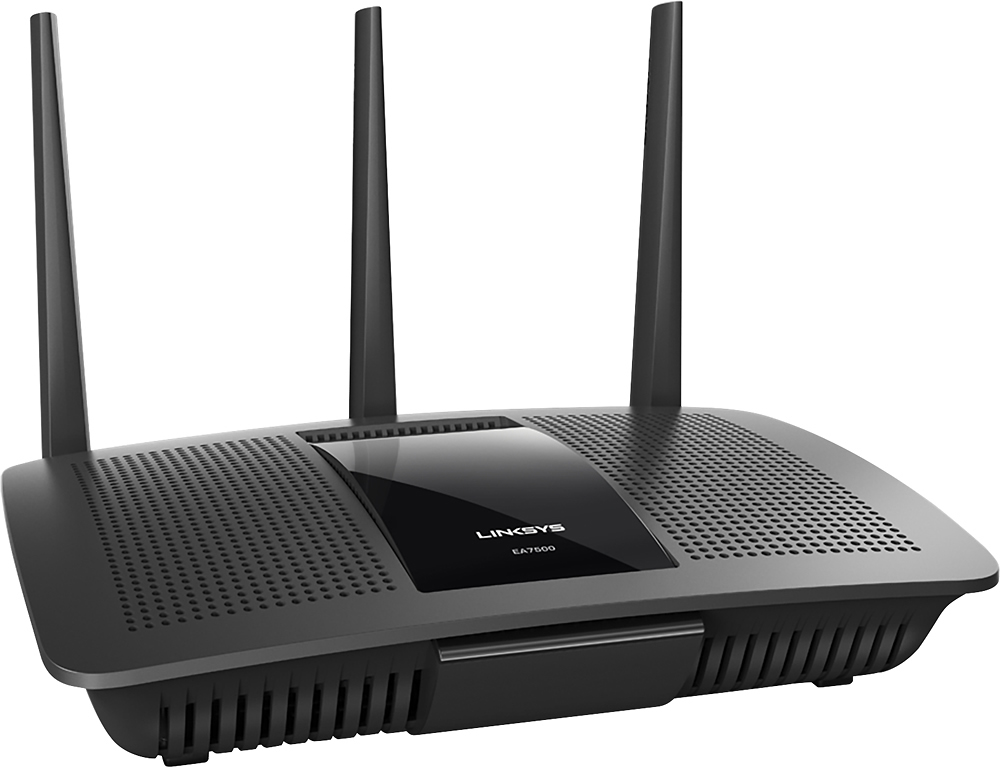
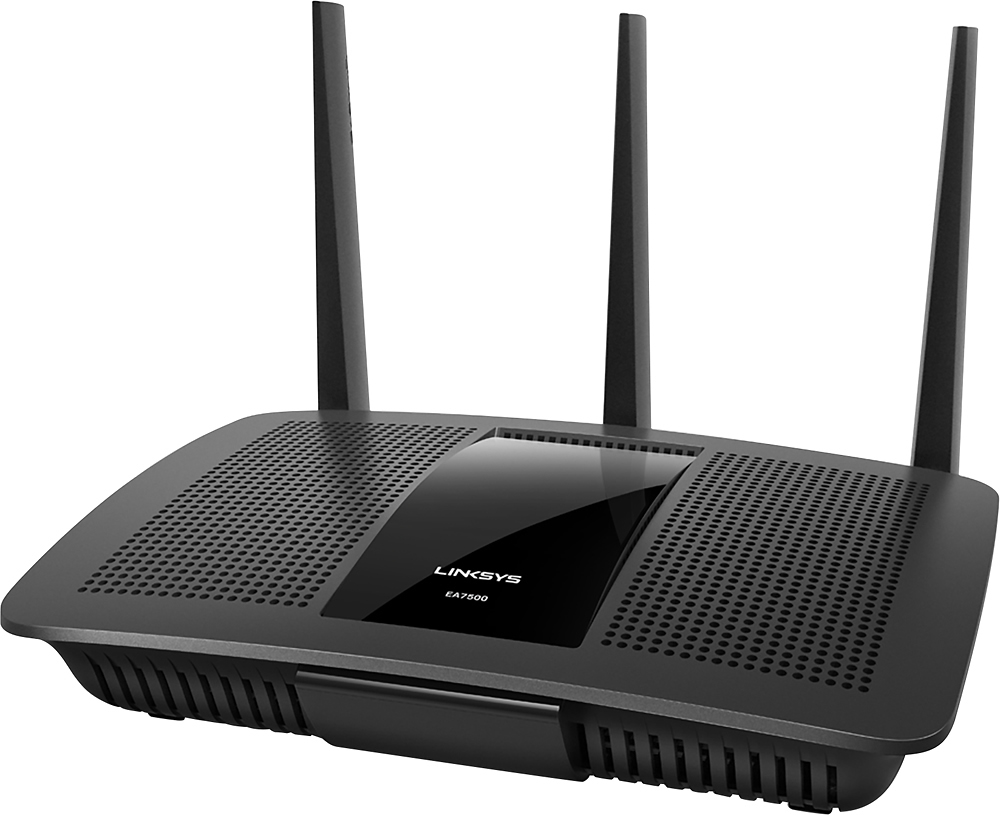
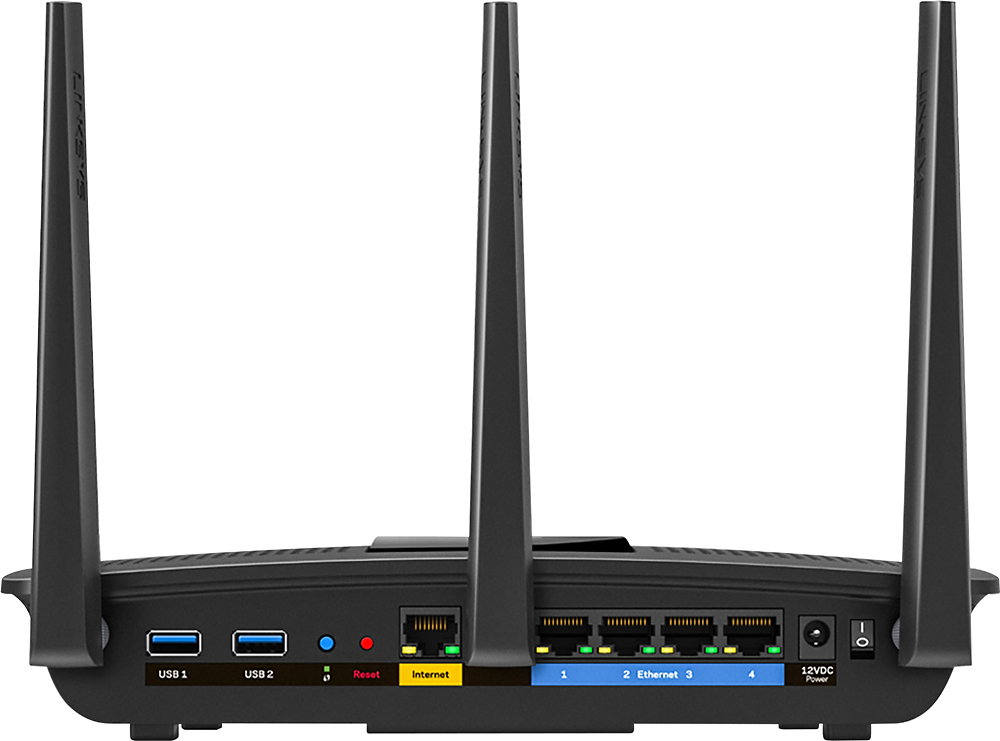



- Model:
- EA7500
- SKU:
- 4830200
Rating by feature
- Value
Rating 4.5 out of 5 stars
- Quality
Rating 4.6 out of 5 stars
- Ease of Use
Rating 4.6 out of 5 stars
Customers are saying
Customers find value in the AC1900 Dual-Band WiFi 5 Router's ease of use, range, and strong signal, frequently praising its performance and simple setup process. Many appreciate the improved WiFi coverage and its suitability for streaming. While some find the router larger than expected, the overwhelmingly positive feedback highlights its effectiveness.
This summary was generated by AI based on customer reviews.
- Pros mentioned:Speed
not worth the money
||Posted .This reviewer received promo considerations or sweepstakes entry for writing a review.only good thing about this router is the speed other than that it stinks keep losing signal on wireless have to keep disconnecting then reconnecting from the router on my laptop to get reconnected happens too often to keep
No, I would not recommend this to a friendBrand response from Linksys Staff
Posted .Hi. Thank you for sharing this feedback with us. It's quite unfortunate about the problems you had with our device. The router should be providing you a steady connection. What we can do is update the firmware of the router to try and fix this. Here's the link on how: (http://www.linksys.com/ph/support-article?articleNum=140365). After the update, reset and reconfigure the router. Should the problem persist, feel free to email us at [email protected] so that we can assist you further. Please include your contact details in the email. We hope to hear from you soon.

Poor WiFi
||Posted .This reviewer received promo considerations or sweepstakes entry for writing a review.It works some of the time and it didn't make anything faster
No, I would not recommend this to a friendBrand response from Linksys Staff
Posted .Hi. We appreciate your time for sharing this feedback. Can you tell us more about the challenges that you are facing with our router? We noticed that you mentioned it only works "some of the time", we definitely want our customers to enjoy our products. Just send us your reply at [email protected] so that we can help you fix this. Please include your contact details and the link to this review in the email. We hope to hear from you soon.
- Pros mentioned:Speed

Never knew internet could be so fast!!
|Posted .This reviewer received promo considerations or sweepstakes entry for writing a review.We have Comcast as an internet provider and I truly thought that their service was just plain horrible. I've had technicians out to my house several times to check our service because my family is constantly getting kicked off the internet. We use the modem that we rent from Comcast which has a built in router. In came the Linksys Max-Stream and holy cow!! Talk about fast. Set up was super easy right out of the box and our internet speeds are now much faster! My husband plays online video games and used to get kicked off constantly, sometimes every 5 minutes. Since installing this router he has not been kicked off once. I am an online student and live streaming lectures used to freeze and buffer all the time but it doesn't happen anymore. My kids enjoy streaming YouTube videos but would have to take turns because both streaming at once would freeze one. And never, NEVER, could we ALL be on the internet at the same time - not one single device would connect if we had more than 2 going at once. I always assumed it was the actual Comcast connection that was the problem but now I clearly see that their built in router is horrible. I will never change from Linksys again!
I would recommend this to a friend Buggy firmware
||Posted .This reviewer received promo considerations or sweepstakes entry for writing a review.I bought this to replace an Asus dual band router, and found it to be less stable with marginal range especially on the 5 Ghz band. After a week of frustration (reboots) and average at best performance, I returned it. I bought a Linksys WRT1900ACS and it's a beast.
No, I would not recommend this to a friendBrand response from Linksys Staff
Posted .Hi, JeffM,
What you have experienced is very uncommon, and we regret to hear that you've already returned your EA7500 router. We could have tapped one of our Escalation Engineers to upgrade your router's firmware and optimize the settings to achieve a stable connection. Should you have other Linksys device that you need assistance with, don't hesitate to email us at [email protected], anytime.
Regards,
Jay
Linksys Support
Slow
||Posted .This reviewer received promo considerations or sweepstakes entry for writing a review.Unit is very slow will not send fast to send via email
No, I would not recommend this to a friendBrand response from Linksys Staff
Posted .Hi, Jdya,
If you are experiencing slow internet speed when sending an email and other online activities, then we recommend checking your internet connection behind the modem. To help you isolate this further, please email us at [email protected] with your phone number and the link to this post so we can have our Escalation Engineers contact you.
Regards,
Irish
Linksys Support
- Pros mentioned:Ease of use, Range
Fast Next-Gen Router
|Posted .This reviewer received promo considerations or sweepstakes entry for writing a review.The Linksys Max-Stream AC1900 MU-MIMO Gigabit Router is easy to set up. Just open the box, attach the three antennas, plug in the power supply, and attach to your cable modem with the supplied Ethernet cable. I had the router up and running in about 5 minutes. The Quick Start Guide does not mention this, but it is a good idea to position the middle antenna at 90 degrees (straight up) and the two other antennas outward at 45 degrees. Managing the router is easy, with the Linksys online management site. You can change security, change the router name or password in seconds. This is a dual-band router. When you set it up, you see a 2.4 GHz and a 5 GHz network. The manufacturer says that the 2.4 GHz network is fine for email and web browsing, and has a broader range of coverage; the 5 GHz network works better for gaming and streaming, and has a narrower range of coverage. I would like the ability to mount this router near the ceiling, like I see in many business settings. It would eliminate some of the desk clutter. If the manufacturer provided such a bracket or mounting device, it would require a longer Ethernet cable to connect to the cable modem.
I would recommend this to a friend Disappointing
||Posted .This reviewer received promo considerations or sweepstakes entry for writing a review.I didn't see much improvement so I had to return it
No, I would not recommend this to a friendBrand response from Linksys Staff
Posted .Hi Lucky2have4,
We regret to hear that the unit is no longer with you. Our Escalation Engineers could have assisted in optimizing the router settings. Feel free to reach out to us at [email protected] for questions, suggestions, or assistance.
Regards,
Rechel
Linksys Support
- Pros mentioned:Signal strength, Speed
Linksys AC1900 - very good range
|Posted .This reviewer received promo considerations or sweepstakes entry for writing a review.Linksys AC1900 MU-MIMO Gigabit Router Overview: This dual band Linksys router is capable of sending out AC signals as well as older N and G signals. If you don’t have newer devices that support AC band, than there’s not much point to upgrade to this router. iPhone 6, iPad Air 2 and iPad mini 4 are the first iDevices to have AC chipset. In this review, I’ll be comparing the Linksys AC1900 router to the Asus RT-AC66R router that I’ve been using for approximately 9 months. My needs of a router might be more demanding than the average user. I keep my router in the basement with the rest of my equipment and it is also where my cable service comes into the house, so the router needs to have good signal throughout the house (2 floors, about 3000sq feet). I also connect the router to a 24 port switch that has various devices connected to it, from TV, VOIP phone, CCTV to a NAS. I also use my phone to access my NAS, so the performance of the router is critical. On a side note, I noticed when I switched from the FIOS router to the Asus a year ago, the performance when accessing files remotely was noticeable. Wireless devices I have connected are the usual, iPads, phone, printer, thermostat and desktop. First impressions: The router came packaged nice and simple, it included the router, 3 antennas, power supply and a network cable. It measures 10x7, about 1.75” thick. The back has the usual ports, 2 USB, 4 gigabit wired ports, WPS setup button etc. Underneath are 2 screw holes that you can use to hang the router up on the wall. It also came with a handy paper with the wifi SSID and password, no need to take out a magnifying glass and find the sticker on the router itself. Setup: The router was simple to setup, plug in power cable, Ethernet cable and that's pretty much it. Before you use it, you have to go through the Linksys setup page. The interface was fairly easy to use, I haven’t use a Linksys router in quite a while (owned by Belkin as of March 2013). The setup screen has gotten much more user friendly over the years. Within 10 minutes, I was up and running. There's also an iPad or iPhone app that makes setting up the router very easy and convenient. One very cool feature this has that I wish the Asus has is remote access to the router. With the app or through the linksyssmartwifi.com, you can remotely manage your router, how cool is that! With this, I could log in remotely and setup filters on my kids iPad to block them from watching MindCraft videos! :) Anyway, back to the router... The WPS "wifi protected setup" is nice, I've never used this feature in the past. Since my router is in the basement, I'd rather type in the password than go down and press the button. The Linksys setup screen has a soft button you can press. This made adding devices such as a HP printer so easy! I did find this feature in the Asus setup webpage as well, but it wasn't very obvious so I never noticed it was there. Performance: The range on this router is excellent! I setup both the 2.4ghz and 5.0ghz networks (2.4 has better range while 5.0ghz faster speeds and should be less interference). I was able to reach both networks from the corners of my house where I typically lose coverage with the Asus router, I was very impressed. The speeds seem comparable to the Asus, I didn't notice much of a difference difference on that end. I tested the router out for about a week and a half. I streamed videos from YouTube and Netflix without any issues. There were no issues, just better range and no lagging with videos (I used to get lagging videos with the FiOS router all the time). After a week, I started getting complaints from the natives. My son had asked me for the wifi password, which I had already setup on his iPad. I thought it was a fluke, but it occurred again on a different iPad and on my Honeywell connected thermostat. Than my wife started complaining about phone not streaming properly, it kept dropping the signal several times. I upgraded the firmware and tried again, the same issues persisted. I ended up switching back to my old router. Unfortunately this router sees to have issues. I would not recommend the Linksys router at this time until these issues are resolved.
No, I would not recommend this to a friend - Pros mentioned:Performance
Solid Performance, but not yet there
|Posted .This reviewer received promo considerations or sweepstakes entry for writing a review.I really wanted did like the Linksys Max Stream. This Model EA7500 AC1900 MU-MIMO Gigabyte Router was probably the easiest router I have ever just put in service. I use the term put in service by meaning I put my normal Netgear #R7000 Nighthawk router off line, plugged in the Max Stream and it was seamless. That’s seemed too easy so I ran benchmarks from my workstation and Xbox one. You could call it a tie as they both delivered all the speed that my cable internet supports. All network devices were found and my streaming and gaming consoles devices all worked without issue. So what’s not to like? Well it’s a very new product at the time of this review. The box is clearly saying this is a Belkin made product. I have had many Belkin products over the years. Anything from other routers to simple USB cables. They have all been well made products. But the Netgear has a much more advanced interface that gives me more control and the simple plug and play mode if I wanted to use it. I do like where these new routers and wireless devices are making setting up wired and wireless networks so easy. This is a good router if you need to replace one and you find it at a competitive price. Otherwise I would give it more time on the market and read more reviews. There are other options that have been on the market. I currently have it in service downstairs and working very well with my Xbox one. I also use it to steam PC games to an Nvidia Shield and I have no complaints.
I would recommend this to a friend Happy with item
||Posted .This reviewer received promo considerations or sweepstakes entry for writing a review.Would recommend this product.worth the money it cost
I would recommend this to a friend- Pros mentioned:RangeCons mentioned:Size
Excellent range and reliable
|Posted .This reviewer received promo considerations or sweepstakes entry for writing a review.So this replaced another router of mine and i wanted to give it a good period of time before i submitted a review as routers can be fickle things. The Linksys comes in a nice blue box, typical Linksys fare, 3 blade antennas that attach to the back, R&45 cable, 4 ports, 2 usb ports, its well equipped. We get excellent range with this router and been the best i have had for that, i get a full 5GHz signal at the other side of my home from where the router is placed, by comparison others have had me drop to the 2.4GHz but not this one, range is awesome. Ive had to reset the router only once since ive been using it this last couple of weeks ands that was likely down to my own internet issues, its been steady with no issues, really impressed. No heat, no noise, lights are not to bright and the Linksys logo lets you know if you drop connection by pulsing. negatives to this unit are the size, its pretty big, the blades are pretty thick also making it difficult to place in some areas Highly recommend this router, if you are looking for range, speed and stability then you cannot go wrong with this one
I would recommend this to a friend - Pros mentioned:Range
Great router for home usage
|Posted .This reviewer received promo considerations or sweepstakes entry for writing a review.Disclaimer - I received this router from Best Buy in exchange for an honest review. The TL;DR synopsis: The Linksys EA7500 is definitely worth its price for what you get. On top of being a great dual-band wireless router with terrific range in both the 2.4 GHz (B, G, and N) and 5 GHz (A, N, and AC) bands, it’s also functional as a network file server, network printer server, and DLNA media server - just attach an external USB storage device and your USB printer that doesn’t support WiFi connectivity and you're ready to go. There are a couple of features that advanced users and those looking to put one (or many) in a small office may miss, and there could be a couple other features added to make life easier, but overall it’s a great router for the home. And the rest of the review: In terms of setup, it couldn’t be easier. The router walks you through the initial configuration, which includes setting a router hardware password. After the basic configuration is done and internet connection is verified, it does ask you to setup a Linksys Cloud account, which allows you to configure your router from anywhere, including disabling wifi (you’re welcome, parents; sorry kids). Keep in mind this cloud account is optional and only used for remote access to the router. From this point on, you can change advanced settings using either software provided from Linksys on your mobile devices, or the web interface on your computers. In terms of settings, you can change almost everything in the router that you’d want or need to - enable and disable file and media servers, security settings, IP ranges and connectivity modes to your internet provider, and more. The only setting I'd want to be able to change but I'm not able to is wifi signal output; the reason for this isn't to turn up the strength of the signal, but to turn it down so not every one of my neighbors sees my wireless network. When it came to testing wifi, it covered the entirety of my lawn (200’x200’) from just about anywhere in my house with the 2.4 GHz signal. The 5 GHz signal was nearly as good while located in my office but not as strong in my side yard (west side of the home) from the kitchen (east side of my home). In terms of receiving that signal, I was able to walk around 250’ away from my house before the 2.4 GHz connection between my iPhone and the router became unstable. Compared to my current router (Apple Time Capsule 3rd Gen), this triples the 5 GHz coverage and nearly doubles my 2.4 GHz coverage. With that wireless connectivity comes speed. It connects to Wireless AC devices at up to 1300 Mbits per second, Wireless N devices (2.4 and 5 GHz) at up to 600 Mbits per second, and is compatible to legacy A, B, and G devices; unlike some older routers, connecting a legacy device doesn't slow down the connection speed of newer devices. This is a great thing, especially for those with ultra high-speed connections (fiber and >250 Mbit cable internet) or that do a lot of streaming from a media server, especially with 4k resolution media. It’s also very stable. Testing while connected to Google Fiber didn’t cause this router to become warm. Considering that most routers I’ve owned or used over the years tended to become warm with heavy use, this is very reassuring. Transfer rates are also great - I was getting regular wired speed test results over 900 mbps and transferring large files over the internet at speeds close to what you’d see on a local network with Google Fiber. Being that the only wireless AC devices I had to test with were limited to the devices' own top wireless speeds, I can tell you that both phones pegged out their speed tests at 180 mbps each while running those tests simultaneously (Galaxy Note 4 and iPhone 6s). For connectivity on the router itself, it marks off the important checkboxes - USB 3 connection for a hard drive or flash drive, USB 2 for a printer or another flash or hard drive that doesn’t need to transfer data as fast, a gigabit ethernet connection to whatever your internet connection is brought into your home with, and a 4 port gigabit ethernet switch. The second USB port not being USB 3 is a little bit of a detriment if network printing is something you don't want to use this router for. It also doesn’t have an eSATA port like some higher-end routers do, but as fast as USB 3 is, you won’t miss that connection at all. Keep in mind this router supports hard drives and flash drives formatted as either FAT, NTFS (Windows), or HFS+ (Macintosh). exFAT and Linux file systems aren’t supported by this device. Network printing requires either Windows or Mac OS X (Lion 10.7 or later). Linux isn't supported and I didn't get a chance to see if the print server emulated established network printing standards. This router also won't act as an AirPrint server, so you won't be able to use your USB printer with your iOS device or Android device without either AirPrint server software on your computer or a printing solution for Android. One thing this router really has going for it is style. It’s something that will look good sitting out in the open, with sleek, smooth lines, and the Linksys logo being the only light on the front of the unit, glowing in white. While ultimately not as stylish as Apple AirPort or Google OnHub, it’s still a step above everything else on the market right now, including Linksys’ own WRT line, in terms of style, and it easily outperforms both the AirPort and OnHub. I do have to knock the firmware for the router for not supporting exFAT with external storage devices, the reason being that households with both Mac and Windows computers are more likely to have external hard drives and flash drives in this format due to larger file support and universal compatibility between the two OSes; exFAT is also a common file system for SD cards larger than 64 GB, used by Android phones. I also have to knock this router on the configuration pages; many advanced settings are buried. For those of you used to looking at Linksys configuration pages like what’s included in the WRT54G among others (what looks like a web page from the late 1990s or early 2000s), you’ll be disappointed, not because it’s easier on the eyes, but because the settings you’re used to seeing are two, sometimes 3 clicks deeper than they were in the older firmwares or just not there at all (such as the ability to set signal strength). For beginners or those looking for an easy to use router, however, you’ll be pleased that its basic settings are the only things shown and the interface is actually pretty easy to navigate in that regard. Overall, this really is a great router for home usage. It supports connectivity to a lot of things at once, it has incredible transfer rates, and it’s a quality product. Advanced users who want more control over their router may want to look at the step up from the model (the Linksys WRT series), but for 90% of everyone out there, this is a router that you’ll probably never outgrow.
I would recommend this to a friend Good Intermediate Level Router
|Posted .This reviewer received promo considerations or sweepstakes entry for writing a review.I had not used a Linksys router in a while and was interested to see how they had come along. I currently have a AC5300 router from a different manufacturer and will not compare the two. The Linksys is a router for a medium sized home, the other is for a large home and has more options. Setting up- It's a router, I've done tons of them. The three antennas connected with no problems. I set the middle one straight up and the outer ones at 45 degree angles per the instructions. My network has static IP's as much as possible, so usually when I install the new router, I connect to it, change its base IP address and everything connects again. The router was connected behind a FIOS router (due to the type of connection from FIOS). The starting IP 192.168.1.1 was the same as the FIOS router. So, the router would not connect due to the IP address conflict, as expected. I disconnect the FIOS router and proceeded to setup the Linksys router. However, the Linksys router would not allow access even after power offs and resets. Finally, I tried to connect over the wireless network. Nothing worked to connect to the wireless network, I couldn’t even find the network. I checked the router for any issues and noticed the default wireless settings given on the quick start card were different than the ones on the router. Using the settings from under the router I was able to connect to the router and bring up the starting page. That was a waste of time. Not sure how the included setup card that had the wrong information on it. Without being connected to the interest, the automatic setup process would not work. I reset the router and went to use manual settings (what I planned to do eventually anyways). Once I accessed the router wirelessly, I could then access it through my wired computers. Using the setup on the router was straight forwarded and laid out in a nice way. All of the settings were easy to find and change as needed. I changed the router to my custom network settings and all of my devices started connecting to the network, wired and wireless. I am in a 2 story house with a basement. The router is in the basement as that is where the FIOS comes into the house. The router was able to service the basement and first floor okay. The top floor had issues. My wireless devices could not connect from the top floor. As it says it is for medium houses this is an expected result. It covers the area it says I would expect on both 2.4 And 5.0 frequencies. If the router was on my main floor it would probably cover the whole house. The network diagram worked fine and showed all of the connected devices. I have upgraded my computers to Windows 10, and have dropped flash. The network speed tester built into the router said it required flash, so I could not test it. The rest of the GUI for the router worked fine. I was able to change names, network settings, and passwords with no problems. Port forwarding, guest networks, and the typical router settings are all there. I downloaded the Linksys app on my smart phone, but it said I needed a Linksys account. Apparently it cannot connect to the router directly, but has to go through Linksys. I do not see why, and do not want getting my router information to go through an unneeded site and process, so I didn’t use it. Although this allows access to the router from anywhere on the internet, other companies allow you to at least access your router directly without logging into another system when you are at home connected to the router through an app. This is through an app, of course you can always connect directly by the router IP address. I tested my other network devices, and had no real problems. Remotes, internet streaming devices, etc all worked fine. I setup Prioritization for a few machines and they did get priority. I had some starting pains, but it all work eventually. I contacted Linksys support and they were helpful in trying to resolve the situation. One issue was only being able to access the router through linksyssmartwifi.com in my browser at first, since trying 192.168.1.1 didn’t work until after I accessed it wirelessly and set it up. The instructions said 192.168.1.1 should work by default. Overall, it seems like a good router for its purpose. Medium size dwellings. The 2.4 and 5.0 frequencies both worked fine and at the same time. Throughput was good on multiple wireless devices. It has the original firmware, and no updates were available at this time. I would expect improvements with new firmware. The misprinted quick start card with the wrong wireless information on it caused some delays. The router is built to be setup and used completely wirelessly if you need to do that. I didn’t have any MU-MIMO devices to check the higher speed claims. Overall a solid product, that does what it says it should do.
I would recommend this to a friendDrops connection constantly
||Posted .This reviewer received promo considerations or sweepstakes entry for writing a review.Worst router I have ever bought. Drops connection dozens of times a day, reboots do nothing, firmware updates did nothing, tech support just shifts the blame back to "user error". Its obvious by the reviews both here and elsewhere that this router has issues but Linksys support will not acknowledge that fact. Linksys "tech support" just keeps telling me its my fault, and that it couldn't possibly be there gem of a router. Even after I revealed my 25+ year background in network engineering. Now they want me to pay to return this brick so they can send me the same brick back. Not happening... this was the last Linksys purchase I will ever make.
No, I would not recommend this to a friendBrand response from Linksys Staff
Posted .Hi, Wiired,
We appreciate your feedback. Give us a chance to make things right for you. Send us your case number at [email protected] so that we can prioritize your concern and help you resolve it. Don't forget to include the link to this post as a reference.
We hope to hear from you soon.
Regards,
Thaddeus
Linksys Support
Not as good as I thought
||Posted .This reviewer received promo considerations or sweepstakes entry for writing a review.After reading reviews, I thought this wireless router would cover the whole house, but it doesn't. It also doesn't allow my iPad to pick up a signal outside on the patio, which the old wireless router did. All in all, disappointed in this item.
No, I would not recommend this to a friendBrand response from Linksys Staff
Posted .Hi Ispep,
You can tweak the wireless channel of the router. This will resolve issues of wireless interference to improve the performance and reliability of your network. The preferred wireless channels to use for the 2.4 GHz network are 1, 6, and 11 since they’re considered non-overlapping channels.
Let us know how it goes at [email protected] with your contact details, location, title and the link to this review.
Regards,
Rechel
Linksys Support
- Pros mentioned:Range, Speed
Fast and easy setup right out of the box
Posted .This reviewer received promo considerations or sweepstakes entry for writing a review.I received this router as a free sample from Linksys in exchange for honest feedback. The router right out of the box only took like 5 mins to set up and I was using it. I found the router to be very fast on the 5ghz band. Has good range in the house, and did not drop the wireless connection.
I would recommend this to a friend Does not work
||Posted .This reviewer received promo considerations or sweepstakes entry for writing a review.After my 15-day return i notice a problems i calling linkys service for almost a month now I miss the engineers call I've been calling back for days now all customer services tell me I still have to wait for them to call me
No, I would not recommend this to a friendBrand response from Linksys Staff
Posted .Hi. We appreciate your time for sharing this feedback. It's quite unfortunate about what happened. Can you provide us your case number? Also, indicate what date and time would you like to be contacted so that we can note it on your case. Please send it at [email protected] so that we can inform our engineers about the case. We hope to hear from you soon.
- Pros mentioned:Ease of use, Speed
Big Upgrade
|Posted .This reviewer received promo considerations or sweepstakes entry for writing a review.I can't speak to the technical specs of this router since that's not something I understand. I can say this: set up was a breeze especially when you use the Linksys website to customize it. It took me less than 15 minutes, from start to finish, to get everything set up. That includes changing the password and getting all of our devices on the new network. My Xbox One, Rokus and bluray players are all hard-wired, so speeds stayed the same. Where we see a big difference is in the speed of the WiFi on our wireless devices. Smartphones, laptop and tablets all show speeds that are double what they were with the old Netgear router we had. I even have an Xbox 360 on wireless and I no longer have any problems with losing the connection when playing games. I'm no tech expert, but with the ease of installation and how user friendly the set up is on the website, I could recommend this to anyone needing a new router.
I would recommend this to a friend - Cons mentioned:Lag
Fast but not without a hiccup or two
|Posted .This reviewer received promo considerations or sweepstakes entry for writing a review.I received this and set it up to replace my netgear router. The set up is fast! I love the user interface both on the pc and also the android app. The map was easy to read and I love that I can set parental controls by device so easily. I wish we could block by topic instead of website but I understand why that's not possible by a router. I like that it has external antennas because it gives the ability to make adjustments unlike the netgear I have. Port forwarding was easy as was setting up my security cameras. I was pretty disappointed when I realized that two of my cameras won't work when using wifi with this router. They work wired, but not wifi. I believe this is due to the cameras rather than the router, but I haven't had time to figure out why. This has slightly improved the connection in my son's room where he would drop connectivity frequently with the netgear. We are family with online gaming, multiple rokus, and multiple personal devices that are on the internet at any given time. We've not had any issues with lag or buffering. It's been able to handle everything we've thrown at it. Overall I'm very pleased with the Linksys.
I would recommend this to a friend - Pros mentioned:Ease of use, Range, Speed
Powerhouse
Posted .This reviewer received promo considerations or sweepstakes entry for writing a review.This is by far the best router I have ever bought. It is very quick and easy to setup and gives off a massive range of wifi. I play a lot of online games on my computer and ps4 and this plays them no lag or problems . No issues at all love this thing
I would recommend this to a friend