Customer Ratings & Reviews



- Model:
- EA7500
- SKU:
- 4830200
Rating by feature
- Value
Rating 4.5 out of 5 stars
- Quality
Rating 4.6 out of 5 stars
- Ease of Use
Rating 4.6 out of 5 stars
Customers are saying
Customers find value in the AC1900 Dual-Band WiFi 5 Router's ease of use, range, and strong signal, frequently praising its performance and simple setup process. Many appreciate the improved WiFi coverage and its suitability for streaming. While some find the router larger than expected, the overwhelmingly positive feedback highlights its effectiveness.
This summary was generated by AI based on customer reviews.
- Pros mentioned:Ease of use

Linksys has changed! Great Value to Features.
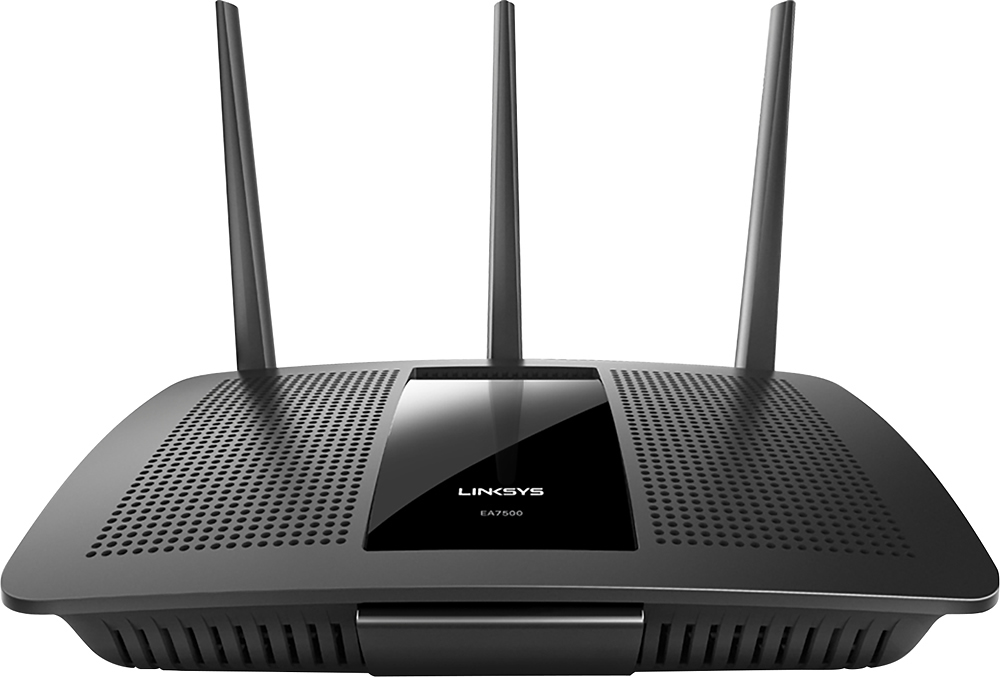
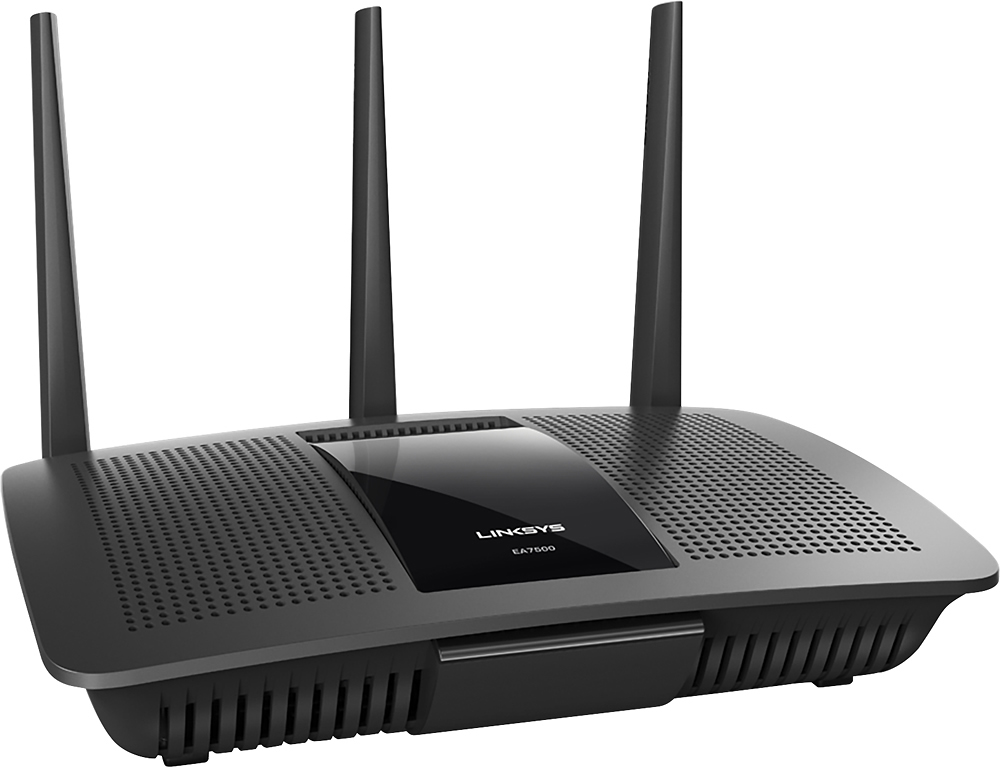
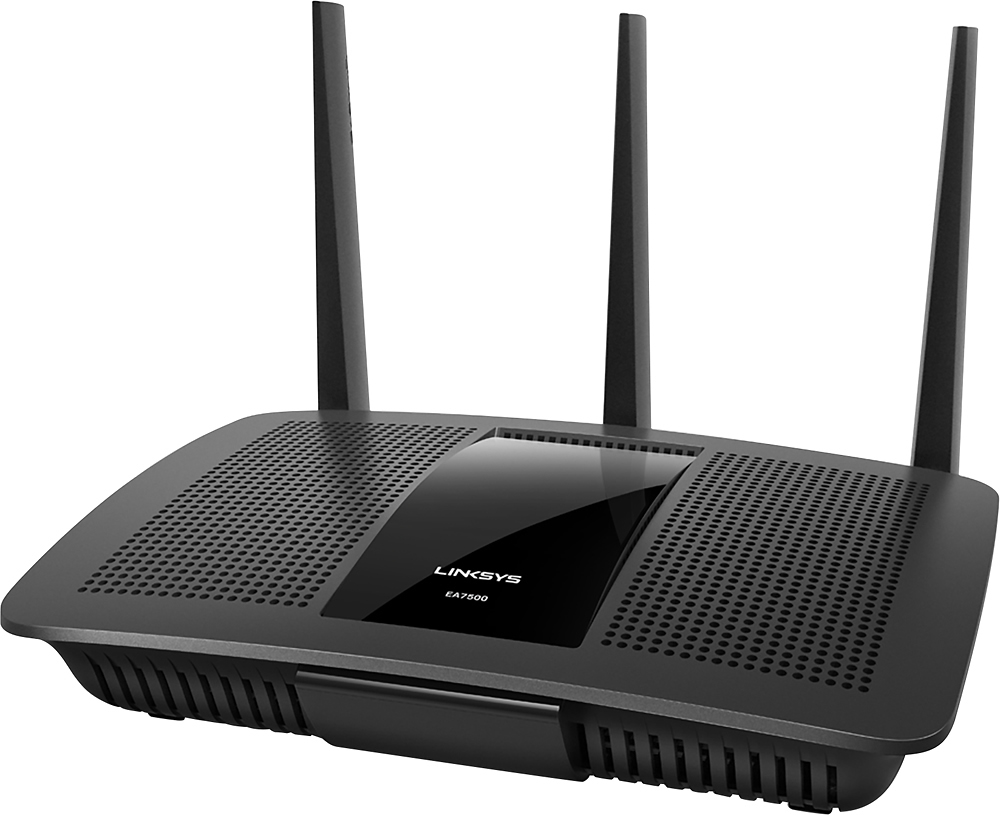
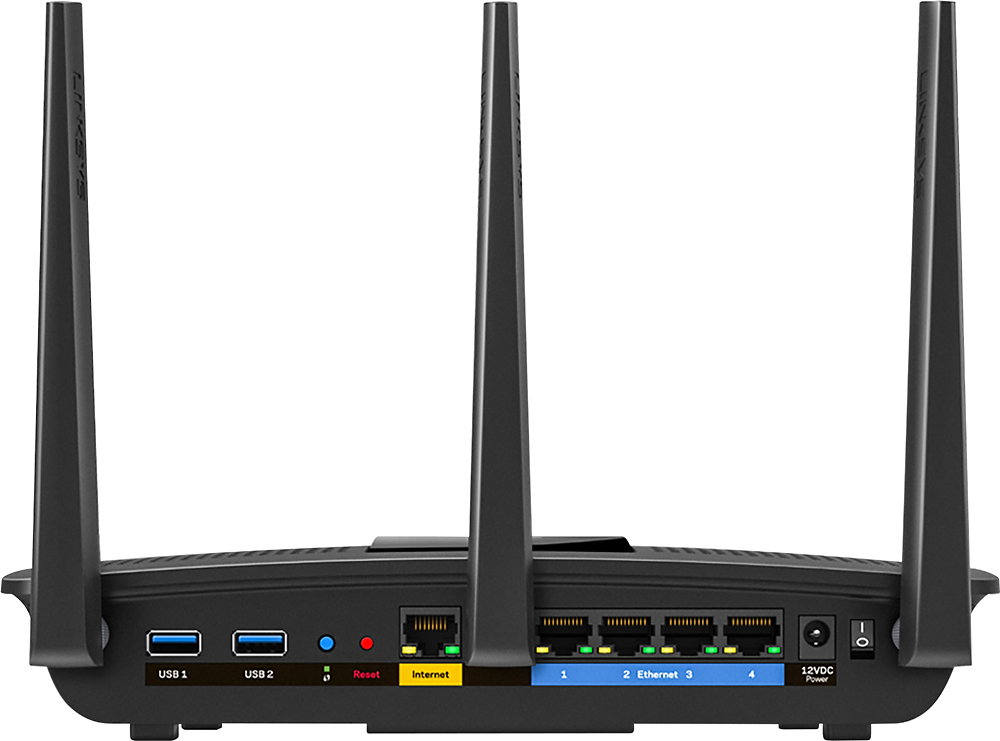
|Posted .This reviewer received promo considerations or sweepstakes entry for writing a review.Review 2/9/2016 (Initial Review) My first thoughts are Linksys has come a long way. I received this device as part of BestBuy's Tech Insider program in return for an honest review. I had been previously using a competitor's device to which I had NO problems with but I agreed to test this one to see where Linksys stands today with their technology. I last used Linksys in 2005 for my home networking needs because there was always trouble with setup and connectivity. So far, I have not seen the same issues I experienced in the past. I am trying to start fresh with this review and not take into account my antiquated experience with older Linksys routers. My overall experience thus far has been a great one. I plan on updating this review as I encounter issues and new things I like about the router. And the review begins, here we go... Price: --------------------------------- This router is listed at $199 MSRP on the website. It was recently announced at CES 2016. What's in the Box: --------------------------------- -Linksys EA7500-AC1900 MU-MIMO Gigabit Router -Quick Start Guide -3 Antennas -Ethernet Cable -Power Adapter -CD-ROM with Documentation -Cardboard Specs for my Tech Nerds: (straight off the Linksys Website) --------------------------------- Wi-Fi for the AC1900 uses 3x3 MU-MIMO technology employing Dual-band (2.4 and 5GHz) Gigabit, 600+1300 Mbps for medium household supporting up to 12 wireless devices. Network Standards: 802.11b 802.11a 802.11n 802.11ac 802.11g Wi-Fi Speed: AC1900 (N600 + AC1300) Wi-Fi Bands: 2.4 and 5 GHz (simultaneous dual band) Wi-Fi Range: Medium Household Number of Ethernet Ports: 1x Gigabit WAN port 4x Gigabit LAN ports Other Ports: One(1) USB 3.0 port One(1) USB 2.0 port Power Antennas: 3x external, dual-band, detachable antennas Processor: 1.4 GHz dual-core LEDs: Internet, Ethernet(1-4), Linksys Logo, WPS Wireless Encryption: Up to 128-bit encryption Operation Modes: Wireless Router Access Point Wired Bridge Wireless Bridge Storage File System Support: FAT NTFS HFS+ Dimensions (LxWxH): 257 x 184 x 56 mm (10.12 x 7.24 x 2.2 in.) without antennas Weight: 558 g (20.74 oz) Security Features: 64/128-bit WEP WPA2-Personal WPA2-Enterprise Regulatory Compliance: FCC class B Power Supply: Input: 100-240V ~ 50-60Hz; Output: 12V, 3.5A Setup: --------------------------------- Setup was a breeze LITERALLY. No CD required just a computer and a web browser. Just like every other router, you connect the router to your modem, connect power, and go to the router setup page. I particularly like what Linksys has done with their router setup. Gone is the required CD that does everything for you. Now you register an account using linksyssmartwifi.com which allows you to administer your router from ANYWHERE you have internet. You don't even have to be on the router's network! There is an easy setup process for those who are "network challenged" and there are advanced options for the IT guru. The Hardware: --------------------------------- There are 4 ethernet gigabit ports for LAN and 1 ethernet gigabit port for WLAN, 1 USB 3.0 port and 1 USB 2.0 port. The device itself looks great. It is a low key Black and grey device that doesn't attract attention like some of the prior blue and black Linksys devices. It has a 1.4GHz Dual Core Processor Highlights: --------------------------------- -Media Prioritization (still testing, it is an ongoing review with updates to come) WWM Support is Wi-Fi Multimedia (WMM). WMM is a wireless Quality of Service (QoS) feature that improves quality for audio, video and voice applications by prioritizing wireless traffic. Turning this ON will enable its functionality. QoS is used to set up priority to specific devices, services or applications within the network through the router. This helps in properly allocating bandwidth. The WMM Support feature can be configured under Media Prioritization for this routers or from the Administration tab. For instructional video visit http://www.linksys.com/us/support-article?articleNum=155136 -Parental Controls This allows parents/administrators to restrict on a network basis or on a per device basis. You can set different levels of restriction per device which is great. You can block websites, domains, or a specific device. You can also shut down internet access using the Internet Scheduling feature for those kids who want to stay up all night on their computer/cell phones. -Beamforming Beamforming is a process that allows you to focus your WiFi signal. Simply put, when your router is sending out a WiFi signal, the signal gets wider and wider as it leaves the router decreasing losing strength in exchange for coverage. -Advanced Security You can safeguard your network with wireless WPA/WPA2 encryption and an SPI firewall. It also supports VPN. - 3x3 AC MIMO A 3x3 MIMO device with 3 antennas and radios is capable of transmitting and receiving via three streams. All these streams afford the device more bandwidth capacity when downloading and uploading data to and from the wireless network. The more bandwidth or the faster the devices’ speed on the network the better the performance for everyone overall who is connected to the same access point. An analogy I like to use often is that of 1 straw versus 3 straws in your drink. 3 straws in a drink will allow you to consume your beverage 3x faster than someone with only 1 straw in their drink. The same goes for wireless. Someone with a 3 stream MIMO device will get their data quicker and will allow others waiting in line to get their data much sooner than the 1 stream MIMO device. -Linksys Smart Wifi Monitor and control your home network from anywhere through the Linksys Smart Wi-Fi website or mobile app The app needs work, but it shows some promise. You cannot reboot your router from the app as of today 2/9/2016 but I hope they change that while you can using the website. It provides a network map of all devices customizable with VERY LIMITED icons that sometimes get mixed up. I found myself correcting the icons I selected for my devices, but that isn't REALLY a big deal. There are a few apps you can use with your router that I have yet to test. The ones posted on the website at the moment are -MU-MIMO Latest Wireless-AC technology for simultaneously streaming and gaming on multiple devices. -1.4 GHZ Dual-Core Central Processing Unit (CPU) Promotes simultaneous high-speed data processing. -USB 3.0 Port Add external storage and other devices to share content across your network via USB ports. -Easy Setup Installation is fast and easy. No CD required. More to come as many of these features are still being tested for an accurate review.
I would recommend this to a friend Meh
||Posted . Owned for 1.5 years when reviewed.This reviewer received promo considerations or sweepstakes entry for writing a review.Not very good. Always had problems connecting from within the house. Upgraded to Linksys velop. Much happier.
No, I would not recommend this to a friend- Pros mentioned:Ease of use, Range
Fast speed & Features with phone/tablet apps
|Posted .This reviewer received promo considerations or sweepstakes entry for writing a review.Have been using mine for about a week and it has been rock solid in its throughput on a variety of devices I have attached to my home network (laptops, tablets, phones, game consoles, TVs, amplifiers, etc) and everything has worked flawlessly. This is a very advanced router with alot of advanced features like Smart Wifi web administration, VLAN, USB Storage attachment, as well as the fastest 802.11AC I have used. Setup is easy and the unit is ready to go out of the box. Note: If you want to use the easy setup, you need to have an internet connection or you will have to reset the unit. The web interface is clear and easy to use with the ability to integrate with an app that runs on your phone/tablet. An impressive router....If you have a medium sized household this has all the features & range you will need.
I would recommend this to a friend - Pros mentioned:Signal strength
Great router, but MU-MIMO feature yet to be tested
|Posted .This reviewer received promo considerations or sweepstakes entry for writing a review.I was quite curious and excited to try out the Linksys EA7500 AC1900 MU-MIMO gigabit router just days after it was available for sale. The news from the International Consumer Electronics Show in January was that 2016 is to be the year of MU-MINO (Multi-User Multiple-Input, Multiple-Output) technology, wherein data can be sent to and received from different devices simultaneously. Prior to MU-MINO technology, wireless routers could communicate with several devices "simultaneously" only by switching connections among devices extremely rapidly. Although the older technology allows the use of multiple devices on a wireless network, there is still a bottleneck at the router because it must continuously alternate communications between different devices. Because at any point in time our household might be accessing our wireless network with two cell phones, a laptop, one or two tablets, and a TV, I wanted to know whether the performance of this new MU-MIMO router would surpass our current router (the Linksys WRT1900AC), considered by many to be one of the best routers on the market one year ago. My excitement waned fairly quickly when I learned that the MU-MINO technology would not provide benefits unless the connecting devices are MU-MINO compatible. And none of mine are. So I cannot review the advantages of MU-MINO based on actual use for some time. Although it is possible to buy an add-on MU-MINO USB wireless adapter, the Linksys WUSB6100M , for a laptop, it cannot be used for a phone or tablet. Nonetheless, the Linksys EA7500 is one of the most recently-released routers, and I still wanted to compare its performance to the Linksys WRT1900AC that I bought last year. In particular, I wanted to see how well the EA7500 connected to a Samsung Nook tablet we use, because this tablet never did connect reliability to our current router. Also, I wanted to see if the EA7500 provided a more reliable connection to our cell phones in one particular room in our house where our phones kept disconnecting and reconnecting from our current router. When I pulled the EA7500 from the box and began to attach the three antennae, I was startled to see the two USB ports in the back labeled USB1 and USB2, given that the product was advertised to have one USB 2.0 and one USB 3.0 port, and nobody makes USB 1 products anymore. The puzzle was solved by an image on the side of the box indicating that USB1 was the USB 3.0 port and USB2, the 2.0 port. I suppose that there might be some compelling reason to label these ports USB1 and USB2, but I think it would have been more helpful to indicate which one was the 3.0 and which was the 2.0 port. The router did come with a quick-start guide that basically said to connect the router to your cable modem, connect to the network, and launch the Linksys Smart Wi-Fi router setup instructions. I would have used these instructions if I wanted to simply replace my old router with this one. Last year, the similar quick-start guide for my previous Linksys router had my router up and running in minutes. However, now I was planning to do an installation that left my old router on the network while adding the new router, and I wanted to do it correctly. So I next loaded the CD containing the documentation into my laptop's CD drive to find more detailed instructions on using two routers. What I found on the CD was simply a PDF file. When I opened the file, I was surprised to find the instructions were in a mixture of Arabic and English. More specifically, it was mostly in Arabic, with a few English words such as Illuminated Linksys Logo, Internet Port, and Reset Button that pointed to features within diagrams of the router. Obviously, this was a multi-language user guide, but, unlike printed guides written in many languages where one can quickly find the instructions in one's native language, this PDF file had no quick way to jump to the English instructions. So, I scrolled through instructions in Arabic, Bulgarian, Czech, Danish, German, and Greek before I found the English instructions on pages 126-146 of the 737-page PDF file. It would have been nice if Linksys had included a Table of Contents at the beginning of the file to allow users to jump to their native language instructions. The "How to install your router" portion of the instructions began with "If replacing an existing router, disconnect that router first," and then continued with instructions identical to those in the quick start guide. Like I said, those instructions are great for simple installations, but there were no instructions for adding the router while keeping your existing router. The remainder of the user guide simply described how to use features of the router such as changing the router's name and password, setting up guest access, configuring parental controls, testing Internet connection speed, and setting up Linksys Smart Wi-Fi (which allows you to configure your router from anywhere in the world over the Internet. I set up Smart Wi-Fi a year ago for my previous router and never had a reason to use it). But there were no instructions on using two routers on the network. Fortunately, Linksys has an excellent article, "Cascading or Connecting a Linksys router to another router" on the Internet, and I found setting up the EA7500 as a second router an absolute breeze. And the really good news was that the reliability of its signal to our cell phones is much better than our older Linksys router, and the Nook tablet that never connected well to the old router now has a great, solid connection to the EA7500. Although it may be some time before I acquire new MU-MIMO-compatible devices to enjoy the advanced features of the EA7500, it is already outperforming what was the best Linksys router on the market last year.
I would recommend this to a friend - Pros mentioned:Speed
Using the Linksys EA7500 to add a base station
|Posted .This reviewer received promo considerations or sweepstakes entry for writing a review.Using the Linksys EA7500 to add a base station in a roaming network. The Linksys EA7500 is an experiment for me. My 2800 sqft home, all on 1 floor, has a wide variation of Wi-Fi speeds in its rooms. My Internet Access is TWC 100Mbps which I distribute using an Apple Router/Time Capsule via wireless and Powerline 1200 devices as well as the Airport Express which I swapped out for the Linksys. I realize MY RESULTS WILL DIFFER from anyone else’s results. Don’t draw too many conclusions from this review. I offer it as one example of how this device can be used. SUMMARY and IMPORTANT ISSUES: I’ve compared the throughput of the Linksys EA7500 placed in several locations in my home. I’ve compared it to the measured speed of my WiFi signal achieved vs. a 2-year old Apple Router/Time Capsule and an Airport Express. In tests passing Wi-Fi through as many as 1-3 walls I achieved 100Mbps total speed (down/upload) representing 100% of the TWC promised access speed. The Linksys was unperturbed by anything in my home. Neither Apple device achieved similar speeds and they varied between 60-90% of the TWC IA speeds. The older Apple devices were slowed down by walls and other obstructions/reflections/distance. SETUP: Setup for the Linksys could be easier, and the instructions should be more complete regarding the various configurations in which it can be used. I found the link between my computer and the Linksys administrative interface to be occasionally flaky and I had to switch between web browsers and/or reset the router a few times.That said, the online support documents are rather extensive. I’m a real network novice. And my setup was very unusual, requiring a manual procedure. Like I said, my situation is unique. I immersed myself for a solid two days to accomplish this setup and I probably won’t revisit my network for another year or two. Others do this every day. DETAILS for those who are interested: I’m using the Linksys EA7500 as an (ethernet connected) 802.11 a/b/g/n WiFI base station and have connected it using its bridge mode. This creates a roaming network. I initially set up the Linksys with a different password, WPA2 security, and a unique network name. In this configuration, I had to manually select a wireless network that had been created on those devices that I want pointed at the Linksys. This is not my preferred setup so I then made changes so that I could get true roaming. The online support documents were pretty complete. The Linksys appears not to allow access to the router administrative pages once bridge mode has been selected. I needed to reset the device to reconfigure it’s name and password to match my original network/password if I want the roaming to occur without my intervention. The Ethernet connection is actually accomplished using Powerline 1200 devices. The results suggest they had virtually no influence on speed.
I would recommend this to a friend - Pros mentioned:Ease of use, Range, Speed
Great Router
Posted .This reviewer received promo considerations or sweepstakes entry for writing a review.One of the most powerful and simple to setup wireless router I've ever had. It is even better than the linksys router it was replacing. Setup was a breeze with everything laid out much more efficient than before. Able to see which devices are connected and blocking devices was flawless. I've played around with most of the features just because they were there. Very robust and decent range and speed. Even the smartphone app adds value to it because it is genuinely useful. Simply great.
I would recommend this to a friend Problem printing
||Posted .This reviewer received promo considerations or sweepstakes entry for writing a review.Wouldn’t work consistently with my network printers. Other than that, it worked fine. Talked to tech support but couldn’t get issues resolved
No, I would not recommend this to a friendBrand response from Linksys Staff
Posted .Hi Hunter,
We hear you and allow us to gather the details of your experience with the router and our Support. Please send us the case number or your contact details at [email protected], along with the link to this post for our reference. Our Escalation Engineers will provide further assistance from there.
Regards,
Klaudette
Linksys Support
- Pros mentioned:Range
WOW - but issues with Dell
|Posted .This reviewer received promo considerations or sweepstakes entry for writing a review.I replaced my Linksys E3000 with this router. The E3000 did a great job with both old and new technology. The EA7500 works best with newer technology and anything but Dell. Unit assembly consists of screwing in 3 antennas, plugging in the power cord and Ethernet cable. Once I plugged it in and connected to the modem there were a few hiccups. The install menu walks you through the process pretty well but you need to first connect to the network using the provided password. Then you go the Linksys website and configure the network. It asks if you want to have the same name for the 2.4 or 5 GHz networks (I recommend not) and then you change the network name(s) and password(s). Then you have to connect your computer to the new network name. Then you start connecting all of your devices to the network (it allows up to 12). Don't forget phones, computers, DVD players, notebooks, printers, etc... Phones, DVD players, iPad2 and printers were a breeze. We have both old and newer devices of those and multiple brands. Very simple since I chose my own password and it wasn't the generated one with my old Linksys. BUT ... the two Dell desktops are not compatible with 5 GHz. Yes, I made sure the adapters/drivers were up to date. And even that they were supposed to support 5GHz. But after reading over 50 support forums they are not compatible unless you want to add a new device. With my old Linksys I had the following results with my Charter 100mps service and a Dell XPS 8300. Initial Speedtest.net with old router 103.04mps Wireless with new EA7500: 37.67mps download and 5.55 mps upload After my initial heart attack and subsequent research I decided to connect this desktop with an Ethernet cable. New result was 133.15mps download and 5.47 upload I am not sure why the uploads slowed down but that was on 3 computers and it just slowed slightly. Speedtest.net showed slightly slower speeds than the Linksyssmartwifi.com speed test. Netflix and other streaming services were a little faster but the farther away you are from the router the worse the 5GHz connection will be. 2.4 GHz worked excellent throughout our basement and main level. 5GHz worked excellent except at the farthest point in the basement where it took longer to load for streaming. We have 13 devices and don’t use them all at the same time. To test I had 4 computers, 2 phones, iPad 2 and 2 DVD Blu-rays all going at the same time and speed for all devices held up well. Everyone reported that their connection was solid. The EA7500 is highly recommended unless you have Dell computers. If you have Dell I suggest searching for your model and 5GHz compatibility before purchasing.
I would recommend this to a friend Junk
||Posted .This reviewer received promo considerations or sweepstakes entry for writing a review.This thing would drop connection every 10 minutes. Did a firmware update as their crappy software kept wanting me to do, and it became a brick
No, I would not recommend this to a friendBrand response from Linksys Staff
Posted .Hi, JimJam,
If your EA7500 Router's firmware is already up-to-date, then we may need to optimize the settings for both frequency bands to achieve a stable connectivity. Please send us the link to this post at [email protected] along with your contact details. We'll have one of our Escalation Engineers walk you through the steps.
Regards,
Jay
Linksys Support
Garbage.
||Posted . Owned for more than 2 years when reviewed.This reviewer received promo considerations or sweepstakes entry for writing a review.I cannot for the life of me get this thing to give consistent performance. Right after the warranty ended it went to crap. It’ll work perfectly for about an hour and then completely stop working. I’ve updated the firmware, reset, reset, and reset this thing over and over again. It’s trash and not even worth half the cost.
No, I would not recommend this to a friendBrand response from Linksys Staff
Posted .Hi, Dominique,
The inconsistency that you had experienced with the router might be due to a corrupted firmware or a misconfiguration problem. We'd appreciate if you will email us your contact details at [email protected] for us to have a better understanding of your case to avoid this from happening again. Our Escalation Engineers will help us out on this matter. On your email, indicate the link to this review for reference.
Regards,
Carl
Linksys Support
Not Great
||Posted .This reviewer received promo considerations or sweepstakes entry for writing a review.The router keeps kicking some of my devices off line and I have to enter my password again. It is not any faster than my 7+ year old router.
No, I would not recommend this to a friendBrand response from Linksys Staff
Posted .Hi,
We suggest that you reset and configure the router again. Also, make sure that the firmware of the router is up to date. Get in touch with us at [email protected] so that we can assist your with further troubleshooting. Don't forget to include your contact details and the link to this post.
We hope to hear from you soon.
Regards,
Thaddeus
Linksys Support
New Router has problems with connecting to printer
||Posted .This reviewer received promo considerations or sweepstakes entry for writing a review.Followed instructions and new router has problems staying connected to my printer, prior router had no problems. Very frustrating.
No, I would not recommend this to a friendBrand response from Linksys Staff
Posted .Hello, tallboy,
We'd like to isolate your case further. Please email us the make and model of your printer at [email protected] with your phone number and the link to this review for easy reference. We'll have our Escalation Engineers assist you.
Regards,
Princes
Linksys Support
- Pros mentioned:Ease of use, Performance, Range
Great Router
Posted .This reviewer received promo considerations or sweepstakes entry for writing a review.I’m a "Linksys Friends & Family" reviewer. I received my EA7500 Max-Steam Mu-MiMo router free direct from the company. This model EA7500 was used to replace my EA6900. Definitely a step-up from the previous version with dual band (2.4GHz & 5GHz bands) Multi-User Multi-Input Multi-Output technology, which provides a minimum of 2x performance of any previous router. If you read the documentation it is a flawless drop-in replacement for any existing router. It has the full spectrum of (802.11a/b/g/n/ac) technology for home or a small business workplace. This is pretty much a set-it and forget-it easy install. The only documentation really needed is the network name and password provided on the one-page foldout. The main display is very similar to the EA6900 and very easy to use. The network display is nice and the individual device icons can be changed to represent the actual type devices communicating with the router. Makes it easy to know who or what is online at any given time. I do like this display layout compared to the older version. I don't do much advanced routing settings other than port forwarding for my IP cameras. This was just like I previously had set-up with the EA6900 The range on this EA7500 exceeds what the EA6900 covered in my house. I noticed I have full bars in areas of the house where the EA6900 did not reach even with upgraded antennas. I do also have a range extender in my house so I get full bars in any location in the house. I’ve only been running this new EA7500 for a couple weeks, but I’m very well satisfied with its performance. Great Router and I’d recommend it to anyone looking for an upgrade or new router installation.
I would recommend this to a friend - Pros mentioned:Ease of use, Signal strength, Speed
This router made my day
Posted .This reviewer received promo considerations or sweepstakes entry for writing a review.I like being able to come home and be connected to my WiFi where the signal strength (because of the size of my house) is pretty much the same from the second I walk in the door to the when I walk into my bedroom. I love how much speed this thing can handle, as well as how easy it was to setup and change the settings and passwords. I also like that it comes with a guest WiFi network that can be used when you do not want to give people your actual WiFi password (it has a separate password that you must enter from a browser). You can also turn the guest WiFi off when you have no guests. The guest WiFi is an "open" network that when connected to opens up your default browser and requires you to enter a password (which you would get from the owner). Because the guest WiFi is its own dedicated WiFi you can change the settings, including whether or not there is a 5 GHz guest WiFi network available. I had to replace my Netgear router because it stopped working after two days (thankfully Best Buy exchanged it for this one and I made up the difference (which was only $40)). So I did not have a chance to do any real research, but I have used Linksys routers in the past and never had issues with them so I am willing to take a risk on this one. This router has proved to be worth every penny (so far) and I am glad I got this one instead of trying my luck with the same Netgear router that I was returning.
I would recommend this to a friend - Pros mentioned:Range, Speed
Router Does What it Says
|Posted .This reviewer received promo considerations or sweepstakes entry for writing a review.This router replaced a relatively new Linksys dual band router that also had AC and 5GHz but did not have the MU-MIMO technology. The results were stunning. I did a speed test on the old router and was getting 15MB/s download using the 2.4GHz and 60MB/s using the 5GHz, however, the 5GHz on the old router only reached through 2/3 of my house (house is three floors and router is in bottom corner). The Wi-Fi speed test on the new router, without using the 5GHz was 60MB/s, which was about 3 times faster than the other AC router. Also, the 5GHz reached all the way to the opposite side of my house (up 2 stories and across the house).
I would recommend this to a friend To easy to hack
||Posted . Owned for 1 year when reviewed.This reviewer received promo considerations or sweepstakes entry for writing a review.We try hiding the network and making the longest most random code and it barely slows hackers down.
No, I would not recommend this to a friendUnreliable
||Posted .This reviewer received promo considerations or sweepstakes entry for writing a review.This router gave out on me after a month and a half. Performance had been slowly drifting until finally, devices would say that they were connected, but couldn't load the internet. After doing quite a bit of research, I factory reset the router only to find that the 2.4ghz network was gone! Figures, Linksys got bought out by Belkin... Funny, I had a Belkin a decade ago, and it was the same unreliable issue.
No, I would not recommend this to a friendBrand response from Linksys Staff
Posted .Hi,
This is an unusual behavior for the Linksys router. We recommend that you make sure that the firmware of the router is up to date, to avoid this intermittent connection. Send us your contact details at [email protected] and we'll have our Escalation Engineers assist you. Also, include the link to this post for our reference.
We hope to hear from you soon.
Regards,
Thaddeus
Linksys Support
- Pros mentioned:Speed
Solid, easy-to-configure router
|Posted .This reviewer received promo considerations or sweepstakes entry for writing a review.BLUF: The Linksys EA7500 is a quality home wireless router, featuring excellent routing throughput and WiFi speeds. I have a difficult WiFi situation at home, which has led to me taking fairly extreme steps to get good wireless performance everywhere in my house. Living in a densely-populated area, I can see more than a dozen 2.4GHz wireless networks in my living room. As a result, 5GHz performance is very important to me, since there is significantly less interference from the neighbors in that band. For this review, I specifically measured the routing and wireless performance of the EA7500 with ioperf under Ubuntu 14.04. I used a SuperMicro Xeon E3 server, with Intel gigabit Ethernet, connected to the EA7500 through a Netgear unmanaged gigabit switch. As a client, I used an Apple MacBook Air with Broadcom 802.11ac wireless support. Routing performance, from LAN->WAN, is excellent. I was able to saturate the gigabit connection from the wired LAN ports of the router to the WAN port, so the EA7500 will support the fastest Internet connections available for the foreseeable future. Wireless performance, over 802.11ac, in the 5GHz band with 80MHz channels, was likewise excellent. With the laptop in the same room as the router, I was able to achieve 800 Mbps speeds, simultaneously, for both upload and download. (Due to the nature of the wireless medium, a router rated for 1600Mbps can only deliver 1/2 of that in each direction - so 800Mbps in each direction means you're getting all of the speed that you bought with this router.) In the next room (through a sheetrock wall), I was able to achieve about 50% of the maximum speed, about 400-500Mbps (or still fast enough to saturate Time Warner's fastest 300Mbps Internet service, assuming you can get it where you live). Through a plaster wall, as opposed to sheetrock wall, speeds dropped to about 45% of maximum. At a distance of about 40ft, through several plaster walls and on the next floor above, my computer still showed signal from the router, but the speed dropped to zero. This is an extremely difficult test; given that many commercial grade access points can't reach this location, I'm not at all unhappy with the performance. The EA7500's speed results were very consistent across multiple tests, typically within a 10% band. For comparison, other routers I have tested have had a nearly 50% variation in test results. So basically, the EA7500, in a modern, sheetrock house, should be able to achieve about 300Mbps on 5GHz anywhere in a house up to about 40ft x 40ft, as long as everything is on the same floor. First-to-second floor performance dropped off considerably, so if you have a large house with multiple floors, you may want to consider locating a router on each floor. (5GHz is considerably more touchy about going through walls than 2.4GHz, but offers many more channels for the router to work with, meaning you're more likely to find a channel without interference.) Configuration of the EA7500 is mostly straightforward. The router comes with a pre-set WiFi password on a sticker on the bottom and WPA2 Personal enabled, excellent design choices for a consumer router. Wireless Protected Setup (WPS) is also supported if your devices are compatible (i.e., not from Apple). When you first connect to the router over the local network, it forces you to change the administration password - also good practice. The configuration screens are easy to follow, and configurations are applied quickly, typically taking only a few seconds. (This is a pleasant contrast to many consumer routers, which force you to wait through a 2-3 minute full reboot every time you change a setting.) My only real complaint with the configuration settings is that Linksys pushes the user very hard to sign up for their cloud management service, which allows you to remotely access the router's settings and data stored on attached USB drives. While I "get" how this is a useful feature, it may introduce security concerns many users aren't prepared to address (for example, absolutely under no circumstances should you reuse a password from another account when you sign up with Linksys' cloud service). Guest networks on both 2.4GHz and 5GHz have become a standard feature of wireless routers; the EA7500 supports both. Finally, some routers now have an "access point" mode, intended for use in situations where you already have another router installed. This allows you to add a second WiFI access point to your house to address coverage issues. Unfortunately, this unit does not have it, and it was a little painful to get it configured as just an access point - not impossible, just finicky. Less than two months after release, the EA7500 has received a firmware update that improved support for automatic channel selection and other bug fixes. In conclusion, the EA7500 accomplishes its goals of excellent wired routing performance, WIFI throughput (with quadruple-bonded channels in the 5GHz band allowing for impressive wireless speeds), and straightforward setup.
I would recommend this to a friend Lasted 13 months to the day.
||Posted . Owned for 1 year when reviewed.This reviewer received promo considerations or sweepstakes entry for writing a review.Don’t anticipate purchasing another Linksys router, haven’t had good performance fromthe last two.
No, I would not recommend this to a friendBrand response from Linksys Staff
Posted .Hi JDW75,
There are several factors that can affect the performance of a router but, updating its firmware could help fix some issues and optimize the device. Please share more details about the issues you've experienced at [email protected] with your contact details and the link to this review and, we'll have our Escalation Engineers look closer into them.
Regards,
Jan
Linksys Support
- Pros mentioned:PerformanceCons mentioned:Lag
Awesome Router for all
|Posted .This reviewer received promo considerations or sweepstakes entry for writing a review.This AC router is fantastic. I use it to get wifi on my gaming consoles, smart tv, computer, phone, printer and tablet. It performs perfectly for all these devices. When I play Xbox, it streams smoothly. No lag what so ever. Netflix and web browsers load quick with no hesitation. I previously used a Nighthawk router at 3 times the price and I can honestly say this out performed it with flying colors. I definitely believe this is the router for anyone, beginners to Extreme gamers.
I would recommend this to a friend