Customer Ratings & Reviews
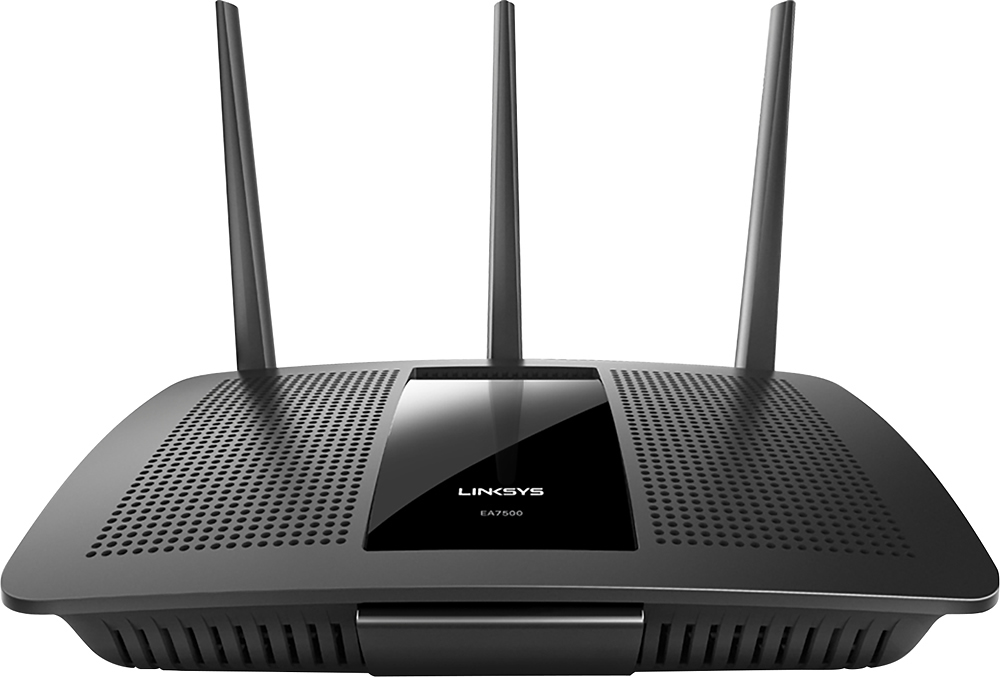
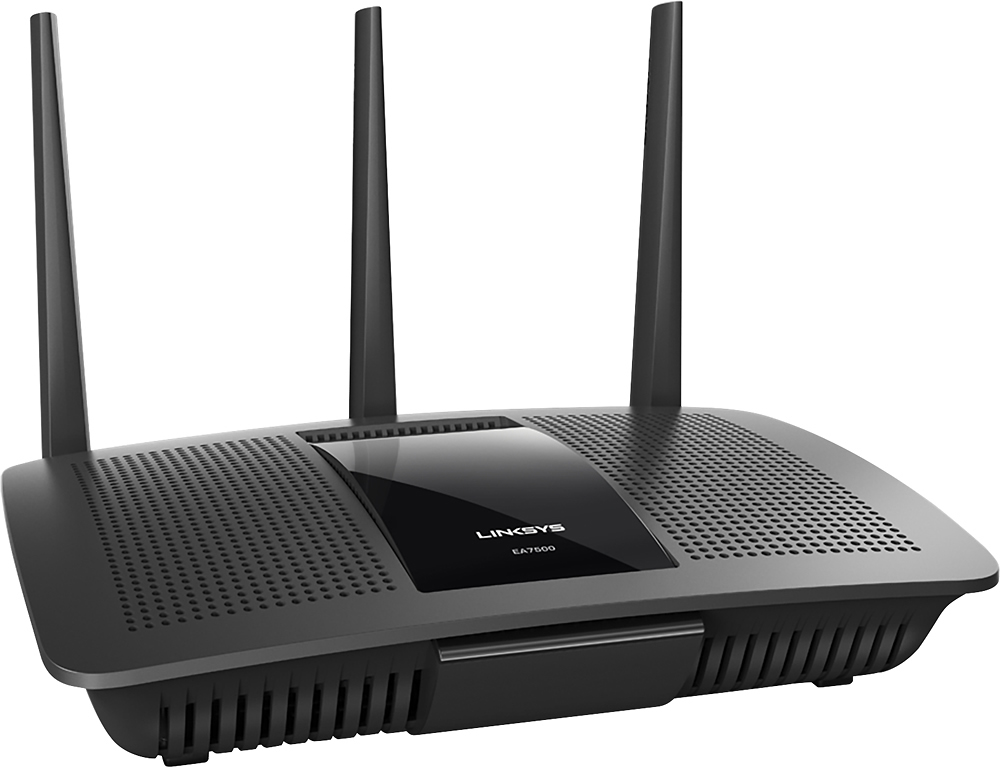
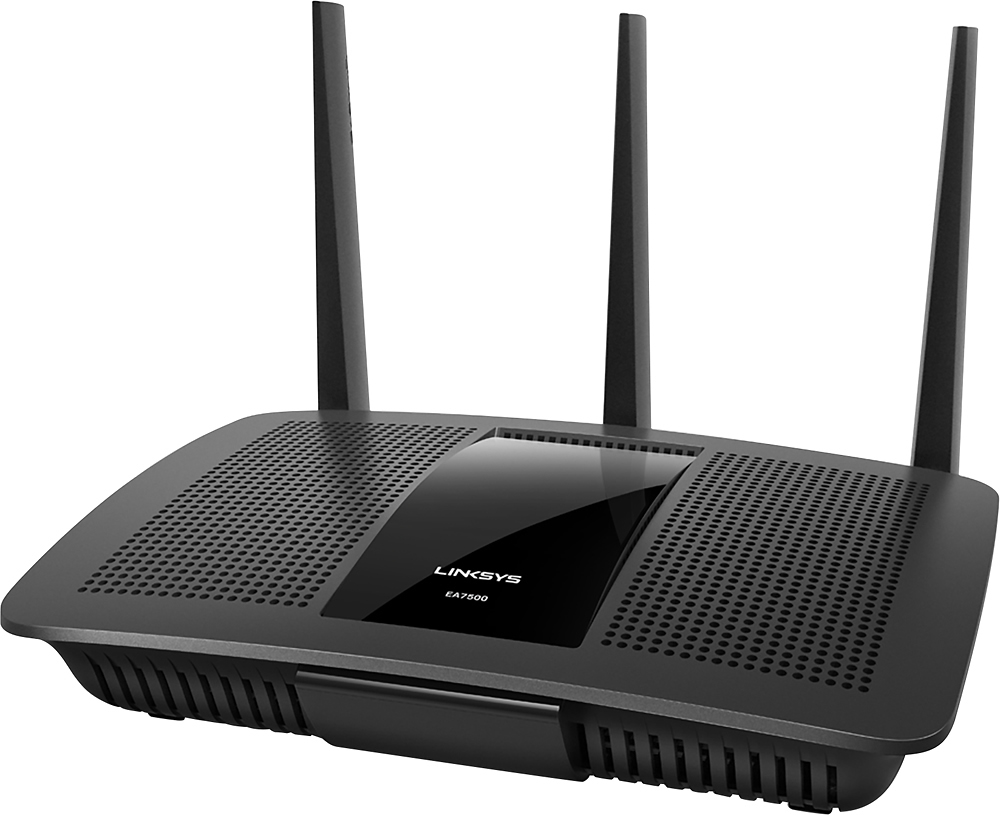
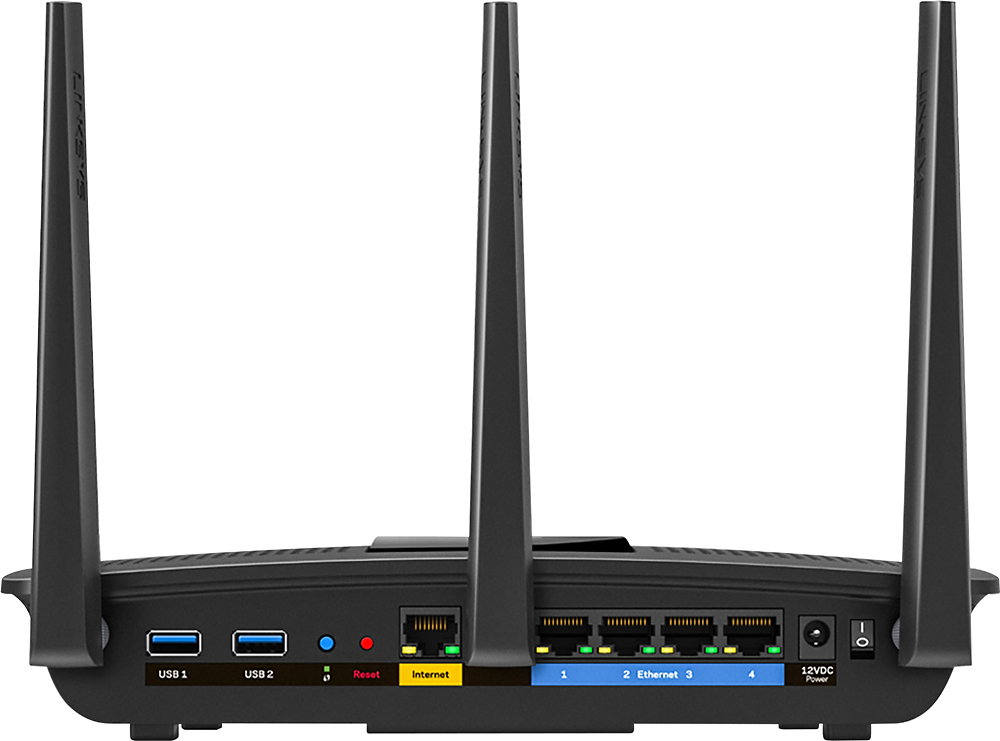



- Model:
- EA7500
- SKU:
- 4830200
Rating by feature
- Value
Rating 4.5 out of 5 stars
- Quality
Rating 4.6 out of 5 stars
- Ease of Use
Rating 4.6 out of 5 stars
Customers are saying
Customers find value in the AC1900 Dual-Band WiFi 5 Router's ease of use, range, and strong signal, frequently praising its performance and simple setup process. Many appreciate the improved WiFi coverage and its suitability for streaming. While some find the router larger than expected, the overwhelmingly positive feedback highlights its effectiveness.
This summary was generated by AI based on customer reviews.
Unreliable
||Posted .This reviewer received promo considerations or sweepstakes entry for writing a review.Returned to store after working with Linksys tech support 3 times and told to return. Router kept dropping internet connection. After researching problem, I found many cases of same problem, dropped connection and flashing Linksys light. I bought the Netgear Nighthawk and works like a charm.
No, I would not recommend this to a friendBrand response from Linksys Staff
Posted .Hi, sg407,
Your feedback is important to us. This is definitely not the experience we wanted you to have with our device. Product placement away from physical obstructions and updating the firmware to the latest could resolve the issue that you have. If you decide to purchase a Linksys router in the future, we'll gladly welcome you back as a customer and help you answer any questions that you may have. Feel free to email us at LinksysCares@linksys.com anytime. Don't forget to include your contact details and the link to this review for our reference.
Regards,
Linksys Support
www.linksys.com
Unstable junk
||Posted .This reviewer received promo considerations or sweepstakes entry for writing a review.Will NOT keep an internet connection. Only way to do initial setup is over wi-fi. Got sick of constantly waiting for it to reconnect, when it was HARD WIRED to my ISP router, to change settings or just work at all. Could not return this junk fast enough.
No, I would not recommend this to a friendBrand response from Linksys Staff
Posted .Hi, DashRiprock968,
You have the option to set up the EA7500 router via wired or wireless connection. The process should be easy whichever mode you'll use. As for the connection, we recommend to check if you get a stable connection directly from the modem. Ensuring that the firmware is updated will also help. Please get in touch with us at LinksysCares@linksys.com so our Escalation Engineers can look into this. Indicate your contact information and a link to this review for reference.
Regards,
Rosalyn
Linksys Support
- Pros mentioned:Ease of useCons mentioned:Size

Easy, Fast, and Reliable
|Posted .This reviewer received promo considerations or sweepstakes entry for writing a review.This is a great Router. I tested as a stand alone, the ease of installation and speed of its transfer rates were awesome. I then installed it as a repeater to my home network, that to was easy to install, and works great with a variety of other network equipment. Altogether a great unit, just a little bit of a large footprint with no option to stand it on its side. But I guess with it's three antenna's it need to sit down flat.
I would recommend this to a friend Too many problems
||Posted .This reviewer received promo considerations or sweepstakes entry for writing a review.Seems to have to many problems when we stream sometimes.
No, I would not recommend this to a friendBrand response from Linksys Staff
Posted .Hi, Nanadre,
The EA7500 can handle activities that consume a lot of bandwidth like streaming. It is recommended to connect your streaming device to the 5 GHz network since it is commonly used for usage that requires uninterrupted throughput.
Please reach out to us at LinksysCares@linksys.com so that our Escalation Engineers can help you optimize the unit's wireless settings in order to achieve a flawless streaming experience. Indicate your contact information and the link to this review for our reference.
Regards,
Kristine
Linksys Support
- Pros mentioned:Ease of use, Speed
Excellent Home wireless router
Posted .This reviewer received promo considerations or sweepstakes entry for writing a review.Let me say upfront that I received this Linksys MAX-STREAM AC1900 router free from Linksys in exchange for my honest feedback and review of the product. I had an tired Netgear N600 wireless Router that I picked up at a garage sale if you can believe that. So I was actually shopping for a new wireless router when this opportunity happened. :') I was looking at the 1200AC wireless routers, so this was a step up from those. I was certainly happy about that. The setup was actually very friendly and easy to get going. I used a laptop with an ethernet cable directly into the router to configure. Once running there are many options available for tuning and personalizing the network. I did not create an account to use the Smart-wifi app. I like the ability to have parental controls, but did not enable that as my firewall handles that already. I created names for the 2G, 5G , and guest wireless networks. Once configured I pulled out the Netgear and put the Linksys - MAX-STREAM AC1900 in it's place. I like the fact that all the blinking LED's are on the back of the router. Only the "Linksys" on top of the router is lit up. The box sits below the TV and the blinking LED's on the front of the Netgear were a distraction. Now the fun begins.... My network is not the typical home user setup. I run a Windows Server essentials box so all the PC's on my network are domain joined. I also run a SOPHOS firewall which also serves as the DHCP and DNS server for the network. I use static IP addresses for some devices to customize internet access. I have 3 cell phones, 5 tablets (iPAD and Android), 3 Roku devices, a storage server/media server, and a few laptops occasionally used. Lots of traffic! My first challenge was that the wired PC connected to the Linksys - MAX-STREAM AC1900 could not see the domain server. It was on a separate subnet because of the DHCP server on the Linksys. I tried several different configurations, and had to do a RESET on the Linksys - MAX-STREAM AC1900 a couple of times. Resets both went smoothly, and got me back a fully functional system, just not working for my network. I finally resolved to use BRIDGE mode and just let the SOPHOS box handle all the DHCP tasks and keep everything on the same subnet. A quick google search for Linksys bridge mode lead me to this page: http://www.linksys.com/us/support-article?articleNum=137888 Clear, easy configuration description there! Very happy with that. One thing to keep in mind, is that you want to set the static IP and hostname for the Linksys - MAX-STREAM AC1900 BEFORE you change it to BRIDGE mode. Thus far there is a noticeable increase in upload/download speeds for devices through the Linksys - MAX-STREAM AC1900 (Expected with the dramatic wireless speed increase) I do not have any devices capable of utilizing the MU-MIMO technology, so I can't report anything on that end. My family uses Netflix through Roku a great deal, (few hundred GB per month) Have not experienced any slowdowns or lockups that we occasionally saw before. There are 2 USB ports on the Linksys MAX-STREAM AC1900. 1 - USB 2.0 and 1 - USB 3.0. I plan on connecting my Laser printer to the USB 2.0 port to see if I can get around a sleep issue that I have been with it. I also plan on connecting a hard drive to the USB 3.0 port and trying out the media streaming capabilities of the router. I have to move the Linksys MAX-STREAM AC1900 to another room to connect the printer through USB, so that is the holdup from testing the printer. Overall, very good wireless router. Lots of customization possibilities, and apps available if you want to control it remotely. My setup and using it in BRIDGE mode really took away most of the great features that most home users will use. Great speed, and I look forward to using the MU-MIMO when I get newer devices.
I would recommend this to a friend - Pros mentioned:Signal strength
Awesome Wireless Router!
|Posted .This reviewer received promo considerations or sweepstakes entry for writing a review.This router is a great wireless router! We have two 4k TV's, a few iPads, Phones, Laptops, Wireless Printers, and Desktops. For the desktops and NAS we use the gigabit Ethernet wired to each room and outside of that almost everything else connects wirelessly. With the previous AC wireless router that we had, it didn't have gigabit Ethernet and so was used just as an access point. This one device actually ended up replacing two devices and simplified our home network dramatically and actually improved performance of file transfers to the NAS drive. It seemed previously that the old router would struggle with too many wireless devices connected but this one handles them all effortlessly. Signal is stronger in more places throughout the house. Pros: Easy Setup/Configuration Single SSID for both 2.4ghz and 5ghz channels and the ability to configure them separately Gigabit Ethernet Fast wireless network transfers Excellent handling of high volume traffic both wirelessly and wired Stable router, since I hooked it up haven't had to reset or fiddle with it Easy remote access through Linksys site Guest Wifi Network for visitors Ability to prioritize traffic by device Strong signal USB 3.0 and 2.0 Ports Cons Device size/footprint of the device is pretty large NAS ability is limited and would work for small media collections or a simple shared drive Overall, a solid router with the latest technology with the latest WiFi standards. Good value router to meet most people's needs.
I would recommend this to a friend - Pros mentioned:Speed
Excellent WiFi
Posted .This reviewer received promo considerations or sweepstakes entry for writing a review.I received this product a few weeks ago and I am extremely happy with it. I am running a desktop computer, two gaming consoles, a laptop, and two smartphones off of it and have no issues with lag or connectivity. Each device is able to reach the full potential of my internet connection. My family is able to game and browse the internet without any issues. I received this product free through Linksys.
I would recommend this to a friend Don’t bother with the cheap routers
||Posted .This reviewer received promo considerations or sweepstakes entry for writing a review.You’d think having the Ethernet directly connected would make this bigger run better but no, can’t keep a connection to save its life.
No, I would not recommend this to a friendBrand response from Linksys Staff
Posted .Hi GoldEliteBB,
It's unusual for the router to behave in that manner as it should deliver a stable and reliable connection once it's set up. There might be some settings that we need to tweak to get this sorted out aside from keeping the firmware up to date. Our Escalation Engineers are eager to lend us a hand. Please email us at LinksysCares@linksys.com with your contact details and the link to this post for easy reference.
Regards,
Carl
Linksys Support
- Pros mentioned:Ease of use, Signal strength
Really Impressed
Posted .This reviewer received promo considerations or sweepstakes entry for writing a review.I got this product for free, and it's one of the best gifts I've ever gotten! My house has a weird layout that makes wifi signal difficult to reach certain areas, but when using the 5Ghz signal, I had amazing speed in places I couldn't even get a signal with my previous router. The setup was really easy and took less than 10 minutes. I'm extremely happy and highly recommend this router.
I would recommend this to a friend Was working great then just stopped
||Posted .This reviewer received promo considerations or sweepstakes entry for writing a review.Can't write one because it's not working right now
No, I would not recommend this to a friendBrand response from Linksys Staff
Posted .Hi, Mike,
There are a lot of factors that we can consider that could have affected the router's performance. Please email us your contact details at LinksysCares@linksys.com so we can help you get in touch with one of our Escalation Engineers. They can surely assist you to identify what's causing the issue on your network and to get your router up and running.
Regards,
Kristine
Linksys Support
- Pros mentioned:Speed
Improved Wifi throughout our home
|Posted .This reviewer received promo considerations or sweepstakes entry for writing a review.Having tested this router for several days now I would definitely say it has improved Wifi coverage throughout our home as well as improving internet up/download speeds. Setup was fairly straightforward although it took a little fiddling to get connected. I got several messages saying I needed to unplug/restart my cable modem but eventually it connected. As part of the setup it asks you to create a Smart Wifi account so you can login from anywhere and change your settings or even turn off the Wifi remotely. I have tried several times to establish an account; you cannot log on to the Smart Wifi URL until you get an email verification which I still have not received to this day. I verified multiple times that the email address I provided was correct, I asked the system to resend the verification email several times, and I also tried setting up an additional account using a different email address of mine (and yes, I checked my spam/junk folders). Still haven't received the verification email so I am unable to establish a Smart Wifi account and, therefore, cannot log into the Smart Wifi site so I cannot change settings remotely. Not sure what the problem is there but I've given up on that, so I'm only able to change my network settings, passwords, etc., by logging in locally. With that said, Wifi coverage and internet load speeds have both improved throughout our home versus our previous Belkin router. The Linksys AC 1900 router is located in our basement and my teenage son's bedroom is two floors about that and on the opposite side of our home (4,000 sq ft home). He has a laptop, an IPad, and he logs on to the PS4 network frequently. He reports to me that all of his devices have been connecting without issue (he had many connection problems with our previous router) and webpages are loading faster. My wife and daughter also report the same. So if the family is happy, I'm happy.
I would recommend this to a friend - Pros mentioned:Performance, Range
excellent price/performance ratio
Posted .This reviewer received promo considerations or sweepstakes entry for writing a review.I've been using this router for about a year now in a 2000 sq ft 2 story home with 3 users. The range is great, was able to pick up wifi in the backyard and frontyard. It's reliable, only one reset so far due to some type of power outage. No problems streaming, accessing surveillance cams, video chats, alexa, wemos, and 20+ other devices. excellent value!
I would recommend this to a friend - Pros mentioned:Ease of use
Resolved a couple of long-standing problems
Posted .This reviewer received promo considerations or sweepstakes entry for writing a review.I received the EA7500 from the manufacturer for review and was glad to get it as it was time to look at a more up-to-date model. (I have purchased a new wireless router about every 24 months for the last 12 years, the last two being an EA 2600 in 2011 and an EA 6900 in 2013; last year I added an access point to improve coverage.) The setup was super-easy, the increased automation in the process over the years is impressive, and the addition of the Smart WiFi account and app gives the unit increased versatility. In trying to measure the difference between my wireless network before and after the installation of the EA7500 I used a couple of different WiFi network evaluation programs but it's had to quantify and exact difference. However, two things stand out. First, my Amazon Echo at one end of the condo had never been able to control my Wemo wireless control devices at the other end of the condo. Without thinking much would happen, I told Alexa to turn on one of the lights - and it worked! That's when I noticed that all of my Wemo devices were listed in the connected device list, something that hadn't been happening before the EA7500. Bottom line, I couldn't be happier with the EA7500's ease of use and effectiveness. Hard to believe that when my wife calls to say that "the internet's down," I'll be able to troubleshoot it from my office!
I would recommend this to a friend - Pros mentioned:Range, Speed
This is so fast and strong.
Posted .This reviewer received promo considerations or sweepstakes entry for writing a review.I got this one last week. because my old one was so slow. so I thought internet company has some problem. so they checked my line. but they said there is nothing loose. so I decided to change it. then checked the speed. wow so fast. and strong range, old one speed was between 1 and 2 mb. but this one speed is over 30 mb. I'me happy. and I can use my wifi whenever in my home.
I would recommend this to a friend Garbage
||Posted .This reviewer received promo considerations or sweepstakes entry for writing a review.I’ve had it a little bit more than a year and I paid almost $400 for it and now it’s constantly causing me problems I have to go out and reset it all the time. Never buying another one of their products Linksys sucks no
No, I would not recommend this to a friendBrand response from Linksys Staff
Posted .Hello Jaydude,
We'd like to lend you a hand with the challenge that you've experienced with the Linksys router. To help optimize its performance, make sure that the device is running on the latest firmware version. For further assistance, email us at LinksysCares@linksys.com along with your phone number and the link to this review for our reference.
Regards,
Princes
Linksys Support
- Pros mentioned:Performance, Range, Speed
Beyond my expectations
Posted .This reviewer received promo considerations or sweepstakes entry for writing a review.Bought this router for my church, the old one kept crashing. This Router was easy to setup, and we noticed an immediate difference in performance and speed. All the PC's on the network now are capable of taking full advantage of the Internet speeds we pay for, and that's wireless connection; the hardwire connections are great as well. One unexpected surprise is the Wifi range this modem has. We was never able to get the wireless signal to broadcast to the sanctuary due to the router location. After a minor adjustment with antenna positioning, we now have a full strength WiFi signal broadcasted in the sanctuary, and with the ability to setup a guest account for visitors to the church everything has worked out fabulously. I would highly recommend this router, thumbs up Linksys!
I would recommend this to a friend Good Router, but not the top dog
|Posted .This reviewer received promo considerations or sweepstakes entry for writing a review.I was concerned that this router would be slightly disappointing to me, since I have been using an Asus AC5300 router for the last month or so.That router is the current king of the hill, with monster speeds and coverage everywhere in my house and my property, so I was concerned that this router wouldn't cut it for me. Surprisingly, this is a very nice unit, easy to setup, connecting it to my Xfinity modem was simple, and I was up and running within 30 minutes of opening the box. It doesn't have quite as many options as my Asus, but at about half the price, I didn't really expect it to. The main concern I had is when I had everything in my network going at once, which consists of a total of 30 connections, I did notice that my wifi speeds did start to slow down somewhat. I know not everyone has 30 clients connected to their internet connection at once, but I wanted to see how this would handle the extreme stress of that; plus, I had 2 TV's streaming 4k content via wifi at the same time, which wont be the case in most house holds. I've only had it connected for 2 days so far, so more tweaking may be required to get maximum results. But, for the typical household, this is a good choice, and its reasonably priced for having the latest technology in it.
I would recommend this to a friendProduct returned
||Posted .This reviewer received promo considerations or sweepstakes entry for writing a review.The rating option really should be "N/A" instead of poor as "N/A" was not an option to select from. I found out later that this product would not serve my needs since I only needed a wi-fi adapter instead.
No, I would not recommend this to a friendBrand response from Linksys Staff
Posted .Hi, Redbone,
If you need Wi-Fi adapters, your can check this link for our available models:
https://www.linksys.com/us/p/P-AE6000/
https://www.linksys.com/us/p/P-WUSB6300/
https://www.linksys.com/us/p/P-WUSB6100M/
https://www.linksys.com/us/p/P-WUSB6400M/
For further questions, feel free to email us at LinksysCares@linksys.com.
Have a good day!
Regards,
Thaddeus
Linksys Support
Avoid this router
||Posted .This reviewer received promo considerations or sweepstakes entry for writing a review.I purchased this router thinking it would be decent based on reviews. During the times that it worked, which was rare, it would only allow 1 device at a time on the network. I returned it and bought something else.
No, I would not recommend this to a friendBrand response from Linksys Staff
Posted .Hi, Andy,
Our routers should be able to simultaneously accommodate multiple devices. In this case, there could factors that affected the performance of the router. We truly understand that you've returned the product but should you need our assistance with your other Linksys devices, please know that you can contact us anytime at LinksysCares@linksys.com.
Regards,
Irish
Linksys Support
excellent product
||Posted .This reviewer received promo considerations or sweepstakes entry for writing a review.we spoke with an excellent salesperson who understood what I problem was with our modem and router, make suggestions that would bring measurable results and the his professionalism and courtesy was a pleasure.
I would recommend this to a friendBrand response from Linksys Staff
Posted .Hi, 1Yankees,
Thank you for sharing your feedback and we're glad to hear that the salesperson you spoke understood your problem. However, we noticed the star rating and we would like to know your overall experience when using the router. Should you have any issues or glitches at the moment, feel free to email us at LinksysCares@linksys.com, anytime. We'd be more than happy to lend a hand.
Best regards,
Jay
Linksys Support