Customer Ratings & Reviews
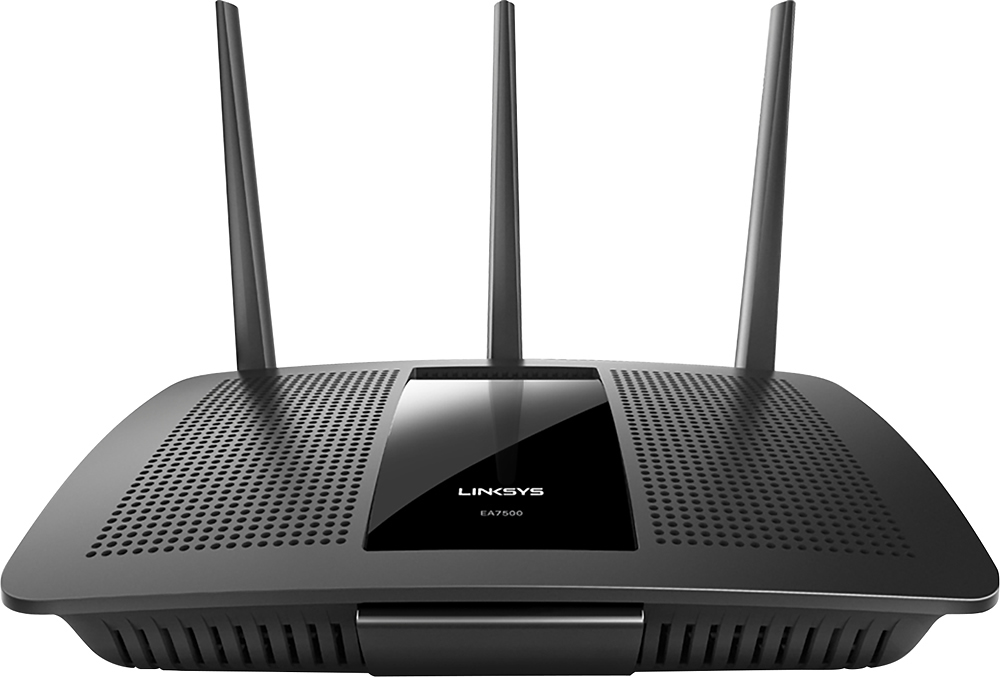
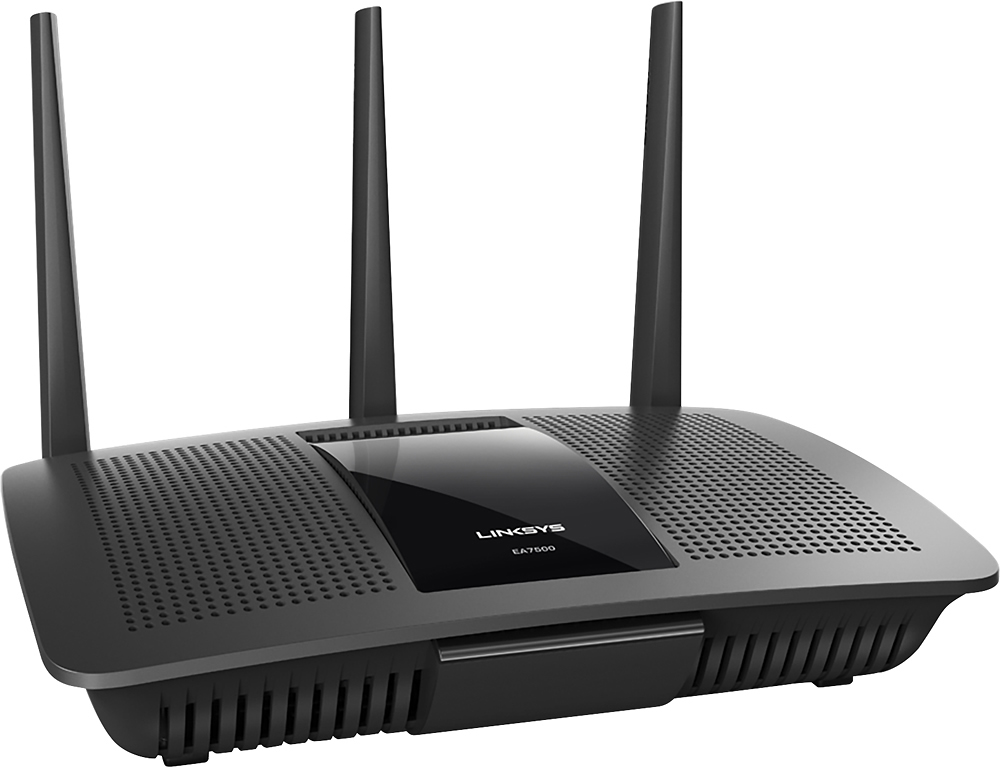
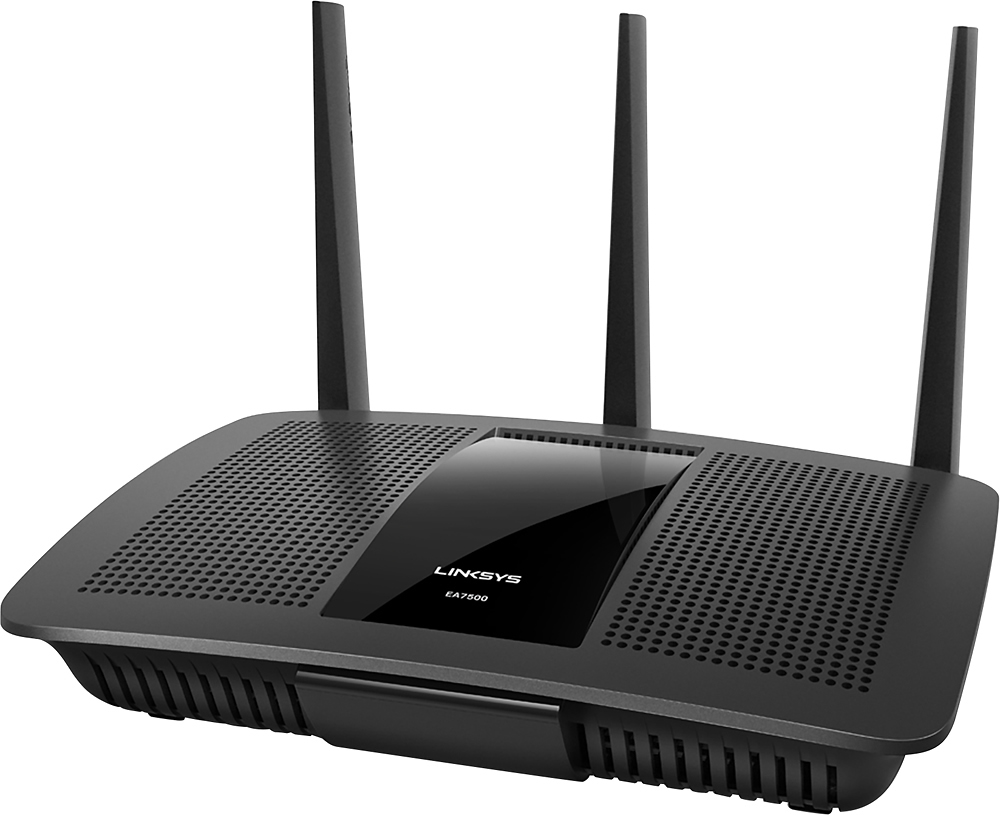



- Model:
- EA7500
- SKU:
- 4830200
Rating by feature
- Value
Rating 4.5 out of 5 stars
- Quality
Rating 4.6 out of 5 stars
- Ease of Use
Rating 4.6 out of 5 stars
Customers are saying
Customers find value in the AC1900 Dual-Band WiFi 5 Router's ease of use, range, and strong signal, frequently praising its performance and simple setup process. Many appreciate the improved WiFi coverage and its suitability for streaming. While some find the router larger than expected, the overwhelmingly positive feedback highlights its effectiveness.
This summary was generated by AI based on customer reviews.
- Pros mentioned:Speed
Best Next Gen Router
Posted .This reviewer received promo considerations or sweepstakes entry for writing a review.The fastest router and one of the easiest setups there is. I received this router free from Linksys as a tester and I couldn't be happier with it. I am happy that it can handle all the streaming and gaming without and lag or having to wait to load. I have done a speed test at different intervals to see, and even at the peak time it was still faster and able to handle a PS4, Xbox 1, 2 4K televisions streaming movies, and 2 IPhones downloading songs and movies. This Linksys Next gen AC1900 MU-Mimo gigabit router is truly built to handle all your next devices, without any lag during streaming and quick load times. I would definitely recommend this router for any one that streams movies or music and plays video games. You won't be disappointed with your decision with this router!
I would recommend this to a friend Works Ok
||Posted .This reviewer received promo considerations or sweepstakes entry for writing a review.This router replaced another Linksys router that failed after about two years. It seems to perform about the same as the old one. It still requires a range extender to reach the garage. I hope this one lasts longer.
I would recommend this to a friendBrand response from Linksys Staff
Posted .Hi, RonY,
The EA7500 is one of our Max-Stream routers and it should be capable of increasing the signal strength and coverage of your wireless connection in your area. We can try setting fixed channels on both networks to help improve its performance.
Please email us your contact information at [email protected] so that our Escalation Engineers can help you achieve the unit's full potential. Indicate the link to this review for our reference.
Regards,
Kristine
Linksys Support
- Pros mentioned:Ease of use, Signal strength, Speed

Good high perfomance router.
|Posted .This reviewer received promo considerations or sweepstakes entry for writing a review.This router was very easy and quick to set up, but it also has a lot of options for advance users. I currently have it connected to 1 tv, a xbox one, ps4, 2 android phones 1 desktop and 1 laptop. I haven't had any issues with speed or signal drops and I live in a wifi crowded neighborhood. My bedroom is on the other side of the house and it still pulls over 100mps, my old router would be in the 30s. This router has all of the top of the line features like air radar, vpn, and usb storage. You can't go wrong with this product. I highly recommend it.
I would recommend this to a friend - Pros mentioned:Performance, Speed
Residential Rockstar
Posted .This reviewer received promo considerations or sweepstakes entry for writing a review.Disclosure: I received this product for free from Linksys in exchange for my honest and unbiased review. About me: I've been in the networking industry for over ten years now, and I've used a lot of routers over those years, and I've always come back to the Linksys brand because it works well, looks good, and is easy to setup and use. Take the Linksys EA7500 Max-Stream™ AC1900 MU-MIMO Gigabit Router for example. First impression: The box was easy to open, everything was nicely laid out, and simple to put together. The router is just so well designed that it's actually nice to look at. I've had it running for hours during gaming sessions and it's as cool to the touch as it was when I first unpacked it, which is a welcome change from what I noticed with the EA4500 and WRT1900AC which both become quite warm in use. Diving into the web interface was just as familiar as any other Smart Wi-Fi router from Linksys. An interesting difference I noticed was a dedicated 80MHz channel width option, a dedicated 802.11ac only mode, a 165- 5.825GHz channel option limited to 20MHz, and a configuration mechanism. What I mean by this is that if certain wireless configuration settings aren't compatible with each other, they're grayed out with a notice pop up explaining why it's not selectable. For example if I choose the 80MHz setting while in Mixed mode, a notice pops up telling me that it cannot be chosen when the network mode is set to Mixed, puts the setting that needs to be changed in square brackets, and the drop down for network mode grays out all the other options except for 802.11ac. The same is seen when selecting the 165- 5.825GHz channel option which pops up with a notice that says it cannot be chosen if channel width is set to anything but 20MHz, putting both the 165- 5.825GHz and alternative channel width options in brackets. I like this approach because for less knowledgeable users it informs them of the why and what to change. It's clear and concise. Moving down to the internet options, I discovered a "pass thru" option for the IPv6 setting. I hope Linksys will implement these UI setting changes to their older Smart Wi-Fi models. Performance: My wireless devices were correctly identified, connected quickly, and maintained a strong connection throughout my one story home. Same can be said for my wired devices. Throughout testing, I consistently saw my full 180Mbps internet connection on both wired and wireless devices. I experienced no problems while putting the router under an exceptionally heavy load. PC and console gaming, Netflix, Hulu, YouTube, Chromecast, and TiVo Stream streaming, and performing a multi video Skype conference call all at the same time caused no hiccups, stutter, rebooting, or hanging all while poking around in the web UI. Pros: A very robust router that can stand up to a wide variety of stressful situations that day-to-day use may put it through. Cons: I spent over an hour thinking of a con to put here, and I literally couldn't come up with anything, it's that good a router. Final thoughts: This router is a worthy centerpiece for any personal network, and should readily be considered the standard to which all others need be held to.
I would recommend this to a friend - Pros mentioned:Signal strength
Next Generation Router for Home/Office
|Posted .This reviewer received promo considerations or sweepstakes entry for writing a review.The Linksys EA7500-AC1900 router is a high performance router full of great features offering a flexible connectivity options that make wireless deployment in your home or office a breeze. Setup is very simple. The device is ready to serve connections to your wireless devices right out of the box, with no customization required (not recommended). Simply plug in the router, follow the short directions on the supplied informational card and your up and running in minutes. This router was an upgrade in my home from an older non-MIMO cisco router (which offered great features and solid performance, but is now about 5yrs-old) and power of this router's antennas are far superior to that of any other router I've tested/owned. Wireless bandwidth distance improved drastically, and areas that were "Dead spots" at one time are now operational. This router offers a network service map in the administration console that makes it very easy to optimize the position of your router in your home/office. This map provides a visual representation of the signal strength of the devices on your network from the perspective of your router. (see attached image) I ran several test while connected to this router and compared them to the results of my older router. Note: both routers were not operational at the same time to eliminate as much interference as possible. I found with the new router, at distances further away from the base, I could reach higher speeds connecting to the internet and performing file transfers compared to my older one. Devices used for testing: iPhone 6, iPad 2, iPad mini (first gen.), MacBook Pro 2012, iMac 5k 2015, Lenovo Think Pad (Windows 7). Signal Radio: 5Ghz, using AC mode (on newer devices) N mode on older devices. Distance from router: On average, I was able to travel about 55ft away from the base (including upstairs, down stairs and just outside my home) and still get exceptional signal strength even with walls and brick between the device and the router. You can go further away from the router than this, but the performance begins to degrade in terms of signal strength and transfer speeds. Speeds achieved: Transfer speeds between two computers (iMac & Macbook pro) were consistent at ~ 25MBps which is ~200Mbps. These test were performed using a 2.75GB file, using AC mode on 5Ghz channel, approximate distance from the router was 20ft (Minimal obstruction). Streaming features: This router is great for wireless gaming and 4K video streaming. I was able to stream 4K video from my laptop to my TV with no issue at all. Very impressive. The laptop was on Wifi, while the TV is hardwired. Advanced: This router has advanced configuration options for those that are looking for more advanced features from their router. Some of those options include support for VLAN tagging, bridge mode and wireless bridge mode, DMZ support, guest network offering, security, and media sharing. Overall, this is a great router for price. I am very pleased, and I would recommend to all looking for an awesome router for their network needs.
I would recommend this to a friend - Pros mentioned:Ease of use, Range, Signal strength
Wonderful router, easy to setup
|Posted .This reviewer received promo considerations or sweepstakes entry for writing a review.The router's connection is very reliable and has an excellent range, given full signal strength where my older router would only show 70%. I was able to download game demos while others streamed Netflix and there was no lag. The usb port allowed me to set up my external hard drive as a network drive. I can now access my music, photos and videos in all rooms from my bluray players. Setup was quick and easy. The size is rather large but that is understandable due to all the features. Linksys has an android app to access the router which does not work as well as I would have liked so making changes is easier from a full browser.
I would recommend this to a friend - Pros mentioned:PerformanceCons mentioned:Size
Smart House Worthy!
Posted .This reviewer received promo considerations or sweepstakes entry for writing a review.I received this router from the Linksys Product sampling program. I have used many wireless router brands and non of them have been nearly as dependable as the Linksys routers. The Linksys EA7500 Maxstream router is a wonderful selection for a smart house setting. The setup of the router is fairly simple and a Linksys Smartwifi account is not necessary but it is useful to remotely manage the network. You can however access the router locally by entering the default password provided. The user-friendly setup is ideal for those who may not be technologically proficient. Functionality wise, I would recommend this router for multiple reasons. The router operates quietly and does not suffer from heat. The design of this router features a 360 ventilation system where air is flowing out. The top, sides and bottom all have vents allowing multiple escape routes for hot air. The router is a little bulky so be prepared. I conducted tests using the 2.4Ghz, 5Ghz, Guest 2.4Ghz and Guest 5Ghz simultaneously. In respect to its functionality of being MaxStream, I connected multiple devices to the four different networks. I began conducting live streams of movies through Hulu and Netflix. All devices were wirelessly connection and I did not utilize any Ethernet ports. I experienced no buffering issues or stalls on any of the devices. I am currently running 20Mbps so there is no service provider perk that is boosting my router. The connection does 2.4Ghz connection did begin to weaken but I was roughly 25ft-30ft away with interference from other networks and walls. The is quite weaker than my WRT1900ACS and my EA6900. However, this router wins in performance when handling a variety of devices connected at once. Overall, I would recommend this if you wish to increase the amount of devices dependent on wifi connection in your home. As products begin to be integrated through wifi, the internet of things is sure the next big thing hitting homes. This router will meet the expectations and can handle the load of devices without disrupting connection on any of the devices.
I would recommend this to a friend - Pros mentioned:Range
Awesome dual-band 2.4Ghz & 5Ghz WiFi router
|Posted .This reviewer received promo considerations or sweepstakes entry for writing a review.The Linksys EA7500 is a great dual band WiFi router that supports both the 2.4Ghz and 5Ghz wireless frequencies with a very easy setup process that most people can go through without much hassle. Took me a couple of clicks to go through the process and I was up and running in a few minutes. During the initial setup process, the EA7500 can be configured to allow for both wireless frequencies to be accessible as one access point, allowing devices to use either wireless frequency or separate the two bands into two different access points with different network names (SSID) and different passwords. After the initial setup, you have further access to modify the access points. Ranging from disabling the broadcasting of the network names (SSID), adjusting the network modes (such as Mixed, 802.11b/g, etc), channel, and channel width (20Mhz, 40Mhz, etc) and much more. You can also create a Guest network to allow visitors to connect to the Internet without giving them access to your other computers, web-enabled devices or personal data. The Guest network also supports use of both the 2.4Ghz and 5Ghz wireless frequencies and you can limit the amount of visitors connecting to your Guest network, with the limit ranging between 5 to 50 guests. The EA7500's web-based control panel makes it easy to manage your router by providing both a quick overview of your network with a variety of widgets and easy access to advanced settings to further customize your router. It also supports external media devices directly connected to the router through either a USB 2.0 or USB 3.0 port. This allows for other devices connected to the router to access the external media device with ease. Overall, this WiFi router is great for anyone looking to buy a new router or looking to upgrade or replace their existing router and make use of a dual-band 2.4Ghz and 5Ghz wireless frequencies. It has a great range so I'm able to connect various device throughout my home and move around freely without the worry of spotty WiFi reception.
I would recommend this to a friend - Pros mentioned:Ease of useCons mentioned:Size
Easy to use dual-band WiFi router
|Posted .This reviewer received promo considerations or sweepstakes entry for writing a review.From unboxing the router to connecting it to my network and getting it online, this router was both easy to setup and easy to use. Took a few minutes to navigate through the web control panel to finalize the installation, but after that, I was connected to the Internet and was able to connect my other devices without any trouble. The only thing that I could consider as a minor inconvenience would be the size. After installing the antennas, you will need a decent sized space to place the router on. Other than that minor inconvenience, I really like using this router and would recommend this to anyone looking to buy a new WiFi router or upgrading their existing one.
I would recommend this to a friend - Pros mentioned:Signal strength, Speed
Watch out competitors
|Posted .This reviewer received promo considerations or sweepstakes entry for writing a review.I have had the router for a week now and it is so much faster than the other router we have which we got because it went with our mp3 players, laptops, computers and tablets of the same brand! I live in a two story home and we had to purchase an extender with the other router to be able to get access to wi-fi. With the Linksys it reaches all the way to the upstairs rooms with ease. I live in an area with internet so fast you are supposed to be able to download music albums in seconds and with the previous router it took seven minutes on average. With the Linksys router my latest album I downloaded took 10 seconds and I am not exaggerating. Before I could drop my jaw while watching it download at lightning speed the download for an album with 15 songs as done! That has never happened. That itself is reason enough to purchase this. Another awesome feature is the application you can download so that you can control and delegate which items in your home get faster speeds than others. There's also the guest network feature where you can give people who visit your home or business a separate log in than what you and your family uses (I love that because you never know what is taking up the speed of your internet). I've been a loyal fan of the previous router and owned different versions but I am so happy to have veered off the path and gotten this Linksys router! If you are a techie who loves having everything connected to the wifi even if it's just your game console you should invest in this little guy. It's super sleek and blends very well. Again the only downside is that sometimes it processes things with a hiccup but it catches up quickly and that only happens now and then. I don't think that's reason enough to not try it out! Cheers!
I would recommend this to a friend - Pros mentioned:Performance, Signal strength
Flawless design and performance
|Posted .This reviewer received promo considerations or sweepstakes entry for writing a review.I work from home and also do a lot of downloads on my computer for games. The router my phone company gave me had issues handling all of my connected devices at once. Sometimes my VOIP phone would drop out, or I would have to reset the Wireless Router in order to get a reliable wireless signal again. I'm pleased to say that this router exceeds my expectations and then some. I live in a double wide mobile home so signal strength is important. I unpacked the unit out of the box, assembled the antennas, read the manual for the IP Address to get into the router and run the initial setup. After the setup was complete the router reset to update the settings and everything is perfect. I have 2 desktops , 3 laptops , my Roku and my Cell Phone connected and nothing is slow or sluggish. The signal strength is excellent, even in the double wide mobile home I live in, and you know the way these homes are built, sometimes it's impossible to get a good Wifi Signal without a decent router. LinkSys really designed this unit well for everyday use and the quality shows in my initial use of the product. Just keep in mind that if you forget your Wifi Router password for the Admin Screen or Wifi Password you will have to use a paper clip to reset the router settings in the back of the unit. Absolutely worth a look at if your an everyday heavy user of the Internet like I am.
I would recommend this to a friend Powerful, Simple, & Reliable Wireless Performance
|Posted .This reviewer received promo considerations or sweepstakes entry for writing a review.Having used an Apple AirPort Extreme router for the past several years, I've come to expect simplicity and great performance from any router that approaches this price point. I was somewhat apprehensive when I ordered this Linksys router -- I didn't want to end up spending hours trying to setup my wireless network by drudging through some awful web interface. I wanted to just plug it in, set a network name and password, and be done with it. Surprisingly, that's what I got -- along with some killer performance and other great features. Here's my take: Setup and management: - The Linksys EA7500 is a breeze to setup. If you're feeling super lazy, you can pretty much plug in the router, connect your cable or DSL modem, and be done with it. The router comes with a pre-set network name and password, which is printed on the bottom of the device. However, most people will want to customize these settings (along with a few others). This can be done easily by navigating to 192.168.1.1 in your web browser or by creating an account at the Linksys Smart Wi-Fi website. Creating this account allows you to manage your router's settings from anywhere in the world. - The setup/administration interface is somewhat elementary, but it gets the job done. The Network Map feature is great to visualize all of the devices connected to the network. You can also set parental controls to limit the amount of time specific devices can access the Internet. Other options include security settings, guest access, and settings for external storage. Performance and Features: - The strength of the EA7500 is really on the 5GHz wireless band. Luckily, all of my devices support 802.11ac and can thus operate on the 5GHz band. When connecting via 5GHz, I consistently max out the speed of my Internet download speed (130 mbps). Transferring files between two 802.11ac-equipped laptops on the network is astonishingly fast: I clocked one of the local transfers at nearly 450 mbps. - Performance on the 2.4GHz band is acceptable, but pales in comparison to 5GHz. Speeds fluctuate greatly and I struggled to reach more than 100 mbps on most tests. I think this is more a limitation of the 2.4GHz band than it is of the router itself. - Wireless range is excellent. I only have a 1,200 sq. ft. apartment, but I receive a full signal anywhere I go. - My favorite feature is the external storage capability. I plugged in a 3 TB external hard drive and stream video files to my Apple TV with zero stuttering or buffering. You can even enable an FTP feature to access an external hard drive from anywhere with an Internet connection. Final Thoughts: I was hesitant to leave behind my AirPort Extreme, but I'm so glad I did. The performance and feature set of the EA7500 are top-notch, especially if you have devices equipped with 802.11n or 802.11ac that can take advantage of the strong 5GHz signal. The remote management and external storage features enable you to create your own personal "cloud." To all of the die-hard Apple fans or those who are simply less than tech-savvy: Don't be scared -- you'll be pleasantly surprised, just like I was.
I would recommend this to a friend- Pros mentioned:Range, Speed
Excellent, Fast Router
|Posted .This reviewer received promo considerations or sweepstakes entry for writing a review.Linksys is a well known brand in the networking field. This router has not disappointed since I first set it up. The setup took less than five minutes (unless you want to go farther into the features and play around with parental settings, etc.). The only downside I experienced was waiting for changes to be saved. At times it took a little while, maybe more than a minute, but not a big deal. When I first connected to the network, I tried going to several different webpages, and they popped up instantly. The speed is incredible. I connected several devices (desktop, phone, TV, PS4 and PS3) and there does not seem to be any slowdown of network speeds. I connected the router to my Verizon router and created a network from there. Thought it would be harder to do, but it just worked. Didn't need to change my Verizon settings. Overall I am impressed with the look, speed and simplicity of setup. I would highly recommend this router if you have many devices in your home. Even if you own an Optimum or Verizon router, this one is definitely a good companion.
I would recommend this to a friend - Pros mentioned:Performance, Range
Wall mount,Great Range, Handles Multiple Devices
Posted .This reviewer received promo considerations or sweepstakes entry for writing a review.My previous router was the EA6900 series, a great router, but when Linksys offered me this one as a sample in exchange for my honest opinion, I accepted. My property is huge, two full city lots and when doing yard work I like to stream music,the 6900 would drop off about 40 feet into the back yard. This 7500 series coverage is fantastic! All the way to the alleys and out to the road! The 6900 isn't really a wall mount unit, the mount holes are only one side and it just doesn't work. This 7500 has center mount holes and sits nicely on the wall. We tried using six phones and two tablets all streaming videos and none experienced any lagging. Setting up the router is a bit difficult.That's why only four stars. The CD docs aren't in English until about half way down the multiple pages. And, since I run it in Bridge Mode I had to do some tweaking. Overall, a solid addition to the Linksys line up. Great range, versatile, and really a "set and forget" device.
I would recommend this to a friend - Cons mentioned:Size
Excellent dual-band wireless router!
Posted .This reviewer received promo considerations or sweepstakes entry for writing a review.I recently received my new Linksys - MAX-STREAM AC1900 Dual-Band Wireless Router to replace my old Cisco (Linksys) single-band router and boy, let me tell you, it has made all the difference in the world!!! I cannot begin to tell you the difference it has made in our home wi-fi network and has really made things easier for everyone in the household! The Pros: 1) It was one of the most simple and easy setups I have had and took less than 5 minutes to get it up and running! 2) Everything came packaged as a unit in a box with minor assembly required, and has all of the instructions and installation software ready to go! 3) Once it is set up and ready to go, you can modify the router to do as many things as you want and can manipulate it to your needs, something I couldn't do with my old router, which caused more hassles than I had thought! 4) The streaming is seamless for my household now and with the dual bands, there are no more delays or glitches with our equipment, even with a Playstation, phones, tablets and computers all on it at the same time! 5) Even with all of the technical jargon about the settings and other online stuff, I was able to change it to what my household needs without any hassles thanks to the extremely easy instructions to follow! You really can't mess it up!!! 6) There is a really cool user app that you can download to your phone that allows you to access, monitor and change settings to your router! It is extremely easy to use and has a ton of useful settings to help organize what devices have priority and if there are any parental settings you want to put on it! One of the best downloads I have put on my phone in a long time! The Cons: 1) It is a little larger unit than I was expecting and much bigger than my old router, so I had to plan ahead on where to put it. Wasn't a huge issue, but if someone is trying to hide it from site or has space issues, this might be a problem! 2) I do have some connection issues with my Chromebook after I first started up the router and was using it, but after using the app that Linksys provides for my phone, I was able to configure settings for it and now those problems hardly ever happen. 3) It is a little costly for the average homeowner who doesn't do a lot of streaming or gaming. If you are looking for a great router that runs well and can handle just about anything thrown at it, I suggest picking this Linksys router up! You won't be disappointed!!! * I received a free sample from Linksys in exchange for my honest feedback. All the opinions and statements are my own and were not influenced by this in any way!
I would recommend this to a friend - Pros mentioned:Performance
Solid Router
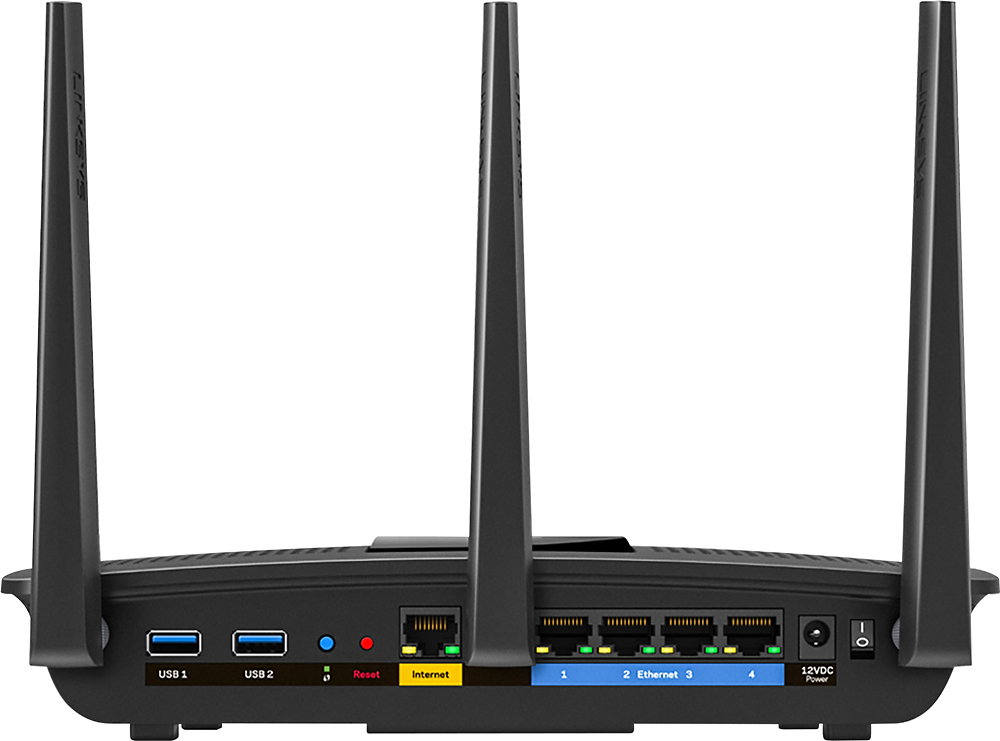
|Posted .This reviewer received promo considerations or sweepstakes entry for writing a review.Overview: The device itself is quite quick. Linksys’s smart wifi software runs quite well, and the interface is snappy. I’ve found performance to be quite good, with some of the best speeds I’ve seen at short range (87MB/sec over SMB2 on my Mac). More on that later. Firmware wise, you’ll find the standard Smart WiFi interface. This interface is a far cry from the WRT-54G days of yesteryear. The last Linksys device I purchased was the E2000 back in the Cisco days, which sported an interface that was a slight update over the old 54G’s interface. Here we have a modern single page web app, with JQuery, Ajax, and -gasp- HTML5. The user experience is much better than other brands of consumer routers I’ve used. Hardware: Hardware wise, we have the 1.4GHz IPQ8064 from Qualcomm (sporting CPUs fit for a smartphone), 256MB of RAM with both 2.4 and 5GHz radios in a 3x3 antenna configuration (so N600Mbps, AC-1300Mbps respectively). Around back there are 5 gigabit ports (1 WAN, 4 LAN), 1 USB 3.0, 1 USB 2.0, a WPS button, reset button, power switch, 12V power in, and 3 external antennas. Around front the glowing Linksys logo is the only status you get. It pulsates when booting, and is on pretty much all the time otherwise. One minor compliant is that the antennas don’t seem to tighten down easily, leaving them a bit floppy if you adjust them much. No real concern here once you get them positioned like you should. Features: I was pleasantly surprised to see lots of features, including a network map, guest network access, static DHCP reservations, VLAN setup, wireless schedules, external storage access via SMB (windows share), FTP, and DLNA. QoS appears to work well if that’s a need. Basic parental controls that allow blocking sites/internet access (including internet during certain hours – to keep that pre-teen from browsing the web on their tablet all night). These controls impressed me quite a bit with the granularity possible. IPV6 was front and center too, with decent support and firewall controls. I was disappointed that there was no VPN functionality. OpenVPN is becoming more and more common in enthusiast class routers, including Linksys’s own WRT series. Perhaps that feature is reserved for that series, but at this price point it would have been the icing on the cake. Performance: Quick note before going deeper in this section. I tested almost exclusively the 5GHz AC wireless. Honestly if you’re spending the money on this router, chances are you have devices that connect wirelessly through AC. If you’re primary use case is 2.4GHz this router is overkill. That said, I’m more interested in the AC performance because that’s what this router is all about and consequently that’s what I’ve tested. When I went to test performance, I used the Broadcom based wireless in my MacBook Pro 15”. I saw great pings and throughput at almost any distance in my home (including through 2 walls and a floor). I would peak my Comcast connection at 170 Mbps down/10up. Remember, this is the range limited 5GHz network I’m testing, in a 3200sqft home. Expect that this router can cover most homes sufficiently. This is great to see, and maxing out the Internet speed is most people’s concern. But of course, theoretically this router can deliver much more. To push the performance, I tested copying files to my home server (a Windows Home Server based NAS). I generally max out gigabit around 110MB/sec wired, so I was curious what sort of throughput I’d get wireless. Below are my results (taken about 10 ft near line of sight): Down: SMB2: 86.6MB/sec (693Mbps) down peak (around 60MB/sec avg) Up SMB2: 67.4MB/sec (540Mbps) up peak (around 50 MB/sec avg) At 30ft through 1 floor and 3 walls. Down: SMB2: 52.2 MB/sec (417Mbps) down avg Up: SMB2: 30.4 MB/sec (245Mbps) up avg Not to shabby real world performance. Sure AC should give us ‘gigabit’ wireless, but seeing about 700Mbps is exciting to see. AC Wireless is the true promise of high throughput at range and the EA7500 delivers. I also test the USB function using both SMB and FTP. FTP provided the best performance by far reaching near the maximum of the connection. Writing is slower me to believe that while reading/writing to a disk the device is CPU limited. SMB takes a lot more CPU which is why it’s slower. This might seem a bit unfortunate, but in the realm of embedded devices, even dedicated NAS hardware can be slower than this router when reading/writing to a USB drive. Seeing 75MB/sec over WiFi for a router’s NAS function for read is pretty impressive. Local Read/Write (USB 3.0 HDD direct to computer) 120 MB/sec / 85-120 MB/sec Network Read/Write (SMB) 21-30 MB/sec / 14-22 MB/sec Network Read/Write (FTP) 67-75MB/sec / 35MB/sec Support Linksys responded quite quickly to my request for the GPL source code. The firmware is available at http://www.linksys.com/us/support-article?articleNum=114663. I reached out to Linksys over various channels, and they got right back to me. It definitely seems like they are attune to their customers. Conclusion The EA7500 is a fast router, probably the fastest I’ve had the chance to use. It packs some pretty impressive hardware with great software to match. Almost every function has a nice polish to it, and the interface is snappy. WiFi performance is excellent even without MU-MIMO clients, and there’s a promise of even better performance with supported clients. The NAS function works wonderfully well for reading files over FTP, and sufficient for normal SMB/Windows share. This router does lack VPN, and does lack the promise of open source support like WRT models, but if those things don't matter to you, this router is a sweet piece of equipment.
I would recommend this to a friend - Pros mentioned:Ease of use
Good Entry-level Dual-band MU-MIMO Router
|Posted .This reviewer received promo considerations or sweepstakes entry for writing a review.This EA7500 "Max-Stream AC1900 MU-MIMO Gigabit Router" just started shipping from Linksys in February 2016. I'm using it to replace a 5-year-old Linksys EA3200 which was performing well for me, but missing a few newer features that I'd like to have in my network. I'm a network engineer with 25+ years of experience working in the industry and I have to admit a lot of the terms and acronyms thrown around in the wireless area can be confusing. Trying to figure out Multi-User Multiple Input Multiple Output (MU-MIMO) vs. Single-User MIMO, beam forming, 802.11n, and 802.11ac wave 2 can be very frustrating when you JUST want all the devices on your network to connect and do what they're supposed to do. I think the bottom line is if you have a growing number of wireless devices in your house and multiple ones streaming video, it's probably worth a little more money to get the newest router with MU-MIMO. Even if you don't have the newest devices yet to take advantage of it, it's likely you will in the next few years. Setting up the EA7500 was a breeze. I went with the automatic setup and everything went smoothly. You'll want to create a Linksys account when prompted so you can manage it via "the cloud." This was one of the features that most interested me in upgrading. Having the Smart Wi-Fi app on my phone where I can enable/disable guest access, configure a new port forward, or easily see what's connected on my network are features I missed on my older router. There's also the ability to prioritize some devices of your choosing with "media prioritization" though I've not found a lot of details about what exactly that does. I've put my Roku, Fire Stick, and PC media server in that group but have not noticed any difference in performance. Other improvements with this model are two USB ports (one each of 2.0 and 3.0) so you can add a USB device for shared network storage and also a shared network printer. I'm using a simple 16GB flash drive and access to the drive is super easy from my Windows machines. I've not set up a printer yet. One minor issue I encountered during the installation and setup was finding the recommended orientation for the three antennas. Most of the pictures showed them all straight up, but it wasn't until I went to the full Linksys support page that I found that's only the recommended position for a single-story home. For multi-story homes, it recommends the center one straight up and the other two angled outwards 30-45 degrees. However, no documentation I found mentioned anything about wall mounting the router which is how I'm using it. There are holes on the bottom designed for doing that, so it would have been nice to have a recommendation for the antenna positions in that case. One disappointment for me, though, was in the management capability. While I like the Smart Wi-Fi interface, particularly the map it creates for you of your home network devices (picture attached), it lacked one of the more obvious features I was hoping to get. Most useful to me is being able to see which devices are using the network in real time. I live in a rural setting and have pretty limited bandwidth by city standards (3 Mbps up/down). The most common problem is having the link fill up and become slow when I'm trying to stream a TV show, for example. If I could open the app and see the top talkers on the network, then, at a glance, I could see who was filling up the link, stop it, and go on with my streaming show. I have a Cisco/Meraki access point with cloud management and it has exactly that capability. It's possible Linksys could add this later as they send out automatic updates, and I've read rumors they plan to revamp their Smart Wi-Fi app later this year. Hopefully network utilization will be a feature they add. Other than that, I'm quite pleased with the new router and feel like I should easily be able to get 5 years of use out of it just like my old router. Oh, and one added bonus is it runs a lot cooler than the old EA3200 model.
I would recommend this to a friend - Pros mentioned:Signal strength, Speed
Lightning Fast
|Posted .This reviewer received promo considerations or sweepstakes entry for writing a review.I am running Two HD smart TV's, a PS4, two iPads, multiple phones, and multiple laptops, and I have not had one drop or lag on any of my devices. The signal virtually remains unchanged weather I am running one device or multiple devices at the same time. All my speed tests have been consistent throughout up until I start running five to six devices, streaming and gaming, and even with the slight drop off the speed of the Wi-Fi is still faster than my old dual band Wi-Fi. I could not be happier. The set up was very easy, and I can monitor it through my phone with the app. A truly great product and a must have if you are streaming from multiple devices or gaming.
I would recommend this to a friend - Pros mentioned:Speed
MU-MIMO is where it is at!!!
|Posted .This reviewer received promo considerations or sweepstakes entry for writing a review.I must say, I was not expecting a huge improvement over my current router, which is a high dollar 2015 model AC1900+ router. I can honestly say I was wrong, this router has my 4k TV actually streaming in 4k now while I had 2 other TVs streaming through chromecasts and 5 android devices connected. With all that connected, I did 5 speed test runs, all hit at or above what AT&T gives me for my speed of 18mbps, with one as high as 21mbps. I did 5 more tests with only one device connected and I received almost the exact same results but never hit the 21 Mbps again, so yes, this router works. My old router, only being 1 year old, was SISU and would drop to single digit speeds when more than 3 devices were connected. Installation was not easy for me, not Linksys' fault, it was AT&T and the horrible gateway router they supply for their service. If you have AT&T Uverse with the Motorola Gateway, pay for the Geek Squad installation, especially if you do not have the knowledge or ability to try every setup you can find online as I did, which I ended up with my own settings. If you do plan to install it yourself, make sure to have a computer near both your modem and the router, laptop works to. With AT&T, I had to set the EA7500 router to be in Bridge mode with auto DHCP settings checked and on AT&Ts gateway, just make sure to set it as the gateway's IP to 192.168.1.254 and the start IP at 192.168.1.1 and end to 192.168.1.253 and set your DHCP lease to 25 days or more. Also, make sure you name the 2.4g and 5g access points differently from each other and AT&Ts WiFi. The Smart WiFi App is very useful as well. It is not as in depth as the actual control panel for the router accessed through your router but gives quick and easy adjustments. My WD My Cloud is very quick to load through this router compared to my old router, which makes for streaming local content very seamless and keeps the original quality no matter how many devices online. I highly recommend this router to anyone, I ,am very happy with the service it provides. On a last note, I had to call Linksys for a tech question, the CS was very helpful and professional, which is rare anymore.
I would recommend this to a friend - Pros mentioned:Signal strength
Max Power Router
Posted .This reviewer received promo considerations or sweepstakes entry for writing a review.I received this as a free sample from Linksys in exchange for honest feedback, this is some awesome router, I have more signal to all of my devices than I've ever had before, six in all and I'm sure it's up to more if necessary. Setup is amazingly simple, only had slight trouble with my Smart TV and that was because of me, this is serious equipment for a serious network. Don't hesitate to purchase it if you need and want quality and power as well as security.
I would recommend this to a friend