Customer Ratings & Reviews
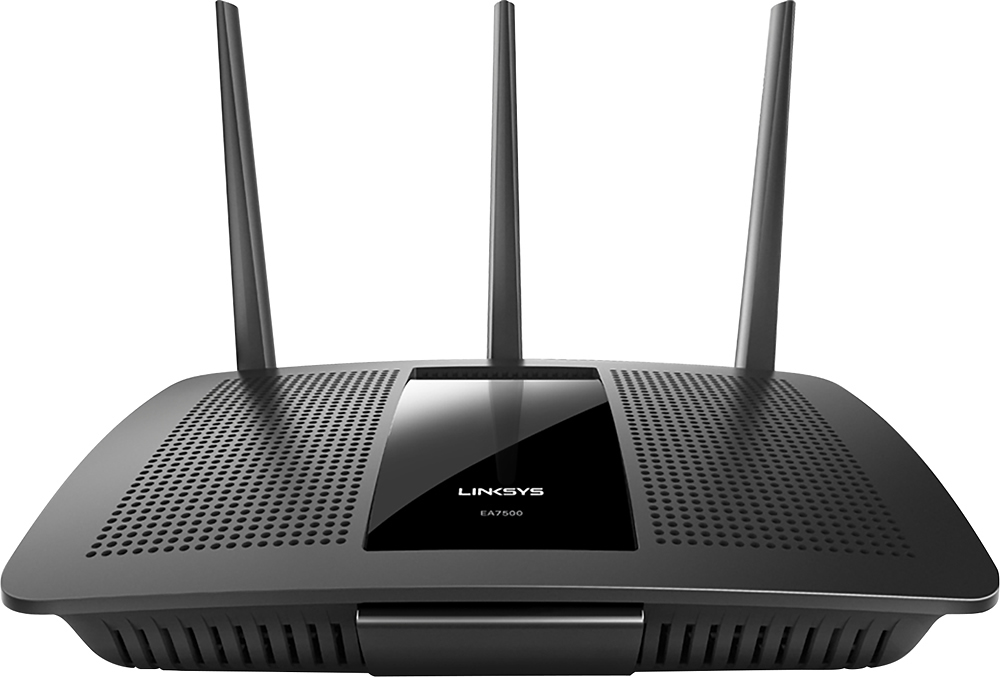
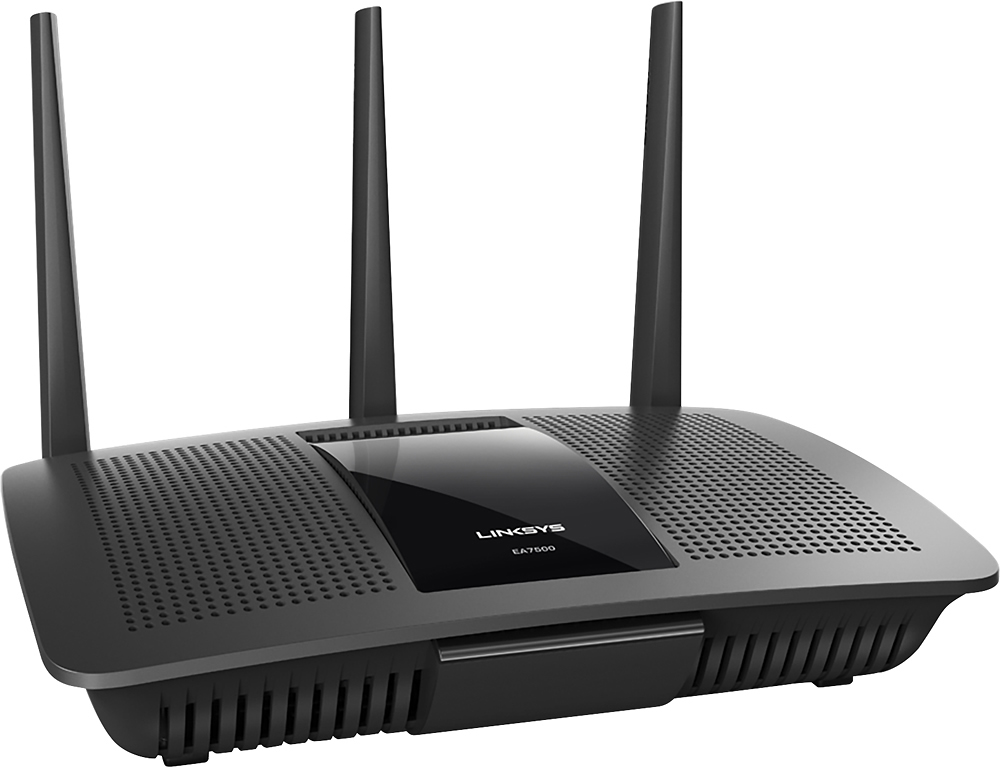
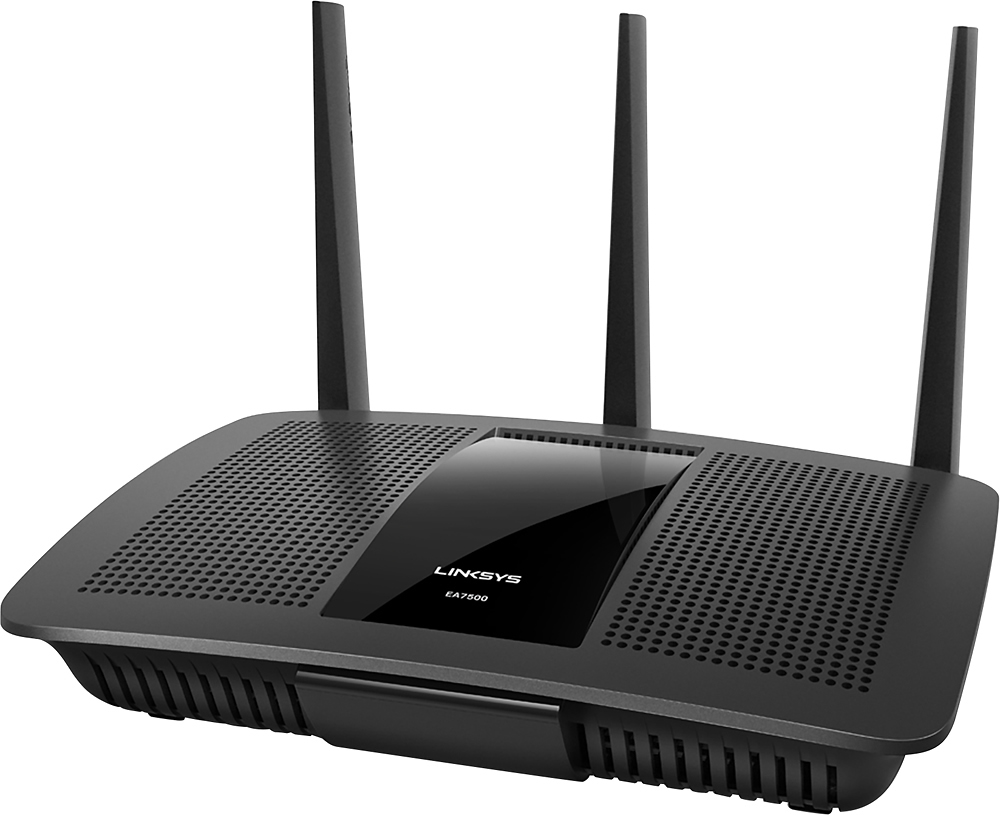



- Model:
- EA7500
- SKU:
- 4830200
Rating by feature
- Value
Rating 4.5 out of 5 stars
- Quality
Rating 4.6 out of 5 stars
- Ease of Use
Rating 4.6 out of 5 stars
Customers are saying
Customers find value in the AC1900 Dual-Band WiFi 5 Router's ease of use, range, and strong signal, frequently praising its performance and simple setup process. Many appreciate the improved WiFi coverage and its suitability for streaming. While some find the router larger than expected, the overwhelmingly positive feedback highlights its effectiveness.
This summary was generated by AI based on customer reviews.
- Pros mentioned:Ease of use, Range, Speed
WOW!!!!
||Posted .This reviewer received promo considerations or sweepstakes entry for writing a review.Prior to this purchase, my knowledge base of routers was zero. Just knew I needed one and spent about 30 or 40 bucks only. I had just "cut the cord" and was streaming Sling and CBSAllAccess. But not very well with the router I had. The best part of this purchase was the associate that helped me. He was informative, respectful and took the time to answer all of my Qs. Multiple times I told him he was an excellent teacher. The product did not take long to set up. What I really like is that there is an app that I can have on my phone and iPad so that is super helpful say when I have a guest who needs to get onto my wi-fi. Turned on the TV and saw it right away - the speed :) It is glorious :) Remember the days of the dial up? That's how long it was taking for Sling to load - now, it's near instantaneous. Because there are 2 bands - I placed my home computer and TV on the 5 GHz band and the iPad, iPhone, Kindle on the 2.4 GHz band. I am very happy.
I would recommend this to a friend 
Great router for the regular home use
|Posted .This reviewer received promo considerations or sweepstakes entry for writing a review.It's a great little router for the average home use, it has a lot of features that normally found in the higher grade devices. Setup was extremely easy, basically you don't even need to set it up - plug it into the cable modem, power it on and connect to pre-defined wifi network! You'll need to access it's management interface to uncover it's full potential, there is a quick run thru it's features: Overall appearance - it's very well built, does not look or feel cheap - nice black plastic, adequate number of vents, enclosure does have a keyholes on the bottom for the wall mounting. There is a Linksys logo on the front panel that glows steady when everything is ok and flashes otherwise. All ports are on the back and there is an option in the menu to suppress all activity lights on the back so they won't bother you at night (it would be a nice touch if it would be possible to disable lights on schedule, put I guess I'm asking too much). Linksys logo will still glow though even activity lights are disabled. Included documentation - you'll get a printed quick start guide and a documentation CD with the very brief manual, I did not find it very useful, however online help in the management interface is very good, I would recommend looking at the online help if in doubt (it has a few quirks though and gives an impression like - don't touch anything unless you absolutely sure and called your ISP to verify :)). Router can be setup to function in multiple modes: as a regular "main" router, as a repeater to boost your existing WiFi network or as a bridge to connect to the existing WiFi and create a separate WiFi of it's own. Plus an access point (bridge) mode - router will turn into the "dumb" repeater - just adding a WiFi capability to your existing wired network. The primary use case will be as a "main" router of course. If you set it up like that - you have a wide variety of choices for your provider connection - regular DHCP, PPPoE, PPTP, L2TP and fixed IP address, it has an ability to change it's ISP facing MAC address if your provider requires that. Once you get your devices to connect to this router - you'll be able to see the network "map" - a detailed look at your network showing all the connected devices, click on any device will give you an ability to look at the details, make a DHCP reservation, or setup a parental controls. Router also does support VLANs, just in case your provider uses different (tagged) VLANs for Internet and IP TV, ports 3 and 4 of the internal switch could be assigned for the special VLAN in that case. WiFi coverage - I'd say it's great for the small to average house, I had no problem at all in my small 2600 sq ft two story house and even in the backyard. My internet connection speed is 300/20 Mbit/s and devices on the second story had no problems getting the full 300Mbit/s bandwidth. Devices downstairs were showing about 200Mbit/s available to them which is more than enough. Router is capable of supporting 2 bands - 2.4GHz and 5GHz, you can name them the same or give different names if you like to do so, then point your fast devices to the 5GHz network and slow ones to 2.4GHz. Some more expensive tri-band routers will provide you with a seconds 5GHz network so you could set it up as 802.11ac only for extremely fast WiFi for the fast devices (laptops, for example). This router could only do 2 bands though. Both networks support WPA2-Personal and WPA2-Enterprise (which was surprising to find on this router, I was actually able to test it with my FreeRADIUS server and it worked flawlessly, normally WPA2-Enterprise is a feature on the higher grade devices). This router is also capable of creating a special isolated "guest" network which is not going to be encrypted, your guests will be presented with a web page to enter "guest" password (kinda like at the hotels, airports, also known as a "captive" mode). Parental controls - any device on your network could be limited by the access schedule (so you can make sure your kids don't spend more time online than they allowed to), plus you could setup a list of sites that are not allowed to be accessed from those devices. That web site list has to be setup one by one and I could not get it to recognize wildcards like let's say if I enter abcxyz.com - that website will get blocked no problem, but if I put something like abc*.com - that does not work. I wish Linksys gives that wildcarding capability and describes it in help better. Overall - not too bad, but could have done better (for example: setup a whitelist instead of the black list, OR setup a whitelist which is always allowed, graylist which is allowed only on certain times and blacklist which won't be allowed at all, just giving Linksys some ideas here :)). Media prioritization - if you have a slow internet access (and starting that download makes your Netflix buffer) - you can give some services a "priority" (little bit more bandwidth) which may be helpful. Router comes with a wide variety of pre-defined services/games or you could define your own range of ports. On-board USB ports, this router features one USB 2.0 port and one USB 3.0 port, so you could plug in your non-networked USB printer and/or a hard drive and share them for your network. USB ports can NOT be used for the 3G/4G/LTE dongle as a backup Internet line. Security features - this router has a standard packet - DMZ support, port forwarding, port triggering, UPnP support. I would like to mention that your typical home network is always behind the NAT so it's not accessible from the outside Internet unless you setup port forwarding so you don't have to worry about outside attacks. Looking thru the settings on the security panel made me look into the help, for example I would not have guessed that "Filter anonymous Internet requests" flag really makes this router to ignore incoming ping requests, I wish Linksys named it more self-explanatory (like "Ignore incoming Ping requests"). Troubleshooting and logging - router's management interface gives you an ability to send ping probes, use traceroute, backup and restore it's configuration and also e-mail your configuration to Linksys support just in case you are having problems. Logging is where it falls short a little bit in my opinion. All I was able to get was the list of IP addresses my devices accessed and service name. Like 10.0.1.10 accesses 1.2.3.4 for www. Plus some DHCP packet states. Router was not able to inform me about the failed WiFi access attempts (like invalid WiFi password used or invalid WiFi guest network password used, or parental control triggered). I want to see if my kids are trying to get to something they are not supposed to! There were also nothing on router's internal health, nothing like send logs to syslog, etc. I feel like all possible logs should be accessible to the end user for troubleshooting purposes. IPv6 - this router does support it, however it's a little bit raw, for example there is an ability to setup an IPv6 firewall rule to allow some traffic to your internal IPv6 network from the outside (for example to access your IP camera without setting up port forwarding), however there is no way of making sure that specific device will always be assigned with the specific IPv6 address (like DHCPv6 reservation). This technology is still pretty new so I'm hoping it will be improved/implemented in the future firmware updates. Other features - even though this router does not have VPN server on board - there is an app that lets you control your home network while you are away. It could be useful to see what is going on if someone at home complains about the internet access or stop your kid from going online :) My biggest problem with this router - is that in the "Bridge" mode it does not show any logs OR even network map. If I set it up as a simple WiFi bridge - I still would like to see my connected devices! It sounds like "Bridge" mode turns it into the pretty dumb access point. Conclusion: It's a great router for the average home user, strong WiFi performance, very fast processor and many features, yet simple setup makes it an ideal application. Remote access app (called Linksys Smart Wi-Fi) will definitely help in case you set this router up for your not so technology advanced friend or family member - you will have an ability to help them remotely. During the whole time I've tested this router - it never hung up on me or otherwise prompted for a reboot which is great. I do not tolerate unreliable network devices in my home. However - lack of the 2nd 5GHz band, on-board VPN server, backup Internet access via USB 3G dongle, poor logging capabilities - makes it not that attractive for the real tech person. Inability to show a network map in the bridge mode is kinda odd as well.
I would recommend this to a friendGreat Router with slight solvable issues
Posted .This reviewer received promo considerations or sweepstakes entry for writing a review.Please note that I received this router from Linksys in exchange for my honest feedback. Again, I received this router from Linksys in exchange for my feedback and review. Overview: The Linksys Max-Stream AC1900 EA7500 router is a dual-band Wi-Fi router, allowing operation at 2.4 GHz and 5.0 GHz represented as two separate Wi-Fi connections. It says on the back of the box that the 2.4 GHz channel can reach up to 600 Mbps whereas the 5.0 GHz channel can reach up to 1300 Mbps. Together, they can reach up to 1.9 Gbps combined. It's coverage is optimal for mid-sized households, and it can connect up to 12 devices without lag or buffering. It's dual-core CPU at 1.4 GHz allows for fast transfer speeds, and with the Smart Wi-Fi access, you can control your router from anywhere. I write this review today after spending some time setting up the router and running some tests with it. To be clear, I'm comparing this against my old VDSL router, which hosts 802.11b/g/n Wi-Fi connectivity at the 2.4 GHz band. The equipment inside the box includes the router, AC adapter, three antennas, a very short Ethernet Cable, a CD-rom, and a quickstart guide. Setup: For the initial setup, it really was rather simple. I just disconnected my old router, attached the antennas, turned on the power, and plugged in the internet cable. Following the instructions for the smart-WIFI setup, it was easy to open my browser and set up the admin password. The physical properties of the router were a great leap forward compared to my old router, given that the AC1900 has three antennas and an actual off switch. I am glad that it has a switch. My old router lacked one. This was the first time I set up my own network, and the experience wasn't nerve-wracking. The antennas were easy to attach, though when I tried to adjust the black part, the terminal that attaches to the router twisted loose as well, so I had to twist it back in tightly. Make sure they're securely fastened before adjusting the black antennas. The CD-rom does not contain software. Rather, it holds only PDFs of the user guide and other important legal information such as warranty. The user guide just gives an overview of the router, basics of setting up, how to use the Smart Wi-Fi, and basic troubleshooting. It doesn’t go in depth into the hardware specifics, but it does come in dozens of languages from Russian to Chinese, which is nice. LinkSys Smart WiFi Dashboard: Viewing the Smart WiFi dashboard was rather interesting. I can get there by following the instructions in the quickstart guide by going to LinksysSmartWiFi.com or by typing in the IP address. After I configured my router, I was able to get on to the dashboard, and I was amazed at the various features. The dashboard allowed me to view the devices connected to the router and their relative signal strength for each channel. I really liked how the options allowed me to do lots of stuff with the router, such as prioritizing devices, adding external storage for sharing amongst the devices connected to the router, parental controls, etc. There are so many features here, and it's hard to list them all. I especially like how you can fine-tune each Wi-Fi connection to allow only a specific Wi-Fi protocol, specify a specific channel frequency, and increase the channel bandwidth. One issue I have is with the Smart Home Wi-Fi dashboard's speedtest. I couldn't get it to work. It says that it requires Adobe Flash 8, and I have Adobe Flash Player 21 enabled in my browser. However, it couldn't detect it even with two different browsers. Nevertheless, this wasn't a big deal to me. Another issue is that I need to be connected to the internet to access the dashboard to adjust my router settings, whether wireless or not. Luckily, when I try to access the dashboard, I can either log in with my Linksys Smart Wi-Fi account or I can access my router using the password I set up. This is helpful in trying to change settings to one or many devices. Testing: I tested this router by running a speedtest using Ookla at various locations in my house and using an app on my phone to check the signal strength for connectivity issues. Range wise, at the far end of my house, I was approaching around -70 dBm at 2.4 GHz and -80 to -83 dBM at the 5.0 GHz channel. Using Ookla Speedtest, the results varied, but I managed to get around a 1.3x to 5.5x speedup compared to my old router. This test wasn't the most accurate, but it did show that the new router was better. On the 5.0 GHz channel, I got up to 47 Mbps, so that was very surprising. However, I was surprised to learn that the speedtest through one of the Ethernet ports was slower than my old router. I was getting up to 19.76 Mbps whereas with my old router, I got 49 Mbps for download rates. My family uses only Wi-Fi, due to the router placement, so this isn't a big issue. However, as time went by, I found some quirks with it that I would like to address. While the 5 GHz channel is very fast, it's important that you take the time to figure out what hardware is compatible with 5 GHz. I thought my family's game system would be able to connect to the 5 GHz channel, but it wasn't rated for it. In another instance, Chromecast uses 802.11n at 2.4 GHz only, which forced my devices to also be on the same 2.4 GHz channel for it to work. Be sure to understand what channel each device uses. It would help if there was a guide on the CD-ROM explaining the different Wi-Fi protocols and how to determine what your device has. The next issue is the range of the signals. I had to do some research due to my unfamiliarity of the difference between the two frequencies to learn that 5 GHz is rated for a shorter distance than 2.4 GHz. Having the router placed on the first floor of the house caused some issues to happen at rooms on the second floor. My family’s Wi-Fi devices worked fine at 2.4 GHz. They claimed that the new router lets them have speeds just as fast as 4G-LTE, which was a big improvement over my old router. However, for me, being situated at approximately 60 feet from the router, I have connectivity issues. The 5.0 GHz channel is out of range, reaching at most 19 Mbps while the 2.4 GHz channel reaches at best 104 Mbps and 54 Mbps on average. As I tried to browse the internet on the 2.4 GHz channel, some web pages wouldn't load like Yahoo and Google. I found that performing a reboot on the router made the connection better, and I got a 9.06 Mbps download speed which is a 3x improvement over my old router. I believe the lesson here is to reboot your router every time you make a change to your settings and when you first configure your router. This brings up my next issue: switching between the two channels. It's a bit confusing and troublesome, but when switching between channels, I have to disconnect from the old channel before switching to the new channel. Once I am not connected via Wi-Fi to any channel, I can switch to the other channel. Normally, I would just double click on the channel SSID, but it can't switch automatically. Whenever I tried to do so, it just tells me that it can't connect. It's not a deal breaker, but it's something to be aware of. Final Thoughts: Overall, the router is a step-up from my family's old router. Having one band for 2.4 GHz and 5.0 GHz is good to have, though research must be done for each device’s Wi-Fi capabilities to get the most out of your router. The overall speedup shows that the router is much faster than my old one. However, be aware of range issues with the router, though the issue can hopefully be resolved by rebooting. I highly recommend this router for the average household as well as tech enthusiasts and first-time buyers. Once again, this is a reminder that I received this router from Linksys in exchange for my honest feedback of the product.
I would recommend this to a friend- Pros mentioned:Speed
Powering Through An Old House
|Posted .This reviewer received promo considerations or sweepstakes entry for writing a review.Nobody really cares what a wireless router looks like so I'm not going to address that here - the only thing that matters is performance. I have great internet service here at the house (100+Mbps at all times) but with my old router, I was getting download rates, on average, in the 10-20 Mbps range on my Macbook and somewhat better communication rates on computers closer to the old router - but I was never able to tap into the full capacity of my internet service provider. As soon as I setup this router and checked my speed online, the jump in speed was immediately obvious. I attached before and after screenshots to show the crazy increase in speed I observed. Look, this is a wireless router - superficially just like every other wireless router on the market. But I think this one is better better! I have computers scattered throughout my old house and most of them communicated with my old router adequately but with a noticeable lag. All of my machines have lightning-fast rates now. Don't settle for speeds below the capability supplied by your internet service provider!
I would recommend this to a friend - Pros mentioned:Speed
Great Router
|Posted .This reviewer received promo considerations or sweepstakes entry for writing a review.This is an excellent router! Its very fast and has a lot of great features like prioritization, USB 3.0 for external storage, and an app used to access the settings and monitor the router. Prioritization allows you to select 3 devices or services like xbox live, PSN, or a chromecast and the router will automatically make more bandwidth available for them so there's no lag (a great feature for gamers especially). There is a USB 3.0 and a USB 2.0 port on the back. This can be used for mass networked storage which can be controlled through the app. The app is free and useful. Its easy to use but it can definitely use an update. You can see and control what devices are connected, control guest access and parental controls, choose what to prioritize, troubleshoot issues, update firmware and passwords, set up port forwarding, and much more. Set up wasn't 1-2-3, it was more like 1-2-3-4. There was a minor hiccup when I tried to use my computer to link the router to the Linksys account that I made but it was resolved very easily by using the app instead. Last but not least is the size. While its definitely not the biggest router I've seen, its not the smallest either. It looks great though so I wouldn't mind putting it on display if necessary. The size is about what you would expect from a router with this many features.
I would recommend this to a friend - Pros mentioned:Speed
Max Stream AC 1900
||Posted .This reviewer received promo considerations or sweepstakes entry for writing a review.Just got rid of my Xfinity wireless router because it would not perform up to specs with my 150 GB service. This wireless router exceeded my expectations showing on speed tests far above the 150 GB, almost like it was on the cable. Set up was quick and relatively easy the only wrinkle was that I had a previous Lynksys router & had to delete that one from my account before setting up the new one and using their phone app. Set it up a couple weeks ago and it has been working flawlessly. Coverage is a good or better as previous wireless routers in this 3 level colonial, but haven't checked out in the yard. Pleased with this purchase and a modem giving Xfinity the heave ho on their inferior equipment.
I would recommend this to a friend Great Router for Gamers and Streamers
|Posted .This reviewer received promo considerations or sweepstakes entry for writing a review.This is a great router for people who are streaming or gaming in one household using 6+ devices. SETUP The setup is extremely fast, user friendly, requires no PC or Mac connection, and can even be done with your smartphone. FEATURES Hassle free options to select specific devices to be priority without messing with port #s. Xbox Live and PSN network are options already in the router as well as many online PC games. WiFi strength is apparent and it gets rid of lag while streaming multiple devices at the same time. CONS This is only a con if you plan on creating a cloud storage using an external hard drive. Within the Linksys website or app, I couldn't find access to my files remotely. I needed to find the answer in another site, posted on the YouTube video provided. LAST WORDS Strongly recommend this for gamers and heavy streamers. It will not disappoint you.
I would recommend this to a friendGreat router for medium to heavy bandwidth usage!
|Posted .This reviewer received promo considerations or sweepstakes entry for writing a review.What I like about the EA7500 is the overall performance I get using this with Charter Spectrum and here are some reasons why... 1. Very steady speed reliability 2. Manages to keep up in speed while using a VPN service 3. Easy setup out the box with an app to manage the settings even remotely 4. Runs cool even when there's heavy online gaming (2 PS4 and 1 PC), no lag 5. Rock solid built quality with thick antenna 6. Great coverage range overall in my apartment complex of 6 units Those were key pointers while using the router on a daily average usage and I have yet to find any issues of downgraded speeds or lag. Overall, I would highly recommend Linksys fans and future router upgraders/shoppers to check this out! 5 stars.
I would recommend this to a friend- Pros mentioned:Range
Great router if you can get past nightmare setup!
|Posted .This reviewer received promo considerations or sweepstakes entry for writing a review.Product Model Description: Linksys EA7500 Next-Gen Max-Stream AC1900 MU (Multi-User)-MIMO (Multiple Input & Multiple Output) Dual-Band Wi-Fi (Wireless-Fidelity) Gigabit Router (1.9 Gbps) Intro: Based on the initial installation instructions from the quick-start sheet, I thought this would be a snap, as the guide appeared to be pretty cut & dried. As a precaution I downloaded & read the PDF manual to better prepare for setup & installation. Unfortunately, the installation did not proceed according to the instructions, AT ALL. Setup Nightmare: Warning!: If you have a modem/router or gateway, you'll likely need extra IT assistance. This router did not work with our DSL carrier-provided modem/router in accordance w/the Linksys instructions. And, yes, we knew to place our modem in a 'bridged' mode & to use our ISP/DSL connection settings on the router. But we were still forced to make multiple IT support calls to our DSL carrier, as we continued to suffer incessant router disconnects over several days. Other than the unit's generic flashing Linksys light, there was no diagnostic indicator as to WHY the connection was being repeatedly lost. Ruling Out Other Variables: Eventually, our DSL carrier even made an on-site service call & performed comprehensive diagnostic tests, but found no faults or errors w/our DSL line. (On background, U-verse is still not available on our particular street; we don't want a tacky satellite mounted on our roof; & we'll never again suffer w/our local cable provider, the abysmal Cox Communications.) Resolution: In the end, we performed yet another manual firmware update to the router & reset it to factory defaults. Though this didn't work in multiple previous attempts using the recommended auto-update feature & power cycle--the router, inexplicably, has worked flawlessly ever since the last reset several weeks ago. 2 More Cons: -Unfortunately, the WPS (Wi-Fi Protected Setup) would not work w/our newer networked HP printer, which required manually entering the long tedious password. -Belkin failed to include a packing slip in/on the box of their Linksys router. This is minor but basic. Some Pros: -Generally, the Linksys Smart Wi-Fi Interface software & website are very good & easy to navigate. The ease w/which one can add other devices & view settings, etc., is a huge improvement over our older carrier-issued modem/router user interface. There are options, however, that only an IT expert can help with; so the avg. user likely would be lost w/those. -Range is very good on both bands (2.4GHz & 5GHz). -Stability: We have only 7 wireless devices connected at this moment, including PCs, printers, tablets, & cell phones, & all are receiving strong, reliable signals at good speed from the router. Future: We're looking forward to trying out the new Linksys EA9500-AC5400 Max-Stream Tri-Band Wi-Fi Gigabit Router (MU-MIMO) which we hope will incorporate some needed improvements over the EA7500.
No, I would not recommend this to a friend Excellent Home Router With Many Great Features
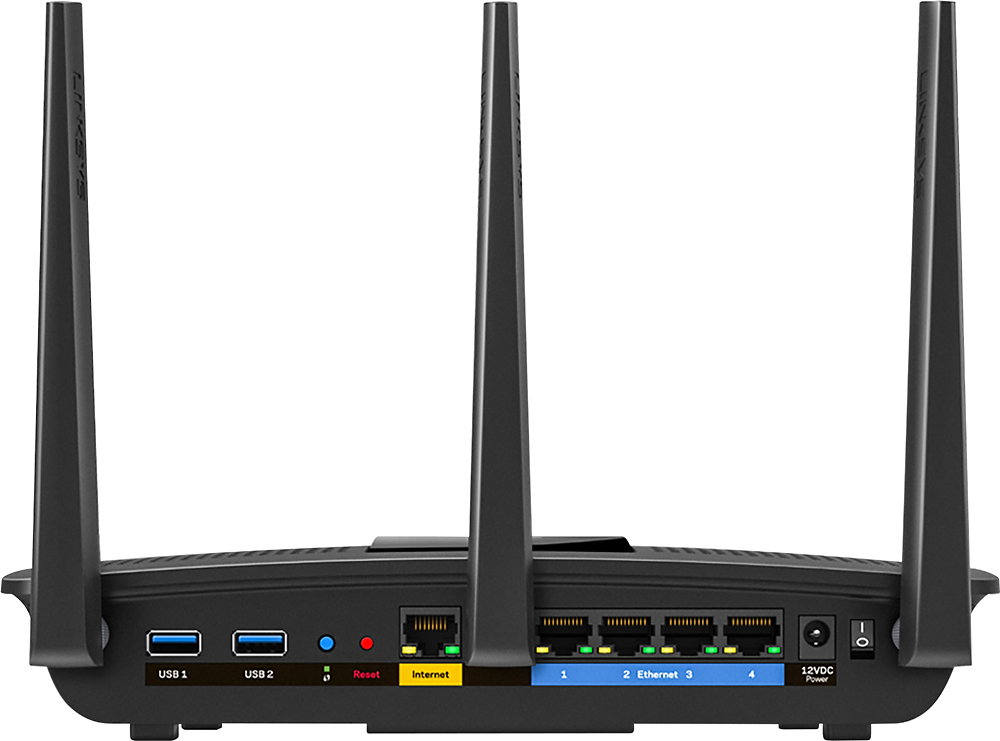
|Posted .This reviewer received promo considerations or sweepstakes entry for writing a review.This is an excellent router that offers the latest and greatest technology as of early 2016. You’ll be hard pressed to find another router that offers MU-MIMO, dual band support, 802.11AC, and 2 USB ports. Included in the box you will find the router itself, presented front and center, along with 3 solidly constructed and hefty metal antennas, a power cord, documentation and a quick start guide, a Gigabit Ethernet cable, and a CD with preloaded software for setup. The front of the router is clean with a minimalistic design, the only main attraction being the subtle glowing Linksys logo. On the back of the router you will find 3 antenna ports, a USB 3.0 port, a USB 2.0 port, a Wi-Fi protected setup button, a reset button, an internet in port, 4 Gigabit Ethernet ports, and a power input port. I am currently using the USB 3.0 port to connect an external hard drive to my network. With it I am able to access files from my hard drive anywhere in the world through my Linksys account. I would highly recommend making a Linksys account so you can monitor your router even when you aren’t home. The setup process was very simple and better than any other router I’ve seen or used. After plugging the router in you simply connect to the open Linksys network and either begin setup through the browser window or you can download the Linksys Smart Wi-Fi app. You could also use the included CD but I’d avoid that and stick with the more practical methods of setup. I used both the browser window and app to setup the router and they both worked much the same, the setup was easy peasy either way. The graphical interface for this router is outstanding, it offers a great blend of functionality without being overly complicated. Starting from the home page, you can access everything from the status of your internet connection, to the local area network map, and even external storage access. A non-techie person should have no issue navigating through the settings and easily be able to find what they are looking for. After the first time setup the router is ready to roll. Unfortunately for me, the first two weeks I had my unit, I experienced several connection issues and dropouts. After the second week, Linksys pushed out a new firmware update that has since resolved all of the issues I faced. I utilize the maximum potential of my network, regularly having over 20 devices connected at a time, with usage consisting of a mixture of 802.11n and 802.11ac using both 2.4ghz and 5ghz. I haven’t come across any interference issues with either of the bands. Doing a range test, I was able to go around 100 feet away from the router with the 5ghz spectrum and around 300 feet on the 2.4ghz spectrum before losing signal. I have a relatively medium sized house and had no issue getting coverage in every room of my home. Conducting a speed test resulted in a maximum download speed of around 180mb/s and an upload speed of about 12mb/s when wired directly into the router. When using the wireless 5ghz spectrum I got around 165mb/s download speed and roughly 11mb/s upload speed. The router had no trouble keeping up with my internet service, ensuring I get the fastest speeds possible. Another cool feature is media prioritization. The router will adjust which devices get priority either automatically or set by the user. In conclusion this is one of the very best routers you can buy and one you should definitely consider. It has a very solid interface that is both easy to use while offering a plethora of settings to tamper with. It is very future proof with 802.11ac, dual band support, and MU-MIMO. I would easily expect this router to last for several years. I really do enjoy this router and it is definitely a worthwhile upgrade from my older router.
I would recommend this to a friendThis Router is NOW!
Posted .This reviewer received promo considerations or sweepstakes entry for writing a review.I thought my old router gave me the best service, but when I had the opportunity to review the Linksys EA7500 Max-Stream AC 1900 MU-Mimo Gigabit Router, I was happy to actually use a new, state-of-the-art AC router to see what I've been missing. Since I had an "N" router, I thought I had the best. This new AC, dual band router is a whole new experience! This is only the 3rd wireless router I have ever owned... the other two were Linksys, too. They never stopped working, I just upgraded. I gave the other two to Friends, who are still using them, so that says a lot for the Linksys name! This router is about 2 times larger than my old one, but has 2 screw slots, so it can be hung on a wall easily. This is not required, just an option. The power adaptor is large, really large, but it spans past my power strip, not over other outlets. Set up was so simple! I am disabled, so if I can set it up, ANYBODY can set it up. I did have to call Linksys Support, for a User error, not a product error, and they were prompt and great to work with! Friendy and knowledgeable, and Second to None! I couldn't remember how to forget my old wireless network on my PC's and IOS (so I'm not a Technological wizard, I'll admit) Having good reliable routers, I don't have to do this much. I was baffled when I saw all of the possible connections show on my ios settings: 2.4, 5.0, GUEST (how cool is that?) The beauty of this system is that I only see the 5.o option on my computers which are capable of utilizing 5.o GHZ And the Guest link is great, since I use home networking and have friends who visit. This is a "peace of mind" perk for me. The router itself offers a 3.0 USB port, a 2.0 USB port, a port for "internet", and 4 LAN for other wired devices. I only needed 2, since most of my devices are wireless. But there's room to grow, in case I need them. This is also the first "smart wifi" router I have ever had, and the interface and operation is practical and seamless! I recommend that you set up your smart wifi when prompted to do so- so you'll know what tools are at your fingertips- anywhere you are on your smart phone. Since I had a good wireless router, I did not expect to see much difference... Boy, was I wrong! I am currently using two IOS devices, a phone which I use on wifi when available, 2 PC's (one which I use on my TV) a tablet, and a laptop, all 4 running Windows 10. I also utilize smart devices for security and home efficiency. My whole house and lot is only 50'x100', but i have old plaster and stone walls, and my signal is loud and clear on my entire property. I love that this new router doesn't forget my older tech, still delivering a good, solid 2.4 GHz, and it also delivers a quality signal that I can see is improved greatly in lack of buffering and general lagging, fast play on RPG and sims games, the loading of my security cameras, movie streaming, and response, in general Wow! I feel like I am ready for the next generation of smart everyday technology. I was one of the lucky ones who received this product just for reviewing it, but I see why it's the next natural step for most of us. If I tally up the money I've spent on my computers, and other technology, I feel like a good, efficient router is a just investment. I also like that it doesn't leave my old tech behind, but services old and new beautifully! I didn't load my review with a lot of specs, because I'm sure they're available somewhere online. But I can say that this wireless router "system" will continue to meet the needs of advancing technology in our homes. The difference and improvement is truly something to be experienced! A+++ Linksys!
I would recommend this to a friendA nice upgrade over my old router
|Posted .This reviewer received promo considerations or sweepstakes entry for writing a review.I just received the Linksys EA7500 and have only used it a day, but here's what I've found and think so far. The device is pretty large, it's at least double the size of my current "A" branded 1750 AC router. The 3 included antennas have to be attached and have nice heavy metal connectors. The only thing, be careful attaching them, the underside of the top which overhangs the connectors on the base is very sharp and it's easy to cut the top of your finger when tightening, I found out the hard way , otherwise they are easy to attach. I set it up using the exact same settings as my old router, I didn't use the automated setup but set everything up to my liking. The menus were easy for me to figure out and navigate, I had no problem getting it set up in under 5 minutes. After swapping all my Ethernet connections and powering on everything came up fine. All of our devices connected without a problem, One desktop, two laptops, two tablets, and one Roku and two cell phones "while home" are using wireless. My old router was already an AC1750 and I didn't think there would be that much of a difference, I was plesantly surprised. WIth my old AC1750 on the 5ghz band I was hitting 188 Mb/s down and 150 Mb/s up, "Luckily I have a 1 gb connection at home so my speeds are pretty fast". With the EA7500 I'm hitting 350 Mb/s down and 225 Mb/s up, that's a huge increase in speed. In the one day I’ve had this so far I’m very impressed with the unit and would recommend it. My only real dislike is there is only one status light visible from the front. The Linksys logo is illuminated when connected and blinks for trouble. My old router has status LEDs for everything and I like being able to see the status at a glance. Since my router is inside a cabinet though it’s really no big deal and doesn’t detract from my overall rating. I'm attaching some screen shots taken from my Nexus 6 phone of the speed tests and signal strength tests I quickly ran. I didn't speed test the wired connection as all of the computers we use are set up on wireless. I hope this review helps.
I would recommend this to a friend- Pros mentioned:Ease of use, Range, Speed
excellent router
||Posted .This reviewer received promo considerations or sweepstakes entry for writing a review.Awesome router!!! Was able to cover my 1800sq ft home without any problems so far. Love the simple set up through Linksys app. The app allows you to see how many devices are on the router and pause any device at any time. There are guest wifi and parental control as well. I bought 100Mbps from Comcast and currently getting 120Mbps. I would highly recommend this router.
I would recommend this to a friend Easy set up, great speed and coverage
Posted .This reviewer received promo considerations or sweepstakes entry for writing a review.This review is for the Linksys EA7500 MAX-Stream AC1900 Dual-Band Wireless Router with 4-Port Gigabit Ethernet Switch. I received this product at no charge from Linksys for an honest review and appraisal of its operation. This router is a snap to set up using the easy setup steps found in the documentation. Once the set up was complete, all of my wired Ethernet connections were recognized and up to speed. The Ookla speed test results (pictured) speak for themselves - very fast data retrieval with my Comcast 105 Mbps service. Wireless devices were very easy to set up also. After finding my network name (that I changed from the default when in setup). I entered my strong password (that I also changed while in set up) and logged on to my new, fast network. The EA 7500 supports a 2.4 GHz band at up to 600 Mbps in both local and guest network, and a 5 GHz band at up to 1300 Mbps for the newer "AC" devices for gaming and new 4K TV's. All the wireless "dead spots" that were in my house with my previous equipment are gone, and I don't have to use my wireless signal repeaters any more. The "Smart Link app for phone or tablet access to you protected network is convenient way to check and maintain your personal network. Everything is very easy to configure and their web sit is full of good information to help you along. This Linksys EA 7500 MAX-Stream AC1900 Dual-Band Wireless Router is all you will need for a complete and secure home network for today and future needs. I highly recommend it. PS - don't forget to set and document a strong password for you network access. Keeping hackers and freeloaders off your network is important to maintain personal data privacy.
I would recommend this to a friendA new Router with a new look and a wealth of featu
Posted .This reviewer received promo considerations or sweepstakes entry for writing a review.I have used many different wireless routers (even ones where the firmware was ‘hacked’ to DD-WRT), none of them have been as dependable or user friendly as Linksys routers. The Linksys EA7500 Max-Stream warrants serious consideration for any network. With 6 inch antennas, and a small form factor design The EA7500 supports AC1900, MU-MIMO, gigabit wireless & wired provides really solid throughput. This router is packed with new features. From the ease of the setup, web based app to manage the router Wi-Fi signal is rock solid and never had signal loss. Installation is 10 – 15 minutes depending on your network. The process is surprisingly easy and simple: the steps to install this great router were as simple as; Unpack the router, install the 3 antennas on the back of it. Plug in the supplied Ethernet cable to my DSL and in to the EA 7500 AC 1900 router. Log into the router's default IP address, which is provided on a sticker at the bottom of the router, and just basically it took care of itself after that. It detected my current ISP, asked me to enter a new Wi-Fi (SSID) and gives you the opt to change the default password. The Linksys EA7500 allows you to access and control your home network from anywhere using a smartphone, a tablet, or a PC. I must say that I cannot ‘push’ the boundaries with this router. I use 20mb CenturyLink prism as an internet connection and that connection can’t tax the router. The router works well with my, iPod, iPhone, iPad, 2 laptops, android phones and android tablet. Wired connections (media server, Lenovo NAS, Brother MFC, Blue Ray player, ROKU, Xbox360 and 2 desktop PCs) all perform flawlessly. I was using a wireless extender to improve the signal in the far corner of my home, the EA7500 eliminates the need for the wireless extender. T3ch5upp0rt recommends the Linksys EA7500 without hesitation. The EA7500 may be more router than your network presently needs, but given the new crop of tablets, smartphones, and 4K TVs that are supposed to make use of wireless AC MU-MIMO, this router will allow for expansion long into the future. Get this router, you will be impressed! I, T3ch5upp0rt, received this router in exchange for an honest, unbiased review through the Linksys Friends + Family beta program.
I would recommend this to a friendExtremely Fast Router - Great with my 4K Sony TV!
|Posted .This reviewer received promo considerations or sweepstakes entry for writing a review.I upgraded to this router from my Netgear Nighthawk (see other related products) which was also an extremely fast, capable router. This router out-performs my old Netgear and it is noticeable. While my Nighthawk was at least two years old, it provided a 1.0GHz Dual Core processor and a decent amount of RAM. This router utilizes a 1.4GHz Dual Core processor which makes Internet browsing noticeably faster. Additionally, there is absolutely no lag when multiple family members are utilizing the same router while gaming. As Linksys states, the signal quality is much improved over previous wireless routers, especially with the addition of Beamforming. Unlike my old Nighthawk which would surprisingly make noises when it was being used, this router is absolutely silent. It also does not throw nearly as much heat as routers that I have had in the past - likely due to the multiple vents for cooling. This router also seems to reduce the buffering time that I experience when streaming shows through my 4K Sony TV. It's hard to know if it's due to better signal strength, decreased lag, or just an overall better router, but it certain improves the viewing experience. While most people likely will not want to spend $200 on a router, I highly recommend doing so. I was skeptical at first too, but as I have found, the more expensive routers tend to last longer and perform far better than the routers at the other end of the price spectrum. Whether you will be using this for gaming, business, or just simple web browsing, this router is perfect and will suit your needs for many years to come. I highly recommend this router!
I would recommend this to a friend- Pros mentioned:Range, Speed
Goodbye cable provided modem.
||Posted .This reviewer received promo considerations or sweepstakes entry for writing a review.Having experienced difficulties with a new modem/router provided by the cable company, I decided to buy my own. I was having a great deal of problems with streaming videos - excessive buffering and repeated lost wifi signals. I researched what I needed and decided on a separate modem and router. After researching many reviews, professional & users, and speaking with associates in different stores, I decided to purchase an Arris Surfboard SB6190 Modem and a Linksys - MAX-STREAM AC1900 Dual-Band Wireless Router from BestBuy. Sale price was better/comparable than other stores and on-line. Installation of both items was easy. They paired up nicely and appear to be completely compatible. My hard wired devices, 2 desktops and printer, worked immediately. My Wifi connected tablets also worked from the get-go. I had a problem with a laptop. It would not connect to my network - I used the same network name as I had used before. Linksys technical support cleared up the problem in 5 minutes - resetting the network name on the laptop. I no longer have any issues with streaming. Device(s) speed is excellent.
I would recommend this to a friend Easy set up and works great!
||Posted .This reviewer received promo considerations or sweepstakes entry for writing a review.Bought on sale. Great price for dual channel router. Has all features I wanted. Very easy to set up and works well. The 5K band does not reach as far as the 2K. So you will need to use your 5K devices in closer proximity to the router. Have used for about a month now. I have not experienced any lost connectivity.
I would recommend this to a friend- Pros mentioned:Ease of use, Performance, Speed
Outstanding router/AP
||Posted .This reviewer received promo considerations or sweepstakes entry for writing a review.This Linksys dual band wireless ac router has been a fantastic purchase for the price. It more than covers the space in my apartment and the beamforming technology provides good performance on the 2.4Ghz band in a heavily populated wireless environment. 5Ghz ac band is like lightning. Easy to manually program.
I would recommend this to a friend Excellent WIFI Router
|Posted .This reviewer received promo considerations or sweepstakes entry for writing a review.I upgraded from a Linksys EA6900 to the Linksys EA7500 and the process was quite simple aside from the fact the administrator password for the router wasn't mentioned in the setup quick start guide. A quick search on Bing however found that the default password is 'admin' which you should change during setup. I replaced the default SSID's and passwords with those I was using beforehand and there was no need to reconfigure the TV's, Blu-ray Players and PC's in the house. Everything works awesome.
I would recommend this to a friend