Customer Ratings & Reviews

- Model:
- EA8500
- SKU:
- 5265041
to a friend
Customers are saying
Customers appreciate the AC2600 Dual-Band Wi-Fi Router's impressive range, ease of use, and strong signal, leading to positive feedback on performance and setup. Many found the router easy to install and use, resulting in reliable streaming and great coverage. However, some customers experienced connection issues and noted the router's relatively high price and larger-than-expected size. A few users also mentioned concerns about the firmware and occasional lag.
This summary was generated by AI based on customer reviews.
- Pros mentioned:Speed
Great router/brand with mid-level features
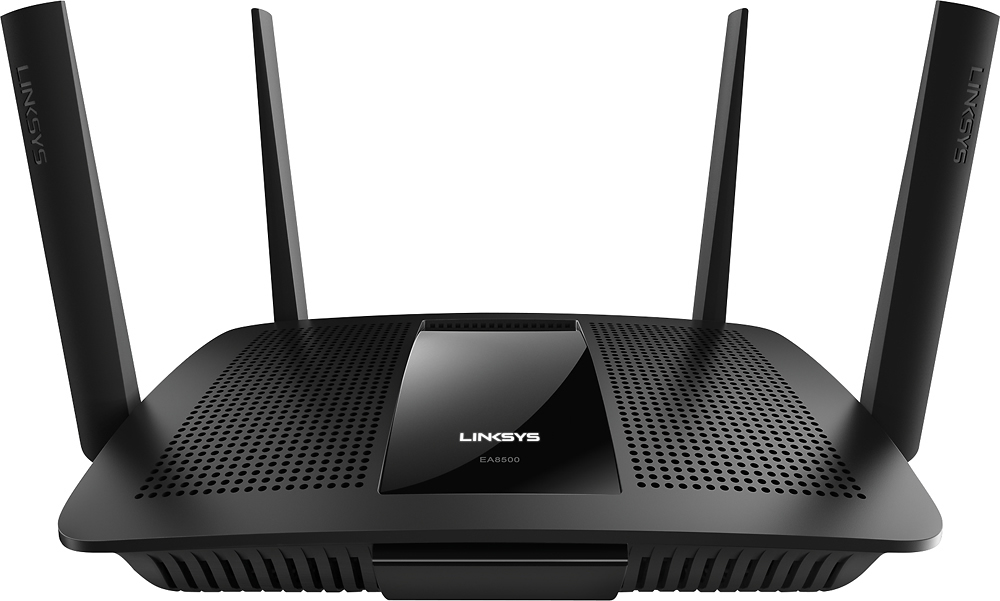
Posted .This reviewer received promo considerations or sweepstakes entry for writing a review.I received this product for free as part of Belkin's Friends + Family Program. The Linksys EA8500 Max-Stream AC2600 MU-MIMO Smart Wi-Fi router is a good device with great speeds/coverage. For the majority of home-users, it may be a slight overkill due to the power/features, but it will work well in any situation. With that being said, the advanced users may be disappointed in the lack of features/settings within the user-interface/mobile application, which are both designed to be more user friendly and less like ddwrt or ASUSWRT. Despite having a few kinks/bugs that needs fixed (web account password) and a little struggle to compete with other routers in the same price range, setting up the device was simple and the device performed very well. Below is a more in depth view of the router. While unboxing, the device seemed to be slightly larger with a bigger power block on the end, even though this seems to be the going trend lately with the higher-end routers. The construction was made from a strong/durable plastic, while maintaining the quality feeling that you would expect from a Linksys router. The outer shell seemed to be well ventilated and contained several useful ports. In addition to this, I also like the orientation of the router antennas – two with the sides facing left/right and two facing front/back. I like this orientation since it seems like it would be able to connect to more devices/signals, despite the location. Most of my other devices all face the same direction or have a slight rotation to them, which doesn’t seem to be quite as effective when transmitting/receiving signals. This router chose a minimalist approach with the amount of lights or indicators on the front of the device, which tends to be aesthetically pleasing. One issue with this though is that the light in the front is only displayed when the device has a connection to the internet, in which it flickers when booting or the connection has been dropped. In addition to this, the only other light are the typical lights in the rear showing activity for each ethernet port, which can be turned off within the firmware. The initial setup was easy, which is the case for most modern routers. Linksys provided great documentation for the device and the initial setup was short/easy to follow. However, don’t expect to use a mobile device to setup the router. Despite what the setup process told me during installation, I was unable to setup the router through the android mobile application or through a web-browser on the mobile device. This capability would have made installation way easier to do. Once everything was up and running, I noticed that the majority of my devices ended up on the 2.4 ghz band, which is pretty normal. Despite having a few intermittent issues with connectivity in the beginning, this seemed to have corrected itself with a firmware update. The 5 ghz seems to be a little more reliable and just works better overall. This router had great coverage/signal, in which I was able to access the internet throughout my entire two-story house, with the device in the basement. My biggest gripe with the web UI was signing up for the remote access account online. The webpage required an insecure password - only letters and numbers. In this day in age, you need the ability to add characters/spaces for security purposes. Once this is fixed, I will feel better about the account process and my router being secure again. Beyond this, the main screen offers some helpful views on the health of the network and whether main features are enabled or not. Although limited, it is nice to quickly glance at the status of the router or the settings you have enabled. Settings have been divided into two main sections, where the top section is basically the same settings that can be found in the mobile application and the bottom section adds more advanced settings. Again, there are a handful of settings that are not configurable (such as: VPN, transmission power, different modes, etc), but this can always be fixed through a firmware update. As for the android application, it is very user friendly and offers access to plenty of important features...but beyond these simple features, the app still falls short (some issues are shared between both UIs). It is hard to add a device if not initially seen, can’t configure the guest network to be secure, can’t connect to second subnet or bridged client, 5ghz network map fails to display all devices, seems to be laggy, no VPN access, etc. In conclusion, this router does a great job supporting all of my devices (30 devices attached) and providing the best speed it can without buffering/lag. This is a powerful router and as mentioned before, this is very user friendly and easy to use. My only drawbacks at this time can easily be fixed – the remote access password and the lack of more advanced features. I will honestly say though the best part about going with Linksys is the customer service - top notch. I was complaining to Time Warner Cable via Twitter and after mentioned the device name, LinksysCares messaged me within minutes offering me their help to fix the internet issue. Great brand and company.
I would recommend this to a friend Not sure
||Posted .This reviewer received promo considerations or sweepstakes entry for writing a review.Our signal drops frequently but not sure whether it's the router causing the issue or something else so can't provide a review that's accurate at this point.
No, I would not recommend this to a friendBrand response from Linksys Staff
Posted .Hi, Worldtraveller,
To ensure a stable connection, make sure that your EA8500 router is properly configured and the firmware is up-to-date. Also, metal objects, appliances, thick walls, and mirrors can cause signal interference that would affect your Wi-Fi signal. Get in touch with us at [email protected] and we'll have one of our Escalation Engineers look closely into your network setup for further isolation. Don't forget to include your contact information and the link to this review.
Regards,
Jay
Linksys Support
It's okay
||Posted .This reviewer received promo considerations or sweepstakes entry for writing a review.I read so many reviews that were unfavorable that it made me doubt the purchase. I really wanted to like this router, but ultimately ended up returning it.
I would recommend this to a friendBrand response from Linksys Staff
Posted .Hi Dlg3rd,
It’s unfortunate that you’ve already returned the device. We could have assisted you with the challenge/s you’re facing with the router. If you ever change your mind and give our devices another chance, please don’t hesitate to contact us for assistance at [email protected] anytime.
Regards,
Rechel
Linksys Support
Ok thought would be better for price
||Posted .This reviewer received promo considerations or sweepstakes entry for writing a review.Ok thought it would of been better since the sales rep told me to go with this one. Said it could run up to 17 devices. Well that's not happening...
No, I would not recommend this to a friendBrand response from Linksys Staff
Posted .Hi, angelnbabys,
Your EA8500 router can handle more than 17 wireless devices simultaneously (up to 32 wireless clients). However, the bandwidth subscription from your ISP would greatly impact your network's performance since the router is just a passthrough device. We'd appreciate if you will provide us further details about your current network setup so we can tap one of our Escalation Engineers to look closely into your issue. Send us your contact details and the link to this review at [email protected].
Regards,
Jay
Linksys Support
- Pros mentioned:RangeCons mentioned:Size
Great MU-MIMO Router!
Posted .This reviewer received promo considerations or sweepstakes entry for writing a review.I received this product for free as part of Belkin's Friends + Family Program Great router with decent wifi range, gigabit transfer capable, and multi user streaming capabilities. This router is a on the larger side compared to majority of others on the market. Best reason to buy this particular router will be the ability to stream data to multiple devices at once without lag of any kind... at least I haven't come across any issues. With a company like LinkSys... you can trust you will get product designed right. Setting adjustments can be made directly connected to your router or there's an smartphone application which can get majority of the main settings adjusted.
I would recommend this to a friend Recommended
||Posted .This reviewer received promo considerations or sweepstakes entry for writing a review.I was recommended this router. My WiFi speeds are around 84 while I pay for 150 gb. I don't know of its the routers fault or my providers.
I would recommend this to a friendBrand response from Linksys Staff
Posted .Hi, Ghill7,
Checking the speed behind the modem would help us identify which device is causing this challenge. If the result shows that the modem is providing 150Mbps, then we can try a few steps to optimize the speed through the router. Please email us at [email protected] with your phone number and the link to this post so we can endorse you to our Escalation Engineers.
Regards,
Irish
Linksys Support
Disappointing
||Posted .This reviewer received promo considerations or sweepstakes entry for writing a review.Device is fast but it continues to drop access. I've made multiple changes but it continues. Will return if I can't get resolution
No, I would not recommend this to a friendBrand response from Linksys Staff
Posted .Hi, Edison,
The connectivity issue that you're experiencing is possibly caused by a faulty firmware. Give us a chance to make things right for you. Get in touch with us at [email protected] so we can tap one of our Escalation Engineers to take care of your case. Please indicate your contact details and the link to this review.
Regards,
Jay
Linksys Support
Works well sometimes
||Posted .This reviewer received promo considerations or sweepstakes entry for writing a review.Yes, it's true that wireless tech has come along way but for now wireless still lacks the potential that was originally designed for.
I would recommend this to a friendBrand response from Linksys Staff
Posted .Hi. Thank you for sharing this feedback with us. We're glad to hear that it does satisfy your needs. Should you experience any problems with the router, just let us know so that we can assist you. You can send us an email any time at [email protected]. Please include your contact details in the email. We hope to hear from you again.
Not worth the money
||Posted .This reviewer received promo considerations or sweepstakes entry for writing a review.Sales person talked us into it. not worth the money. Wifi is slow and lags with it. Our older one worked better and was cheaper
No, I would not recommend this to a friendBrand response from Linksys Staff
Posted .Hi Sophie,
We value your feedback and we appreciate the time that you've spent in writing this product review. Allow us to offer our help in checking the unit out so that we can help you make the device work to its full potential and also resolve the challenges that you have with it. Please email us your contact details along with your network setup at [email protected]. Don't forget to include the link to this post for our reference.
We'll wait for your response.
Regards,
Linksys Support
www.linksys.com
Expected more
||Posted .This reviewer received promo considerations or sweepstakes entry for writing a review.This is not the powerful router that I expected or was sold. I wish that I were closer to Best Buy to have exchanged it
No, I would not recommend this to a friendBrand response from Linksys Staff
Posted .Hi, ClarksburgTravelService,
We're glad that you haven't exchanged the EA8500 router yet. Allow us to improve your Wi-Fi experience. Please tell us more details about your challenges as well as your current network setup so we can tap one of our Escalation Engineers to optimize your router's settings. Reach out to us at [email protected] with your contact information and the link to this review for reference.
Regards,
Jay
Linksys Support
- Pros mentioned:Ease of use, SpeedCons mentioned:Lag
Good but needs some tweaks
Posted .This reviewer received promo considerations or sweepstakes entry for writing a review.I received this product for free as part of Belkin's Friends + Family Program. Likes: Strong signal coverage throughout home, 4 antennas, ease of setup, fast speeds (minimal bandwidth loss over wireless when using this router) Dislikes: Lag when visiting websites (sometimes 2-3 seconds), bandwidth prioritization seems to slow overall internet speeds (i turned mine back off). Overall, a good buy, particularly if they release a future firmware/device update that resolves some of the small annoyances. Note: I could have called their Tech Support to address but have not gotten a chance to as of yet.
I would recommend this to a friendBrand response from Linksys Staff
Posted .Hi nashvilleguy,
Thank you for letting us know about your experience with the Linksys wireless router. We'd like to help in improving its performance. You can send us an email at [email protected] with your contact details and the link to this review.
We'll wait for you.
Regards,
Linksys Support
www.linksys.com/us/support
- Pros mentioned:Speed
Great Wi-Fi Router for a busy Home Network
Posted .This reviewer received promo considerations or sweepstakes entry for writing a review.I replaced my AE6350 and what a difference in speed and connectivity. I had it set up and up and running in 15-20 minutes without issues. I don't know why certain people conplain so much about setting up the router but it is easy. I set up my bands, 2.4 and 5G as tow separate bands and everyting is working great. We have devices in our house that use old and new technology and this router hadles both technologies as described. This new technology, MU-MIMO work great. I live a tow story home, I have my rought in the first floor and we get a great, very fast speeds upstairs and everywhere in the house. So far this router is working as advertised and I am very happy with its performance.
I would recommend this to a friend - Pros mentioned:Range, Speed
Outstanding range and speed
Posted .This reviewer received promo considerations or sweepstakes entry for writing a review.I received this product for free as part of Belkin's Friends + Family Program. Compared to my old NETGEAR R6250 The range and speed different is above anything I could hope. When on my laptop I walked around the home and even at the farthest away from the router was still getting 4 bars with a 3000 SQ ft Home I went from a speed of 20-40 MB to 120 MB with the Linksys. It was simple to set up and love the app on the phone to see who is connected to network when the kids have their friends over. I would recommend this unit to any one with kids that game and have lots of device connected We average about 12 devices with no issue daily.
I would recommend this to a friend - Pros mentioned:RangeCons mentioned:Lag
Easy Setup Great Range
Posted .This reviewer received promo considerations or sweepstakes entry for writing a review.While I received this product for free as part of Belkin's Friends + Family Program I was surprised at its ease of setup and range of wireless connectivity. Out of the box it was easy to put together. I did have one floppy antenna but changing the antenna around solved that little problem. Hooking up the Linksys with to my main wired IMAC I had no problem. My IMAC recognized the modem immediately. I did change the password to my own to prevent security problems as without it this is an open network which none of us want. Next setting up the peripherals like the laptops, wireless printers , various tablets and phones was simple. From the Iphones and Ipads to the Samsungs all recognized the connection, entered the password and it connected easily. Having Netflix, Amazon Prime, Hulu Plus as well as Amazon Fire TV, Fire Stick, Roku players sometimes going most of the time when the kids are home I found no lagging. The Teens were impressed (and that is saying something) with the power of this Linksys. Running a couple gaming laptops, tablets, phones and my IMAC (while I use Photoshop etc. ) no lag or buffering was amazing. I do wish it had an 'on' light on the front because I have it on a shelf above my main PC. The range is exceptional and I can work with my Macbook on the deck, about 60 feet from the Linksys with no problem. Connection speeds have never been better in this 'wireless' house. If you have a need for great connectivity, speed and range this is the modem/router for you.
I would recommend this to a friend Set up was easy, power was not as strong as I like
||Posted .This reviewer received promo considerations or sweepstakes entry for writing a review.Easy set up, power and range was not as strong as I was lead to believe.
I would recommend this to a friendBrand response from Linksys Staff
Posted .Hi Patriot,
We appreciate the time you spent in sharing this review. The wireless signal is very much dependent on the surroundings, like the objects and other wireless devices near to the router. We suggest that you position your wireless router in a central location. Adjusting its wireless channel is also a good move to avoid possible interference. Preferred wireless channels to use are 1, 6, and 11 since they’re considered non-overlapping channels.
For further assistance, feel free to email us at [email protected] with your contact details, location, and the link to this review for reference.
Regards,
Linksys Support
Keeps going out
||Posted .This reviewer received promo considerations or sweepstakes entry for writing a review.Just as the title says... the router will just randomly not be accessible anymore and causes loss of network connections. When you try to access the router, via its IP address, it just says that the address cannot be found. The only way to get it back working is to actually hold the reset button in for 5 seconds to try to reset the router. If the doesn't work, which it doesn't always, then you have to basically reset the router back to manufacturer settings to get it to work which then means you have to set all your settings back up again. purchased on 3/2, arrived, 3/6 and have been having intermittent issues since it arrived. it is now 3/22. Been troubleshooting all other equipment and the only thing that appears to be the issue is the router. Long lost are the days that Linksys made productions at were built like a rock. Looks like I will have to start looking into other brands. Looking at Linksys site, I now see that I not the only one having issues with these newer products...
No, I would not recommend this to a friendBrand response from Linksys Staff
Posted .Hi, GadgetDude,
The intermittent connection that you're experiencing with your EA8500 router caught our attention. Allow us to closely into this unexpected behavior so we can provide you a permanent fix. Please email us the details at [email protected] with your contact information and the link to this review. Our Escalation Engineers will take care of this.
Regards,
Jay
Linksys Support
Good price
||Posted .This reviewer received promo considerations or sweepstakes entry for writing a review.Good price it was hard to set up had to call linksys after that works great no more lag in my house
I would recommend this to a friendBrand response from Linksys Staff
Posted .Hi, Jmoney07,
Your experience with the setup process has caught our attention as it should be easy. However, it's good to know that our Support team was able to help you get the EA8500 up and running. Should you need any assistance with the product, please don't hesitate to get in touch with us at [email protected]. Our Escalation Engineers are eager to help you at any time.
Regards,
Kristine
Linksys Support
Works great
||Posted .This reviewer received promo considerations or sweepstakes entry for writing a review.So far no problems. Will update review after more time has elapsed just in case something comes up.
I would recommend this to a friendIts ok
||Posted .This reviewer received promo considerations or sweepstakes entry for writing a review.I though it would be better nothing great. Still lose signal and i dont have much hooked up to it
No, I would not recommend this to a friendBrand response from Linksys Staff
Posted .Hi, Applebee,
We appreciate your feedback. Losing of signal or intermittent connection is not what we expected from your Linksys router. Allow us to make this right for you. To resolve this challenge, we need to reflash the firmware of your device using a wired PC, reset to its factory default settings and reinstall it. Then to achieve maximum wireless performance, we recommend modifying the channels for the 2.4 GHz and 5 GHz wireless frequencies. For the 2.4 GHz wireless network, please try channels 1,6, 9, and 11, and channels 36, 40, 44 and 48 for the 5 GHz. Should you need further assistance, get in touch with us at [email protected] along with your contact details and the link to this review for reference. We would be more than willing to lend a hand.
We look forward to assist you.
Regards,
Linksys Support
www.linksys.com
- Pros mentioned:RangeCons mentioned:Price
Great range and features
Posted .This reviewer received promo considerations or sweepstakes entry for writing a review.Disclaimer: I received this product for free as part of Belkin's Friends + Family Program This router has a lot to offer. Excellent range in both 2.4 and 5 GHz bands, USB 3.0 and eSATA/USB 2.0 ports for network attached storage, a Smartphone app and web access so you can control it from anywhere, and the host of standard features you would expect from modern high end routers - Gigabit wired ports, guest network capabilities, port forwarding, media prioritization, parental controls, VLAN control, firewall protection, etc. In my house, routers get a workout. I have an extensive home network that includes servers, pc's, streaming media players, laptops, tablets, Smartphones, network audio speakers, home automation devices... the list goes on. I also work from home most of the time and that requires me to be connected to my office 100% of the time using VPN. On average, there are at least twenty devices connected to my network at any given time. With that being said, this router has taken everything I can throw at it without a problem. I was previously using a Linksys EA6500 which is also an AC router, but the range was much less and we did experience some buffering when running 3 Roku’s via Wi-Fi. To remedy that, I had powerline adapters and other networking gadgets employed to help with the dead spots around the house. When I plugged in the Linksys EA8500 Max-Stream AC2600 MU-MIMO Smart Wi-Fi Router, all of those other networking devices became obsolete. I now have a single device running my entire home network. In the two weeks that I’ve had this router, I’ve only had to reset it once and that is because I didn’t set the channel to something other than what my closest neighbors were already using. I am very impressed with the range of this router. It has effectively doubled what I was getting with the EA6500. Linksys Smart Wi-Fi routers are very easy to setup and manage. Most people will appreciate this, but some like to dive deeper and have more options to control. Those people may be disappointed, but do you really need a setting for every little thing involved with controlling your network? I don’t. Anyway, this router covers all the major bases and performs great under a load, which is what I need. Pros: Excellent range, network prioritization, external storage options, manage from anywhere, minimal setup time, solid construction and aesthetically pleasing. Cons: A little pricey, but not as expensive as some I’ve seen.
I would recommend this to a friend