Customer Ratings & Reviews

- Model:
- EA8500
- SKU:
- 5265041
to a friend
Customers are saying
Customers appreciate the AC2600 Dual-Band Wi-Fi Router's impressive range, ease of use, and strong signal, leading to positive feedback on performance and setup. Many found the router easy to install and use, resulting in reliable streaming and great coverage. However, some customers experienced connection issues and noted the router's relatively high price and larger-than-expected size. A few users also mentioned concerns about the firmware and occasional lag.
This summary was generated by AI based on customer reviews.
Easy to configure, and simple to administer
Posted .This reviewer received promo considerations or sweepstakes entry for writing a review.I received this product for free as part of Belkin's Friends + Family Program. My review is not affected by participation in this program and I will provide an objective review based on my experiences using this product during a 3 week period. A bit of a preface on some of my previous experiences in using Linksys products. I’ve used a variety of Linksys routers (including the venerable WRT-54G) and for the most part the out of the box experience tended to be a mixed bag. Thankfully, the EA8500 is a vast improvement on many fronts. The out-of-box experience was quite a welcome one. It took less than ten minutes from opening the box until I was connected to the Internet. In all my years of IT it had to be one of the simplest setup routines I have ever encountered. For the most part all you need to do is plug in the router, point it to a website and then follow the prompts. It does not get simpler than that. Once setup you can administer the router via either a web administration interface or via a remote app that can be installed on your smartphone. Usually these sort of apps tend not to have the same administrative options as the normal web interface, but that is not the case here. The app interface is identical to the one you can access via a web browser which allows you the ability to fully administer the router without need to jump through hoops as it were. The only thing that I will mention, it seems that the interface is a bit heavy on Javascript so if you use something like NoScript to prevent running unauthorized scripts, you will need to authorize them before using the web interface. This makes it a bit heavier of a management interface that I am used to, but it isn’t an insurmountable problem. The router supports both the 2.4Ghz and 5Ghz bands simultaneously so you don’t have to choose between bands to run your wireless installation. The coverage area is also large, so you can easily reach all corners of a 2,300 sqft. home with ease. The only negative about the wireless is that is seems throughput is a bit lower than it should be, compared to some ASUS Routers I have used. In all honesty, these sort of things can be resolved during firmware updates and I expect they will be addressed later on. Overall, for a non-technical, or enthusiast, user, this router is an excellent pick. If you are looking for something that will work with minimal fuss, then this would be a good pick for you. Also, as an enthusiast user, it has quite a lot of options to allow you to you to run things as you please. Reliability of the router was also very good.
I would recommend this to a friend- Cons mentioned:Lag
21 Yrs IT Experience - Good Device
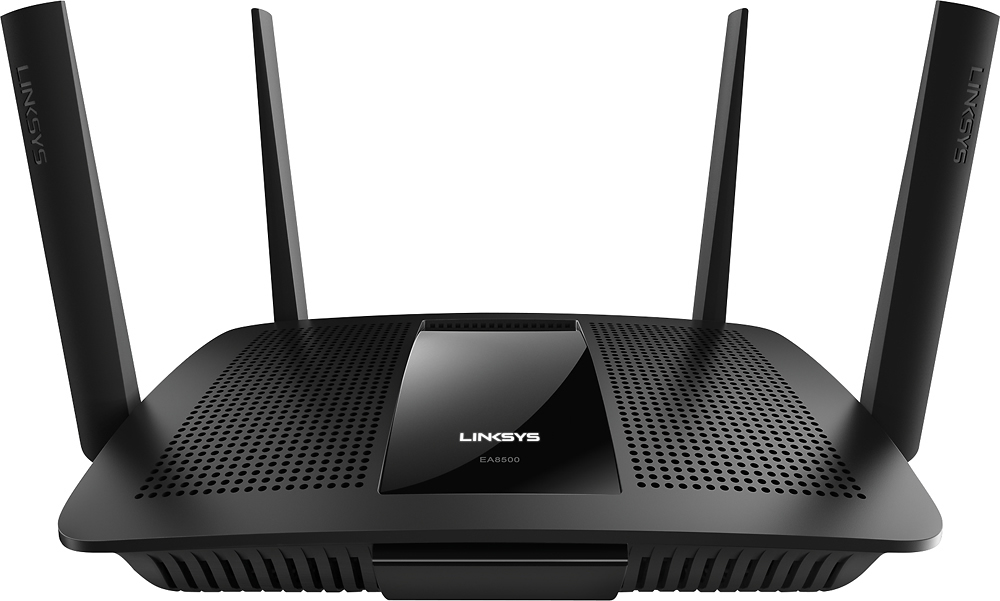
Posted .This reviewer received promo considerations or sweepstakes entry for writing a review.First of all... a Disclaimer... I received this product for free as part of Belkin's Friends + Family Program.. However, I have to say that this router is not as bad as many may think... I have worked in the IT field in computer support for over 21 years.. and have used various wireless routers. From the older WRT54G model Linksys to newer Linksys Models E300, etc.. I also have used Netgear and TP Link. This one is pretty nice... The physical stance of the router is nice... I do not care for the "Side Antenna", but that is my opinion... The antennas do not feel flimsy and I feel the whole device is made of study plastic. The power cable has sufficient length and does not require a HUGE transformer on the end.. The device has USB on the rear, but I do not have a use for it at this moment.. (I utilize printers via Ethernet connection)... I feel the product is great for homes and great for the normal public. I also would say the product is good for advanced persons too... No SPECIAL powers needed to use it or set it up... and also good configuration abilites for the advanced. I would advise any of my friends and family to NOT be scared of it.. It's a good product... Setup of the router was not BAD.. seemed to be a little confusing for those who do not use the wizards to set it up... I found that the setup is done via cloud based website.. This is not really a BAD thing... It allowed adminstration on-the-go without having to worry about port forwarding... I also did find the SSID of the 2 wireless networks can be set to the same... (good in my opinion) ... I have used it for my kids (and I did use it for myself too).. I was able to connect all devices to the router with ease... WPA keys of course.. IPADs, Laptops (varies in age).. Desktop Computers, Printers (both wired and wireless), cell phones (many brands) and gaming consoles were the normal users in my network... I would say I had about 15 devices at once connected... no lag experienced and all seemed to talk to each other with ease.. I did not have to change any of the detailed wireless settings to avoid the neighboring homes WIFI .. (I live in a normally populated neighbor hood with single and 2 story homes..)...
I would recommend this to a friend - Pros mentioned:Speed
Fast and stable
Posted .This reviewer received promo considerations or sweepstakes entry for writing a review.I received this product for free as part of Belkin's Friends + Family Program After a bit of frustration trying to get the router setup on my existing (and somewhat complex) network, I was finally able to get it up and running. Now that it's working we're getting really fast downloads. Connections are super stable, even in the far reaches of our property where the old network would often drop the connection. If you have a large area to cover and need the connection to be consistent, this is the perfect router for you.
I would recommend this to a friend Router
||Posted .This reviewer received promo considerations or sweepstakes entry for writing a review.Unable to set up to what we have , we're still trying
No, I would not recommend this to a friendBrand response from Linksys Staff
Posted .Hi, Carol,
Just like other Linksys Smart Wi-Fi routers, your EA8500 is easy to set up using the Smart Setup Wizard which is embedded in the firmware. Please share with us the details about your current network setup at [email protected] and we'll have one of our Escalation Engineers get your router up and running. Indicate your contact information and the link to this post.
Regards,
Jay
Linksys Support
- Cons mentioned:Size
Fast Wi-Fi speeds, Love the App features
Posted .This reviewer received promo considerations or sweepstakes entry for writing a review.I received this product for free as part of Belkin's Friends + Family Program. I was chosen to be part of a select group of testing for this router. I have to say there are a few turn offs for me. The size, it is 9.8 x 7.7 x 2 inches, and the 4 huge antenna's. The power brick is also very big and takes up alot of space as well as outlets that could be used on a power strip. So probably best to have one strip dedicated to this unit. Also I was hoping for a bit better range. Inside the house the range was excellent, but with the extra antenna's I was hoping it would reach out into my detached garage, but in all actuality that's about 70+ feet from where my router was located in my home. The plus side of things was that we really did see a big improvement in wi-fi speeds. If you are someone who works from home and is always on the computer you will see faster page loads and if you are a gamer, faster is better! I also loved the fact that there is an app available for the router. You can set up priorities for each device listed in your app that is connected to the router. I loved that I could see what devices were installed. You can set up parental controls so you can manage your children's time on the internet, AND you can do this away from home from the app! Set up was very easy with the quickstart guide. During set up you can choose to have a guest network and password. I liked this option and chose to use it. It looks unsecured but when someone tries to use the signal it will bring a window up for the log in information for the guest network, much like using a hotspot at Starbucks or your Doctor's office.There's a unique generated password that they will need to log in. The passwords are different for each router, so no worries with them all being the same for this model router. And again, all of this information is in the app. I have an Iphone 6 and the app worked perfectly. I am very impressed by the quality of this router and the speeds that I was able to achieve. These are my opinions and I was not compensated in any way for my thoughts.
I would recommend this to a friend Not worth the money
||Posted .This reviewer received promo considerations or sweepstakes entry for writing a review.I don't see a great improvenment for the money i cost.
No, I would not recommend this to a friendBrand response from Linksys Staff
Posted .Hi, Joey1,
This router should help you improve your network. We’d appreciate if you’ll email us your observations about its performance at [email protected] so that we can provide a few steps to help you experience its full potential. Please indicate your phone number and the subject or link to this post for reference.
Regards,
Irish
Linksys Support
- Cons mentioned:Firmware
Could be so much better
Posted .This reviewer received promo considerations or sweepstakes entry for writing a review.I received this product for free as part of Belkin's Friends + Family Program I would have loved to give this a better review. Pros: Initial set up is fairly easy, and the wireless signal in my house was greatly improved on both the 2.4Ghz and 5 Ghz range. Throughput was great. I transferred a 1Gig file between a hardwired PC and my laptop on both bands, up and down. Speeds were great, and I had extremely high hopes for this router. Cons: Random reboots. Every couple of days it would just restart. I learned that if you go to the routers IP address and add /sysinfo.cgi you can see the uptime. I would find it would reboot every day or two. I also noticed at the time of the install that my Foscam wireless home security camera would stop working. I thought it was a problem with the camera its self, until I connected to it hardwired and found I could view the image. On wireless it would respond to Pings, but I couldn't view the images, even on the LAN. Once I put my netgear wireless router back in, the image appears fine wirelessly. There was a firmware upgrade that was rolled out, so I tried that, thinking it would fix the reboot issue. I am not sure if it would or not, because as soon as I rolled it out, my Wink hub would constantly try to reconnect. It would go into a reconnect loop, so I rolled it back. If they can fix the reboot issue, the wink hub issue and the camera issue, I would be happy to give it five stars. Until then though, I have no choice but to give it the lower rating.
No, I would not recommend this to a friendBrand response from Linksys Staff
Posted .Hi. Thank you for sharing this detailed feedback with us. We’d like to look further into your issue. Please send us your contact details through our email at [email protected] so that we can create a case for you. Also include your location and the link to this review. We hope to hear from you the soonest.
Not a Capable Unit for our needs
||Posted .This reviewer received promo considerations or sweepstakes entry for writing a review.I needed a router that would work in bridge mode (this one does) but that would also allow true and full passthrough of Ip (this one doesn't.) Tech support is great but by the time we got to the bottom of the issue it was too late to return this router.
No, I would not recommend this to a friendA more upscale router
Posted .This reviewer received promo considerations or sweepstakes entry for writing a review.I received this product for free as part of Belkin's Friends + Family Program. Right out of the box you'll notice that the router is bigger than most routers, this is a plus, in 3 weeks of testing I never felt it get hot like other routers, the EA8500 just did its job. For those of your bothered by extraneous blinking lights you'll love this unit, it only has a visible white illuminated Linksys logo on the front, nothing blinky It replaced my old router and so far I have only had solid performance, coverage in my 1200 sq ft 2 story house was strong without dead spots. MU-MIMO is the next big thing in wireless for higher transfer speeds, but I didn't get a chance to test it since none of the items in my house currently support it, but it does mean I'm somewhat future-proofed. The Linksys Smart Wi-Fi app helps you set up the router to make it easier for new users and asks you to create a linksys.com account that it uses to let you access media remotely, if you're paranoid about privacy you can set it up without doing this, a bonus is that you can also turn off wireless radios from the back of the unit to help keep it more secure when you're not using it or not home. (or need to punish a misbehaving teenager...) It makes a gues network with a router web page sign on process, I'm not sure I like the fact a hacker can get to that page before entering credentials, but then I make sure my guest networks are off. This app also lets you configure the sharing option for any drive you connect to the router via its USB or eSATA port (YAY! eSATA option). The one thing it didn't do as well as it could was to help me set it up as an Access Point only, it took some looking on the Linksys site to find the instructions, other routers have a simple checkbox in their config for this. Overall I'm very impressed with the quality of the hardware and software and give it a thumbs up and the diane seal-o-approval.
I would recommend this to a friendBrand response from Linksys Staff
Posted .Hi,
We appreciate your taking the time in writing your detailed review about the Linksys - Wireless-AC Dual-Band Smart Wi-Fi Router. We took note on your feedback on your difficulty on configuring the router as an Access Point. Rest assured our Development team will know about this for future product development. Moreover, we’re happy about the positive things you reflect on the product. Should you have further concerns, please send us an email at [email protected] together with your contact details and the link to this post.
Regards,
Linksys Support
http://www.linksys.com
- Pros mentioned:Speed
Finally getting the internet speed I'm paying for
Posted .This reviewer received promo considerations or sweepstakes entry for writing a review.I received this product for free as part of Belkin's Friends + Family Program and I was excited to receive it after struggling for years with my home wifi. Our internet was painfully slow and would often just freeze up entirely. I tried calling my internet service provider but was always told it was operating fine on their end. I increased the “speed” of my internet package which didn’t seem to help. Next, I tried switching to a different provider and purchased new hardware through them. That helped somewhat, but FaceTime calls were still dropped and streaming video often paused for “buffering”. Upon installing the Linksys EA8500 Max-Stream AC2600 MU-MIMO Smart WI-FI Router, the increase in speed was immediately noticeable. I never realized just how many internet connected devices we had in our home until I switched everything over to the Linksys network and saw that we had 18 devices! Apparently our older hardware just couldn’t handle all of the devices and their traffic and we really needed the multi-user technology utilized in this router. In addition to the increase in speed, I like the high degree of control that I have over my networks which are readily accessible via the Smart Wifi app and the linksyssmartwifi.com website. I can easily change network passwords, control what content my kids have access to, set time limits for their devices, or just turn their wifi access off altogether! My experience with this router has for the most part been extremely positive with only a couple cons. I would have liked the installation guide included in the box to be more detailed, but there is a CD included for those who need more info. Also, two devices of my devices have lost connection with the network on a couple of occasions and would not reconnect. I know it was not a network issue because the rest of my devices were still connected. Performing a reboot of the router was required to get them to back online, but that’s easily done using the Smart Wifi app or website and it reboots rather quickly. In the 3 weeks that we’ve been using this router, my kids have not complained once that I need to “fix the wifi”, and that’s a huge improvement in our household.
I would recommend this to a friend - Pros mentioned:Ease of use, Speed
HUGE Improvement!
Posted .This reviewer received promo considerations or sweepstakes entry for writing a review.After having problems with our internet speeds for a couple months, I finally called Charter/Spectrum and had a service technician come out. He checked what speeds I was getting from the modem and it was 120ish MBPS - AWESOME! Then, he checked from my wireless router: 12MBPS - BOO! So, I did some research, checked reviews, found out what was the latest and the greatest in wireless routers and narrowed my list down to about 6 routers. Went to my local Best Buy and talked with a salesman, saw their selection, and looked into price matching and decided on this wireless router. It wasn't my #1 choice originally but, I was able to price match it and use reward coupons to get a KILLER DEAL! After having it for a few months my overall opinion: it's EASY TO SETUP, EASY TO USE, has a much LARGER AREA COVERED for wireless service, and I love the feature that allows only the devices that are currently in need of WiFi to use WiFi thus allowing the devices that are in need of WiFi to get as much speed as possible (and more than before). If you've got a business, large house, lots of kids or roommates, or you just want to upgrade and get something that works and works well: I can recommend this router.
I would recommend this to a friend Not the best
||Posted .This reviewer received promo considerations or sweepstakes entry for writing a review.I purchased this router for a large house. After less than two weeks, both of the WiFi radios went out. When it did work, it had great WiFi strength and speed. I returned this router and upgraded to the Linksys EA9500. I have had 0 problems with it.
No, I would not recommend this to a friendBrand response from Linksys Staff
Posted .Hi, TLMartin,
All Linksys products went through series of rigid tests from our Quality Assurance Team to ensure durability and high-quality. One of the reasons why your EA8500 router went out is due to a possible faulty firmware which could be addressed by a firmware upgrade and reconfiguration of the settings. We'll take note of your experience and we'll share this with our team for investigation.
For queries and assistance, feel free to contact us directly at [email protected], anytime.
We'd be more than happy to serve you.
Regards,
Jay
Linksys Support
Worked Well For Only A Year
||Posted . Owned for more than 2 years when reviewed.This reviewer received promo considerations or sweepstakes entry for writing a review.At first I was very happy with this purchase, but after a year or so the router started dropping the 2.4 SSID consistently. I did several troubleshooting steps including firmware updates, but nothing helped.
No, I would not recommend this to a friend- Pros mentioned:Range, Speed
Great router , and coverage
Posted .This reviewer received promo considerations or sweepstakes entry for writing a review.I received this product for free as part of Belkin's Friends + Family Program Previously I had issues with my devices dropping off the WiFi connection. This router is handling 8+ devices with no issues (1 roku, 3 computers, cell phone, printer, 2 tablets, and more). Range is excellent over 2500 sq foot .the Speed is excellent! and was super easy to setup and use.It has everything you need to get started right in the box and will be up and running in no time . i would highly recommend the product
I would recommend this to a friend - Pros mentioned:Performance, Range
Great for reliability
Posted .This reviewer received promo considerations or sweepstakes entry for writing a review.It does really well for having 10-15 devices online at a time. I have never been the biggest fan of Linksys software but DDWRT is not out for this yet (that I've seen). For the time being though it is a powerful router and has resolved most of my connectivity issues were the lower end ones could not. I have gone through around 5 different lower end brands for testing as well but this out performs them for range and reliability with higher numbers of devices.
I would recommend this to a friend Piece of junk
||Posted .This reviewer received promo considerations or sweepstakes entry for writing a review.Plugged it in, and it wouldn't even connect with it's own (Linksys) web site. Spent 5 hours with their tech services -- just as useless. Returned it and got an Asus AC3100 -- pricey BUT worked great, right out of the box.
No, I would not recommend this to a friendBrand response from Linksys Staff
Posted .Hi, Buyer,
Setting up the EA8500 router is always fast and easy. Your experience caught our attention and we regret to hear that you have already returned the unit. Please email us your case number or contact details at [email protected] so we can review your case and investigate where the process broke so this won't happen again.
We hope that you will give us a chance to make things right for you.
Regards,
Jay
Linksys Support
- Pros mentioned:Speed
Solid
Posted .This reviewer received promo considerations or sweepstakes entry for writing a review.Setup is a little clunky. Had to reset it a couple of times all i had to do was hold down the reset button for 40 seconds wish it said something about this in the box. Wish linksys gave you a option to do a offline setup instead of a online one through their portal, but i'll live. Speeds great hitting 90 up and down. Media server works fine with no problems setting it up. Overall good product so far.
I would recommend this to a friend Did not work
||Posted .This reviewer received promo considerations or sweepstakes entry for writing a review.This product did not work. I spent 3 hours with Linksys support, to find out the product did not work properly and they gave me an RA to return it. The store took it without a problem.
No, I would not recommend this to a friendBrand response from Linksys Staff
Posted .Hi, Luis,
Your Feedback is important to us. We regret to hear about what happened to your EA8500 router. We'd appreciate if you will share with us your case number at [email protected] for us to have a better understanding of your issue. Also, we'd like to check if proper assistance was provided during your previous phone call.
Hoping to hear from you soon.
Regards,
Jay
Linksys Support
This router blocks Netflix.
||Posted .This reviewer received promo considerations or sweepstakes entry for writing a review.I spent over 45+ hours with tech support and they could not figure out why this router blocks Netflix. Purchased another router (different company) and no issues
No, I would not recommend this to a friendBrand response from Linksys Staff
Posted .Hi, Badluck,
Any website should be accessible through the router unless you've enabled the Parental Controls and blocked specific sites. Allow us to know the steps you've taken so far with our Support team. In case you still have the router, we'd like to have you contacted by our Escalation Engineers for further assistance. Please email us at [email protected] with the reference number, your phone number, and the link to this post so we can endorse you to the team.
Regards,
Irish
Linksys Support
- Pros mentioned:Signal strength
Great beginner router, though expensive
Posted .This reviewer received promo considerations or sweepstakes entry for writing a review.I received this product for free as part of Belkin's Friends + Family Program Having had this router for about 2 weeks, my impression of this device is that it an excellent plug and play device without any advanced options that a router of this price should provide. Things I like about it are: - Multiple antennas that deliver solid signal strength - Solid signal strength over 2200+ sq. ft of the house - Great connectivity - delivers consistent rates, especially over 5GHz - MU-MIMO as future proofing technology, though none of my devices support it now - Stability ... having used it for 2 weeks, I have had no issues with connectivity or drop offs. What needs to be improved: - Status lights - currently there is a single light but it is difficult to gauge if there are any issues with connectivity, etc. solely by looking at it - Default guest network on - an inexperienced user may not realize that it is turned on, thereby making it vulnerable to attacks - Power connection that takes multiple outlet space - having a separate power brick with a standard plug would save outlet space.
I would recommend this to a friendBrand response from Linksys Staff
Posted .Hi SaratogaSam,
Your time for sharing your observations with the router's features is important to us. We'll pass this along to the Engineering team as those would be helpful for the future updates.
About the guest network, there's no need to worry about it. Although the wireless devices will detect it as an unsecured network, they can't get online easily unless they will input the guest network password via browser. Also, the devices connected to it will have Internet connection but they will have limited communication with other devices connected to the main network and doesn't have file and printer access.
For inquiries and assistance, feel free to reach us via email at [email protected]. We'd be happy to serve you.
Sincerely,
Linksys Support
http://www.linksys.com