Customer Ratings & Reviews




- Model:
- EA9500
- SKU:
- 5171100
Rating by feature
- Value
Rating 3.9 out of 5 stars
- Quality
Rating 4.2 out of 5 stars
- Ease of Use
Rating 4.4 out of 5 stars
Customers are saying
Customers are pleased with the AC5400 Tri-Band WiFi 5 Router's impressive range, ease of use, and strong performance, citing consistently positive experiences with setup and signal strength. Many appreciate the extensive coverage and numerous Ethernet ports. However, some customers note that the router is large and expensive. A few users mentioned occasional connection issues.
This summary was generated by AI based on customer reviews.
- Pros mentioned:Ease of use
Trouble free wireless
||Posted .This reviewer received promo considerations or sweepstakes entry for writing a review.This is a beast, probably more router than I need for the area that I'm covering (1400 sq ft) but I wanted solid signal, all the time, and in all places and it's doing that extremely well. Setup was straight forward. The mobile app is cool but limited in options, but allows me to check things out remotely when needed.
I would recommend this to a friend - Pros mentioned:Range, Speed
Awesome difference for a wi-fi router!
||Posted .This reviewer received promo considerations or sweepstakes entry for writing a review.This wi-fi router has the reach to cover my upstairs bed room computers without an extender. Had a Linksys WRT 1900 AC which was good but this router allows internet speed to come close to match hard wired speed even upstairs far corner of the house. Now I am ready to subscribe to 300+.
I would recommend this to a friend - Pros mentioned:Ease of use
Great purchase!
||Posted . Owned for 1 month when reviewed.This reviewer received promo considerations or sweepstakes entry for writing a review.Worth every penny (but even better when on sale)! Very powerful, no dead zones, and incredibly easy set up! My ranch home is under 2000 sqft (so this is bit overkill) but there are no dead spots and I can now sit out on my deck and do work!
I would recommend this to a friend Has improved coverage in our home
||Posted .This reviewer received promo considerations or sweepstakes entry for writing a review.Router coverage in our home used to be spotty. This provides better coverage including our new 4K televisions.
I would recommend this to a friend- Pros mentioned:Performance
Great
||Posted .This reviewer received promo considerations or sweepstakes entry for writing a review.Reading the information on this product I think I have bought the best for my house I’m excited to set this up
I would recommend this to a friend GoodCoverage
Posted .This reviewer received promo considerations or sweepstakes entry for writing a review.This is a free sample product received from Linksys Family and Friends program and is really awesome looking, it performs well and gives good signal coverage throughout my three room apartment. I was dissapointed to find it has no WPS button anywhere, and it dosen't recognize my wireless printer, it's probably something simple and I haven't contacted tech yet, I'm sure it will work fine when I can do that, You can't go wrong with Linksys. You will be impessed by it's looks and the coverage you get from it, If you invest in one I'm sure you won' be disappointed
I would recommend this to a friendBrand response from Linksys Staff
Posted .Hi, HeadZeppelin,
We value the time that you've spent in writing this review and we sincerely appreciate your confidence in our brand. With regard to the WPS button, it's still actually a feature of this model and it can be found in the side panel of the unit. For help in connecting your printer to the router, please email us at [email protected] with your contact details and the link to this post.
We will be glad to assist you anytime.
Regards,
Linksys Support
- Pros mentioned:Ease of use
Great Router
||Posted .This reviewer received promo considerations or sweepstakes entry for writing a review.This is a super Router I Love the 8 inputs FAST easy to set up its worth it you get what you pay for Robert
I would recommend this to a friend - Pros mentioned:Speed
Great wireless Router
||Posted .This reviewer received promo considerations or sweepstakes entry for writing a review.Conducted a test before and after installation and improved speed by at least 30mbps from the previous model
I would recommend this to a friend - Pros mentioned:Range, Speed
excellent for multiple devices
||Posted .This reviewer received promo considerations or sweepstakes entry for writing a review.We have over 10 devices at any given time and this router handles them no problem. No lagging or disconnections. I have the Verizon cheap Actiontech router that came with Verizon wireless service and we would constantly lose connection. I added this Linksys router and I pick up the signal at the end of my block
I would recommend this to a friend - Pros mentioned:Range
Works great
||Posted .This reviewer received promo considerations or sweepstakes entry for writing a review.We decided to go with a larger router to cover more space. It works good and has not gave us any problems.
I would recommend this to a friend - Pros mentioned:Range
Initial review
||Posted .This reviewer received promo considerations or sweepstakes entry for writing a review.I've only had the product for 3 days. I purchaced this to replace a first gen AC router. I own a 1800sq ft home and in the home the old router gave good performance; however, my backyard and front yard had no wifi service. I didn't want to buy a wifi extender where i had to choose between different wifi ssid's. I read reviews of this router (both on and off bestbuy) and the range of the 5ghz channel seemed to be very good. Well, all the reviews have been correct. I finally get a good (really good) wifi signal in my backyard, frontyard and garage. Should you have an even bigger home, this router has "seamless roaming" where you can pair it up with the linksys r7000. The r7000 will extend your wifi but the device will automatically switch between the router and the extender (assuming that your device is compatible for wifi roaming)
I would recommend this to a friend - Pros mentioned:Ease of use, Range, Speed

Beast Router: Ridiculous Range!!!
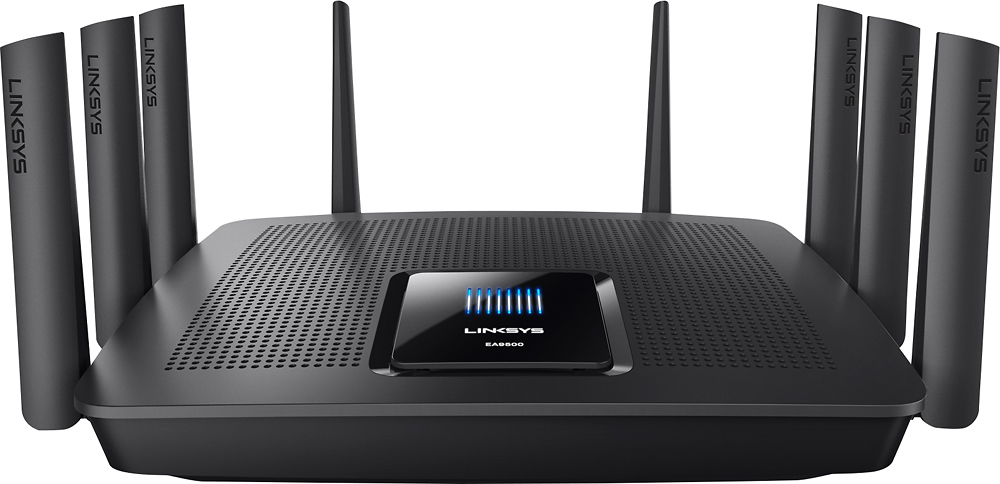
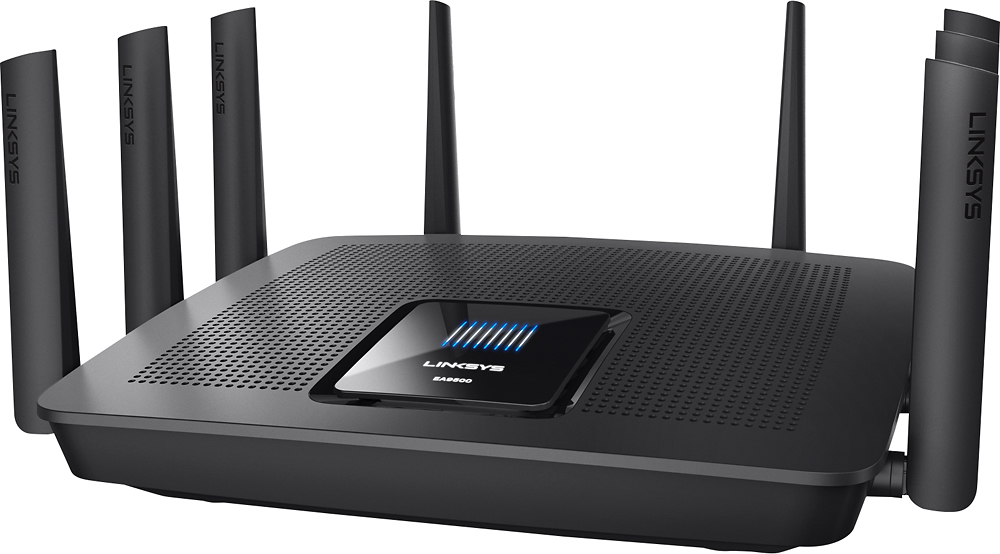
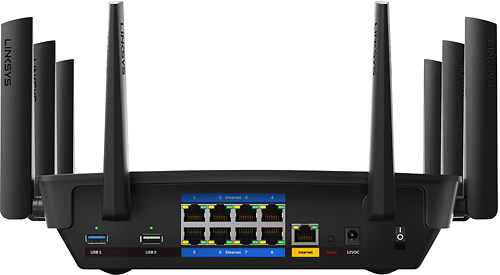
|Posted .This reviewer received promo considerations or sweepstakes entry for writing a review.The EA9500 Linksys router may just as well be the best router I have personally used. At its cost, however, it might be out of range for the average user, but let not deter you from considering all that it has to offer. Granted, if you have a large home and having a plethora of devices connected all at once is a necessity, then the EA9500 might just fit your needs. Speed is written all over this insane device. For me personally, the router was a life saver. Previously, the Wi-Fi in our home was horribly slow and inconsistent. It was so bad that even just one room over from where the old router was located, you would be lucky to even get a consistent strong signal. On the opposite side of the house, coverage was almost non-existent. Traditionally, I have always been skeptical at networking claims of improved speed or range as so many factors contribute to the overall experience. That all drastically changed with the EA9500. From the minute you open the box, the size of the EA9500 and sheer weight of it screams quality. The size of the EA9500 will require a relatively large flat, sturdy surface to store this router. It is also quite heavy for a router, weighing around 3-4 pounds. Furthermore, the plastic chassis was constructed quite well. It did not feel too cheap. The eight antennas will need to be carefully moved to the upright position. Overall, they felt pretty flexible but I would strongly caution that once they are situated upright, they are left alone afterwards. On the back of the unit, there are eight Ethernet Gigabit ports, along with one labeled internet for your original source connection. Furthermore, one USB 3.0 and one 2.0 port are available for sharing various devices. It was also nice that the two USB ports support the NTFS file system for storage. HFS and FAT are also supported. In addition to the physical aspect of the EA9500, for wireless capabilities, it features a triple channel design that is split up by 2x5 GHZ channels and one regular 2.4 GHZ. The 4x4 MU-MIMO facilitates the use of multiple devices on your network. Thus, the EA9500 allows four data streams per band. In addition, setup was straightforward and I did not have any issues connecting the router. I connected the main internet cable from our PACE modem to the port labeled internet and then I connected my laptop to the first Ethernet port. I was able to access the Smart Wi-Fi website and connected using the included password. The main screen shows all the various devices connected and was fairly straightforward. One feature I personally liked was the ability to split the two 5 GHZ channels by disabling an option called band steering. As a personal preference, I liked to see where I am physically connected to, thus I chose to disable it. Overall, the web browser configuration will require you to tinker with it so you can familiarize yourself with it. It was quite simple. The range of the EA9500 was perhaps the greatest improvement over our previous Wi-Fi setup. In our 2700 sq ft home, any room other than the study where the actual router was located received only three bars or less. Furthermore, latency and inconsistent drops plagued the whole house even in the study. In our TV room upstairs, which usually has a decent signal as it is directly above the study, I noticed our Sony BDP-S3500 bluray player kept bouncing connection strength anywhere from 20%-95% and kept spiking inconsistently up and down. Throughout the whole house, phones, tablets and laptops displayed similar behavior. Our speed test in my upstairs bedroom showed 13 MBPS download and around 34ms in latency. Immediately repeating the same test, I barely received 5 MBPS and a spike in latency over 150ms. The EA9500 was then connected and night and day does not even scratch the surface of the improvement. Every single room is literally full Wi-Fi signal strength, and consistent speeds of 20-22 MBPS were noted in almost every single test I performed. In addition, I noted latency was around 24 ms or lower. Fortunately, in almost every test I performed, the results were nearly identical to the one before it regardless of location. The bluray player showed consistent 90-100% connection strength and rarely went below 98%. Furthermore, in the kitchen where previously WI-FI signal would be so poor that some devices would disconnect altogether, we now had full strength and consistent speeds as if we were directly in front of our EA9500. Lastly, in our backyard, where before I couldn't connect at all, I was able to pick up almost full signal on the 2.4 GHZ channel. On the 5 GHZ channel, I was expecting a much weaker signal since by default it does not reach as far as the 2.4 GHZ one. However, I was still able to pick it up and connect to even at poor range; ironically, it ran exponentially faster and consistent than even a full set of strength bars on our old router. Absolutely stunning! I am confident you would see similar range improvements as well. Furthermore, I would caution that while speed improvements may correlate with improved range, most speed improvements are influenced more heavily by ISPs and your particular speed. Thus, while you may see an increase in speed, do not expect it to be exponentially faster than what your ISP has you capped at. For us, the EA9500 brought consistency to our network, and we are finally receiving our correct speed that is listed in our service. Another aspect of the EA9500 I would like to mention is its Max-Stream capabilities when paired with extenders; in my case, I had the pleasure of testing the RE7000. I would like to mention that when the range extender is connected to the EA9500, it automatically detected that my EA9500 was Max Stream ready and asked if I would like to enable the feature. Similarly, like the band steering I mentioned earlier, the range extender and the EA9500 are essentially merged under the same SSID, except here it's worth noting that it is obviously two physical devices as oppose to two channels. I want to strongly caution that your results will vary here depending on how you setup the range extender (i.e. wirelessly or as a wired access point), internet speed of your service, and the physical location of the router and extender. Nonetheless, the feature did work as intended and I noticed on the Smart Wi-Fi utility home page the RE7000 was listed with Max Stream enabled. The EA9500 has pushed our network to a place I never thought possible by one device. No longer do we have inconsistent speeds, lag spikes, or stuttering on any device. The solid construction and premium feel to the router itself has made this an unbelievable experience. It has more than improved our range and we are now able to consistently access the internet anywhere in the house. Although the router itself does come at a cost, it has more than lived up to what it was designed to do. However, it is no secret that EA9500's target audience is firmly positioned for the enthusiast crowd or power users who want the absolute best. It absolutely performs like a top end product as its cost should indicate. Consequently, though, it is not for everyone and the majority would perhaps benefit by looking at cheaper alternatives. I strongly recommend the EA9500 and believe it is an exceptional product, but caution equally that cheaper routers do exist. In the end, if you still desire the best, the EA9500 may just serve you a satisfying full course of internet.
I would recommend this to a friendBrand response from Linksys Staff
Posted .Hi, Dragonhunter281,
We're happy to hear that your new EA9500 router made a significant improvement on your Wi-Fi and the performance is really stunning! Allow us to share your experience with our Team.
For queries and assistance, contact us directly at [email protected], anytime.
We'd be more than happy to serve you.
Regards,
Jay
Linksys Support
- Pros mentioned:Range, Setup
Needed to expand WiFi in my house.
||Posted .This reviewer received promo considerations or sweepstakes entry for writing a review.I bought this as an expander to my DSL Provided wifi router that wasn't powerful enough to reach all the rooms in my house. Placed it in the center of my home and have all my devices, TV's, multiple computers connected to it. Works perfectly, provides much faster speeds and very easy to set up.
I would recommend this to a friend Great router
||Posted .This reviewer received promo considerations or sweepstakes entry for writing a review.Works much better than my old one. Don't need the extender. Has strong signal thru out house and yard
I would recommend this to a friend- Pros mentioned:Ease of use, Speed
So far, rock solid
||Posted . Owned for 3 weeks when reviewed.This reviewer received promo considerations or sweepstakes entry for writing a review.I've had this router for a little over a month. Thus far, no problems. I am getting faster internet download and upload speeds than the older version of this product. It was easy to set up and with automatic firmware updates, I feel safer against internet exploits.
I would recommend this to a friend - Pros mentioned:Setup
Great WiFi for tech home
||Posted .This reviewer received promo considerations or sweepstakes entry for writing a review.Love the easy setup and I have many devices from hue lights to Sonos speakers and wiresless security system. This router keeps up.
I would recommend this to a friend - Pros mentioned:Setup, Speed
The most stable router.
||Posted .This reviewer received promo considerations or sweepstakes entry for writing a review.I have used multiple brands of routers. The Linksys AC5400 turned out to be the best. It was easy to setup, extremely fast, and most important of all, very stable. That is, it does not lose connectivity and does not fluctuate in speed. It simply is the best router.
I would recommend this to a friend - Pros mentioned:Performance
Great Tri-Band Router
||Posted .This reviewer received promo considerations or sweepstakes entry for writing a review.Weeks after purchasing and setting up, no issues so far, I hope it continues to work great for me!
I would recommend this to a friend - Pros mentioned:Performance
Fast and strong WiFi connection throughout my home
||Posted .This reviewer received promo considerations or sweepstakes entry for writing a review.When I first setup the router, I was prompted to setup a Linksys Smart WiFi account. I wasn’t interested in creating another username and password I would have to remember. But, thankfully, Linksys includes a “no thanks” option that allows you to configure everything locally. The Smart WiFi gives you some “apps” and remote control, but if you’re not interested in those functions, you can bypass it completely. The guest network allows you to create a separate network, name it something different and give it a different password. That way, you don’t need to give out the password to your “real” network to friends and family who may be visiting. The guest network is also isolated, so users on the guest network cannot see shared files from your computer. Overall, this is a powerful, high performance router that provides a stable and strong WiFi connection throughout my home. The very well-done web interface provides a lot of customization options making it ideal for advanced users as well.
I would recommend this to a friend - Pros mentioned:Setup, Speed
Expensive, But Does the Job Well
||Posted .This reviewer received promo considerations or sweepstakes entry for writing a review.Probably did not need quite this much of a router, but elected to drop the extra $'s on this one. Installation and setup was a breeze. Router is much better than my setup needs so can't really address overall capability, but it is fast in my set up. Lives up to expectations.
I would recommend this to a friend