Customer Ratings & Reviews




- Model:
- EA9500
- SKU:
- 5171100
Rating by feature
- Value
Rating 3.9 out of 5 stars
- Quality
Rating 4.2 out of 5 stars
- Ease of Use
Rating 4.4 out of 5 stars
Customers are saying
Customers are pleased with the AC5400 Tri-Band WiFi 5 Router's impressive range, ease of use, and strong performance, citing consistently positive experiences with setup and signal strength. Many appreciate the extensive coverage and numerous Ethernet ports. However, some customers note that the router is large and expensive. A few users mentioned occasional connection issues.
This summary was generated by AI based on customer reviews.
Linksys - AC5400 Tri-Band WiFi 5 Router
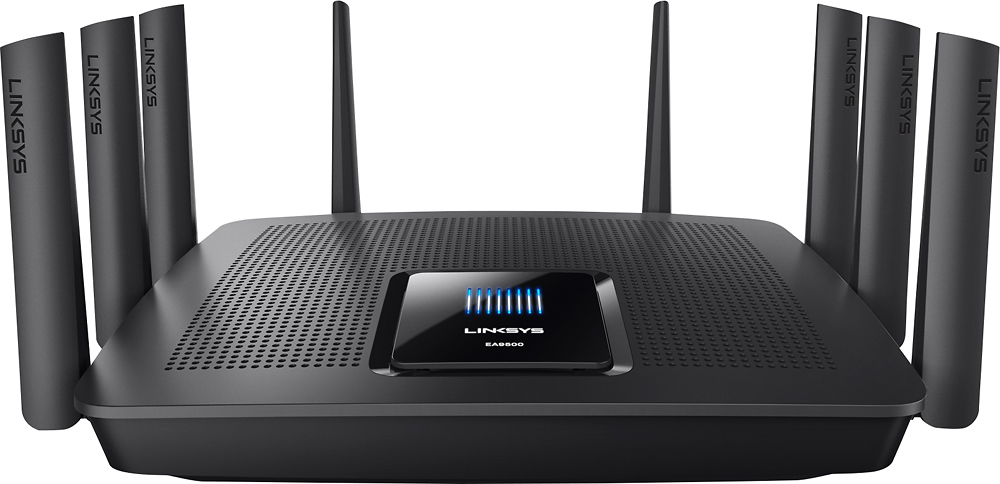
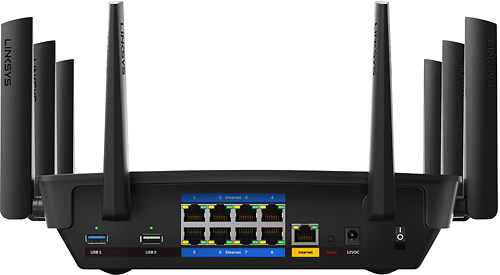
||Posted . Owned for 1 week when reviewed.This reviewer received promo considerations or sweepstakes entry for writing a review.I had an old Linksys router that served my well for many years. The 5Ghz band was going in and out from time to time; so, I upgraded the this beast. It is huge comparted to my last router but it has 8 ethernet port, instead of 4, and it has two 5Ghz bands, old one just had one as far as I know. The guest band has a 2.4 and 5Ghz. The WIFI signal is stronger throughout my house and in my basement, than on my old router. It has a devise priority section so I can ensure the devises that I want to get the most band with will continue to perform during high traffic times.
I would recommend this to a friend- Pros mentioned:PerformanceCons mentioned:Price
overpriced/ mediocre performance/ complex setup
||Posted .This reviewer received promo considerations or sweepstakes entry for writing a review.Expensive. overkill unless you have a ridiculous amount of devices. Need gigabit internet speeds to take full advantage. It does not support 160Mhz ch width so don't expect to get over 350 Mbps over the air (unless your sitting 10 feet away) Yes, you can achieve a total of 5.3 Gbps of network speeds but not all at once. The fastest wifi speeds that can be achieved by a single device is 1.7Gbps, and this is only via means of 160Mhz channel width utilization (Which this router does not have). Even then, don't expect to achieve that 1.7 Gbps internet speed, because the required channels that enable this connection have atrocious throughput dropoff right around 3-5 feet from the device. But don't worry about that, because this router doesn't even support it. The "5.3 Gbps wifi connection" is spread over the three different bands with each having different combinations of connection links that, when added up, give a total of 5.3 Gbps of WIFI networking capability. This only affects your local network throughput/connection, which is great if all you are doing is streaming from a local computer over your local network or gaming via LAN. Theoretically, this capability would be great but this is assuming that you will actually need to utilize that much bandwidth simultaneously and even then this assumes your internet connection can match that demand if you are. What this means is: Great, you can dedicate one of the three bands to your gaming/ streaming devices and you won't get any latency issues because it's dedicated and you have QOS. Theoretically, the QOS will route all the internet throughput to your gaming devices (assuming it actually works) to optimize performance and everything is all good, right? Well if this is the case, this means that all the other devices that are connected to the other two bands will not suffer lag over the local network, but they will now suffer and be competing for throughput from the modem, leaving you in the same place you started.
No, I would not recommend this to a friendBrand response from Linksys Staff
Posted .Hi EliteMemberIan,
We'll make sure to take note of your feedback. What we'd like to do is to have our Escalation Engineers provide you their insight regarding this matter. Email us at [email protected] and we'll have this taken care of. Please include your phone number and the link to this review for our reference.
Regards,
Princes
Linksys Support
- Pros mentioned:Speed
Best Router ever owned
||Posted .This reviewer received promo considerations or sweepstakes entry for writing a review.I was beside myself with om AT&T U-Verse router, kept dropping signal which caused a reset on 15 items connected. The EA9500 fixed those issues.Fantastic coverage and speed..Worth every penny
I would recommend this to a friend - Pros mentioned:Range
Powerful signal
||Posted .This reviewer received promo considerations or sweepstakes entry for writing a review.Router has all the power needed for multiple phones, iPads, computers, wifi thermostats, smart tvs, etc. Enough range throughout entire house and perfect signals. Worth the price tag for constant coverage!
I would recommend this to a friend - Pros mentioned:Ease of use
It's good
Posted .This reviewer received promo considerations or sweepstakes entry for writing a review.It's very easy to use, i like it so much... beautiful router wireless
I would recommend this to a friend - Pros mentioned:Setup
Awesome router all around
||Posted .This reviewer received promo considerations or sweepstakes entry for writing a review.Easy to setup and easy to manage. Covers 1800+ sq. Ft. House with no issues. Probably a bit overkill to be honest, but I wanted to make sure I had complete coverage. Would definitely recommend.
I would recommend this to a friend - Pros mentioned:RangeCons mentioned:Price
Fast
||Posted .This reviewer received promo considerations or sweepstakes entry for writing a review.A little pricey but worth it. I have a 2 story house. Covers everywhere in the house. Recycle an old router or modem and get a coupon for 15 percent off of purchase for new router.
I would recommend this to a friend - Pros mentioned:Performance
Great bandwidth and reach
||Posted .This reviewer received promo considerations or sweepstakes entry for writing a review.This router is able to cover my entire house . We can now use the ps4, 4 phones, 4 HDTV's, and streaming on two laptops at the same time. This is a fantastic device and we'll worth thevery cost
I would recommend this to a friend Just what my streaming family needed
||Posted .This reviewer received promo considerations or sweepstakes entry for writing a review.This router is definitely a must for the modern family with a lot of wireless devices. I have mine on the second floor and the coverage is great through the whole house. I also turned on the guest access so I feel better about NOT giving out my password to friends and family. I like that you can also prioritize media devices like my apple tv or ipads. The down side of this is that it's a bit complicated for the casual user to use behind another router from the cable company if you need to expose any of the PCs to the internet.... but nothing some web searches can't walk you through if needed. Simple set up and app to manage on your phone makes it extremely flexible.
I would recommend this to a friend- Cons mentioned:Size
Solid Router
||Posted .This reviewer received promo considerations or sweepstakes entry for writing a review.The only problem I found with this router was the size of it. Other reviews don't do it justice. Everything about this router is awesome. 8 ethernet ports is a wonderful bonus.
I would recommend this to a friend - Pros mentioned:Speed
Way better than Netgear Nighthawk
||Posted .This reviewer received promo considerations or sweepstakes entry for writing a review.I bought the Netgear x6s before this because of its reviews. I have a condo that’s about 1400 sq for and the WiFi speeds were so bad that I ran a wire. Even after a running cat6 through my house the Netgear would get 500Mb at best. I returned it and got this. Now with my comcast gigabit service I regularly get 980+ Mb connections to multiple server locations according to ookla, fast.com, googles fiber speed test. WiFi is about 200% faster than Netgear with my pc (latest Alienware), 15” MacBook Pro (3 months old). Best Buy employees tried to talk me into mesh but this solves all problems and it does it amazingly.
I would recommend this to a friend - Pros mentioned:Ease of use, Range
ROUTER
||Posted .This reviewer received promo considerations or sweepstakes entry for writing a review.I HAVE PLACED THE ROUTER IN MY BUSINESS TO EXTEND THE RANGE OF MY WIFI. I HAVE BEEN WELL PLEASED WITH THE INCREASED RANGE PROVIDED. ALSO THE EASE TO CONNECT THE ROUTER WAS VERY SIMPLE.
I would recommend this to a friend - Pros mentioned:Performance
Excellent wifi
||Posted .This reviewer received promo considerations or sweepstakes entry for writing a review.Finally a router that works without the lag. I stream, netflix, online ps3 action with no issues. Pricey item but I will never have to worry again, at least for a while.
I would recommend this to a friend - Pros mentioned:Ease of use, SpeedCons mentioned:Price, Size

A Decent (if Expensive) Router
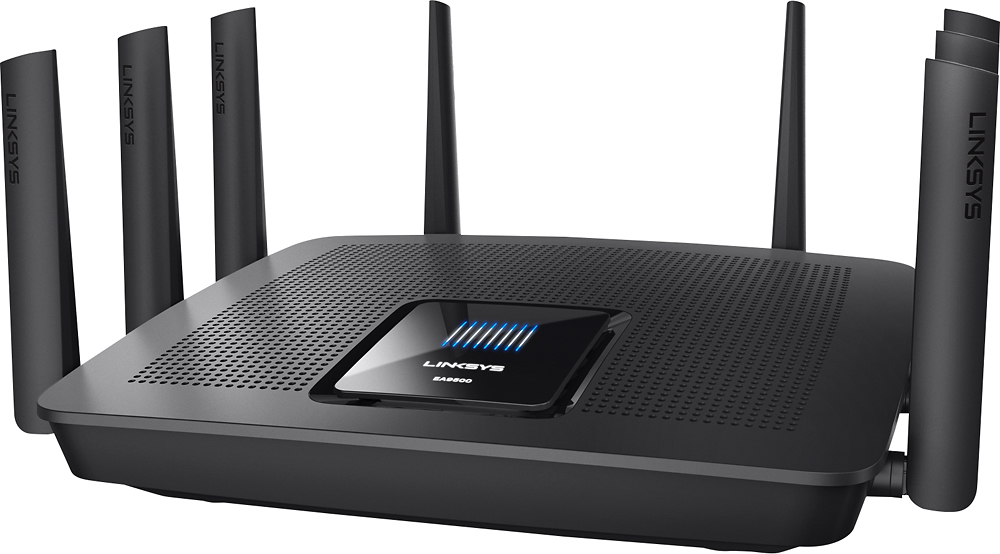
|Posted .This reviewer received promo considerations or sweepstakes entry for writing a review.Let's start off this review right... This router is big. Really big. At about 1' square, it takes up a sizeable footprint. The box it came in was labeled for 7lbs which should give you a hint as to how much gear is in this thing. Starting with the hardware, this machine has everything that your tech enthusiast could want - Wireless AC/N/G/B, dual-core processor, MU-MIMO, 3 year warranty, 8 gigabit ethernet ports and even VLAN tagging. Comes complete with two USB ports on the back for hard drive sharing on the network and distinct buttons for disabling the WiFi and for WPS. Even has some pretty lights on the top if that is your kind of thing. Only bad part I noted was that the eight antennae are all permanently affixed to the case. Might allow for less interference compared to a screw style antenna, personally I wish I could remove the antennae. First thing you are going to do when you plug it in is set it up (obviously). Linksys has done their best to make setup as easy as possible. The software will auto sense what class of network your internet connection is running and will then pick a range that will not conflict with it. After that, you can connect to the router (wired or wireless) and type in linksyssmartwifi.com to instantly get started. This easy setup unfortunately leads to one downfall for the basic consumer - the first time I hooked the router up, I neglected to hook up the internet connection. The result of which was a dialog stating that I needed to factory reset the router after plugging in a network cable. I have performed a few factory resets for this review, I think only one of them was actually used because I personally wanted the router to be at factory settings. Obviously, being a modern router, it has a ton of software coming with it. The firmware for the system was a bit disappointing as it matches my three year old Linksys EA3500 router. It's not a bad thing, just disappointing that the software for this relatively expensive router is running the same as my low-end Linksys. I was hoping for some extra bonus features at this price is all. Linksys also offers the Smart Wi-Fi Android application, letting you configure the router with the same user-friendly experience as the router homepage. And this presents another downfall; of the several they claim exist for this router, the only app that is Android supported is 'NetProofer' - an application that supports easy setting of parental controls, sold at an additional $0.99. Again, for the price of this router, I feel like it should be rolled in. Since the rest are not compatible with Android and I do not have an iOS device, I cannot comment any further. Years ago, when Linksys first introduced Smart WiFi, they made it mandatory for you to create an account to configure your router. Not so today - unless you want to be able to use the Smart WiFi app (I recommend this for reasons I'll get to below). <PAUSE> A bit about me... I wouldn't classify myself as an early adopter however, I went to school for a degree in technology and work in a large IT organization. I stopped using consumer routers due to a lack of configurability and that I wanted so much more out of my kit. This is important for the next part. I live in an apartment complex with another 50+ units all broadcasting WiFi. My apartment is about 700 Sq Ft. My broadcast concerns are more about strength than distance. The network speeds this unit offers over WiFi are not bad (and you can see that in the screenshot attached); for reference, I'm currently on gigabit internet and frankly, the built in SpeedTest does not cope well with speeds that high. <RESUME> How do I intend to use this product? I am planning on swapping out my older Linksys and my gigabit switch in favor of this router which will be set to bridge-mode (turning it essentially into an WiFi access point combined with a switch and little routing intelligence). In this case, the software exhibits another downfall. When set to this mode, the huge list of options that you normally could play with turn into three basic configuration nodes - you can't even configure the external storage settings... Unless you have the Smart Wi-Fi app, which appears to ignore the mode and allow you to configure everything as normal. I wish that setting the router to bridging mode didn't actually kill all the nice features off. >>> That noise is too long, I don't want to read that! Would you buy it. That's all I want to know!!!! For the price on release, I think that this router is a tad bit too expensive for the features it offers, especially for my current living situation. It has some nice features on it for sure, however with a little bit of education, competing solutions designed for business implementation can be acquired for possibly less. >>> Who should buy it then? Does the phrase "VLAN Tagging" scare you because you don't know what it is? Does network technology coming in cold metal boxes seem intimidating? Want to set up WiFi at home in a set-it-and-forget-it style? Then yes, you should buy this. And the people who match this set would be the people I would recommend this product to; if they had a need for something this powerful. NOTE: This router has been given to me by Belkin in exchange for a fair review. I'd like to think that I have not become biased as a result of this transaction.
I would recommend this to a friend - Pros mentioned:SpeedCons mentioned:Size
Good Router But Ugly
||Posted .This reviewer received promo considerations or sweepstakes entry for writing a review.Fast router. iPad downloads at 120 mbs. Expensive. It is ugly and takes up a lot of desk space. It looks like dead spider on its back. Setup required a call to Linksys tech support but eventually it was setup. So far so good.
I would recommend this to a friendBrand response from Linksys Staff
Posted .Hi, Bieb,
Supposedly, setting up this EA9500 router should be easy using the Smart Setup Wizard which is embedded in the router's firmware and is available even if the router does not have an Internet connection yet, or the router is on its factory default settings. For a smoother and faster setup process, make sure that your router is ready and is broadcasting its default network name SSID.
If you need help with the product in the future, don't hesitate to reach out to us at [email protected], anytime. Our Escalation Engineers are more than willing to assist you.
Regards,
Jay
Linksys Support
- Pros mentioned:RangeCons mentioned:Price
Blanket your home in wifi
||Posted .This reviewer received promo considerations or sweepstakes entry for writing a review.Although quite pricey, it appears that I have heard my wife say for the last time, "the wifi isn't working." Since I put this router in, we have great wifi in our 4,000 square foot home.
I would recommend this to a friend - Pros mentioned:Range, Speed
Best router on the market
||Posted .This reviewer received promo considerations or sweepstakes entry for writing a review.I have many router at skill levels and linksys always keep up with faster streaming, and mbps speeds, among the best covering 4000sq smarthome with over 70 devices
I would recommend this to a friend - Pros mentioned:Range
Excellent WiFi Router
||Posted .This reviewer received promo considerations or sweepstakes entry for writing a review.I was looking for a robust WiFi router that not only would cover a large area over 3000 Square feet but also be able to aggregate multiple GigE connections. One of the important factors was ease of use, modern and robust GUI interface and the ability to control and receive notifications on cell phone. This device has performed very well and has enabled me to manage the physical and WiFi connections at the same time. There was a minor issue with original unit, things happen but between Linksys support and Best buy service it was resolved on the same day. Excellent build quality a little high $$ but worth all the features.
I would recommend this to a friend - Pros mentioned:Range, Speed
great faster router if you have alot of devices
||Posted .This reviewer received promo considerations or sweepstakes entry for writing a review.easy setup, a bit expensive if you can afford it.but its a phenomenal router,fast ,great range, no buffering when streaming anything, would recommend this to anyone!
I would recommend this to a friend - Pros mentioned:Speed
Excellent router
||Posted . Owned for more than 2 years when reviewed.This reviewer received promo considerations or sweepstakes entry for writing a review.Super strong signal and super fast... it covered over 1300 sq/ft without any problems... I highly recommend this router for its signal strength and speed.
I would recommend this to a friend