Customer Ratings & Reviews




- Model:
- EA9500
- SKU:
- 5171100
Rating by feature
- Value
Rating 3.9 out of 5 stars
- Quality
Rating 4.2 out of 5 stars
- Ease of Use
Rating 4.4 out of 5 stars
Customers are saying
Customers are pleased with the AC5400 Tri-Band WiFi 5 Router's impressive range, ease of use, and strong performance, citing consistently positive experiences with setup and signal strength. Many appreciate the extensive coverage and numerous Ethernet ports. However, some customers note that the router is large and expensive. A few users mentioned occasional connection issues.
This summary was generated by AI based on customer reviews.
- Pros mentioned:RangeCons mentioned:Size

Loving it but size is a factor
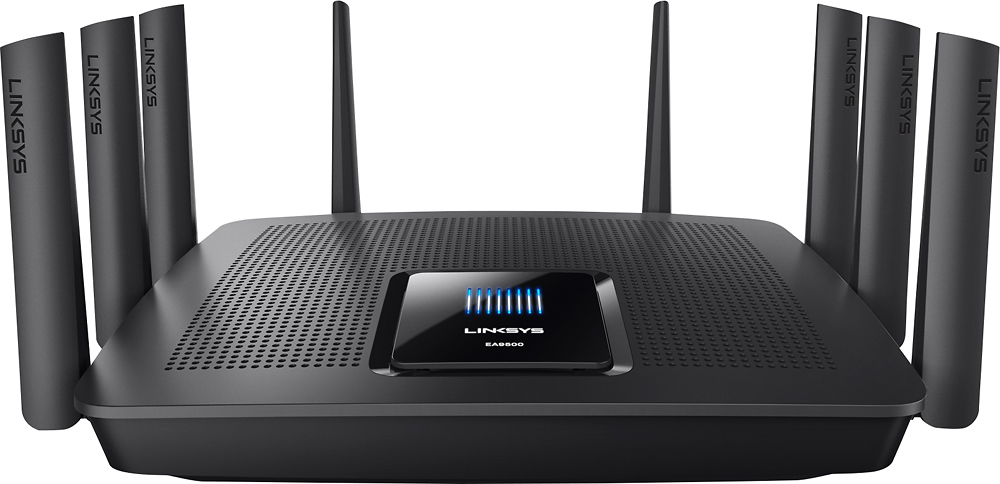
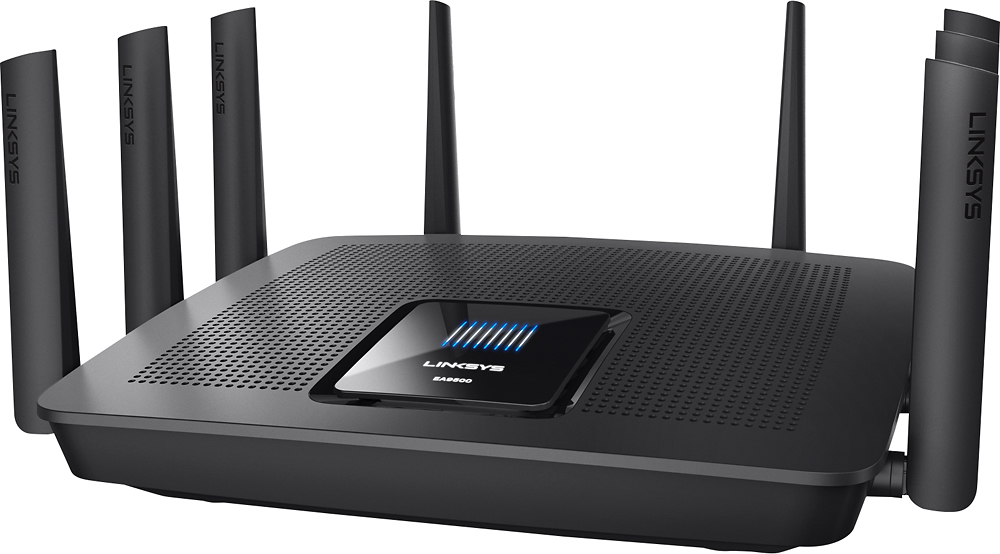
|Posted .This reviewer received promo considerations or sweepstakes entry for writing a review.This device comes nicely packaged with all the needed accoutrements. There is a two part power cable, ethernet cable as well a disk that purports to contain the documentation. (I have Macs and no need for a DVD drive so I can't vouch for what is on the disk). It supports 802.11 ac and features tri-band, quad-stream functionality. The 5GHZ band automatically switches between 5Ghz1, and 5GHZ2 to assure the fastest connection. I am an Apple Heavy household and the MU-MIMO ac functionality is a real plus. Supporting 2 iMacs, Macbook Pros, iPhones and iPads while streaming Apple TV. The fact that this router allows, each device to have its own stream and prevents lag along with the ability to prioritize streaming devices over say 'The kid's gaming computer' leaves a peaceful household all around. Setup was easy and I had this up, running and connected within 5 minutes. Instructions are minimal but IMHO, unneeded. The user interface is great and the app definitely comes in handy for using the device when you are away from home for the basics. Again no option to dig as deep as I would like without logging in to the router from a computer, but no complaints there. I also received a range extender, which I felt would be a godsend since this is replacing the EA7500 that fell victim to dead spots over all over the house. Surprisingly, this router delivers what it promises with a great range, despite my stone walls that played havoc with the previous router. From one end of the house to the next I never dropped the main signal, more over, the seamless switching appeared to never feel a need to kick in and connect me to the range extender. This held true even with the door to my home office closed which generally would be a deal-breaker for the older device. I actually needed to hook up the earlier router to see any switching over to the extender network. This works for me. The only reason, I removed a star, was due to the sheer size of this thing. If you plan to put this unobtrusively in a corner, I suggest clearing some shelf space, This is HUGE for a home router. I have attached some pictures that I took during the unboxing. No, that is not an iPad mini, that is a 9.7 inch iPad pro there in the case. That is also not a 13 inch new Mac Book pro that only has about a half inch of remaining length. That is a 2013 15 inch MBP that the router is sitting atop. Word to the wise, if you are going to invest in this router for the home space, make room. Is the extra size worth it? Absolutely!
I would recommend this to a friend A Monster Router and Great Functionality
|Posted .This reviewer received promo considerations or sweepstakes entry for writing a review.This thing is a monster! The box is (H)UUUUUUGE and I now know why. Here are some tips, notes, pros, cons and 'meh': Tip: Set this up - when it's the only router, aka: don't try to stage it & just plug it in. Like I tell my customers, "sometimes it just makes sense to take an outage." I tried to stage it, but nope - had to reset. Note: - I ran into an interesting thing - my WD MyCloud device uses UPNP to hook up to the MyCloud service. If you host a webserver and haven't done your port forwards yet, don't plug this thing in; it steals ports 80 & 443 and the only way to get it back is to disconnect the MyCloud & reboot the router. Then, set up the port forwards & when all said & done, connect the WD MyCloud. - When you specify a starting DHCP range, it doesn't assume you mean from X -> 254. You have to tell it how many IPs you want, sequentially, in the range. This bit me when I said "start at 174" and it gave me, let's say 40 IPs and I tried to make a DHCP reservation at .250. It kept telling me that .250 is "invalid" -- not "out of the DHCP range," it had me going for a few minutes - and REALLY scratching my head. PROS: Comes pre-assembled with all 8 antennae DUAL 5GHz radios Better coverage than my previous N router 8-port switch built in GUI Widgets for quick access CONS: Not wall mountable GUI Speed Test - very inaccurate (I'm at 75+Mb/s & it shows me ~35Mb/s) No openVPN capabilities (had to spin up and configure a virtual machine to host an openVPN server) 1 GUI Widget is an Ad and you can't remove it Meh: Guests have to enter their password on a login page (not in the WiFi settings) Network Map is cool, but doesn't give you any vendor info from the MAC address - so it's a hunt to find out which device is which IP.
I would recommend this to a friend- Cons mentioned:Lag, Size
Biggest Router I've Had Yet
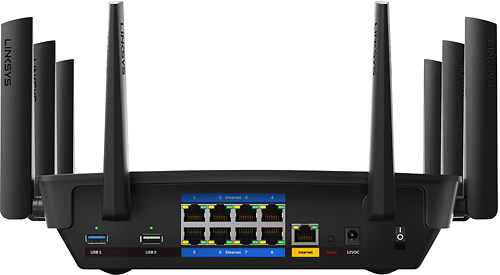
|Posted .This reviewer received promo considerations or sweepstakes entry for writing a review.While I thought I already had the best router you could buy for home, it was lacking in a few key areas. This router made up the difference and much more. With a wife and three daughters constantly streaming video online and my gaming, sometimes they'd complain about the video quality dropping on their videos or I would have problems with lag and buffering gave me headaches. In the short amount of time that I've had it, I have not made any changes to my service speed, mostly because I've had the highest offered for a year and a half, and the only real change I've made is that I removed the wired wireless extender I had on my network. I've had no problems at all. As far as installation goes, I removed a switch that was right next to my original router because this one has 8 LAN ports, as my last one only had 3. Don't be like me and plug both ends of one cable into the router... it will not go into configuration mode. It took me a good 15 minutes to figure that out, mainly because I didn't pull all my cables out from behind the shelf they were hidden behind. As soon as I unplugged that cable from the router, following the included install instructions went flawlessly. I have not used this router to its full potential, but I look forward to putting it through a few more paces. I will definitely update this review if I find any flaws. If you're looking to upgrade to this router, I strongly suggest that you look at the size vs the size that your current router is. There are no mounting brackets on the bottom, and it takes at least a square foot of horizontal table or shelf space. Personally, I think it is worth the real estate, but you should know this before you buy it.
I would recommend this to a friend - Pros mentioned:Setup
5g performance is fantastic!!
|Posted .This reviewer received promo considerations or sweepstakes entry for writing a review.LINKSYS EA9500 MAX-STREAM™ AC5400 TRI-BAND WI-FI ROUTER Setup was simple and without hassle. The app is straightforward. Took about 5 mins. My former router gave similar results initially but 5g speeds were cut in favor of stability in later updates. Later I tested it with more devices and was actively using the network at different times. I performed walk arounds throughout the house playing a youtube video without buffering. 5g performance seems fantastic downstairs consistently returning excellent speed test results and speedy real world results. The 5g signal reaches farther than my previous router used to, but it does run into the expected drop in speed upstairs and farther away and that's to be expected. Everything lower than 100 was either a test on 2g which caps out at 100 or when i was connected to a bad server for the speed test. Also it has twice as many ethernet and usb ports than my previous router. The lights provide a clear indication of a stable connection and has a cool look. Prior to the update to the old router that cut down max 5g speeds I had considered it 5 stars, and this one is better in all the ways based on my experience over the past week and would highly recommend it over most routers currently on the market. I give the LINKSYS EA9500 MAX-STREAM™ AC5400 TRI-BAND WI-FI ROUTER 5 stars without hesitation.
I would recommend this to a friend Router In A League Of Its Own
|Posted .This reviewer received promo considerations or sweepstakes entry for writing a review.With dozens of Wi-Fi enabled devices in my home, I've long been searching for a router that can deliver maximum speeds to all devices with no interference. Having used mid-range ($150-$200) routers for the past several years, I thought I had reached the peak of Wi-Fi performance in my home. I've always been very skeptical of high-end ($300+) routers -- Can a tri-band router really make that much of a difference? As it turns out, yes it can -- especially if you have tons of devices and/or live in a dense housing development. Here's my take: Setup and management: - This thing is BIG, but it looks pretty cool. Eight antennas come pre-installed -- you simply flip them up-right. - The Linksys EA9500 is a breeze to setup. If you're feeling super lazy, you can pretty much plug in the router, connect your cable or DSL modem, and be done with it. The router comes with a pre-set network name and password, which is printed on the bottom of the device. However, most people will want to customize these settings (along with a few others). This can be done easily by navigating to 192.168.1.1 in your web browser or by creating an account at the Linksys Smart Wi-Fi website. Creating this account allows you to manage your router's settings from anywhere in the world. - The setup/administration interface is somewhat elementary, but it gets the job done. The Network Map feature is great to visualize all of the devices connected to the network and determine which of the three bands they are connected to (2.4GHz, 5GHz[1], or 5GHz[2]). You can also set parental controls to limit the amount of time specific devices can access the Internet. Other options include security settings, guest access, and settings for external storage. Performance and Features: - The defining feature of the EA9500 is the inclusion of an additional 5GHz wireless band. Using a technology that Linksys calls "Smart Connect," the router intelligently assigns devices to one of the two 5GHz Wi-Fi bands for higher performance. The router will “steer” devices to the optimum band, effectively telling devices to disconnect and reconnect to the other radio within the 5GHz band as needed. This process is seamless and ensures that neither of the two 5GHz bands becomes congested. With 5GHz-enabled devices ('N' and 'AC') becoming the norm, a tri-band router like this will give you ample room to grow. - When connecting via 5GHz, I consistently max out my Internet download and upload speeds (130 mbps/15 mbps). Transferring files between two 802.11ac-equipped laptops on the network is astonishingly fast: I clocked one of the local transfers at nearly 450 mbps. - Performance on the 2.4GHz band is acceptable, but pales in comparison to 5GHz. Speeds fluctuate greatly and I struggled to reach more than 100 mbps on most tests. I think this is more a limitation of the 2.4GHz band than it is of the router itself. - Wireless range is excellent. I only have a 1,200 sq. ft. apartment, but I receive a full signal anywhere I go. - My favorite feature is the external storage capability. I plugged in a 3 TB external hard drive and stream video files to my Apple TV with zero stuttering or buffering. You can even enable an FTP feature to access an external hard drive from anywhere with an Internet connection. Final Thoughts: I was skeptical of this ultra-premium router, but I think I've finally found "the one." The performance and feature set of the EA9500 are truly top-of-the-line, especially if you have tons of devices equipped with 802.11n or 802.11ac that can take advantage of the two 5GHz bands. The remote management and external storage features enable you to create your own personal "cloud." If you want the best possible WI-FI performance in your home, don't be put off by the price tag. The EA9500 looks to provide stellar performance for years to come.
I would recommend this to a friend- Pros mentioned:Range
Best. WiFi. Ever.
|Posted .This reviewer received promo considerations or sweepstakes entry for writing a review.Immediately upon unboxing this router it is clear, you have just opened a behemoth, a monster, WiFi for your entire house, maybe even your entire neighborhood. This is the best wireless router I've ever owned, period, end of sentence. I've owned somewhere around ~10 different wireless routers in my time, from TP Link, Asus, Linksys, as well as used the terrible gear cable companies will rent to you. This router blows them all away.I have the 75Mb/s internet package from Comcast, over WiFi I am pulling down 90Mb/s in my entire 2 story house [see the SpeedTest results]. I was wondering if there was anywhere that this signal reach, and well, I couldn't find it. I even went in my backyard and pulled down a 30Mb/s stream and could watch Youtube on my phone with no problem. This is the router for you if you want to end all of your WiFi struggles, pain points, and complaints. After a quick set up ( <15 minutes), you can finally enjoy WiFi everywhere.
I would recommend this to a friend - Pros mentioned:PerformanceCons mentioned:Size
What Range
|Posted .This reviewer received promo considerations or sweepstakes entry for writing a review.Just got the Router and i have to say i have already seen improvement at my house. I had used the WIFI router my internet company provided me. It was a good router but i did have some dead spots in the house going behind some of the walls i would lose my connection and going to far away from the house i would lose my connection. I've only had this for a couple of days but i have already seen the spots that had i had issues with have gone away. I have not had the chance to use it on my 4K TV yet but i'm looking forward to seeing how it improves it. The BAD thing about the router is the size it is a very big router if you are limited by space for your computer area you might want to see how it will fit you do want it in an open area to work better and not have it against the wall. I did have to call the customer service for a little help but they were able to walk me through the issue and fix the simple problem that i had. It is great that the box says 3 years free Tech Support and 3 years warranty. So you can say i am very satisfied with the router and looking forward to using it more.
I would recommend this to a friend - Cons mentioned:Size
High performing router, with one small downside
|Posted .This reviewer received promo considerations or sweepstakes entry for writing a review.This router / access point is likely the most expensive one available today, but with it you get premium quality features like gigabit connections (when wired) and 8 (wow) antennas to handle many wireless devices streaming at the same time. My favorite feature is likely the built-in Speed Test which the router will run and maintain details of so you can compare when your internet connection is having problems or whatever. The one downside I've seen is that for Wireless N devices (which is all I have right now), the coverage is better than any router I've had in the house (fairly large, 3 stories), but still lacks at times. I'm going to slowly upgrade to 802.11ac devices and I imagine that will improve greatly. If that is the case, I'll update my review. By the way, this thing is a beast in size relative to other routers I've had. It really needs its own location likely not on a desk (because it's just so big and somewhat unsightly).
I would recommend this to a friend - Pros mentioned:Ease of use, Speed
Easy Set-Up - Great WiFi Coverage
|Posted .This reviewer received promo considerations or sweepstakes entry for writing a review.Set-up for this router was extremely simple and instructions were clear. I hooked up the device to my ISP provided router, placed that router in DMZ plus mode, then connected to the Linksys router's default WiFi settings. You are then routed to a Linksys webpage that walks you through adjusting the WiFi settings so you can select your own network name and password. I tested my WiFi speeds throughout the house with my ISP provided router, and then again after connecting to this Linksys router. The performance with the Linksys router was much better, providing me every single megabit of download speed that my ISP plan calls for, in every corner of my 2400 square foot house. I would definitely recommend this device to others that are looking to upgrade their home WiFi Network.
I would recommend this to a friend This thing is fast!
|Posted .This reviewer received promo considerations or sweepstakes entry for writing a review.I had been the owner of a Netgear R6300V2 until I recently got my hands on the Linksys EA9500. The R6300V2 was a nice router but I needed more ethernet jacks for equipment that I wanted to add to my home network and the wireless throughput, although good, was not great even though it was AC1300 capable. I have a media server running PLEX that was hooked directly up to the R6300V2 and when streaming movies wirelessly to my Roku devices I had to reduce the video quality (12 mbps) to get it to stream without buffering. In comes the Linksys EA9500. The hardware is black and easily fits in with other electronics in the house. It’s a little on the large side compared to other routers I have owned but this did not bother me as it felt sturdy and well made and fit in the location I set aside for it. There are some lights on the display on top of the router but there is an option to turn most of them off in the routers software. An option to turn them all off would be nice and maybe we will get that with a future firmware update. I now have 8 ethernet jacks on the back so I can add more equipment in the future. The signal strength is excellent and I had no issues getting full signal strength everywhere in my three story house (I keep the router on the first floor of a 2200 square foot house). The router runs warm but nowhere near as hot as my old R6300V2, which got very hot to the touch. Transitioning to this router was quite simple and once logged into the routers software it was equally easy to setup. Port forwarding and DHCP Reservations were also easy to figure out. The Linksys Smart Wi-Fi is a nice touch and it allows me to access the router at any time from any place and make changes to settings or to reboot the router. Now, if my wife were to call me about problems with the Wi-Fi at the house while I am at work I can easily remote in and see if a reboot fixes the problem without having to walk her through the different reset processes over the phone. Once I had the router setup to my liking I did some speed tests on my home network. I chose a movie file located on my home server and I downloaded and uploaded the file wirelessly to test speeds and compare them to my old R6300V2. I did not notice any change in the upload speed (About 37 mbps) and I think I can attribute that to my server having a RAID 6 array and it not being able to write any faster, hence it creates a slight bottleneck. The big difference I noticed was in the download speed and it was quite unexpected. The download speed jumped from about 19 mbps to about 54 mbps. I had a hard time believing the numbers so I ran a different test using my two Roku’s that I have in the house in separate locations. One is in my gym in the basement/garage and the other is in a bedroom on the second floor. I upped the setting of the video quality to original and watched a portion of Deadpool (1080P) on each TV. I was surprised and pleased that there was absolutely no stuttering or buffering and the movie loaded fast. I do have two cons though. The first are the lights on the display on top of the router. You can turn all but the Linksys light off by accessing the router settings. I hope in the future there is a firmware update that allows people to turn off all the lights if we don’t want that distraction or a dark room lit up by the light. The other con is kind of nitpicky but I like to use my PLEX server to watch movies when I am away from home. I am using Comcast internet so my internet address is dynamic and not static. Because of this my IP address could change so I like the idea of easily finding that address when logged into the routers software and it took me awhile to find it. I finally found it under troubleshooting and had to click on the report link under the Status tab to find it. I would like to see that information a little easier to find, perhaps under Connectivity. I know I have the option to setup a DDNS service in the routers settings but I am not sure how or if that will slow down external access to my server. It would also be nice if more companies were supported other than the two listed (NO-IP & DYN). Overall I could not be happier with this router and it was a huge upgrade over what I previously had. When I first got my R6300V2 its reliability was not the greatest and I had to continually reboot the router until firmware updates fixed those problems. With the EA9500 I have not had a single problem with the wireless signal or connection to my Motorola modem in the week I have had it hooked up. If you are just looking to surf the internet this router may be overkill for your needs but if you stream movies, have a home server, download or upload lots of files, own a small business or otherwise like screaming fast wireless speeds than I highly recommend this router.
I would recommend this to a friend- Pros mentioned:Range, Speed
Much better than expected!!
|Posted .This reviewer received promo considerations or sweepstakes entry for writing a review.This wi-fi router is a must have for anyone wanting to make the most of their network. My service provider recently upgraded my service with a wireless router, I was constantly having dropped service and slow speeds. My provided router was producing roughly 25mb of the promised 30mb of data. I have since replaced it with this router and I'm at a consistent 30+mb of speed with no data loss using the 5GHz setting. It was easy to set up and was accomplished quickly. I live on almost 1.5 acres of land and this router has no problem providing me service around my lot. The added bonus to this router is the Smart Wi-Fi app, I'm able to do things with it such as adding a guest hotspot to my home. I would recommend this router to anyone looking to upgrade.
I would recommend this to a friend - Pros mentioned:Ease of use, RangeCons mentioned:Size
A beast of a router
Posted .This reviewer received promo considerations or sweepstakes entry for writing a review.I was sent this router for free in exchange for my unbiased review. Let me just start off by saying that this router is quite large, larger than any other router I've ever seen. I was surprised by just how large the router is, about the size of the full-size iPad. It's quite hefty as well which I think is good for durability sake. The user interface was quite responsive just like all the other Smart Wi-Fi routers in the Linksys line. I got exceptional range and throughput on both the 2.4 GHz and 5 GHz band, as expected. What really surprised me was on the back of the router is 8 LAN ports, which I think is more than I've ever seen on a consumer router. Very innovative for Linksys to do that since this router I believe is meant for the prosumer and ultra heavy use networks. My devices connected up seamlessly, I never had a problem, it was a breeze to use, extremely easy to set up. As powerful as this router is, I was very impressed by how well it stayed cool, which I think is helped by its large size for more airflow. I personally think that the front panel LED lights is one of the coolest features of this router, in implementation and design.
I would recommend this to a friend - Pros mentioned:Speed
Do you have a need for speed?
|Posted .This reviewer received promo considerations or sweepstakes entry for writing a review.LINKSYS EA9500 MAX-STREAM™ AC5400 TRI-BAND WI-FI ROUTER The AC5400 is advertised as tri-band because it distributes the data load on the 5Ghz band between the two 5Ghz radios and adds a 2.4GHz radio for devices using this band. If you have a mix of 5Ghz n and ac devices, the router will separate them on to different radios so the "n" devices and "ac" devices don’t interfere with each other. Please keep in mind that my network and connected equipment situation is unique and may not match your desired network. The AC5400 works flawlessly after a somewhat tedious setup to create a roaming (Bridged) network. I have an Apple Time Capsule primary router and prefer to create a roaming network with the Linksys AC5400. Linksys is improving its instructions by adding videos and instructions for less typical configurations. However, more effort is needed. Videos and written narratives don’t always match forcing novices like me to reset the router and start over when outcomes don’t match expectations. (My roaming network initially appeared as twin networks requiring logging in to actually “roam”.) The wonderful Smart WiFi management software gets diluted significantly in Bridge mode. Take notes as you do your setup so you can understand problems if they occur. I have no way of testing the advertised speeds. I can acknowledge that watching UHD programming while streaming videos on my tablet as my wife sends menus to the printer all occur without anyone complaining. I can also note that my 100Mbps TWC service (sometimes up to 110Mbps) is fully available at every location, without regard to distance in my 2800sf home. I suspect that this router is designed for far more demanding activities in large office environments. I don’t believe I’m a heavy user. The devices I connect to my network include: - 2 Amazon Fire streaming devices - 2 smart phones (WiFi) - 4 tablets all on WiFI - 4 wireless cameras (WiFI) - 3 DVR's using LAN connects - 4 TV's (all with streaming apps using wireless and LAN, 2 with UHD) - connected projector using LAN - 4 Blu Ray players (all with various streaming apps using wireless and LAN) - 2 AVR systems (using wireless) - 2 laptops (both wireless) - 2 LAN printers - a steady stream of visitors using WiFi - an Apple Time Capsule / Router Every Wi-Fi device connected reliably to my router, located in my Master Closet for these tests. This is the worst (most distant and most intervening walls) location in my home. The router receives Internet Access from an Ethernet connection using PowerLine adapters connected to my primary router.
I would recommend this to a friend - Pros mentioned:Performance
Excellent performance, but may be overkill
|Posted .This reviewer received promo considerations or sweepstakes entry for writing a review.PROs + Strong performance: The Linksys EA9500 features 8 high performance antennas featuring capable of a 5.3 Gbps throughput when all 3 bands are in use. This is ideal if your family recently cut the cord on cable TV and you have multiple people streaming HD video from services like Netflix, Hulu, and YouTube at the same time. It's also ideal if you have a large home and you need the WiFi signal to cover a larger distance. + 8 network ports: If you prefer to have a wired internet connection, you'll like the 8 gigabit ports located on the back of the router (many routers only have 4 ports). + Web interface: Once you have the router connected to your modem and powered up, use the WiFi connection information found in the Quick Start guide to connect your computer. Once connected, head to 192.168.1.1 in a browser and you'll find a nice web interface for configuring the router (you don't need to use the CD). + Network map: If you need to manage a lot of devices, the EA9500 creates a nice map of everything connected to the router. You can view the laptops, iPhones, Android phones, etc currently connected. There is a separate map for the Guest Network, so you can see if one of your neighbors is connected to it and turn off the guest network if need be. + Guest network: The guest network allows you to create a separate network, name it something different and give it a different password. That way, you don't need to give out the password to your "real" network to friends and family who may be visiting. The guest network is also isolated, so users on the guest network cannot see shared files from your computer. + Parental Controls: On a per-device basis, you can restrict usage times and block websites. For example, you can select one of the iPads belonging to your children and only allow access between 6-9pm and block access to facebook.com. + Media prioritization: If everyone is using your WiFi at once, some devices may slow down and buffer. In the Media Prioritization section of the router, you can allow certain devices to always have high priority. For example, you could give your Netflix streaming box highest priority so your streams are not interrupted by someone else on your network who is uploading high resolution photos. Conversely, you could give your work computer the highest priority so it is not slowed down by someone streaming Netflix. + USB storage: You can connect an external USB hard drive to the router and share it on your network. Use it to store your photos, videos, and music, then easily access them no matter which computer you are using. One of the USB ports on the router is also USB 3.0, making it ideal for high speed transfers which comes in handy when you're transferring large movie files and backing up your computer. + Techie options: If you're so inclined, the router admin pages provide options for VLANs, port forwarding, DMZ, MAC filtering, etc. Most users won't need some of these sections, but they are available if you want full control of your home network. + Power usage: I found that the router only uses about 16 watts while on, which equates to about $17 per year (calculated at a $0.12 kWh rate). CONs - Linksys Smart WiFi: When I first setup the router, I was prompted to setup a Linksys Smart WiFi account. I wasn't interested in creating another username and password I would have to remember. But, thankfully, Linksys includes a "no thanks" option that allows you to configure everything locally. The Smart WiFi gives you some "apps" and remote control, but if you're not interested in those functions, you can bypass it completely. Overall, this is a powerful, high performance router that provides a stable and strong WiFi connection throughout my home. The very well-done web interface provides a lot of customization options making it ideal for advanced users as well.
I would recommend this to a friend - Pros mentioned:Performance, SetupCons mentioned:Size
Beast
||Posted .This reviewer received promo considerations or sweepstakes entry for writing a review.I really enjoy the quad stream capability and the 802.11ac. This thing is a beast with lots of flexibility. I have a 2 story 2700 sqft house. i get a max wifi connection (negligble losses) within 30ft, even the room directly above. However, significant losses upstairs and opposite end of house (200mbps in, 10mbps in this room), however, i do not use wifi in that room so not an issue, and the extenders they sell appear that they could rectify this. Mind you that i do not have this router optimally placed in the center of the house, instead it is located bottom floor on far end of the house. 8 ethernet ports in the back is really nice. The size is big, but i knew this from the reviews, and i display it like it should be (i like how it looks). I chose this based on my past experience using Linksys router configuration port, easy to use/ make changes.
I would recommend this to a friend - Pros mentioned:SpeedCons mentioned:Size
Great router with pleanty of ports.
|Posted .This reviewer received promo considerations or sweepstakes entry for writing a review.The ea9500 router is extremely fast. I set up a wireless network within minutes using the linksys app. I had some videos on a hard drive which is plugged into the usb 3.0 port. They played almost instantly on my laptop. We also played some videos on our roku and phones simultaneously and noticed no lag whatsoever. The size is a bit large but that is expected for such a high quality router. I was happy the the plug was normal sized as to not take up two slots in my surge protector. This is definitely a must buy for multiple user households especially if someone plays games online.
I would recommend this to a friend - Cons mentioned:Size
Great router so far... Hard to beat.
|Posted .This reviewer received promo considerations or sweepstakes entry for writing a review.Ive only been using this router for a mere 6 hours, and I absolutly love it! Setup is very eazy, and straight forward. The built in 8 port switch is a Huge Plus, imo... Its 5.0GHz wifi coverage is so strong, and spreads accross my entire home. Where as the router I was using untill today, had great coverage accross 75% of my home. I really like the Linksys Smart WiFi App, it just needs built in VPN like my other router. My only Con to this router, is its SIZE! Its fricking HUGE! I wish Linksys included a stand so it could sit Vertically, as its a Beast laid flat...
I would recommend this to a friend - Pros mentioned:Range, Speed
Best Birthday Gift
Posted .This reviewer received promo considerations or sweepstakes entry for writing a review.My birthday was coming up and I already had a clue what I wanted. I got this last year for my birthday in August. This device is great for up to 50 devices at a time. First, the app for the settings on the router is free and user friendly to use on any device through iOS or android. You can put parental controls on there. You can see what devices that are connected or have connected online and off. You can control what device can get more of a stronger signal. You can definitely put guest wifi on and turn it off so you won't have to change your main primary home wifi password or info, if you're worried about people connecting across the street. It is password protected as well. You can change the Ip address, it renew and releases a fresh one. Than also you get two wifi connections to share through the house to determine which device you want from the signal of the router. Second, I want to say, I only have 9 devices connected in the house. I have two roommates, so they're 3 phones, 2 computers, 3 tv, and 1 console connected. Everything is wireless and we're all happy with this router. My roommates always have up to 10 guest come over a lot. It hasn't slow down on me yet and loving it everyday. I work at Bestbuy, and as a verified employee I would recommend this to anyone that wants a good router, it's worth the cost!
I would recommend this to a friend - Pros mentioned:Speed
Nothing Short of Awesome!
|Posted .This reviewer received promo considerations or sweepstakes entry for writing a review.The LINKSYS EA9500 MAX-STREAM™ AC5400 TRI-BAND WI-FI ROUTER is an amazing (and HUGE) router. It uses the new WiFi AC standard for blazing fast speeds as well as MU-MIMO (Multi-User Multiple Input Multiple Output), which is another new Wi-Fi technology which offers more efficient Wi-Fi and enhance the data connection between clients and a router. This means it can better determine what devices need more bandwidth and ensure it is available to them. What's in the box: The standard packaging comes with the router (and all eight antennas!), an Ethernet cable, the power cable, a disc with the documentation on it, a quick start guide, and the warranty card. Setup time: The initial setup for the router took just about 10 minutes, counting opening the box, however, there may be some caveats to this depending on the modem you have from your Internet provider (please see the technical notes below). It worked just fine, but due to limitations from my cable modem, some adjustments had to be made to get the full power of the router. Technical notes: This router is powerful, but if you are using it behind a cable modem/WiFi router, you will encounter some issues. If your current router doesn't have a "bridge" mode, it will prevent the LINKSYS EA9500 MAX-STREAM™ AC5400 TRI-BAND WI-FI ROUTER from handling the routing processes. Bridge mode disables the WiFi radio and routing processes on your cable modem/router from your ISP, allowing the EA9500 to do it's thing, and it does it well. If you don't have a "bridge" mode on your current setup, I HIGHLY recommend trading to just a modem from your Internet provider, or better yet, buying a modem so you aren't paying the rental fees from your Internet provider. This will ensure taking full advantage of the EA9500. Noe: Before buying a new modem, I did have some issues with VoIP dropping calls due to the old modem/WiFi router handling the routing. As soon as I switched the my own modem, these issues went away and I have seen perfect performance. I ran a speed test on Speedtest.net at using the computer furthest fro the EA9500, and got 45.33 Mbps download speeds and 3.82 Mbps upload speeds. This is more than double the best speeds I received before switching. One final note, you won't see speeds like I saw if you don't have Internet service that can achieve those speeds, so it may be time to upgrade your plan with your Internet provider to ensure you get the most out of the EA9500.
I would recommend this to a friend - Pros mentioned:Ease of use
BEAST of a Router!
|Posted .This reviewer received promo considerations or sweepstakes entry for writing a review.Last year I switched my cable provider and my previously very good wi-fi coverage in my home was knee-capped by my new (and supposedly awesome) Verizon FiOS modem/router. I have no idea what my house is made of but for some reason, the brand new Verizon 'Blade' can't seem to push a signal through it even though my Time-Warner 'ugly old box' could push my signal to my next-door neighbors. Getting tired of this I bought a range extender which made things better (or at least usable), but I've grown tired of that set up as well. Enter the new Linksys EA9500. For those with short attention spans and want me to just get to the point, it is this... this thing is a BEAST (and it kind of looks like one too). Not only have I destroyed any wi-fi dead spots in my home, I've done so for pretty much 100' radius around my home! If you want awesome wi-fi coverage in your home, look no further because this is it. There are two things that you should know when purchasing this router: 1. Be prepared for people to comment on its looks. I've heard everything from 'Is that a spaceship?' to 'Holy heck (not the word they used) what IS that thing?'. I will admit that it is a rather intimidating piece of hardware but all those beautiful antennas that make it look so scary are also what make this thing so awesome. The fact that you can play with the configuration of the antennas to maximize coverage will have you tweaking your setup for the first few days but really, it was a beast with them all just sticking straight up. 2. Use the smartphone app when setting this thing up. I tried to set this up using just my computer and I banged my head into my desk for about half an hour before giving up and trying the app. Really Linksys should make this the preferred set-up. For some reason when I was first setting up the device it was wanting to do a firmware update check (good) but for some reason every time I clicked on the link on the set-up page on my desktop, I would go back to the initial set-up screen and it would tell me I need to do a firmware update (bad). Once I loaded the app on my iPhone, I was done setting this thing up in less than five minutes. Seriously, just use the app. I could go on gushing about this router but soon it would get unseemly and people would begin to wonder if I were truly in love with this thing. I'll be honest, I don't care. The antennas are sexy. Go out and get your own sexy beast of a router!
I would recommend this to a friend