Customer Ratings & Reviews




- Model:
- EA9500
- SKU:
- 5171100
Rating by feature
- Value
Rating 3.9 out of 5 stars
- Quality
Rating 4.2 out of 5 stars
- Ease of Use
Rating 4.4 out of 5 stars
Customers are saying
Customers are pleased with the AC5400 Tri-Band WiFi 5 Router's impressive range, ease of use, and strong performance, citing consistently positive experiences with setup and signal strength. Many appreciate the extensive coverage and numerous Ethernet ports. However, some customers note that the router is large and expensive. A few users mentioned occasional connection issues.
This summary was generated by AI based on customer reviews.

Incredibly fast router with very easy setup
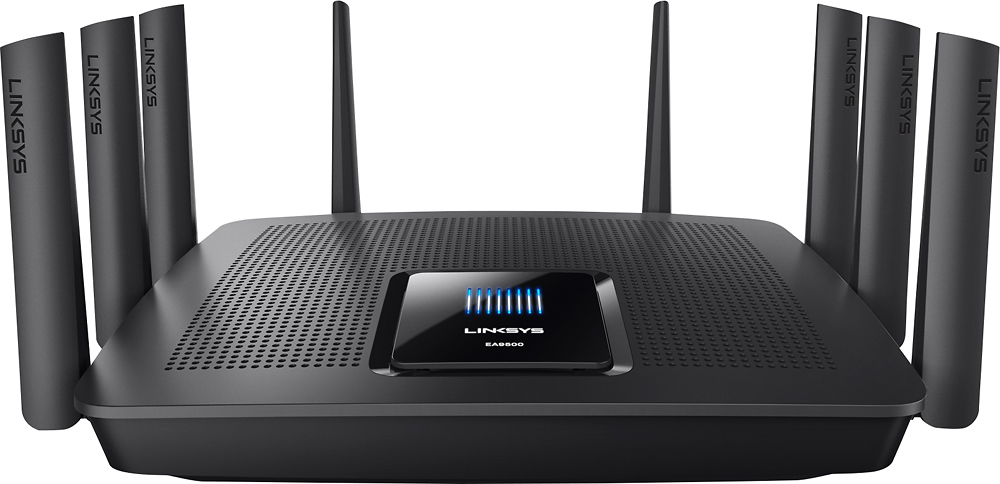
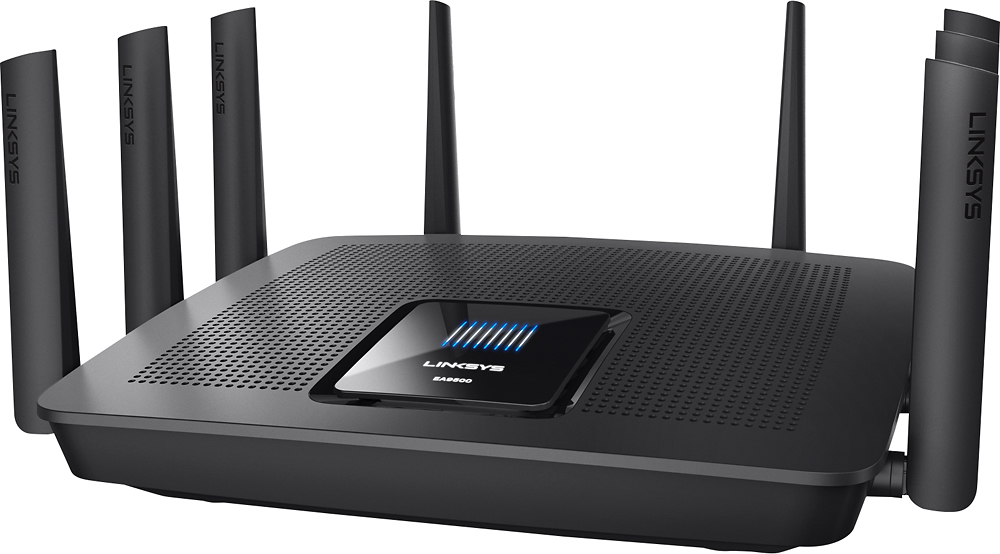
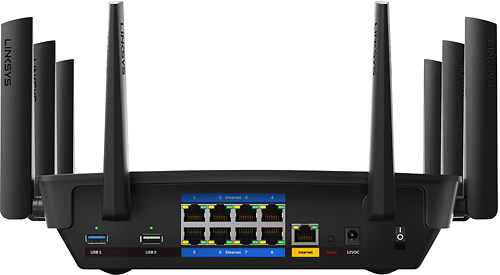
|Posted .This reviewer received promo considerations or sweepstakes entry for writing a review.First impressions: Big, heavy and impressive! The box it came in was large, and even then I was a bit surprised by how massive the router is. By the time I straightened all eight antennas out, it looks like a monster on my desk. It took only a few minutes to get all the plastic off and the cables connected and then we were off! Setup: Turned the power button on and… nothing! After a couple of seconds though (just long enough to double-check the power cord), the screen lit up. After only a few minutes, the Wi-Fi SSID was available and I was ready to begin configuration. As soon as the included connection password is entered, my browser went straight into the configuration. After following a few simple pages of setup, it showed me a page of my new settings (very nice touch if you have forgotten to write them down) and asked to reconnect. When the router is all set up, it offers to create a Linksys Smart Wi-Fi account for the extra features such as remote access and other configuration options. Altogether, setup took a total of 15 minutes including the time it took to write this section of the review! Very quick and completely effortless. Now let’s see what this thing can do! Features: External Storage – I tried two different USB flash drives and was impressed by how easy it was… just plug them in, wait a few seconds and then refresh the page. Just like that the devices were available in Windows Explorer. Connections – with a USB 2, a USB 3 and eight Ethernet ports, there are plenty of ways to connect devices to this router! I am able to get rid of the external switch from my desk and clean things up a bit – every little bit helps. Speed – so far this thing looks like it really flies. I am throwing more and more at it and it just ticks along without breaking a sweat. I have several devices streaming all at once and can’t even tell there is more than one. I have played around with device priority, but even without it there is so much bandwidth available that every device just screams along at full speed. Conclusion: I am amazed at how easy modern routers are to configure! I’ve been at this long enough to remember when there were no routers available to home users. The Linksys AC5400 is no exception and has raised the “ease-of-setup” to the next level. The Linksys Smart Wi-Fi app installed easily on my Note Pro and I was able to manage several features from outside the network. Maybe not as detailed as some might like, but very capable and useful. I will update the review if I find anything changes, but for now I am very impressed and excited to see what else it can do.
I would recommend this to a friend- Pros mentioned:Performance, Setup, SpeedCons mentioned:Price
best household router to date
||Posted .This reviewer received promo considerations or sweepstakes entry for writing a review.This is a great router fast easy to setup has an app to control it remotely. great for large homes has the best coverage. Gaming streaming multiple devices, multiple platforms and OS's no problem. Pricey but it's the best.
I would recommend this to a friend Smooth as Silk!
|Posted .This reviewer received promo considerations or sweepstakes entry for writing a review.Overall I'm very impress with the EA9500. If you like the finer things, this is one of the best out there! Just a little background on myself and my family so you know we really put this through the ringer in our testing. I've been in tech since the 80's and work remotely from home many hours each week. The members of my family have many generations of gaming systems, tablets, computers, laptops, e-readers, wireless printers, smart TVs, TV devices, Voice over IP, and streaming services. Wired or Wireless (G and up#, everything we threw at the EA9500 worked. We have 30Mbps Download and 5Mbps Upload service from our cable provider #see speed test from the router attached#. I was impressed with how smooth the streaming was. I believe the difference is in how Max-Stream routers work. All devices work in parallel where it was more "one device at a time" in older routers. This router has 3 bands. One 2.4 GHz and Two 5.0 GHz. The 2 5.0 GHz bands are connected by default and distributed or you can split them. Keep in mind, not all devices can see a 5.0GHz band. It would be the devices fault, not the routers if you don't see it. Physically, this router is huge. It's about twice the size and thickness of a traditional router. It has 8 antennas and 8 wired ports #liked this#. There are push buttons on the side for rebooting the router and for turning off Wi-Fi #liked that#. There is no method provided for wall mounting #a minus for me#. The activity lights on the top can be turned on/off via the user interface #liked that#. Some other things I liked. The ability to control the router via an Android or Apple app. I was very impressed with that. For those of you who have aging parents or kids #parental controls#, this could be real handy for troubleshooting across town or across the country! Think about it folks! I also loved the Network Map. I can relabel my devices and add icons to represent them. It's easy to see who or what devices are active on the network. Two additional things I didn't like. The Guest access shows up as unsecured/public. I webpage is shown if someone connects. The utility doesn't allow you to show it as secured. For this reason, I left it turned off after initially test. The other thing I didn't like is that most routers I've worked with in the past had a basic mode and an expert mode in the utility. I thought the interface is somewhere in between. It wasn't expert enough in some cases #such as the Guest Access control# and might be too much in some cases for novices. Distance wise, I didn't see much difference in how far I could go than traditional routers. It might be slightly further but not much. If you need more range, invest in Range Extenders such as the new Max-Stream AC1900+. The company behind this Linksys router is Belkin. A company well known and trusted for their quality and durability. They offer a 3 year warranty on this router and 3 years of Tech Support. Wow! They stand behind their product! How many companies do that! Overall, a great product!
I would recommend this to a friend- Pros mentioned:Performance, Range, Setup
Excellent, easy setup for anyone.
||Posted .This reviewer received promo considerations or sweepstakes entry for writing a review.Linksys does it again. Easy setup blazing fast, anyone can set this up. Took longer to reset everything. No more buffering, slow downs or locked up system. Great security features. Now we can go anywhere in the house backyard and down the street with no issues. Streaming ultra 4K movies and no buffering. Was worth the extra bucks for me.
I would recommend this to a friend WiFi Speed to the Max
|Posted .This reviewer received promo considerations or sweepstakes entry for writing a review.I just received the Linksys EA9500 and this is the mothership of all routers. First, it’s huge, makes my current router look tiny, "see picture", and with 8, “yes 8” antennas it has a pretty large footprint. The antennas come pre-attached so you don’t have to spend any time screwing those on. It’s pretty much ready to go out of the box. I set it up using the exact same settings as my old router; I didn't use the automated setup but set everything up manually to my liking. The menus were easy for me to figure out and navigate, almost identical to the my previous Linksys router. After swapping all my Ethernet connections and powering on, everything came up like before. All of our devices connected without a problem, One desktop, five laptops, two tablets, one Roku and two cell phones "while home" are using wireless, and there’s absolutely no problem handling the load. I’ve been doing some speed test on the Wi-Fi and my laptop has an Atheros QCA61x4A adapter, and it’s getting around 350Mbps down and 385Mbps up. My desktop has an Intel 7265 card and I’ve gotten up to 500Mbsp up and down, but average 400Mbps up and down, absolutely amazing speeds over WI-FI. I do have a 1gb fiber connection at home so speeds are no problem. I tried streaming movies from a laptop, a tablet, an Nvidia Shield TV, and a Roku at the same time, all running HD streams and they ran without a hitch, no stuttering what so ever, and I still get about 300Mbps down with speed test on my laptop, so I’m pretty impressed with this router. The 8 ports are really nice to have; I always have to have two 1gb switches hooked up as the 4 ports on the other routers I’ve owned were never enough. This is still short for what I need but I’ll be able to eliminate one of my small switches. The one negative though, is this unit puts out quite a bit of heat. You probably want to keep it in a large cabinet or open shelf. I have it in a pretty large cabinet with lots of open space and the top side of it stays about 125F with the doors closed. I wouldn’t be placing it in a small area where air movement is constricted. Overall this is one heck of a router, simple assisted setup for beginners and enough manual settings for more advanced users. It doesn’t have all the settings available with some of the DD-WRT routers for the very advanced users but most should be able to get by fine with the settings and configuration options available. It you have a household with a lot of users this may be the ticket for you. I'm giving 4 stars due to the amount of heat generated, and the lack of advanced user settings. I'd still highly recommend this product though.
I would recommend this to a friendVery strong and fast
|Posted .This reviewer received promo considerations or sweepstakes entry for writing a review.The Linksys router includes a power cord, ethernet cable, document cd, and a quick start guide. At first glance out of the box the router is larger than other routers. You will need a space about 13” wide, 10” deep (not including space for cords) and 7” high (with the antennae extended straight up) for it to fit without touching. There are lots of outputs to connect devices by wire (8 ethernet output ports and 2 USB ports) Following the startup guide was simple and quick: 1) Connect power cord and press power button on. 2) Connect internet using ethernet cable from your modem. 3) Connect to a network with a password that is specified in the startup guide. 4) Open web browser and go to Smart Wi-Fi setup to go through steps to finish. 5) Connect your devices to your new wi-fi network. When you log into the Linksys Smart Wi-Fi site for your router, it allows you to see all the devices using your router. It also allows you the ability to set up parental controls, manage a guest network, manage external storage connected to the router, and create a priority list of devices using the network. The smartphone app is very convenient because it allows you to do pretty much everything you can do on the website to manage the router. When doing simple speed tests in different rooms of a ~4,000 sq ft house, it's been performing great. On the same floor or on the same side of the house it is very fast. In rooms that are on the opposite side of the house and up/down a floor the speed slows, but I have not found any dead spots. **Overall, I would highly recommend this router for anyone that has fairly large wi-fi needs (large number of people using it or lots of devices). The way this router manages the use to maximize the speed for everything using the network is great! I am confident that our family of 6 will be using this router for many years to come without reaching it’s max.**
I would recommend this to a friend- Pros mentioned:Range, Speed
High Price, but Good Performance
||Posted .This reviewer received promo considerations or sweepstakes entry for writing a review.Single story house but decent size still including one of the garages turned into a recreation room of sorts. Before no wifi connectivity there and some rooms had wifi drop completely, meaning it would just disappear. This gives me coverage everywhere including around 20ft away from each side of my house. Excellent range and speed, good customization of settings from the admin panel. It seems to have issue direction traffic without port forwarding done for some services. Ex: I've had 2 yet gear rounters in the last 3 yrs, never had to setup port forwarding for my xbox 360, xbox one or anything with my computer. After getting this one I had to setup port forwarding for my xbox one, Steam client on computer and also for warframe to ensure no odd issues. At least port forward setup is quite easy so its still no major problem. Overall no real complaints and provides my family with stable wifi and good speeds. Didn't want a mesh system so this was a good choice for me. Had it about 1 month or maybe 2months, can't remember at this point.
I would recommend this to a friend Linksys; Household Family Router
|Posted .This reviewer received promo considerations or sweepstakes entry for writing a review.Compared to previous routers that Linksys has put out, this one is fairly big; about the size of my macbook to be exact and has about the same weight to it. The router takes a second to boot up (as does updating settings), but once it's up and going the router is great and quick too. Internet speed tests maxed both up/down speeds to match my ISP's service. On top of all other standard router settings, It is a family oriented router that has a number of settings to protect how access is provided throughout the household, while away, apps for security and mobile access, USB Ports x2 (1x3.0/1xStandard) for connecting an external drive (NAS), and/or printing wirelessly. The router has been placed in the mid-level of a tri-level home and it seems to cover all boundaries of the home. As part of the access, there is dual 5GHz banded channels to include 2.4GHz to perfect speeds. Please note, if you do not have AC capable WiFi; you will not get the full experience you'd expect. Other bands do work great as not all of my home equipment is "AC" capable. There is a guest network option with controlled speeds. Have noticed an error message at times, when trying to turn certain settings on/off (guest network, SSID Broadcast), but when attempted at a second time, it works. Biggest complaint is the settings application timing that it takes to basically reboot the router. However, it is tolerable as how often do you need to change settings in a router once it's setup? One of the things that I like the most thus far is the Linksys Smart Wi-Fi "Smart Wi-Fi" app that allows you to control from your mobile device your network while away from home and control most everything "the essentials" in the router without having to be on a system. You can see all the devices on your network and add devices (manually/WPS/QR Code).
I would recommend this to a friend- Pros mentioned:Range, Setup
Outstanding Wireless Coverage
Posted .This reviewer received promo considerations or sweepstakes entry for writing a review.I received my new Linksys EA9500 AC5400 Tri-Band router about 3 weeks ago. It's everything you would expect from Linksys. Simple to setup using the LINKSYS Smart Wifi web setup or the LINKSYS Smart WiFi Android App. The EA9500 now utilizes Tri-Band Technology having 2.4 GHz, 5 GHz1, and 5 GHz2 bands. It also employs another new feature called Smart Connect with 5 GHz band steering. This new feature allows the router to automatically switch between the two 5 GHz bands based on signal quality and it works great with flawless switching. The EA9500 has the best coverage area of all the Linksys routers I have tested to date. My shop outside is approximately 300 feet away from the router inside my home and I'm still getting a full signal with no lag. I am also using a Linksys EA6700 Network extender with the EA9500 and together my coverage area is just amazing. Steaming video, music, and 4K TV is just phenomenal. I absolutely recommend the new EA9500 AC5400 Tri-Band Router. I received a free sample from Linksys in exchange for my honest feedback.
I would recommend this to a friend excellent router, but let me teach you something
Posted .This reviewer received promo considerations or sweepstakes entry for writing a review.Report: Tmobile Personal Cellspot 4g let Signal Booster that caused your Tri Band Router 5ghz Wifi Signal Drop, don't use any signal booster if you use 5ghz wifi at home. I just want to help you guys out, so when other people who suffering the same 5ghz signal dropping on your Tri Band Router, ask them to see if they have any Repeater or Signal Booster at home and tell them to unplug it to troubleshoot the router. I recently noticed the 5ghz wifi dropping on the new router you sent me, I tried whatever I can, I finally unplug my Tmobile Cellspot signal booster, then the 5ghz signal dropping is fixed. When the Tmobile Cellspot is working properly, it cause no interference to your router 5ghz, however, the Cellspot will acting up once in awhile and cause the interference, even when they are about 30 feets away from the router; that time I will notice no signal boost on my phone. YOU CAN SEE ON THE 2ND PIC, THE ENGINEERS ACUTALLY TALK ABOUT THIS PROBLEM this kind of signal booster employ 5ghz to talk to each other, and that why it kills your 5ghz wifi and make you think that you got a defective router. Excellent router, no headache, no reset, happy with it
I would recommend this to a friend- Pros mentioned:Setup, Speed
Crazy Fast WIFI Router
||Posted .This reviewer received promo considerations or sweepstakes entry for writing a review.The Linksys EA9500 is very fast. It is also very big but not too big. I replaced an EA4500 and the difference was immediately noticeable. All my devices were getting much better signal strength and speed. Set-up was easy since I was replacing a Linksys router. Very happy so far!
I would recommend this to a friend - Pros mentioned:SpeedCons mentioned:Size
I really like this router
||Posted .This reviewer received promo considerations or sweepstakes entry for writing a review.My 4 year old router was pulling in 30-35 MPS, and I pay for 50. This new router gives me excellent coverage, and my speed tests routinely hit 50-60 MPS. This also corrected some buffering issues I was experiencing. This router is huge, so I had to install a shelf to hold it.
I would recommend this to a friend Many useful features - Good for a media heavy home
|Posted .This reviewer received promo considerations or sweepstakes entry for writing a review.Let me start by saying this thing is HUGE. I'd never seen a router this large prior to this. The Linksys EA9500 was by far the easiest router setup I've ever done. The quick start guide included in the box had me up and running with basic internet functionality within minutes. The only hitch I ran into was when I went to try and create a Linksys account to use the app and the more advanced functionality. The e-mailed verification link did not want to work in the Chrome browser. Switching to Edge seemed to fix the issue. The android app offers a lot of information and monitoring tools for your network, but it doesn't seem to give you much control over it. The website gives a lot more control with network-attached storage options, security settings, guest WiFi controls, FTP server settings, and device prioritization. There wasn't much instruction provided on how to access devices attached to the USB ports. A quick search online revealed how to access them through Windows Explorer though. All in all, I'm very happy with this device. It is a strong, fast router with tons of features built into it. The basic setup is a breeze. The advanced features can be a little tricky to set up, but they are well worth it.
I would recommend this to a friend- Pros mentioned:Range, Setup
What can I say besides AWESOME!!!
Posted .This reviewer received promo considerations or sweepstakes entry for writing a review.Wanted to replace Verizon router. Bought Netgear x10. Read too many bad reviews and returned before opening package. Toyed between this EA9500 and top rated Asus. Very happy with this router. Simple setup. Wifi and range in incredible. I have a 3 floor over 3k sq ft home. Works so well I eliminated (2) Netgear access points. The Linksys is in my basement. For those inquiring on wall mountable. There are no holes on the bottom. However, I mounted on the wall by wrapping (3) nylon zip ties end to end around the unit. When in vertical position the zip ties are directly under the first antennas on each side. Use a good picture type hanger to mount it on. Voila art. Position the antennas up. Believe me the unit may be good size (10”x12”) but not that heavy. The zip ties are plenty strong. I used (2) 12” and (1) 8”. The black blends good on this unit. As I mentioned put a good hook. Best of luck. This Linksys rocks.
I would recommend this to a friend - Cons mentioned:Lag
Great wireless router
||Posted .This reviewer received promo considerations or sweepstakes entry for writing a review.I did a lot of research and I determined that for the money this was the best wireless router available under $400 I like the fact that it has eight ethernet ports and eight antennas the signal strength throughout my house is fantastic I have 22 wireless devices attached to this router and there is basically no lag time with any of them I have 8 Wi-Fi cameras, 10 lifex light bulbs, three Apple TVs, 4 laptops and three iPhone and an iPad I have yet to be disconnected and I have used this router for six weeks now without one reboot for the money I would recommend this router to anyone
I would recommend this to a friend Super Router!!
|Posted .This reviewer received promo considerations or sweepstakes entry for writing a review.I'm somewhat tech savvy, but not savvy enough to go inside a router and make adjustments. Wi-Fi auto settings has always get good enough. Received the EA9500 and my initial concern was if the cable modem/router would cause a conflict. Unfortunately, I still need the cable modem/router for the phone/whole house DVR and alarm system. Made the first call to Linksys tech support. The tech informed me not to worry as the EA9500 is a "smart router", so it will detect other routers and not interfere. After getting all the connections plugged in and switching the Wi-Fi from the other router, decided to take all the devices for a spin. Instant speed upgrade from 18 month old cable router! Downloaded the Smart Wi-Fi app and was able to see all the devices connected. Logged in on the Smart Wi-Fi website and could see the Network Map and all the different Wi-Fi bands being used. Instantly noticed the speed increase on the laptops, tablets and smartphones. Only had one minor issue and was quickly resolved. I also have the Wi-Fi Extender RE7000 and it appeared it was not connecting to the router. Second call to tech support. Turns out the extender was connected to the router, but the router didn't auto rename it so the EA 9500 and RE7000 were sharing the same name. Tech support walked me through the steps to turn off the auto name function and extender has been working with no issues. Advances in technology....I can't believe the internet speed is even faster than before.
I would recommend this to a friend- Pros mentioned:Range, Speed
Great router for whole house coverage
||Posted .This reviewer received promo considerations or sweepstakes entry for writing a review.Very good router that provides very good coverage and fast speeds through the entire house. Since it’s a tri-band Router it’s great for homes with 10 or more active wi-fi devices, especially when some of those devices are streaming at the same time. The 2 different 5 GHz bands will split up the heavy users/streamers from the 2.4 GHz band that has more distance and works with older devices. Also since it has such great range you may no longer need a wi-fi range extender but if you still need one, this router in combination with a tri band range extender will give you great coverage without cutting speeds in 1/2 like other range extenders (I was very curious to test out the range extender with this router but because of its great range I have no need to try it). Also because it’s MIMO capable it can sustain multiple streams at the same time instead of each device waiting its turn. The router also has “device priority” features so you can tell the router to give its first priority to something streaming over downloading a large file and this will give the streamer a better experience on a slower connection. Bandstearing is a nice feature because you only need one wi-fi network name and password and the router “decides” what band to put you on for load balancing and that is very convient. It’s a great foundation to your home network if you have lots of active/heavy users at once or if you have a 200Mbps internet plan or higher and you want everyone to take advantage of those fast speeds. This router won’t slow down at all with 20 active users all streaming at once. There are only 2 cons to this router 1. Bandstearing does need a little tweaking as it will push my device over to the slower 2.4 band well before it’s out of range of the 5 GHz band. It’s still a good feature but I wish the threshold of the band change was a little higher. 2. Is the advertised speeds (all router companies do this) can be misleading. Devices have to have very specific specifications (I.e. 4x4 MIMO and 1024 qam) to achieve those speeds which very few devices have. In my case my router is supplied by gigabit internet speeds but my iPhone 8 will not get speeds above 100Mbps on 2.4 band or 480 on the 5 GHz band. (It’s not the routers issue, it’s just my devices max speed) Lastly the most important factor in how well this router performs is the level of internet speed you subscribe too. If you have 5 people trying to stream Netflix but you only have a 10 Mbps download internet plan then this router alone will not solve your buffering issues, you will also need a faster internet plan. So if you have 10 users on this router being fed by a 10 Mbps internet plan then each user is only few Mbps at a time so having faster download speeds is crucial to getting the most out of this device. Over all it’s an excellent router for large houses, houses with multiple active users (over 10) at once, heavy gamers, heavy streamers, or those who want a router that’s easy to set up with one network ID. For most regular every day users this router can be overkill though and the AC1900 model will work just fine.
I would recommend this to a friend - Pros mentioned:Ease of use, PerformanceCons mentioned:Price
Super Router
||Posted .This reviewer received promo considerations or sweepstakes entry for writing a review.Out of the box this machine was a piece of cake to set up and begin running. It is piggybacked off the modem provided by the local cable company and way out performs the old netgear that I was using. At times this unit pushes 3 computers, 3 TVs, several phones, and a surveillance system with ease. Some of these are wired and some are wireless and the performance is the same. My only concern is it does tend to run a little warm so it needs to be in open airspace, and is a little pricey but after using it have decided it was worth every penny.
I would recommend this to a friend Great, but not for the average user.
|Posted .This reviewer received promo considerations or sweepstakes entry for writing a review.Its a great router with many bells and whistles, but its not a take it out of the box and use a quick start guide and your in buisness kind of router. It choked my 50mb internet service down to 13mb. Me not having much experience at manually tweaking router settings I contacted Linksys Tech Support Via Chat. They were very responsive and helpful. But rather than having them TALK me thru it, I gave the $19.99 via a secure link for unlimited remote access by them to fix it as needed. (It was $9.99 for once, refundable if no success) . They got the 5gh channel up and humming at 50mb, but I had to chat back for the 2.4 as it was still at 13mb. But it was just a tweak of changing the channel for that band and the directed me via the chat and resolved that. Now as soon as I can get the MYQ to recognise the new router and get it back online Ill be happy. But If I cant get the MYQ back online this goes back in the box and my $99 router comes back out of retirement. If your very tech savy your gonna love it, otherwise a more simplistic more affordable router may be just what the doctor ordered.
I would recommend this to a friendBrand response from Linksys Staff
Posted .Hi,
We appreciate your taking the time to post this review of the product.
Setting up the unit is fairly easy through the web-based setup page. You were right though when you contacted the Support team as soon as you felt that the challenge was beyond you. We wonder if you have tried reaching out to them again regarding the current issue that you're having with the MYQ's connection. If you haven't, you may also email us the details at [email protected], and we'll help you sort it out. Kindly include your complete contact information and the link to this post for our reference.
Regards,
Linksys Support
- Pros mentioned:Ease of use, Range
So Far .....Best I've owned
||Posted .This reviewer received promo considerations or sweepstakes entry for writing a review.I've had the router for about 2 weeks. Hands down the best router I have owned. I replaced a Linksys EA6300 which under-performed in terms of range and speed. I formerly needed two extenders to cover the interior of the house and the system was glitchy . (I do not have the router located in a central location so range could be an issue.) Now I use only one extender and might not even need that. It combines "seamlessly" with Max Stream AC1900+ range extender. Certainly not the cheapest solution, but well worth it. In addition, setup was a piece of cake as I used the same ssid as the old so all devices connected and performed immediately and without issue. Probably more power than I need but I should be set for years!
I would recommend this to a friend