Customer Ratings & Reviews
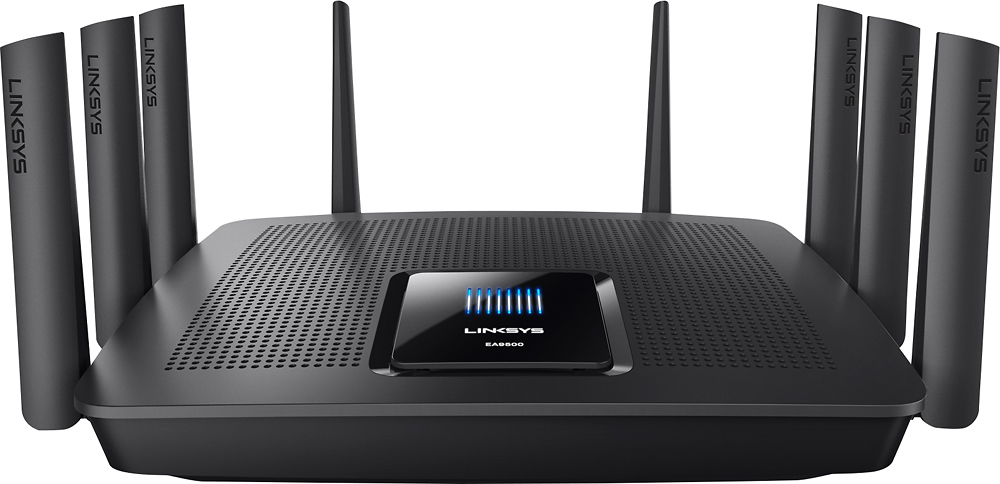
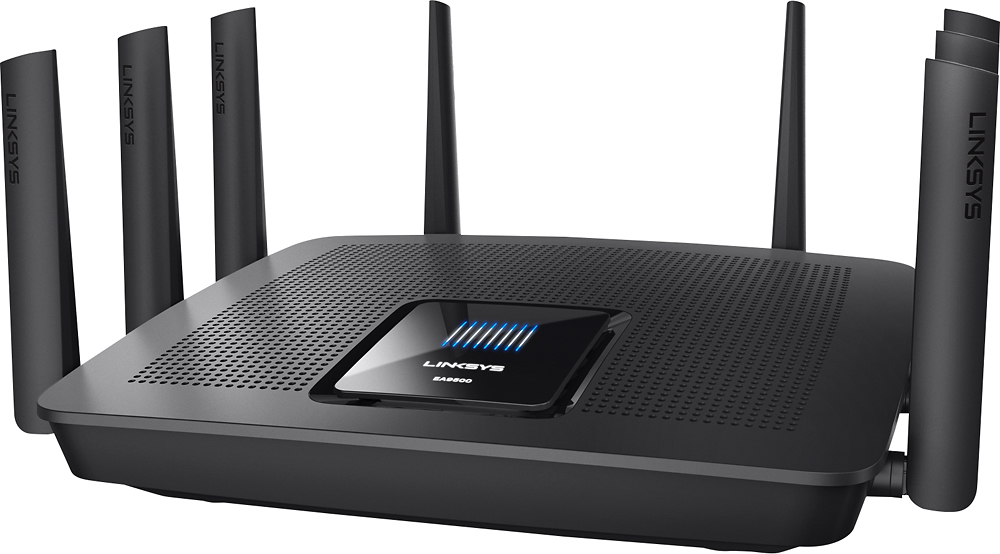
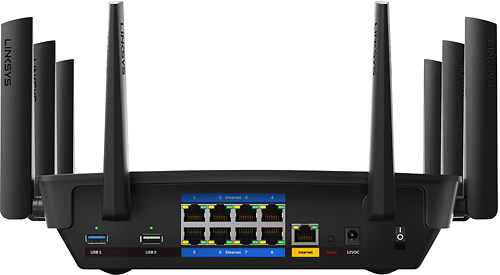




- Model:
- EA9500
- SKU:
- 5171100
Rating by feature
- Value
Rating 3.9 out of 5 stars
- Quality
Rating 4.2 out of 5 stars
- Ease of Use
Rating 4.4 out of 5 stars
Customers are saying
Customers are pleased with the AC5400 Tri-Band WiFi 5 Router's impressive range, ease of use, and strong performance, citing consistently positive experiences with setup and signal strength. Many appreciate the extensive coverage and numerous Ethernet ports. However, some customers note that the router is large and expensive. A few users mentioned occasional connection issues.
This summary was generated by AI based on customer reviews.

Wow! Super Fast Router
|Posted .This reviewer received promo considerations or sweepstakes entry for writing a review.Pros: - Ideal for 4K and HD Smart Tv's -Tri-Band Quad Stream Wi-Fi at 5.3Gbps - Smart Wi-Fi app you can download to your phone and control the parental control settings. I love that option! -MU-MIMO Multiple users can enjoy multiple devices without lag or buffering. -Stronger AC for streaming Cons: -Extremely Large as you can see in the photos. -Security Log on Screen does not give you an option for "capture" so it makes it easier for hackers to try to hack into the router. I had to disable SSID broadcasting. -Needs more advance options for security. It has great security features for people whom are not IT savy. It is user friendly. But for those Network Engineers. We would expect more. Overall: This is a great router for home. I would not recommend for a business since the security protocols are not as advanced as business routers would be. But then again a Business router would cost more. This router is super fast. I did a speed test as you can see in the photo. Using my ISP Comcast. Distance is fantastic! I get great signal through out my two story house and my kids have access everywhere. I would hope so with all those antennas they have on this router. LOL! But I would highly recommend this for HOME, EXTREME GAMERS, STREAMING AND MULTIPLE DEVICES THAT REQUIRE WIRELESS. So far I am very impressed. I hope this helps.
I would recommend this to a friend- Pros mentioned:Speed
Fast!!! Great for streaming!
Posted .This reviewer received promo considerations or sweepstakes entry for writing a review.I received this new router to evaluate from Linksys Friends and Family and I must say it is very impressive. I had a bit of trouble when I first set it up but from past experiences I found that a factory reset usually solves any little bugs that may occur. Afterwards, it was nothing but fun putting this thing through every test I could imagine. I have about 11 devices connected and I ran Netflix, Hulu, movie downloads, etc on all of them at the same time and it never lagged. This is a tri-band router and it has a Smart feature that connects the (2) 5ghz bands together for an extraordinarily smooth connection. I highly recommend this router for the most extreme demands you could ever imagine.
I would recommend this to a friend Amazing
|Posted .This reviewer received promo considerations or sweepstakes entry for writing a review.This router is, by far, the best wireless router that I have ever used. Not only was setup a breeze, but it is actually quite pleasant to look at with it's soft blue logo and status lights. To make setup/controlling even easier, Linsys has a great "Smart Wi-Fi" app that lets you adjust all administrative settings. If you're like me, you have about 10 different connected devices close to where your router is located. Unfortunately, most routers only come with 4 wired network connections. The Linksys EA9500 Max-Stream AC5400 Tri-Band router comes with 8! Not only does this help with performance, but it frees up those wireless bands. This router doesn't need it though. It's got enough bandwidth to service all of your devices at one time. I streamed HD content on two TVs, two laptops, and one phone simultaneously without any lag or degradation of quality. Definitely couldn't do that with my old router. Speed tests proved that this router was giving me maximum usage of my in-home internet abilities whereas my old router was only giving me about 70-80. Great job, Linksys!
I would recommend this to a friend- Pros mentioned:Ease of use, Range, Speed
had good support from knowlegable staff
||Posted .This reviewer received promo considerations or sweepstakes entry for writing a review.The linksis ea9500 max- stream ac5400 tri band wi fi router has a great range along with increased speed. easy to hook up, very happy. It is about 3weeks old, so far so good.
I would recommend this to a friend - Pros mentioned:Performance, Speed
Good range and speeds
||Posted .This reviewer received promo considerations or sweepstakes entry for writing a review.This replaced my asus router, and i am highly impressed by the performance difference between the two. The linksys not only gave me a better signal strength, it increased my mbs from 30 to 39. This is the best router for also steaming 4K content. My reasoning for 4 stars is because of the design not being the best for being visible. I'd much rather conceal the router but unable to because of the antennas
I would recommend this to a friend - Pros mentioned:SetupCons mentioned:Price
Good router...needs more config options
||Posted .This reviewer received promo considerations or sweepstakes entry for writing a review.i like this new router. read lots of reviews before i bought it along with the LinkSys Range Extender. both work well together. I like the "simple" way the setup works now. easy to get it up and running quickly. Some other routers i have used in the past include other options like a power schedule to turn off the device overnight when not needed. The only real negative is the $400 price. Very expensive when compared to other routers that may be very close in performance and overall coverage. So, minus 1 star. The new network map is cool if you want to visually see what devices are connected to the router. The LInkSys app for Android is also very useful for viewing the same info and even managing the router remotely - password reset, guest network on/off, reboot router, etc. very nice. This is a very powerful router, with the multiple antennae able to be oriented in infinitely any needed directions, it will cover a very large home, multiple floors (mine is 2 story 4300 sq ft) and provide a strong signal to all but the furthest reaches. I am very happy with the power and signal. Finally, WPS for ease of connecting new devices is so simple and right on the side of the router, in the browser admin page or in the Android app. it cant get much easier than this. I have tested out most of the features on this router along with the RE7000 and most seem to work as described. The only thing i noticed is that configuring the 2.4 and 5ghz networks with the same name for SmartConnect band steering, the Android app cannot connect and login to the router, yet there isnt anything to prevent the names from being the same values....odd. In summary, this is a good router with lots of tech features that are very useful in a larger home. Lots of power and multiple antennae with limitless options on the angles creates complete coverage in the entire home. Its also very easy to manage locally, remotely via the Android app and from the LinkSys remote website administration page. Overall, this was a good purchase.
I would recommend this to a friend Big and strong ($$$)
|Posted .This reviewer received promo considerations or sweepstakes entry for writing a review.First off this router is huge & looks awesome. After taking it out of the box I looked over the instructions. It seemed simple enough. So I proceed to Unplug mine, and plug in the new router. I log in online found the new router & BOOM . In up and running with the new router. Connecting my router extender was really easy. Pressed reset button on new router And extender And they were connected.. Now here are my concerns.. Its too big. I had to MAKE space for it. I logged IN online but it says I do not have an account connected to my new router. Im confused bc it works but I am Unable to change anything online. (the name and password of the new route) I will call Linksys help desk. One last annoying factor.... My new router seems to work great until I am on my Iphone and want to click a web site in a email then it freezes. Note, My phone Never did this before the New router I will research & report back. Overall if youre not a gamer or have 30 electronic devices running all at once, then this router is Overkill. To credit Linksys they produced very good routers and Ive never owned any other type. I will work with this router to perfection as it has great potential.
I would recommend this to a friendBrand response from Linksys Staff
Posted .Hi, Maclemoor,
Thank you for recommending this router and we're glad that you are enjoying your connection with it. Don't worry about the challenges you are experiencing with the device. We are here to back you up.
Have you created an account when you set it up? If you have, you can use the Forget Password tool on the Linksys Smart WiFi login page. An email will be sent to you so you'll know the next steps to do. If you are accessing the settings locally, you can log on to myrouter.local and type admin for the password.
As for what happened when you went online with your iPhone, rebooting the router and handheld device may help. You shouldn't experience this if you are within the network coverage. If the same thing happens, you can reach us at [email protected] so we can assist further. Indicate your full name, phone number, location, and the link to this post.
Regards,
Linksys Support
- Pros mentioned:Setup, Speed
It's not pretty to look at but who cares
||Posted . Owned for 2 weeks when reviewed.This reviewer received promo considerations or sweepstakes entry for writing a review.Purchased this to replace a nighthawk router that was barely a year old and started to fall. Pretty straight forward for setup and didn't take long at all. It's not a "mesh" network so the 2.4 and 5g are required to have different names. My house is about 2700sqf, u-shaped, and stucco. Specs day up to 3000sqf of coverage and this does a good job except for one bedroom and garage that are the farthest away from the router. I've added the Linksys RE7000 extender as a WAP. Does the job. Haven't had a WiFi router that reaches this area without an extender. My current internet plan is 300mbps down and 30mbps up. Testing WiFi throughout the house and yard I'm getting pretty consistent speeds of 260-290 down and 25-30 up. So yeah pretty happy with this one. This one is in the last few years "top 10 best WiFi routers" lists. Had a good warranty (I hope not to use). Longer warranty and tech support than the Netgear stuff that barely made it a year.
I would recommend this to a friend WiFi Monster
|Posted .This reviewer received promo considerations or sweepstakes entry for writing a review.I've recently set up the Linksys EA9500 router and I have to say it was a monster in all ways conceivable. To start with: the device is physically larger than any home WiFi router I've ever used or ever seen, a full 2x larger than my previous device (I've included a picture of the device next to a soda can for comparison). This unfortunately has some drawbacks. My previous device allowed me to hang it on the wall via inset screw slots on the back. This device is far too large for such a configuration, and instead I've had to attach a shelf to the wall in that location in order for it to maintain the same physical network connectivity that my previous device had. It has a 8 WiFi antennas, all of which are large themselves, though I imagine such a number helps with MU-MIMO, beamforming and range, so I will not fault the device for such. There is a series of LEDs on the top of the device. It looks like a screen but it isn't really. It doesn't seem to perform any functions aside from lighting up with the Linksys logo with white bars above it and scrolling a blue LED during bootup. They could have probably saved some device real-estate by not including this. As to its capabilities: I was glad to see that it allowed the standard configurations of static DHCP reservations, port forwarding and port range forwarding, as well as a few other of the bread-and-butter configuration options that I feel no router, especially of this caliber, should be without. This device is also capable of VLAN tagging, very basic QoS for media prioritization, a decent network map (though not the best I've seen), and some static and dynamic (RIP) routing. On top of that, the device has 8 LAN ports which, to me, speaks volumes, as it is up there with the maximum I've ever seen on a home wireless router, as well as the aforementioned 8 WiFi antennas which lend themselves to the MU-MIMO capabilities of this device. This is definitely a device aimed at a home configuration that has depth and a lot of devices. Now to the setup In no ways was this device easy to set up. This may be because I did not use their app to do so, but I don't feel like that should be a requirement. I set this up with the included LAN cable. This device can be configured via app or web page. First, this device takes a LONG time to boot up. I mean a very long time compared to any previous home router I've ever used. The setup is automatic or manual dependent on your selections on the earliest pages. On that note, this device 'requires' that you have a WAN link in order to configure through the automatic configuration, if you do not have one attached you must attach it or start over, it forces you to hold down the reset button to start the setup process over. There is no going back. Likewise, if you interrupt the setup process before completing it, you have to hard reset the device. It is actually possible to get into manually, though if you want to go through the manual setup which again you cannot get to without performing a hard reset of the device if you previously started in automatic. If you try to set up through either method, the device requests that you set up a Linksys Smart WiFi account and give it the router's password, though does give you an option to login locally. When setting up manually or through a Linksys Smart WiFi account It requests you use the previously configured local password, (the default password is 'admin' written on the back of the quick start manual in very small lettering). Only the automatic configuration gives you the chance to change the default password, though I imagine this is expected. Annoyances: I ran into a couple of annoying issues with the device during usage. Probably my biggest gripe is that there are ads for other Linksys products inside the GUI. I find this to be entirely unacceptable, especially at the price of this device. This alone resulted in the loss of a star on the product rating. These show up if you login to the device through your Linksys Smart WiFi account, though if you login locally the widget is still there but it does not scroll through ads, just a single link to the Linksys Home Networking Apps page. This widget cannot be removed. Next, the included LAN cable is only 3ft. I understand that most people are on wireless in many cases, but remembering that this device has 8 LAN ports, I have to imagine they expect a power user to be connecting many more devices to it. If you plan on setting this up if your desktop tower sits on the floor, then expect to put this device on the floor next to it, I do have other LAN cables, but I shouldn't have to go hunting for one when opening the box of a new network device. I get that this is a nit-picky gripe, but with how inexpensive LAN cables are, I feel they could have at least included one long enough to reach the floor from my desk. This basically also prevents this CAT5e cable from being used for anything besides this as even my cable modem sits more than 3 feet from my router. Next, when setting static DHCP reservations it was repeatedly giving me an 'unexpected error' though no indicator as to what that error was, I had to leave the page and load it back up in order to clear that and continue configuring. There appears to be a limitation of 205 client DHCP addresses, and I'm not entirely sure why as this device should be capable of far more than that judging by the technical specifications. That's not to say I have 205 devices, but in going through the configuration options I did run into this limitation. Finally, as previously mentioned (and worth mentioning again), this device takes a very long time to boot up. So that leads us here: The bottom line is that this is a very (very) large and capable device, with some headaches to get set up. If you find yourself in the need of a very beefy home/home office router, without going the professional route, then this would be a reasonable choice, though it is missing some of the much more advanced settings you may find with other devices. I would recommend this to someone in certain situations. Positive: Allows for setup via wireless 8 LAN ports 3 Radios (2x 5GHz and 1x 2.4GHz) Most bread-and-butter home WiFi router capabilities as well as some more advanced options Negative: Ads in the Router GUI ~3ft cat 5 cable for setup Extremely long bootup time Will not let you move on without an internet connection on the WAN port during automatic configuration if you back out of the automatic setup without completing it you have to hard reset the router to start over Requests you setup Linksys Smart WiFi account (though it is not required) Some firmware issues Network Map Device identification is not very good
I would recommend this to a friend- Pros mentioned:Range, Setup
Must have router for any home office!
Posted .This reviewer received promo considerations or sweepstakes entry for writing a review.After dealing with many routers that required weekly or even daily reboots, this router has been a dream come true! It has been very solid for our family, with little to no dead spots in our 3200sf two story house. The router is currently in the basement and we get perfect signal on the top level. It even works out into our driveway and backyard patio. The setup was a breeze and have had very little reason to log back in after initial setup. I would recommend this router to anyone that has a home office or a home with many devices (we have 10+).
I would recommend this to a friend - Pros mentioned:Range, Setup
Best Router I've Ever Seen
Posted .This reviewer received promo considerations or sweepstakes entry for writing a review.This router was given to me by Linksys to try and later to give an honest opinion about it's performance. This router is a tri-band mu-mimo Linksys EA9500 router that's easy to set up, no installation discs involved.Two 5GHz bands and a 2.4GHz band make connecting a breeze. The 8 antennas can be beamed in any direction for the best connectivity. The router is in my average size house and has 15 devices wirelessly connected to it and 2 UHD tvs with no problems at all..This router could possibly be the last router I'll ever have to buy.
I would recommend this to a friend - Pros mentioned:PerformanceCons mentioned:Price
Good upgrade
||Posted .This reviewer received promo considerations or sweepstakes entry for writing a review.Was using Linksys WRT1200AC before i purchased this. Reason i upgraded was because my wireless signal downstairs was not that strong plus i need more than 4 ethernet ports now that i got an XB1 S. I am not a fan of wireless gaming and prefer to do all gaming through wired connection. Currently using network ports for XB1 S, PS4, Desktop, Sony SmartTV and require additional ports when I need to repair or install friend or family's PC's. There were a few other choices for router but I've been with Linksys since WRT54 and have been happy with their routers and UI. That being said, this new router has improved my wireless signal downstairs and have also noticed a difference in performance with all other wireless devices. Have a few complaints about it but nothing too major. Within the 1st week of having this router, i lost internet through the router and had to do some troubleshooting to get it working again. Since then i have not have any issues. One thing i miss from previous router is that this one does not have any indicator lights to know if any ports are having connection issue. Overall though i am happy with this upgrade but wish it would have been cheaper. Missed out when it was on sale for $225 so bought it on another sale for $279.
I would recommend this to a friend - Pros mentioned:Ease of use, Performance, Speed
Fantastic Router
||Posted .This reviewer received promo considerations or sweepstakes entry for writing a review.What a fantastic router. Had the netgear orbi and after the last couple firmware updates that were complete disasters I decided to pitch it. After doing some research I found this router, it checked all of my boxes for what I was looking for (very fast WiFi, able to handle a ton of devices (I have over 30 connected without a problem), very large coverage area, beam forming, MuMiMo, and an easy to use app) and had a good history of solid firmware. Once I had it all set up (which is relatively easy to set up like most new modern routers) it has run flawlessly ever since (about 2 months). It can handle two Nest IQ cameras (one outdoor one at the far back end of the house) streaming, two home pods streaming music in separate rooms, a 4k Dolby Vision streaming movie, and two laptops searching the internet all at the same time without any of the devices slowing down or showing any signs of the router struggling (we have really fast internet so we knew the router would be the bottleneck if anything were to slow down). I am very picky about my electronics and how well they perform and I can say I am extremely satisfied with this router.
I would recommend this to a friend - Pros mentioned:Speed
Great Wireless Router
||Posted .This reviewer received promo considerations or sweepstakes entry for writing a review.I bought this router to replace a previous router that did not provide enough coverage throughout my home and yard. This new router provides extensive coverage throughout my home which is fairly large, and throughout my yard which is fairly large as well, 1.7 Acres. The router has two Networks the regular Network and a 5G Network which provides fast streaming service when I have all of my family and friends at the house. We have several smart devices that hook up to the router and stream at the same time and all of them can stream without any slow down or negative impact on our internet coverage. If you have a fairly large home and area that need to be covered, and lots of devices that are hooking up to your network this is the router for you. I highly recommend it. Final point, when using this router and the features contained within you can also set up a guest access point we're up to 10 additional devices can hook into the network without providing any direct contact information or access passwords for your home network. Very good device to have.
I would recommend this to a friend - Pros mentioned:Range, Speed
Power beast!!!
||Posted .This reviewer received promo considerations or sweepstakes entry for writing a review.This thing is a power beast. Upgraded from a Netgear AC1900 Nighthawk. The range is definitely improved. Throughout my entire house (which is old with lath and plaster walls which blocks more signal) i have 75-100% signal. The biggest difference is that i can now download at 75 MBPS via 2.4 instead of 35. It’s massive but it’s much faster and haven’t had any dropping issues.
I would recommend this to a friend - Cons mentioned:Lag
Solved all of our wireless issues!
||Posted .This reviewer received promo considerations or sweepstakes entry for writing a review.Bought this and installed in 2nd level game room to help fix looping and low signal WIFI issues. Signal boosts all the way downstairs and to the furthest room. We were able to finally turn off our home phone now that WIFI calling issues are solved. We have 4 cell phones, 4 laptops, PS4 gaming systems, tablets and 3 Direct TV receivers with no lag. Well worth the cost!
I would recommend this to a friend - Pros mentioned:Range, Setup, Speed
Worth It
||Posted .This reviewer received promo considerations or sweepstakes entry for writing a review.So much of our lives is online. I had a Dlink wireless router that dropped members of the family off unexpectedly. This is why I bought this router. The reviews said it may be overkill but I got it on sale and did not want to have to reset the router ever again. I bought it, set it up (much easier than the Dlink) and will never look back. DL speeds are off the chart (they went from 20MBS to 120MBS (using 5Gig), Netflix which we watch online never pauses and is in high def. The footprint in my house is awesome. I have 3 levels in my house and with the router in the basement, I have full coverage on the 2nd floor (and halfway down the block on my street. The Network map supplied by Linksys's interactive utility tells me why the Dlink failed intermittently. I have at least 14 devices logged on to it. Who knew that a garage door opener was network smart.
I would recommend this to a friend - Pros mentioned:Performance, Range, Speed
WOW! Extremely fast, with incredible range!
||Posted .This reviewer received promo considerations or sweepstakes entry for writing a review.I have purchased many wireless routers over the years, including the Linksys products. While some other brands have had more features occasionally, I always seem to have the best performance & reliability with Linksys. This particular model is one of the most expensive "home" units by as much as $100 - $200 more than other brands. But, you get what you pay for and this model blows away anything else i have owned in regards to both speed, range & reliability. Disclaimer:there are many reviews posting far more details on speed and range, but I'm no techie, so this review is based on real life experience and I'm very happy with my investment in this product.
I would recommend this to a friend - Pros mentioned:Performance, Speed
Huge upgrade vs. ISP Router
||Posted .This reviewer received promo considerations or sweepstakes entry for writing a review.I have AT&T Gigapower (1Gbps up/down), and have 15 devices connecting through ethernet and/or wi-fi. The AT&T router does not handle the traffic as efficiently compared to the LinkSys EA9500. Faster speeds across the board on all devices, plus greater coverage throughout my home. I also purchased the Linksys RE6500 Wi-Fi range extender to provide my XBox & Home Theater AC speeds via ethernet. The router's software is a breeze to configure, and the RE6500 was very easy to setup and install. You don't have to be a network engineer to configure your home network - it is easy enough for the "newbie" to use, yet complex enough for the network engineer to customize their setup. Performance is a huge improvement over the AT&T router. Well worth the money spent on this router!
I would recommend this to a friend - Pros mentioned:Range, Speed
Easy setup and monitoring
||Posted .This reviewer received promo considerations or sweepstakes entry for writing a review.This router was easy to setup out of the box. The application allows me to easily see how many devices are on my network. I can also change my passwords in the app. The range on the device is better than the linksys I replaced and the speed is an improvements as well. Great for every day family use like streaming NETFLIX.
I would recommend this to a friend