Customer Ratings & Reviews




- Model:
- EA9500
- SKU:
- 5171100
Rating by feature
- Value
Rating 3.9 out of 5 stars
- Quality
Rating 4.2 out of 5 stars
- Ease of Use
Rating 4.4 out of 5 stars
Customers are saying
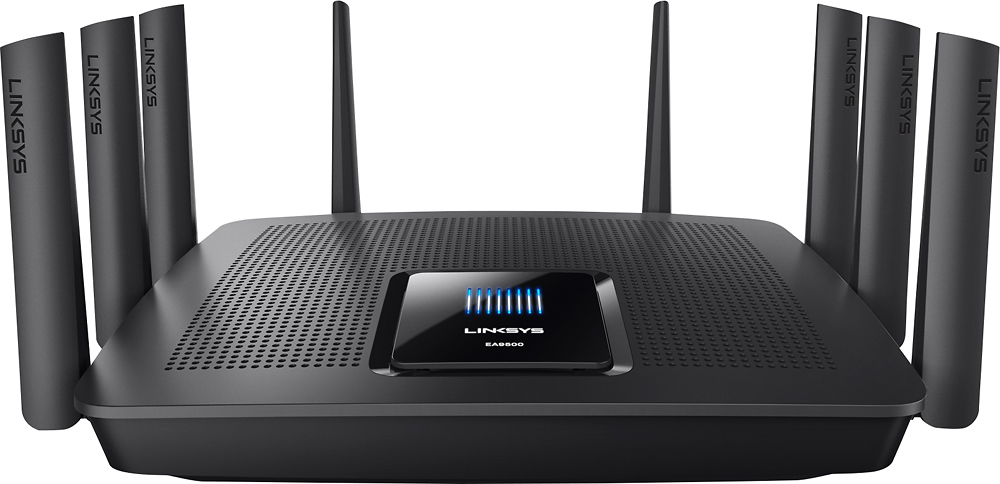
Customers are pleased with the AC5400 Tri-Band WiFi 5 Router's impressive range, ease of use, and strong performance, citing consistently positive experiences with setup and signal strength. Many appreciate the extensive coverage and numerous Ethernet ports. However, some customers note that the router is large and expensive. A few users mentioned occasional connection issues.
This summary was generated by AI based on customer reviews.
More ports
||Posted .This reviewer received promo considerations or sweepstakes entry for writing a review.I was having problems with slower speed be because of too many switches. This unit has enough ports and a stronger wifi signal. Really did not get any improvement in speed. Would not buy it for full price again.
No, I would not recommend this to a friendBrand response from Linksys Staff
Posted .Hi, Delb,
The speed provided by the router depends on the modem and on the number of the devices connected to the network. It would be best if you’ll run some speed tests and send us the results via [email protected] so that we can have this checked by our Escalation Engineers. Indicating your phone number and the link to this post for our reference would be appreciated.
Regards,
Irish
Linksys Support
Decent router, a bit overpriced
||Posted .This reviewer received promo considerations or sweepstakes entry for writing a review.With all the mesh networking options available, I found this router to be slightly overpriced relative to its performance. Definitely a great router but not one I would recommend over Google Wifi or Eero.
No, I would not recommend this to a friend- Cons mentioned:Price
Don’t waste your money
||Posted . Owned for 1.5 years when reviewed.This reviewer received promo considerations or sweepstakes entry for writing a review.Save your money get something else. I have bought two different versions of tri-band routers from this brand both have failed and quit working. They were both very expensive for the short time they worked. It’s such a hassle considering everything is Wi-Fi connected in the house for it to keep going down resetting the router and reinstall each smart device. Save your time, frustrated and money.
No, I would not recommend this to a friend I will not encourage anyone to buy this model
||Posted .This reviewer received promo considerations or sweepstakes entry for writing a review.I bought this model LINKSYS AC 5400 MU-MINO GIGABIT ROUTER thinking that it will be more powerful in addition to 3 years manufacturer warranty being offered. In less than 30 days, this high cost router started developing problem. Initially, I thought I could simply reboot or reset to default to solve the problem. I called the support team. Honestly, the guy I spoke with was very helpful. He tried all sorts of diagnoses but wasn't able to solve the problem. No of my equipments would connect through the router except removed. In the end, the technician ruled it to be defective and asked me to either take it back to BestBuy or call Customer Care. He gave me a case number.
No, I would not recommend this to a friendBrand response from Linksys Staff
Posted .Hi,
This is very uncommon behavior for the Linksys router. Since it has been deemed defective by one of our technicians, we can assist you with its replacement. Just send us your case number at [email protected] and we'll endorse your case to our Customer Service Team. Also, include the link to this post.
We hope to hear from you soon.
Regards,
Thaddeus
Linksys Support

5 GHz Wi-Fi performance that's like wired LAN
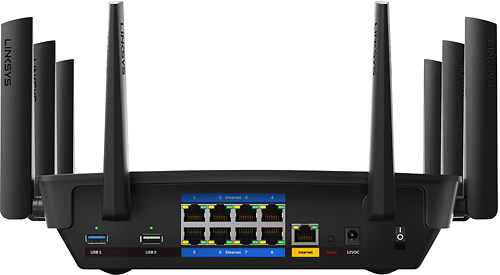
|Posted .This reviewer received promo considerations or sweepstakes entry for writing a review.What an incredible router! It's the first router I've used in recent memory that performs great without any issues right out of the box. I waited a week to write this review this make sure I was writing it based on consistent results and not first impression. Pros: EXCELLENT Wi-Fi speed and range on the 5GHz band, helps reduce/eliminate bottleneck for local Wi-Fi connections; 8 wired ethernet ports; 8 adjustable antennas; load-balancing on the 5GHz Wi-Fi, Smart Wi-Fi allows simple remote administration of router Cons: Nothing really other than price. Below were my Wi-Fi testing conditions for all tests- Furthest location in my apt (only where specified): 26ft-10in, 3 walls of obstruction about 6in deep each. Internet speed: 25Mbps down/ 5Mbps up (Optimum Online) Test devices: Samsung Galaxy Note 5 (Sprint) for internet, Samsung NP900X3L (Intel Dual Band Wireless-AC 8260) for local wireless - maxes at 867 Mbps, Realtek PCIe GBE RTL8168H for local wired - maxes at 1 GBps 2.4 GHz Wi-Fi performance ------------------------------------ While I found the performance to be an improvement over the router I was replacing, there's nothing much too exciting about my 2.4GHz performance. I also live in a New York City apartment, so I have to deal with a lot of signal interference. While I can achieve optimal internet speeds they are never as consistent as on 5 GHz. I believe congestion is to blame. -2.4 GHz speed test- Signal strength at furthest location in my apt: 4 out of 4 bars, fluctuates between 144Mbps to 192Mbps Internet from furthest location: 16 ms ping, 24.51Mbps down/ 5.76Mbps up Local from 2.5 feet away from router (max 144.4 Mbps): 10.5 Mbps down / 6.9 Mbps up (for reference) Wired gigabit LAN: 113 Mbps up/down (for reference) local wireless using EA6700: 1.4Mbps up So, the only significant improvement on the 2.4GHz band is the local wireless connection, which is still a far cry from gigabit LAN. 5 GHz Wi-Fi performance ------------------------------------ 5 GHz is where I found the router to really shine. First of all, there are two 5 GHz bands on this router and it has the capability of band steering. What this does is it will balance the connections of your devices connected to 5 GHz across the 2 bands automatically, relieving network congestion. You still have the option to treat them as individual 5 GHz bands to connect to (each can have its own SSID) Secondly, the throughput. I'm capable of getting gigabit LAN speeds on the 5 GHz band. -5 GHz speed test- Signal strength at furthest location in my apt: 3 out of 4 bars, fluctuates between 390Mbps to 192Mbps Internet: 12 ms ping, 25.64Mbps down/ 5.61Mbps up Local from 2.5 feet away from router (max 866.7 Mbps): 72.3 Mbps down / 60.5 Mbps up (for reference) Wired gigabit LAN: 113 Mbps up/down (for reference) local wireless using EA6700: 2.6Mbps up As you can see, the wi-fi chip on my laptop is the bottleneck, shortchanging me from achieving true gigabit speeds. Theoretically, this is possible, but I don't have the hardware to test it. USB 3.0 performance ------------------------------ There's a USB 2.0 port and a USB 3.0 port on the router. I only tested the USB 3.0 port. Test device: Sandisk Extreme USB 3.0 64GB flash drive 245Mbps read/190Mbps write USB 3.0 (router) Read through 5 GHz: 54.2Mbps USB 3.0 (router) Write through 5 GHz: 35.3Mbps (for reference) USB 3.0 (PC) Read through 5 GHz: 71.6Mbps (I forgot to test write... sorry!) So it seems the USB 3.0 port on the router goes about 54Mbps read/35Mbps write. It's still not USB 3.0 at its fastest because my flash drive is capable of going a lot faster than that. Stress test (to the best of my ability) ------------------------------------------------- Back on May 13th I had the following concurrently running for 1 to 2 hours: -utorrent (1MB/s dl) -streaming Yankees game via Fox Sports Go app on my Nexus Player -streaming MIA vs TO on ESPN app (PC) -SFV PS4 Remote Play using best settings: 720p, high frame rate (PC, PS4 connected to wired LAN) -streaming episodes of Shadowhunters on Freeform app on Note 5 -streaming Always Sunny on Netflix from my laptop. I experienced no lag or issues whatsoever. Usually it's the torrent that cause my streaming to dip in quality but it never happened with this router. Wrap-up ------------ All in all, I was pleasantly surprised with this router, and can definitely recommend it for users with 5 GHz wireless devices. It's the wireless gigabit router you've been waiting for. The band steering will improve your connections by relieving congestion. With MU-MIMO support, you're also future-proofing your wifi capabilities. Just be aware that for 2.4 GHz wireless devices though, you won't see much improvement if you already own a good router.
I would recommend this to a friend- Cons mentioned:Size
Doesn't quite live up to the hype yet
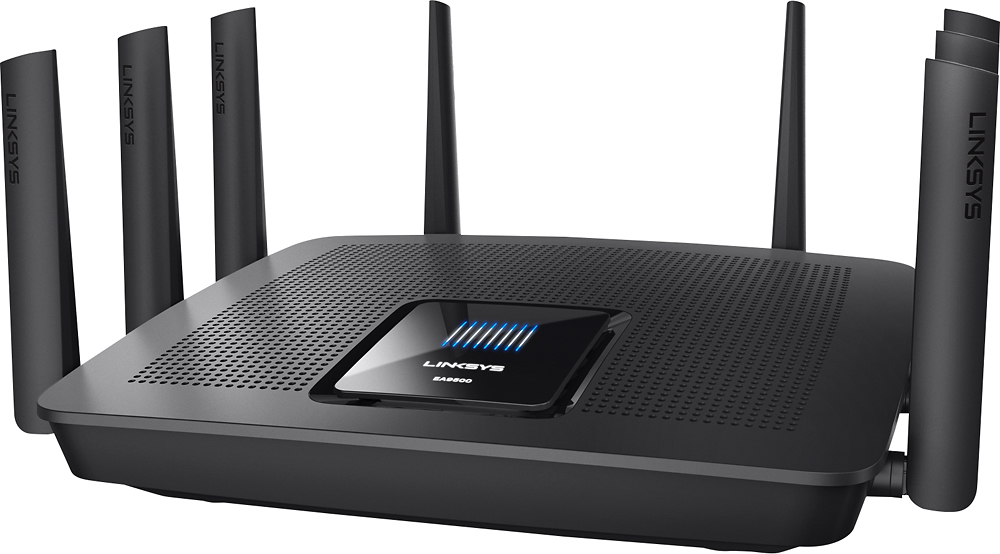
|Posted .This reviewer received promo considerations or sweepstakes entry for writing a review.Overview (Firmware 1.1.5.172212) I very recently acquired the Linksys EA9500 Max-Stream AC5400 Tri-Band Wi-Fi Router as a replacement for my Netgear R6300v2 Smart WiFi Router AC1750 Dual Band device. I was quite happy with my Netgear, but an opportunity presented itself to give this new Linksys device a try. First, it should be noted that I am a happy Netgear fan. I’ve used Netgear equipment for years. The last time I owned a Linksys was prior to the Cisco purchase. Back then those devices would fail on me every 365 days like clockwork, and I’d replace it with another Linksys until one day I happened upon Netgear and I’ve been a happy user ever since with nearly zero fails in over a decade of using their products. That being said I decided to go into this with an open mind, especially since I didn’t have to pay the massive $400 price tag for this beast. I’ve been using the device for 4 days now, and here are my findings: Pros • Tri-Band is slick o At first glance you think “oh big deal, it has 3 bands…why would I want to have 3 SSIDs in my household”. Well here is where I was pleasantly surprised. This device has a function called Smart Connect band steering where it essentially automatically moves devices from one 5GHz band or another without any user intervention, all on the same 5GHz SSID. This is fantastic!! However, I’ve yet to realize any real performance advantage to this. Theoretically this should increase performance though. I just don’t believe the average consumer taxes their Wi-Fi enough to realize it. • 8+1 Port Gigabit Switch! o Well it’s about time! I’ve had to use a Smart Switch and Router combo for years because vendors never bothered to put enough wired ports on these things. This saved me an extra power outlet! • 8 External Antennas? o Well in theory this is a major pro, but I’ve not seen the increase in range at all. I have a 3k Sq Ft 2-story home with this device installed in a rack on the second floor and it’s simply performing no different in terms of signal strength to my old Netgear device. Maybe I didn’t aim the antennas right?! At any rate, I expected better, but I’ll go ahead and drop this in a Pro column for now. I mean who doesn’t like 8 antennas? • Smart Wi-Fi interface o It’s pretty basic and easy to use, but the really nice thing about it is the simplistic interface. You can get in and get stuff done. On top of that remote management is a piece of cake with the smart phone app. • Firmware Help menu isn’t useless o This is yet another nod to the Firmware interface. The help isn’t completely useless, and it does a decent job of explaining settings and their purpose. • Auto Channel detection works o Well this is a nice feature! Saves you the time of having to walk around the house with a wireless device doing AirSnort trying to determine who’s doing what on what channel. This device just fires right up and picks the correct channel based on what it sees. Nice one! • Network Map is somewhat handy o The Network Map tool built-in to the Firmware isn’t too bad. I find it helpful to be able to look at a glance at what is connected. Not only that, but you can edit the names to make sense. Child’s Laptop, or Kindle rather than Android%Device#123. Good for simple housekeeping. Cons • Using custom DNS non-functional on DHCP lease o I don’t know about the rest of the world, but I rely on OpenDNS. I find it performs better than that which is provided by my ISP. However, in this version of the firmware I find that I cannot get the DNS addresses I input to stick. When a client gets a DHCP address from the router it simply shows its DNS address as the routers address rather than the 3 OpenDNS addresses I input. WTF?! Interface bug maybe? I dunno but this sucks…Fix it Linksys! ...Fix it now!! • Huge bug in Media Prioritization feature o Well this should have been a selling point. The ability to do QoS for packets on specific devices. Sign me up! I’d love to have my 4K TV, my Shield Tablet, or my Ooma get priority on the line, but nooooooo! What I discovered was that this little feature is 1) very limited. You may only specify 3 devices to get Priorty…Well that sucks!! And 2) Turn this on and it immediately drops the bandwidth of all other devices in the house to 1/3rd of the usual rate. Turn it back off and you’re off to the races! WTH?! This is a silly bug to have made it into production. QoS shouldn’t neuter all other devices in favor of 3 devices...especially if those other devices aren’t even powered on at the time! Huge bug…Fix it now Linksys!! Seriously…Fix this! • Massive size with no wall mount capability o I dunno...I mean 8 Ethernet ports and 8 antennas…I guess it’s going to be slightly bigger than other routers. But dang!! This thing is the size of a small laptop and twice as thick as one. What’s worse?! There’s no wall mount bracket or holes on the back for mounting it. The only option is to sit it on a flat surface. Well that sucks! So right now it’s parked on top of an equipment rack enjoying a cool breeze from the rack fans. This is something I’d like to remedy at some point. I hate blocking my exhaust fans in my rack. • Parental controls are useless o Seriously?! What the heck is this? I can select a device to block Internet access Never, Always, or at Specific Times. Or I can also choose to black list specific sites. Well this is lame. It may not be pretty, but at least Netgear’s parental controls utilize OpenDNS and have some level customization to them. This is rubbish. • App Center is barren wasteland o I really don’t know what the purpose of this is. I mean maybe at some point they expect someone to write a Kodi server app or something so you can host apps on your router using the external storage, but right now it’s completely empty save a couple junk parental control type apps. And those apps only seem to appear from a mobile device using Smart Wi-Fi not within the router itself. • Speed Test doesn’t work o There’s a Speed Test widget built-in to the router Firmware, but I’ve no idea what it does or looks like because it won’t run in Chrome or FireFox. It throws some junk error about installing Adobe Flash 8.0 and let’s be real…I’m not going to do that, and pretty much all modern browsers have Flash APIs built-in. This should just work…Fix it Linksys! • Firewall too basic o For those that pay 400 large for this beast be prepared to be annoyed that you don’t get any finite control of the firewall. It’s either on or off. meh • Logging far too basic o I turned logging on for a few minutes. There were only entries in the about IPs attempting to connect or not. But nothing really about protocol or anything of any real value. So I turned it back off because who wants to waste CPU cycles on useless data. What would be ideal is a log of the sites being accessed externally from a given IP internally or even what protocols or types of attacks are being seen on the external IP. Summary I’d like to think I was pretty fair here. I tried my best to flush out as many Pros as Cons. In summary, this device so far doesn’t provide a whole lot of value add over my trusty old Netgear R6300v2 which sells for $150. Yeah this device has Tri-Band and Smart Connect optimization. I mean that sounds cool, but again I haven’t realized the true value of this. I have over 35 wireless devices on my network and nothing is performing any better or worse really from when I was using the older router. Even with 8 external antennas my signal strength is no better or worse than with my old router?! That’s odd. Of the two biggest wins here 1 is realized and the other is theoretical. 8 LAN ports is just AWESOME!! Tri-Band Smart Connect is cool, but does it really work?! /shrug This device is 400 big ones! It should be spectacular, but I’m left feeling rather underwhelmed. I’ve never spent that kind of money on a consumer grade router, and likely never will. There’s some pretty serious bugs and imperfections in the firmware that need to be sorted out ASAP. If you’re a Linksys brand loyalist and need 8 LAN ports, then why not?! If you’re simply in the market for a new router your wallet might be better served holding out and snatching up a less expensive variant for the time being.
No, I would not recommend this to a friendBrand response from Linksys Staff
Posted .Hi, GrizzlyD,
Thank you for sharing your honest observations with the router's features. This review is very detailed and useful for future updates.
We understand your point about the OpenDNS setup and the functionalities of the Firewall and Log feature of the router. As for the media prioritization, it's a good idea that the router would allow prioritizing more than three devices. We'll have this shared to the Engineering team as well as the idea to allow the router to be wall-mounted.
Right now, the Linksys Smart WiFi mobile and web-based app are very helpful to monitor your network anywhere you are. Since there are features that can't be done on the mobile-based app, you can always use a browser to make some adjustments with the settings anytime you want to.
We also have few workarounds that you can try for the challenges that you've noticed with it. Let's start with improving the range of the wireless network. Adjusting the wireless channel would help and if the same thing happens, we suggest adjusting the antennas. Check out this article, http://www.linksys.com/us/support-article?articleNum=178068. Moving on to the speed test applet, make sure that the about:plugins has the flash enabled in both Firefox or Chrome, and restart the browser.
Do not hesitate to email us at [email protected] so we can assist you further and indicate your full name, contact details, and the link to this post in your message.
Regards,
Linksys Support
- Pros mentioned:Ease of use, Speed
Fast setup and faster router!
|Posted .This reviewer received promo considerations or sweepstakes entry for writing a review.This is by far the easiest router I've ever set up! Take it out of the box...the antenna are already attached...plug it in. I have no idea how it does it, but the WIFI speeds are actually significantly higher than the wired speeds! I'm getting the bandwith I pay for with a wired connection, but my WIFI speeds are 40% higher and I'm not bridging with my LTE signal. The router is very stable and the interface and remote apps are simple and easy to use. I use an internet filtering service to restrict my children's access, and it "plays" well with that. Overall it's the best router I've owned to date! Plus it has 8 ethernet ports instead of 4 and a 3 year warranty! I highly recommend this router!
I would recommend this to a friend - Cons mentioned:Price
ok router & over priced
||Posted .This reviewer received promo considerations or sweepstakes entry for writing a review.It's a ok router at best, but is way over priced! also it does have the greatest range I get no wifi outside of my house. I may return it.
No, I would not recommend this to a friendBrand response from Linksys Staff
Posted .Hi, Tscal,
Repositioning the router or its antennas could help you maximize the range of your wireless network. Another step you can try is to adjust the wireless channel in the web interface. For assistance and inquiries, we can get you over to our Escalation Engineers. Please email us at [email protected] with your phone number and the link to this post for our reference.
Regards,
Irish
Linksys Support
- Pros mentioned:Ease of use, Performance, Range
Fast and Easy to use
|Posted .This reviewer received promo considerations or sweepstakes entry for writing a review.This Router is the best router I have ever own. It only took 5 minutes to setup with the easy to use web interface. My house is really long and the router/cable modem sit on the opposite end of the house from my Gaming room. I get full bars in that room and can easily stream 4k content from storage drives I plugged into the usb ports. The router has been running for a month without a single drop in connection or a reboot needed. It has all of the bells and whistles of most high end routers like dmz,vpn, and parental controls. I currently have 2 tvs, a xbox 1, ps4, 2 laptops and 4 phones connected without any drops in performance. I highly recommend this router.
I would recommend this to a friend Works pretty well
||Posted .This reviewer received promo considerations or sweepstakes entry for writing a review.Works pretty well but I bought it because my speed on Comcast fluctuate so much and drop so low that I can't even stream programs was told it would help but it didn't
I would recommend this to a friendBrand response from Linksys Staff
Posted .Hi, Mikem,
If your internet speed fluctuates from your Comcast modem, you may need to get in touch with them to fix this. The Linksys router is dependent on the internet provided by your internet source.
Send us your contact details at [email protected] and we'll have our Escalation Team assist you further with the device. Also, include the link to this post for our reference.
We hope to hear from you soon.
Regards,
Thaddeus
Linksys Support
good router but needs work
||Posted .This reviewer received promo considerations or sweepstakes entry for writing a review.This is the second router I have tried. They both are good for a couple of years and then they start dropping the signal and password
No, I would not recommend this to a friendBrand response from Linksys Staff
Posted .Hi,
Outdated firmware can cause issues with the router and updating might help fix some issues. Also, try to change the channel on both 2.4 and 5 GHz band and see if the signal will improve.
Let us know the result at [email protected] with your contact details and the link to this review for our reference. We'll have our Escalation Engineers assist you further.
Regards,
Jan
Linksys Support
Big and Fast
|Posted .This reviewer received promo considerations or sweepstakes entry for writing a review.Linksys AC5400 MU-MIMO Gigabit Router, Linksys Max-Stream EA9500 It is great that there are so many new MIMO Routers out today for us all to chose from. And there seems to be good choices at every price range. As long as you stay with a well known brand name and your doing an upgrade and not just going from one MIMO router to another you are sure to get better performance. The thing is where is it price starts to fall off? Honestly you won’t know until you put it into service. Which brings us to the Linksys Max-Stream EA9500. I think that by every measure of the book this is a nice device and you can’t really go wrong. But wait the price, oh yeah the price. This is one big router. It doesn’t wall mount, which is too bad because it is perfect for that with the port arrangements like they are, so expect your setup to be on a desk. It has 8 wired Gigabit ports and very fast wireless so you could do worse as a single device on your desk, if you can give up the space. I was able to take a switch out of service because of the number of available ports. In my wireless testing against my current Nighthawk R700 I don’t think it was faster but then they both top out at my 90 Mbps connection. I have an upstairs office so it was really downstairs that would be a better test. I think it was safe to say the EA9500 is faster in my house but not by much. I got a maybe another bar on my phone and in my speed testing and signal strength testing it did seem more stable. Now if you going to try to stream in 4K then that's just what you need is a solid stable connection. But this is a costly Router and unless you really think you need this performance you should look carefully. Like any wireless router it’s all about location. Having a good location will do more for your signal then just paying more. Finally on the features front this router seems to have mostly everything in it you can want on the hardware side. Two USB ports for hard drives and did I say 8 wired Gigabit ports. The eight antennas like its competitors give it a serious look. The front panel lighting is a little odd. It shows a boot and connection animation and then stops which is telling you it is connected and ready. Where is my real information, that is a missed opportunity. Another missed opportunity is the interface. But I am picky there. I want all options available. Seems these new routers just want to plug and play which they do well but please give me more real administrator options. Setting up access through the LinksysSmartWiFi website was dead simple so managing my home network from a remote location couldn’t be easier. The manual it comes with hundreds of pages for the four you looking for. I ended up on the support page and found a nugget. This router can be added to an existing home network just by connecting it and turning it on. Connect a lan connection to the WAN port and open its webpage and it is ready to go. No changing anything on your current network. Now I like that and it worked perfectly. Ok, back to price. If you want to stream 4K today a wire is the only real solution. For anything else this will do it. And maybe 4K too cause it’s about location.
I would recommend this to a friendNot much better than my AC1900 Nighthawk
||Posted .This reviewer received promo considerations or sweepstakes entry for writing a review.Powerful up close. Not a noticeable improvement over my Nighthawk out in the house. I am sure that where it is in the house has something to do with it.
I would recommend this to a friendBrand response from Linksys Staff
Posted .Hi, BBshopper,
A few steps could help us improve the coverage of the wireless router. To walk you through the process, we'd like to have our Escalation Engineers contact you. Please email us at [email protected] with your phone number and the link to this post so you can we can properly endorse you to the team.
Regards,
Irish
Linksys Support
I would say it was an OK router
||Posted . Owned for 8 months when reviewed.This reviewer received promo considerations or sweepstakes entry for writing a review.But the router does have some issues connecting to some devices my garage door Royal be opener would not connect to it
No, I would not recommend this to a friend- Pros mentioned:Setup, SpeedCons mentioned:Lag
Fast, with great range
|Posted .This reviewer received promo considerations or sweepstakes entry for writing a review.I've had many routers over the years and I wasn't expecting to like this one so much. I'm rarely impressed because many routers have really good speeds and range now. The lack of lag is what I am noticing compared to the router that it replaced. The previous one always seemed to take a second for a download to start. This one does not and the speeds are tremendous. The setup was easy. I would recommend doing the setup on a computer. I tried on my phone at first and it wouldn't load the page properly. Might have just been my phone, but you can decide. I would highly recommend this router.
I would recommend this to a friend - Pros mentioned:Setup, Speed
Fast
|Posted .This reviewer received promo considerations or sweepstakes entry for writing a review.This router is definitely geared toward households with a need for speed that have multiple devices running wifi. I had connected 4 cell phones, 3 tablets, 2 laptops, Roku, DirecTV, and home phone. I noticed still blazing fast download speeds and 0 lag on any of my devices. Very easy to setup and connect all my devices in under 10 minutes. I would think if you only had a few devices that this would not be a must have but a nice to have. If you have a dozen or so devices this would do the trick to keep them all running at optimum speed. Great signal strength on all 3 floors of my home.
I would recommend this to a friend Didn't work for us
||Posted . Owned for 1.5 years when reviewed.This reviewer received promo considerations or sweepstakes entry for writing a review.Did not work for our place. Returned and went with the Orbi .
No, I would not recommend this to a friendBrand response from Linksys Staff
Posted .Hi,
The Linksys EA9500 Gigabit WiFi Router should be able to provide Wi-Fi speeds up to 5.3 Gbps and WiFi coverage throughout a large house. For further assistance, please share more details at [email protected] with the link to this review for our reference.
Regards,
Jan
Linksys Support
Linksys
||Posted . Owned for 1 year when reviewed.This reviewer received promo considerations or sweepstakes entry for writing a review.I tried this router and had to go back to Netgear. I did not have a great experience with this router.
I would recommend this to a friendnot for multi level homes
||Posted .This reviewer received promo considerations or sweepstakes entry for writing a review.The router could not handle all my devices (30) I switched to the orbi 3 units and it’s great on all 3 levels of the house
No, I would not recommend this to a friendBrand response from Linksys Staff
Posted .Hi, Todd,
Your EA9500 router should be capable of handling all your 30 devices simultaneously. As for the coverage, tweaking the channels and proper positioning of the antennas will greatly impact its overall performance depending on your house structure.
Should you want to use the router in the future, don't hesitate to tap us anytime at [email protected]. We have our Escalation Engineers always ready to lend a hand.
Best regards,
Jay
Linksys Support
- Pros mentioned:Performance, Setup
Best router EVER!
|Posted .This reviewer received promo considerations or sweepstakes entry for writing a review.This is the best router that I've ever owned so far. I ran into a few problems during set-up and had to chat with tech support, but after they put me on the right page, set up was a breeze. I have an AT&T Uverse modem/router. The Linksys EA9500 connects directly to the Uverse and then wirelessly to everything else without conflicting IP addresses. It has 8 portals one of which is a guess portal for visitors. We stream TV frequently and with this router there are no more freezes or stalls. My Laptops are no longer sluggish. Would highly recommend.
I would recommend this to a friend