Customer Ratings & Reviews
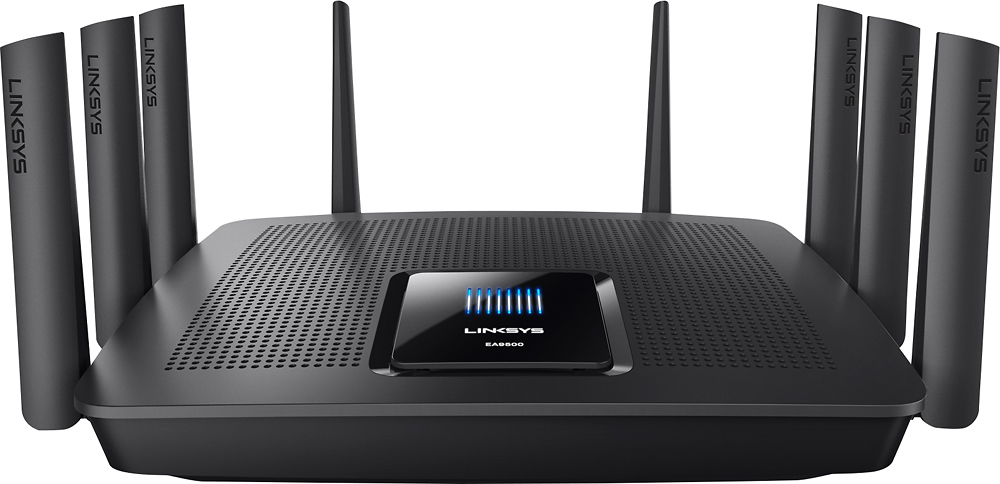
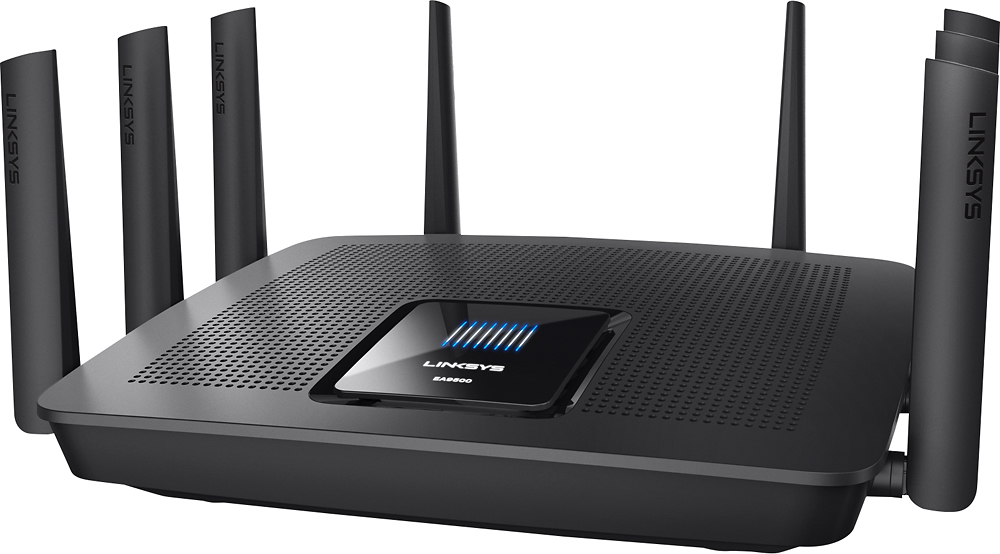
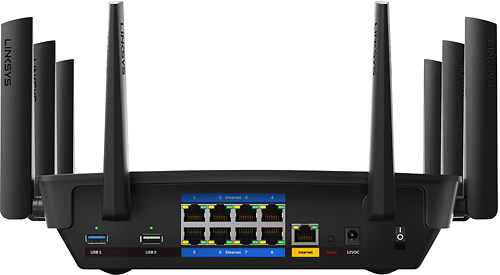




- Model:
- EA9500
- SKU:
- 5171100
Rating by feature
- Value
Rating 3.9 out of 5 stars
- Quality
Rating 4.2 out of 5 stars
- Ease of Use
Rating 4.4 out of 5 stars
Customers are saying
Customers are pleased with the AC5400 Tri-Band WiFi 5 Router's impressive range, ease of use, and strong performance, citing consistently positive experiences with setup and signal strength. Many appreciate the extensive coverage and numerous Ethernet ports. However, some customers note that the router is large and expensive. A few users mentioned occasional connection issues.
This summary was generated by AI based on customer reviews.
- Pros mentioned:Speed

Fast With Great Coverage Everywhere
|Posted .This reviewer received promo considerations or sweepstakes entry for writing a review.I've been using the EA 9500 for about a week now replacing a Linksys EA 7500 router that I've been using for awhile. I won't go into a bunch of technical detail but an overall user experience using the router. First off my family has dozens of cell phones, iPads, laptops, desktops, Roku players, smart TV's, Xbox, security cameras, you name it we probably have it, that require a WiFi connection So a powerful router that can handle dozens of clients at the same time is a must. I currently have Time Warner 350/20 service to handle all of it. Set up is very easy and the router configures itself to your cable system modem and after a couple of minutes you're ready to go. Three separate networks, two 5 GHz networks and a 2.4 GHz, along with two guest networks you can add. A minor quibble is the UI. It's pretty basic and they're aren't a lot of settings that are user changeable. Pretty much router security and changing the SSD's and the passwords for them. There's a Media Prioritization setting which is available also. If you're rocking a bunch of AC equipped gadgets then you're going to love this router. Web pages load instantly, streaming even in 4K is perfect with no hiccups at all. and transferring files between AC clients on your network is very fast.. I've had 22 devices connected at the same time and it didn't miss a beat. An example: 11 app updates on Apple iPad total 323MB took less than 15 seconds to download and install start to finish. Overall coverage in a 2400 sq. ft. two story home is excellent with no dead spots so far and a great signal in my backyard. If you have a fast internet connection, a lot of AC WiFi clients, and a large area to cover then this is the AC router you want. So far rock solid, insanely fast WiFi speeds and works everywhere I need it to. I can recommend it without hesitation.
I would recommend this to a friend - Cons mentioned:Size
A BEAST of a Router
|Posted .This reviewer received promo considerations or sweepstakes entry for writing a review.My house has always been a bit "iffy" when it comes to WiFi coverage. "The Internet" comes in via a cable in the basement, and is only accessible via a small closet that's full of signal-blocking metal ductwork. So, for years, I've used a combination of multiple WiFi access points to cover the house, some upstairs, some downstairs. But, I've always wanted a single router that I could just plug in at the closet and use to cover the house. For the most part, this bad boy does the trick. With it's 8(!) antennas and beam-forming tech, it definitely has the ability to cover my entire house and service all the devices I've got. There is still some video playback lag on the old iMac at the far end of the house, but the fact that it's reaching it at all is impressive. With my previous router (an Airport Extreme) the internet was basically unusable on that computer. I would imagine that, if I spend some time actually fiddling with the antennas, I should be able to fix that particular issue and get the speed I need out of the old iMac, but, for now, just being able to use it at all is a big win. It's also nice that you can control it from your smartphone, though I haven't actually tried that yet. Once I got it set up, I really haven't needed to touch it at all. So, why only 4 stars? Well, it's a little pricey. And, compared to the Airport Extreme, it's a bit of a chore to configure. On the other hand, it's got a ton more configuration options than the Airport Extreme, and you can fine tune the thing to fit your particular household. For example, if you have an Apple TV, or other streaming device, you can set that to get priority treatment when it comes to the traffic on your network. Oh, and this thing is HUGE. One thing I really like about the Airport Extreme is it's very small footprint. (Handy if you have to put it in a closet.) The footprint on this is easily 3x as big as the Airport Extreme and finding a spot for it in the closet was a bit of a chore. It's also very, very heavy. But, there's a lot of hardware packed into this thing, so I guess that's to be expected. Honestly, at the price Linksys is asking for this, it might be better suited for a Small Business with a lot of floor space to cover. But, if your house is like mine and you need something to really punch through the walls, this could well be worth the money to you.
I would recommend this to a friend - Cons mentioned:Connection
I
||Posted .This reviewer received promo considerations or sweepstakes entry for writing a review.It will not stay connected to my nest camera.The camera is like 30 feet away and it shows disconnected 4 to 5 times a day.the other 3 cameras do the same thing. I also put them 2.4 channel also same thing. My old always stayed connected. I like the app for my phone
No, I would not recommend this to a friendBrand response from Linksys Staff
Posted .Hi Godfather,
If the settings of the 2.4 GHz radio band is properly configured, we expect all devices will stay connected with no issues. We're eager to learn if this could be a possible firmware glitch or just a configuration problem with your EA9500 router so we'll have one of our Escalation Engineers get this taken care of. Please shoot us an email at [email protected] with your contact details and the link to this review.
Regards,
Jay
Linksys Support
- Pros mentioned:SetupCons mentioned:Size
Finally truly improved range
|Posted .This reviewer received promo considerations or sweepstakes entry for writing a review.This unit replaces my aging but highly rated Netgear R7000 which was requiring reboots every couple of days. Testing with speedtest and wifi analytics app on my Galaxy 6 shows that the 2.4GHz range is a significant improvement and that the 5GHz range is similar to the R7000. I have consistent coverage in my ~4000 square foot two story home. Set up was easy and there is a way to access remotely from the internet via the smart wifi app. The unit itself is quite large.
I would recommend this to a friend Bummer
||Posted .This reviewer received promo considerations or sweepstakes entry for writing a review.Purchased along with Geek Squad setup. Router was defective out of the box and had to be returned
No, I would not recommend this to a friendBrand response from Linksys Staff
Posted .Hi, Fremknt43,
What you have experienced is very uncommon since all Linksys products went through rigorous tests from our Product Management Team prior to packaging. We already took note of your feedback and relayed it to our Team for checking. Should you need assistance in the future, feel free to contact us anytime at [email protected].
Regards,
Jay
Linksys Support
$400 paperweight
||Posted .This reviewer received promo considerations or sweepstakes entry for writing a review.this has been a nightmare to deal with. I lost network speeds when I installed this router, spent weeks, months arguing with my service provider about my speeds being low. when i plug any device to my modem it get what im paying for 1 gig service, when this is plugged in i get on average 50mbps. before writing this review is was getting 6 mbps down and 100mbps up on a 1 gbps service. I am currently contacting Linksys to see what can be done about this device. From what i can see on forums across the net this is a very common issue with this model router, and to date i spent 6 hrs with tech support to have my issue elevated 2 times now, im still waiting for more feedback from linksys
No, I would not recommend this to a friendBrand response from Linksys Staff
Posted .Hi Butch,
The Linksys EA9500 router offers Wi-Fi speeds up to 5.3 Gbps so it should be able to maximize the bandwidth that you subscribe from your ISP. Please send us your phone number at [email protected] so we can retrieve your case and have it prioritized by one of our Escalation Engineers for further isolation. In your email, include the link to this post for easy reference.
Regards,
Jay
Linksys Support
It was great in its prime
||Posted . Owned for 1.5 years when reviewed.This reviewer received promo considerations or sweepstakes entry for writing a review.Great router but wouldn't recommend for 2020 due to old technology
No, I would not recommend this to a friendPerformance not as expected
||Posted .This reviewer received promo considerations or sweepstakes entry for writing a review.Bought this to boost Wi-Fi reception at my sister's house. She doesn't notice any difference.
No, I would not recommend this to a friendBrand response from Linksys Staff
Posted .Hi MTWAY,
The EA9500 is equipped with features that help improve the wireless coverage of your network. You can start by adjusting the position of the antennas to optimize its maximum signal strength. Here’s how it’s done: http://www.linksys.com/us/support-article/?articleNum=178068
Please get in touch with us at [email protected] so our Escalation Engineers can go through the necessary steps with you. Include your contact details and the link to this review.
Regards,
Rechel
Linksys Support
Never fails that not long after warranty expires
||Posted .This reviewer received promo considerations or sweepstakes entry for writing a review.Never fails that not long after warranty expires so to does the device. After having numerous issues with locking up DirectTV when working with companion extender RE7000, a firmware update finally fixed that issue for a good number of months. Now is it in a constant state reboot and lockup. Reset and reconfigure works for a moment then it does it again. Outside of it being an expensive desk piece now the other complaint is you can not longer monitor usage by device. That is can be very helpful in tracking down a child that is doing too much YouTubing or malware After having high hopes and spending 500$+ on the combo when released, it is now useless to me. I've had to revert back to old ASUS AC66 now for good.
No, I would not recommend this to a friendBrand response from Linksys Staff
Posted .Hi, Luna,
This definitely not the experience we want for our customers. We'll have our Escalation Engineers get in touch with you for further troubleshooting. Just send us your contact details at [email protected] along with the link to this post.
We hope to hear from you soon.
Regards,
Thaddeus
Linksys Support
- Cons mentioned:Size
very good router, tons of potential
|Posted .This reviewer received promo considerations or sweepstakes entry for writing a review.This router is a beast with tons of potential - good strong signal and super fast transfer speeds. There are only a few things that prevent me from giving it 5 stars at this price point. 1. The UI feels a bit clunky to me. Coming from Asus and DD-WRT interfaces, which are, in my opinion, very well designed and show needed information quickly and intuitively, the Linksys UI left me having to hunt for configuration options and settings at times. 2. On the surface, the wifi range seems to be very little improvement over some other leaders in the AC1900 category, namely the Asus AC68 and the Netgear R7000. In other words, it's good, but not mind-blowingly better than cheaper alternatives. In my testing, all 3 of these routers got very similar numbers in wifi signal strength and WAN to LAN file transfer speeds for a single session. The other 2 routers are quite mature however, and performing at the maximum of their capabilities. The Linksys is brand new, and will certainly improve over time. 3. There is currently a lack of hardware available to fully take advantage of this router. Of my connected devices, I don't believe any of them are able to use this router to its fullest potential. That being said, again, this router is a beast, both performance-wise and physically (it is quite large as well.) In my testing, I wasn't able to get it to bog down no matter how much data I put through it. For the device-heavy home, this router will really begin to show its true colors. It is also somewhat future proof, able to handle today's devices in addition to tomorrow's higher speed devices as well. There are some other features that will need more time to look at, but appear promising in description: QOS, parental controls, and channel steering. If they work well, the only thing that should give a moment's pause about purchasing this router would be the price. With a few iterations on the firmware, possibly some UI improvement, and more devices capable of fully utilizing this router, I would give it a full 5 stars.
I would recommend this to a friend - Pros mentioned:Performance
Internet
||Posted .This reviewer received promo considerations or sweepstakes entry for writing a review.When it works it's great. It's in and out sometimes.
I would recommend this to a friendBrand response from Linksys Staff
Posted .Hi, Reezy,
The router should provide a stable and reliable connection once it's set up. We can try setting fixed channels on both networks to help improve its wireless performance.
Please get in touch with us at [email protected] so that our Escalation Engineers can further check the product and help you achieve its maximum potential. Indicate your contact information and the link to this review for our reference.
Regards,
Kristine
Linksys Support
- Pros mentioned:Range, Speed
Bigger IS better!
|Posted .This reviewer received promo considerations or sweepstakes entry for writing a review.This is definitely not your typical household router. The size is bigger, the price tag is bigger, but you definitely get what you pay for! We have charter internet...so we get a very fast connection as it is. The problem we always had is that when one person was watching a HD movie on Netflix or Hulu or something like that, it killed everyone else's connection. Our problem has been solved with this router! Now we can easily have 2 or 3 TV's playing streaming HD movies with ease. I'm not sure how this box does it...but it works! There are also times when kids and grandkids are here and they are all on their phones or tablets simultaneously and it really slows the connection down. We don't notice that at all with this router. Another benefit is the range. We have our modem and router in the basement. Right next to the router we would typically get 60-65Mbps (through the SpeedTest website). But when you go upstairs we would typically get less than half of that. With this router, we are still able to get the full 60-65Mbps even upstairs. We also have a large hard drive hooked up to the router too, and we can access that data on any computer in the house. makes it very handy for sharing and streaming movies or music. It was also extremely easy to set up. From the time I opened the box, to the time I had it set up and running was probably 10-15 minutes. I know its not a cheap router, but if you have a household with lots of people using lots of devices simultaneously...this is the perfect router for you! I would VERY highly recommend it!!
I would recommend this to a friend Meh
||Posted . Owned for more than 2 years when reviewed.This reviewer received promo considerations or sweepstakes entry for writing a review.I had a coupon to trade in my old modem/router to get a 25% discount. I normally do not sway away but decided to try it. I got frustrated with this thing shortly after. The main issue i had with this was my roku stream player had download issues. It was extremely slow and could not load. And this is with the roku being plugged into the router with a hard wire. Ive configured it and tried port forwarding but it wouldnt take. I returned it and bought an asus router like ive done before. I should have done that from the get go and have not had any issues.
No, I would not recommend this to a friend- Cons mentioned:Connection
Too expensive and bad
||Posted .This reviewer received promo considerations or sweepstakes entry for writing a review.Keeps logging me out every 3-4 min or so and reconnect. I have never experienced this problem whit any other ( Cheap ) router.ant this is a $399 + tax router.
No, I would not recommend this to a friendBrand response from Linksys Staff
Posted .Hi, Mica,
It's odd that you're experiencing connectivity issues with your EA9500 router. As expected, this model should provide you a stable connection and a great Wi-Fi coverage. Please allow one of our Escalation Engineers to contact you and have this sorted out. Send us an email at [email protected] with your contact details and the link to this review.
Regards,
Jay
Linksys Support
- Pros mentioned:SpeedCons mentioned:Price
Amazing Router
|Posted .This reviewer received promo considerations or sweepstakes entry for writing a review.The Linksys EA-9500 Tri Band Router is a beast of a router giving you blazing fast speeds at every corner of your house. Be it gaming or video conferencing you are covered and will not experience any lags. I have a multi-story home and the router is installed in the living room while I play Dota 2 upstairs and have never experienced any lags. I have been using the product for about a month now. The modem a whopping eight Gigabit LAN ports and stellar Wi-Fi performance thanks to its 8 antennas and also supports seamless roaming, which is useful if you need to extend your network. The modem is a tri-band, quad-stream router with a combined Wi-Fi bandwidth of up to 5,333 megabits per second. Specifically, it has two 5GHz bands, each with a top on-paper Wi-Fi speed of 2,166.67Mbps and its 2.4GHz band tops out at 1,000Mbps. The router supports Multi-User Multiple Input Multiple Output (MU-MIMO), which is a technology designed to efficiently handle Wi-Fi bandwidth in homes with clients of different speed grades. I usually have 1 desktop, 2 laptops, 2 smart tvs, one tablet and a couple of smart phones connected to the Router and everything works flawlessly without and I haven’t experienced any network or speed issues. The only downside is that it’s a bit expensive and will be a bit of overkill if you are looking for a simple router and wants to do web surfing only. It is suitable to use when you have a large area to cover and want to connect many devices and don’t want any compromise on speed.
I would recommend this to a friend okay
||Posted .This reviewer received promo considerations or sweepstakes entry for writing a review.don't really provide faster speed that basis comcast set up and costs a lot
No, I would not recommend this to a friendBrand response from Linksys Staff
Posted .Hi, Custm,
We can try a few steps to optimize the speed that you are getting through this router. Please email us at [email protected] with your phone number and the link to this post so that our Escalation Engineers can walk you through the process.
Regards,
Irish
Linksys Support
So far so good
||Posted .This reviewer received promo considerations or sweepstakes entry for writing a review.The verdict is still up in the air concerning this wi fi router. Stay tuned
I would recommend this to a friendGood, but could be better
||Posted .This reviewer received promo considerations or sweepstakes entry for writing a review.Can struggle to punch signal thru walls in certain areas, but not bad.
I would recommend this to a friendBrand response from Linksys Staff
Posted .Hi, Drewster32,
Interference in your area is one of the factors that can affect the router's overall performance. We can try setting a fixed channel on both networks to avoid interference. You may have it on channel 1, 6 or 11 for the 2.4 GHz network and channel 36, 40, 44 and 48 for the 5 GHz network.
Please get in touch with us at [email protected] so we can get you over to our Escalation Engineers. They'll check your network environment and help you achieve the unit's full potential. Indicate your contact information and the link to this review for our reference.
Regards,
Kristine
Linksys Support
- Pros mentioned:Ease of useCons mentioned:Size
Very nice addition to my network
|Posted .This reviewer received promo considerations or sweepstakes entry for writing a review.Good unit so far, but it hasnt extended my network as far as i would have thought. I was actually looking in to purchasing one of these to expand my wireless network throughout my house. I received this device for free in exchange for my review, so I was happy that I didnt spend the money previously to buy one. The directions were pretty easy to follow for installation and once I entered the information for my router, this thing was up and running quickly. This thing is massive though. I already have 6 or 7 devices in my office that are plugged into this or that and I practically had to re-do my entire office to make room for it. I like that it has an app that can be downloaded to help with setting up additional devices and tweaking the settings. It broadcasts in both 2.4 and 5ghz frequencies which is good for minimizing interference with other devices in my house. It also automatically connects to the strongest frequency, so I didnt have to do anything to connect my iPhone to the 5ghz frequency. My home is about 5000 square feet and for some reason it only added a little bit more coverage. I have a feeling, i havent set it up correctly on my end as this is the first time I've hooked up one of these. This weekend, I plan on contacting tech support to make sure I did everything correctly. I like that I can create a guest password and limit the number of devices that can connect to it. I can email or text someone the code as opposed to going into my office, lifting up the bottom and writing down the password. All in all, this thing is very user friendly and easy to get up and running. I actually hope that I didnt do something correctly so that I can actually get coverage for my entire home. I will update this review once I speak with tech support.
I would recommend this to a friendBrand response from Linksys Staff
Posted .Hi, TechFan,
The time you've spent in writing this review is greatly appreciated. We're grateful to hear about the good points that you've seen on the router, however, we would like to address the challenge that you have discussed with the router. Since you're experiencing weak signal with the device, we suggest that you adjust the router's wireless channel. You may check this link for instructions: http://www.linksys.com/us/support-article?articleNum=143717. Also, make sure that the router's firmware is up to date. You may download the latest one here: http://www.linksys.com/us/support-article?articleNum=198573. Should you need further assistance, free free to contact us at [email protected]. Kindly include your complete contact information and the link to this product review for our reference.
We'd be glad to assist you.
Regards,
Linksys Support
- Pros mentioned:Ease of use, Speed
So far, so good after a rough start
|Posted .This reviewer received promo considerations or sweepstakes entry for writing a review.I have U-verse for my internet service. I had an issue with a router being hooked up to my U-Verse when they first installed years ago, so I had wanted to make sure the modem I had was compatible with the EA9500. I contacted Linksys online support via chat (sidebar: I LOVE being able to connect to companies via chat rather than on the phone). The first person I connected with transferred our chat to another specialized rep. I was online with him for THREE HOURS trying to get this router to work. In the end, he had me do what I would have done in the first place, which was plug it into my modem directly. So, my trying to avoid spending a lot of time setting up an (potentially) incompatible unit was all for naught, as I ended up spending more time on it anyway. That said, once we were hooked up, the unit works like a charm. The speeds on the 2.4 GHz connection are 19.39 mbps download, and 4.60 mbps upload. The 5 GHz is 27.86 mbps download and 3.98 mbps upload. According to AT&T, my Service Capability Speed for my plan is 18.1 Mbps - 24 Mbps. Connecting to the network was pretty seamless once set up was complete. It's nice to have an app to be able to manage my settings. It also has the ability to set up Guest Internet access, and Parental Controls. I'm pretty happy with this item. I wish the setup information would h have been clearer from the start, though - I would have saved three hours.
I would recommend this to a friendBrand response from Linksys Staff
Posted .Hi, CMCMom29,
Thanks for sharing your thoughts. We're glad to hear that your router is working fine, however, we're curious about your experience in setting up the router which is not what we expected. The installation process for your new EA9500 router should just be a breeze. Rest assured that your feedback is duly noted, and we would greatly appreciate if you could share with us the case number of your chat session so that we can investigate on what has transpired. You can reach us at [email protected] anytime. Indicate your contact details and the link to this review.
Let us know should you have queries, or should you need assistance in the future. We'd be happy to assist you.
Regards,
Linksys Support