Customer Ratings & Reviews
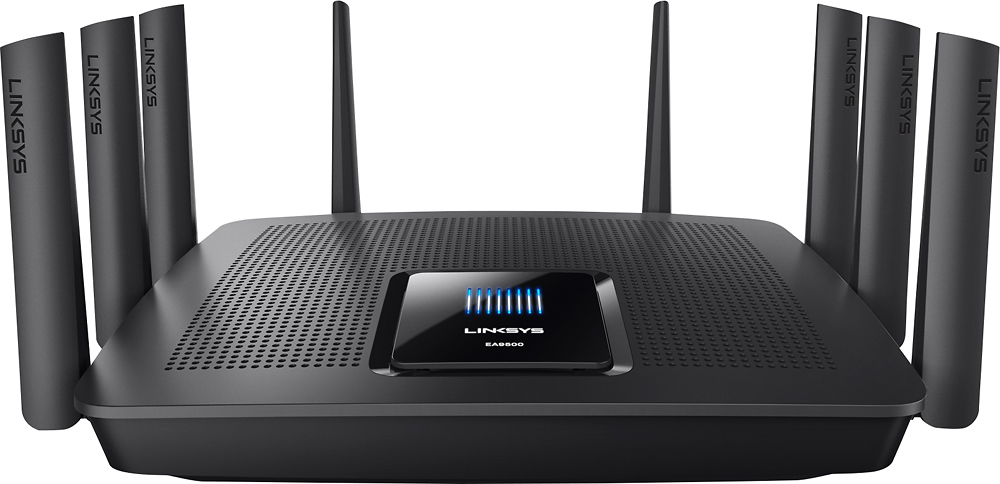
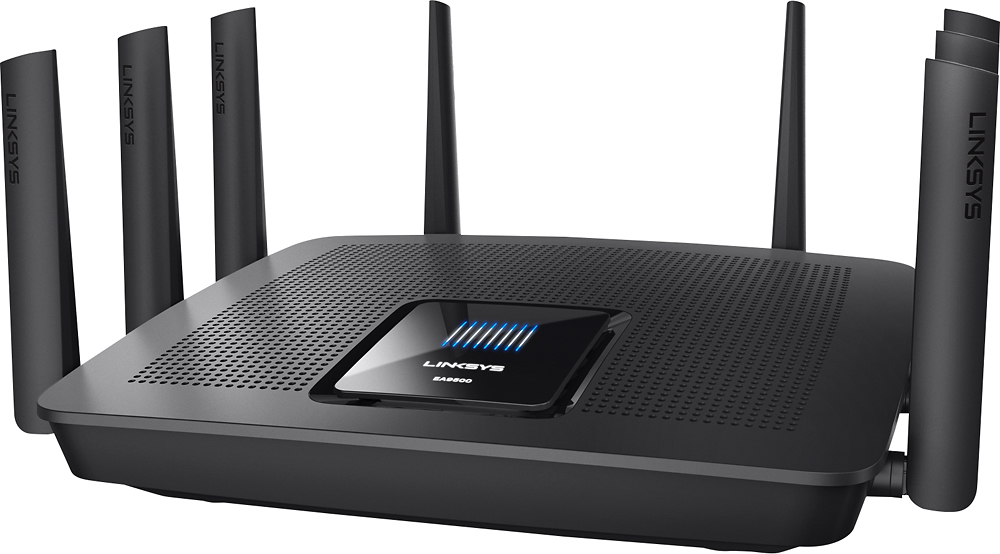




- Model:
- EA9500
- SKU:
- 5171100
Rating by feature
- Value
Rating 3.9 out of 5 stars
- Quality
Rating 4.2 out of 5 stars
- Ease of Use
Rating 4.4 out of 5 stars
Customers are saying
Customers are pleased with the AC5400 Tri-Band WiFi 5 Router's impressive range, ease of use, and strong performance, citing consistently positive experiences with setup and signal strength. Many appreciate the extensive coverage and numerous Ethernet ports. However, some customers note that the router is large and expensive. A few users mentioned occasional connection issues.
This summary was generated by AI based on customer reviews.
- Pros mentioned:RangeCons mentioned:Size

Excellent Wireless Router with great range!
|Posted .This reviewer received promo considerations or sweepstakes entry for writing a review.I received this product as a promotion in exchange for my honest opinion on the product. I used this product as an upgrade to my older Linksys router. It was less than a year old, but did not have the same capabilities. This router is a beast in size, easily almost twice the size of a standard wireless router. I was not expecting it to be so large. But i am highly satisfied with the product. The product came with an easy setup guide, no cd required, and simple instructions as all Linksys routers seem to do nowadays. It also come with all required cables to connect to your cable modem. This unit has 8, yes 8 antennas, and while most other units have them come unattached, and require you to assemble yourself, this unit came with them pre installed. Literally a plug and play router. The speeds of your wireless router really depends on the speeds of your internet connection. If you have a slow internet connection, buying the most high tech router is really not going to speed up your connection. So with this new Linksys router, i did not experience faster internet speeds, but i did experience a larger wifi range coverage mostly due to the larger more powerful unit, and the 8 wifi antenna attached. My only complaint, if a complaint at all, is the size of the wifi router which i touched on. You may have a hard time hiding this or having it blend in with your other furniture.
I would recommend this to a friend It's just okay
||Posted .This reviewer received promo considerations or sweepstakes entry for writing a review.The signal is not as strong as I expected for the price.
No, I would not recommend this to a friendBrand response from Linksys Staff
Posted .Hi, NYtoGA,
Modifying a few settings could optimize the speed that you are getting from this router. We'd appreciate if you will email us at [email protected] along with your phone number and the link to this post so we can have our Escalation Engineers assist you further.
Regards,
Rosalyn
Linksys Support
- Pros mentioned:Range, Setup
Wow, what an amazing router
|Posted .This reviewer received promo considerations or sweepstakes entry for writing a review.First, the packaging was top notch. Everything is well placed and protected. I have to start off with the Tri-band technology, it is the best tech I have ever seen on a router in my life. I have pushed this router to a level I never thought I could. I setup the 2.4 GHz for tablets, computers and laptops. The first 5 GHz channel, I have my 4k tv, phones and Chromecasts on. The 2nd 5 GHz I setup just for my 3 gaming systems. I did an overload test by downloading a large file on 3 computers, kids playing on tablets, streaming a 4k movie and 2 HD movies on my Chromecasts. It handled it perfectly, not one device slowed down. Also, the 4k streaming is the best I have come across through a router yet. My older router would make it downgrade to 1080 through my network or VUDU. I can now stream perfect 4k through both and Netflix does not buffer anymore. Distance is another big plus. I walked nearly 500 feet away and this EA9500 was still able to stream a song to my Note 5. If you are looking for an ultimate router with enough power to run anything you can throw through it, look no further. I would actually not think twice about using it for a small business. Also, setup was a breeze, Linksys has the instructions and program really dialed in for even the most basic user. Thanks to Linksys for coming out with a strong contender in the high end router market.
I would recommend this to a friend Not Working !
||Posted .This reviewer received promo considerations or sweepstakes entry for writing a review.First off let me say it was easy to set up. Luckily I was having trouble with my wireless printer constantly being dropped. I contacted tech support which was easy to do. There I found that my 5Gig bands were linked together, which is how they recommended the router to be set up. We separated the two 5Gig bands so they would work independently. After tech support disconnected I did a speed test and found one of the 5Gig bands wasn't working. I returned the router to best buy. I'm glad I found this out. if we never separated those two bands I would have never known one of them wasn't working.
No, I would not recommend this to a friendBrand response from Linksys Staff
Posted .Hi Santa,
Creating separate networks for the 5 GHz radios of your EA9500 router shouldn't cause one of the bands to be dysfunctional. We understand your decision in returning the router, however, we'd appreciate if you will share with us your phone number at [email protected] so we can tap one of our Escalation Engineers to further investigate the cause of your issue. For easy reference, include the link to this post.
Regards,
Jay
Linksys Support
Not setup friendly...
||Posted . Owned for 3 months when reviewed.This reviewer received promo considerations or sweepstakes entry for writing a review.I have setup my share of routers being in the IT industry. When I went to setup this router it would not pickup it's WAN IP address no matter what I did, reboot, power cycle, even manually entering our ISP's information...so...YMMV, but didn't work for me.
No, I would not recommend this to a friendBrand response from Linksys Staff
Posted .Hello bach88,
We've made sure that our Linksys router's are fully functional upon releasing it to the market. Allow us to have this matter checked by our Escalation Engineers. Email us at [email protected] along with your phone number and the link to this review for our reference.
Regards,
Princes
Linksys Support
Speed wasn't as fast as box states.
||Posted .This reviewer received promo considerations or sweepstakes entry for writing a review.Like someone previously mentioned in another review make sure you get the version 2 model. I didn't know there was a difference but the version 2 has a better processor. The box said to see speeds on 2.4 ghz to be 1000 mbps but I barely seen it at 100 mpbs and I have gigabit fiber optic internet service. Using wifi right next to the machine I never got faster than my Apple Airport Extreme which is only an AC1300 so it's expected that my 2.4 ghz wouldn't get that fast but the Apple was way faster and consistent than this Linksys. I would wait until the new routers are available with the AX technology.
No, I would not recommend this to a friendBrand response from Linksys Staff
Posted .Hello, Blkwld,
Allow us to have our Escalation Engineers assist you with optimizing the performance of your Linksys EA9500 router. Shoot us an email at [email protected] with your phone number and the link to this review. We'll take it from there.
Regards,
Princes
Linksys Support
Not what i needed
||Posted .This reviewer received promo considerations or sweepstakes entry for writing a review.not what i needed so i returned for a mesh system.
I would recommend this to a friend- Pros mentioned:Speed
Fast wifi
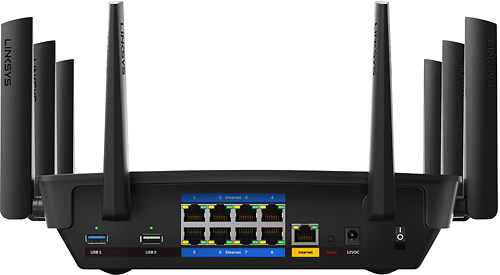
|Posted .This reviewer received promo considerations or sweepstakes entry for writing a review.This router wifi speed is very fast. See the speed test below. I believe it max out my internet connection speed as it is as fast as wired speed of my other router. The router has nine Gigabit network ports (eight LAN ports and one WAN/internet port). The router has eight external antennas and two USB ports (one USB 3.0 and one USB 2.0). The web interface is very easy to use and it is plug and play. I connect the internet port to my existing router and it automatically configured it as a second LAN. I can set it to bridge mode easily too. The USB port support USB hard drive but not USB flash drive. When I plug in USB flash drive, I get error message saying drive is not supported. It supports file sharing via ftp and also DLNA. After a full 24 hours, the bottom feel hot but does not burn your hand. I use testmy.net to test the speed. listed below are in this order frequency, download/upload. 1. When the router is near 2.4 GHz 87.8Mbps/7.3Mbps 5.8 GHz 87.7Mbps/9.1Mbps 2. When the router is in the basement while I am at 2nd floor 2.4GHz 6.2Mbps/6.4Mbps 1st time, 18.2Mbps/6.6Mbps 2nd time, managed to get between 2bar to 4bar signal strength according to windows's wifi utility. 5.8GHz my laptop cannot connect to the router. 3. With wire connection 86.6Mbps 10.2Mbps
I would recommend this to a friend Product did not work well
||Posted . Owned for 1 month when reviewed.This reviewer received promo considerations or sweepstakes entry for writing a review.The product did not work well, it dropped connections and it’s DNS/DHCP functions did not work well either. Assigned addresses would not resolve and sometimes be reassigned and cause duplicate addresses in the network. Additionally, the USB disk sharing is built on SMB v1 which Microsoft deprecated many years ago and doesn’t support on Windows 10. So either you can’t use this feature or override Windows 10 and install SMB v1 with its security flaws.
No, I would not recommend this to a friendBrand response from Linksys Staff
Posted .Hi Artie,
We can have our Second Level Technicians assist you with further troubleshooting regarding the intermittent connection that you are experiencing. Just send us your contact details at [email protected] so that we can escalate your case. Don't forget to include the link to this post as a reference.
We hope to hear from you soon.
Regards,
Thaddeus
Linksys Support
5GHz radio died within a couple of days
||Posted . Owned for 1.5 years when reviewed.This reviewer received promo considerations or sweepstakes entry for writing a review.It was a fine router with nice software features until the 5GHz radio died the second day. Apparently it's a fairly common problem with this model, so I returned it.
No, I would not recommend this to a friendBrand response from Linksys Staff
Posted .Hello, NeilB,
We could have tried checking the if the Broadcast SSID under 5-GHz is enabled. However, we respect your decision and if in case you have future concern with any of our products, please do not hesitate to send us an email at [email protected], and include your contact details and the link of this review upon sending, for our quick reference.
Regards,
Elyza
Linksys Support
did not last
||Posted .This reviewer received promo considerations or sweepstakes entry for writing a review.I bought this in Sept of 2017. It lasted a bit over a year. due to the amount of time I have had it, It is a manufactures warranty. Having a hard time getting Linksys response. It worked great new, but went down hill fast. find a different one to buy
No, I would not recommend this to a friendBrand response from Linksys Staff
Posted .Hi, DelB,
It is quite unexpected for the device to stop working properly in such a short time. Updating the firmware might help. If not, allow us to have our Escalation Engineers give you a hand instead. Please email us the details of the challenge that you're experiencing with the router at [email protected] along with your contact details and a link to this review so we can create a ticket for you.
Regards,
Rosalyn
Linksys Support
- Pros mentioned:Ease of useCons mentioned:Size
Excellent and EASY to set up
|Posted .This reviewer received promo considerations or sweepstakes entry for writing a review.This is, by far, the best and most powerful wireless router I have used. The power and tech is cutting-edge and just works. That is impressive, but since I've used a few routers, I expected it to work well. Besides the new specs, 3rd channel and cool tech, this is what I was most impressed with: IT WAS SUPER EASY TO SET UP. I was actually surprised at how simple it was. I used the wireless browser option for initial set up and then an iOS app for tweaking. I had no problems and the app and software were much more user friendly than I remember from past experiences. Currently I'm using it as an extension to a wifi network via ethernet in a large building so my office and others have solid signal. With this router, the wireless speed virtually matched the ethernet speed! My next step will be to make this the main router and use the Max-Stream AC1900+ extender for my location (I'll review that when I do). The only down-side to this router would be it's size and 8 antennas. It is a monster and not a subtle presence. So, if you don't want people asking "Does it fly?" (as in a 'drone'), or just doing a basic "woah!" at it's awesome techiness, you'll need to find a discreet location for it. Bottom-line: I like the tech, it works - very well, and it is EASY to set up and manage.
I would recommend this to a friend - Pros mentioned:Performance, SpeedCons mentioned:Size
Faster than 90% of the stuff I own, but pricey.
Posted .This reviewer received promo considerations or sweepstakes entry for writing a review.Awesome device, but may be overkill for some. We upgraded to a fiber connection (1000mbps) to the house and wanted a faster wireless service to take advantage of it. This helps. I see speeds of 360-400mbps regularly, but it can fall to 100mbps in some areas of the house (at least there is nowhere in our 3000sq. ft. house that doesn't get at least 3 out of 5 bars of strength, which is really nice). My biggest gripe isn't with the AC5400 it's that very few of the other devices in the house can take advantage of the speed that the AC5400 is capable of. And after shelling out $300 on a router, the last thing I want to do is to start buying a bunch of adapters at $30-50 a piece to keep up with it. Also, I should mention this thing is huge (think medium pizza box size). The saving grace is that it's been rock solid and I haven't had to reboot in almost 3 months so I've been able to tuck it away where it's size hasn't been much of an issue.
I would recommend this to a friend - Pros mentioned:Speed
A beast of a machine
|Posted .This reviewer received promo considerations or sweepstakes entry for writing a review.This thing is pretty awesome. My speed jumped u 15 mbps as soon as i plugged it in. Background: I'm upgrading from an old router i found in my garage so really anything was an upgrade. Setup: so this is my only negative in the whole review. There is a lot of setup involved and you can't do it from a smartphone in any way that i could figure out. And even from a laptop i had to unplug the router three times before giving up on the setup software entirely and just let the windows troubleshooter fix things. In use: It's fast, i haven't had any trouble doing anything. Videos play in hd with no hiccups. Coverage is great! I have full bars anywhere in my house and in my backyard. Also, i haven't had to reset the router once to fix any weird problems. Which is very out of the norm for towers that I've had. I haven't had a chance to stream a bunch of videos at the same time but, based on how it has worked so far, I'm sure it will hold up to the test.
I would recommend this to a friend Could be awesome but is not
||Posted .This reviewer received promo considerations or sweepstakes entry for writing a review.I was very excited to purchase. Great reviews plus would do everything I was looking for a counter to do. Unfortunately for me encountered issues from drop in cable internet speed to PC, 5ghz quit working, having to reset router and loosing wireless connections. Router exchanged at Best Buy 3 different times( Best Buy was awesome with exchanged) and had various issues with exchanged ones. Too bad product hype was just hype. I had to purchase another brand so I could enjoy my internet again.
No, I would not recommend this to a friendBrand response from Linksys Staff
Posted .Hi, Chip,
Having experienced various issues even on exchanged routers caught our attention. As expected, the EA9500 router should provide you a stable Wi-Fi connection and a faster internet speed. We'd like to have one of our Escalation Engineers look closely into this unexpected behavior and provide you a permanent fix. Shoot us an email at [email protected] with your contact information and the link to this review.
Regards,
Jay
Linksys Support
Average
||Posted .This reviewer received promo considerations or sweepstakes entry for writing a review.Worked fine until we had an update. Need to call mfg.
I would recommend this to a friendBrand response from Linksys Staff
Posted .Hi, Donna,
Updating the router's firmware should help improve its performance. We're glad that you've thought of contacting our Support team but if you are still having some challenges, do not hesitate to reach us via [email protected] with your phone number and the link to this post. Our Escalation Engineers will assist you in optimizing the performance of the device.
Regards,
Irish
Linksys Support
- Cons mentioned:Connection
Failed
||Posted .This reviewer received promo considerations or sweepstakes entry for writing a review.I brought this home set everything up, pretty straight forward. It worked for a day and died. No more links products for me
No, I would not recommend this to a friendBrand response from Linksys Staff
Posted .Hi, Businessman,
What you have experienced has caught our attention since the router should work flawlessly once it's set up. Our Escalation Engineers would like to gather more details of what happened and help you get it working again. Please email us your contact information at [email protected] so they can contact you as soon as possible. Indicate the link to this review for our reference.
Regards,
Kristine
Linksys Support
- Pros mentioned:Ease of use, Range
Great Hardware, Software Flawed
|Posted .This reviewer received promo considerations or sweepstakes entry for writing a review.Range, signal strength and options are all outstanding. Unfortunately, the software has some bugs. The network map does not always display all the network devices. When changing information on a device, such as display name, it does not always save. Setting a static id, route and most other basic network functions could not be easier. The issues should be fixed in firmware updates, until then 4 stars.
I would recommend this to a friendBrand response from Linksys Staff
Posted .Hi, Dharr18,
We're glad to hear your feedback on the features of this router. How many wired and wireless devices do you have? We understand you've noticed some challenges with the Network Map feature and allow us to assist you.
The basic steps usually resolve challenges like this. Try rebooting the router and refreshing the Network Map list. Do not hesitate to email us at [email protected] should you need further assistance and indicate your name, phone number, location, and the link to this post.
It'd be our pleasure to serve you.
Regards,
Linksys Support
Never Again
||Posted . Owned for less than 1 week when reviewed.This reviewer received promo considerations or sweepstakes entry for writing a review.Here's a positive - 8 wired ports. I bought this unit and I had two problems. Wired connections intermittently failed to connect to the internet. Wireless connections stopped working after two days. I spoke with a woman named Jxxxx whom I believe was in the Philippines and knows less than I do. I had to power cycle this unit at least twice per day to get the wired connections to work. I took it back and got another one. No 5 Ghz wireless. Nothing shows up on any wireless network list. Setup showed 5 Ghz when I assigned at network name and password. I'm taking this one back to Best Buy and getting an Asus on Netgear.
No, I would not recommend this to a friendBrand response from Linksys Staff
Posted .Hi Moose,
We regret to hear that you've experienced this setback with our product. Before you consider returning the device, we'd like to have our Escalation Engineers look at your case for advanced troubleshooting. Send us an email at [email protected] along with your contact information and the link to this post for reference.
We'll look forward to your email.
Regards,
Lizette
Linksys Support
- Pros mentioned:Range, Setup
easy setup, lots of features
|Posted .This reviewer received promo considerations or sweepstakes entry for writing a review.It took longer for us to move the cable modem to a central location for setting up this wireless wifi router for better coverage through the house. It was super quick and easy to configure the router for use. Only time I referenced the quick setup guide was to know the default SSID for the router and its default password. The rest of its setup was smooth & intuitive. I didn't realize there were so many features available on this product, however, you can't access most of it until you've setup a Linksys account online, which also allows you to access your router & change its settings when you're away from your home. You also have to setup your Linksys online account before you can assign a customized name to the 5GHz portion of router or change the default router address (all the better to avoid neighbors' routers using the same IP & thus preventing you from accessing your router setup via wifi). Other than that, love that you can prioritize devices, applications and online games (wish EQ was on that list; it did have EQ II & WoW tho) and set parental controls on individual devices. This is the largest (physical) wifi router I've owned before; no hiding it behind the tv or mounting it on the wall.
I would recommend this to a friend