Customer Ratings & Reviews
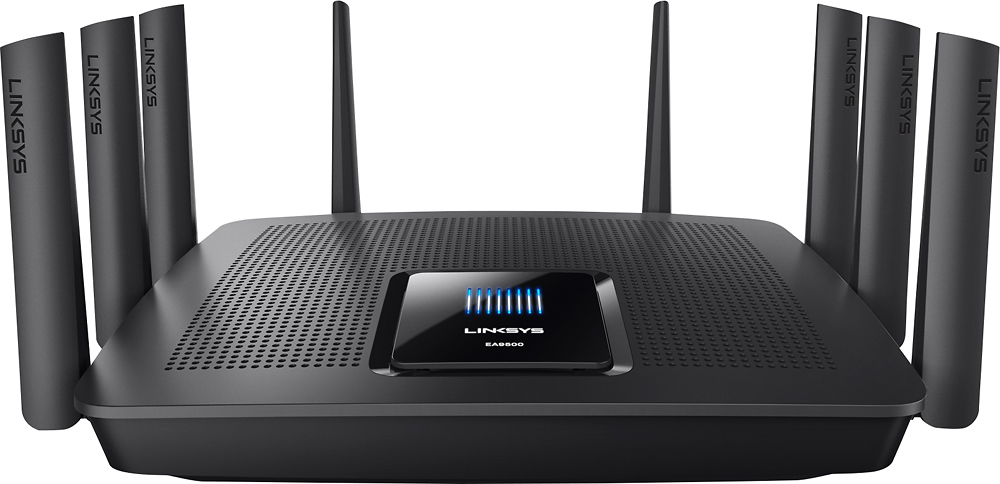
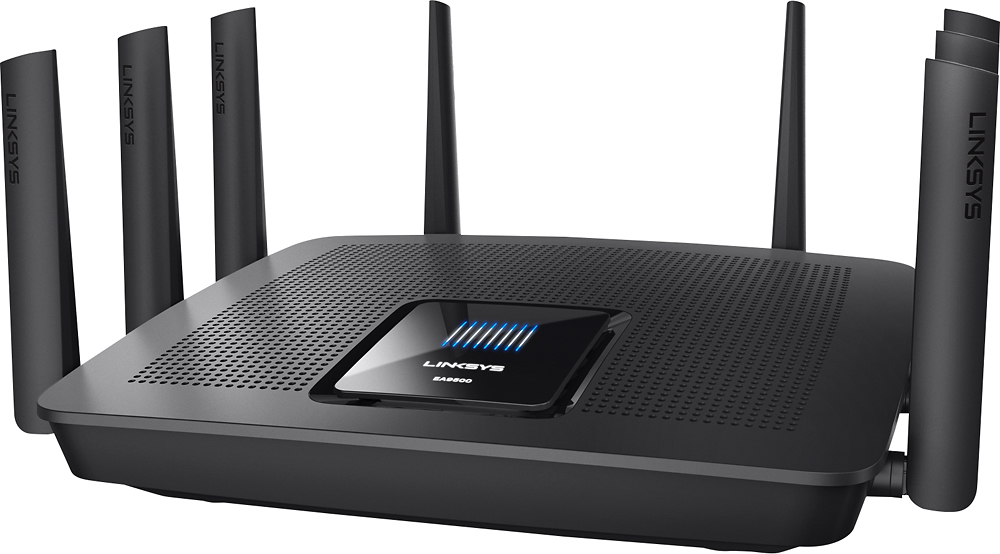
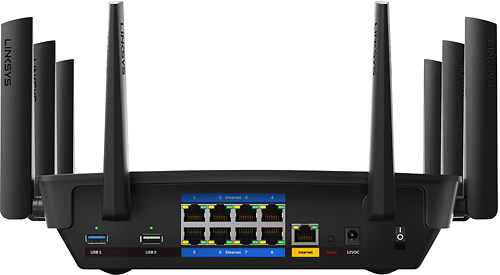




- Model:
- EA9500
- SKU:
- 5171100
Rating by feature
- Value
Rating 3.9 out of 5 stars
- Quality
Rating 4.2 out of 5 stars
- Ease of Use
Rating 4.4 out of 5 stars
Customers are saying
Customers are pleased with the AC5400 Tri-Band WiFi 5 Router's impressive range, ease of use, and strong performance, citing consistently positive experiences with setup and signal strength. Many appreciate the extensive coverage and numerous Ethernet ports. However, some customers note that the router is large and expensive. A few users mentioned occasional connection issues.
This summary was generated by AI based on customer reviews.
- Pros mentioned:Ease of use, Speed

Best router I have ever used
|Posted .This reviewer received promo considerations or sweepstakes entry for writing a review.I was skeptical in buying a better router than my old trusty G router since my internet speeds is only 50MBPS down and 5MBPS up. I typically get around 40MBPS down and 5-6MBPS up with my old router. Never thought of upgrading to a newer router because I figured my G router would do the job considering my data speeds. Boy I was wrong. I am now getting around 60MBPS down and 6-7 MBPs up with this new router and now since it is an AC router no more interference from devices around my house like microwaves lol. My old router was a nether one and while I never had any issues with setup page I find Linksys is to be quite easy to use and navigate. Would I suggest my friends to buy this router ? If they have large households who have a lot of different devices and has $400 to spend I would say this is a fantastic choice for a router and well worth the price tag.
I would recommend this to a friend - Pros mentioned:Range, Speed
Linksys has outdone themselves once again!!!!
|Posted .This reviewer received promo considerations or sweepstakes entry for writing a review.Received the Linksys EA9500 AC5400 Wi-Fi Router on Friday (5/13/16). I quickly without any hiccups whatsoever installed this router into my home network. This router has been nothing short of amazing and blazing fast. Installation took all of 5 minutes. After installing I updated and tweaked my network settings, and updated them in my Smart WiFi app which is highly recommended for Linksys Smart WiFi routers. After updating my network settings, I noticed immediate boost in speed as well as range throughout my spacious apartment. Areas where I previously received little to no coverage are not only now covered but are just as fast as the area where my router is centrally located. All of my mobile & streaming devices connected seamlessly to my router. Drastic improvement through and through. Thank you Linksys for an awesome router.
I would recommend this to a friend - Pros mentioned:Ease of use
I LOVE THIS PRODUCT!!!
|Posted .This reviewer received promo considerations or sweepstakes entry for writing a review.First off, I would like to commend Linksys on the ease of usage in setting up this product! At first glance with all the antennas, which make the product appear to be somewhat intimidating; however, they are needed in order to optimize the best coverage in your home. As a person who has multiple devices within my home and several are in usage at a time, I found this product to meet all of my Wi-Fi connectivity needs immensely. Sometimes, I use my IPad Air for writing purposes late into the wee morning hours and with my old Wi-Fi Router, which was issued through my Internet provider; I would receive a message that says, “WEAK INTERNET CONNECTION!” However, since using the Max-Stream AC5400, I have NOT received this message. I am sure the multiple antennas cover the dead spots, which have made my life much easier and efficient.
I would recommend this to a friend - Pros mentioned:SetupCons mentioned:Size
Range extender solution
|Posted .This reviewer received promo considerations or sweepstakes entry for writing a review.I have a Netgear R6400-100NAS(AC1750) router, however I wasn’t getting strong signals in the corner of my house. I connected the RE7000-AC1900 range extender. Setup took about 10 minute after I tried twice. The range extender creates another SSID. For instance, if my SSID was Home/Home-5g the extender would create Home_ext/Home-5g_ext. I was worried about was the printer (Epson workforce 845) setup on my network. I had no problem printing was the printer was connected to Home and my laptop was connected to Home-5g_ext. One bad thing I can say is how big the extender hangs from the wall plug. I hope Linksys reads my review and take my advice. I am pretty sure they can not shrink. SOO I recommend building its to cover both wall plugs and have additional wall plugs on the units so users can plug other devices.
I would recommend this to a friend - Pros mentioned:Ease of use, Performance
A must have if you have multiple wireless devices
|Posted .This reviewer received promo considerations or sweepstakes entry for writing a review.I took my time to really evaluate this router before submitting a review. I have a lot of perticular standards when it comes to routers. #1 It has to be easy to set up period. When I say easy, I mean my 70 year old father could do it without calling me. Next it has to work, without having to be rebooted or having it cut out unexpectedly. It must have some serious range, and lastly must look good. I found this router met all of these demands well. I won't go into the tech specs you can read off the box however I will say it handled 4 smart T.V.s, 3 media players, 3 cellphones, 2 iPads, a desktop, and 2 game consoles all running at the same time with ease. While most people don't pay attention to the speed of their WiFi I will say I did notice a very nice speed bump after switching over from an N class router.
I would recommend this to a friend - Pros mentioned:Speed
The best router I have ever owned
|Posted .This reviewer received promo considerations or sweepstakes entry for writing a review.In all fairness, I do have to say that, with my Cable Provider, setting up this router had me questioning if it was even worth it. But now I can say I would have suffered more if I knew it was going to be this good. I'm a solid 200 feet away from my router. (I have a house on a property with 2 houses on it ) Having to go through wood, brick, glass, metal, weather, and any other interference that would come up, my Internet was very slow with just me on it, so you can imagine when 5 people try 8+ devices connected. For a while, i used a range extender and had that as a midpoint. It worked for a while, but it recently went out. Luckily, I was able to find this bad boy. It is still linked to the main router which is still 200 ft away from me, but now, an extender isn't even needed. I get faster speeds, better coverage, and we connected 9 devices to it at once and we could barely tell a difference. It is worth every penny! Try it, you won't be sorry!
I would recommend this to a friend Had 3 of these fail on me
||Posted .This reviewer received promo considerations or sweepstakes entry for writing a review.Maybe I just had bad luck, but I bought this and had 2 DOA, and the third die after a year. Switched to a Linksys mesh system and couldn't be happier
No, I would not recommend this to a friendBrand response from Linksys Staff
Posted .Hi,
We understand that it's not right to have 3 of the same units that wouldn't function and last as expected. Nonetheless, we're grateful to know that you have invested on our Velop System. Should you require assistance with it, please feel free to email us at [email protected] anytime.
Regards,
Klaudette
Linksys Support
Awesome Router
|Posted .This reviewer received promo considerations or sweepstakes entry for writing a review.I have used a variety of wireless routers (Apple, Netgear, and Linksys) in recent years, and I'm pretty picky about them. But the Linksys EA9500 really stands out. This is a beast of a router. If you don't mind the price, I wholeheartedly recommend this router.. When I consider a new router these days, there are a few things that are really important to me: 1. Of course, the basics: reliability, speed, range, security features, guest network,etc. 2. Dual band 3. AC standard. 4. MU-MIMO. 5. Beamforming (or similar) technology. 6. Print server capability 7. Reasonable port selection The EA-9500 has all the basics in spades. Dual band? Even better; this is tri-band. AC? Yes, but not just 1900 (like the Linksys I replaced with this one); 5400. MU-MIMO? Yes. Beamforming? Yes. Print server? Yes. Ports? Plenty; one USB 2, one USB 3, and 8 ethernet ports. After using this router for quite a bit on my 300Mbs cable connection, I am impressed. It never sputters or strains. We use a variety of devices: two different gaming consoles, multiple laptops (Windows and Mac), desktop computers, tablets (Windows and Mac), connected home devices (Nest and such), and a variety of cell phones. But we have not experienced a single blip in signal since installing the router, and the coverage is phenomenal. Setup is fairly typical for Linksys Smart WiFi devices, which I like in the current generation of devices (prior iterations of the portal were clumsy, but the current portal is relatively easy to use and gives lots of options for setup). One caution, when choosing your network name, it will also give your device this same name. You can change all the names later,. The network names are changed in the wireless settings, but the device name is changed via a dropdown menu in the top right of the screen (sadly, that took me a little while to find that particular menu). However, if you've ever set up a wireless network, you'll find setup a breeze. I have to admit, when I took this out of the box, it looked frighteningly huge. That's because it is huge. But it works beautifully. I am completely sold on this router and highly recommend it.
I would recommend this to a friendQuit working after 12 month.
||Posted . Owned for 1 year when reviewed.This reviewer received promo considerations or sweepstakes entry for writing a review.Quit working after 12 months and switch to a Netgear Orbi and love the Orbi!
No, I would not recommend this to a friend- Pros mentioned:Range, Setup
Great Product
|Posted .This reviewer received promo considerations or sweepstakes entry for writing a review.This item is great. I use it in my home, and it not only provides great service in my house but in the garage, front yard, and backyard as well. I live in a 3 story house. Additionally, it was really easy to set up. It took me less than five minutes to set up. I gave this a 4 instead of a 5 because sometimes it will stop working altogether. But I unplug it and plug it back in and it is working great again within mere minutes. It is definitely something I would recommend buying. Before I started using this I got pretty good wi-fi in the house and on the front stoop but that was it. So it has definitely increased where I can use wi-fi at. Also, I am not very tech savvy most of the time so when I get a product like this that is set up and ready to go in under five minutes it means it is REALLY easy to set up. Additionally, on the box it says it has a 3 year warranty and 3 year tech support.
I would recommend this to a friend Keeps dropping WiFi for some reason
||Posted .This reviewer received promo considerations or sweepstakes entry for writing a review.Lost WiFi for the first time in years and it happens randomly now with this router. Going back to my tried and true Apple AirPort Extreme.
I would recommend this to a friendBrand response from Linksys Staff
Posted .Hi Bank,
Oftentimes, having an outdated firmware can cause your router to behave intermittently. To ensure a stable Wi-Fi connection, we need to perform a manual firmware upgrade and optimization. Please reach out to us at [email protected] so we can have one of our Escalation Engineers walk you through the steps. In your email, indicate the link to this post and your contact details.
Regards,
Jay
Linksys Support
Not Good
||Posted .This reviewer received promo considerations or sweepstakes entry for writing a review.In summary - At first I was excited about buying this router. After I went through the setup and started using it I noticed that I was losing my internet connection occasionally. It turns out the the router was randomly rebooting itself. I called support, it did not help. I am not sure if any new firmware updates have fixed the problem. I returned the router.
No, I would not recommend this to a friendBrand response from Linksys Staff
Posted .Hi, 400LBJedi,
You should normally have a stable connection with the router once it is configured. Although you've already returned it, we'd still like to know more details about this case as well as the steps you've tried with our Support team. Please email us at [email protected] with the reference number from the team, your phone number, and the link to this post for our reference.
Regards,
Irish
Linksys Support
Router in reboot loophole
||Posted .This reviewer received promo considerations or sweepstakes entry for writing a review.I had bought this router for a couple of days. After a frimware update, it locked itself in a reboot loophole. Tried everything to get it to stop, but nothing helped. Sent it back to the store for a refund. I was hoping this router would replace my 3 year old one that still runs good.
No, I would not recommend this to a friendBrand response from Linksys Staff
Posted .Hi, Mysterious,
The firmware update should fix bugs and should not cause your router to lock itself in a reboot loophole. We regret to hear that you already returned the product as we could have your issues resolved by one of our Escalation Engineers. Should you wish to give it another chance in the future, we're just an email away at [email protected].
Regards,
Jay
Linksys Support
Go with the newer mesh design
||Posted .This reviewer received promo considerations or sweepstakes entry for writing a review.Couldn’t handle large home. Constant reboots then WiFi failed.
No, I would not recommend this to a friend- Pros mentioned:Setup, Speed
What an awesome piece of hardware!
|Posted .This reviewer received promo considerations or sweepstakes entry for writing a review.Hardware feels sturdy and setup was a breeze. Following the wizard for setup is a piece of cake and I was up and running in less than 5 minutes! All I had to do was naming the connection and the desired password, that was literally the hardest part. I have quite a few gadgets in the house, three PCs, two laptops, 3 tablets, and 3 smartphones, along with SmartTV, and gaming consoles. All of the connectivity in the past week seems to be quite stable and the speed is fast! Please note, in order to obtain the fastest speed based on the specs, you have to have the latest hardware supporting it. But yes, this is something I would install in my house that has high demands for wireless reliability and connectivity.
I would recommend this to a friend - Pros mentioned:SetupCons mentioned:Price
Very Good Router with Great Features
|Posted .This reviewer received promo considerations or sweepstakes entry for writing a review.For the past several years I have been using the latest model of Apple Airport Extreme WiFi router. It's easy to use, setup and stylish plus it works very well. I was hesitant to try a new router but decided to give EA9500 a chance. The features on this router are excellent even surpassing the Apple Airport Extreme. The setup is easy and the design is great. I have not experienced any degradation in signal or network speeds. The mobile app is useful to manage the usage and connected devices. The only downside is price when compared to other high end routers like the Apple Airport Extreme. If you are in need of high end router, give this a try. If you are looking to save money, wait for it to go on sale.
I would recommend this to a friend Useless
||Posted .This reviewer received promo considerations or sweepstakes entry for writing a review.Purchased this with a new modem. Had geek squad install. The modem was useless, but they did connect the router. I kept getting dropped signals, other equipment would not connect to it, gave it a couple days. Ended up getting all new equipment from my provider and haven't had a problem since. Now I can't return it. Absolute crap.
No, I would not recommend this to a friendBrand response from Linksys Staff
Posted .Hi, Returned,
This is not the experience we wanted you to have with our device. Updating the router's firmware and tweaking the wireless channels can help fix these problems. Should you need assistance, we can endorse your case to our Escalation Engineers so they can walk you through optimizing the router's settings and help resolve the challenges that you're going through. Send us an email at [email protected] along with your contact details and the link to this review for easy reference.
Regards,
Joseph
Linksys Support
Returned it because it stopped working in 2 weeks
||Posted .This reviewer received promo considerations or sweepstakes entry for writing a review.Internet starting dropping out intermittently immediately, which was very upsetting to my League of Legends playing son. After two weeks it got into a loop where it would reboot every 2 minutes, which was too quick to log into the router. Online articles said it had something to do with the power supply. I returned it and bought a Netgear router.
No, I would not recommend this to a friendBrand response from Linksys Staff
Posted .Hi, Tecoud,
A few troubleshooting steps would've helped us isolate this challenge. Although you don't have the device anymore, you can always reach us anytime at [email protected] should you need our assistance for your other Linksys devices.
Regards,
Irish
Linksys Support
- Pros mentioned:Ease of use, Speed
Excellent Router
|Posted .This reviewer received promo considerations or sweepstakes entry for writing a review.The setup on this router was very easy. I had it up and running in under 10 minutes. The only gripe I have is the password they gave me to initially connect to the router did not work, but I was still able to run the setup smoothly based on the instructions given. The router, once up and running is a BEAST. I get 90mb downstream on my cellphone downstairs and my connection isn't even supposed to be that fast. I would highly recommend this router if you're looking for streaming from a network HD. It allows you to plug a HD directly into the router itself and the software is very intuitive. Overall i would highly recommend this router to anyone looking for a great and powerful router!
I would recommend this to a friend Worthless
||Posted .This reviewer received promo considerations or sweepstakes entry for writing a review.I purchased this after some recommendations and a couple of reviews. After set up which was relatively easy. It seemed to work pretty good then after a couple of days Internet speeds were slower wifi was in and out. Tried trouble shooting and resetting system and the problems continued.
No, I would not recommend this to a friendBrand response from Linksys Staff
Posted .Hi Tech,
It’s good to know that set up went smoothly. We would like to get you in touch with one of our Escalation Engineers since you’ve gone through a lot of troubleshooting steps. Shoot us an email at [email protected] with your contact details and the link to this review.
Regards,
Rechel
Linksys Support