Customer Ratings & Reviews




- Model:
- EA9500
- SKU:
- 5171100
Rating by feature
- Value
Rating 3.9 out of 5 stars
- Quality
Rating 4.2 out of 5 stars
- Ease of Use
Rating 4.4 out of 5 stars
Customers are saying
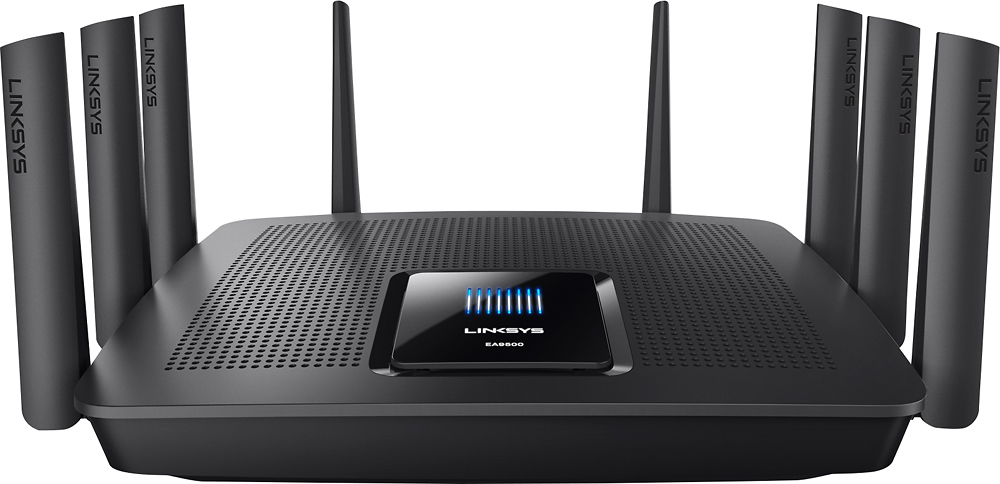
Customers are pleased with the AC5400 Tri-Band WiFi 5 Router's impressive range, ease of use, and strong performance, citing consistently positive experiences with setup and signal strength. Many appreciate the extensive coverage and numerous Ethernet ports. However, some customers note that the router is large and expensive. A few users mentioned occasional connection issues.
This summary was generated by AI based on customer reviews.
- Pros mentioned:Range

Love This Router
|Posted .This reviewer received promo considerations or sweepstakes entry for writing a review.Let me state this is a perfect good router. I did not have one issue with it and it is still working strong in my house. I have not had one technical issue with the router. Setup like all recent Linksys products was quick, and painless and I was able to quickly swap the router and none in the household knew we where on the new router. Though with a new set of antenna I did have to change the location of my range extender, because even with this router there is still one small deadspot in my house and unfortunately I need a signal in that location. While the range is about the same as my previous Linksys 1900 with the second 5Ghz AC Stream makes the range extender I use to bring AC wireless to my upstairs Roku worth it. I have only about 15 Mpbs where I live to the internet. For streaming and the household this is sufficient and serves us well, except when I download either an ISO for work or a game. Steam and Origins will take all the bandwidth unless I throttle them if others are using. The other night I forgot to turn on throttling and no one complained. I tested again and I am able to download at full speed and it doesn't inject lag into my kids online gaming or my Wife's streaming on Hulu. It is great to be able to maximize my bandwidth and download at full speed without everyone yelling at me. That one thing makes this a worthwhile device to me, and makes me love it. I like the MU-MIMO, because even though none of my wireless devices can take advantage of it, I do get consistent throughput and throughput this router does seem to give. Using my desktop computer with a 1300AC wireless card and a USB 2.0 External HDD Attached to the router I was able to max out the HDD and had a consistent throughput of over 25MB per second, which when the drive was connected directly to my PC was the same copy speed and no one else noticed I was running my test. I didn't have a 3.0 device to test but I would expect the same. I then tested streaming some 720p 60 fps video I shot and it worked as if it where local storage. So throughput this router has in spades. This is a good router for the ability to handle throughput and share it amongst everyone, and the fact it means I don't have to look to upgrade my Internet connection is awesome.
I would recommend this to a friend Too many issues!
||Posted .This reviewer received promo considerations or sweepstakes entry for writing a review.I could not get this router to stream reliably with ethernet. There was long delays before video would start on Netflix or Amazon Video. I tried changing settings, updated firmware and researched online for possible issues but could not fix the problem. I returned it and got the Netgear Orbi, and I am very happy with the Orbi.
No, I would not recommend this to a friendBrand response from Linksys Staff
Posted .Hi, JBwho,
The router's behavior has caught our attention. Since you've tried a couple of steps of already, our Escalation Engineers could have checked what's causing the delay when streaming via the unit's Ethernet connection and helped you get the EA9500 to work at its best. Should you need assistance with your other Linksys devices, please don't hesitate to reach out to us at [email protected] so we can get you over to our team.
Regards,
Kristine
Linksys Support
Over Priced piece of junk
||Posted .This reviewer received promo considerations or sweepstakes entry for writing a review.Slows my connection drastically, even with wired devices. I plug directly into the modem, 900mbps down. Go through the router, 200mbps, even through the LAN ports. Firmware up to date, tried fixes in forums, to no avail. This problem is not uncommon. DO NOT BUY.
No, I would not recommend this to a friendBrand response from Linksys Staff
Posted .Hi,
Get in touch with us at [email protected] and we'll have our Second Level Technicians contact you for further isolation and troubleshooting. They'll figure out why you are only getting less than half of your internet speed.
Don't forget to include your contact details and the link to this post.
We look forward to your response.
Regards,
Thaddeus
Linksys Support
- Pros mentioned:Performance
Great with minimal issues during setup
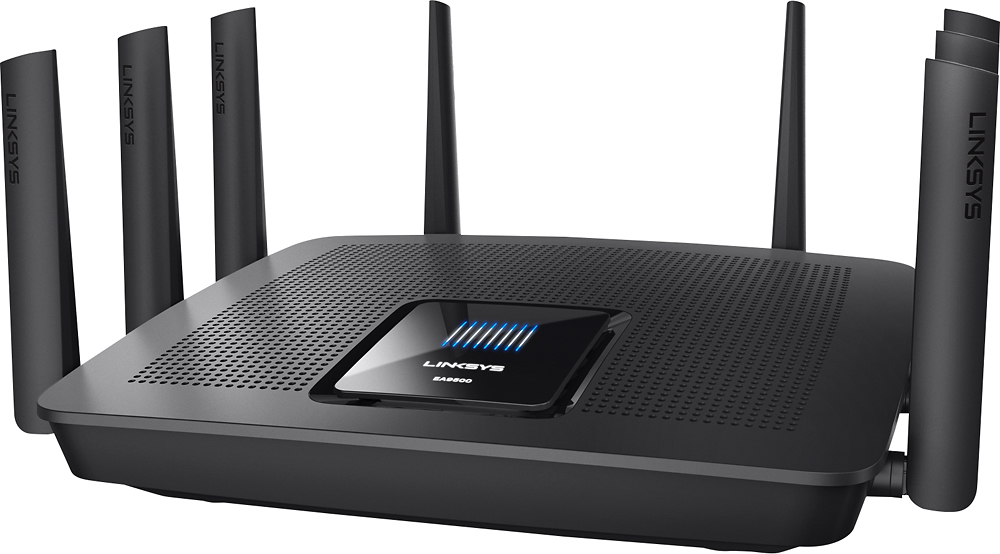
|Posted .This reviewer received promo considerations or sweepstakes entry for writing a review.Being the tech enthusiast I am, I'm always keeping up with the latest technology through websites that report on what is on the floor at CES. Having that said, when I heard about this router and it's Enterprise Grade performance I was wowed by the specs. Even more so, I was thrilled to hear when this product was available for review through the Tech Insider network. So I received the package yesterday and set it up that evening. The box seemed slightly heavy when taking it out of the Belkin shipping box. I opened the box and I saw the router itself, a CD-ROM, an ethernet cable, a quick start guide, laptop style power brick and some helpful information that I could directly email the LinkSys team if I was having trouble operating the Tech Insider product. Taking a look at the product, I noticed there were 8 antennas connected to the router with each antenna covered in plastic. Upon looking at the antennas, these don't appear to be removable as in the ones that were included with the EA7500 router that I previously previewed through Tech Insider, they are hard wired into the unit which may pose a problem for some users used to the way the previous router model was setup. No biggie for me as I had slight mobility issues installing the antennas on the previous model, so was happy this was setup like that. The AC adapter is a huge improvement over the one that was included in the EA 7500 router, it resembles a standard laptop charger with a more commonly used everyday 2 prong cord that fits nicely in all outlets. No more bulky square / rectangle designed AC Adapters that can have a hard time integrating into your surge protector environment. Once everything was unpacked out of the box, I proceeded to disconnect the EA7500 Router and install the EA9500 Router. Plugging it in showed all these cool lights flashing on top of the unit. After awhile, it stopped flashing and moving the lights and it appeared it was on. I followed the directions out of the box that says to go to 192.168.1.1 to setup the unit. I connect to the router and get to the setup page. For some reason at first when I attempted to set it up, it claimed It had issues recognizing my Comcast internet connection and to reboot the router. Once I had done this, everything was fine, and device setup continued. I had turned off Guest Access and disabled WPS setup button for obvious reasons. Setup my password, router rebooted and everything was ready to go. Believe it or not, I have lots of devices connected in here including multiple laptops, a wireless printer, multiple tablets and even cell phones connected. All of them work flawlessly without any notice of lag or speed dropouts. If you are a user of multiple devices like me and do lots of gaming and working on personal projects that require a lot of bandwidth, this is a no compromise solution that works on all levels for everyday internet usage scenarios. Well worth the price tag if you're able to swing it. As always Linksys is there for it's customers if we had questions prior to leaving a review on this product that may have negatively impacted our opinion due to technical glitches. Did not need to use their support as I helped myself but the pamphlet in the box said I could personally email them if issues arise.
I would recommend this to a friend Tech support cant speak English.
||Posted .This reviewer received promo considerations or sweepstakes entry for writing a review.When i was setting up a DNLA server from this device, It worked. Then, it stopped working. After hours of searching for a possible answer i did th one thing you shouldn't do with LINKSYS, i called tech support. Well as it turns out, they cant understand what DNLA is. Or most simple questions in English for that matter. After waiting on hold for over and hour I hung up. Don't buy LINKSYS EVER!!!!
No, I would not recommend this to a friendBrand response from Linksys Staff
Posted .Hi,
This is definitely not the experience we want for our customers. We can have our Escalation Engineers assist you further with your challenges with the DLNA server. Just send us your contact details at [email protected] along with the link to this post.
We hope to hear from you soon.
Regards,
Thaddeus
Linksys Support
Disappointed in performance for the price I paid
||Posted .This reviewer received promo considerations or sweepstakes entry for writing a review.Gigabit performance never reached. LInksys made me go through an hour and a half of trouble shooting before they would finally admit their router had crapped out and it was not the service provider. For the price of this router, I expect Rock Star results. Only received crappy cover band performance.
No, I would not recommend this to a friendBrand response from Linksys Staff
Posted .Hi,
This is definitely not the experience we want for our customers. If the device is deemed defective, we can definitely replace the unit. Let us know if you need assistance by sending us an email at [email protected] along with the case number. Don't forget to include the link to this post as a reference.
We hope to hear from you soon.
Regards,
Thaddeus
Linksys Support
- Pros mentioned:Setup
Excellent router
|Posted .This reviewer received promo considerations or sweepstakes entry for writing a review.The Linksys EA9500 is a great high-end router that will serve well homes with a large number of wireless devices. Physically, the device is substantial. Its quite heavy with a large foot print. Build quality seems solid. Setup is typical for Linksys. For the less technically minded, you can be up and running quickly just following the quick start guide. For the more advanced user, there's easy access to the advanced options and plenty of tweaks available. Performance is really good across the board. Signal strength is amazing even in a large house. And the MU-MIMO technology keeps all of your devices streaming smoothly.
I would recommend this to a friend - Pros mentioned:Ease of useCons mentioned:Size
Powerful Router with User Friendly Web Interface
|Posted .This reviewer received promo considerations or sweepstakes entry for writing a review.Overall, I'm happy with the Linksys EA9500. It was easy to get started (thanks to the quick setup guide and user-friendly web interface), and the router handles multiple devices, all streaming media simultaneously, without any trouble. The features that allow manual prioritization of network traffic and parental controls were simple to configure, either by device or by Internet service. I did find that the router itself is rather large, and had to make some extra room for it on the shelf. Also, I tried to load the web control panel from my Android phone, but got a message saying that it wasn't compatible with mobile devices. The Linksys Smart Wi-Fi app was a good alternative, but had fewer options than the full web interface.
I would recommend this to a friend - Pros mentioned:SetupCons mentioned:Price
Top of the line wireless router
|Posted .This reviewer received promo considerations or sweepstakes entry for writing a review.I was lucky enough to be one of the first to test this device and received it for free to write this review. This router goes head to head with Netgear's Nighthawk X8. The look is high-tech and the unit seems very durable. Setup is super easy and the router web interface is clean and uncluttered. So far my internet connection on multiple devices, with high data use, has been great. I highly recommend you consider making the investment in this device if you can handle the premium price tag of $400. It is future proofed for the next couple of years, and takes advantage of the most recent wireless technology.
I would recommend this to a friend - Pros mentioned:RangeCons mentioned:Size
imposing and effective
|Posted .This reviewer received promo considerations or sweepstakes entry for writing a review.This is a large router. It's not going fit in neatly next to your cable modem or hide in your electronics console. It looks like it could blanket the neighborhood in WiFi, and apparently that's what it was designed to do. Prior to installing this, I had habitual trouble reaching downstairs with a signal, even with a network extender. Netflix had trouble keeping up with an SD stream. Now I'm easily streaming 4K video, while also streaming content to a tablet. It's a vast improvement over my previous (not cheap) router, and it's eliminated the dead zones I thought couldn't be reached.
I would recommend this to a friend Very disappointed
||Posted .This reviewer received promo considerations or sweepstakes entry for writing a review.After trying to set up for 5 hours much of it with technical support and paying a professional installer over $200 dollars. We learn that there is a bug in the system that prevents my set up. Because I had the unit over 14 days I cannot return the unit to the store. I would like a refund of the purchase price back. Someone please contact me
No, I would not recommend this to a friendBrand response from Linksys Staff
Posted .Hello Lawrence,
We would like to have your setback with the EA9500 router further looked into. As you mentioned that you've gone through with technical support, mind sharing your case number to us so that we can pull your record up and verify what happened? Email it to [email protected] along with your review's link as reference.
Hoping to hear from you soon.
Harvey
Linksys Support
- Pros mentioned:Range, SpeedCons mentioned:Connection
Great Router Without Going With A Mesh System
Posted .This reviewer received promo considerations or sweepstakes entry for writing a review.I needed to replace a 5+ year old wireless-N router that just couldn't handle the wireless traffic in our house, nor did it have the range we needed in our house. I was considering either this EA9500 Max-Stream AC5400 Tri-Band Wi-Fi Router, or a Linksys whole home (mesh) system. The attraction to this router over the mesh system was the wifi speed and the price. I was hoping that for our 3200 sf house it would have the range that we needed. And after just 4 days it has been great. Our old router originally had a laptop, an iPad, and an apple TV connected. That grew to include 2 phones, 3 additional tablets, a printer, a thermostat, an Amazon echo, 2 gaming consoles and 2 smart TVs. Granted they are not all in use at any one given time, but once a couple tablets were in use with the laptop, a phone, and perhaps another item, there were glitches and drops. There has been no instance of that happening at all with this new router. Connections are strong & steady, with no troubles using several devices at once. And the range has been fantastic, with areas of the house that were previously dead spots now having great reception and no connection or buffering issues. For the price, this has been a great solution to our house wifi issues with not having to spend another $100+ for a mesh system that I felt would have been comparable.
I would recommend this to a friend Terrible Router
||Posted .This reviewer received promo considerations or sweepstakes entry for writing a review.Don't Buy. This router is easy to set up. But won't last. I decided to give this router another try after buying it in Sept. and I've had nothing but problems. Devices would lose access to the internet even though I can connect to the router remotely. I have to restart this router multiple times a week. DON'T BUY THIS ROUTER!!!
No, I would not recommend this to a friendBrand response from Linksys Staff
Posted .Hi, Mike,
There are steps that could help to optimize the router's performance. Please allow us to have our Escalation Engineers assist you with the workarounds. Just shoot us an email at [email protected] along with your contact details and a link to this review for reference.
Regards,
Rosalyn
Linksys Support
Well, just set it up and it did not work.
||Posted .This reviewer received promo considerations or sweepstakes entry for writing a review.This was DOA out of box. I took it back and Best Buy did not have another one in stock.
No, I would not recommend this to a friendBrand response from Linksys Staff
Posted .Hi skooters,
Your experience is very uncommon as our routers went through rigorous tests to ensure proper functionality out of the box. If you still have the item, please reach out to us at [email protected] so we can have one of our Escalation Engineers further investigate why it happened. For easy reference, include your contact details and the link to this review.
Regards,
Jay
Linksys Support
Nothing but problems
||Posted .This reviewer received promo considerations or sweepstakes entry for writing a review.This router is awful. Had to go through 3 different ones before finally giving up and buying the Netgear Nighthawk X10 R9000.
No, I would not recommend this to a friendBrand response from Linksys Staff
Posted .Hi, Melbrebel,
We'd like to know the challenges that you've experience with the EA9500. You can tell us more about it via [email protected] and we'll have you assisted by our Escalation Engineers if you still have the router. For our reference, please indicate your phone number and the link to this post in your message.
Regards,
Irish
Linksys Support
- Pros mentioned:Ease of use
So far performing great!
|Posted .This reviewer received promo considerations or sweepstakes entry for writing a review.I was offered a chance to review this product for BB. I chose to do so because the amount of devices on my home network was overwhelming my router. I am by no means an expert when it comes to networking devices so This review may reflect that. This router seems perfect for those who have a ton of devices running on their network. With 1 2.4GHz band and 2 5GHz bands, there seems to be plenty to go around. The size of the EA9500 and the weight alone impressed me taking it out of the box. Setup was simple and the easy setup guide that came along with it should be easy for anyone to understand. The linksys smart wifi app is really cool giving you tons of options and allowing you to check all your connections throughout your home and troubleshoot certain things. The router settings web page is the most complete and easy to use settings page I've dealt with on a router. While the price is slightly higher than some others in its class the performance of the EA9500 worked great for me in my limited use of almost a week. In my house we have 12 -15 devices connected at times. Phones, tablets, ps4, smart tvs, laptops, printer, firestick etc etc on and on. It's like nowadays every device that comes out needs a connection and then friends come over and everyone hooks up to your wifi. The router connected all of them easily and I haven't noticed any drop off in signal at all. Once I got all devices hooked up I tried to power them all up and run things that would suck up bandwidth, hd movie on YouTube, download a game on ps4, stream a high quality movie on another laptop, steam a movie on the firestick etc. I basically did everything I could have done by myself, to make this router lose strength. What I found was the only thing to show any lag during was my smart tv running Netflix, which has been notoriously bad with Netflix streaming since the unboxing so I can't hold it against this router. On one of my 5GHz connected devices I'm consistently getting speeds 30mbps faster than what my isp says is the top speed at my tier (Blast)using my ISP provided modem and this router. (See pic) All in all the router looks good, does what is it says, had an easy setup and performs impressively giving me full strength throughout my house. The price tag seems high but the quality of the router and the fact that you're "future proofing" your networking setup with this, will likely make it worthwhile for most looking for a router in this class.
I would recommend this to a friend Messed up DNS
||Posted .This reviewer received promo considerations or sweepstakes entry for writing a review.Gave some weird set of numbers not even looking like a IP address and messed up the network. I had to return it back to the store. So far Netgear and ASUS are the best .
No, I would not recommend this to a friendBrand response from Linksys Staff
Posted .Hi, Debb65,
We appreciate your bringing this to our attention. Having your router to assign or provide a weird set of numbers is something peculiar that caught our interests. Please provide us more details about this matter so we can endorse it to our second level support team for investigation. Send us an email at [email protected] along with your contact information, the Title and link to this review for reference.
If you decide to purchase a Linksys router in the future, we will be gladly welcome you back as one of our valued customers and help you answer any questions you may have.
We'll wait for your email.
Regards,
Linksys Support
- Cons mentioned:Size
Easy to install
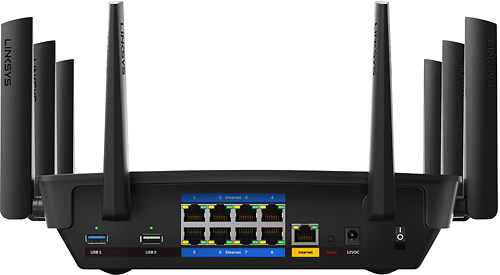
|Posted .This reviewer received promo considerations or sweepstakes entry for writing a review.I was impressed - took out my old router and replaced with this wireless router. It worked almost instantly even testing a wired connection. This unit is very large - I was surprised at how huge it was so if you have a limited amount of space, this might not work for you. This also has eight wired network connector which I did not expect and it appears two usb connectors to add external drives. This is very impressive - it allows you to replace several pieces of hardware or to expand a wired network while also having a very fast wireless connection!
I would recommend this to a friend - Pros mentioned:Setup, Speed
This is the best router I've ever had
|Posted .This reviewer received promo considerations or sweepstakes entry for writing a review.This router was super easy to setup, I thought I was in for a long process. My internet speed has increased a lot compared to the router provided by my cable company. At one point we had at least 7 devices running through the router and no one complained about their speed. Also, the website and app is very well done, especially the app. The app allows control of the router from anywhere, which is a great feature. The app allows me to make changes while I'm not at home to accommodate my family's needs on the fly. I am happy to have this router.
I would recommend this to a friend - Pros mentioned:Ease of use, Speed
WOW!
|Posted .This reviewer received promo considerations or sweepstakes entry for writing a review.This router (take note that it is not a modem/router combo) is much larger than previous ones I have owned. It is also the most powerful though. Previously was maxing out at 30 Mbs internet connection speed. When tested with rhis router acheived 46! Was extremely easy to set up. It was up and running in less than 20 minutes. So far I am very impressed with speed and security of this device. Unit has guest network functionality as well which will allow guests to coonect to the internet without potentially putting risk to your connected devices.
I would recommend this to a friend