Customer Ratings & Reviews




- Model:
- EA9500
- SKU:
- 5171100
Rating by feature
- Value
Rating 3.9 out of 5 stars
- Quality
Rating 4.2 out of 5 stars
- Ease of Use
Rating 4.4 out of 5 stars
Customers are saying
Customers are pleased with the AC5400 Tri-Band WiFi 5 Router's impressive range, ease of use, and strong performance, citing consistently positive experiences with setup and signal strength. Many appreciate the extensive coverage and numerous Ethernet ports. However, some customers note that the router is large and expensive. A few users mentioned occasional connection issues.
This summary was generated by AI based on customer reviews.
Not worth the money, 5GHz connection keep dropping
||Posted .This reviewer received promo considerations or sweepstakes entry for writing a review.Looking 5GHz connection when there is more than 5 devices connected at the same time.
No, I would not recommend this to a friendBrand response from Linksys Staff
Posted .Hello,
You may try to relocate the router or set a fixed channel for the 5GHz network. Let us know the results at [email protected], and our Escalation Engineers will take it from there. When you email, please include your contact details and the link to this post for our reference.
Regards,
Klaudette
Linksys Support
- Pros mentioned:Performance, Range, Setup
Fantastic router for those with many devices
Posted .This reviewer received promo considerations or sweepstakes entry for writing a review.I purchased this router right before Christmas time and figured now that I've got quite a bit of use from it I would give some of my ideas on it! First off this router is a beast so make sure you've got a designated space for it (it gave me a reason to clean my computer desk). Very easy set up to go along with the super user friendly app that's download able from your app store. Easy to set up passwords, set up guest networks and the ability to toggle them off or on. I was replacing an old Netgear router from probably 2008 so this was a HUGE Change up. Seeing as I have 3 xbox especially, 5 cell phones, multiple laptops and tablets plus 2 smart TV's this made perfect sense as an upgrade. During my first 3 weeks of use their was an issue where the router would cut in and out for short intervals but that problem has vanished and I haven't had it since. The router reaches every level of my home (3 floors) and I even connect to my wifi at the top of my street! Overall incredibly powerful and combined with the app makes the experience of owning this router very easy and user friendly. Would only recommend if you've got a big home and multiple devices. If so it's definitely worth the investment
I would recommend this to a friend 
Beast of a Surprise
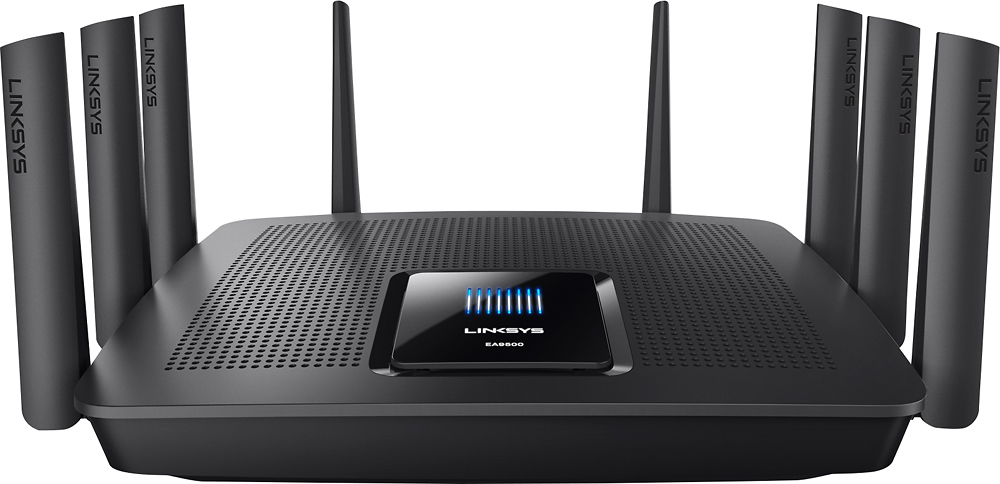
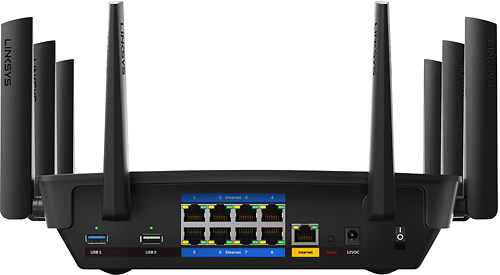
|Posted .This reviewer received promo considerations or sweepstakes entry for writing a review.I previously had a netgear nighthawk router that i was in love with. I didn't think I would every like another router, this router has been a pleasant surprise. The ac5400 feels like its made of quality material and well built. Its a really big router. Packaging: The box is big but not overly large. The router is protected by foam and has a good weight to it. It comes with the router,, quick start guide, Ethernet cable, power adapter and cd documents. The router itself is marketed for 4k/ hdtv and is a tri=band wifi with the 1st band at 2.4Ghz, and two 5Ghz bands. They market the send band for file transfers and video conferencing and the third band for online gaming ans treaming devices. The router has the new MU-MIMO tech. It comes with a 3.0 usb port and 2.0 usb port and 8 Ethernet ports. with a 1.4 GHz processor. I love that it has so many ethernet ports available. I have my desktop and gaming consoles directly connected in as well as a home office pc connected through Ethernet port. other laptops, gaming devices, cell phones, cable boxes and what not are connected through wifi. I tested my speed through a speed test website and the up and down speeds were similar. testing through the software provided by the router did show my speeds as lower. but using the site i normally test with it similar so the router is provided the same speeds that we are used to. The range reaches throughout the 2400 sq foot home no loss in service. i would like to add an extender to reach a little further outside the house in the backyard. The set up was extremely easy, i was surprised i'd never set up a router as quickly and effortlessly as this one. I love the interface on the router homepage and app. It is clutter free easy to see and use with photos that explain what each section is used for. Everything is labeled clearly. Best user experience that ive seen in awhile. Cons: the weight and size of the router takes up a lot of desk real estate. Conflict with speed test on the software and other sites. With as much power wish it didnt drop so much signal when in the garage.
I would recommend this to a friendSkip this router!
||Posted . Owned for 1 year when reviewed.This reviewer received promo considerations or sweepstakes entry for writing a review.This router has a known issue by Linksys that can cause the router to constantly reboot. Many customers returning them and still having issues with replacements. I spent two hours on the phone with Linksys to no avail. Linksys is not what it was when Cisco owned it...buyer beware!
No, I would not recommend this to a friendBrand response from Linksys Staff
Posted .Hello MrMarc,
We don't want you to feel that way. Please email us at [email protected] the reference number provided by our technical support team; we'll look into your case. Include the link to this review and your phone number for our reference.
Regards,
Princes
Linksys Support
- Pros mentioned:SpeedCons mentioned:Connection
FAST & STABLE!!
Posted .This reviewer received promo considerations or sweepstakes entry for writing a review.Amazing top of the line router! I have over 30 devices connecting to this router and it barely breaks a sweat. For a single (non mesh) router, you'll have a hard time finding an alternative that consistently offers faster speeds and coverage. Just google "Linksys AC5400 review" and check out CNET's review. One word summary....FAST! It wasn't all roses at the beginning though. I did have intermittent connection issue with an older laptop of mine, but after updating the drivers the problem went away....been super stable since. I also run a Plex server over wi-fi and with my fast broadband connection (~150down/20up) I have yet to experience any real issues. For me, I would say there are only 2 cons to this router....1) It's expensive (but you get what you pay for)...and 2) it takes up a lot of space, but I have mine installed behind my TV so it's out of sight. Another plus is that it comes with 8 gigabit LAN ports so you can hard wire all your different streaming devices without a separate switch. I also like the simple intuitive Linksys app. Highly recommended (if it's in your budget that is)!
I would recommend this to a friend - Pros mentioned:Ease of useCons mentioned:Size
Heavy Duty
|Posted .This reviewer received promo considerations or sweepstakes entry for writing a review.The router has a decent size to it. It also has some weight to it. Instructions are pretty much simple to install. At first glance it looks very heavy duty like a router you would use to run a small business off of. After install it's definitely great to use for someone who has a lot of Wi-Fi enabled electronics. It worked without any issues. My only problem with it was the size, if you have a small desk or small area that you will put it just know it will take up quite of bit of space.
I would recommend this to a friend - Pros mentioned:RangeCons mentioned:Size
Excellent wifi range
|Posted .This reviewer received promo considerations or sweepstakes entry for writing a review.This router definitely is the top of the line. Previously, there were difficulties getting a wifi signal at all locations in my home. However, once I had set up this router, that problem was solved. The range is excellent! No issues with multiple devices either. The only complaints I have, which are minimal, are it's a bit bulky, and takes up some shelf/desk space, and with a 2-in-1 modem/router combo from my cable company, it did take some work to get it all set up and working properly (nothing that a 10 minute phone call couldn't solve). Overall, I am very pleased.
I would recommend this to a friend - Pros mentioned:PerformanceCons mentioned:Size
Beast of a Router!
|Posted .This reviewer received promo considerations or sweepstakes entry for writing a review.When I first discovered this router, I was blown away by the size of it. The appearance of this router makes you think that it will perform and it certainly did. While the size is a slight negative, it does show you that it's durable and can handle the load. It took me a little bit of time to set it up, but I think that was more on the side of my ISP's setup. Once I got by that, it was pretty seamless to get it going. All of devices connected without issue and the performance was great. I look forward to testing it out with more streaming in the long run.
I would recommend this to a friend - Cons mentioned:Size
Bleeding edge, feature-rich router!
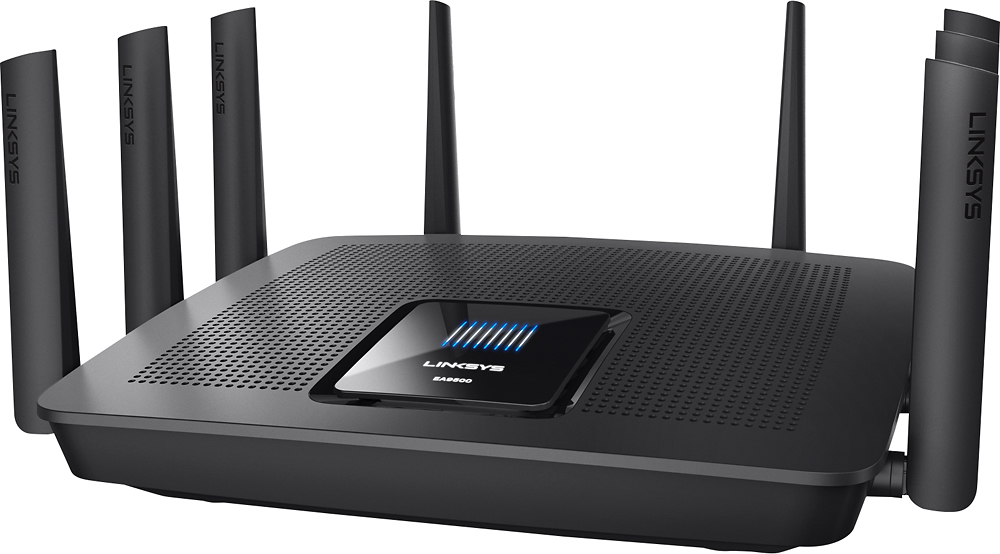
|Posted .This reviewer received promo considerations or sweepstakes entry for writing a review.This router is a monster! (Both physically and "mentally"). Be prepared - this thing is at least the size of a laptop computer and with it's spider-leg antennas extended it stands at least 4 inches tall! In exchange for all of this real estate you get a router that offers every significant feature you could possibly ask for. This is my first experience with the new 802.11ac MU-MIMO feature which allows the router to talk to more than one wireless device at the same time! AT CES 2016 they showed this bad boy streaming 4k content to multiple displays simultaneously. This is made possible by the fact that there are 3 discrete radios inside - (1) 2.4GHz and (2) 5GHz. Combined with the beam steering capability this should allow you to communicate effectively in today's interference laden environment. This should also position this router to be an effective gateway as more IoT devices begin to appear in our homes. The unit includes an 8 port Gigabit switch and two USB ports. You can use the USB ports to attach a shared printer or even a storage device with media. It will act as a DLNA server to feed video, music and photos to DLNA certified devices. The out-of-box experience is very good. Everything is securely packed and includes Getting Started documents. As with any advanced network device the initial setup can be daunting but Linksys has provided some automated help to get you started. If you are a networking guru you can even bypass this option and set everything up manually. An unexpected surprise is the availability of a mobile app that you can download to help you setup and manage the router. Preliminary tests showed that throughput varied by device type, distance from the AP and the surroundings. This is not unexpected, every wireless router that I have ever used will advertise available speeds based on a pristine environment. Nonetheless, speeds were good but I have more testing to do. All of this functionality comes with a premium price. The suggested retail price is almost $400. But, as we add more and more wireless devices in our homes and those devices demand more bandwidth and more consistent throughput the generation of sub $100 wireless routers are simply unable to deliver. If your wireless access is important to you and you want to invest in a state-of-the-art solution with future capabilities built in, then the Linksys EA9500 deserves your serious consideration.
I would recommend this to a friend - Pros mentioned:Range, Speed
Great router and amazing technical support
Posted .This reviewer received promo considerations or sweepstakes entry for writing a review.Purchased this router for suddenlink modem. Two story home with over 15 devices attached. The 8 ports for Ethernet are a big plus as we need 7 and previous routers maxed out at 4. The range on the wireless 5ghz covers most of the home, while the 2.4ghz covers the home, garage and most of the yard (our neighbors can actually see the network). We combined the two networks into one (just use the same name for both) so that coverage is seamless as you move in and out of the 5ghz range. Router came with three year warranty and technical support, so saved $$$ by not having to purchase the best buy plan. Have called their support twice - each time transferred from the third party contracted technicians to actual Linksys technicians due to the newness of the router. Their support is awesome. Both technicians were easy to understand and were able to quickly answer my questions and walk me through the steps to set up the router for maximum coverage and speed. Expensive router, but I think it was worth it due to 8 Ethernet ports, broad range, high speed, and excellent technical support.
I would recommend this to a friend - Pros mentioned:Ease of useCons mentioned:Size
Ideal For Todays Gadgets
|Posted .This reviewer received promo considerations or sweepstakes entry for writing a review.It is a good wireless router to connect several devices to has eight little antennas that make it look pretty cool. Very simple install, just go to the assigned IP address and follow the steps. A bit large, for just being a router but overall very satisfied I am not able to give it less stars because it does what is should. It would be great if they made something like this to be a Modem and Router. Pros---- Tri band, MU-MIMO,Easy Set Up, Looks Cool Cons---- Too Big
I would recommend this to a friend Nothing positive to say.
||Posted .This reviewer received promo considerations or sweepstakes entry for writing a review.Did not function at any moment. I called the Linksys phone and had to quit after 116 minutes talking to an agent that told me that in the next few days somebody would call me back. I bought another model.
No, I would not recommend this to a friendBrand response from Linksys Staff
Posted .Hi Mack,
This is clearly not the experience that we wanted you to have. We'd appreciate if you will email us your phone number at [email protected] so we can have one of our Escalation Engineers check what happened to your case and investigate if there was a breakdown with the scheduled callback and so with the workarounds provided by the previous technician. In your email, include your contact details and the link to this review for easy reference.
Regards,
Jay
Linksys Support
- Pros mentioned:Performance
A Decent Router...for Controlling the World!
|Posted .This reviewer received promo considerations or sweepstakes entry for writing a review.Alright, first of all I do not know who in the world would ever need this large and powerful of a router (I mean I do but I have never actually met such a person). When the EA9500 arrived in its box I hadn't the slightest clue what to expect (the thing weighed so much I thought it my be a box full of copy paper) so as I removed Linksys's new powerhouse, power-all router the immediate impression I had was, what in name of all that is holy is this! As it turned out, what it was and is, is an extremely powerful, take on the world router capable of virtually anything that your mind desires, at least when it comes to desires capable of being fulfilled by a supreme router. No matter what you are planning on doing with this beast you have absolutely know idea how awesome this piece of plastic and metal parts is. Whether you are an avid gamer, 4K video streamer, or simply getting your daily dose of YouTube videos, the EA9500 can easily do all of these activities simultaneously and much, much more...how much more you ask, well how much more can you think of? So in the end, the two most important questions you have to ask yourself before purchasing the EA9500 should be: 1) Why in the world do I need such a mammoth router? and 2) WHY IN THE WORLD DO I NEED SUCH A MAMMOTH ROUTER!?!?!? If you have to think about these questions then I would suggest sticking with a router (say the Linksys EA7500, which is more than enough for me and probably 99% of folks) a little less capable of controlling the planet. However, if you are a person who thinks the EA9500 sounds like something perfectly suitable for your needs (I cannot nor do I want to imagine such an individual) then go ahead and grab one, I don't think you will be disappointed...ever.
I would recommend this to a friend Ok
||Posted .This reviewer received promo considerations or sweepstakes entry for writing a review.It’s ok I’m not really sure if I like it right now
No, I would not recommend this to a friendBrand response from Linksys Staff
Posted .Hi Grandma,
We appreciate your sharing your thoughts with us. We want to let you know that we're here to listen should you have something to share or discuss regarding your observations with the router. Feel free to e-mail us at [email protected] together with your contact details and the link to this post for our reference.
We look forward to hearing more from you.
Regards,
Joseph
Linksys Support
- Pros mentioned:Performance, Speed
Best Value!
Posted .This reviewer received promo considerations or sweepstakes entry for writing a review.We had been using a very old linksys router for many years, and while it got the job done, we had definitely noticed lackluster performance as we began integrating more Smart Home components into our lives, and after we cancelled cable and went to streaming TV only. We love this router - we have approximately 20 devices connected to it; from a 4K TV to an iPad and everything in between, and it performs beautifully. With current-gen tech we have no lag or buffering delays, and multiple people can be streaming music, movies, and playing video games with 0 issues. Our speeds more than tripled compared to our old router. While it is an investment, we feel this router will be sufficient to handle the needs of our wired household for at least 5 years into the future. We also appreciate the ability to prioritize devices and set parental controls for our younger child's devices. Overall, this was the best bang for the buck, and we do not regret at all spending a little extra cash to get the added performance.
I would recommend this to a friend - Pros mentioned:SpeedCons mentioned:Size
Great router, better for small business.
|Posted .This reviewer received promo considerations or sweepstakes entry for writing a review.This router was amazing. It was a large improvement over my last router. The biggest thing for me, was that it actually kept up the speed of my internet provider and distributed it evenly to all my devices. In that sense, all my devices got the speed maximized!! However, this router is huge. For a small business, it would be perfect. Currently, its not too attractive looking and very bulky. I dislike that, but it would definitely not be a deal breaker for me. Like it said, this router is great. Highly recommended.
I would recommend this to a friend - Pros mentioned:Setup, SpeedCons mentioned:Size
Great router for house of 4
Posted .This reviewer received promo considerations or sweepstakes entry for writing a review.I replaced my Apple Airport Extreme with this Linksys router because I was experiencing repeated outages. After much research, I settled on this router as it had the capacity to handle all the traffic I was throwing at it... We're a 4 person home, and each person has a phone, tablet, and laptop. On top of that, there are smart TVs, Apple TVs, Xbox one, etc., etc. After two weeks the Linksys has proved it's up to the task and I couldn't be happier! Setup was easy and the app is great... It even lets me set parental controls for my daughter. There's even a wifi on/off button on the side of the router if you want to just shut everything down for a while. I love the 8 port switch built in (I have a Philips Hue as well as a couple of network printers) as well. The router is big and bulky, but the only real negative to that is there's no mounting holes on the bottom of it so you could wall mount. Other than that, I am very pleased.
I would recommend this to a friend - Pros mentioned:Range
Great Top End Future Proof Home Router
|Posted .This reviewer received promo considerations or sweepstakes entry for writing a review.I received this device for review. I changed out my high end Netgear Nighthawk X6, that is about a year and a half old. The basic stats on both routers are very similar, long range, handle a lot of devices well, tri-band with smart routing and beamforming. And their basic performances are pretty similar. The big difference is that the Linksys router has Max-Stream features like Seamless Roaming with other Linksys Max Stream devices and has MU-MIMO networking capability. I do not have any of the new fancy MU-MIMO client devices to test that feature with, but the Linksys Max Stream devices that do Seamless Roaming (This EA9500 router, an EA7500 router running as a wireless repeater, and a RE7000 Range Extender) seem to be using MU-MIMO between each other. The Seamless Roaming is a great feature, no more separate SSIDs for extender networks. I have to have extenders due to a lot of wireless network killing material inside my house, like the massive brick wall that is three chimneys side by side centrally located, and something between my floors that seems to eat wireless signals. The multi-user MIMO should come in handy as older electronics in the house are supplanted by newer ones, I'm thinking new cell smartphones this year will be the first thing most people will have that can utilize MU-MIMO. Linksys wants you to use a Speedtest built into the web browser of the router, but it relies on Adobe Flash software, so not that easy to get to run these days.
I would recommend this to a friend - Pros mentioned:Range
Does everything well
Posted .This reviewer received promo considerations or sweepstakes entry for writing a review.First, this router offers excellent throughput at both 2.4 and 5 GHZ. It l also has very good range. The Linksys firmware is easy to use and relatively bug free. There is a an issue setting up/using NAS with Windows 10 that is security related and this is something Linksys should address soon. In fact, the entire series of Maxstream routers are solid performers. This router has 8 GB ethernet ports, 8 antennas, as well as USB 2 and 3 ports. If the issue in your house is signal strength- than a mesh system may be better. Otherwise this router can meet the most demanding performance requirements- while offering excellent range for may different home environments. I would recommend this item be purchased at a discount- as the more recent top of the line routers now offer 802.11ad- which this router does not.
I would recommend this to a friend More than enough for most homes
|Posted .This reviewer received promo considerations or sweepstakes entry for writing a review.Before I go into the details of the device I want you to know what I have been dealing with. I have been using Google fiber for the past year and love the service. The WiFi not so much. It is basic at best with a lot of dead spots in my home. Two stories with a full walkout lower level so, so three stories on the backside. This afternoon I installed the router and one recommendation is to follow the instructions exactly. This device has a lot of features so it is best to go through the manual first especially if you are not very familiar with a router. When I say feature rich it is no exaggeration. Everything from DHCP reservations to setting up a vlan is pretty straightforward. As for the basic setup, I would recommend connecting a computer directly for the initial setup although you can do it via wireless, including a phone or tablet. Once you get to the actual setup it pretty much does it itself and allows you to change the SSID and password from the initial setup. If you have devices wired make sure you restart them so they will pick up their new IP's. Total setup time was about 30 minutes and that is partly because I forgot to reboot computers. As for features, it has 8, yes 8 gigabit ports plus enough antennas to talk to the ISS. The web interface lets you connect from anywhere and the support for 2.4GHz and 5GHz on both the primary and guest networks is nice. If you are looking for an absolutely amazing router look no further.
I would recommend this to a friend