Customer Ratings & Reviews




- Model:
- EA9500
- SKU:
- 5171100
Rating by feature
- Value
Rating 3.9 out of 5 stars
- Quality
Rating 4.2 out of 5 stars
- Ease of Use
Rating 4.4 out of 5 stars
Customers are saying
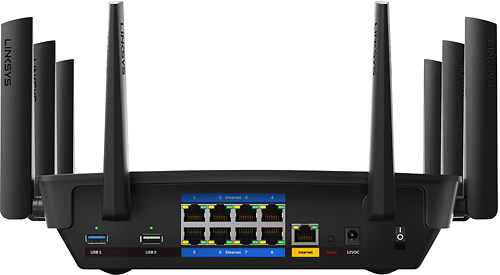
Customers are pleased with the AC5400 Tri-Band WiFi 5 Router's impressive range, ease of use, and strong performance, citing consistently positive experiences with setup and signal strength. Many appreciate the extensive coverage and numerous Ethernet ports. However, some customers note that the router is large and expensive. A few users mentioned occasional connection issues.
This summary was generated by AI based on customer reviews.
- Pros mentioned:Range, SpeedCons mentioned:Connection
AMAZING ROUTER but...
Posted .This reviewer received promo considerations or sweepstakes entry for writing a review.THIS IS PERHAPS THE BEST ROUTER FOR PERSONAL USAGE, don't listen to other reviews that tell you that there are better $800 routers because those are simply overkill for anyone that doesn't have a buisness. The router is a monster, it has amazong speed and range and there is no problems connecting to it, smoothest experience coming from an ac1900 netgear. The only issue i have is that when i connect any of my devices to the 5ghz bands, 1/4 times the internet doesn't work and i don't know if it's because of the 3 bands but it's really annoying at times. Other than that this router is simply amazing.
I would recommend this to a friend DON'T BUY THIS GARBAGE - IT DOES NOT WORK!!!!
||Posted .This reviewer received promo considerations or sweepstakes entry for writing a review.LINKSYS HAS THE ABSOLUTE WORST TECH SUPPORT & CS!!!
No, I would not recommend this to a friendBrand response from Linksys Staff
Posted .Hi,
Thank you for bringing this to our attention and allow us to make things right here. Please email us your case number or contact information at [email protected] so we can review what happened and get your case prioritized with our Escalation Engineers. Indicate the link to this review for our reference.
Regards,
Kristine
Linksys Support
- Pros mentioned:Ease of use, Range

Great Range and Easy Setup
|Posted .This reviewer received promo considerations or sweepstakes entry for writing a review.I'm very impressed with the range of this router. I'm able to get a better signal for my devices when compared to my previous routers. Setup was very easy. I was able to setup the router and connect all of my devices with ease.
I would recommend this to a friend - Pros mentioned:SetupCons mentioned:Size
Awesome!
|Posted .This reviewer received promo considerations or sweepstakes entry for writing a review.I just received this a week ago and set it up yesterday. I was replacing a nighthawk wireless router that was working fine. The set up with security was very easy. The only slightly down side was that the unit is quite large and takes up a lot of my surface desk area.
I would recommend this to a friend - Pros mentioned:Range
When the router works, it works flawlessly
|Posted .This reviewer received promo considerations or sweepstakes entry for writing a review.When I received my Linksys router I was thrilled, I had an old router that couldn't handle the amount of devices that we had streaming simultaneously. I immediately unpackaged it and set it up through my desktop and configured everything just how I like it. A week after setting everything up my breaker popped where I had the router set up. I reset the router, contacted support and we were never able to get it running again. While the router was working I had no less then 4 smart tvs, 3 cell phones, 4 tablets and 2 Xbox running on it with zero lag. I loved that I had an app in which I could control everything for the router including creating a separate log in for guests. When I have time to sit on the on the phone with support and get it running again I'll be extremely happy again. I did receive this item for free in exchange for my honest opinion.
I would recommend this to a friendBrand response from Linksys Staff
Posted .Hi, SoldiersWife,
Let's get your EA9500 router working flawlessly again. Please provide us your case number or contact details at [email protected] so we can review your case and get you over to one of our Escalation Engineers for further assistance.
We'll do our best to sort this out for you.
Regards,
Jay
Linksys Support
- Pros mentioned:Range, Speed
Plug and play router.
Posted .This reviewer received promo considerations or sweepstakes entry for writing a review.This router is perfect for people who want to enjoy internet, gaming and video streaming all at the same time, this router has incredibley fast speed on multiple sources at once. With that said, the router is both stylish and incredible at every task thrown at it, and for those who are looking for the perfect price and performance ratio, the router is an amazing choice. Also if you have an older Linksys router you can cascade them for an even larger range coverage.
I would recommend this to a friend Very slick and very strong
|Posted .This reviewer received promo considerations or sweepstakes entry for writing a review.This was very easy to set up (the hardest/most tedious thing was adding all the other devices from my existing network to it). We have ATT Uverse with a router built in to the modem and a range extender for the second floor. This router is so good that my son (who streams a lot) says he gets a better signal and better experience from this router than he does with the base or range extender, which is actually in the room next to his. That speaks volumes to me! I still have to experiment with the parental controls once I figure out whose device on the network is whose. (the kids might not like it when I figure that out though) This is a very good product. Works well for our large house with many devices.
I would recommend this to a friend- Pros mentioned:Setup
easy to setup
Posted .This reviewer received promo considerations or sweepstakes entry for writing a review.easy to setup. affordable price. very strong signal for WiFi.
I would recommend this to a friend Better WiFi
||Posted .This reviewer received promo considerations or sweepstakes entry for writing a review.This machine would not handle the WiFi in home. Had to upgrade to better modem.
No, I would not recommend this to a friendBrand response from Linksys Staff
Posted .Hi Case,
We'd like to get a better understanding of your review. Just email the details at [email protected], and one of our Escalation Engineers will gladly assist you. Please include the link to this post and your contact information once you email.
Regards,
Klaudette
Linksys Support
Decent Router
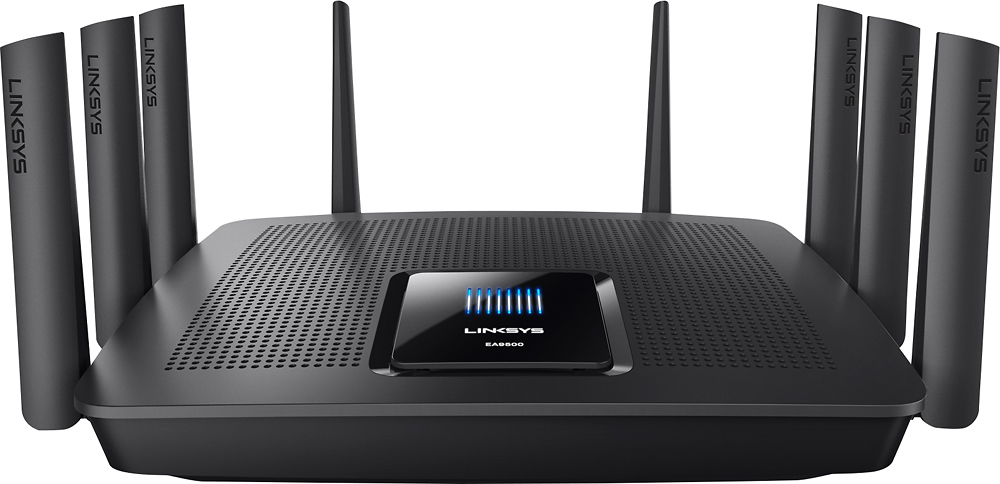
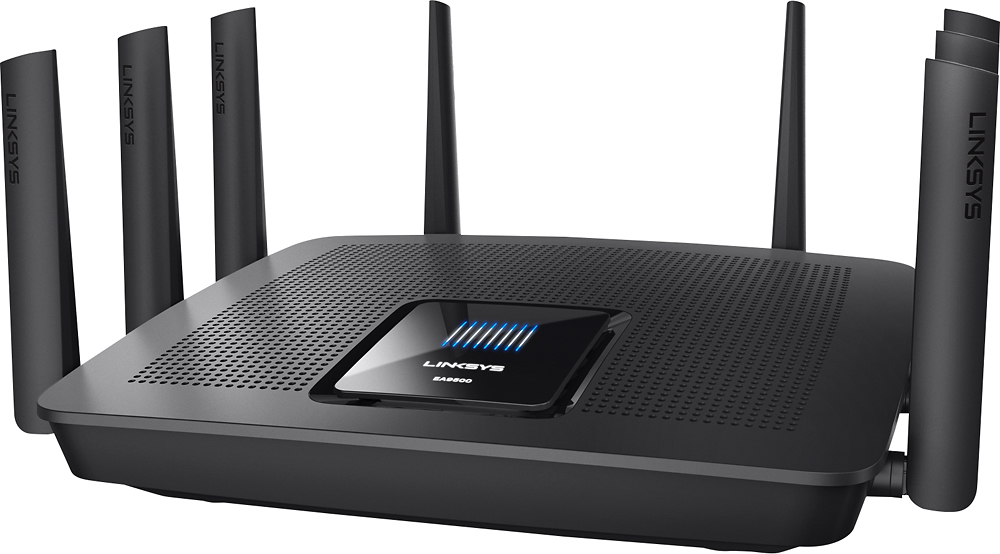
|Posted .This reviewer received promo considerations or sweepstakes entry for writing a review.The previous router that this has replaced is a Netgear WNDR3700-100NAS. Physical: In terms of physical dimensions, this beast of a router is HUGE. When all antennas are up, this devices needs a footprint of at least 11" deep, 13" wide and 8" high. I say at least because you're going to need at least the power cable and the wired connection to your high speed modem. With those plugged in, it will likely push the router slightly forward and increase the depth measurement above. Unfortunately, this device is designed to sit on a floor/desk. There are no mounting holes to possibly mount it on the wall. So those above dimensions really eat up either desk top real estate or floor leg room. By contrast, my previous router included a stand to let it sit vertically so that I could place it next to a wall thereby minimizing its footprint. There is a large square screen on top which has "EA9500" printed on it. When powered on, the Linksys brand lights up as well as 8 vertical bars to indicate the 8 antennas on this router. The top and bottom of this router is perforated, presumably to let heat escape. I expect that it will also let in dust, so I will have to make sure to blow out the dust regularly. With about 2 hours of usage, it is rather warm. Setup: After making the physical connections to my cable modem, power and one wired connection to my laptop, I powered on my cable modem first, then the router second. I was rather disappointed that the router insists on completing the initial setup wirelessly. I liked: -Having No-ip and Dyndns as dynamic DNS provider choices, my previous router only had Dyndns -Being able to turn off the 8 bar antenna display on top of the router -Linksys Smart Wi-Fi app on my android or apple device which gives me access to my router configuration if I'm not at home. I did not like: -No option to disable SSID broadcast. I like to use this feature as a security measure. -No choice to enable or disable guest network from utilizing the resources on the non-guest network. -Takes a while to "boot up" -Once you set up a Linksys account and associate your router (required to use the Smart Wi-Fi app), there doesn't seem to be a way to log into your router locally. -There seems to be a 50 user limit to guest wireless access. Performance: -I am getting better wired transfer speeds between two local devices. I attribute that to the better processor on this new router. -Wireless range for 2.4 ghz band seems a tad better than my previous router (limited to n). -Wireless range for 5 ghz band is lower, but please research this topic as this is to be expected. AC wireless range is slightly shortened, however, you will get better throughput at the same distance as compared to N wireless. (wireless range was tested using an App on my Android device) Thoughts: I believe the price and features of this router is best suited for a small business and not for home use.
I would recommend this to a friend- Pros mentioned:Speed
TOP OF THE LINE
|Posted .This reviewer received promo considerations or sweepstakes entry for writing a review.There is not too much that needs to be said about this router. All of my devices run lightning quick with no lag time whatsoever. Wi-fi coverage is also spectacular in my two-story home even though I am unable to centrally place the router. I have not done any hardcore gaming or 4k streaming, but I don't imagine that it would have any issue keeping up (provided you have enough speed coming in). The size is right about as big as I would ever want a router to be, but when you are packed with as many ethernet ports and antennas as this is, it is not unexpected. If you can afford it, and want the very best router, you will not be disappointed.
I would recommend this to a friend - Cons mentioned:Price
Full-feature range monster
Posted .This reviewer received promo considerations or sweepstakes entry for writing a review.I have a normal 3 bedroom home and make use of the basement for my network base of operations. I started out years ago with a basic, single radio 802.11g router that worked ok for the time and limited number of devices we used. Fast forward a decade, 4 tablets, 4 cell phones, multiple computers, smart phones and two older children who stream and game from the second floor and we lost all of the reliability of our wireless. I tried range boosters, extra access points and relocation of the access points but our network was slow and unreliable. I performed a count of connected devices and rapidly exceeded 50 when I included IOT devices and personal electronics. I did a bunch of review reading and research and found out that this Linksys was a good candidate. It unboxed and installed easily and we immediately had booming signal all over the house. I got rid of all the other access points and the service remained stellar. Add in the easy to use QOS controls to prioritize what devices need the most bandwidth and this was by far my best tech purchase of 2016. Most importantly, my whole family agrees. The price, when compared to other APs was a little steep but the problem is comparing it to other APs. This is a completely different level of device that automatically does a lot of sophisticated optimization that can't be replicated with any 5 sub-$100 APs. I liken it to comparing your 50 mile commute on a huffy bicycle to that same commute in your new BMW. Believe me when I tell you that if you have more than 2 or 3 devices and/or a multi level house that this is the AP for you.
I would recommend this to a friend This router is a beast!
|Posted .This reviewer received promo considerations or sweepstakes entry for writing a review.I received the Linkysys EA9500 router as part of Best Buy's tech insider network for my honest review. First thing to know is that this router is very large and is not designed to be mounted. You will need a fairly sizeable area (it's larger than our Wii U)somewhere safe to place it. If you have small children like I do they will think this thing looks super cool (like a light up spider!) and they WILL want to play with it. It is packaged well with lots of form-fitted styrofoam padding that the router sits in snugly. All of the antennas are pre-installed so no worries there. There is also a power cord, data cable and cd-rom, along with very brief set-up instructions. Set up is a breeze. As soon as it's plugged in and connected with the data wire a number of new networks will be available, all with the name of the router and varying connection types. Make sure you have the instruction sheet handy as the initial network password is listed on it. I suggest doing this part on a tablet or laptop, as once it connects the device will be directed to Linksys website for the rest of the set-up. This part is very easy and gives a step-by-step walk-through on how to set up a Linksys account (or the opportunity to log in if you already have an account). The website allows the connections to be renamed, passwords to be set for both connections and the router,and various other more technical settings (channels and what not) to be adjusted. The speeds are very fast (I was able to achieve faster than advertised in most of my tests--I'm rated for 50 down from AT&T U-verse and constantly achieved 60 on my connections). The range is long, as I was able to exit my apartment and go upstairs, downstairs and into the parking lot a considerable distance before not seeing the networks at all (do NOT skip the security step, and DO set a difficult but easy to remember password--the security is the best you can get for a consumer router, but it's still only as good as your password). I suggest hiding the guest connection if you're in an apartment or closely built home. but you can add a password to the guest connection as well. The ONLY issue I've had is that the 5 Ghz band would randomly drop and need to be reconnected. I am fairly certain I need to get in adjust the channels I'm using for that, as several others reported this as an issue and fix. I've been fine on the 2.4 Ghz connection though. At any given time I have roughly a dozen devices connected--2 gaming systems, 2 phones, 2 rokus, a television, 3 tablets and a laptop (and that's probably not everything). Testing netflix through the rokus and my laptop I've had no issues at all with buffering or loss of signal. The same with youtube through six different devices. In almost every case the videos (either cartoons for my kids or HD movie trailers to test the speed) were finished loading well before I finished watching. Overall this thing is a beast, both in size and specs. It is the perfect device if you need a strong signal for a large area, or have a lot of devices connected at once like I do. If you're thinking about cutting the cord and still want a great streaming signal (assuming your ISP is up to speed) then you can't go wrong with this router.
I would recommend this to a friendA very powerful router that's easy to set up.
|Posted .This reviewer received promo considerations or sweepstakes entry for writing a review.This Linksys EA9500 router replaces my previous router, which is also from Linksys. While the router I'm reviewing is brand new, and thus I can't report on reliability yet, my old one has been 100% reliable, and I expect this new one to be just as reliable. My review kind of boils down to "What can I say?" This is a monster router, with top-of-the-line connectivity and features. I've got my desktop computer hard-wired to the router, a connection which provides as much bandwidth as my broadband connection delivers. My tests with the 5 GHz bands show that they provide that very same speed, which is what I was hoping and expecting they would provide. The 2.4 GHz band doesn't quite provide that speed, but that's simply the nature of the 2.4 GHz band -- it certainly is as fast or faster than any other router I've ever owned. So, in regards to "speed," the router is providing speeds as fast as the current state of connectivity -- at least in my house -- can deliver. I've got tablets and smartphones connected to the 2.4 GHz band, since they don't use large quantities of bandwidth. I've got a variety of notebook computers, video game consoles, TV sets, and such connected to the two 5 GHz bands. So far, none of the testing I've done has been able to show any evidence that any of my devices were getting less bandwidth while other devices were gobbling up bandwidth -- the router certainly has proven that the technology it's built around actually works. In short, the router hardware is powerful and excellent, but I was concerned about whether I would be able to set it up all by myself. I definitely know my way around computers, but I'm certainly no expert when it comes to networking. However, I found the setup to be easy -- I wanted to give the three bands specific names and passwords, rather than rely on what the router would do "automatically." And with just a bit of poking around the setup screens and reading the instructions, I got everything set up the way I wanted it very easily. From what I could tell, it looks like the router can be set up by just about anyone with a bit of computer skill -- if you think you have a need for a router as powerful as this one, I would think that you could certainly get it set up to meet that need, quickly and easily. And for those folks who are expert in networking, it looks like there are plenty of settings you could tweak to fine-tune things to your satisfaction. This is probably what impressed me the most about the router -- how it can be set up and configured by anyone from relative beginners to experts. In the end, this router has connectivity that more than meets my needs, and it has features that I hope to "grow into" over time, as I learn more about networking, streaming content between devices, and so on. About the only "negative" I could mention is what should be obvious to anyone -- this is a physically large piece of equipment, with a veritable forest of antennas. It will take up a bit of space on a shelf, and it might not fit in with the rest of your home's decor. But it surely is an amazing router.
I would recommend this to a friend- Pros mentioned:Range, Setup, Speed
Fast set up! Fast WiFi!
Posted .This reviewer received promo considerations or sweepstakes entry for writing a review.This router has been the easiest router I have ever set up. I bought this to replace my Apple Extreme (yes - easier to set up than my Apple equipment!). It was so, so easy to set up. It just worked. The app is a must and makes setting up your printers and other devices with WPS a piece of cake. I can’t get over the range and the speeds we are getting. Money well spent!
I would recommend this to a friend - Pros mentioned:Range, SetupCons mentioned:Size
Excellent signal range
Posted .This reviewer received promo considerations or sweepstakes entry for writing a review.I recently bought the Linksys EA9500. My house is a two story entirely made of concrete so signal coverage is an issue. I already have three other routes installed to compensate the concrete/signal walls problems. The Linksys seems to have the longest range and the wired LAN ports throughput is significantly the best. The setup process is fairly simple and quick. Router's size is on the huge side so is kind of hard to locate a right spot. Overall, excellent product!
I would recommend this to a friend - Pros mentioned:Setup, Speed
Best Ever
Posted .This reviewer received promo considerations or sweepstakes entry for writing a review.Came into store looking for a router that would cover my house (about 3500 Ft.) Salesman recommended the LINKSYS MAX-STREAM AC5400 MU-MIMO Gigabit Router - said it would allow many things to be connected at the same time and would give good throughput throughout the house. Easy to setup and works as recommended. Rarely have to re-start it. We are very please with the coverage and speed provided.
I would recommend this to a friend - Pros mentioned:Ease of use, Speed
FANTASTIC LINKSYS Tri-band Wi-fi Router
|Posted .This reviewer received promo considerations or sweepstakes entry for writing a review.The Linksys Tri-band router was easy to setup and get online quickly. Great speed! Much better than another brand's router that I've been using for 2 years.
I would recommend this to a friend Solid hardware for home use.
|Posted .This reviewer received promo considerations or sweepstakes entry for writing a review.Its a long one so let me summarize it. You want a router which is rock solid built with good feature set but is not complicated to configure. Buy it. There are minor nitpicking; but this is a good device. Hardware and Connection: I was using a N300 router before this. With Linksys router my wired connection hits 10 mbps more; and 30 mbps more on wireless over my last one .I think it can go further but is mostly limited by my modem. The 5ghz connection is really strong throughout the house. I tested with Wi-Fi Analyzer and at most of the places its -40 dbm. At extreme corner it falls between -50 and -40. • The build quality is solid as you expect in this price range. • There is no provision to mount this on the wall (bummer). • This thing runs hotter than my previous router; so make sure there is ventilation around. • It is a lot faster to reboot than my last one; which I really appreciates during initial setup. Initial setup: This thing let you name your connection and suffixes _5ghz for other band. I used a ‘S’ suffix instead and it does not let me do that in the start (was able to do this post initial setup). You may need to restart your modem a few times. It does not take much time. Interface: It’s a simplistic interface; there aren’t too many options, which I did not expect. I think my last router had more configurations to play with it. It still comes with all the major things you expect. • You have option to create guest network (both on 2.4 and 5 ghz) • You can assign high priority in media prioritization to up to 3 devices. • Plug in an external drive and can use that as network, FTP or DLNA server. In Network map there are options to set any band offline; or you can put devices offline by category. I mistakenly put my wired computer offline once; so be careful. I downloaded a DLNA app on my iPad and it had no issues finding the DLNA server. I watched a movie and it streamed without any hiccups. I tested network access as well and that worked fine too. Gaming Performance: I tried for 30 minutes; first episode of “Life is Strange” over steam; it was playing on Intel 4790k + GTX 970 + 32 GB RAM + SSD machine. I was streaming to steam link and I can say the game looked better than I when streamed on N300 router. I got full solid 60 fps except for one small time when it complained for slow network. Smart Wi-Fi app: I liked it; you can start your guest network using this; see what all devices are connected or set parental; control. Most of the stuff is doable from this app (tried Android). One glitch is that at times the app loose connection with the router; it could be the router going for a reboot but I did not have time to debug it. Issues encountered: I am writing it here hoping it may help someone. LG Smart TV does not reconnect after a power reboot; if a router is replaced but SSID is same. The solution suggested by LG is to reset the TV/or change the SSID. I reset the TV that and its all fine now. Windows 10 has this weird issue of DNS name resolution on IPv6. I tried many things but it still comes sometime. With a Windows 7 laptop; all works fine, so I assume it’s more windows issue than router. If you have windows 10; it works; just in some odd cases; for few sites it won’t. The issue is gone if you refresh/retry mostly. I have disabled IPv4 for now on Windows 10 PC. Device connected: Phones, tablet, wired windows 10 PC and wireless windows 7 laptop, Xbox, Canon printer, Nexus Player, Steam link and a LG smart TV. One TB HDD is connected to the router.
I would recommend this to a friendNot good
||Posted .This reviewer received promo considerations or sweepstakes entry for writing a review.Quit working after 3 days we returned it and Best Buy took it back
No, I would not recommend this to a friendBrand response from Linksys Staff
Posted .Hi, Sparky,
It's clearly unacceptable that your EA9500 Router quit working after 3 days of use. We regret to hear that the unit is no longer with you as we could have endorsed your case to one of our Escalation Engineers for further assistance. Should you have other Linksys device that needs help, feel free to contact us directly at [email protected].
Regards,
Jay
Linksys Support