Customer Ratings & Reviews




- Model:
- EA9500
- SKU:
- 5171100
Rating by feature
- Value
Rating 3.9 out of 5 stars
- Quality
Rating 4.2 out of 5 stars
- Ease of Use
Rating 4.4 out of 5 stars
Customers are saying
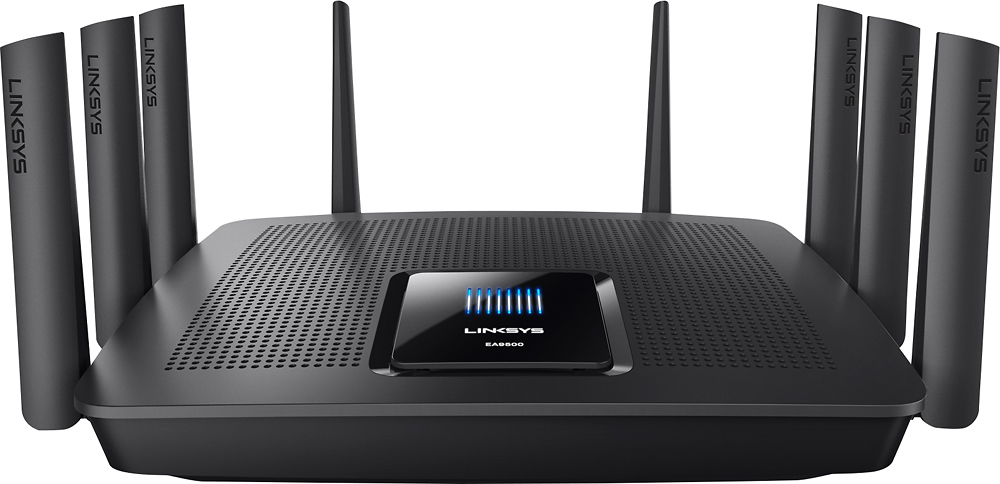
Customers are pleased with the AC5400 Tri-Band WiFi 5 Router's impressive range, ease of use, and strong performance, citing consistently positive experiences with setup and signal strength. Many appreciate the extensive coverage and numerous Ethernet ports. However, some customers note that the router is large and expensive. A few users mentioned occasional connection issues.
This summary was generated by AI based on customer reviews.

Packed with features and EASY to use!
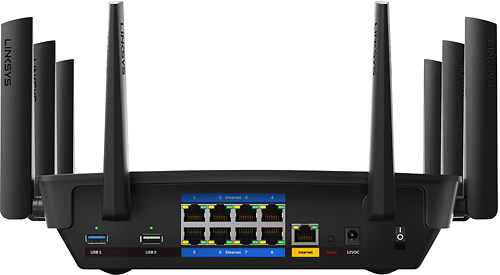
|Posted .This reviewer received promo considerations or sweepstakes entry for writing a review.Routers have come a LONG way since my first Linksys wireless router that I had bought years ago. With today's world being ever more connected and security being a huge priority, the Linksys EA9500 MAX-STREAM AC5400 router provides modern needs, advanced features, and a very easy to use interface to customize everything. Having access to an ultra fast 5 GHz band or the longer range 2.4 GHz band was a delight. Having some devices like my Apple TV well within the range of that 5 GHz band showed a pleasant performance improvement. One of the most amazing things I put to use the first day I set this up was the "Guest Wifi" feature that allows you to setup a separate guest access point - similar to one you would use at a Starbucks but even more secure. You can setup a different password for this and make it one that you can give visiting family and friends without worrying about them obtaining the key to your main network! Something like this being so easily accessible in my home now, for me, was an incredible option. Getting back to the web configuration tool, you can toggle the different bands on/off for say the guest network, and you can create even different wifi access keys for the 2.4 Ghz and the 5 GHz bands. You also have access to a network map which clearly showed my devices connected to that access point (even was able to show the identification of the different iPhones connected). 2 USB ports to connect NAS devices, 8 wired ports to wire in the AppleTV right next to it as well as my Blu Ray player and TV with ports to spare, and to take advantage of the VLAN option - yes, you can partition the domain! - it's exhausting just going through all of the cool things that you can do right in your home. Having the VLAN especially will be great once I start looking into putting home automation devices strictly on that subdivision and keeping it separate from my main computer access. One last note on performance - I stream every day video from multiple sources, even internally between devices, and the performance was top notch without any issues. The one time I was experiencing a problem...it turned out that the cable connection was completely down! Whew! A lot to cover here and even more to explore in the future, but know that this device is amazing. I would definitely recommend this to anyone out there looking for a feature packed and easy to configure device for their home. With the complexity of the connections we now have within our home, these options for security purposes are very useful!
I would recommend this to a friend- Pros mentioned:Performance
Fast WiFi with multiple Clients connected.
|Posted .This reviewer received promo considerations or sweepstakes entry for writing a review.I have been using Linksys routers since the beginning. they were always my goto small router, when Cisco bought them things went south, very unreliable, strange, I'm guessing Cisco just added the name and farmed out the Linksys brand to some middle ware Chinese mfg., Recently Belkin bought the brand and (Not a Belkin router fan) I was worried. the first Belkin Linksys router I tested last year was not much better than the Cisco linksys, However, this LINKSYS EA9500 MAX-STREAM™ AC5400 TRI-BAND WI-FI ROUTER is a top of the line, power user wifi device. Buy it, Try it. You just may agree. The only downside for me is the firmware gui. perhaps it will improve. Overall Good Job!
I would recommend this to a friend - Pros mentioned:Performance
Truly a spectacle.
|Posted .This reviewer received promo considerations or sweepstakes entry for writing a review.This device is amazing, works as intended, and is the future. If you have a big household, or even a moderately sized household, this is definitely for you. We have multiple gaming devices, phones, tablets, laptops, and desktops connected to our old router, and we just weren't getting good connections/speeds. I really like how this router performs and impresses. The size is a lot smaller than I expected it to be too, in a good way. Personally, if you can afford a big house, you can afford this router to support your most likely fast internet connection.
I would recommend this to a friend - Pros mentioned:Ease of use
Awesome Router for SOHO
|Posted .This reviewer received promo considerations or sweepstakes entry for writing a review.This router will provide all of the features, security controls, and high bandwidth for all the devices in your small office/home office. With the additional antennas and advanced wireless technology built into this router, one can enjoy high speed - low latency connectivity on all of your mobile devices (laptops, TV's, tablets, etc.) I would definitely recommend this router to a friend. Setting it up is a breeze. You can unbox, configure, and secure the device in under 10 minutes and start serving connections. Top of the line router.
I would recommend this to a friend - Pros mentioned:Range
Impressed!
|Posted .This reviewer received promo considerations or sweepstakes entry for writing a review.This router is replacing a Netgear N900 router. The installation was simple and only took a few minutes from start to finish. The Linksys Smart Wifi app is pretty handy as well. It lets you view the network, each device that is connected, guest password set up, and usage prioritization. So far I've been impressed with the strength and the range. Before. I would lose signal in farthest bath, garage, and basement but now I haven't lost signal in any of those areas. I've never used anything but Netgear before but I have to say I'm impressed.
I would recommend this to a friend - Pros mentioned:Setup, Speed
Excellent Router
|Posted .This reviewer received promo considerations or sweepstakes entry for writing a review.Linksys always delivers the best quality in routers and this one is no exception. It was easy to set up and use, and the speed was great.
I would recommend this to a friend A Interesting Router
|Posted .This reviewer received promo considerations or sweepstakes entry for writing a review.Let me state this is a perfect good router. I did not have one issue with it and it is still working strong in my house. I have not had one technical issue with the router. Setup like all recent Linksys products was quick, and painless and I was able to quickly swap the router and none in the household knew we where on the new router. Though with a new set of antenna I did have to change the location of my range extender, because even with this router there is still one small deadspot in my house and unfortunately I need a signal in that location. While the range is about the same as my previous Linksys 1900 and not better this one is able to handle multiple streams. I have only about 15 Mpbs where I live to the internet. For streaming and the household this is sufficient and serves us well, except when I download either an ISO for work or a game. Steam and Origins will take all the bandwidth unless I throttle them if others are using. The other night I forgot to turn on throttling and no one complained. I tested again and I am able to download at full speed and it doesn't inject lag into my kids online gaming or my Wife's streaming on Hulu. I will take the slight loss of range for the ability to truly maximize my bandwidth and download at full speed without everyone yelling at me. That one thing makes this a worthwild device to me.I like the MU-MIMO, because even though none of my wireless devices can take advantage of it, I do get consistent throughput and throughput this router does seem to give. Using my desktop computer with a 1300AC wireless card and a USB 2.0 External HDD Attached to the router I was able to max out the HDD and had a consistent throughput of over 25MB per second, which when the drive was connected directly to my PC was the same copy speed. I didn't have a 3.0 device to test but I would expect the same. I then tested streaming some 720p 60 fps video I shot and it worked as if it where local storage. So throughput this router has in spades. This is a good router for the ability to handle throughput and share it amongst everyone, and the fact it means I don't have to look to upgrade my Internet connection is awesome.
I would recommend this to a friendGreat Product
|Posted .This reviewer received promo considerations or sweepstakes entry for writing a review.I have been using WiFi since "B" was the speed demon everyone wanted to have if they went wireless. Then I upgraded to "G". Then to "N". All three routers were made by Linksys. Only the "N" router was a disappointment as connectivity was not the great. It also had a USB port for a hard drive or printer. I have an external drive that I used with it; but was rather difficult to set up. Because of how difficult the "N" router was I made the switch to the Netgear Nighthawk AC1900 router. I continued to use the external drive but it too was difficult to use on my network. Also connectivity while better than the previous Linksys "N" router it too had problems but not many. The biggest reason I purchased the Nighthawk is because of all the devices I have that traverse the internet at any given time. I have 4 smart phones, 4 tablets, 2 Blu-ray players, a smart TV, 2 Xbox One's, an Apple TV, and a desktop computer that I built, plus a wireless printer. When I came across this Linksys router I read the description and knew I had to get it and try it out. What intrigued me most was the fact that all three radio transmitter/receivers could be named the same. The printer still uses the 2.4 GHz while most of my other devices can use the 5 GHz or the 2.4 GHz. With the Nighthawk I had to switch to the 2.4 GHz radio if I wanted to print something. When I received the Linksys I unboxed it and set it up immediately. I have to say that I have never had a router set up so fast and so easy. Even the external hard drive was easy and was readily available for use. Which I tested it on one of my Xboxes, a tablet, and desktop. The printer was connected easy enough and was able to print right away. I do not use the WPS. I prefer old school set up to create my own network passcode so it took time connecting all of my devices. I also installed the android app on my phone and while at work I was able to connect to the router and see in real time the health of my network which is a good feature; but not sure how much I will use it. So far I have had zero connectivity issues which speaks well of the construction of this router. Great job Linksys, I'm glad to own one again.
I would recommend this to a friend- Pros mentioned:Speed
Awesome wireless router!
|Posted .This reviewer received promo considerations or sweepstakes entry for writing a review.I've been using my Linksys EA9500 WiFi router for about three days now, and it has been a great experience! The first thing I noticed was a very clean user interface, which lends to easier setup of WiFi and connection to my provider's broadband. WiFi speeds are FAST... MUCH faster than my home broadband, which is Frontier FiOS 50/50 mbps. I easily see my 50/50 mbps speeds when I do a speedtest over WiFi. The experience with this router has been great, and I look forward to its continued use for years to come.
I would recommend this to a friend - Pros mentioned:Ease of use, Speed
Excellent router
Posted .This reviewer received promo considerations or sweepstakes entry for writing a review.I was looking to change the router and looked at several. I bought this due to price around the black Friday. It was a great buy. It was easy to install and has been working great. There is great coverage even in my basement. The WiFi speeds are advertised. It was easy to put parental controls . The app is great and easy to use.
I would recommend this to a friend - Pros mentioned:Range
You get what you pay for!
Posted .This reviewer received promo considerations or sweepstakes entry for writing a review.This is easily the best router I've ever had. The software took a little while to set up, as I had to sub-net it off my Verizon FiOS router, but once I did, everything was perfect. 8 Ethernet ports means almost everything's wired direct, with only one switch needed for a computer and Smart TV on the second floor, opposite side of the house. Giving a laptop one of the MU-MIMO capable USB dongles means dedicated a data stream for that device, and is so close to wired speeds it's scary. And the range... I can still access my network from the park on the other side of the block from my house. That means, with the 5TB External HDD plugged into the router acting as a Media server using the router's software, that the Wife and I can go to the park and watch a movie of the Network, or just Netflix, on a tablet without paying for a data connection. You get what you pay for, which is A LOT.
I would recommend this to a friend Replaced my Linksys EA6300
|Posted .This reviewer received promo considerations or sweepstakes entry for writing a review.I had my EA6300 setup on the second floor of my 2200 SQ FT house because most of my wireless systems were on the second floor and could not connect when it was setup on the first floor. The first thing I did was to test the signal strength of the EA9500. It was very impressive. I was able to stream vudu movies 2 houses away through aluminum siding.I was able to set this up on the first floor and connect my wireless systems through the whole house.The streaming speeds were amazing. Streaming Netflix and Vudu starts almost immediately with no lag. I am extremely pleased with this router.
I would recommend this to a friendImpressive Router - Fast - Easy to set up
|Posted .This reviewer received promo considerations or sweepstakes entry for writing a review.This router is large and loaded with antennas. It is impressive looking right out of the box. Setup was one of the easiest routers I have set up. My speed test registered higher than the maximum that my ISP has advertised. The instructions were very simple to follow and LinkSys' web interface is also very good. I also own an ASUS AC single band router and a NetGear AC-3200 tri-band router This has more Ethernet ports and it is performing at a similar level to the NetGear.
I would recommend this to a friendAwesome--but probably overkill for most
|Posted .This reviewer received promo considerations or sweepstakes entry for writing a review.To set some background--this router is essentially replacing the router/wi-fi functionality of an aging "all-in-one" cable modem/router. We're still using the old modem solely as a router, but the wi-fi was having a terrible time trying to keep up with the increasing number of devices in our home and home office. To wit--the Linksys Max-Stream is meant to resolve exactly this type of problem. Even in a very modestly sized home, even with only a few members in the family, there can be a lot of devices trying to suck bandwidth all at the same time. The multiple antennas and three bands (one 2.4 GHz and two 5 GHz) have actually made a noticeable difference in wi-fi speeds for some of our devices, especially when it comes to streaming video to things like the smart TV. Like--really noticeable. We're cable cutters, and it's awesome how fast video loads now on the more stable wi-fi! Pros: -Easy set up. Once we plugged everything in, it really just worked. I hate networking, so when it just works, that makes me happy. -The Smart Wi-Fi iOS app is a really nice touch. It lets me check and adjust settings that I used to have to admin-into the router for before. Super handy. -Two 5 GHz bands and multiple antennas seems to reduce wi-fi competition between noticeably. And even if there is competition, you can actually use the app to prioritize bandwidth to up to three specific devices. - Great coverage. Granted, we have a small home... but with our old router, we did have some weak areas. No more weak areas! Cons: -Massive footprint. This is the largest router I've ever seen. It's as big as our old cable box. -This is actually a great product. I can't come up with any cons so far in terms of usage, however I have to be honest and say that this probably too much machine for very small households and families who will likely be just fine with a product more geared toward lighter home use. Final thoughts: This is a really good router. But... who is it for? Consider this router if: -You work from home and/or have a LOT of devices on wi-fi competing for bandwidth. This router is designed to handle multiple devices and it does it well. -You are installing it for use in a small business with the same issue--lots of devices all vying bandwidth. -You're interested in making an investment in "future-proofing" your home networking situation for the next few years.
I would recommend this to a friendExcellent coverage and easy to set up
|Posted .This reviewer received promo considerations or sweepstakes entry for writing a review.I've been a fan of wireless ever since the very beginning, and am always looking for faster speed and better coverage. My most recent wireless routers have been the ASUS RT-AC66 (AC1750) and the ASUS RT-AC68 (AC1900). I bought the RT-AC66 when 802.11ac was still pretty new and I only had one 802.11ac device at the time. With the RT-AC68, I was hoping for better speeds and coverage, but the improvement seemed to be only minimal. So, when it comes to the Linksys EA9500 (AC5400), I had some pretty high expectations. First off, it has eight Gigabit ports, which is twice as many as my previous routers had. It also has eight antennas, compared to three each. It has a display on it although it doesn't seem to be very useful, most of the time simply showing some lines. One of the things I like about the ASUS routers is that they seem to be geared towards those that like to tweak. The Linksys web interface (and the mobile app even more so) are geared towards making it easy to just get things configured and working. There is a hidden advanced settings web page, although even that page does not go into the detail found in the ASUS offerings. But beyond that, how does it all work? In my single story 2000 sq ft household, I was pleasantly surprised to find a noticeable increase in both speed and coverage. Speed increase could partially be attributed to the fact that the EA9500 has a dedicated radio that picks channels from the "lower" 5 GHz band, and an additional radio that picks channels from the "upper" 5 GHz band. Then, your device can be directed towards whichever one is better at the time, since the "lower" channels don't travel as far but can be faster. No arguing that this is a very expensive router, but for me I actually see noticeable improvements over my previous routers.
I would recommend this to a friend- Pros mentioned:Ease of use, Range, Speed
AWESOME ROUTER
Posted .This reviewer received promo considerations or sweepstakes entry for writing a review.I've had 4 routers the past 4 years and this is by far the fastest router with the greatest range. It's easy to set up and I was up and running in under 5 minutes. I also like how I can set up time limits for my kids. Highly recommend this router, but recommend waiting until it goes on sale if you can.
I would recommend this to a friend - Pros mentioned:Ease of use, Range
a good router
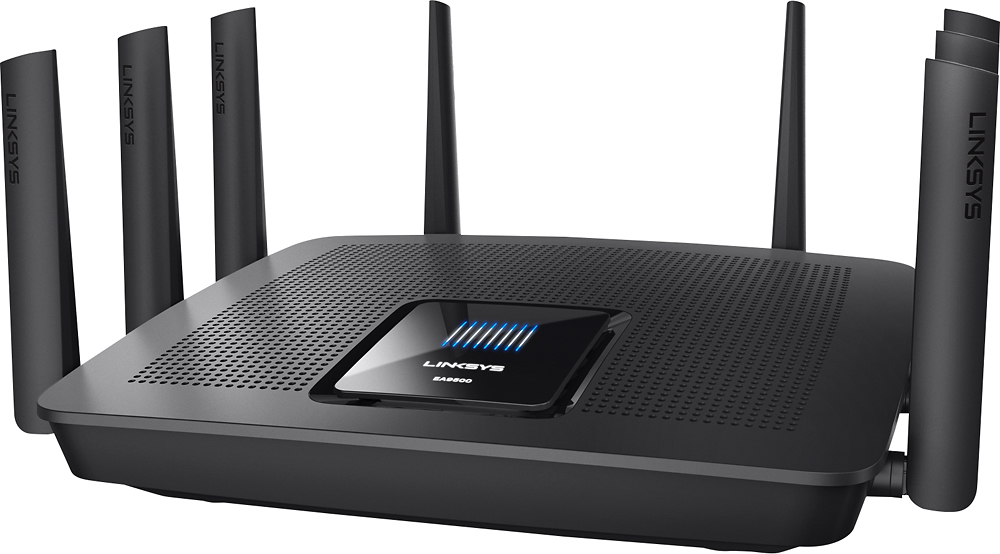
|Posted .This reviewer received promo considerations or sweepstakes entry for writing a review.The router looks a little weird with 8 antennas. But it has very good range and works very well and was not very difficult to set up either
I would recommend this to a friend - Pros mentioned:Ease of use
Great!!...in one room
|Posted .This reviewer received promo considerations or sweepstakes entry for writing a review.Hooking up this router was very easy. A set up booklet was included in the box and the steps were very easy to follow. Once connected I ran a speed test and it showed that the download speed was about 70mbps. I use Comcast internet which is supposed to give me 150mbps but I know we've never gotten anywhere near that. Before receiving this router we were using the one that is built into the modem that we rent and we had so many problems with reception. We live in a 3 story house and the signal would be strong in the room where the modem is but weak on the other 2 floors. Also, my husband and sons would play online video games and would constantly get kicked off their servers. I thought this new router would be better since it's tri-band and seems to support faster speeds but once I connected all of our devices on the networks the reception issues were even worse. In the living room where the router is located the signal is fantastic - much stronger than the built-in one we had before. However, in the other rooms we get almost no signal at all! I've tried connecting our devices in different combinations to the 3 networks but the result is always the same. I gave this router 3 stars because the signal in the room where it's at is stronger than I've ever had, and that's great for me as a student because I don't have to worry about getting kicked out of a test, but on the other 2 floors of the house we get zero signal at all. I thought a 3 star rating was fair for the performance that we get from the router but would only recommend buying this if you live in a one story home.
No, I would not recommend this to a friend - Pros mentioned:Setup
Great powerful router
|Posted .This reviewer received promo considerations or sweepstakes entry for writing a review.This is a great quality router. So good so far having it for a couple of days. This is definitely one of the biggest and heaviest routers I have had. Set up is pretty simple as long as you follow the quick set up guide. It handles pretty fast download speeds and I have no problems connecting with it wirelessly. Make sure you have plenty of space when placing it. It's pretty big. And make sure its in a well ventilated area.
I would recommend this to a friend - Pros mentioned:Speed
Powerful multi device router
|Posted .This reviewer received promo considerations or sweepstakes entry for writing a review.This tri band router works with next generation wireless AC. USB adapters are available if U don't have devices that supports this. I have older devices that run on wireless N. This new router handles N with ease. There are USB ports for folks that use a shared hard disk drive. My Nexus 6 runs wireless AC so I look forward to streaming Google Play Music and Movies using it. Will probably try a Chromebook with AC soon.
I would recommend this to a friend