Customer Ratings & Reviews
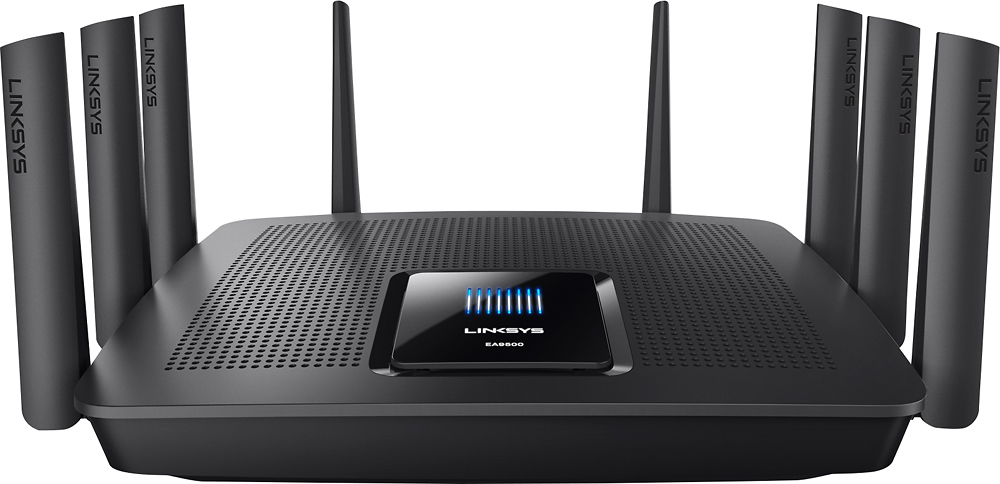
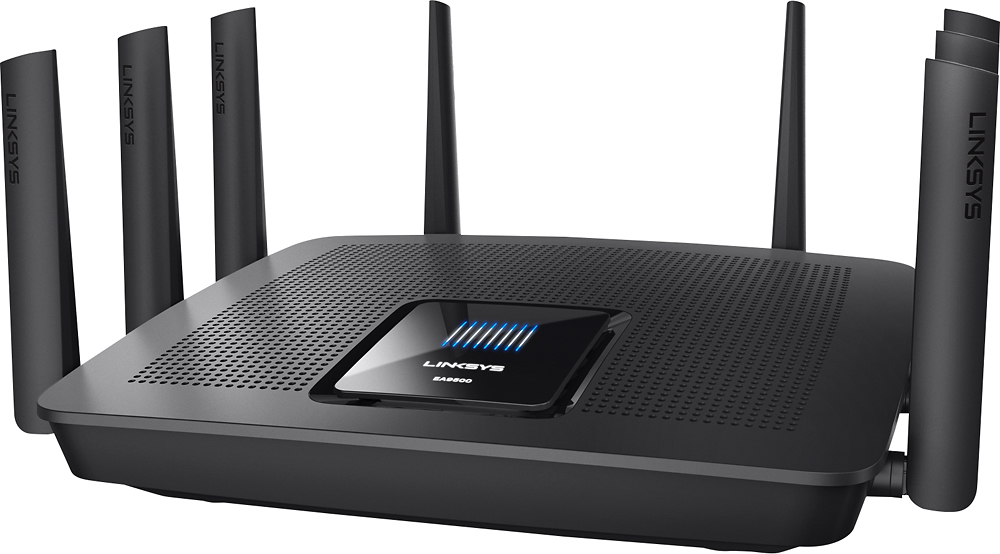
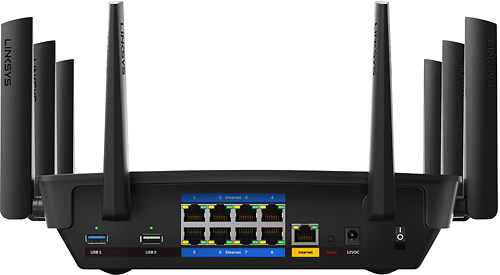




- Model:
- EA9500
- SKU:
- 5171100
Rating by feature
- Value
Rating 3.9 out of 5 stars
- Quality
Rating 4.2 out of 5 stars
- Ease of Use
Rating 4.4 out of 5 stars
Customers are saying
Customers are pleased with the AC5400 Tri-Band WiFi 5 Router's impressive range, ease of use, and strong performance, citing consistently positive experiences with setup and signal strength. Many appreciate the extensive coverage and numerous Ethernet ports. However, some customers note that the router is large and expensive. A few users mentioned occasional connection issues.
This summary was generated by AI based on customer reviews.

Top of the line!
|Posted .This reviewer received promo considerations or sweepstakes entry for writing a review.This router and Wi-Fi access point has every feature that I know of that can be included with such a device. It is truly impressive. Setup can be basically one-button simple or you can spend hours tweaking the configuration if you know what you are doing. At first I didn't think the wireless "ac" band would be too useful around the house, since none of my laptops had anything more advanced than wireless "n" adapters. But I discovered that my 3 year old iPad and 2 year old Android phone both had the ability to connect using "ac" at 433 mbps vs 150 mbps using "n". Overall there is nothing about this unit that I don't like. It did take a little reshuffling of some things in my office to find a place to locate this monster - it's quite large, has 8 antennas sticking out of it, and is not really designed to stack on or under anything else. I see lots of equipment come and go, and very few things really blow me away, but this thing is the best home-networking device I have ever seen. Highly recommended!
I would recommend this to a friend- Pros mentioned:Speed
A large increase in WiFi Speed
Posted .This reviewer received promo considerations or sweepstakes entry for writing a review.I enjoy having the 8 land ports to connect directly into the router. the WiFi coverage is out standing. After the easy installation and simple ability to connect the other 2 routers for full coverage in the house, I tested the Speed. It was fast,> 200 mbps . This maxed outed to mo providers guaranteed speed. The coverage is good over 2 floors, the 3rd floor in the opposite corner loss the connection . This is a solid router, I have 14 devices connect to it constantly with another 20 seamless connecting dynamically , ie phones and lab tops. The router web page is well laid out and love the network map. . For me worth the money!!!
I would recommend this to a friend - Pros mentioned:Speed
Velop worked much better for me
Posted .This reviewer received promo considerations or sweepstakes entry for writing a review.I’ve had a Linksys Velop system since it was released, and have been mostly happy with it. Decided to try the “one huge router” thing again (plus an RE9000 extender, set up as a hardwired access point with the same SSID and 802.11r enabled), and was underwhelmed. To be fair, I did not expect the EA9500 to give me the same signal strength throughout the house as the Velop system (with three well-placed nodes), but was surprised to find that even strictly comparing the main Velop node and EA9500 (in the same location), the Velop consistently had a stronger signal on 5ghz and 2.4ghz. Didn’t matter if I was on the other side of the house or standing right in front of the router, the Velop was almost always 5-10db stronger. That was unexpected, given the many large external antennas the EA9500 has (vs. the relatively small internal antennas of the Velop). Now, even with the lower signal strength, the 4x4 configuration of the EA9500 (vs. the Velop’s 2x2) gave faster speeds to the computers that have 3x3 or 4x4 WiFi, but other devices (iPhones, iPads, etc.) suffered. Perhaps the Qualcomm WiFi chipset that the Velop uses is superior to the Broadcom in the EA9500? Similarly, the RE9000 extender had a weaker signal compared to a Velop node in the same location, also a surprising result. Additionally, roaming with the EA9500/RE9000, while fast, was apparently not completely seamless. As a test, I made several phone calls (with WiFi calling active) while walking around the house to areas that I knew would trigger a transition. With the EA9500/RE9000, invariably the call would get bumped out of WiFi and onto cellular during these movements (even though there was no obvious indication that the phone had lost WiFi momentarily), but while doing the same test with the Velop, this did not happen. The EA9500’s built-in ethernet switch and the 4x4 WiFi would have been beneficial to my setup, but in the end I had to return it, as the cons were just too substantial. The Velop simply works far better for my home, with the exception of an apparent compatibility issue between my MacBook Pro and the Velop (link speed periodically drops very low, despite a very strong signal), but since I almost exclusively use this laptop just in one room, the RE9000 set up as a standalone hardwired access point (not part of the Velop mesh) in that room solves the problem, plus allows me to take advantage of the MBP’s 3x3 WiFi.
No, I would not recommend this to a friendBrand response from Linksys Staff
Posted .Hello MichaelC,
We appreciate your letting us know about this matter. We'll make sure to take note of your feedback and relay it to our engineering team so they can hear your thoughts. Should you need further assistance from us, please don't hesitate to tap us at [email protected] along with your phone number and the link t o this review for our reference.
Regards,
Princes
Linksys Support
- Pros mentioned:Range, Speed
A++ Highly Reccomended
Posted .This reviewer received promo considerations or sweepstakes entry for writing a review.I knew before purchasing this router that it was way overkill for my needs but I had to have it anyways! It is definitely an upgrade from my old Linksys that I have had for 7 years. I have a consistent 75 Mbps downstream and 7 Mbps upstream internet connection from at&t and paired with this router, it is great. Range is phenomenal, I can be anywhere in my home or outside on my .4acre lot and still have full reception on 5ghz. I have 2 iPhones, 1 iPad, 1 laptop, 1 pc, 4 nest cams, av equipment, smart things hub and 2 apple tvs that are connected and never have any issues even when all of the devices are using the router. Very pleased!
I would recommend this to a friend - Pros mentioned:Range, Speed
Long range, no problems with heavy traffic
Posted .This reviewer received promo considerations or sweepstakes entry for writing a review.I live with six other guys all sharing one network. We pay for plenty of bandwidth but our speed was severely limited by the amount of people streaming and gaming simultaneously; Also I was barely getting a wifi signal upstairs in my room. I purchased this router and plugged it into my modem with a cat6 cable and it has made a WORLD of difference. The 5g network is insanely fast and the 4g network has plenty of speed and enough range to get a very strong signal in all parts of our house. No more bottlenecking when we are all streaming, no more lag! I even get a strong wifi signal outside on the porch now. So happy I bought this thing.
I would recommend this to a friend - Pros mentioned:Range
crazy fast.
Posted .This reviewer received promo considerations or sweepstakes entry for writing a review.very powerful router.fast and strong signals throughout my house great for streaming.i also purchased ac-1900 extender,may be overkill.never have enough power.would recommend.
I would recommend this to a friend Linksys Ea9500 the best there is...
|Posted .This reviewer received promo considerations or sweepstakes entry for writing a review.This is a review of the Linksys EA9500 wireless router. This is by far the best router available on the planet as of today. I am amazed at the speed and flexibility of this device. It will instantly become the center of your home network. The only complaint I could possibly have is the network ports are a little tight when you actually use both rows of ports. To be fair this is the normal amount of spacing for a normal network switch but I think the antennas on the back make this feel just a little tighter. The user interface is great and very user friendly. It is very on par with normal Linksys routers. The USB ports are great as the real limitation there is the device you are wanting to plug into them. I have a very large house for a normal family and this has plenty of range and throughput for all wireless devices. If your home network is not on a budget and you don't have the need for multiple hard wired locations then this is the best choice for a home network.
I would recommend this to a friend- Pros mentioned:Range
Great Router for Fiber and a lot of devices
Posted .This reviewer received promo considerations or sweepstakes entry for writing a review.I upgraded my home internet service provider from cable to fiber. Just about any router from the past 5 - 7 years will give you reliable connection speeds to match a 50 mbps +/- connection. When upgrading to a 1 gpbs (1,000 mbps) connection I wanted to make sure every device in the house took full advantage of the connection speed. Highlights: The range for the 5 ghz channels is much improved from my previous generation router. Also, with the band steering feature we can easily access and utilize the 5 ghz channels throughout our 3000 sq ft house for streaming and mobile devices. I'm not sure exactly how beamforming works, but it obviously works. I've dedicated the 2.4 ghz channel to thermostats, the printer, and a couple older devices without a 5 ghz connection. A disclaimer on wireless connection speeds though: Individual devices, especially if they're older will be limited by their own wireless networking hardware. Also, even the newest devices will stop short of the overall gigabit+ numbers on the box - the idea here is that wen you have multiple devices connected over wifi you can max out all of their capabilities without the router slowing them down. Essentially you can use whatever device(s) you want without worrying about if someone else is streaming Netflix in the other room (unless your overall ISP connection will limit you). Even with a couple dozen always-connected products (directv boxes, computers, cell phones, streaming sticks, thermostats, ipads, Xbox, etc) I have yet to see the router unable to direct traffic for maximum connection speeds. I've run speed tests while other devices were streaming and saw no noticeable difference in performance and overall speed. Setup is easy using the mobile app or your computer. You can setup a guest network if you want. There are options for plugging in a usb or portable drive and setting up an internal media server or FTP. The media server is readily recognized by other devices once enabled, and the FTP is rather painless as well if you're interested in doing so and have a little technical ability although cloud storage has mostly rendered this obsolete. The app and web interface make it easy to setup and maintain all the features listed on the box. Full Disclosure: I did have to replace my first router due to an issue where the 2.4 ghz channel stopped carrying traffic - the 5 ghz channel never stopped working. I actually had a good experience (shockingly) dealing with the Linksys customer support. We ran through some troubleshooting over the phone for 10-15 minutes or so before I was authorized for an advance replacement. Getting the new router in and shipping the old one back took a total of about a week. I can't deduct from my review at this point given they honored their 3 yr warranty quickly and honestly, so I will happily continue using the replacement. I like when companies stand behind their stuff.
I would recommend this to a friend - Pros mentioned:Setup, Speed
Fast For the Price
Posted .This reviewer received promo considerations or sweepstakes entry for writing a review.The EA9500 is an extremely fast router, so far my experience was that everything was easy to setup quickly and I am getting full-speeds which I never was able to achieve before. Being a MIMO radio makes all the difference and this 8 antenna, tri-band router has plenty of channels and bands to accommodate a huge amount of WiFi devices all pulling a huge amount of data. This router is definitely in a high price bracket, but was definitely worth the price when I had unboxed and setup the unit. From what I have seen and read the linksys outperforms the competition, even with their fancy name everyone is talking about.
I would recommend this to a friend Great bandwidth on multiple devices
|Posted .This reviewer received promo considerations or sweepstakes entry for writing a review.As promised, the LINKSYS EA9500 MAX-STREAM™ AC5400 TRI-BAND WI-FI ROUTER was able to provide high speed wireless throughput to multiple devices simultaneously. First I ran a speediest on my MacBook Pro, iPhone, and iPad with just my ISP provided cable modem/wireless gateway. On 2.4 GHz I was getting down speeds around 75MBPS and up speeds of 11MBPS. I then did the same tests on the 5G network on the same gateway. Down = 175MBPS Up = 23MBPS. Because of the gateway I already had needing frustrating configurations to put it in bridged mode, it took a while to set up the Linksys. However once I did, I was very happy with it. On the 5G network I was getting down speeds of 230 MBPS and up speeds of 33 MBPS. (I pay for up to 300 MBPS down and 50 MBPS up.) I don't know if I'm on multiple devices requiring a high demand of bandwidth simultaneously enough to warrant the price on this bad boy...but you'll know where your money went when you set it up.
I would recommend this to a friend- Cons mentioned:Size
Superb Router!
Posted .This reviewer received promo considerations or sweepstakes entry for writing a review.The MaxStream is a fantastic router. I tried the Velop and Google WiFi systems in our house previously, but since we live in a WiFi congested area in the 2.4GHz band, those mesh routers often caused channel collisions with each other and other devices in our home. I narrowed down my search to the Netgear X10 and this router. While we don't have a massive one-floor rancher, our house is vertically long with a large basement and 2nd floor. While the X10 is also a tri-band router, but the third band is an AD which is 60 GHz and extremely short range. I was at Best Buy comparing the two boxes and realized that the EA9500 has 2 5GHz bands it runs on whereas the X10 has 1 2.4 GHz, 1 5 GHz, and 1 60 GHz. Since our kids are constantly streaming video either on tablets or TVs in any corner of the house, I figured we'd be better off with the 2 5 GHz bands. Since then, I've put everyone on the new 5 GHz bands and had zero problems. The throughput is FAST, we get around 400 to 500 Mbps anywhere in the house on the 5 GHz band(s). My previous router before the mesh experiments was a Netgear Nighthawk AC1900, which was great, but could only do about 120 Mbps throughput on the 2.4 GHz band and inconsistently around 100-200 on the 5 GHz. I highly recommend this router, although two things to keep in mind are: 1) it's a BIG router. You definitely need to consider this before purchasing as it takes up a LOT of space. 2) If you have a modem/router combo, be sure to disable DHCP -- the mobile app you have to use to set it up will only work if the router is on 192.168.1.1. There may be a way around this but I had to disable DHCP on the Verizon router we had -- since we have ether from the ONT, I ran it directly to the EA9500 and haven't had a problem since.
I would recommend this to a friend - Pros mentioned:PerformanceCons mentioned:Size
Fast and powerful
Posted .This reviewer received promo considerations or sweepstakes entry for writing a review.This is one of the most powerful routers on the market at the time of this writing. It's expensive but for my 3400sqft house I don't need any repeaters/mesh there is no dead spots in my house. I used to run multiple routers, but now I just use this one router. Worst it performs going through a floor, 5 walls, and a computer case I get 50/70 Mbps with 5/2.4 ghz. Within line of site I can achieve 870/140 Mbps. The ea9500 loses a star for not having wall mounting support. Its footprint is at least 2sqft. It'll take up a significant amount of space on your desk or table. It does not have any QoS services. It does have parental blocking which does block https sites but only if you disable IPv6.
I would recommend this to a friend - Pros mentioned:Range, Speed
Best router I have ever owned.
Posted .This reviewer received promo considerations or sweepstakes entry for writing a review.As a former employee I knew out the gate what to buy and what to stay away from. This being the dedicated router is amazing we have 16 devices connected to this including 2 4k's and a lot of streaming. This disperses internet like a champ and allowed flawless performance. Plus the smart Wi-Fi app allows me to manage on the go and track performance at home. The up front cost is hefty at first but your time is worth more than the $10 a month you pay renting a modem from your cable company and the hours you dedicate with customer service with said cable company. This router will save marriages.
I would recommend this to a friend - Cons mentioned:Price, Size
Excellent Router
Posted .This reviewer received promo considerations or sweepstakes entry for writing a review.I have a small home office with a few wired devices, and my family has several wireless devices that are used throughout our house. My previous router could no longer handle the load from the wireless devices, and would frequently interrupt wireless traffic. The Linksys EA9500 was very easy to setup, and the wireless throughput on the AC spec is fantastic -- we have not experienced any wireless drops with the EA9500. As a bonus, the 8 gigabit wired ports means that my home office has room to expand. And, latency has also been reduced for my hard-wired console, improving my gaming experience. I'm giving it 4 stars because it is a little pricey, and the unit is physically quite large.
I would recommend this to a friend - Cons mentioned:Size
Appears to be good...
|Posted .This reviewer received promo considerations or sweepstakes entry for writing a review.This is physically a BIG router with lots of antennas. I am not tech savvy so I called Lynksys and got great help and Val had me up and running in a few minutes. However...had there been instruction with the box I may have been able to do it myself. Had it contained instructions I would have given all 5 stars.
I would recommend this to a friend I can certify it works for 50+ devices
Posted .This reviewer received promo considerations or sweepstakes entry for writing a review.Skipping all the technological points some great reviews and sites have mentioned; I am posting to vouch this device can handle over 50 devices consistently and effortlessly. I'm not talking about me having 50 devices that could connect to it but rather I am stating 50 devices (laptops, computers, ipads, streaming TV's on, etc) ARE connected to it being used by dozens of people at the same time and throwing at it all it can handle and we haven't experienced any hiccups. Not once. Every single port is used and from there are multiple hubs and many more devices are connected wirelessly. One thing I've done is placed a small fan and let it run aiming at it 24/7.Not that it is necessary but it's important to note my experience in full for you to factor in with any other info you've collected while researching if you should buy this.
I would recommend this to a friend- Pros mentioned:SpeedCons mentioned:Size
Great range, speed, and capacity
Posted .This reviewer received promo considerations or sweepstakes entry for writing a review.I upgraded from an Asus Rt-ac5300 to this router a few weeks ago and it is hands down better in every way. My old Asus used to struggle due to the number of devices on my network (~30) but so far this Linksys is able to handle all of my devices without dropping any clients. It is also faster at range for some of my AC devices. It's big, but it doesn't look too out of place like my old Asus router (that was a little too aggressive)
I would recommend this to a friend - Pros mentioned:Performance
Very good
Posted .This reviewer received promo considerations or sweepstakes entry for writing a review.Seems very stable and like the ability to see and control multiple devices. So far has worked very well with up to 14 different devices connected both wired and wifi. Looking forward to learning more about the product but so far love it..
I would recommend this to a friend Great mid-tier AC5400 Router
|Posted .This reviewer received promo considerations or sweepstakes entry for writing a review.Excellent wireless router with 8 built-in LAN ports (although no link aggregation). Wireless range is decent in my 2600 sq foot home. 2.4 ghz channel I get full bar reception throughout the entire home but not with the 5ghz bands (tried altering band steering options and of/on) but didn't improve the distance on it. I don't live in a congested Wifi area just a small neighborhood with 25 homes. My prior AC5400 router had exceptionally better wifi range on all bands and the download/upload speeds were similar. Location of both units was identical and its setup. If it weren't for the smallerwifi range and lack of port aggregation I would have used this router as my daily driver. If those aren't concerns for you then I highly recommend this router as it can handle a lot of devices at once with ease (although linksys for some reason opted to give it half the ram compared to two other popular AC5400 routers). In the end I had to side with the AC5400router that has active antenna ends due to it increasing my wifi strength and distance
I would recommend this to a friend- Pros mentioned:Performance
Amazing workhorse!
|Posted .This reviewer received promo considerations or sweepstakes entry for writing a review.If you have a tech heavy house like I do (2 teenage boys with a ton of gadgets plus my own) then this is definitely the router for you. It was able to handle at least 8 gadgets at once with no slow down or delays. Works great in a multi level home.
I would recommend this to a friend