Customer Ratings & Reviews
- Model:
- E9450
- SKU:
- 6475408
Rating by feature
- Setup
Rating 4.4 out of 5 stars
- Range
Rating 4.4 out of 5 stars
- Signal Strength
Rating 4.4 out of 5 stars
Customers are saying
Customers praise the Dual-Band AX5400 WiFi 6 Router (E9450) for its impressive range and ease of setup, highlighting its user-friendly interface and broad coverage area. Many appreciate the router's strong performance and modern design, while some express disappointment with the lack of app support for configuration. The router's WiFi 6 capabilities and enhanced security features are also frequently cited as positive aspects.
This summary was generated by AI based on customer reviews.
- Pros mentioned:Speed
Solid Upgrade.
||Posted . Owned for 1 month when reviewed.This reviewer received promo considerations or sweepstakes entry for writing a review.A definite answer to the need at hand. Solid speed where I need it most
I would recommend this to a friend Router
||Posted . Owned for 3 weeks when reviewed.This reviewer received promo considerations or sweepstakes entry for writing a review.Works great! Made a huge improvement. Customer service service was awesome.
I would recommend this to a friendGreat, doesn't break the bank
||Posted . Owned for 1 week when reviewed.This reviewer received promo considerations or sweepstakes entry for writing a review.Got this because we needed an upgrade but did not want to fork out the $ for a major system. This works well for us. We have 2 users streaming, using gaming systems, fire tvs, and wifi phones all connected and have not had any problems.
I would recommend this to a friend- Pros mentioned:Ease of use
Great product
||Posted . Owned for 3 weeks when reviewed.This reviewer received promo considerations or sweepstakes entry for writing a review.Not only good looking, very easy to install. I recommend highly
I would recommend this to a friend - Pros mentioned:Ease of use
Linsky
||Posted . Owned for 1 month when reviewed.This reviewer received promo considerations or sweepstakes entry for writing a review.Great product.works well.Easy to set up.Fsir price
I would recommend this to a friend Next generation of Routers
||Posted . Owned for 1 month when reviewed.This reviewer received promo considerations or sweepstakes entry for writing a review.Excellent. Best router that I’ve ever had. Nice & compact.
I would recommend this to a friend- Pros mentioned:Ease of use
Nice
||Posted . Owned for 3 weeks when reviewed.This reviewer received promo considerations or sweepstakes entry for writing a review.Does its' Job. Great for a gaming set up. Really easy to set up.
I would recommend this to a friend - Pros mentioned:Range
Good bit of hardware, worth at discounted price
||Posted . Owned for 1 month when reviewed.This reviewer received promo considerations or sweepstakes entry for writing a review.I got a great deal, so far no complains, it has great range.
I would recommend this to a friend Leading Edge Functionality
||Posted . Owned for 3 weeks when reviewed.This reviewer received promo considerations or sweepstakes entry for writing a review.I have not started using the new router yet, but I have been a LinkSys router user for many years and have never experienced a failure from any of the seven routers that I have owned. I typically upgrade to their newer products only to maintain leading edge technology networking capabilities.
I would recommend this to a friendDecent if it works.
||Posted . Owned for 1 year when reviewed.This reviewer received promo considerations or sweepstakes entry for writing a review.I had to return this router, it had disconnects randomly that my old one didn't. Not sure why, but it may have just been a bad one. I do trust the brand.
No, I would not recommend this to a friend- Pros mentioned:Ease of use
Great Router!
||Posted . Owned for 1 month when reviewed.This reviewer received promo considerations or sweepstakes entry for writing a review.Great router and was very easy to set up and use !
I would recommend this to a friend Good sleek router
||Posted . Owned for 1 month when reviewed.This reviewer received promo considerations or sweepstakes entry for writing a review.Very compact router and clean antenna free design.
I would recommend this to a friend- Pros mentioned:Speed

Good Router, Setup could be better
|Posted .This reviewer received promo considerations or sweepstakes entry for writing a review.Linksys AX 54500 WiFi 6 Once setup, the router works as advertised. Its fast, allows WiFi 6, handles multiple devices, and allows choosing 2.4 or 5 Ghz bands separately rather than letting the router choose your connection. I like the simple design and it runs cool, not generating a lot of heat. Setup was simplified using the Quick Start Guide which runs on top of the router menu to help simplify the user setup. It helps somewhat but I would rather just use the router menu. The process says to just connect the new router to your current modem without powering down the modem, something I have never seen with other setup processes on other routers. Setup utilizes a temporary WiFi name you connect your computer to for the setup process. You must use the provided password in order to get connected. Once connected, the router pops a smaller screen up to enter your desired SSID (WiFi name) and password for both the 2.4 Ghz and the 5 Ghz channels. You then change your computer to the new WiFi settings to finish. Multiple times the set up process warns that if you leave or need to restart the process you will need to “reset” the router to get the process back. That’s good as I had to do just that as my computer wouldn’t reconnect to the new settings. Second time after a router reset it worked but I was never sure why. There is no mention how to do a reset, but it’s fairly obvious you use the reset button on the back of the device until the lights go crazy. However during the final setup the software didn’t think I had internet access and to try to load a webpage. I had no internet access. So the suggestion is to power down your modem for 2 minutes and restart. That fixed the problem, I had internet access. I question why we didn’t do that when we plugged things in at the beginning of the setup? After we had internet access, the setup wanted to run again. There was no way to stop it other than closing that webpage. I really feel the instructions and the software need some work. It seems simple, but it doesn’t help you if there is a problem. I’m using a Charter (Spectrum) modem less than 6 months old. This is not an unusual internet service provider. For a beginner setting up this router with the issues I had, they would be needing tech service to get them going or be doing several trial and errors. Additionally there is no help or suggestions to disable your current Router (setting it in Bridge mode) if you have a combination Router/Modem in your home. Once connected with the internet working, I went back into the router menu to check things. It then wants you to register the product and there was also a firmware update that I ran without issue. Conclusion: Setup process needs to be addressed. I have set up many routers over the years including multi node systems. This one could be so much better or at least provide concise solutions for when they are needed. Router itself is good. It’s fast; it looks and fits well in many installations. After 3 days it is still stable and working without issues. It utilizes WiFi 6 and WPA3 for newer computer systems. Being able to handle multiple devices is a real plus with households having many these days. It has many of the newer features of multiple node systems without the need to spend more money for coverage you may not need. I would recommend this device for someone that wants an updated WiFi 6 system but doesn’t need a multi node mesh system.
I would recommend this to a friend good router
||Posted .This reviewer received promo considerations or sweepstakes entry for writing a review.for a wifi router it's great..but if you want to view your network through the app. It doesn't work
No, I would not recommend this to a friend- Pros mentioned:Coverage, Setup
Speed and coverage
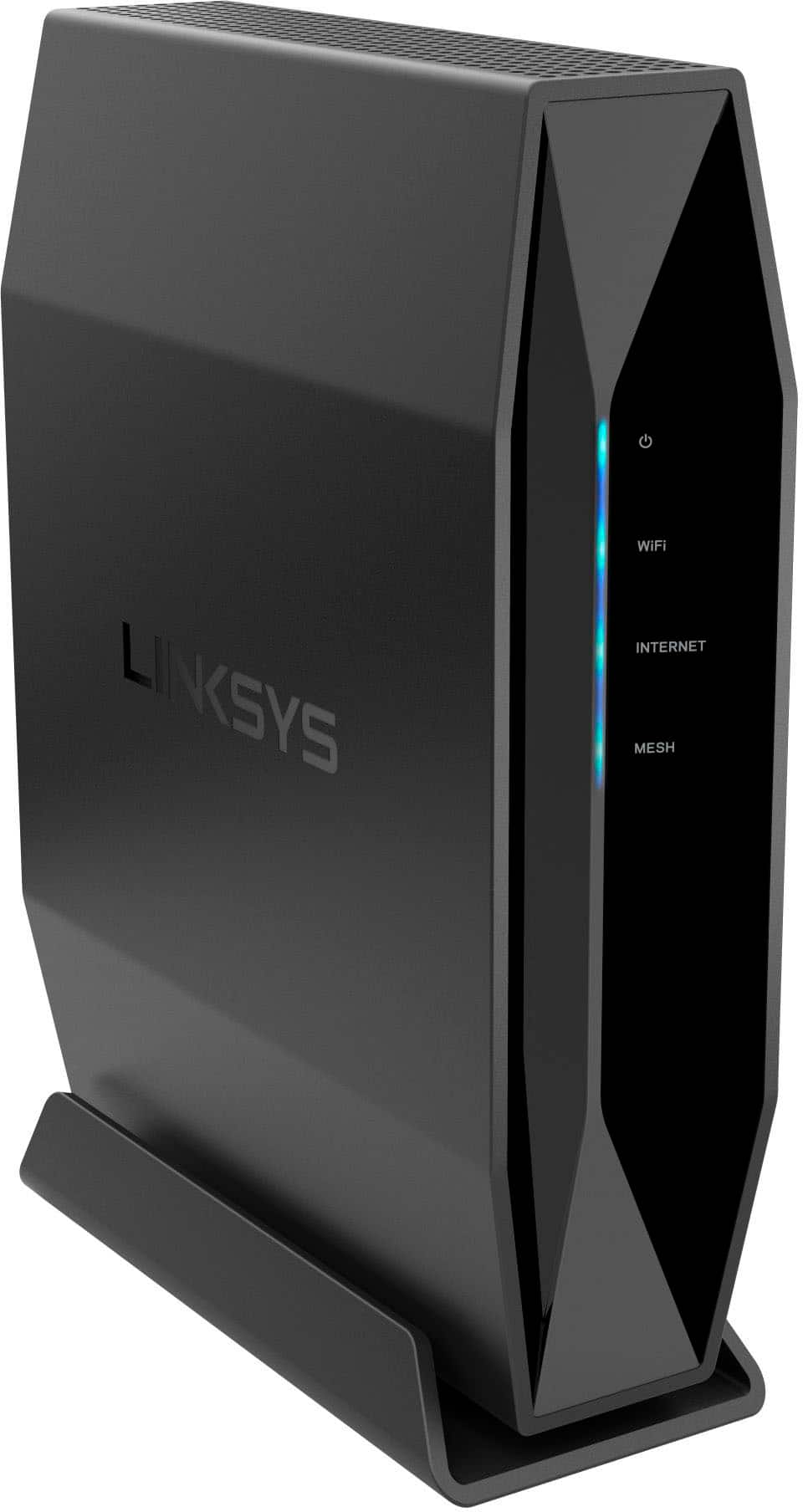
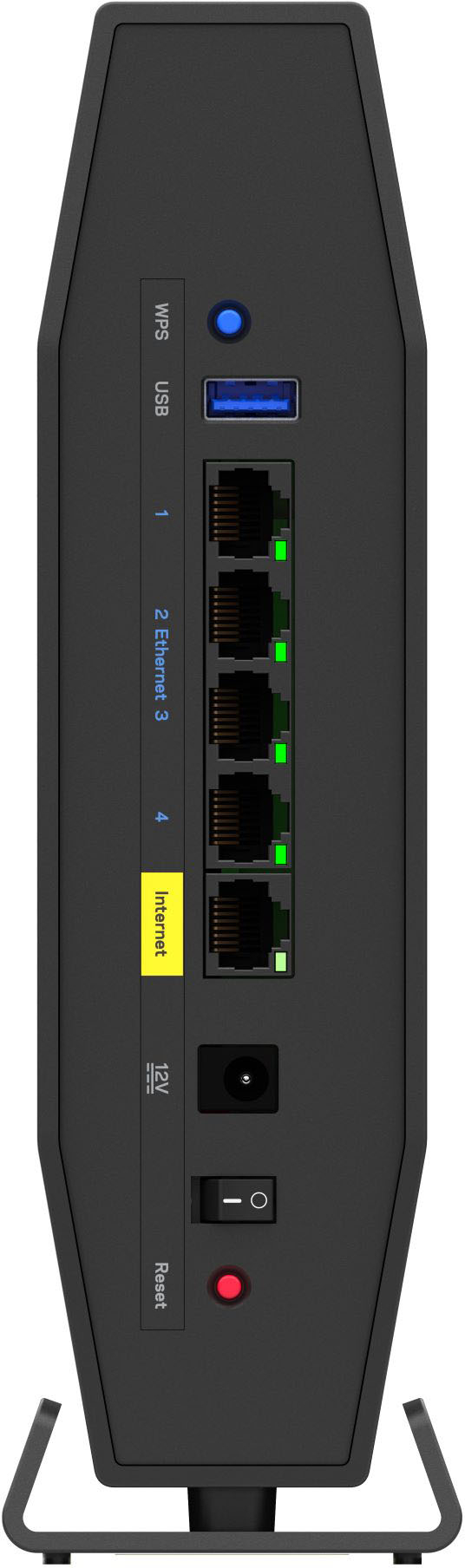
|Posted .This reviewer received promo considerations or sweepstakes entry for writing a review.Linksys Dual-Band AX5400 Wifi 6 Router The Linksys AX5400 is a stylish WiFi 6 router. It has a USB 3.0 port and four Ethernet connections in addition to the Ethernet connection to your modem. There is also an on/off switch as well as a reset button that’s nicely recessed to protect against accidentally hitting it. The USB port can be used to connect a storage device which can be used to transfer files between other devices. And it also has a WPS button which allows you to add devices to your network with a simple push of the button. Doesn’t get any easier than that. The router comes with a charger and an Ethernet cable to connect the device to your modem. Once plugged in and connected to the modem, the device is ready for use and shows up as one of the available connections in your Wi-Fi settings. The Quick Start Guide made setting up the router very straightforward, with the exception of Step #5 (logging online to http://myrouter.local as instructed). For some reason, my security software blocked the site as “suspicious”. Because of this, the site failed to load multiple times on several devices. I then typed in the numeric URL (192.168.1.1) for that site, and it connected fine. The online instructions for completing the setup were clear and easy to follow. During setup, you can rename your modem, update the firmware (if needed), and change passwords. After finishing the setup, the last thing you do is register your router, and then you’re in business. Linksys says you can connect 30+ devices, but since I don’t have that many devices, I can’t vouch for that. However, I do have a fair number of devices, so I connected four computers, three phones, a scanner, and several printers, all without any problems. You have the choice of using either Wi-Fi or Ethernet connections. I chose to use Wi-Fi on all the connections and didn’t notice any deterioration in speed. Another important feature of this device is that it covers a large area (up to 2800 square feet). So, the bottom line is that this Linksys router offers ease of setup, lots of connectivity for all your devices running at the same time, and a wide coverage area. That’s a winning combination in my book. Highly recommended.
I would recommend this to a friend - Pros mentioned:Coverage, Setup, Speed
Solid upgrade!
|Posted .This reviewer received promo considerations or sweepstakes entry for writing a review.I got this router to replace an older dual-band router from the same manufacturer that just couldn't provide the speed or coverage in our shop. Even though we currently don't own any WiFi6 devices we are planning to upgrade our phones soon and we wanted a little future-proofing too. The router setup was pretty straight forward although I was surprised to see that it doesn't use the app that prior generations were requiring. This setup reminded me of the olden days in that you access the router's administration through a web browser. Once there, the screens are cleanly laid out and pretty basic. That's not to say that the feature set is not comprehensive - it is quite good. One of the first steps that the initial setup requires is to update the firmware if needed (it was). The modem required a power cycle after the update before I could connect to it again. Once installed I tested both reach and performance and am pleased to tell you that both exceeded my expectations. Even with pre-WiFi6 equipment there was a speed improvement of about 25% and I was able to reach areas in my shop that I could not connect to before. Better yet - the improved speed was maintained even in those areas that I couldn't even use before! The only reason I'm not giving it 5 stars is that I now have to remember to manage this router differently than the other Linksys routers that I use. Perhaps they are planning a future firmware upgrade to address this. Linksys has once again delivered a solid, excellent performer and I wouldn't hesitate to recommend it to others.
I would recommend this to a friend - Pros mentioned:Range, Speed
Reliable Linksys Power
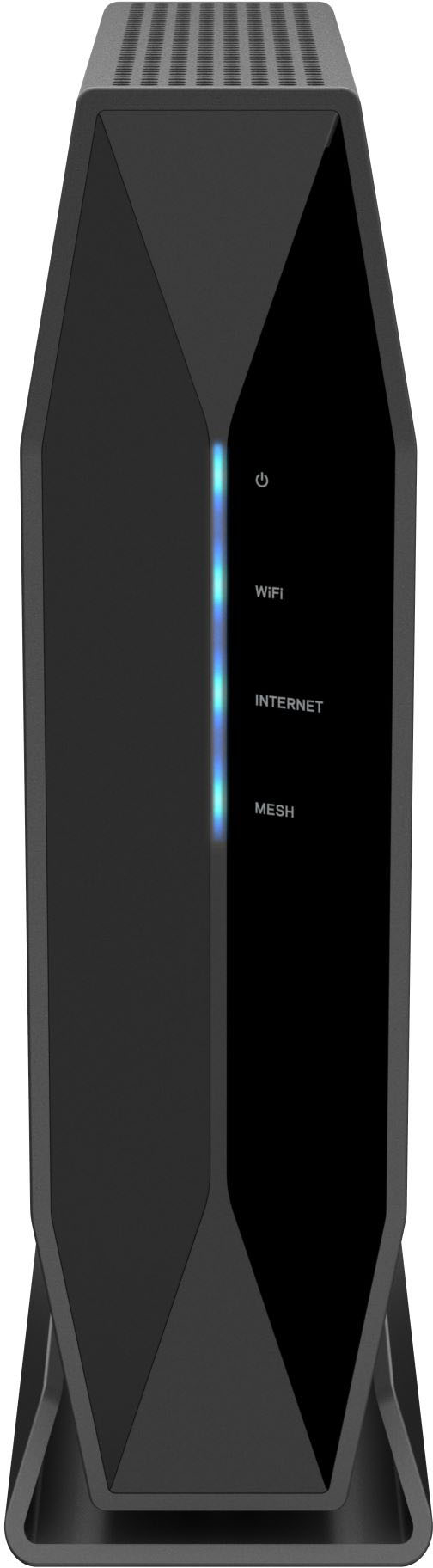
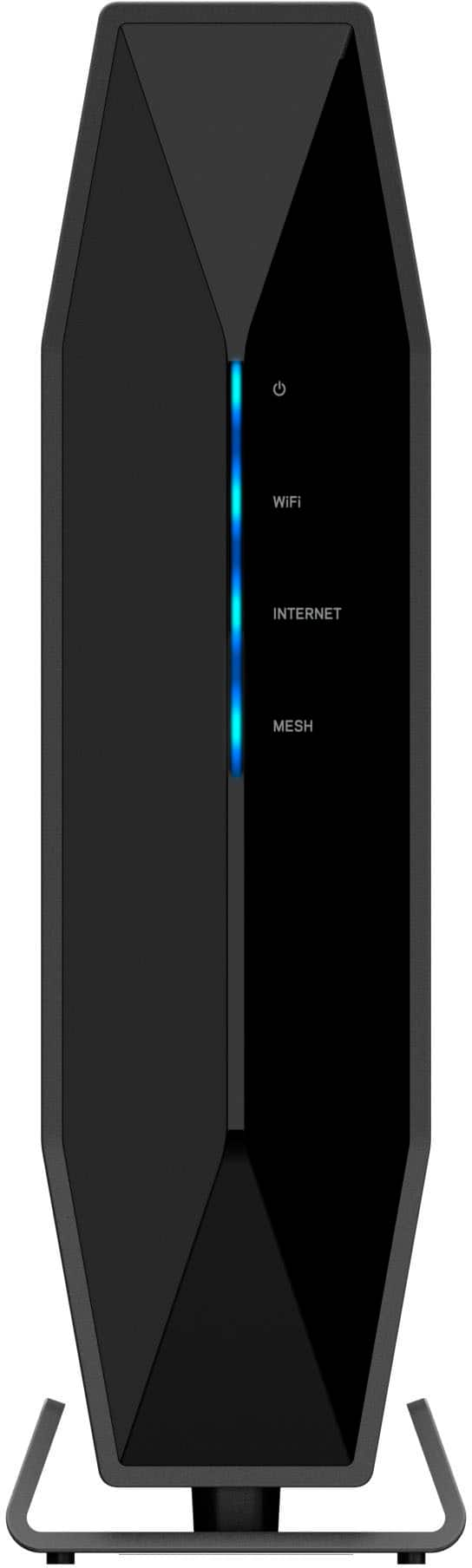
|Posted .This reviewer received promo considerations or sweepstakes entry for writing a review.Router technology seems to have really excelled in the last few years and this router shows that trend is just going to continue. It has been my favorite router to use yet and I have been nothing but pleased. Setting up this router was a breeze, I used to really struggle with router setup and troubleshooting but the way Linksys has router setup nowadays, I had zero issues. I have to commend Linksys on their browser setup and app features. Setup is so smooth and I love being able to monitor our router and service performance, how many devices are connected, etc. Once I got the router setup and working, I told the family to really put it to the test and use their devices heavily. We usually have about 18-20 devices connected in the house, not all used at one given time, but when everyone is home the demands can be pretty high. I monitored the performance for a few days and I have been very impressed. I had no complaints with speed, but where I really saw the improvement from our previous router was the range. During warm months, our family is constantly outside on the deck, in the pool, or in the garage working on something, and we always end up using Wi-Fi whether that is streaming music or streaming video for an outdoor movie night with the projector. I purposely tested this and I had no issues whereas our old router would struggle with range and reaching us outside. We also have wireless cameras spread out outside the house and them staying connected to the Wi-Fi can be spotty and unreliable. However I did see an improvement with the outdoor camera connections as well. I really have no issues with the range or speed of this router and this will be just fine for the majority for households. I also liked the guest access feature, that is something that was new to us but it is nice to have and I know we will use it going forward. The overall design of this router is also pleasant, it is modern looking and is compact in size, it is not much bigger than our stand up modem, so they fit together nicely. I also like that it is a standup router vs. the older router style of being like a big pan that takes a ton of surface area. Since this stands up, it hardly takes up space and the stand/base is solid, it does not feel like it wants to tip over once all the stiff wires are connected to the back of it. I like the look of the front of the router and its simple to the point light indicators on the front. Luckily we have yet to have this router abruptly disconnect, but I know on previous routers that had these clear indicators on the front, it was very easy to glance at the router and see if there was something awry with the home Wi-Fi. Overall, this router has treated us well so far and I can tell based on its performance that it will be plenty of power for most households, especially for years to come with this being such a modern and updated router.
I would recommend this to a friend Upgrading iPhone is a 1/2 day job!
||Posted . Owned for 1 month when reviewed.This reviewer received promo considerations or sweepstakes entry for writing a review.Phone buying process should be easier, but Best But staff did a great job!
I would recommend this to a friendLinksys Router
||Posted . Owned for less than 1 week when reviewed.This reviewer received promo considerations or sweepstakes entry for writing a review.Works well with the devices in my home. Game console, tv, and phones alike.
I would recommend this to a friendLinksys - Dual-Band AX5400 WiFi 6 Router (E9450)
||Posted . Owned for less than 1 week when reviewed.This reviewer received promo considerations or sweepstakes entry for writing a review.Linksys - Dual-Band AX5400 WiFi 6 Router (E9450). Great product and allows me to get faster WiFi Speeds to all my home devices
I would recommend this to a friend