Customer Ratings & Reviews
- Model:
- E9450
- SKU:
- 6475408
Rating by feature
- Setup
Rating 4.4 out of 5 stars
- Range
Rating 4.4 out of 5 stars
- Signal Strength
Rating 4.4 out of 5 stars
Customers are saying
Customers praise the Dual-Band AX5400 WiFi 6 Router (E9450) for its impressive range and ease of setup, highlighting its user-friendly interface and broad coverage area. Many appreciate the router's strong performance and modern design, while some express disappointment with the lack of app support for configuration. The router's WiFi 6 capabilities and enhanced security features are also frequently cited as positive aspects.
This summary was generated by AI based on customer reviews.
Dont buy it
Posted .This reviewer received promo considerations or sweepstakes entry for writing a review.Literally dont buy this router i have this router for 6 months and every time this router taps out i restarted this router so many times im over it
No, I would not recommend this to a friendBrand response from Linksys Staff
Posted .Hi, ChrisJones,
This is totally unexpected! We can stabilize the connection of the Linksys E9450 by making sure that the connection behind the main modem is stable, use another Ethernet cable in connecting the router from the modem, or check if it is equipped with the latest firmware. Our Escalation Engineers would love to assist and aid in experiencing the best out of the unit. Please drop us an email with your contact details and the link to this review for reference at [email protected].
Regards,
Carl
Linksys Support
Good!
||Posted .This reviewer received promo considerations or sweepstakes entry for writing a review.This product works great. Happy with the purchase.
I would recommend this to a friendGreat router
||Posted . Owned for 1 week when reviewed.This reviewer received promo considerations or sweepstakes entry for writing a review.Great wireless router, worked right out of the box.
I would recommend this to a friend- Pros mentioned:Coverage

Solid Router-Firmware may allow Mesh
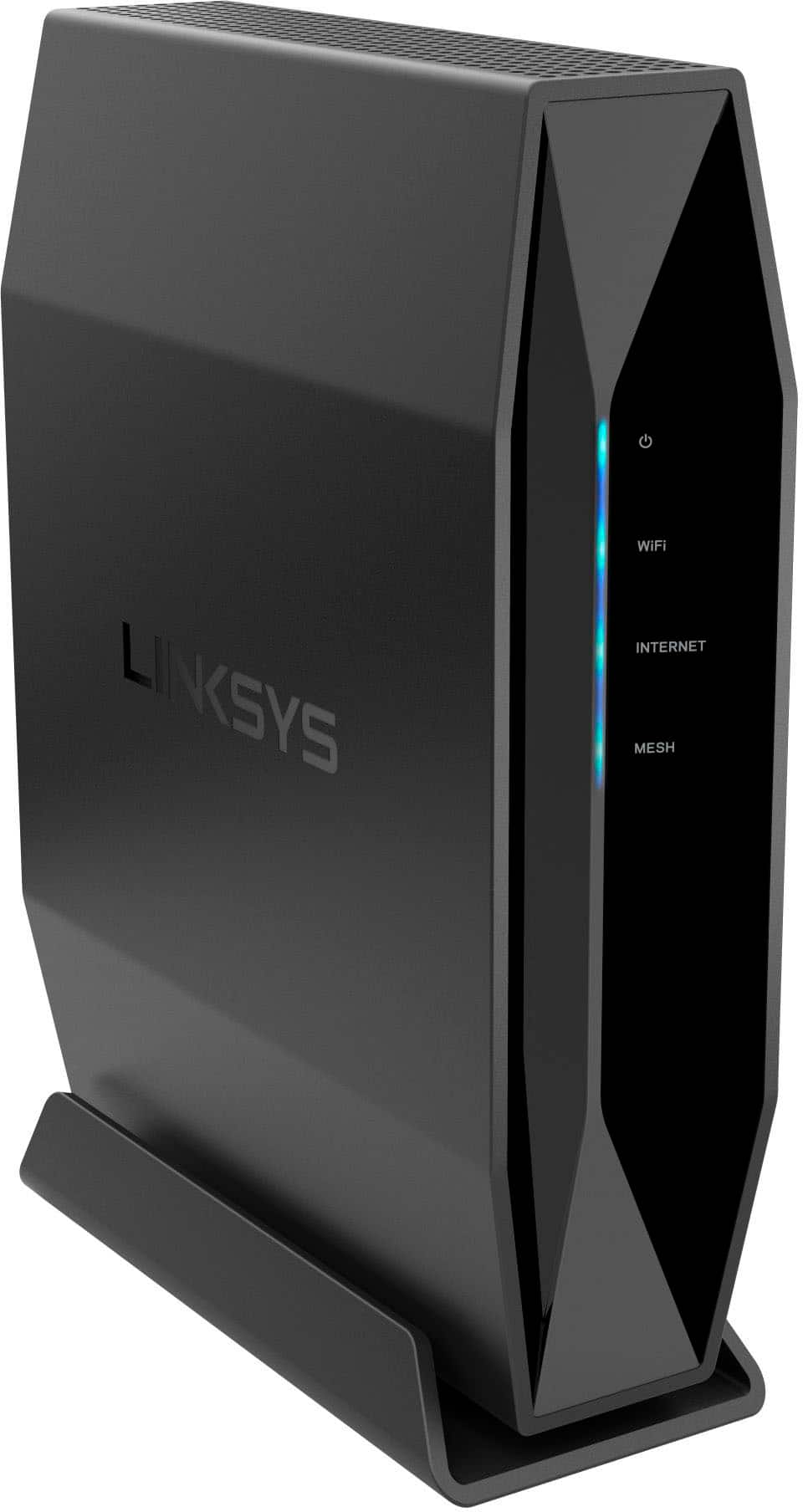
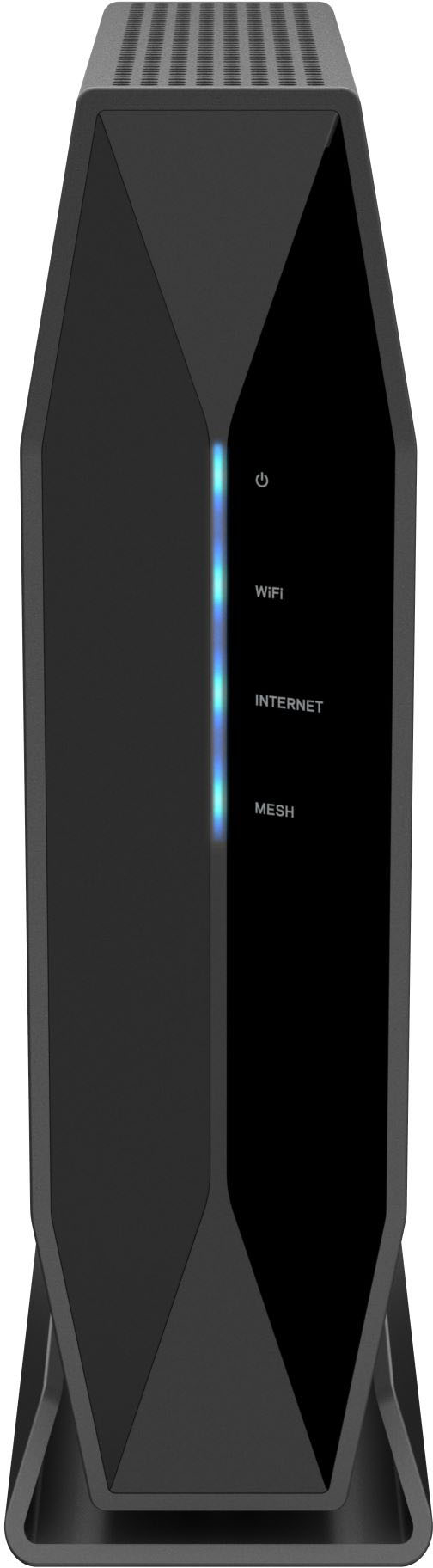
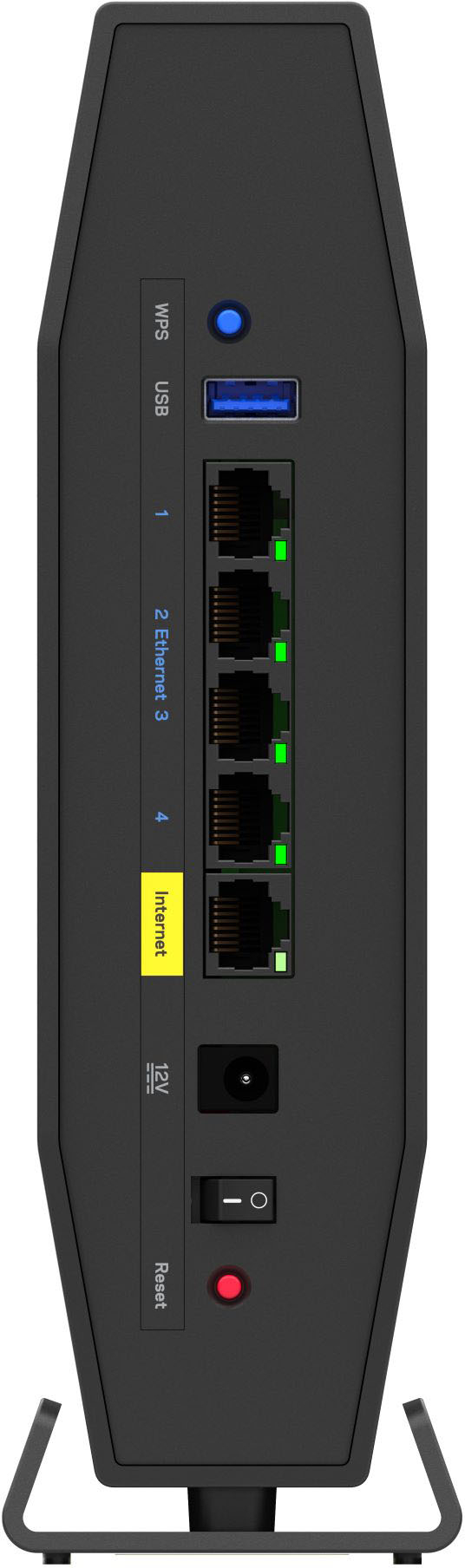
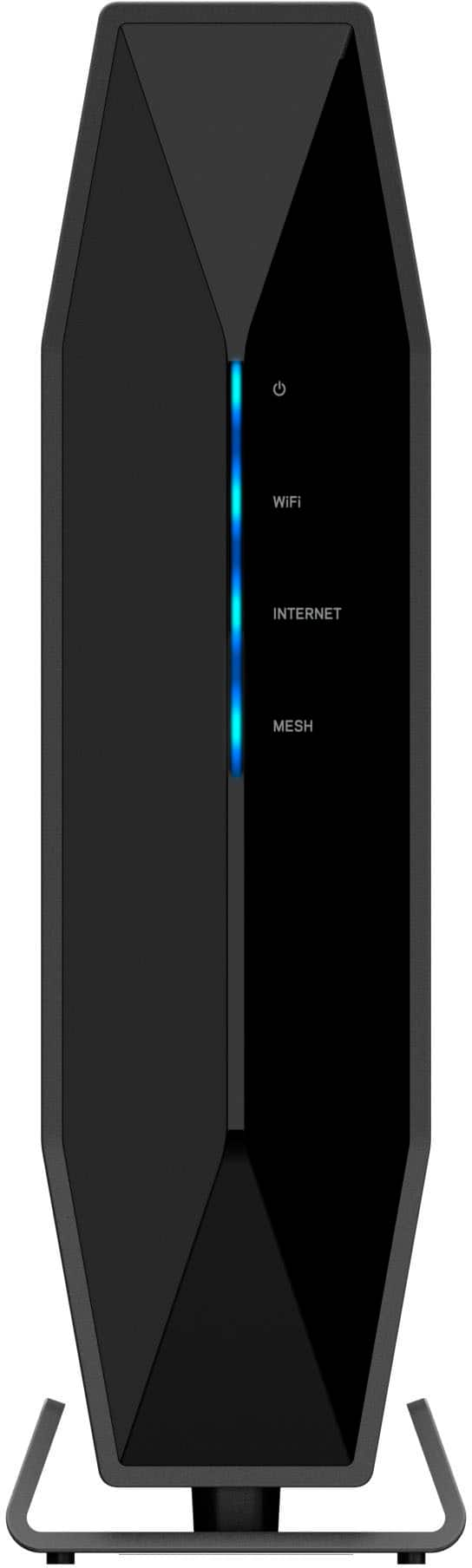
|Posted .This reviewer received promo considerations or sweepstakes entry for writing a review.I picked up this Linksys Dual Band AX5400 WiFi 6 Router for an unfortunate reason. My nearly 1 year old Linksys Velop MX12600 Mesh system was acting up recently and I have some critical needs over the next several days. My Linksys Velop MX12600 would drop internet access and the status light would go red for a couple minutes each day. And then it developed into my browsers wouldn't resolve DNS properly. I needed a replacement that gave me good coverage around the house and just outside my house to allow me to use my WiFi cameras. I wanted something that supported the latest WiFi standards, to which this E9450 does with WiFi 6 or AX standard. I also didn't want to spend several hundreds of dollars if I end up getting the previous Mesh system back in place. After having a Mesh system, I really didn't want to go back to a standalone router. Mesh systems make it very easy to start up a WiFi network that is adaptive to your device's needs. It does this by allowing you set up a single SSID that allows your devices to connect via 2.4 Ghz or 5 Ghz networks. It also helps to stomp out WiFi dead zones by allowing you to set up multiple nodes that work together to deliver stronger WiFi throughout your home. This Linksys Dual Band AX5400 WiFi 6 E9450 Router is a standalone single unit device. It allows you to configure separate 2.4Ghz and 5Ghz networks for both your own devices and for Guest devices. So you have the ability to set up 4 separate networks. However, it looks like you can only have up to 10 guests on the Guest Network. It doesn't even indicate if you can have 10 each per band or if it's 10 guests for both bands altogether. While the product packaging does not mention it, there is an indicator light on the device that indicates that it is Mesh compatible. I went to the Linksys product site for this E9450 Router and it is advertised as an EasyMesh product. Meaning you can set this up as a master node, then purchase another EasyMesh certified product to set up as a child node. However, nothing in the configuration portal seems to show how to set up Child nodes. I believe this functionality is meant to be added in a later firmware. As of this writing, I am running Firmware 1.1.00.064 and it is the latest firmware. Setting up this E9450 surprised me a little bit. I expected to be able to pull up my Linksys App on my phone and set this router up like I have done with previous routers. But the E9450 is not compatible with the Linksys App. Perhaps this will get resolved with a future Firmware update. While the packaging advertises the ability to Setup with a smartphone, I imagine they meant it by connecting to the IP address via a browser and not through an App. I recommend setting this E9450 with a computer with a web browser. The setup site on this E9450 is very basic. It reminds me of an old (20 years ago) Linksys configuration page. There are no frills like getting a visual network map, in fact, nothing is very visual with this configuration page. I don't have a typical household network, I utilize Single Port Forwarding, and Dynamic DNS, and those items were easy to find and configure. After I set up everything I needed, I had 1 device give me connectivity problems. It was a Raspberry Pi 4 device that wouldn't connect. I traced this back to a new security standard. This E9450 comes with WPA3 support. I think a system update to my Raspberry Pi 4 device will help it to connect via WPA3, but for the meantime, I dialed back the security setting to support WPA2. As for the WiFi performance, I have zero complaints. It seems to support all the devices I need over the next several days. I have a few dozen smart devices and they all connected just fine and the network is working well even as they are all connected simultaneously. Connectivity just outside my house to my WiFi cameras is decent. As far as port are concerned, there are 4 gigabit ports for LAN use. 1 gigabit Internet port for connecting to your cable modem. And a USB port for an external drive to let you share out media stored on the drive. Overall, this seems like a solid router with AX capabilities. I hope that future firmware updates allow you to add on Mesh nodes and connectivity via the Linksys app on my phone.
I would recommend this to a friend Linksys I'm Disappointed
||Posted . Owned for less than 1 week when reviewed.This reviewer received promo considerations or sweepstakes entry for writing a review.First Linksys router that wasn't a quality product. Lost internet after making a minor wifi setup change. Tried rebooting, resetting to original settings, nothing worked. 4 days working. If Linksys/BestBuy can get me a working version of this I'll be satisfied. It was listed as a "clearance" item. Is that because a newer model is coming OR this model has problems...like what I experienced.
No, I would not recommend this to a friendBrand response from Linksys Staff
Posted .Hi, JohnL,
Help is here. Please send us an email at [email protected] with the following information and our email team will continue to assist you from there:
- Serial number of the Linksys E9450
- Firmware version
- LED status
- Changes made
- Internet Service Provider
- Full Name
- Phone Number
- Complete Address (City and State)
- Community Username
- Link to this post as a reference
Regards,
MJ
Linksys Support
Good
||Posted .This reviewer received promo considerations or sweepstakes entry for writing a review.Good,.....,.............................................,..................... . .........................................
I would recommend this to a friend- Pros mentioned:Ease of use, Range
Another great router from Linksys
|Posted .This reviewer received promo considerations or sweepstakes entry for writing a review.Linksys is known for its routers. The AX5400 is another example of how to build a great router. I found it easy to set up. Unlike some Linksys routers, the Linksys phone app isn't needed to set up the router. You can configure it from any device attached via Ethernet or Wi-Fi using your browser. The process is very simple. - Unbox the router, attach it to your modem via the WAN interface, and turn it on - Connect to the router via Ethernet cable or connect wirelessly using the provided WiFi name and password. - Start your browser and navigate to 192.168.1.1 - Accept the terms of use - Enter the SSIDs and passwords that you would like to use - Set the router name and save it - You can now enter your e-mail address to register the router or skip it until later - It will then let you check if the firmware is current or not - Reboot the router and you are ready to go You can now navigate to 192.168.1.1 again and enter the password you selected. You now have the ability to configure all of the various settings such as DHCP scopes and settings, parental controls, WiFi security modes, Guest network access, IPv4 and IPv6 firewall settings, configure a DMZ, configure DDNS and VPN Passthrough, QoS, port forwarding, external storage, and much more. It’s all configurable via nicely laid out panels in your browser. Set up as much or as little as you like. It only takes minutes. Once it is set up, just use the SSIDs and passwords that you configured to connect to it via all of your WiFi devices. You can connect at 2.4ghz or 5ghz, depending on the device you are using. At 2.4ghz you can connect via 802.11a, n, ac, and ax. At 5ghz you can connect with 802.11b, g, n, and ax, so it has all of the standards covered. I’ve got a 2200 sq ft home and it easily covers the entire home, plus has enough signal to connect to my outside WiFi security cameras. They claim it will handle 30+ devices and I can tell you that it certainly can. I currently have almost 50 devices connected and it has no problem handling all of them. This router is so easy to set up and so easy to use, that I can highly recommend it.
I would recommend this to a friend Died in a few months
||Posted . Owned for 9 months when reviewed.This reviewer received promo considerations or sweepstakes entry for writing a review.Went dead (the blue blinking of death) in less than 6 months. Will try to replace it
No, I would not recommend this to a friendBrand response from Linksys Staff
Posted .Hi, SVIC,
We completely understand how you are feeling. Let’s try to reboot the Linksys E9450 for isolation and make sure that the router is running on the latest firmware version. Please update us at [email protected] so our Escalation Engineers can further assist you. Include your contact information and the link to this post for our reference.
Regards,
Rhea
Linksys Support
So so
||Posted . Owned for 1 month when reviewed.This reviewer received promo considerations or sweepstakes entry for writing a review.Not an easy setup. Works okay. Don’t see a big difference from my7 year old clunker that it replaced.
No, I would not recommend this to a friendGood WiFi security; internet, not so much.
||Posted . Owned for 1 month when reviewed.This reviewer received promo considerations or sweepstakes entry for writing a review.It's a basic WiFi6 device. I was very disappointed to learn that it does not support the more modern VPN protocols like OpenVPN or IKEv2, and it does not appear to support any alternate firmware. I realized this after Best Buy's very short return period, unfortunately, so I'm stuck with it,
No, I would not recommend this to a friendBrand response from Linksys Staff
Posted .Hi rclarksworld,
We understand you expecting your Linksys E9450 router to support such VPN protocols and we hear you. Please be advised that the Linksys E9450 router is only VPN Pass-through, it only supports IPSec, PPTP, and L2TP Pass-through. Should you encounter any other challenges with your router, we can have our Escalation Engineers gladly assist. Just send us an email at [email protected] along with your contact details and the link to this post for our reference.
Regards,
Lance
Linksys Support
- Pros mentioned:Coverage, Ease of use, Speed
Speed Speed Speed!
|Posted .This reviewer received promo considerations or sweepstakes entry for writing a review.I last upgraded my router in 2017, and after moving my home I felt that my old router wasn't up to snuff with all of the new gadgets and devices in our house now using the wifi. I have always liked lynksys and my old router was one also. So I opted to stay with them and I am glad I did, setup was a breeze it took me less than 15 minutes to be up and running. and while my peak speed wasnt any different I did notice I did not have as much of a drop in speed the more devices were connected using the new router. If you need a new router I highly recommend this one, it is very small and compact but covers a very large area and has great speed.
I would recommend this to a friend - Pros mentioned:Range
Filled My Home WiFi Holes
|Posted .This reviewer received promo considerations or sweepstakes entry for writing a review.I was having trouble finding a reliable solution for my home WiFi needs. The modem/router provided by the phone company worked, but it wasn’t enough to cover my whole house consistently. I tried a WiFI extender, but it never seemed to be quite enough. Finally with the Linksys – Dual-band AX5400 WiFi 6 Router, I have my solution. In the box, you have everything you need to get started. You have the router cable, power cable, and ethernet cable. You then have a couple of ways to set the router up. The first way is if you have a separate modem and router. If this is the case, you can just swap out the router. In my case, I have a stand-alone modem/router. I just kept this plugged up and found an Ethernet port elsewhere in my house. I just plugged it in and I was off an running. The Linksys indicates that you can have up to 30 devices connected to it. I do not have quite that many, but with multiple iPads, multiple smart televisions, a refrigerator, and phones, I use up quite a bit of those connections. None of it mattered to this router. Regardless of where I was in the house, I had full bars on reception power. I actually found better reception than I have with my phone company provided router. I was a bit curious how gaming would be using this WiFi router. I normally game with wired consoles. When I tried this router with the PS5, it worked great. I have no noticeable change in my ping and lag didn’t seem to be an issue. It worked great. There are two bands that you can connect to, the 2.4 GHz or the 5.0 GHz. Both bands worked extremely well. I did not notice any hang-ups while streaming video. YouTube, FuboTV, Roku, Vudu, etc. all played perfectly. And this all worked with multiple people streaming different things at the same time. I love it. If you want to use this in a business setting, it will work equally as well. You can even set up a guest access if you wish in order to keep your system secure. The system also uses WPA2 encryption. The system claims to cover 2800 square feet. I am not sure how accurate that is. I just know that I had good reception everywhere in my house, upstairs and downstairs. I even had great reception on the back patio. I can’t say for sure how it will work in every house, but it did the job for me. In the end, I love the Linksys – Dual-band AX5400 WiFi 6 Router. It works 100 times better than my WiFi extender and has solved my home WiFi needs. If you are looking for a router for your home or business, I recommend you look at this router.
I would recommend this to a friend - Pros mentioned:Range, Setup
Best Upgrade I ever had.
|Posted .This reviewer received promo considerations or sweepstakes entry for writing a review.I was using an older mesh router with a satellite since the signal was not going all the way upstairs. So when I decided to give this a try I was not sure if it would improve my situation. Well, I am happy to say that it exceeded my needs. Here is my run down for this excellent device. 1. very easy to set up and directions are simple (not always good) 2. getting logged in and getting the settings all arranged was easy with the tabbing system for each one. 3.it gave me the ability to use both 2.4 and 5 Ghz networks at the same time (the other one "meshed" them together). so now my lights can be used all over the house (runs one 2,4 system) 4. it has maxed out my data speed and I am now getting what I paid for 5. the gaming on this was a godsend since it has no lag, drops, or noticeable waiting times. 6. it reaches all my devices in the whole house and keeps the great speed as well. There is not enough to say about how happy I am with this router. My laptop even has a pop-up saying "congrats on getting a router that works with my settings". So I would recommend those to anyone that games, video chats, or needs a lot of data for streaming videos (who doesn't these days).
I would recommend this to a friend - Pros mentioned:Range, Speed
Performance in a small form factor
|Posted .This reviewer received promo considerations or sweepstakes entry for writing a review.Linksys has always made great products. The AX5400 is another great device to add to the list. My current router is also a Linksys product that specifically geared towards gaming and streaming. It is however using WiFi 5. First off, this router is smaller, and also more vertical. My current router has a horizontal form factor and has six antennas. The AX5400 adopts a more subtle approach in its design. When I think of a router only two things pop into my head; range and speed. Setting up the router is the same as setting up the previous line of routers, you use your smartphone. The app itself is quite intuitive. It takes roughly 10 minutes to set up the router. For those that have not set up a wireless router, it may require a bit more time. WiFi 6 is indeed faster. I did see somewhat of an improvement when streaming movies. In terms of range, it gave me adequate coverage on the lower part of my house. With my previous router, there was one room upstairs that had very little coverage, with the AX5400 the room now had a good signal going to it. All in all, it's a great minimalistic looking router. The bump in speed with WiFi 6 is noticeable, and the range also covers a larger space.
I would recommend this to a friend Save your money
||Posted . Owned for 1 month when reviewed.This reviewer received promo considerations or sweepstakes entry for writing a review.I have always used Linksys routers. Butnthis one is basically junk. Range is nonexistant. 5G is so slow even right next to the device. Signal drops are the mkst consistant feature. I wish I had returned right at the start. Instead imwaited for my ISP to come do a home check thinking it was them. Now I am stuck with an expensive router with 56K modem speed.
No, I would not recommend this to a friendBrand response from Linksys Staff
Posted .Hi Mike,
Thanks for leaving a review. Rest assured that these are not the expected behavior of the router once configured successfully, if getting a stable connection from the source, and if equipped with the latest firmware. Furthermore, our 2nd Level Team wants to investigate this further. Email [email protected] with other relevant details and the link to this review for reference.
Regards,
Mara
Linksys Support
Pain in the butt to set up, It wasan all day proje
||Posted . Owned for less than 1 week when reviewed.This reviewer received promo considerations or sweepstakes entry for writing a review.This was horrible, It took me all day to set it up with the chat option for help. And the chat kept dropping, so i would have to get back on and re-explain to a new person. Also the range is no good. It didn't work for us, we returned it the next day. And it would not connect to my printer, that alone took several hours!! Done buy this!!
No, I would not recommend this to a friendBrand response from Linksys Staff
Posted .Hi,
We understand how you're feeling towards this experience as the Linksys E9450 should have a stable connection once set up properly. If you still have the Linksys device or any Linksys device, email your contact details and the link to this post at [email protected]. Our Escalation Engineers will assist you from there.
Regards,
Rhea
Linksys Support
Had better
||Posted . Owned for 1 month when reviewed.This reviewer received promo considerations or sweepstakes entry for writing a review.Doesn’t give good reception in some of the rooms in my house
No, I would not recommend this to a friend- Pros mentioned:Coverage, Setup
Easy Setup, Great Coverage, Excellent Value
|Posted .This reviewer received promo considerations or sweepstakes entry for writing a review.I have upgraded my WiFi router several times and this was the easiest yet. Just plug it in, pull it up on your browser, and follow the easy setup instructions. I had it up and running in less than 15 minutes from when I opened the box. All my numerous devices, some WiFi 6 and some not, were all able to connect with no problem. As far as coverage, it easily covers the advertised 2800 sq ft. I have it placed in an interior room in my house and I was able to pick up the signal and logon in my detached garage that is 40 feet behind my house. Unless you're on a huge property with out buildings I'd suggest trying this one before investing in a more expensive multi node mesh WiFi system. I believe it would do the job in just about any household.
I would recommend this to a friend Don't waste your 6
||Posted . Owned for less than 1 week when reviewed.This reviewer received promo considerations or sweepstakes entry for writing a review.I bought this to replace my netgear older router but it would not connect to the internet. I had Cox (my internet provider) and they said to return it as it would not work with them.
No, I would not recommend this to a friendBad router
||Posted . Owned for 1 month when reviewed.This reviewer received promo considerations or sweepstakes entry for writing a review.Didn’t work on my tv’s very spotty reception pairing with firestick did not work well at all switched to an eero and no problems
No, I would not recommend this to a friendBrand response from Linksys Staff
Posted .Hi, Roger
We totally understand where your coming from and respect your decision. This is not the experience that we wanted you to have with the router (E9450). We could've had our 2nd level support team to assist you with the issue that you had. Should you have other Linksys devices that may need our assistance in the future, feel free to send us an email at [email protected] along with your contact details.
Regards,
MJ
Linksys Support