Customer Ratings & Reviews
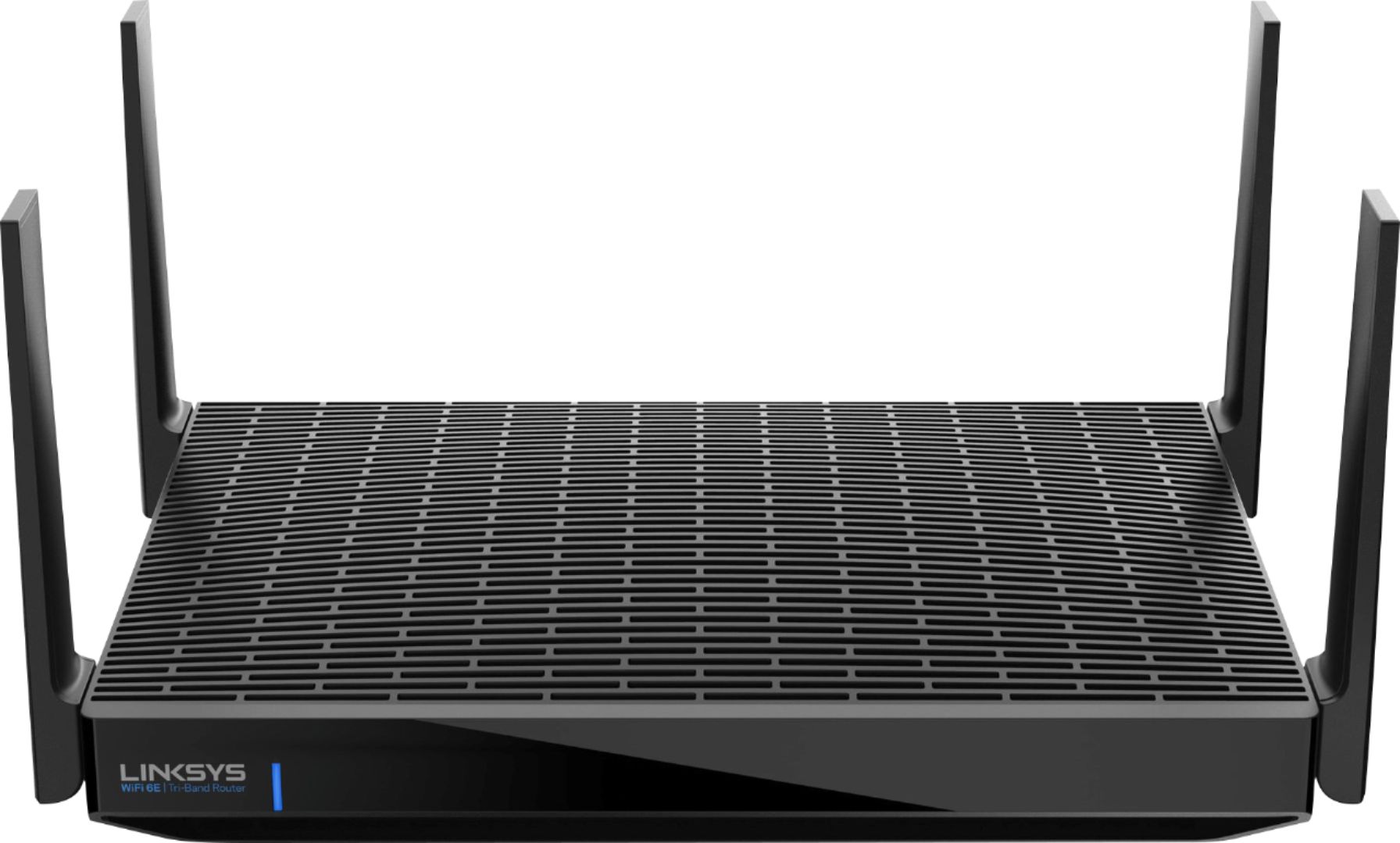
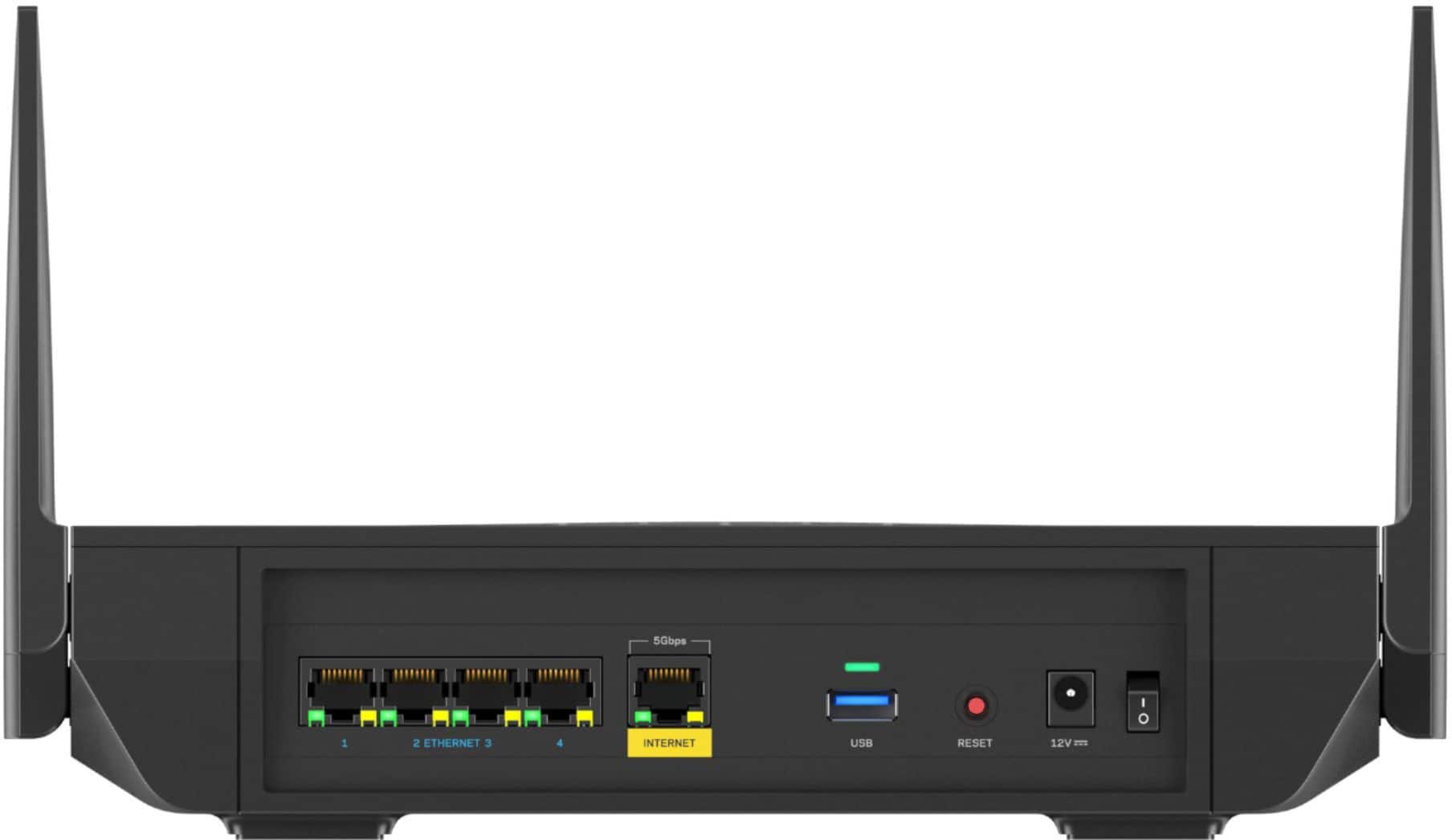
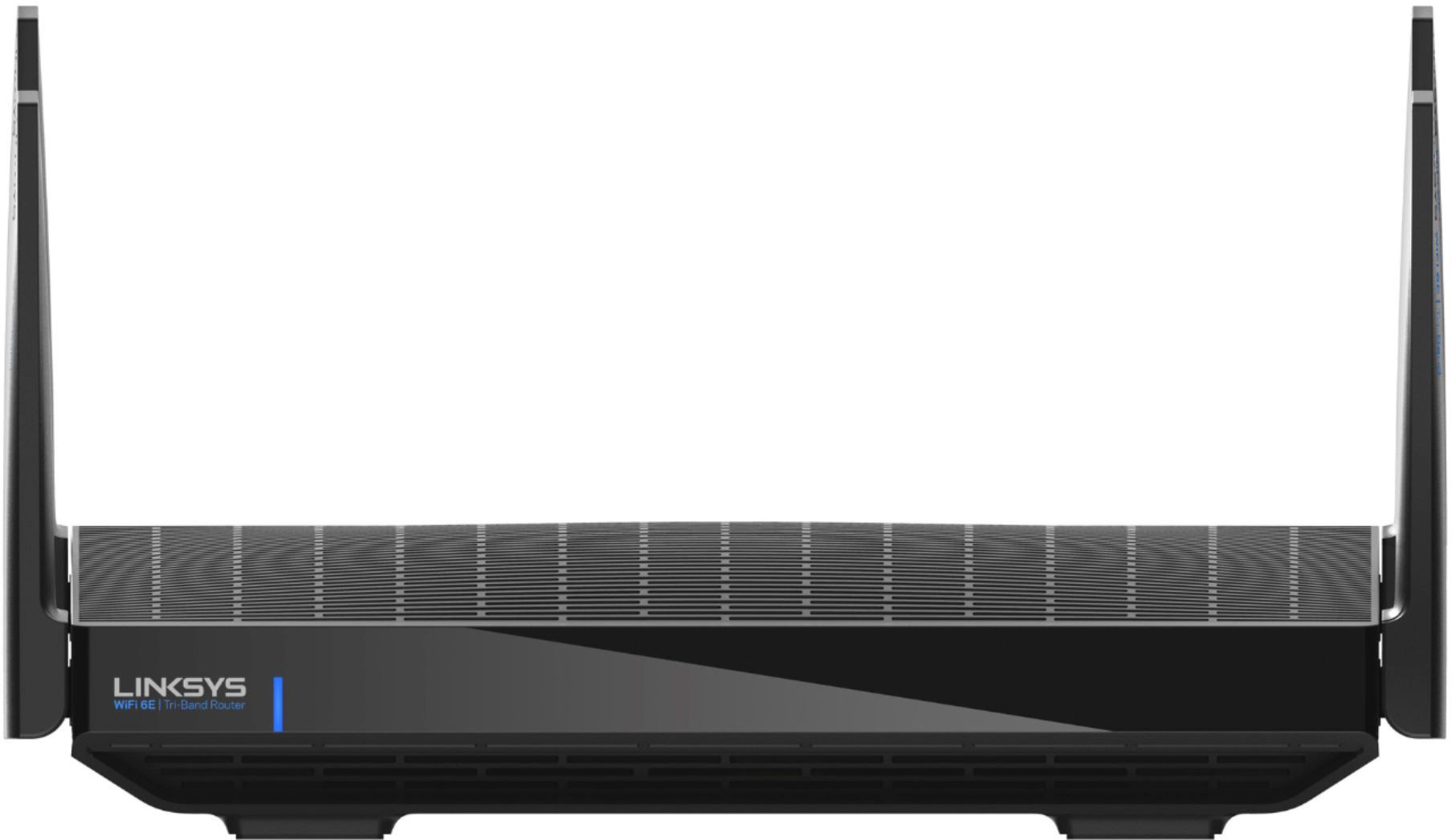



- Model:
- MR7500
- SKU:
- 6455941
Rating by feature
- Setup
Rating 4.4 out of 5 stars
- Range
Rating 4.5 out of 5 stars
- Signal Strength
Rating 4.4 out of 5 stars
Customers are saying
Customers find value in the Hydra Pro AXE6600's Wi-Fi 6E capabilities, ease of use, and strong performance, citing improved range and signal strength as key benefits. Many appreciate the quick and easy setup process. However, some users experienced connection issues and found the price to be high. A few also noted the router's larger size.
This summary was generated by AI based on customer reviews.
- Pros mentioned:Performance, Wi-fi 6e
Fantastic Router but will NEED firmware update!!
||Posted . Owned for less than 1 week when reviewed.This reviewer received promo considerations or sweepstakes entry for writing a review.I love this router. Especially because of the fact that I got it for half the price during the Black Friday sale. This router will definitely help me future proof my devices for years to come as they got more advanced and as more devices adopt WiFi 6E. Literally, this router gives me great signal within the house. I actually haven’t seen it drop to two bars yet on the WiFi symbol. A constant three whole bars! Now, I’m not sure how it would fare in my basement but judging from how strong of a connection I get in my room upstairs, I would expect the same signal strength in the basement. Now, the firmware update! I have Verizon FiOS gigabit internet. As I unplugged my crappy FiOS gateway router, I then connected the Linksys Hydra router. Setup is super easy and simple through the app no problem. At the end it’ll say it needs to “update” to the latest firmware. Please note that this firmware update didn’t allow me to take full advantage of my gigabit upload speeds but it did allow me to get my gigabit download speeds. However, after spending time with Linksys support chat, they told me I needed to download the latest firmware from their website manually! This was a fairly simple process and after the router updated to the new firmware, I was able to get my promised speeds Verizon both Downloads and uploads. Again, fantastic router. I noticed things load very fast and snappy like on my computer Ethernet connected and on my WiFi devices!!
I would recommend this to a friend - Pros mentioned:Range, Speed, Wi-fi 6eCons mentioned:Lag
GREAT ROUTER WITH FAST SPEEDS/GOOD SIGNAL
||Posted .This reviewer received promo considerations or sweepstakes entry for writing a review.I installed a new modem Motorola MB8711 and connected through Xfinity app in minutes. I have this paired with my Linksys Hydro Pro 6E Router and it works like a charm. I had an old Nighthawk C7000 modem/router and would get maybe 300mbps tops. After the switch to my newer set up, I constantly got 700-720mbps and 24up on my Note 20 Ultra 5G and Ethernet connection from my router to the PS5 around 600-650mbps. I have a 600mbps plan through Xfinity and it goes above that. Plan to upgrade to Gigabit speeds soon and I'm sure it won't disappoint. I like that the router is 6E capable and is future proof for now. Will add some devices soon to take advantage of the 6Ghz/6E soon. I have a 1800sqft home and have no problems with the drop off with the 2.4/5ghz bands in speed. I have the set up in the living room and can go to each corner of my home with great speeds. My son said his PS5 speeds doubled through Wifi. Happy with this router so far. I have atleast 15 devices connected and no lag. My LG OLED smart TV streams 4K while my son is on his PS5 and other deviices simultaneously without a hitch. I would highly recommend the Linksys Hydro Pro 6E.
I would recommend this to a friend - Pros mentioned:Speed, Wi-fi 6e
Awesome speeds to live stream my VR MR gaming
||Posted . Owned for 1 week when reviewed.This reviewer received promo considerations or sweepstakes entry for writing a review.This 6E router is connected to my 6E Mesh and doesn't miss a beat while I'm live streaming my favorite VR MR gaming (headset connected to 6E to sync with pc, pc connected to LAN, 3 cameras, MR processing, all broadcasted to multiple platforms a individual streams. All while 2 4K TV's play and stream live video games (PC Steam/PS5/PS4 VR or XBox) to multiple platforms. Each connected via LAN to 6E Mesh. No stuttering. No lag. Prioritize the devices that need the load. 20 security cameras, 80+ smart lights, 4 smart ceiling fans, 2 vac/mop robots, 10 Google displays, and several other items. Supports my ISP's upload and download giga speed. Control and make adjustments via mobile or onsite. Add external storage for easy access. (Make your own cloned and/or server.)
I would recommend this to a friend - Pros mentioned:Range
Finally decided to buy it but regret it
||Posted .This reviewer received promo considerations or sweepstakes entry for writing a review.I have been eyeing this router since it was $500 to $350 to finally deciding to buy it at $300, and still too overpriced. Service is AT&T fiver at 1g up 1g down. Setup took over an hour since it kept telling me numerous times to restart and wouldn’t connect to my Linksys account, setup as IP passthrough from the AT&T modem settings. Xbox photo is hardwired and getting 500 up. Wifi SpeedTest on iPhone in front of router tops out at 450 down and 400 up on 5ghz. In the Linksys app SpeedTest shows 945 down and only 150 up! It does do a good job at range but speeds overall are just meh. Will be going back to the att wifi 6 modem/router combo they make you get unfortunately, better speeds overall.
No, I would not recommend this to a friendBrand response from Linksys Staff
Posted .Hi EdgarHernandez,
We truly appreciate the detailed review you have left us. If you still have the Linksys MR7500 router with you, we’d like to help out in maximizing the performance of your router. Just send us an email at [email protected] along with the link to this post and your contact details so we can have our Escalation Engineers look in to your setup and provide recommendations.
Regards,
Lance
Linksys Support
Lynksys Router -
||Posted . Owned for 1 month when reviewed.This reviewer received promo considerations or sweepstakes entry for writing a review.Go this router to upgrade my old one, I dropped cable many years ago, all my TVs are smart, plus the smart plugs, lights, camera, etc, so far this router has been a great decision; TVs were pixelated sometimes in the past, now I don't get that, I thought it was the transmission but now I think it was my old router. Easy to setup, signal is good.
I would recommend this to a friend- Pros mentioned:Performance
Update Router
||Posted . Owned for 2 weeks when reviewed.This reviewer received promo considerations or sweepstakes entry for writing a review.Had older net gear router but as things grow I needed to get something better first I had my internet provider install one of theirs had all kinds of problems went to best buy and got a Linksys- Hydra Pro AXE6600 solved all my problems
I would recommend this to a friend Close to perfect but Plagued w/Software Issues
||Posted . Owned for less than 1 week when reviewed.This reviewer received promo considerations or sweepstakes entry for writing a review.I've had this for 3 days now, had nothing but software issues. Will be returning the product to exchange for a diff. brand. I do love the product, simple overall design, has the latest features available, not too complicated. But is dragged by its software support. The design is simple, compact, not too many antennas. Wall mountable & there not much excessive antennas. Also they are not fixed so they can positioned as needed. I'm just returning to Linksys as in the past I've had 3-4 of them. Just left for a different brand to try out. However, this product is plagued with issues. 1st It is useless w/o the app. Try to set up w/desktop interface. There is a Ad popup requesting to use the APP. Should be flexible between the 2. Also you have limited control in the APP, as it was designed for the Velop Mesh system. 2nd Setup is a pain as it takes almost half hour for "setup " which I think is just hoax to collect & sell your data. LOL 3rd The Speed Test feature does not work, I have 1200 down & 40 up. Tried it out and it gave me 200~300 down and 30~40up. The upload made some sense, but the down is ridiculous. Tried re-run the test again, the stopped working. Tried calling support but they just gave me instructions to restore the router which I did 3 times. Also just incase I only attached my desktop. Another, I tried running speed test using 3rd party and its measuring 800 down. 4th There is no way to control the wifi bands, frequency manually. Also the proxy control for those who have Servers, NAS, Virtual Machine, Etc. Finally, 5th Interface is nice and simple, but you can't fully take advantage of it as you only have limited control of the router. Although , I do recommend this product for those who don't really need much and wants something that is easy, setup & forget. But I do not recommend for those who want more finer control.
No, I would not recommend this to a friendBrand response from Linksys Staff
Posted .Hi Tristan,
Your detailed feedback about the Linksys MR7500 is greatly appreciated. We thank you for taking your time and sharing your helpful input as well as sharing your comprehensive experience. If you still have the router with you, we’d like to have our Escalation Engineers go through each of the items you for better assistance and for them to discuss your options as well. Please reach out to us directly through email at [email protected] along with your contact details and the link to this post for our reference and we’ll move forward from there.
Regards,
Lance
Linksys Support
- Pros mentioned:Speed
1.2Gb Speeds? A must get!
||Posted . Owned for 3 weeks when reviewed.This reviewer received promo considerations or sweepstakes entry for writing a review.I needed a new router to be able to give me the speed I should be getting. This was the one I chose. Now I am future proof.
I would recommend this to a friend Faster than any device can reach
||Posted .This reviewer received promo considerations or sweepstakes entry for writing a review.Finally I can break the 940 Mbps download barriers with Xfinity upgrading at not extra my 1000mbps speed to 1200mbps. My current Linksys router was capping the speed below the potential of my internet until I bought this one. I am still testing it but after a firmware update things started to just working as expected with Linksys products.
I would recommend this to a friend- Pros mentioned:Ease of use, Performance, Speed

My New Favorite Router
|Posted .This reviewer received promo considerations or sweepstakes entry for writing a review.--- Installation--- The installation of the WiFi Hyrda router was a breeze! Download the app, connect the router, follow app instructions, and you’re up and running in 5 minutes. --- FEATURES --- This router can connect more than 55+ devices, covers 2700 sq. ft, and reaches speeds of up to 6.6 Gbps. This router includes the newest WiFi 6E for low-latency performance needed with the virtual reality headsets. --- PERFORMANCE --- The connection of this router to my modem was a breeze. Though my modem works as a WiFi router itself, I had trouble with some devices not recognizing my 2.4Ghz WiFi band. Specifically, my automatic, keyless entry lock would always be a hit or miss connecting to my modem WiFi router. This new router fixed that issue and now I am able to take full advantage of that device. Little by little, I kept switching my devices to the Hydra router. It felt like night and day. I have 1200 Mbps down because I have over 25 devices connected at any given time. Sometimes, when streaming 4K content on my TV, the TV shows would occasionally pause while it caught up even though I have plenty of bandwidth. After I switched to the new router, that issue hasn’t surfaced. I did a speed check on my iPhone 12 Pro Max before I disconnected it from the original modem router and it read close to 400 Mbps down. When I did the speed check with the new router, it read 943 Mbps down. --- EXPECTATIONS --- As with any new router, I expect to see an improvement and this router didn’t disappoint. In fact, the results were so spectacular that it is now my favorite router. It is easy to manage, easy to break into older Ghz if needed, and easy to set up and install. --- VALUE --- Though many tech products don’t use WiFi 6E yet, it’s a great investment if you are already shopping for a new router and want to future-proof yourself. --- APPROVAL --- This router is highly recommended for people with a lot of WiFi devices at home running at once, and for gamers whose family members also watch streaming shows at the same time as you.
I would recommend this to a friend Let’s go router!!!
||Posted . Owned for 2 weeks when reviewed.This reviewer received promo considerations or sweepstakes entry for writing a review.It’s an amazing router!!! I like how with the app you can control everything about it. Haven’t had a problem and my kids get to game without or if any delay. I would suggest to other customers.
I would recommend this to a friendAwesome Network Device
||Posted . Owned for 7 months when reviewed.This reviewer received promo considerations or sweepstakes entry for writing a review.I gave this Router a 4/5 rating due to ita unknown abilities to support VPN??
I would recommend this to a friend- Pros mentioned:SpeedCons mentioned:Price
Nice router with mesh extender integration
|Posted .This reviewer received promo considerations or sweepstakes entry for writing a review.I got this router to finally step up to WiFi 6 hoping for better coverage in my home (3500 sq ft 2 story) and also for all the additional devices we continue to add. Setup was easy as I was already very familiar with the Linksys App from previously using it with the previous version of the Velop Mesh I also have. I do recommend powering down your modem from your ISP to do a full reboot prior to plugging in the new router. The router has lots of functionality and without the Mesh extenders was getting me decent speeds throughout my house. These speeds though weren't significantly faster though than what I was getting with my previous Netgear R8000 unless I was within the same room or only one room away connected to the WiFi 6 channel. I was able to access via the web interface for easier setup of port forwarding for my game systems although their interface is a bit different than my Netgear and previous Linksys routers I have also had. Speed through my wired connections is very fast and from my gaming desktop on the other side of the house I was able to hit 1.0 Gbps Down and 900 Mbps up multiple times. The internet speeds are definitely an improvement over my previous router. Managing the router via the app is convenient and easy if you are non-technical. Getting into the web interface is easy enough from a desktop or laptop. Finding the place to add nodes though in the website was a bit tricky and only found it after calling Linksys tech support for help getting the mesh nodes to connect. The Linksys tech support was helpful and able to assist me with the mesh setup which was the part I got must frustrated with trying to figure out and finding no real help anywhere online. One key point not mentioned anywhere online was to connect a wireless node you have to have it within 1 foot of the router then once added and configured you can move it. I plugged in multiple other nodes to be hardwired around my house to extend my coverage and also configured two wireless ones. The process takes about 8 minutes per node and you can do them one after another. I found actually adding the nodes via the app was easier and worked better for me. Overall I am happy with the router but at the $500 price point I feel that it is a bit overpriced compared to the other routers from Asus and Netgear around this price point. One other thing that is an annoyance is that my external hdd that was previously plugged into my Netgear via USB 3.0 cant' be recognized so I am going to have to convert it to be able to get it working for network storage with this router. It is a pro though having the ability to easily extend your coverage with the Velop nodes and add them to use the same SSID's for your network. There are other features like parental controls and using nodes to sense movement in your home and alert you. This wasn't something I have the desire to mess with at this time.
I would recommend this to a friend Great Gift
||Posted . Owned for 4 months when reviewed.This reviewer received promo considerations or sweepstakes entry for writing a review.Christmas present for my daughter, she will like it.
I would recommend this to a friend- Pros mentioned:Range, Speed, Wi-fi 6e
Exceptional Wi-Fi 6 speeds
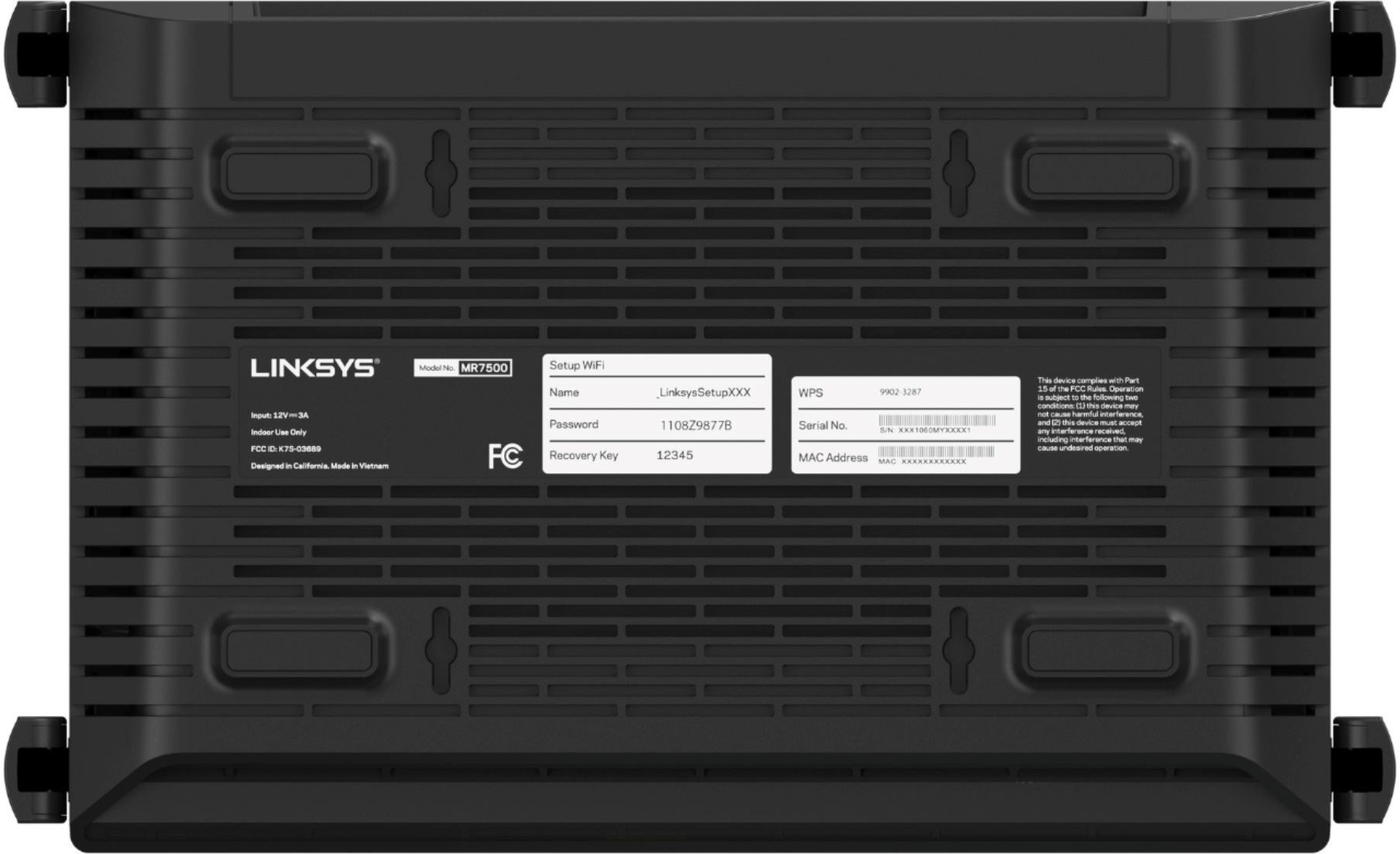
|Posted .This reviewer received promo considerations or sweepstakes entry for writing a review.== Overview == The Linksys Hydra Pro Wi-Fi 6E Tri-Band router is a huge improvement over previous Wi-Fi 5 routers. Devices using Wi-Fi 6 seem to improve twice as much the download throughput when compared with Wi-Fi 5 (be aware, to achieve Wi-Fi 6 speeds, you do need to have a Wifi6 capable wireless adapter). If your device is not Wi-Fi 6 capable this device seems to outperform other similar Wi-Fi 5 routers, so overall it is an excellent investment. Got even older devices? No problem, this router has 2.4Gz as well, for a full tri-band experience for a wide range of devices. -- Pros: Wi-Fi 6, three (3) band router, USB 3 SMB network share, reliable (so far), allows multiple device connection. -- Cons: not too compact. == Setup == I plugged the Linksys Hydra 6E to my ISP provider’s modem and used a laptop to connect to the default network using the password written at the bottom of the device, after opening the browser I received the welcome screen with the suggestion to use the Phone App to configure the wireless network (I felt that the message was it was the preferred method for configuring the router). After downloading the Android App on my phone, I had to connect to the wireless network (of course) before the App could recognize the router (silly of me, I was wondering why it was not recognizing the router, well you have to connect to it first). I am old school and I like as much control of the devices as possible, so I was hesitant to use the App with its simplified GUI. I was expecting to use a physical network cable to connect to the router and do the configuration from there. Well, you can still bypass the phone App and get to a more “standard” configuration screen, on the welcome screen where it suggests you download the Phone App, just click on the “Skip this step” area (a little hidden, which means “they” do want you to use the phone App). Upon selecting that, you are asked to login with either the router password or the wireless default password, and then you are set to rename the Wireless network, etc. == Configuration == *Tip* you can skip the Phone App and use your browser on your computer to connect to the router and configure it. I prefer the web browser configuration version as you can see a more detailed view of your configuration and feel more under control of the Linksys Hydra Pro Wi-Fi E6. A few interesting points in the configuration: -- You can add external storage and set up a user/name to access it from other devices connected to the network. -- You can enable/disable any of the three bands this device is using (2.4Ghz, 5Ghz and 6Ghz); however, it is recommended to leave the three bands alone with the name and password to optimize speeds. -- You can display a list of devices that connected or are currently connecting to the router, the only downside is that I couldn’t find what speed/band the devices were using. -- You can check the speed from the router to the internet and use it to compare with the speed on your actual device connected to router. == Connectivity == I have connected to the router at the same time: -- three (3) Wi-Fi 6 laptop devices -- three (3) Wi-Fi 5 laptop devices -- one USB network share (attached to the router) -- one network cable connected Surface dock with another Surface Book device -- four (4) phone devices (Android and Apple) , and so far, I haven’t seen quality degradation overall. The only noticeable thing was when multiple devices were connecting to the USB-share flash drive, the more devices reading from it, of course the more time it would take to read (more of a limitation of the flash drive). Internet access though seemed to not be really affected when browsing, playing videos, and doing some gaming, etc. At least when running Windows 10, if your device is Wi-Fi 6 capable and connect to the wireless router, a dialog pops up about the benefits of Wi-Fi 6, so that you know you are now connecting at amazing speeds. == Range == The connectivity range is similar or better to other devices, comparing with the X1 from Xfinity and a Netgear router I have (although those are only Wi-Fi 5). We own a two-story house, with this device located in the main home office room upstairs (which is about in the middle of the house), the device covers the whole house, front and back patio as well, so the advertised 2700 sq. ft. is a safe measure. I plan on using this device to connect from the patio when having barbeques and watching movies on a projector connected to the wireless router (a win-win scenario). Now, I own a gaming computer with a Killer Wi-Fi 6 AX1650w 160Mhz wireless adapter, and I’ve found, in terms of range and connectivity, that the device really takes the most advantage out of the router. Other two laptops I’ve tried with Intel(R) Wi-Fi 6 AX201 160MHz wireless adapter decrease their Receive/Transmit link speed quicker than the Killer one. So, it is not only to have a high performant wireless router, but equally, it is important to have a high performant wireless adapter to take full advantage of the Hydra 6E. == Speed == As already mentioned, Wi-Fi 6 seems to outperform twice as much when compared to Wi-Fi 5, at least at home setup and doing some basic experiments. The router has a utility (powered by Speedtest) that can be used to determine the current speed of connectivity to the internet. I used it in conjunction to SpeedTest.net on each device I was connecting to and I didn’t see too much discrepancy in connection speeds when the devices were close to the router, of course, the farther away you move from the router the speed gets lower as well. I attached some pictures showing some numbers. One of my interests was to have a router that I could use to communicate between different devices I own, so I did a few tests. [Test A] Copy from a network share to a laptop connected wirelessly. Copy ~3GB of data from a USB stick plugged into the router to a device about 10ft away from the router: -- Wi-Fi 5 laptop with Intel 802.11ac: , speed range: 20MBs-30MBs , largest file average speed: ~28MBs -- Wi-Fi 6 laptop with Intel 802.11ax (AX201): , speed range: 40MBs-50MBs , largest file average speed: ~48MBs -- Wi-Fi 6 laptop with Killer 802.11ax (AX1650w): , speed range: 50MBs-60MBs , largest file average speed: ~54MBs [Test B] Copy between machines Wi-Fi 6 and Wi-Fi 5. Copy ~3GB of data to the laptop that has a Killer 802.11ax (AX1650w) wireless adapter from: -- a Wi-Fi 5 device (802.11ac): , speed range: 10MBs-20MBs , largest file average speed: ~19MBs -- a Wi-Fi 6 device (802.11ax): , speed range: 25MBs-35MBs , largest file average speed: ~32MBs It is clear the improvements of Wi-Fi 6 over Wi-Fi 5. Other tests performed showed that the Hydra outperformed other routers I own. So, this one has replaced them all (and left me with at least one router that I could use somewhere else). == Other notes == A few things to note: -- I still need to use the device for longer to have an opinion on the reliability of the device, but so far it has been performing amazingly. -- This has replaced my previous Netgear 5Ghz dual band wireless router. -- I like that it has a power off/on button, in case I need to power it down (I always felt like unplugging the router to turn it off didn’t make much sense).
I would recommend this to a friend - Pros mentioned:Speed
Super fast with a couple minor flaws
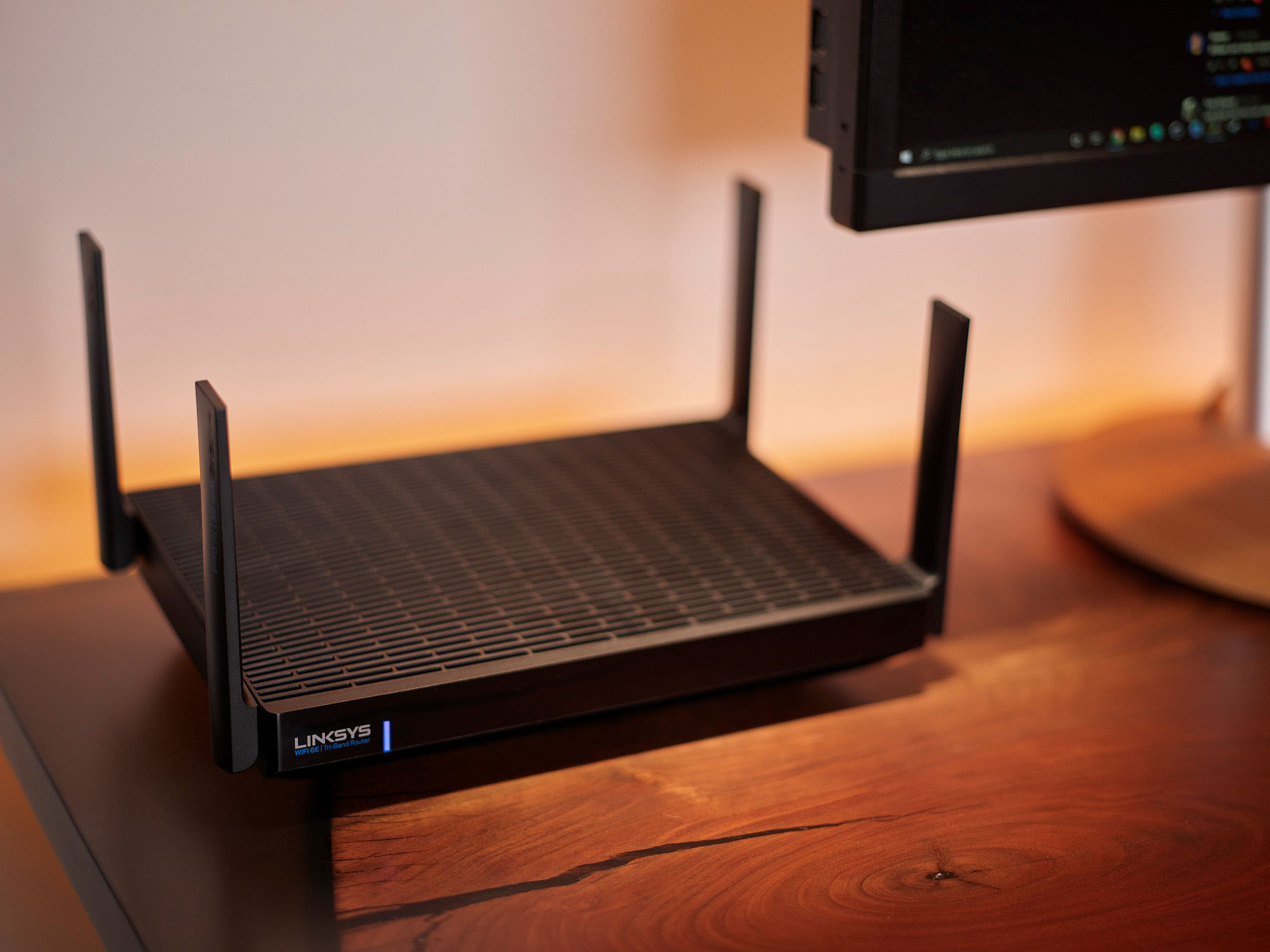
|Posted .This reviewer received promo considerations or sweepstakes entry for writing a review.I was looking for a new router as one of my new computers has WiFi 6 and I wanted to give that a try, plus our TP-Link Archer was having issues “will never buy or recommend TP-Link routers after the warranty run around and defective “refurbished” replacement”, but that’s another story. Unboxing: The router arrived in a nice Linksys logoed box, well protected inside. There’s the router, power adapter, one patch cord and CD rom. Size wise this Hydra Pro is about 2/3rds the size of the Archer which is welcome especially in tight spaces. There are 4 antennas that you can adjust a little, compared to the 8 on the archer that you cannot move and they stick up a good bit more. The top of the Hydra has a lot of ventilation in it, enough to where you can see the board inside “this should help a lot with heat as our TP-Link had none and got very warm”. Setting up: The Hydra Pro 6e only has 4 Ethernet ports where the TP-Link has 8 as does our really old Linksys EA9500 so I had to dig out a switch to make up for the missing ports, not a big deal but it was nice having 8 open ports so I didn’t have to use a switch “taking up more space”, but not a deal breaker by any means. I was surprised that after hooking everything up and powering up and I went to access the device to set it up that I was greeted to a welcome screen asking that I download an APP to continue setup. I didn’t see any way around this as I tried multiple times to access the router directly from the IP address and kept getting the same app download screen. I did end up doing this and the app does ask for a number form the bottom of the router and then proceeds with setting up. There is an option to not use the APP and that’s the way I set it up “should have asked that in the first welcome screen”. But after gaining access to the menus I set it up the same way I had our other routers “didn’t want to have to re connect all our devices”. The Linksys portal looks pretty much the same as the EA9500s, pretty basic and easy to navigate. If you’ve used any Linksys routers in the last couple years you’ll know what to expect. There’s not a lot you can do for tweaking, and you can’t pick/choose which channels each band is using or the output power. I really like having that control “for myself” but it makes it simple for most users. I did check which channels it was using with WiFi Commander and to my surprise it picked the channels with nothing else on them “and we are in a pretty congested area” so at least that’s something I don’t have to go in and do “the TP-Link used the defaults only and those channels were really crowded”. Now the big test is how it preformed: For the record our internet speed here at our house with COX is 150mbps. I have to say I’m impressed with the Hydra Pro, signal strength is up a good bit everywhere around the house, and outside. I’ve run a few speed tests with my phone, “Samsung S21 and Pixel 5” and the speeds are noticeably higher with the Hydra Pro. Then running some tests with the MSI MEG Trident I got consistently higher speeds and better ping rates over the Archer, “you can see the attached pics for my speed tests”. We have some ring cameras and the one above our garage was getting a RSSI around -73--75dbm signal strength with the TP-Link, with the Hydra Pro I’m getting a RSSI around =55—60dbm, that’s a huge improvement. Our backyard camera was getting a RSSI signal around 55-60dbm with the TP-Link and now the RSSI signal is hitting -44--48dbm, another big increase in signal strength and now there’s no more “can’t connect” error message with the front ring camera. Conclusion: This new Hydro Pro 6e is fast, a good bit faster than our other routers and runs a lot more stable than the TP-Link “it needed rebooting once a weed at minimum, more like every day”. The user interface is simple and easy to understand and setup, plus if you use the Android App there are more settings there than using the web based GUI “for me that’s a negative”. I have a few complaints, one being how there are more settings available with the APP over the web based GUI. There are very few advanced settings compared to the TP-link and for that the TP-Link beats out the Linksys. I also don’t like that I cannot backup my configuration so if you have to reset the router for any reason you will have to set it up manually all over again. The last thing is the fact that when you set up the router for the first time you must download an app to get it set up. Well what if I don’t want to do it that way, there’s no way around it that I could see until you actually get into the app setup and select the bypass for that so I’m going to deduct one star for these as any advanced user should be able to immediately lot into the web based GUI and set up without having to download an app. Overall though this is a very powerful and fast router with 6ghz bands available. I do like that you can use one WiFi network name for all three bands and it will auto select which one is best this also makes it very simple to remember your WiFi names and passwords. This would have been a 5 star product if some of the negatives above were not present and hopefully Linksys will release a firmware update addressing those. So if you are looking for a premium router that can handle multiple streams without a hiccup this new Hydra Pro is one to put at the top of your list.
I would recommend this to a friend Switched back after an hour; returned the next day
||Posted .This reviewer received promo considerations or sweepstakes entry for writing a review.A complete disaster. Corrupted my NAS and took my gigabit fios connection down to 27mbps upload. Within an hour I was back to my 6 year old 802.11ac router. I returned this the next day. A shame that the performance was so horrible for such an expensive item with, other than the 6E spec, a limited feature set.
No, I would not recommend this to a friendBrand response from Linksys Staff
Posted .Hi,
We hear you and this is not the experience that we wanted to have on our products. Should you have other Linksys devices that may need our assistance in the future, feel free to email us at [email protected] with your contact details and the link to this post for reference.
MJ
Linksys Support
- Pros mentioned:Performance, Wi-fi 6e
Fast LAN - Middling WiFi 5 support
|Posted .This reviewer received promo considerations or sweepstakes entry for writing a review.I've been using the Linksys MR7500 Hydra Pro 6E Tri Band Router for the last 10+ days. The MR7500 is one of the newest 6E routers to hit the market this year. The Hydra is also a mesh router that can work in concert with some other Linksys mesh offerings. Before the Hydra I had a mixed setup of Linksys Velop dual band and tri band routers. The dual band system is Model WHW0103, and Velop Tri-Band system Model. I pretty familiar with several of the Linksys mesh offerings. I decided to see what their more traditional router setup had to offer. So far, I have been happy with the performance of 6E Hydra router – with some caveats. For reference my house is 1700 sqft split between 2 stories, and an attached garage. WiFi 6E: What is it? So I have to admit that the switch to a WiFi # has thrown me off – I was very used to 802.11a/b/g/n/ac/ax convention. So now an N router is WiFi 4, AC is WiFi 5, and AX is WiFi 6. With that out of the way what is the difference between WiFi 6 and 6E? 6E uses the same congestion mitigating tools as WiFi 6 (MU MIMO,1024 QAM,OFDMA, etc), operates the same way on 2.4 an 5GHz bands, and is fully backwards compatible. What 6E does that 6 can’t is the expansion into the 6GHz spectrum. In mid-2020 the 6GHz spectrum was opened up for use by WiFi devices. The spectrum range has lower traffic density, wider channels, and a drastically higher throughput. However, you have to have a 6E compatible device to tap into this range. This is the biggest hurdle because of the lack of 6E devices currently available. At this time only the Samsung Galaxy S21 Ultra and the Samsung NED QLED 8K TV have 6E radios. There are some PCIe WiFi cards for desktop computers available, but not really anything else at this time. I currently only have 1 WiFi 6 device – an ASUS laptop. The MR7500 Hydra Pro 6E Tri-Band Router This is an AXE6600 router (1 band of 4800Mbps @ 6Ghz, 1 band of 1200Mbps @ 5Ghz, 1 band of 600 Mbps @ 2.4Ghz) with simultaneous tri-band radios and MU-MIMO. MU-MIMO allows multiple WiFi users to communicate with the router simultaneously without taking the performance hit. There are 4 fixed antennas with 6 amplifiers (2 per band I’d assume), as well as 4 gigabit LAN ports, and 1 WAN port. There is also a USB 3.0 port to be used for a networked printer or a storage solution. A single ethernet cable (cat 5e) is included. The router comes with an upgraded processor (quad core 1.8MHz) over the Tri-Band Velop node (quad core 716MHz), and has 512MB of RAM/512MB of flash memory. Before I started anything I took my current Linksys Velop Mesh offline. Setup for the Hydra was a breeze. This is the 4th Linksys router I have setup (2 Velop systems, and a Max Stream), and it was probably the easiest one yet. I already had the app installed on my phone, so I logged in and moved to add a new router to my account. Following through the app took about 2 min total before I was connected to the internet. I copied my settings over from my existing mesh – kept the SSID/password, QoS ranking, and MAC filtering I had already setup. Like I said it was a breeze, and the app really looks like it has been improved upon in the last year. Performance I wanted to test the performance of the Hydra like I have tested my previous Linksys Velop and Max Stream systems. I booted up LAN Speed test from Totusoft and performed some dummy file transfers (300MB packet size) between my wired/WiFi 5 tower computer and my WiFi 6 laptop. Both computers have NVME SSD drives. The PC's were connected wirelessly to the router, each at 15 ft. I achieved 66 Mbps Up and 101 down. This was decently lower than even my Velop dual band system using a computer with a HDD in the mix (101 Up/314 down). I then switched my PC to wired and ran the test again. This time I achieved 193Mbps up and 390 Mbps down. What this tells me is the speed difference that occurs when WiFi 5 is brought into the mix. I decided to do a fully wired test which led me to achieve 383 up/812 down. When I ran the fully wired test on the Velop system I achieved 124 up/423 down. So the wired transfer speeds doubled on the down and tripled the up, which is pretty impressive. I should note that the transfer speeds on WiFi 6 are lower than what I achieved on a fully WiFi 5 setup 2.5 years ago. Something doesn’t seem right here. It seems like the focus of this router really isn’t on WiFi 5 or even 6, and without a 6E device I can’t even tap into the really high speeds that I could be seeing. With a device like this I also wondered what the range would be. I had used another Linksys router (MR8300 Max Stream) with external antenna and it had better coverage in my house than my Velop node. I have a couple of places in my house where a single access point (i.e. a single Velop node) struggles – my garage and my bedroom. The Max Stream didn’t have much issue addressing my bedroom, and did fairly well in my garage. I expected the Hydra to perform similarly with its 4 external antenna. I was a bit surprised when I encounter the same range issues as the single node Velop, and in my bedroom it was actually a bit worse. Streaming Netflix to a Roku Express (1080p) took forever for the content to start and in some cases buffer often. This was at the level of my old DLink N router that I replaced 3 years ago. It’s just a shame that the WiFi 5 devices are given such little bandwidth and consideration. My house isn’t even that big – 1700 sqft split level. I didn’t have a chance to test the USB port. My network NAS has gone offline and is in need of replacement. Reliability Since I have been working from home I took the chance to place several UPS backups on my equipment – one of which was my router/modem. I needed to avoid any service interruptions from power blips, so now I rely solely on the reliability of the Hydra. In the 10 days I have ran the Hydra I have had perfect uptime – no dips or disconnects. I did simulate some shutdowns/power blips by unplugging it and plugging it back in – service was restored in about a minute (this my take longer if your modem is slower to recover). Compatibility with Velop The Hydra contains the same AI Mesh technology as the Velop system I took offline to try the Hydra out. I deleted 2 nodes from my old network and repurposed them in the new mesh. The Hydra sat as the primary node with 2 dual band AC1300 (WiFi 5) routers connected to it. I connected them as wireless nodes without any issue. Setup time when building out this mesh was quicker than I expected – maybe a few minutes faster overall compared to setting up the old network. After testing this out for a bit I took the nodes down as fully wireless mesh points, and connected them to my wired network. In this mode they became wireless backhauls pushing out faster speeds further out. This is how I will be leaving my mesh system. It has the benefits of better LAN performance, “future-proofing” the WiFi, and I can remove a gigabit switch. Interface This isn’t my first time using the Linksys app. I have said in the past that I the interface is fairly slick albeit simple. The interface does not look like router config pages of old, and is made for people that aren’t networking pros. You can still access the router GUI through a webpage if you want to dig into the settings a little further. Enter 192.168.1.1 into your browser URL (I still have to access from Microsoft Edge instead of Firefox). From here it’s a little easier to navigate more advanced features of the router (port forwarding, DHCP reservation, etc). For initial login the password is located on the serial label on the underside of the router. I didn’t particularly care for the web browser layout though. Locations for port forwarding and the MAC/DHCP lists are kind of buried under ambiguous main tabs. The most frustrating thing to find is controlling the different radio bands. The default mode for the router is 1 SSID for all the bands. If you want separate SSID’s for the 2.4, 5, or 6 you will have to configure that in the GUI or the app. However, if you need to turn off specific bands then you have to go through the GUI. This can come into play when setting up IoT devices that need to connect to the 2.4 band only. Some devices won’t initially connect unless the SSID only contains a 2.4MHz signal. The only way to make this happen to find a little link called “CA” in the GUI located at the bottom of the page (along with the Terms of Service and the license agreement). Click this link and it will bring you to a page that lets you turn off the 5 and 6MHz bands. Once your device is connected you can re-enable the bands without any issue. Overall, I have mixed feelings with the performance of the Hydra. Lan speeds were blistering compared to my Velop system which matters the most to me since my biggest internet consumption comes from wired devices (tower, work PC, Xbox one, and Series X). I only have a handful of devices that rely on the WiFi to be as fast as possible – my bedroom Roku and my phone. Since I am pairing the Hydra with my dual band Velop nodes, I will eliminate these shortcomings, and maintain the LAN speed upgrade. However, it is a little concerning that you would need to add additional mesh nodes to service your WiFi 5 devices – especially at this price point. This device is meant to be forward looking as more and more devices will get WiFi 6E rollouts, but that bucks the reality that most devices still utilize WiFi 5, and will for the foreseeable future. All I can say is you need to know what you are buying this device for - faster LAN and future proofing for 6E.
I would recommend this to a friendBrand response from Linksys Staff
Posted .Hello, DaveW,
We appreciate your honest review of the device. Make sure that you have the latest firmware version of the device to optimize its performance. Please don't hesitate to tap us at [email protected] should you need our help in the future. We can always have our Escalation Engineers further assist you. Also, include your information and the link to this post for our reference.
Regards,
Gregory
Linksys Support
- Pros mentioned:Wi-fi 6e
Fast, capable, & future-proof, w/ small drawbacks
|Posted .This reviewer received promo considerations or sweepstakes entry for writing a review.The Linksys Hydra Pro Tri-Band Router is a fast, capable piece of equipment that operates very well as a router. The companion app/web portal for router management are well done, but lacking in a couple key areas. Overall, this router is recommended for people who want a fast, powerful, uncomplicated experience, with caveats. -----Here's the tl;dr version:----- Things I like: - Connection is great, I've had 2 devices on Skype, 3 logged into an online Minecraft world, & another streaming 4k video, all at once - Easy set up, after a hard reset of modem - Wi-fi 6 is FAST and not congested - Single front blue light prevents lots of flashing at night - Easy-to-use app for important tasks - The idea of parental controls - Can rename devices in the list Things I don't like: - Parental controls don't work - No filtering of device list (I sometimes have up to 26 devices connected, many of which have long arbitrary alphanumeric names) - No ability to choose your band unless you name them all separately - Range isn't much improved from my last router -----Here's the long version:----- Linksys setup is fairly simple; just take the modem out of the box and follow the instructions to download the app. I had a small hiccup with setup where the app couldn't make contact with my modem, but a quick hard reset on the modem solved that problem the second time through. Total time from opening the box to having devices on the internet was about 15 minutes, with an additional hour and a half for re-connecting all devices like Nest Hub, smart plugs, wi-fi light bulbs, etc. Once set up, the router is stable and fast, and it looks darn good, as well. The single connection light on the front is a welcome change for me, as I keep my modem, router, and hardwired devices in my bedroom/pandemic home office. Wi-fi 6 is an absolute dream, and I feel very happy with how fast it works. I have two wi-fi 6 devices now, and I feel great about future-proofing for when I have more. The router has a decent range, though it isn't significantly bigger than my last three-antenna AC1600 from TP Link. The app is easy to use, with the most-used functions kept on the dashboard or in a handsome slide-out menu, and more "power user" things reserved for an advanced sub-menu. One complaint about the app GUI is I would like the ability to filter and choose not to display certain devices. I have numerous smart plugs and light bulbs with long names of arbitrary alphanumeric characters that I would love to not have to see every time I open the devices menu. I can rename devices in the list, but going through the dozen or so plugs and bulbs I have is too much of a hassle, and I won't ever want to use this menu to interact with them, anyway. Another complaint has to do with the parental controls function, which does not work for me at all. When I first tested it by blocking a site on my own laptop, it worked great, but when I tried to use it to stop my kid from getting to YouTube during the school day, it failed miserably, and hasn't worked since. Nothing I do gets the router to block sites on his PC. I guess it's back to editing the hosts file and hoping he never figures out how I've blocked those sites. A final complaint is that you can't use the app to select which band any device connects to. My older laptop can connect to the 5 GHz band, but the router always shunts it to 2.4 GHz, meaning I don't get fast connection speeds. I could solve this problem by renaming each band to ensure each device can connect to the specific one I choose, but I prefer to have the SSID for all three be the same for ease of use. I'd like to have the option to set which band is default for a device so I can get the best possible connection speeds. -----The final word:----- I'd recommend this router to a friend. It's fast, good-looking, and stable. I like that I'm ready for the future with wi-fi 6. I wish I could get the parental controls working, and someday I might try harder to do that. I wish it "just worked," but maybe that's too much to ask. All-in-all, I'm pleased.
I would recommend this to a friendBrand response from Linksys Staff
Posted .Hi, benzy,
Our Escalation Engineers would like to look into the features you’ve mentioned that you don’t like as they may be able to help you especially with the Parental Controls, Mac Filtering and in improving the range. Just email us at [email protected] with your contact information and a link to this review as our reference.
We look forward to hear from you soon.
Regards,
Rosalyn
Linksys Support
- Pros mentioned:Speed, Wi-fi 6e
Future proof high tech router
|Posted .This reviewer received promo considerations or sweepstakes entry for writing a review.Recently upgraded to 1Gb fiber Internet and my older TP-Link Archer 4000 was showing its age. No better time to upgrade to the latest Linksys Hydra Pro WiFi 6E Tri-Band router. I’ve done other Linksys routers and Velop mesh installs and this one is very similar. You must use the Linsys App on your smartphone to get through the initial configuration. Everything went smoothly up until the app asked if I wanted to rename the default WiFi network name. At this point, no matter what I entered, it would error out, ask me to try again and there was nothing else I could do in the App, restarted the App - no dice. That’s when I decided to complete the configuration using my preferred method by going to the router’s IP address from a web browser from a computer connected to one of the LAN ports on the router. First you must set a local admin/recovery password, and once you’re logged in, there are several configuration settings you can change along with security, WiFi and logging options. Not as many tweaks as the TP-Link had, but overall if you don’t know all the technical details, it’s probably best to leave most of the defaults alone, as Linksys optimized them for the majority of users out there. My main interest was in the new WiFi 6E vs. 6 vs. 5 performance and range coverage compared to my old router. The default recommendation is to combine all 3 bands together under the same SSID network name and let the router negotiate what’s best for your devices. I decided to set up separate SSIDs for each of the bands. For my main tests I used the latest Samsung Galaxy S21 Ultra running the latest patch level of Android 11. Here are my test results: In the same room as the Hydra Pro router: 2.4 Ghz 122 Mbps download / 60 Mbps upload 5 GHz 496 Mbps down / 253 Mbps up 6 GHz 879 Mbps down / 210 Mbps up One floor above and about 20 feet over from the router 2.4 Ghz 83 Mbps down / 40 Mbps up 5 GHz 190 Mbps down / 80 Mbps up 6 GHz 310 Mbps down / 222 Mbps up I also tried similar speedtest . net tests from a Samsung Galaxy Chromebook with WiFi 6 support which rendered similar results, but a bit slower and weaker signal than my phone when away from the router. Now these are by no means precise measurements but it gives you some idea of how capable this router is, though I had stronger signal at a greater distance from my old TP-Link Archer 4000 router in the 2.4 Ghz band. It is well known that 5 GHz and especially the newer 6 GHz bands have a shorter range of coverage but allow for more devices (I have 30+ devices on my home network), more channels with less interference and higher speed. Another feature I was really interested in was the External USB Storage sharing capability. Unfortunately I have not been able to get it to work yet. I’ve tried a few different capacity and brands USB sticks from 4 GB to 64 GB and an 8TB Western Digital drive to no avail. The screen just spins and spins for minutes and one time it eventually errored out - see attached screenshot. I will have to spend some time calling Linksys support to see if this feature is even meant to work as advertised. In conclusion, this is one of the most powerful consumer routers available, packing the latest technology that will future proof your home/home-office network for years to come. It is quite pricey since it was just released but it’s well worth it if you have a large house, dozens of WiFi devices, especially modern WiFi 6 and 6E devices. In my experience, if you need Wifi 6/E coverage everywhere, you will need to invest in the Atlas MAX 6E 3-node Velop system, or just add one or two of those nodes once they can be purchased individually. I would love to test the speed and coverage out on the deck and around the yard, so I can’t wait to add a Velop 6E node very soon... I would have given the Hydra Pro a 5-star rating if it weren’t for the problem with the App and the External Storage issue that I couldn’t get around. At this price point, and for such advanced technology, all features should work out of the box.
I would recommend this to a friendBrand response from Linksys Staff
Posted .Hi, SUHD,
Let’s have our Escalation Engineers help you check out the external storage feature instead. Just email us your case number at [email protected] so we can pull it up and have the team double-check what still needs to be done. Just don’t forget to include a link to this review as our reference when you reach out.
Regards,
Rosalyn
Linksys Support