Customer Ratings & Reviews
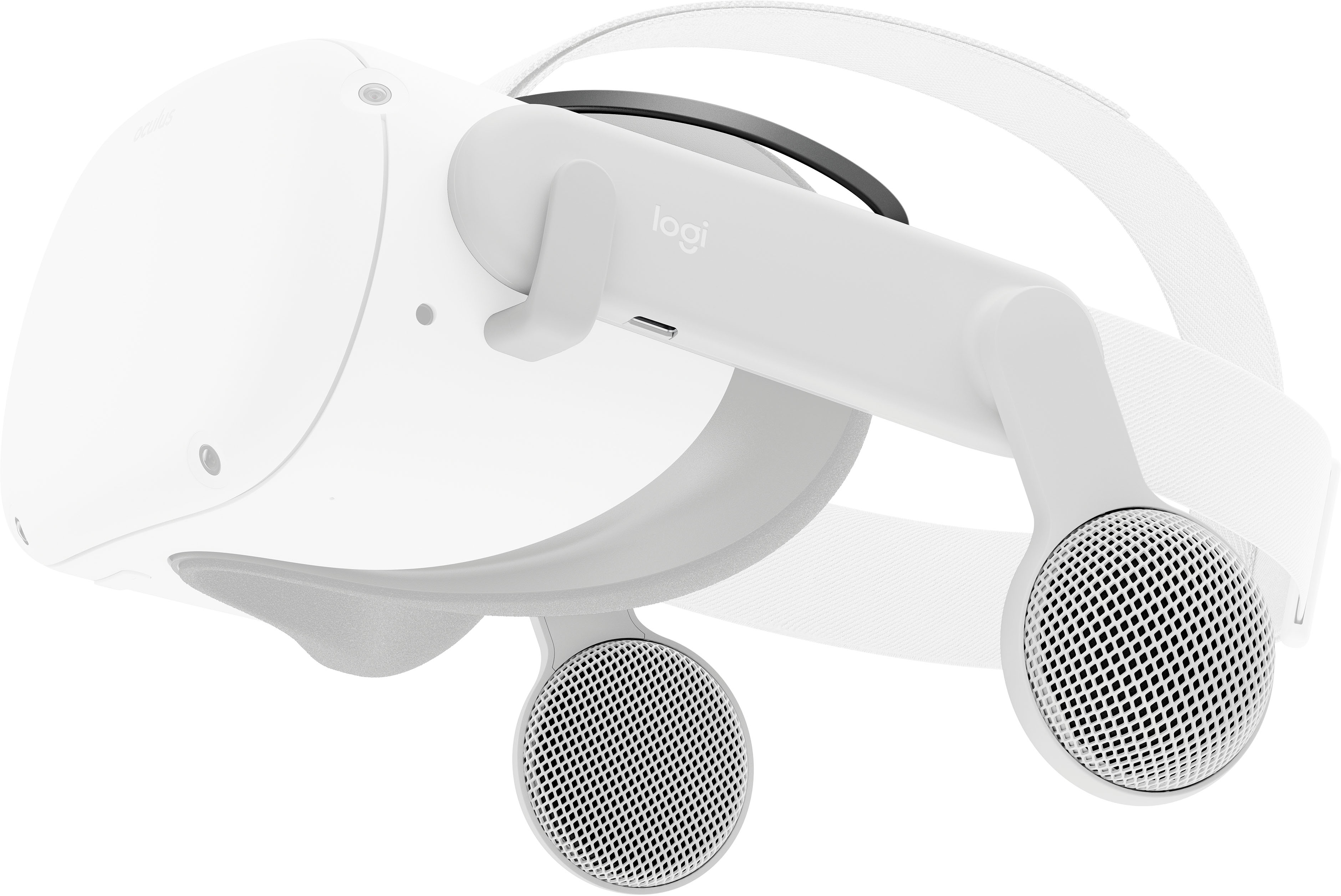


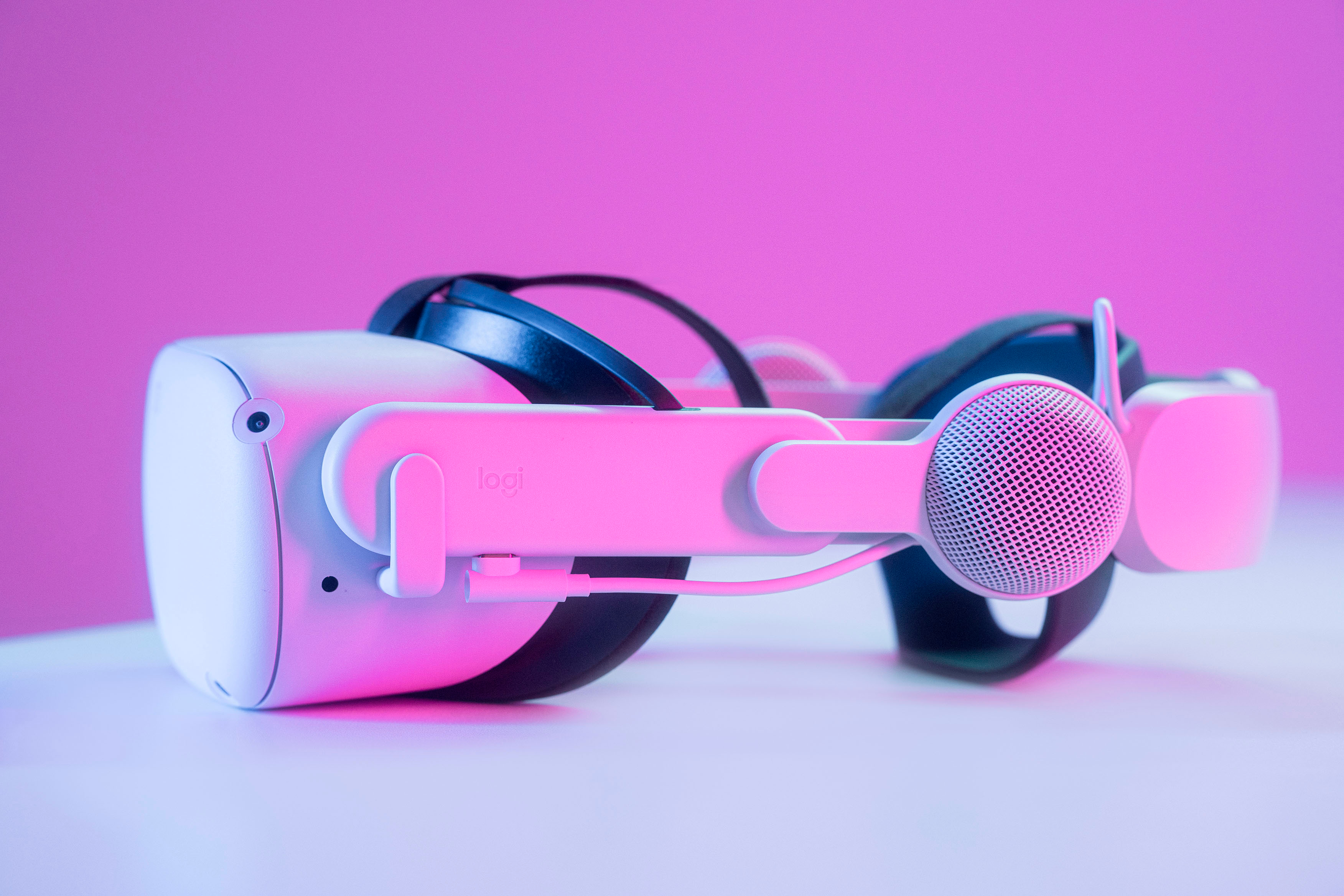
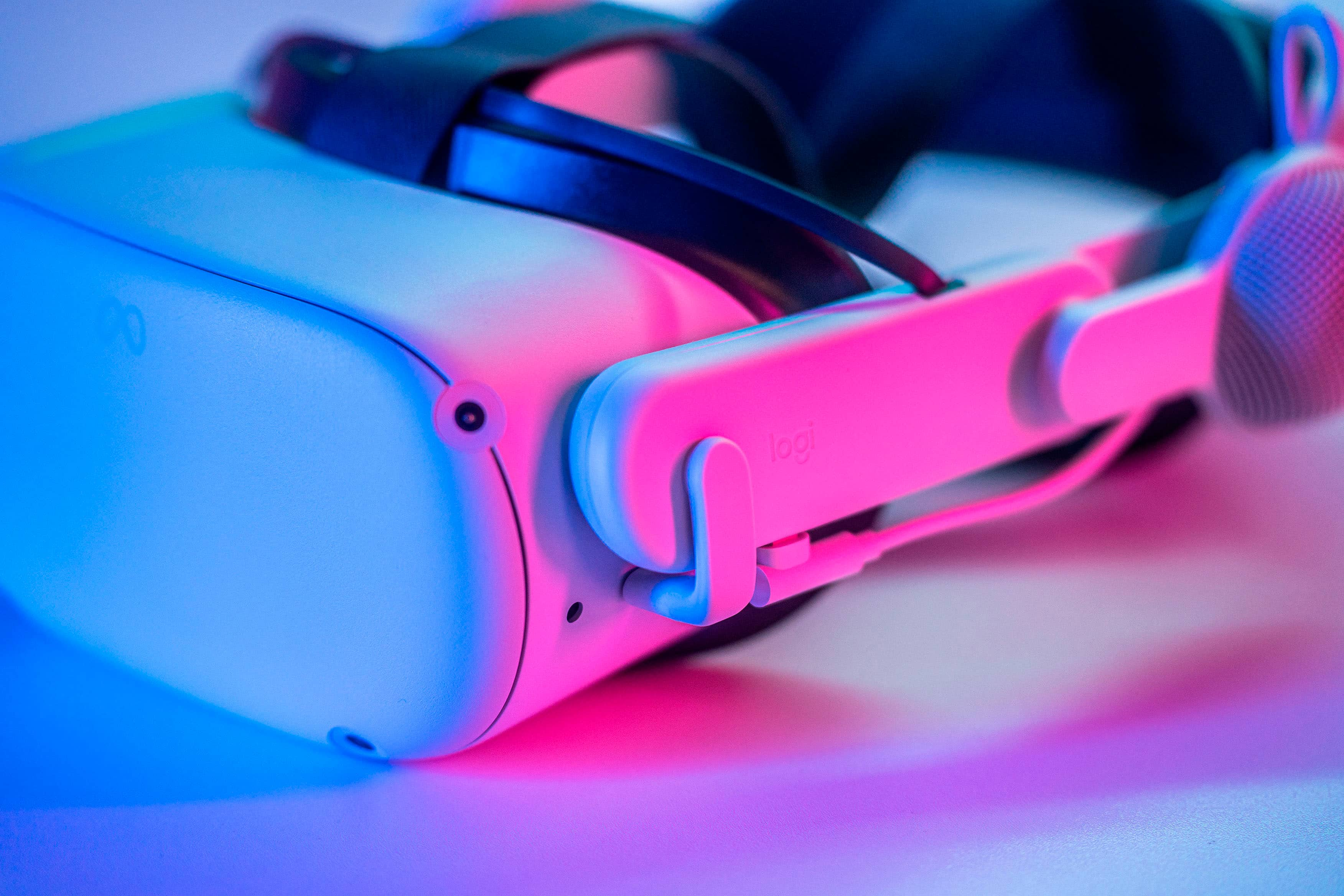


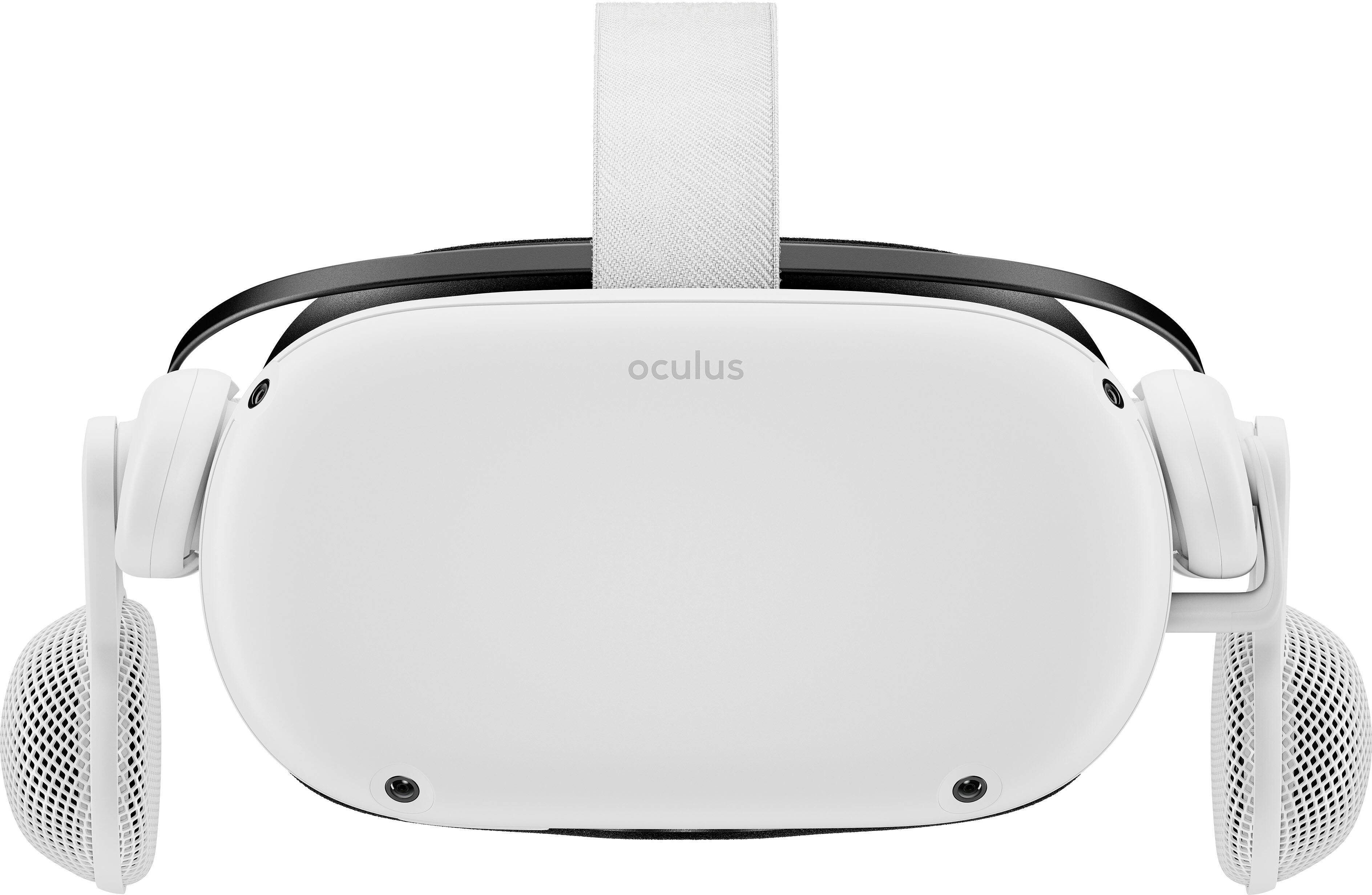
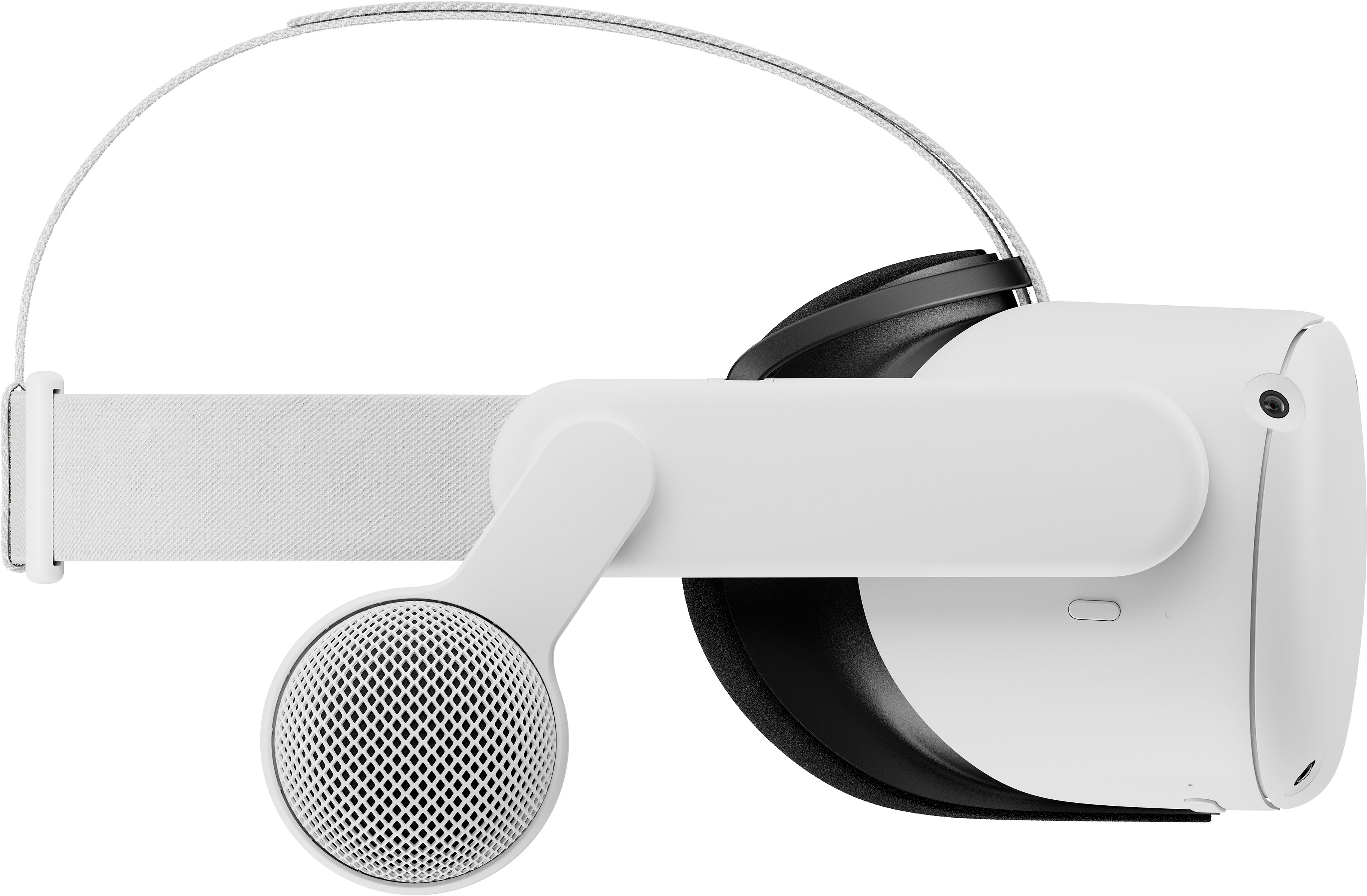
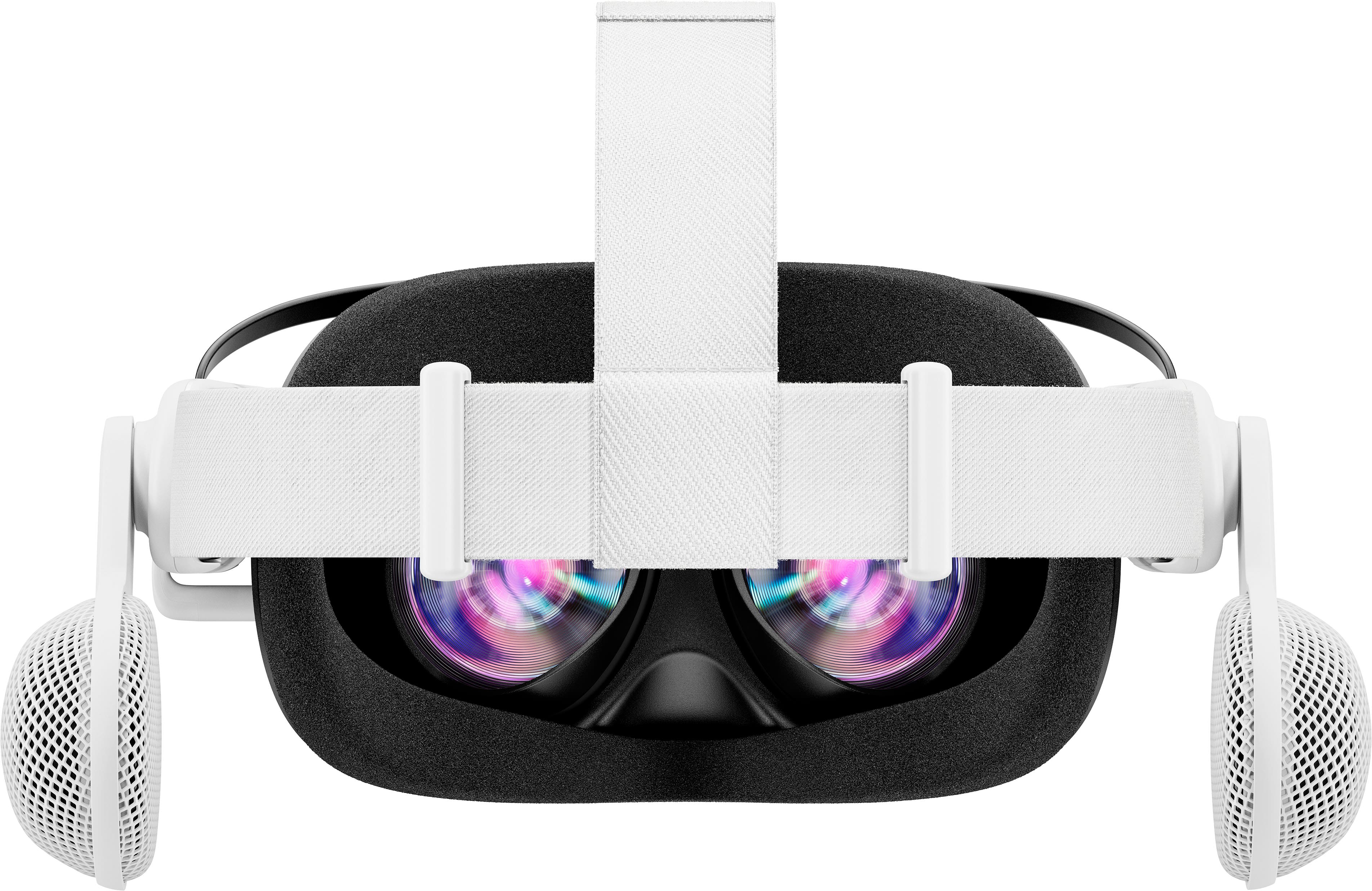
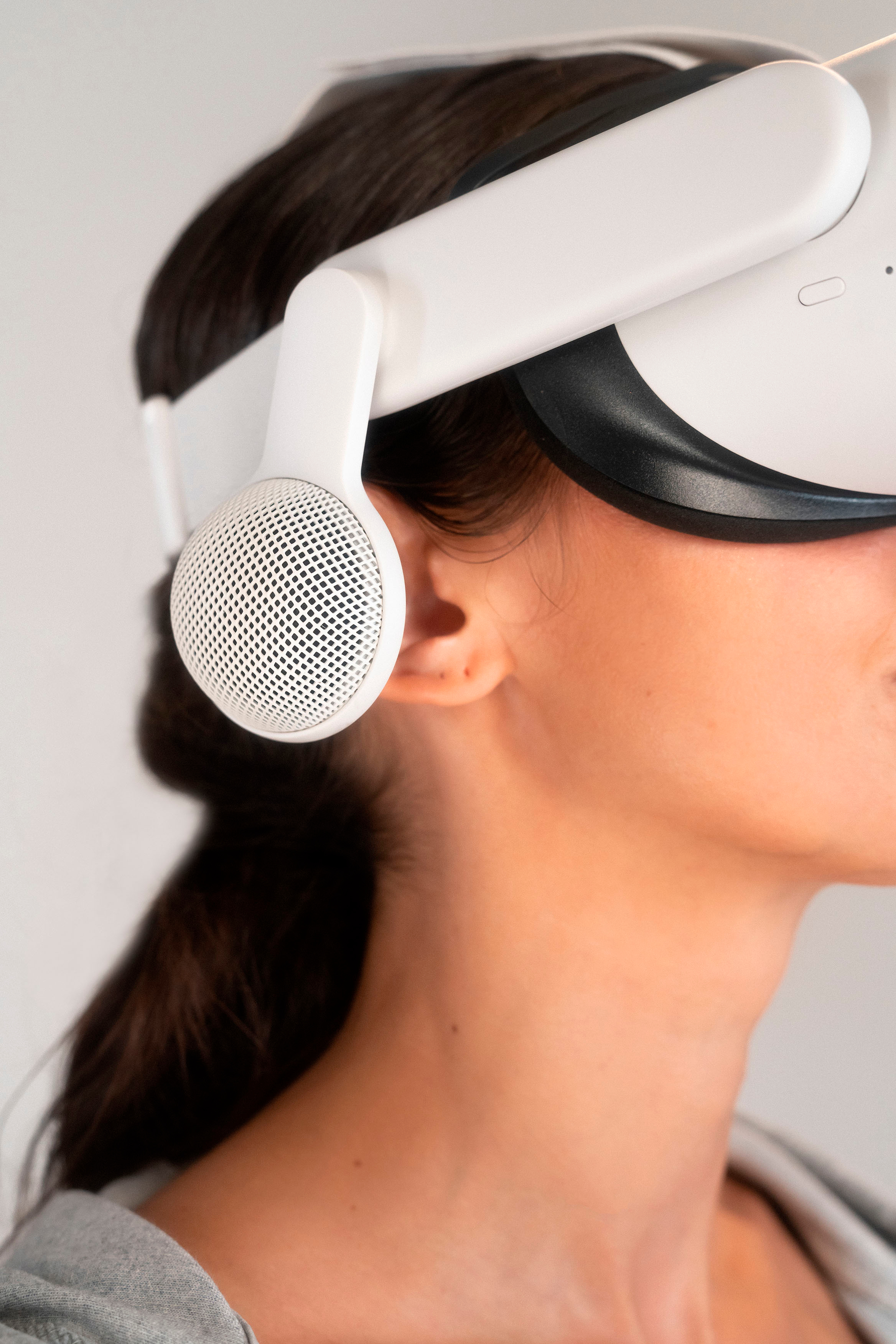


- Model:
- 982-000153
- SKU:
- 6512833
Rating by feature
- Sound Quality
Rating 4.5 out of 5 stars
- Comfort
Rating 4.5 out of 5 stars
- Value
Rating 3.9 out of 5 stars
Customers are saying
Customers frequently mention the excellent sound quality and ease of use of the Chorus Off-Ear Integrated Audio for Meta Quest 2. Many appreciate its lightweight design and improved bass response, although some users note that battery life could be better and that compatibility issues exist with certain accessories. The price point is also a subject of some discussion. A few users found the USB-C connection to be less than ideal.
This summary was generated by AI based on customer reviews.
JUST DO IT!
||Posted . Owned for 1 month when reviewed.This reviewer received promo considerations or sweepstakes entry for writing a review.Got this for free with my meta quest 2 purchase. Was definitely a push for me to get the quest 2 since it was $100 by itself. Overall, I will say it is worth the speaker upgrade for your headset. The stock speakers aren't bad but it definitely puts you in the game. Since it's down to $75 that seems like a much better price point as well. If you have the money and your curious about them. JUST DO IT!
I would recommend this to a friendBrand response from Logitech
Posted .Thanks for the review! Glad the Chorus upgrade elevates your VR experience. We appreciate you recommending it!
- Cons mentioned:Battery life
Would buy again
||Posted . Owned for 3 weeks when reviewed.This reviewer received promo considerations or sweepstakes entry for writing a review.Such a great bundle for the price my son absolutely loves his vr the picture quality is amazing. The instruction for use is easy to figure out and use. Entertainment for hours and battary life isnt bad would definitely recommend buying the extra battery and stand
I would recommend this to a friendBrand response from Logitech
Posted .I hear you! It's fantastic that your son loves his VR headset and the Logitech Chorus sounds like a great addition for him. The review mentioning the amazing picture quality and clear instructions definitely highlights the strengths of the VR experience. An extra battery and stand are always smart purchases to extend playtime and keep things organized.
- Pros mentioned:Sound quality
Okay product
||Posted . Owned for 3 weeks when reviewed.This reviewer received promo considerations or sweepstakes entry for writing a review.Okay product, descent fit on the meta quest headset. Slight improvement on sound quality.
I would recommend this to a friendBrand response from Logitech
Posted .Hi there, Thanks for your feedback on the Chorus! We appreciate you letting us know about the fit and sound quality. Your insights are valuable for us as we continuously strive to improve our offerings.
- Pros mentioned:Sound quality
Worth it! Good sound quality
||Posted . Owned for 1 month when reviewed.This reviewer received promo considerations or sweepstakes entry for writing a review.This is a great gadget. My son really likes it. It creates a real life experience. The clarity of the sound makes it feel very real!
I would recommend this to a friendBrand response from Logitech
Posted .Thank you for your kind words about the Logitech - Chorus. We're delighted to hear that it's providing an immersive experience for your son. Your feedback on the sound clarity is valuable as we continue to enhance our audio products.
- Pros mentioned:Sound quality
Ocular over ear sound.
||Posted . Owned for 1 month when reviewed.This reviewer received promo considerations or sweepstakes entry for writing a review.These over the ear gives the best sound while using oculus...Rhe virtual reality becomes real. very happy with this order.
I would recommend this to a friend - Pros mentioned:Sound qualityCons mentioned:Usb c

Great Sound, Looks OEM.
|Posted .This reviewer received promo considerations or sweepstakes entry for writing a review.Summary: Sounds great and integrates perfectly with the Quest 2, but at the expense of a small amount of extra weight and a few notable inconveniences. Hits: * Sounds better than built-in speakers. * Design fits great and almost doesn’t feel like an add-on. * High-quality construction. Misses: * Almost need to top-out the volume to hear them well. * Relocated charge port is not as convenient. * Rotating them up/down triggers pass-trough video repeatedly. Setup: There are two halves; one for each side, and each just slides on to the Quest’s side pieces. There is a thin wire that connects them together and tucks under the top Velcro to create a seamless look. They don’t have their own battery and are powered by the Quest’s USB-C port with an integrated L-shaped plug that neatly and perfectly fits into the Quest’s charge port. Once they are mounted and plugged in, they are set up and ready to go! Typical Usage: The speakers themselves are on arms that rotate down to cover your ears for listening to the Quest or up to better hear your immediate surroundings. The arms have detents to hold them where you’d like them, but beware that rotating past a detent will most likely trigger the Quest’s pass-through video mode and pause whatever you were watching in VR. And since you will probably rotate through multiple detents, the pass-through mode will get triggered multiple times on and off before the speakers are done being rotated. It’s also worth noting that even though they sound better than the built-in speakers, you will probably need to crank up the volume to near-max levels to hear them well. For me, that was about 7 out of 10 on the volume meter which didn’t leave much room to increases the volume further. It really is convenient to have these speakers mounted for a clean one-piece design when putting on or removing the Quest 2 for use. The built-in speakers never sounded that great to me, so I had been using earbuds with it. The Chorus is much more convenient than earbuds due to the one-piece integrated design, and sounds pretty good, so I think it’s a worthwhile upgrade. Previous to getting the Chorus, I used a dock that would charge my Quest 2 and the controllers by just resting them in slots in the dock. The Chorus essentially relocates the Quest’s charging plug so that a dock such as mine will no longer work. Furthermore, the USB-C plug is on the underside of the Chorus so it puts the USB-C cable at an awkward bend when resting the Quest on a table with the cord plugged in. Conclusion: Great fit, great design and sounds much better than the built-in speakers. If you can live with the relocated charging port and don’t mind the accidental VR pass-through mode when rotating the speakers up or down, then the Chorus is a good value to improve your VR experience.
I would recommend this to a friend - Pros mentioned:Ease of use, Sound quality, Weight
Much needed
|Posted .This reviewer received promo considerations or sweepstakes entry for writing a review.I really like my Oculus 2. I loved every aspect from day one and love that it keeps getting updated. What I never liked was the sound or lack of sound. That is no longer the case! Logitech Chorus of ear is a MUST BUY. Honestly it’s perfect because you don’t even know it’s on? Meaning nothing changes except you can finally hear things and enjoy your oculus! It’s so simple to put on, pretty much just slide it on and plug in to the usb. If you lift it up in mutes any sound in case you’re gaming and need to use a mute. Also now you can use the call feature on oculus with great sound. This works great hand in hand with the oculus improvements and updates and now I’m finding myself really enjoying it again. The price is worth it the look is awesome, it is very light weight wise and it is great sound. Logitech hit this one out of the park. I would love to find something negative but I can’t. This is just so needed and about time. I guess that would be my negative, did it really need to take this long to get us something so necessary? Anyway great job Logitech!
I would recommend this to a friend - Pros mentioned:Sound qualityCons mentioned:Compatibility
A good headset with some caveats.
|Posted .This reviewer received promo considerations or sweepstakes entry for writing a review.As anyone with a Quest 2 knows, the built in audio system is serviceable at best, so having a clean looking, quality option for sound improvement sounds like a great idea. The Chorus looks like an amazing upgrade option option. Made in exactly the same shade of white as the rest of the Quest 2, it just looks like it belongs there, which makes it very appealing, but there are a few things you need to know. The first is that it ~only~ works with official straps. Either the basic one included with the Quest 2, the Elite Strap, or the Elite Strap with battery. It's highly unlikely that it will fit one of the many other aftermarket straps on the market. The second is that while it allows for passthrough of power, it does not allow passthrough of data, so if you use your Quest 2 as a PCVR headset, this option will not work for you at all. In terms of audio quality, it provides a fairly dramatic improvement over the stock audio drivers, but sounds sort of muddy at lower volumes. It really starts to sound great once you've got the volume turned up near max. It's nice to have the drivers out of contact with your ears. Ultimately, if you're looking for a good audio upgrade, AND you use one of the official straps, AND you don't use PCVR, the Logitech Chorus is a great choice. Otherwise, you're probably going to want to look elsewhere.
I would recommend this to a friend - Pros mentioned:Sound qualityCons mentioned:Compatibility
Great Gear. But They'll Hear
|Posted .This reviewer received promo considerations or sweepstakes entry for writing a review.I've had my Meta/Oculus Quest II for over a year and over that time frame , I have used many different types of headphones, ear phones and earbuds to help with my listening experience and to simply keep from disturbing others around me. And after using these, I have found that these have their own purpose in the listening space. However, privacy isn't one of them. But we'll get to that in a moment. First of all, opening the box, you'll be greeted to two well built arms with a tennis ball sized speaker attatched to each one. There's a small, slightly elastic band linking them together( I'm going to say it's for stability purposes.). And that's pretty much the gist of it. Just simply attach the sides according to the appropriate side assigned, by letter( L or R), simply by sliding them on, not unlike sleeves of a shirt. Once it's snapped in place, you can then plug in the USB C connecter into the power slot. This will transmit sound. There's a USB C port on one of the arms so you can still connect to a power source, if you're running low on power. These are vey ry well built and should last you while. Not here's my problem with these. They're small but albiet important. These are away from the ears, so that you don't have the closed off and emersive privacy that comes with headphones. This also means that everyone will hear exactly what you're hearing and that can grow annoying really quickly. This also takes you out of the game a llittle. They do, however allow you to hear the world around you so that you can feel a little safer. Two They don't work on many aftermarket head straps, so make sure that you have the OG strap that came with your Meta/ Oculus Quest II on hand or you can use the Elite strap without the battery pack( Like the one in my photos). Other starps won't fit it. So keep that in mind. And lastly, please be very ccareful when taking these of of your strap. As it could break if you don't take your time removing it. The USB C connection leaves very little wiggle room. This not a deal breaker, but just please be careful when taking it off. Other than those little yet important things, i find t very comfortable and easy to use. I personally, don't mind the noise going outside my parameter of privacy. I'd like to give it 4 stars, but I can't. It is a fun and affordable attchment add to your accessory setup for your VR experience.
I would recommend this to a friend - Pros mentioned:Sound quality
Great Sound, Easy Setup
|Posted .This reviewer received promo considerations or sweepstakes entry for writing a review.I honestly really enjoy using the Quest just the way it is, the speakers are pretty good considering they are built into the headset. I am a bit of a headphone junkie so I was looking at what I could use with the Quest to improve the sound a little more. When I saw this solution, I jumped at the chance of trying them out, and I came out with some mixed feelings about them. First, the setup is incredibly easy. Each earpiece slides onto the strap area connected to the headset. We use the extended battery strap, so the Chorus just slid right on to that one. The Chorus plugs directly into the headset and the cable from the extended battery connects into the Chorus. Simple solution. This seemed to be great for a while, but after using it for some time my sons and I came across an issue that pops up intermittently. Sometimes the Chorus does not allow the headset to charge. We plug in the extended battery to the wall like normal and that charges, but we get no charge going to the headset itself. We tried a few different chargers, and sometimes it seems to function but other times nothing. This can be frustrating if you are looking forward to a nice gaming session only to see that you have a low battery. Now the sound is a noticeable upgrade. The sound seems richer and gets louder than what the integrated headset speakers offer. I can say that it increases the feeling of immersion when you are playing games. My sons and I use the same Quest, so they got a chance to try it out as well and they each came away impressed by the Chorus. Like I previously stated, I was already happy with the integrated headset, but the Chorus does a great job of leveling up the sound and increasing the immersion. If you are looking to get more from your experiences on your Meat Quest, then this will do the job. Setup is really simple, sound is rich, the only thing is I wish I could figure out the charging passthrough issue.
I would recommend this to a friend - Pros mentioned:Bass, Sound qualityCons mentioned:Price
Great sound quality
||Posted .This reviewer received promo considerations or sweepstakes entry for writing a review.I use the elite battery headstrap and currently have 3d-printed arms holding Koss KSC75's to my ears. They provide decent audio quality but lack what I consider excellent sound quality. The only comparison I can make is to my Sennheiser GSP 670's I use for PC gaming and music, which produce really good sound. The Positives: The Chorus ear pieces sound really good! I've been playing Beat Saber for a couple of hours, comparing the KSC75's to the Chorus and even my GSP 670's streaming over Virtual Desktop. What's most clear to me is that the Chorus has been carefully tuned to produce excellent sound with the Quest 2, with crisp highs and punchy bass. At high volume, there is some bass distortion in Beat Saber's more upbeat songs, but it still sounds much better than the KSC75's. The clarity these offer is surprising. I've never used these types of off-ear headphones, which can be found in other VR headsets including the Index and Reverb G2. The Negatives: The price may be a little high. Given the audio quality and lack of competing add-ons in this space, I think it's a good value. There are some popping sounds when booting up the Quest 2. This isn't really an issue, as the volume always resets to the lowest setting when booting up the headset. Having to adjust the volume every time I want to play VR is a slight inconvenience, but not a deal breaker. Closing Note: In the short time I've been using it, I've noticed the left ear piece stays warm after turning off the headset. Looking at the charging status on the displays show it's actually charging the internal battery while in standby. I think this is the normal behavior with the extended battery, but am not certain. When the headset was attached to the charger, I didn't notice any warmth coming from the left ear piece after the headset had fully charged.
I would recommend this to a friend - Cons mentioned:Battery life
Fantastic concept, lackluster execution
|Posted .This reviewer received promo considerations or sweepstakes entry for writing a review.Out of the box, the Logitech Chorus Off-Ear integrated headset appears to be the answer to so many of the Quest 2 audio problems. The sleek lines, well made design, and matching color make the Chorus look like its original to the Quest 2. Unfortunately my experience is that the Chorus made some improvements for a select few games, but it also detracted from audio as well as drained battery. In the box is the Chorus headset and instructions. To set up, slide the Chorus over the Quest head strap, for my setup I use the elite strap, but same install either way. Once in place, plug in the Chorus USB-C into the Quest 2 charging port to integrate. The Chorus has a USB-C charging port built into the bottom of the left side of the connector, approximately 1/2" behind the Quest 2 charging port (see photo). After plugging into the Quest 2, the Chorus is set up and ready to go. Controls are easy, pull down to the desired angle for sound, push flush with head strap to mute. The speakers will not rotate up above the head strap and adjust down towards your ears in small increments, clicking into place at a total of 7 spots between headset and lowest position. When in the lowest position, the speakers sit directly across from the center of my ear, approximately 2" off my ears. I have a teen who also has a Quest 2, and insists every game needs to be at max volume. I had high hopes that the Chorus would be far more directional for sound and cut down on the background noise for those in the area. To my disappointment, at full volume the ambient noise still exists. My other issue is that the sound quality isn't as good as I had expected. For games like beat saber I found myself always on max volume otherwise the audio wasn't any improvement over the stock Quest 2. For other games I could tell an improvement, but low ranges were staticky and not enjoyable. Overall, I'm not sure how much value the Chorus brings to the player experience. The audio is still broadcasted, the quality of audio is marginally better in some situations, and the Chorus will drain the Quest 2 battery faster. I'm not sure this is something I can get terribly excited about, try at your own risk.
No, I would not recommend this to a friend - Pros mentioned:Sound qualityCons mentioned:Battery life
I don't think I will be joining the chorus....
|Posted .This reviewer received promo considerations or sweepstakes entry for writing a review.So, I’m just going to say this upfront, I can’t recommend this headset. First the positives, it feels like an official Quest 2 accessory. Build quality feels nice. I like the ability to mute the audio by pushing the speaker up. Installation is straight forward. The USB-C connection allows for better audio than a 3.5mm option without the latency of a Bluetooth option. My head stays cool while using the Chorus. Unfortunately, that seems to be where the good news stopped. I didn’t have the best of luck with audio quality. While some audio sounded much better, I got what sounded like a blown speaker from both ears when dealing with audio that had more bass. Tetris Effect and the meditation app, Tripp, had deep sound effects where it sounded like my speakers were blown. The buzzing sound took me out of the experience. Then there is the battery hit. The Chorus pulled battery from the headset and not the battery pack. And it caused my battery to drain faster than it would have without the headset. I should point out that there is no passthrough for Oculus Link. If you play PC games on your Quest 2 via Link cable, you will be out of luck. If you are using the official Quest 2 case, you will have to take the headset off before you can store the Quest 2. If you aren’t using the official oculus strap or the oculus battery pack and strap, the chorus will probably not work. In conclusion, I am more than a little disappointed. I was looking forward to the Chorus. My speakers buzzed under too much bass. It's possible I just got bad speakers. However, beyond that, there is no passthrough for Link. There is a significant battery hit while using the speakers. Solid idea, but the execution needs a bit of work. 2/5
No, I would not recommend this to a friend - Cons mentioned:Battery life
Try again…please
|Posted .This reviewer received promo considerations or sweepstakes entry for writing a review.This review was a difficult one because I really wanted to like this device. First, there’s a humming noise that I just can’t shake and starts to get annoying after a while especially if you unplug it and hear the beautiful silence that you hear from the native speakers on the Meta Quest 2. Secondly, I don’t feel immersed in sound. It’s sounds quite muted and distant compared to the gaming headset itself. I wasn’t expecting booming bass or loud sounds. I simply wanted to feel like I was experiencing the sound and not just hearing it. Like I was a part of the action. I just didn’t get that with these. Most of the things I watched I could barely hear clearly. It just wasn’t loud enough and I found myself detaching the Logitech Chorus. Some game play sounded better than others but nothing to note. Let’s not even talk about how it drains the battery from the headset. My goodness. I just don’t see the benefits of having this accessory currently. It’s a great idea but the execution is lacking. I wouldn’t mind giving it another go once they return from the drawing board.
No, I would not recommend this to a friend - Pros mentioned:Ease of use, Sound quality, Volume
Great Sound Improvement
||Posted . Owned for 1 month when reviewed.This reviewer received promo considerations or sweepstakes entry for writing a review.Definitely makes games sound better. It's easy to attach and the sound can get a bit louder than the default speakers, while also sounding better. I recommend this if you're looking to improve your experience.
I would recommend this to a friendBrand response from Logitech
Posted .Hey there! Thanks so much for the positive review of the Chorus! We're thrilled to hear that it's making your Meta Quest 2 games sound even more immersive.
- Pros mentioned:Sound qualityCons mentioned:Battery life
Creates a charging issue
||Posted . Owned for 1 month when reviewed.This reviewer received promo considerations or sweepstakes entry for writing a review.Has good sound. But. The speakers plug in to the headset in the same location that you plug the auxiliary battery pack into and then you plug the auxiliary battery pack into the speakers now when you're charging you cannot charge the auxiliary battery the headsets primary battery with the headphones plugged in you have to disconnect the speakers completely plug the auxiliary battery pack into the headset and then charge everything. Also even though the auxiliary battery will plug into the speakers they will not power the headset in this fashion you have to disconnect the speakers and plug the auxiliary battery into the headset directly for the auxiliary battery pack to work
I would recommend this to a friend - Pros mentioned:Sound quality, Volume
Gives audio a nice boost
||Posted . Owned for 3 weeks when reviewed.This reviewer received promo considerations or sweepstakes entry for writing a review.Gives audio a nice boost. I like that they are still a little off the ears so you can still hear other stuff around you. But can go loud enough that they outside sounds are less distracting.
I would recommend this to a friend - Pros mentioned:Sound quality
So Cool
||Posted . Owned for 1 month when reviewed.This reviewer received promo considerations or sweepstakes entry for writing a review.This thing is great. The audio on the Oculus was already good. Adding this piece makes the concerts and immersive environments that much more awesome. Thank you.
I would recommend this to a friendBrand response from Logitech
Posted .Thanks for the feedback! We're thrilled to hear the Chorus is adding a whole new dimension to your VR concerts and experiences.
- Pros mentioned:Bass, Sound quality
It's..fine?
||Posted . Owned for less than 1 week when reviewed.This reviewer received promo considerations or sweepstakes entry for writing a review.Works with elite strap (w/battery) as expected and build quality is nice. Sound quality is pretty underwhelming for the price, I'm not 100% convinced that this a huge upgrade over the built-in audio on the headset. It does provide improvements with bass, but not seeing a substantial jump in overall sound clarity. If this was a $50 - $75 product i could overlook the issues but at $100 it's a tough pill to swallow.
No, I would not recommend this to a friendBrand response from Logitech
Posted .We're sorry that the product didn't meet your expectations. We will be sure to pass on your feedback to the right team. We value our customers and ask you to please feel free to continue providing feedback about our product and services.
Made For The Meta Quest 2 - Literally
||Posted . Owned for 1 month when reviewed.This reviewer received promo considerations or sweepstakes entry for writing a review.As someone who isn't particularly fond of earbuds or headphones, these were a nice purchase with only a handful of caveats. One of the major reasons being that I want to simply "pick-up and play," and not have to fumble around with earbuds or bulky headphones, not to mention I wanted something that wouldn't require any special cases, these are the closet you're going to get to something that feels stock to how seamlessly they work with the Meta Quest 2. Pros: + "Good" audio, certainly better than stock. + Because the earphones don't physically sit on your ears, in my opinion it creates a better sense of omin-directional sound-- such as this coming "at" you from various directions. (However more on this in cons as this is a double edge sword) + They feel premium and truly "made for the quest." They're light, fit in the Quest 2 case and attach seamlessly to the power without any wrangling of cords, etc. (Which again, may be a con to some) Cons: - While the audio is good, the bass is a bit weak and may get distorted at higher volumes. Also as I mentioned in the pro section, because the headphones don't physically touch your ears, there's a fair amount of sound bleed to those around you, and they don't cancel out sound nearly as much. I sort of wish that you could adjust the headphones more to bring them inward as you could with the Vive Deluxe Audio. - The simplicity of the design (connecting straight to the power) means you cannot use the link cable or charge while playing. Personally I'm ALL about Air play anyway and almost never have sessions long enough that I require charging (especially with the deluxe headstrap/battery) as I rarely notice much latency playing over wifi, but for some hardcore PCVR enthusiasts who really want that 0ms connection, this may be a deal breaker. - This seems like a really strange flaw, but every time you flip the headphones up, it resets the volume; so you have to reset it each time you play if you store them in a case or collapsed. Not a huge issue, but some may find it a minor annoyance. As someone who came from using the Quest 1 with a "Frankenquest" mod using the Vive Deluxe Audio, I feel like these are somewhat of a downgrade compared to those, but are the closet to that experience. I realize the Quest 2 relied on aftermarket support to keep the cost down, but I do hope the Quest 3 at least has OEM addons. As mentioned one of the reasons I like these built in solutions is that it makes "play sharing" a lot easier; simply pass the headset to your friend, adjust the headband and they're all set. No dealing with earbuds, annoying wired headsets, etc. Overall I think the price is a bit steep when I compare it to the Vive Deluxe Audio which just felt "perfect." (despite requiring a mod) The audio/bass was stronger, the earphones were more adjustable, and the noise canceling/no sound bleed where very nice perks.
I would recommend this to a friend