Customer Ratings & Reviews
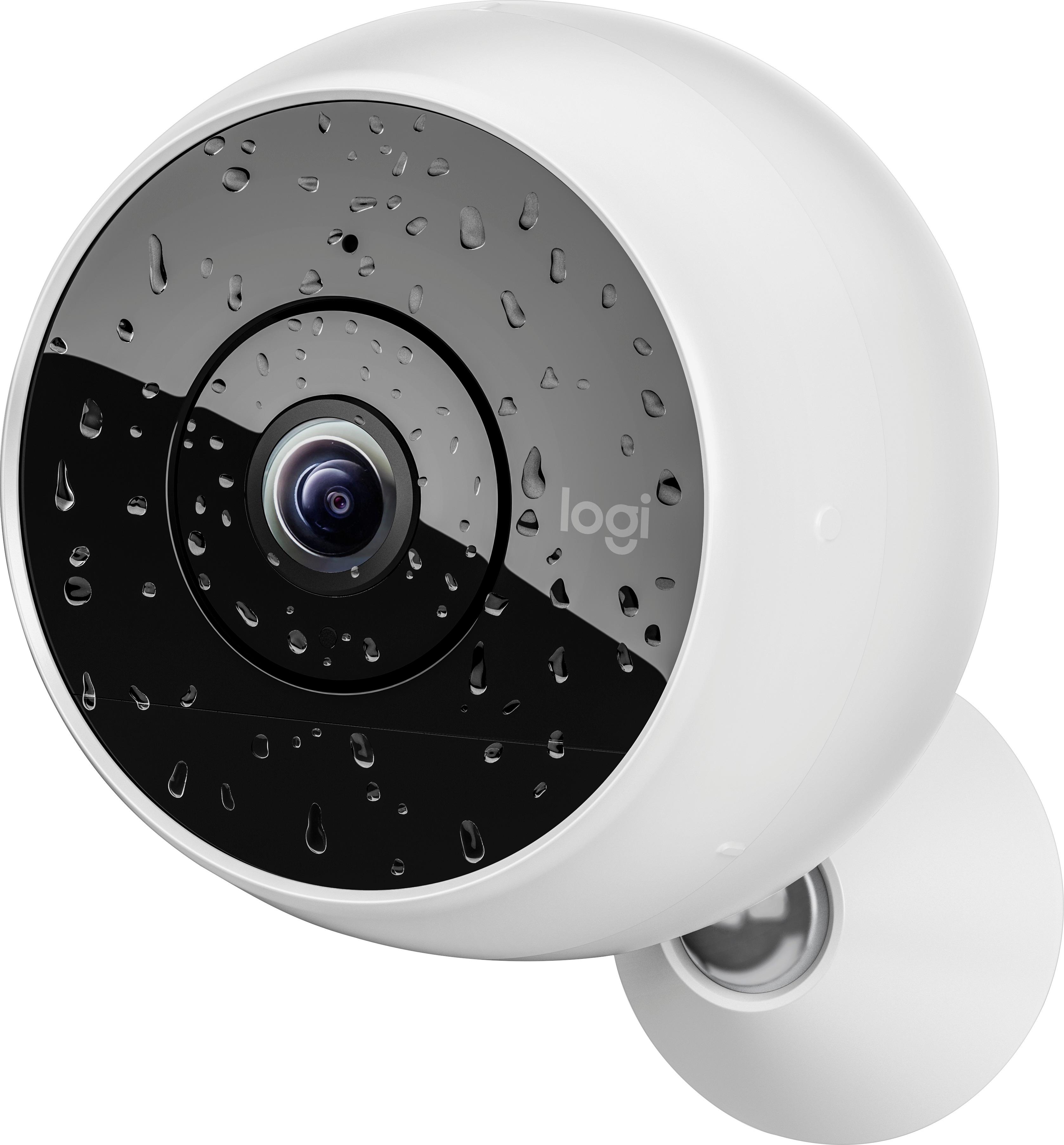
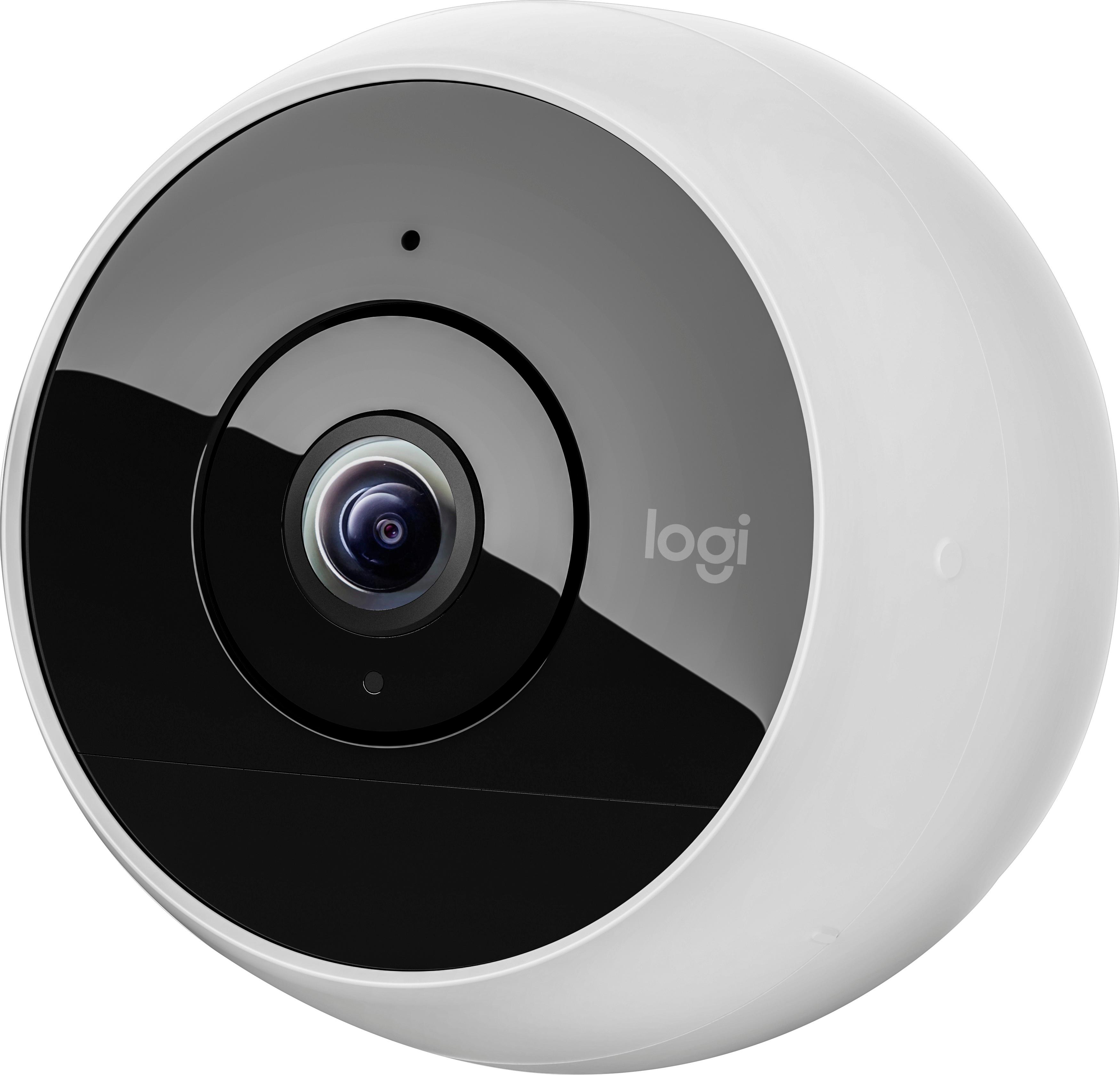
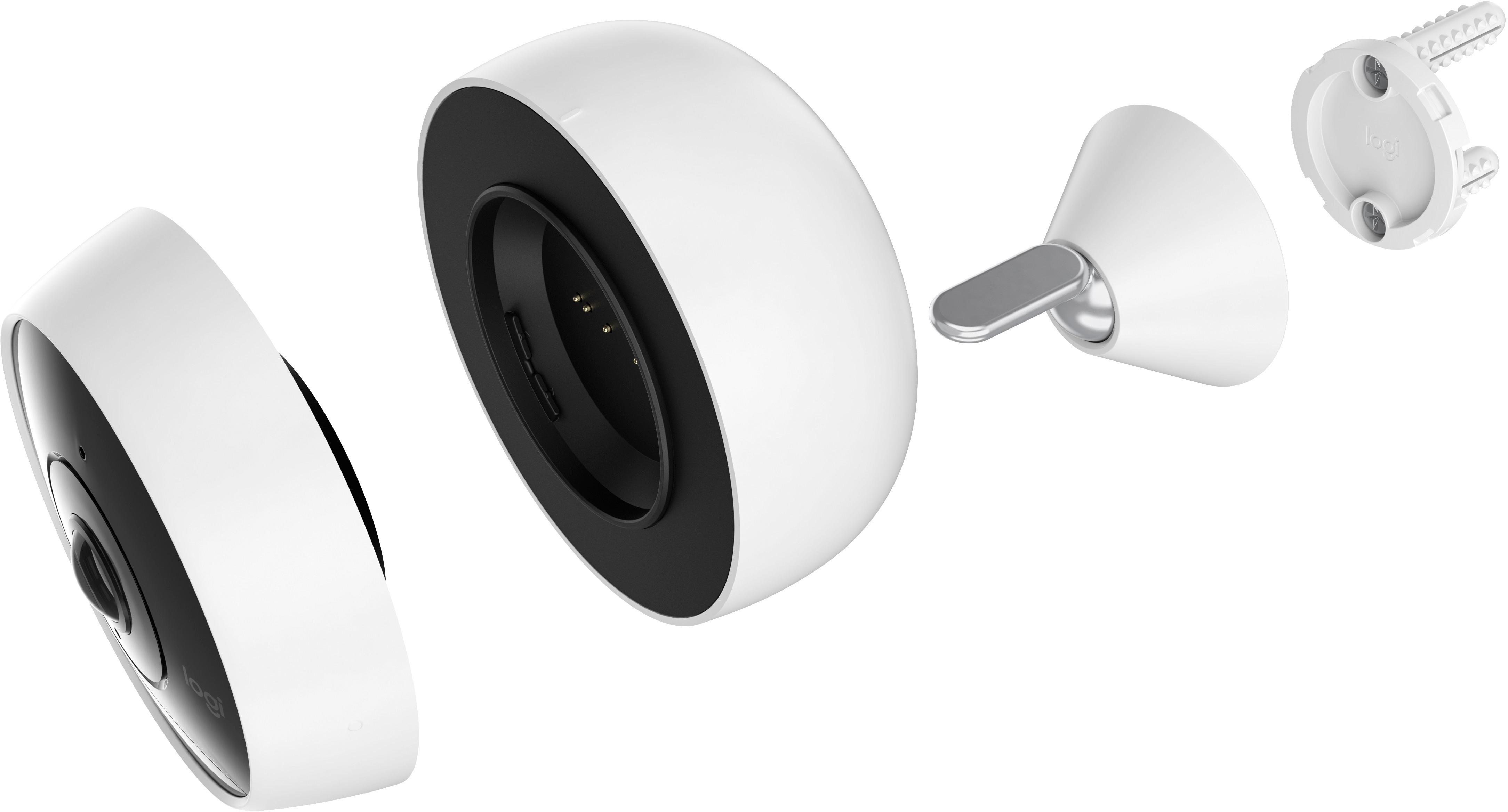
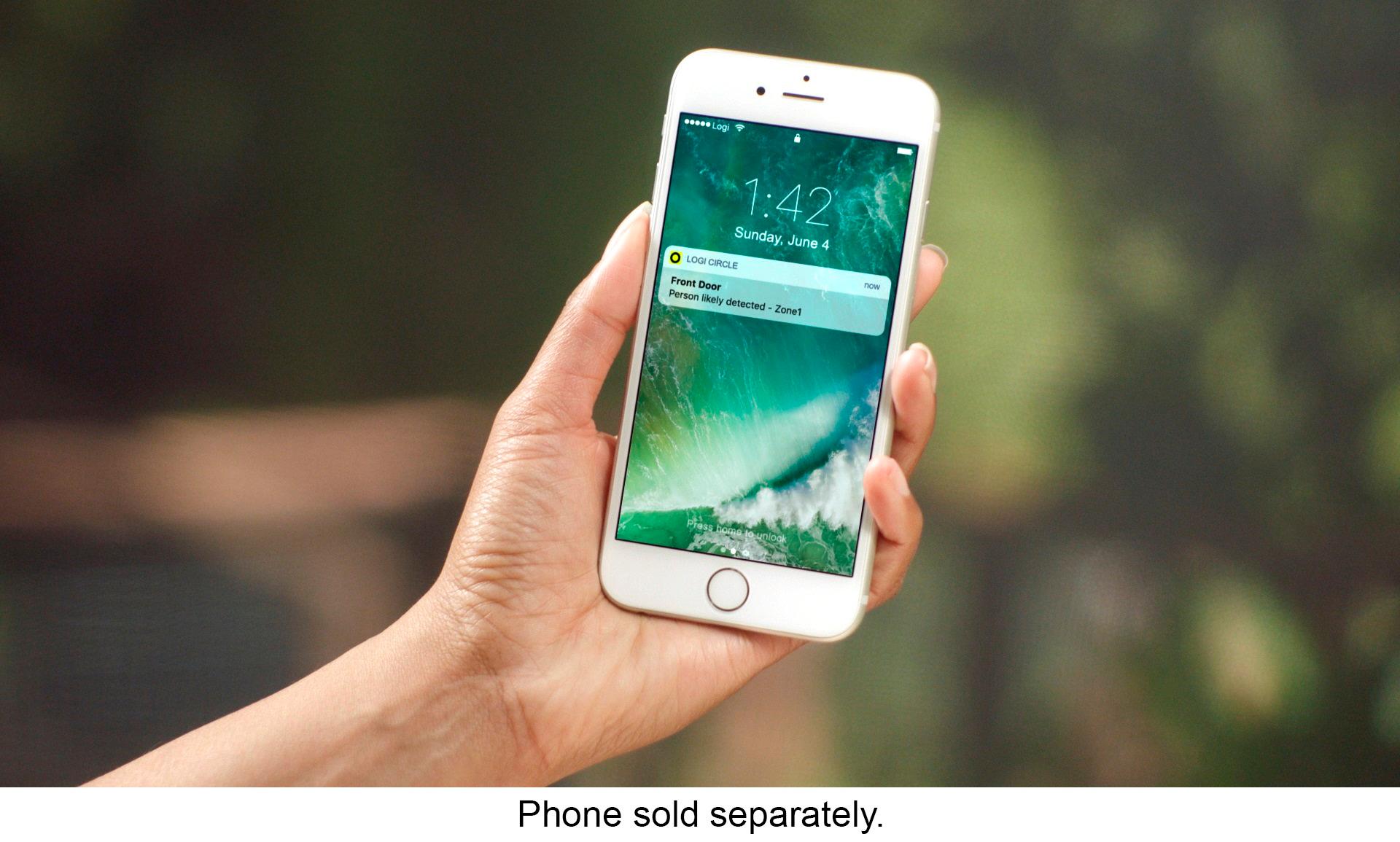


- Model:
- 961-000416
- SKU:
- 5859700
Rating by feature
- Value
Rating 3.8 out of 5 stars
- Quality
Rating 4.1 out of 5 stars
- Ease of Use
Rating 3.9 out of 5 stars
Customers are saying
Customers regard the Circle 2 Indoor/Outdoor camera's image quality and ease of setup very positively, praising its sharp picture and simple installation process. However, concerns exist regarding battery life and the reliability of night vision and motion detection features. Some users also reported issues with the camera mount and the user interface of the accompanying app.
This summary was generated by AI based on customer reviews.
Awesome Security Camera!
||Posted .This reviewer received promo considerations or sweepstakes entry for writing a review.We actually really like this camera, WI-fi is a nice feature.
I would recommend this to a friend- Pros mentioned:Camera qualityCons mentioned:Motion detection, Mount
Buggy and Poor Mount
Posted .This reviewer received promo considerations or sweepstakes entry for writing a review.I really wanted to like this camera. When it would actually work, the picture and audio quality were great, and I really liked the wide angle viewing area. Unfortunately it would constantly disconnect from my wifi network (despite being very close to the router), the live stream would take 30 seconds to a minute to pull up, and I wouldn't receive activity notifications until a minute or two after the camera had sensed and recorded the activity. While these issues could likely be fixed with a firmware update, my biggest complaint was with the wall mount. I mounted the camera on the outside of my house overlooking the front yard, and I was afraid that it was going to fall down because of the poor quality. The mount didn't attach securely to the mounting bracket, so you could easily move it around and pull the whole thing off the wall. I was going to caulk around it to better secure it to the wall, but that wasn't the only issue. There was also no way to secure the camera to the quick release plate, so you could easily slide it on or off. After mounting it to my wall and getting it at the angle I wanted, the rotating part slowly moved and after about 4 hours the camera was pointing towards the ground. I moved it back to the angle I wanted it at, but it kept angling back down on its own and there was no way to lock it in place. I ultimately decided to return it and picked up the Netgear Arlo Pro instead. While the picture isn't as good as the Circle 2, it's clear enough to work as an outdoor security camera. It hasn't disconnected from my network once, motion alerts are instant and the optional wall mount allowed me to properly angle and lock it in place.
No, I would not recommend this to a friendBrand response from Logitech Customer Care
Posted .Hello ! Thank you for your feedback ! We are very happy you liked the audio and video quality provided by Circle 2. we are sorry you encountered disconnection issue. We apologise for the experience you had with the Circle 2 mount and we're sorry you returned the product. However we appreciate your input to improve our products and services. You can always contact us at [email protected] if you ever have any question regarding Circle. -Marion from Logitech

- Pros mentioned:Camera qualityCons mentioned:Battery life

Good Camera, Poor Battery Life
|Posted .This reviewer received promo considerations or sweepstakes entry for writing a review.Overall the camera does its job: it features up to date viewing of the premises, a day in review viewing feature, HD, and night mode, plus has the ability to pick up sound and talk to someone on the other side. The biggest drawback is the battery life. I understand wire free cameras don't necessarily hold a huge capacity, but after a month of testing the camera basically lasts 12 hours. This is an issue if you are going on vacation (as I am) and can't charge it for a couple days. Other than that it's a decent piece of hardware, but the battery issue needs to be more refined first. Better options are available.
No, I would not recommend this to a friendBrand response from Logitech Customer Care
Posted .Hi DarthNeyehilus,
Thanks for the feedback!
We would love to troubleshoot your battery trouble when you have time.
Please email [email protected].
-Angela from Logitech
- Pros mentioned:Field of view
I hope my unit was defective
|Posted .This reviewer received promo considerations or sweepstakes entry for writing a review.Let me start by saying that I think that my unit may be defective. Live streaming shows a nice, relatively clear picture; but most recorded video is almost pitch black with warbly, incomprehensible audio. This is true of video taken in both bright light and dim conditions. I reached out to Logitech to try and troubleshoot this or see if I was doing something wrong, but it’s been three days; and they haven’t gotten back to me. The camera itself is relatively small and allows for a wide variety of mounting options. You can set it down on a table using the included pedestal stand, you can mount it to the wall using the included wall mounting hardware, or you can leave it plugged into an electrical outlet using an outlet adapter (sold separately). The camera is designed for both indoor and outdoor use, but its stark white exterior is going to show dirt and wear very quickly outside. The camera can be adjusted to tilt up or down, but I found that trying to tilt it downward caused it to just topple forward. It’s too top-heavy to support its weight when positioned this way. This is unfortunate as I wouldn’t have minded placing it on a high shelf by my door. The camera is advertised as a 1080p camera, but honestly it doesn’t look that sharp to me. The picture is perfectly adequate for a security camera, but it’s still pretty grainy. Still, for identifying individuals entering your home, it works well. The viewing angle is a very wide 180 degrees. The camera also includes a nightvision mode that displays in very nice grayscale image (though again, only in live view for me). The included documentation was abysmal. The quick start guide references an app for iPhone and Android, but it doesn’t refer to it by name or give a QR code to find it. I found it on the Play Store, but it took me awhile as the app provider was listed as “Logitech Europe S.A.” (I’m in North America and wasn’t sure if region made a difference). I also had two false starts as Logitech Europe had two other apps on the Play Store named in such a way that they might have been the app I needed that came up in the search results first. That being said, the box does have the URL for the web app listed on the back. If you’re concerned about downloading the wrong app, I’d suggest that you just use the web app instead. The camera comes with a trial membership in their cloud storage plan. No details are given regarding costs or what the plan does and doesn’t include. I suspect that the video won’t record once my trial membership lapses (just as well given the recording issues that I’ve encountered). You can take still shots in live mode, and they appear to save to a folder named “Logi Album” buried on your phone (they show up in my gallery though, so this works). You can download recorded video by clicking on the three dots to the bottom right of the video. This saved to my downloads folder on my PC. Waking the camera up to view live mode is a slow affair. I found that it took about a full minute to enter live mode. Unless you have the camera positioned to monitor the entire room, you’re likely going to miss seeing whoever passed within its field of view. The push notifications are erratic. I found that it kept sending motion trigger alerts at random throughout the day (I have it aimed right at my apartment door, and nobody came or went in the span that the alerts came in). The alerts quite suddenly stopped this morning, and even dancing in front of the camera did nothing to trigger them again. I didn’t change any settings, they just stopped happening. I really hope that this unit was defective. Typing this review was difficult as I have long been a fan of Logitech. The hardware seems nice, and I like the concept, but the execution seems very incomplete and buggy.
No, I would not recommend this to a friend Membership required
||Posted .This reviewer received promo considerations or sweepstakes entry for writing a review.I returned this product because I found that there is a membership type fee for service.
No, I would not recommend this to a friend- Pros mentioned:Camera qualityCons mentioned:Motion detection
Basic or Advanced Monitoring
|Posted .This reviewer received promo considerations or sweepstakes entry for writing a review.Pros: Easy set up Clear picture and video Push to talk audio and speaker Ability to charge and set anywhere inside or out (option accessories required for mounting outdoors) Person detection and motion detection zones (subscription required) Smart location (ability to receive alerts only when you are not in the same location as the camera) Ability to use in privacy mode, where no recording takes place, but you can view live Multiple mounting options (separate purchases) Cons: Some motion not detected Wireless only seems to record in 720p (I could not find an option to record in 1080p, although it might be there and just not obvious to me) Live view in app can be slow to respond and sometimes required restarting the app Subscription cost for advanced features seems high (no discount for multiple cameras) Recommendation: For use as a live view only camera, this would be a good option. If you need features that require a subscription and multiple cameras, it might be best to shop around for the best combination of features and long term cost.
I would recommend this to a friend - Cons mentioned:Battery life
Not happy
|Posted .This reviewer received promo considerations or sweepstakes entry for writing a review.First I was impressed that I was able to set this up my self...I am VERY tech illiterate. So I get it all charged, somehow turn it on (there are no instructions on how to turn on), and place in my kitchen after playing with it for a bit. Next morning I go about my business in the kitchen, then go to work and get a notice that I have "activity detected" so I open the app, and after about 4 minutes of waiting to open, I click on the time listed and I see me!! Very cool. Then I get another alert, open the app, wait 4-5 minutes, click on the time and see a cat tail as my cat walks out of the kitchen. It seems it did not pick up the cat being in the kitchen. When I get home...the battery is dead. I recharge it and get it set up just outside my door in perfect wifi range. I get notices of movement but when I open the app and go to that time...nothing. Once in a while I can see my roommate walking away from the house. I figured out it is SOOOO slow that if someone walks up to my door and knows my code...the camera is too slow to pick the up. If someone knocks at my door and I want to see who it is and communicate with them before opening the door...I will have to wait about 4 minutes for the camera view to open on my phone. The battery has now lasted about 3 days however- some improvement... I love the idea and was very excited about it, but technology will be MUCH better in a year for things like this. Right now, I would not recommend this.
No, I would not recommend this to a friendBrand response from Logitech Customer Care
Posted .Hello ! Thank you for your review ! We are very happy you found Circle 2 easy to set up ! We are sorry it takes a long time for the recording to load. Have you tried bringing the camera closer to the router ? Please email us at [email protected] or call us at +1 (646) 454-3200 if troubleshooting doesn't solve your issue. We will also be happy to help with the camera not detected every motion. -Marion from Logitech
Not good
||Posted . Owned for 1.5 years when reviewed.This reviewer received promo considerations or sweepstakes entry for writing a review.Some slow not good broke camera not change Date 1 year not Circle 2 :(
I would recommend this to a friend- Pros mentioned:Camera quality, Design
Design Heaven But...
|Posted .This reviewer received promo considerations or sweepstakes entry for writing a review.So impressed with the design of this little gem: elegant, logically placed functional recesses, the unit is a round, solidly built, little round robot that is really aesthetically pleasing to the eye. Anxious to get through the Quick Start up, I was unable to get to first base with this device. After multiple attempts, the device would not charge. So, I will report back after I see how quickly Warranty Repair affords customer service to this inconvenient start up. Can't give you a fair appraisal since this baby was DOA i.e. dead on arrival.
No, I would not recommend this to a friendBrand response from Logitech Customer Care
Posted .Hi Greenrita,
Sorry to hear of your trouble with your Circle 2. We would love to assist you! Please reach out to us at [email protected] or call the Circle line at 866-601-5644.
Angela from Logitech
Outdoor camera fail
||Posted .This reviewer received promo considerations or sweepstakes entry for writing a review.The outdoor camera has failed after only 6 months use.
No, I would not recommend this to a friendSimple with nice high quality camera
|Posted .This reviewer received promo considerations or sweepstakes entry for writing a review.To start off the packaging is good, and well organized. In the main box is 2 smaller separate boxes containing all the parts. In the main box is the Logitech Circle 2 HD camera. In the 2nd box is the rest of the contents which are a 6400mah rechargeable battery, swivel base with release plate, a 2 foot USB charging cable (which should be longer in my opinion), a USB power adapter, and a paper quick start guide. To begin I connected the 2 prong adapter to the USB charger, and then used a longer USB cable than the 2 foot one included to start the charging off the 6400mah battery. It took about 2 hours and 50 minutes to fully charge for the first time, which isnt much considering the very large capacity of the battery. Once charged the battery screws into place with a twist onto the camera module. Then it was on to the set up process. The camera has an LED status indicator system that flashes blue when its in ready to pair mode. So I downloaded the “Logi Circle” app from the play store onto my Oneplus 5. After downloading I started the app and began the set up process giving the app some permissions. I got a confirmation sound from the camera and a message on the app saying it had found the camera. I had to plug it back into the charger to continue since it is apparently required despite it being 100% charged. After this you can choose a preset name for it, or create a custom name for the camera location. Then it auto connected to the same Wifi connection that my phone was on and all I had to do was enter its password. It connected with no issues and started a firmware update. This took a couple minutes and the cameras LED went to Solid white indicating it was connected and ready for use. The next step was creating an account (email and password). Once this was done I got a “Welcome to Circle” message letting me know that it comes a with free 24 hour cloud storage premium trial. So Im assuming after the trial you pay for this, and Im not sure how long the trial is for or what the cost will be. Then I clicked the “Live View” button and was ready to go. Overall the set up process was fairly easy and pain free. The camera performance is pretty good although there is a slight delay of a few seconds. The interface on the app is very simple with buttons on the left to take a snapshot and a microphone button that you hold to listen or talk through if you need to speak with someone for example at your front door, which I think is a cool feature. I did have an issue once in awhile where after a few seconds the live view would disappear and give me a message to tap to go back to live view. I would tap it several times and it would not go back to the live view. I would have to tap multiple times. But this only seemed to happen the first couple times. On the right side of the app live view screen there are circles with times recorded you can tap to review what has been recorded, and the option to download them as well for a more permanent save, and a "Day Brief" button. Then its as simple as tap the “LIVE” button again to get back to live view. This takes awhile and lets you know its waking up form low power mode wire free mode and reestablishing a secure connection. Overall this is a very easy and convenient solution to home security, or any other situation where you might want to record and have live views. I havent had any drops, or other issues other than the couple mentioned in the review. I really like this camera, and the app works pretty well also. Its very simple, and simple is good enough for most people..me being one of them. If your looking for a simple and not too expensive home security camera this is a great choice. Thanks for reading.
I would recommend this to a friendBrand response from Logitech Customer Care
Posted .Hello Nate! Thank you for your review ! We are very glad you like the Circle 2 camera and its simple setup.
One small correction: With a new camera you get a 10 days free trial of the Circle Safe Premium subscription, so you can see all the features and how they work. With the subscription the footage will be stored for 30 days. Without subscription still you will always have 24 hours of storage for free and can download the recording you wish to keep.
If you have any other question, please contact us via email at [email protected] or call us at +1 (646) 454-3200 We are happy to help! Lukas from Logitech
- Pros mentioned:Camera qualityCons mentioned:Battery life
Glitchy - Try an Alternative Product Instead
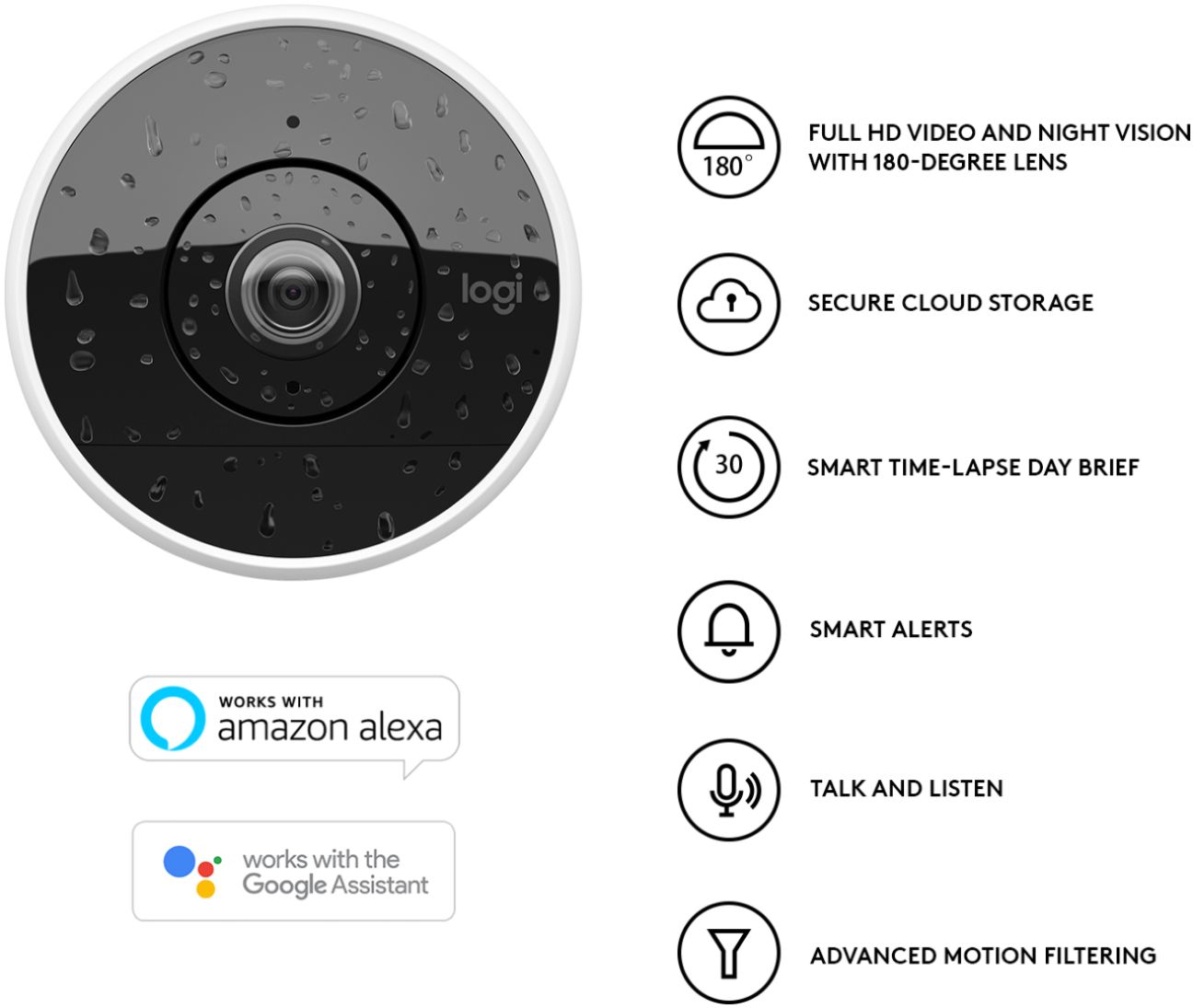
|Posted .This reviewer received promo considerations or sweepstakes entry for writing a review.As with most Logitech brand electronics I've used, I expected this Circle 2 Wire-Free Indoor/Outdoor Security Camera, to be a well-made piece of hardware. However, I was sorely disappointed. Please refer to the 'Cons' I've listed below with regards to my own experience testing this particular device's performance. 'Pros': Setup was fast and easy; plug and play as advertised. The downloadable mobile app walks you through the process, and figuring out how to use the features is pretty straightforward. And it is this same mobile app that works with the Circle 2 security camera, which allows users round-the-clock monitoring of their home environment from anywhere. Here are some of the other features as listed: Up to 1080p HD Video and Night Vision with 180-Degree Lens 3-month Rechargeable Battery Weatherproof (pay particular attention to the specific information contained in the enclosed booklet, regarding device placement outdoors) Smart Alerts with Customizable Motion Filtering - be notified when a person is detected or motion activity happens within a specific zone Smart Time-Lapse Day Brief - review important moments in 30-second recaps Talk and Listen Microphone and Speaker - allows you to talk to your pet indoors, or to delivery people if set up outside Unlimited Streaming with Secure Cloud Storage - free access to 24-hour video footage securely stored in your private cloud account; with other features and benefits available for an additional monthly charge Additional cameras can be added to your account, along with multiple users The unit comes with a handy wall mount and swivel base, but there are a variety of other purchasable mounts available, depending on your needs 'Cons': Push to Talk and Listen, via the microphone and speaker on the device - this feature is currently not performing as intended - emitting a high-pitched squealing ear-splitting sound. I called Logitech Customer Support and was told this is a known issue. The service representative assured me a fix was in the works, and should be released in an upcoming firmware update. I just have to say, that Logitech's customer service tech support gets a 5-star rating from me, based on this call. I really felt the rep understood my issue, was professional, and provided me with an answer, even though at this time there is no resolution to the problem with the device. Regarding the Rechargeable Battery - if I'm reading the info on the box correctly - it's supposed to be 3-month's worth of battery life, but I had to recharge mine after only a day of testing the camera monitoring my living room area. It could well be, that the currently known-about issue with this device is what's sucking the battery's charge this way. Also, while charging, the battery part of the unit got considerably warm to the touch, much more than one would think to be 'normal'. Then, after recharging the battery, the device itself began emitting that high-pitched squealing noise just sitting there during a Live View. So it seems the issue is not just with the Mic/Speaker. As a result of my experience in testing out the unit, because of the issues I've mentioned - the device is unusable. And, as such, I'm unable to recommend the Logitech Circle 2 Wire-Free Indoor/Outdoor Security Camera. There are other options available out there which do perform as intended, for a comparable cost. Try one of those, instead.
No, I would not recommend this to a friend - Pros mentioned:Ease of use
Easy setup...
|Posted .This reviewer received promo considerations or sweepstakes entry for writing a review.The Logitech Circle 2 is easy to set up, I had it up and running in about 5 minutes. I have a 5 GHz 802.11ac Wi-Fi network with the fastest access point on the market. I was expecting the range to be pretty good - it isn't, I have no problem using a laptop, tablet, or smartphone on my Wi-Fi network from my garage. The Circle 2 would briefly connect in the garage and then permanently lose the connection. It was not usable in that location, which is the whole reason I got it. Other than that, after a few days I would have to reset the camera because the picture would become psychedelic, weird colors and pixelization. A reset would fix it, but what a pain. I can't comment too much on the battery life, I'm able to keep mine plugged in to AC power all the time. I did try it on battery and it lasted all day, then I got tired of waiting for it to run out and plugged it back in.
No, I would not recommend this to a friendBrand response from Logitech Customer Care
Posted .Hello Jeff ! Thank you for your review ! We are happy you found Circle 2 easy to set up and we are sorry you are having some connection issues. Circle 2 requires a 802.11 a/b/g/n WiFi 2.4GHz or 5.0GHz. Please try bringing the camera closer to the router (The ideal distance between your camera and router is 5 - 10 ft. Once you set up your camera, you can gradually move it away from router or wireless access point.) and reduce the number of obstructions between your router and camera (ex. make sure there are no brick walls between the camera and your router). Please email us at [email protected] or call us at +1 (646) 454-3200 if troubleshooting doesn't solve your issue. We're more than happy to help.-Marion from Logitech
- Pros mentioned:Camera quality, Ease of use
Wide angle and great image
|Posted .This reviewer received promo considerations or sweepstakes entry for writing a review.I'm very impressed with this camera. Lets start from the beginning... The camera is very easy to set up. Just plug it in to charge, download an app to your phone or tablet, and you'll be good to go in just a couple of minutes (including downloading a firmware update). Included in the box is the camera, battery back, and the stand which is also used for installing on a wall. I can't make any observations about battery life as I've only had it for a few days. Once you have it set up where you want, you just turn on the camera through the app. You can watch a live stream through your phone, and/or get a summary video at the end of the day. Logitech's software will give you a quick summary video lasting only a few minutes by cutting out all of the dead times with no movement. Also in using the app, I can see that it is possible to set up multiple cameras, but I only have the one, so I cannot say exactly how many can be linked to an account at one time. One additional thing which I didn't recall seeing before getting the camera, it also has a microphone and speaker built in. So, if you have it at the front door, you can actually talk to whoever you see there. If one were so inclined, you might even be able to use it as a baby monitor since you have to touch a soft-button on the screen in order to speak through it (otherwise the sound only comes in to you). In total, this is a great little camera with an excellent, wide-angled HD image. Better than any standard surveillance video you see on the news by leaps and bounds.
I would recommend this to a friend - Cons mentioned:Night vision
Satisfactory
|Posted .This reviewer received promo considerations or sweepstakes entry for writing a review.Daylight view is good and if you buy different mounting accessories there are plenty of ways to mount it. We fully charged our camera before a weeklong excursion out of the country and were able to check in while on vacation without the camera dying. We have it set on "auto" mode which helps conserve battery and activates with motion. The website to see our camera or create our "daily brief" was at time slow or would not load at all without 2 or 3 refresh attempts of the browser. The night vision is average but the day vision is very clear and bright. This is my first security camera and it meets my needs of simply security at the front door but reporting to the phone isn't instantaneous. For example, if the UPS guy knocks on the door he is already gone before my phone alerts that someone was in the front yard. But again, if your needs are simple and more "curiosity" and video documentation than instant notification this model will suffice and provide beautify daytime video/images and average night quality.
I would recommend this to a friend - Pros mentioned:Camera quality
Very good camera with a nice mobile interface
|Posted .This reviewer received promo considerations or sweepstakes entry for writing a review.At first, I was pleasantly surprised by the features of this device. I have pets at home and it's nice to be able to talk to them while I'm away. It's also fun to scare the kids when they weren't aware of where my voice was coming from. The camera has good detail and I like the alerts that it sends. I found that it comes offline frequently, but this could by my router or ISP having issues. The replay feature is good and so is the live feature while it remains connected. I used the full trial subscription while it was available and have now moved to to free subscription. I would like it to have a USB drive interface, as I'm not sure how I feel about it storing my information at a remote location. This is a great device for checking on the home while away. It gives a sense of security knowing that this will detect movement and alert through the application.
I would recommend this to a friend - Pros mentioned:Camera quality, Ease of use
Awesome
|Posted .This reviewer received promo considerations or sweepstakes entry for writing a review.Finally received Logitech Circle 2 camera to test out. This is a pretty good security camera system. First off, I must say that I love that this camera is so multi-functional meaning it can be used several different ways. It can be used wired or wireless, and with different types of mounts. The build quality is nothing less than I would expect from Logitech. Setup (software wise) was complete in mere seconds, hardware was another story, it took me a couple minutes to figure out where everything went, and the User Guide wasn't to explicit as to how to connect everything. However, it connected to my wifi very easy and the companion app is a cinch to use. Using my iPhone 6 Plus as a display to remotely check in on my bedroom and living room areas, the picture quality was crisp and clear high definition, even with the night vision everything was clear and easy to see. It gives you the option of being able to record & store footage throughout the day with review of the last 24 hours for free or for longer storage there's a subscription plan. I would recommend this line of security cameras for anyone looking into home security.
I would recommend this to a friendBrand response from Logitech Customer Care
Posted .Hello ! Thank you for your feedback ! We are happy you love Circle 2 versatility of use and you appreciate the video quality in day and night vision ! Please do not hesitate to contact us at [email protected] if you have more feedback or if you have any questions.- Marion from Logitech
- Pros mentioned:Camera qualityCons mentioned:Battery life, Night vision
Great WIRED security cam
Posted .This reviewer received promo considerations or sweepstakes entry for writing a review.The setup for the Circle 2 was quick and easy. I didn't have any trouble setting it up on my wifi. When it was plugged in to the USB charger, i configured the settings to basically be always on and use 1080p recording and wow does it look great. When I didn't have the charger cable plugged in, the default settings didn't work too well. In this mode, the night vision had trouble and it took almost a minute to wake up when it detected motion. The camera went offline a few times and took a few minutes to come back online. The battery didn't last long also. It basically made the camera unusable. The phone and web app worked great and was fast (again when wired). If they fix these issues with a firmware update, then I have no problem giving this a 5 star review. I almost regret not buying the WIRED version but I'm hoping one day it will be a true wireless device.
I would recommend this to a friendBrand response from Logitech Customer Care
Posted .Hello Oden ! Thank you for your review ! We are glad you like the 1080p video quality provided by the Circle 2. We are sorry you are having issues when the camera is not plugged to the charger. We have some good news : a new firmware update is available that should solve most of the problem you have encountered. Please make sure you install it. Please email us at [email protected] or call us at +1 (646) 454-3200 if troubleshooting doesn't solve your issue. We're more than happy to help.-Marion from Logitech
- Pros mentioned:Camera quality, Ease of use
Great Camera
|Posted .This reviewer received promo considerations or sweepstakes entry for writing a review.I really like this camera a lot. It has a very clear screen and captures a wide angle. The setup was super simple. Turn on Bluetooth and download the app. It basically did everything from there. You have to sign up for an account, of course, if you don't already have one. Using it is easy, too. You open the app and it asks if you want to go to live view. Tap live view and it loads. One recommendation, if you don't have fast internet or have a lot connected, leave it on 720 instead of 1080. I use 1080 and it loads a little slow, but I like the extra sharpness. The mic also works great and there's an option to get a "Day View" which plays back what it has captured for the day. This was a replacement for some other caermas and the one things that I like best is that the mounting is minimal. My old ones had huge bases and were very obvious on the wall. These are much smaller and much less noticeable (For checking on kids and babysitters). Overall, I love it and would recommend it to anyone.
I would recommend this to a friend Has Potential but Feels Incomplete at Launch
|Posted .This reviewer received promo considerations or sweepstakes entry for writing a review.I was really excited to get this camera but to me it feels like it was rushed to market as there are a few bugs. Pros: - No wires needed at all. Built in Wi-fi and battery dock. - Clear picture (despite only 720p at the moment, see cons). - Ultra Wide View - No base station required - connects directly to 2.4/5Ghz wifi. - Two-way Audio. - Night Vision (appears black and white, not green which is good) Cons: - Takes a very long time to enter Live View even when on same network. This seems to be the case when the camera is waking up from low power mode. UPDATE: The app on iOS was updated Jul-31 which improves upon this. At first was taking up to a minute and a half, now closer to 45 seconds. - No option I see to enable 1080p despite being list in specs and marketing. I’m sure this is coming later. - Has trouble adjusting to changes in lighting. Sometimes will just see a very dark image and cannot make out anything. This is especially true in a low lit environment with a light source like a lamp in the background. - Zone Editor issues. I tried to set up a motion zone which unfortunately has to be done through the website for some reason but it does not show you a live preview of the environment when drawing your zones leaving you to just guess. - Can not set on a tabletop and point downward without camera tipping over. Was hoping to use this as a "roaming" camera to place where ever is best to monitor my kids at the time but it's too top heavy and will fall over if you try to put it on a shelf and point it toward the floor. - There was also several occasions where I tried to turn off the camera or adjust a setting and the app would spin for several seconds before throwing an error or resetting the setting I was adjusting. Honestly, with the exception of needing a bigger base to prevent it from tipping over almost all of the cons are really bugs that can be fixed with firmware and/or app updates over time. However, at the moment there are too many issues (most importantly the time it takes to enter live view) to recommend this camera.
No, I would not recommend this to a friendBrand response from Logitech Customer Care
Posted .Hello ! Thank you for your review ! We are happy you like the practicality and the 180 degree field of view of Circle 2. Regarding the problem you are encountering to adjust the resolution, the resolution is automatically set in the Circle 2 Wire-Free Camera to optimize battery performance and image quality. We are planning to release an update to provide manual control when a specific resolution is desired. Regarding the issue of the camera tipping over, please email us at [email protected] or call us at +1 (646) 454-3200 so we can assist further. -Marion from Logitech