Customer Ratings & Reviews


![The text on the image is a keyboard layout, which includes the letters, numbers, and symbols typically found on a keyboard. The layout is as follows:
1. ALT 3C
2. ALT Ctrl
3. Option
4. Command
5. Command
6. Option
7. Command
8. Shift
9. Z
10. X
11. C
12. V
13. B
14. N
15. M
16. <
17. >
18. ?
19. /
20. 1
21. 2
22. 3
23. 4
24. 5
25. 6
26. 7
27. 8
28. 9
29. 0
30. -
31. =
32. +
33. -
34. dolet e fob
35. Q
36. W
37. E
38. R
39. T
40. Y
41. U
42. I
43. O
44. P
45. [
46. ]
47. \
48. caps lock
This layout is commonly found on Apple keyboards and is designed to provide easy access to frequently used keys and symbols.](https://pisces.bbystatic.com/image2/BestBuy_US/images/products/6408/6408725cv14d.jpg)





- Model:
- 920-009610
- SKU:
- 6408725
to a friend
Customers are saying
Customers are pleased with the keyboard quality, ease of use, and the protection offered by the Combo Touch Keyboard Case. Many appreciate the adjustable kickstand and the snug fit of the case with their iPad. However, some find the added weight and bulk to be drawbacks. The price point is also frequently cited as reasonable.
This summary was generated by AI based on customer reviews.
- Pros mentioned:Ease of use, Keyboard quality
So convenient
||Posted . Owned for 1 week when reviewed.This reviewer received promo considerations or sweepstakes entry for writing a review.I am enjoying everything about this keyboard. I was using the logitech k380 before which is a great keyboard, but having the convenience of this combo has made using my iPad so much easier for me. Especially because I mostly use it for school. It is like having a laptop, but a little better because when the keyboard is not needed it can be detached. I am glad I bought it.
I would recommend this to a friendBrand response from Logitech
Posted .Hi Reyes87,
Thank you for your five-star review! It is greatly appreciated. Continue to enjoy your device. If you ever need assistance, please contact Logitech Support on the website.
LaShonda from Logitech
- Pros mentioned:Keyboard quality, Kickstand
Like having a small laptop
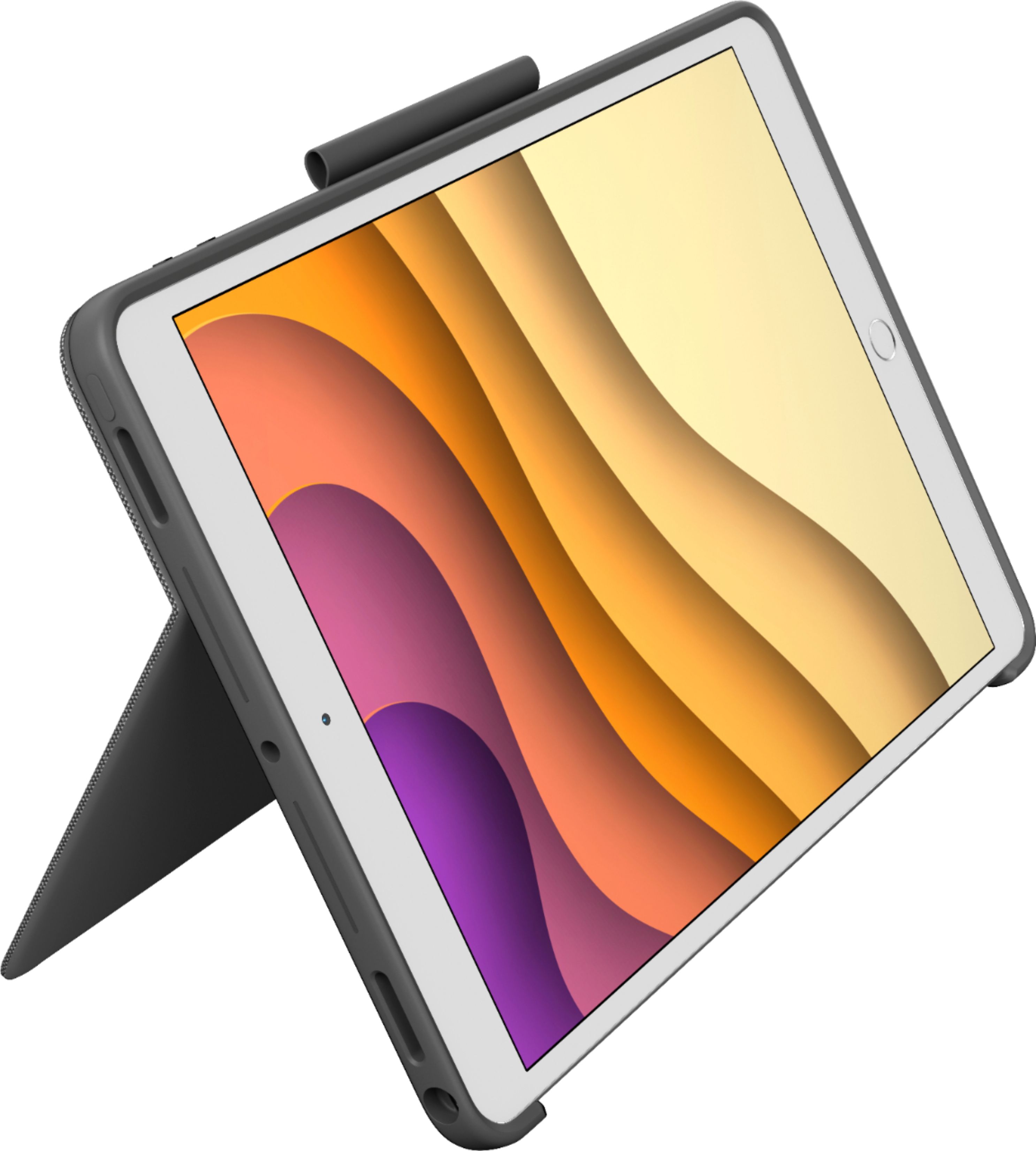
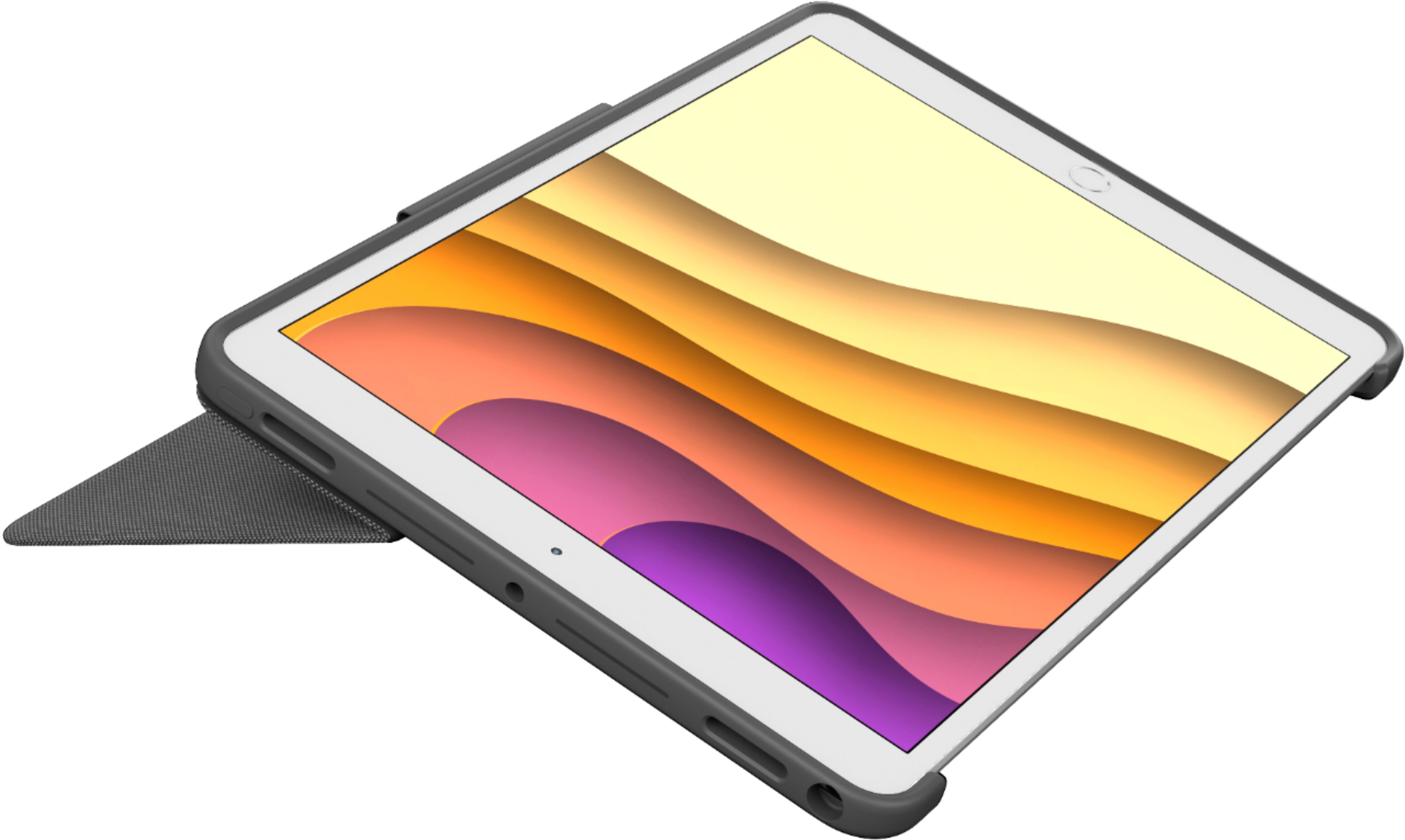
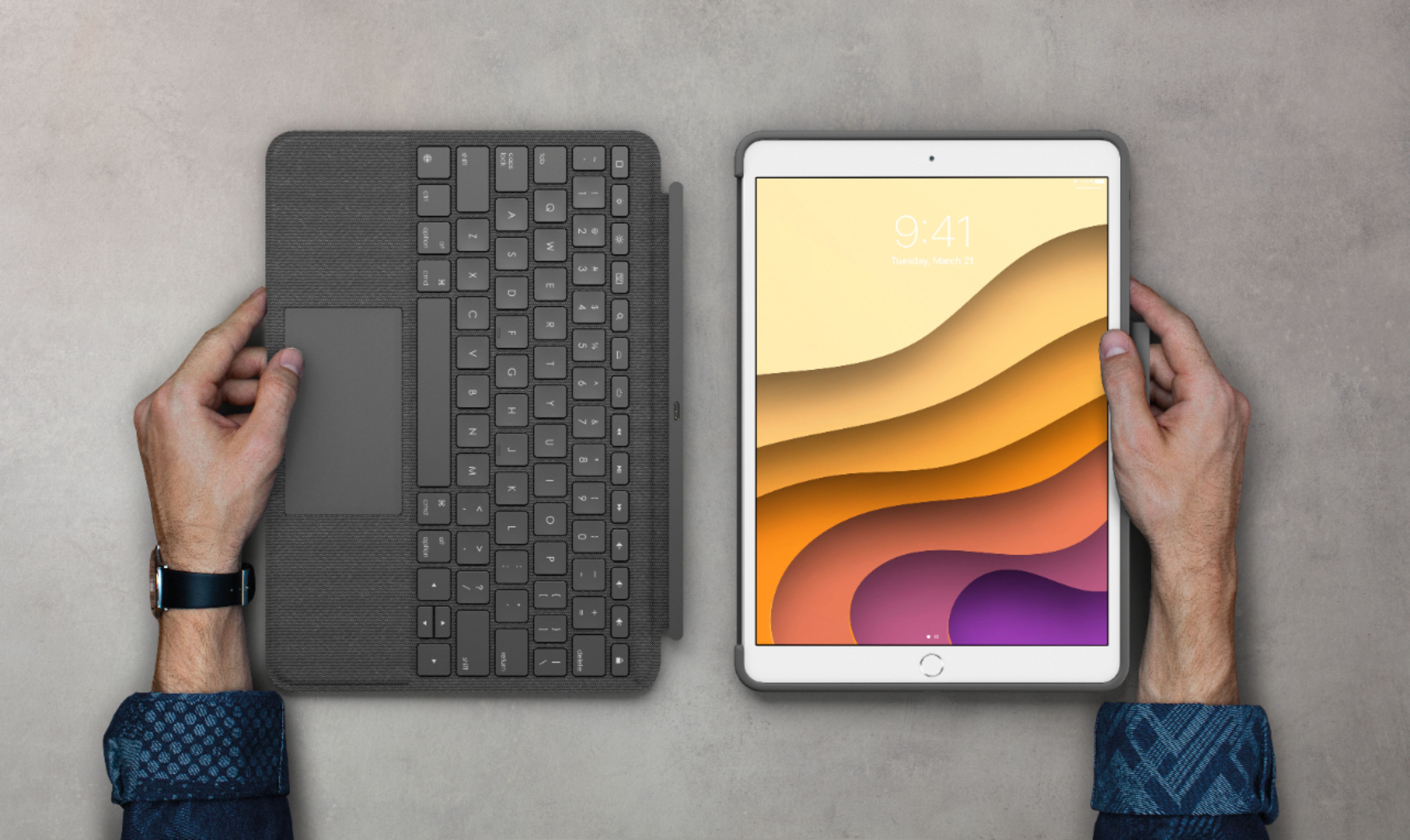
||Posted . Owned for 1 month when reviewed.This reviewer received promo considerations or sweepstakes entry for writing a review.I’m always a fan of Logitech products but this touch keyboard case with a track pad is a game changer for my iPad Air. I don’t have to touch my iPad to interact and can use the keyboard/trackpad for most work. Great kickstand and I really enjoy the feature that allows me to pull off the magnetic keyboard I’d I want to watch a movie.
I would recommend this to a friend - Pros mentioned:Keyboard quality, Kickstand, Protection

Nearly perfect with only minor issues
|Posted .This reviewer received promo considerations or sweepstakes entry for writing a review.Pros Comfortable to use Case finish is attractive, durable, assists grip, and resists stains Keys are responsive with good travel Keys feel well spaced Keys have an adjustable backlight Keyboard doesn’t have batteries that require charging Touchpad movements are precise Touchpad uses inertia Keyboard is very sturdy with no flex Case is very thick with good protection Stylus holder has just the right amount of friction for secure storage All ports, including charging port, have large opens to accommodate accessories Kickstand feels very sturdy and stays at the angle you put it at Cons Tablet use requires taking the keyboard off Magnets are too weak to hold hold heavy keyboard on reliably Power and volume buttons are too low profile and require too much force Keyboard cover is difficult to open with no notch or other tab to grab Kickstand bottom is sharp and can be uncomfortable on legs Kickstand extends beyond case making tablet use less comfortable Front and back cover profiles don’t match Keyboard connection is finicky and sometimes loses connection Out of the box, the Logitech Combo Touch Keyboard Case feels premium. The case has a substantial amount of weight, likely because of the kickstand design which stays where you put it. The keyboard cover is equally as sturdy with little flex. The texture looks like canvas and gives the more sophisticated look to the overall design. The stylus holder has more of a soft touch rubberized finish. The power and volume keys are low profile bumps in the case versus cutouts. There are cutouts for the speakers and the charge port, which is large enough to accommodate most their party cables . Usage The overall design attempts to allow both tablet format and computer use and this does require some compromises. In table use, you can’t just fold the keyboard cover to the back. You must remove it. Once removed, the left side leaves and open cavity where the protruding sharp edge of the kickstand digs into your hand slightly. It’s still usable. But, you might find yourself shifting the way you hold it periodically to give your palm of your hand a break. Also, in tablet mode the overall bulk of the case becomes apparent as it doesn’t feel much lighter with the keyboard off. At first glance, you might feel the stylus holder is an afterthought but it works surprisingly well. The slightly rubberized finished and overall size provide just enough friction to give you confidence. It will hold the Pencil securely while still allowing it to be removed without much effort. If you want to use it as a laptop, you will find the compromise is first in the overall length but the harsh edge of the kickstand. Although it holds position very well, the sharp edge over time can dig into your thighs. The overall length and top heavy design means laptop usage works best if you are laying slightly back. This both allows the space but improves stability and reduces the overall pressure the kickstand exerts. So, usage on laying back on the couch isn’t too bad, but sitting up in a chair isn’t as great. The place where the overall package shines the most is sitting at a desk. The kickstand can be adjusted to the perfect angle for you with no discomfort while remaining stable and the keyboard case has a solid base to allow confident typing. You can also adjust the tablet and keyboard backlight straight from the keyboard to suite your needs. There is a slight learning curve but the touchpad supports all the gesture navigation features of iOS. Performance Of course, trying to be jack of all trades means there will be compromises. But, the big question is do they improve the overall functionality in a meaningful way. The answer to this question is a yes. The kickstand mechanism works very well and stays where you put it without requiring much effort. The keyboard allows much faster typing on par with an ultra book with a good quality keyboard. And finally the touchpad has a precision and movement that feels, for lack of a better term, very Apple. If you have used other Apple products, the overall feel of the touchpad should be very familiar. As for protecting your tablet, of course it won’t provide liquid protection but the thickness and rigidness of the panels gives the impression it will protect you from most drops. The weak magnets might be the one area of concern but when all are used when it is closed it feels like it will keep the cover on in all but the most extreme drops. Final Thoughts If this fits your iPad and you have been looking for an affordable way to increase your productivity, this combo case is definitely worth a look. Logitech has a long history of making quality products and the overall feel and usage of this case gives you the feeling it will last for quite some time. At the risk of sounding cliché, it really does make it feel more like a computer. If Apple could ease up on some of the mobile design restrictions this could potentially negate the need for a regular computer. For now, this just reduced the need.
I would recommend this to a friendBrand response from Logitech
Posted .Hello, I am so glad to hear you are mostly satisfied with this product! Thank you for write this very informative review and being a Logitech customer! We really appreciate it.
- Pros mentioned:Keyboard quality, Kickstand, ProtectionCons mentioned:Weight
Best keyboard case for the iPad Air 3!
|Posted .This reviewer received promo considerations or sweepstakes entry for writing a review.My iPad Air 3 has always been a great tablet for consuming content and browse emails. For productivity, I had my laptop. Once I got a keyboard case, it immediately transformed the way I used this device. Now I am using to write emails, take notes, write docs, presentations, etc. Basically, it has become a real portable productivity device. I no longer have the need to carry my laptop around at all times. The latest iPad OS features new capabilities, including full mouse and trackpad support. So, I started using a Bluetooth mouse. While it worked well and brought the experience even closer to a PC, I was never comfortable with carrying another device around. Enter the Logitech Combo Touch Keyboard case which features an integrated mouse trackpad. The question is, does it really add that much to the experience, and is it worth it? Short answer: Yes. Yes, it does. To save time, here are the pros and cons followed by some thoughts on my experience. Pros: 1. Great build quality. 2. Easy to set up. 3. Great protection. 4. Intuitive design and functionality. 5. The keyboard is detachable and uses the iPad’s connectors. 6. Good lit keyboard with a full-function row. 7. Decent full gesture trackpad. Cons: 1. Bulky, heavy case. 2. Shallower key travel than previous cases. 3. Small trackpad size. 4. The keyboard is not secure to the iPad. 5. Annoying bugs. The case looks great and classy with a grey faux canvas textured feel. It is sturdy and should protect the iPad very well. However, the case adds about 3 times the iPad’s size and weight, changing its design completely. No one will be able to tell you are carrying around an iPad (if that is important to you). Placing the iPad in the case is simple and the keyboard is recognized immediately. Since it uses the iPad’s connectors, there is no need for Bluetooth or a battery. You also get an option to download the Logitech software, which controls the keyboard lighting and updates. The case features a sturdy kickstand that props the iPad nicely and allows for a good range of angles. All buttons work well, and the inputs are recessed, which means some headphones may not necessarily fit. Since the keyboard is detachable, it makes the iPad easy to use it in tablet mode. However, one must find where to place the keyboard, and that can be a bit annoying. One big gripe I have, and it is concerning, is that the keyboard’s magnets are not secure, and I have sent the keyboard flying by simply picking the device up. Unlike other keyboards, this one offers a full-function row which allows for adjusting screen brightness, media controls, etc. and I appreciate that. The keys feel good to type on for the most part. I do wish they had a bit more travel as in the previous case, but they are responsive and well-spaced. The star of the show is the trackpad, of course. With full support from Apple, all gestures and functions are available and are well implemented. I did experience a little bit of a learning curve coming from my laptop’s precision trackpad, but I was able to get used to it quickly. I wish it were a bit bigger, but that would change the design too much. Clicking feels good and it is not too noisy, however, the springboard design only allows you to click on the bottom half. I remedied that by changing it to touch controls on the settings. Unfortunately, I did experience some very annoying bugs straight out of the box. I immediately noticed that my “apostrophe” key was not working. Also, the pointer disappeared sporadically. Two-finger scrolling is not as accurate as I wish and can cause unintentional scrolling when releasing the touchpad. And finally, the iPad did not always go into sleeping mode after closing the lid, which drained the battery a couple of times overnight. I looked online and found that some people were experiencing these problems and posted some “hotfixes”. While this does not break the deal, since I was able to find solutions, they are certainly annoying and detract from the overall experience. Hopefully, Logitech will address these issues in future updates. Overall, I will still recommend the Logitech Combo Touch for anyone that has an iPad Air 3 or 10.5 iPad. It really does change the way you use the device and makes you think how this was not a thing sooner. Actually, I wrote this review on this keyboard. Even with its design shortcomings and somewhat irritating bugs, I think the Logotech Combo Touch is a great alternative to more expensive or less functional offerings and, to quote the famous Bob Barker: “The price is right!”
I would recommend this to a friendBrand response from Logitech
Posted .Hi Insomniak1,
Thank you for your four-star review! It is greatly appreciated. Continue to enjoy your device. If you ever need assistance, please contact Logitech Support on the website.
LaShonda from Logitech
- Pros mentioned:Keyboard quality, Kickstand, ProtectionCons mentioned:Weight
Bulky but protective
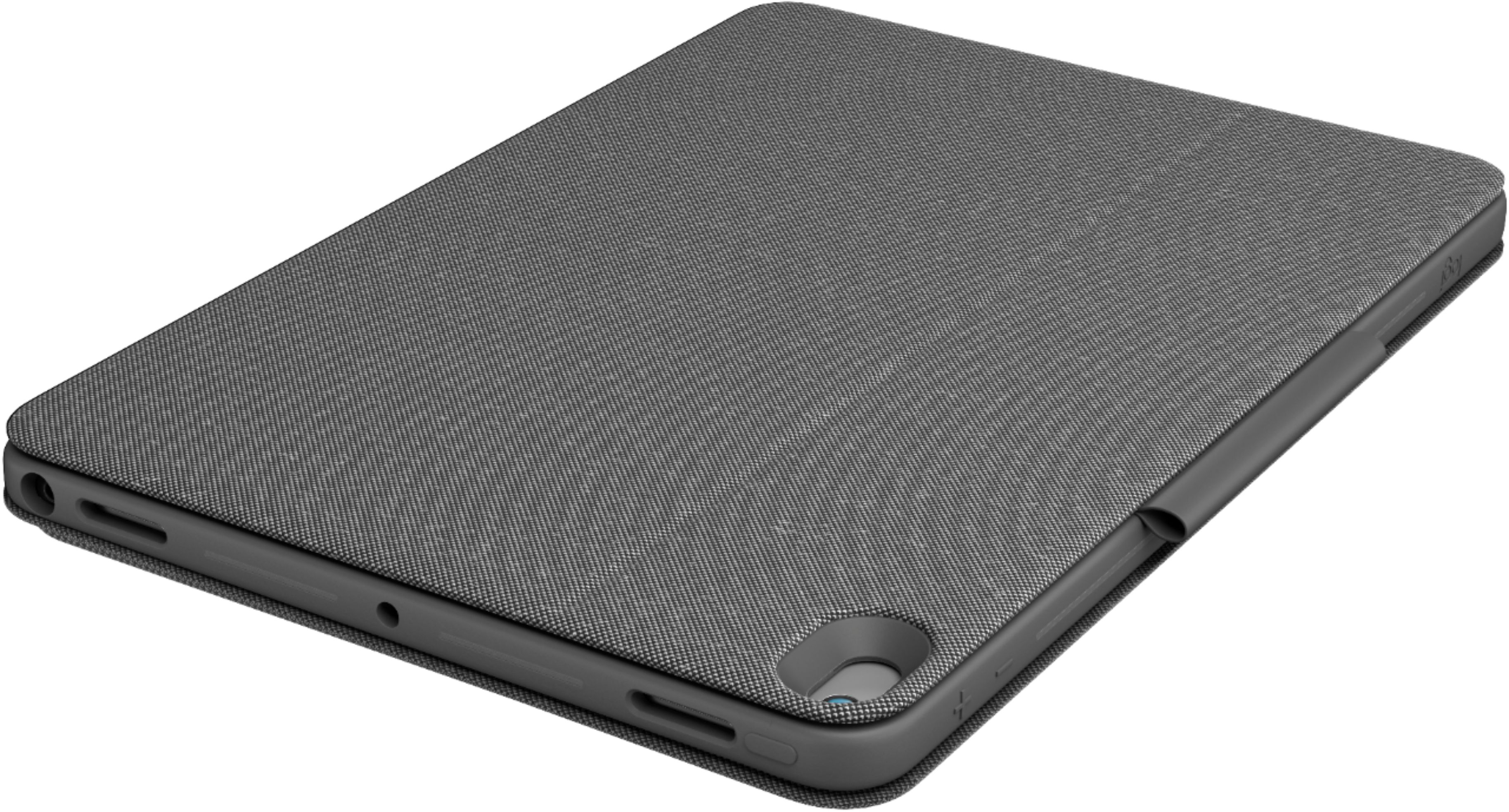
|Posted .This reviewer received promo considerations or sweepstakes entry for writing a review.## Design The most obvious aspect of this case is its size and weight. It certainly takes the “Air” out of the iPad Air 3. You’ll feel like you’re carrying a small (yet fat) laptop and will probably completely forget how thin the iPad Air 3 really is. In my comparison picture, you can see this Logitech Combo Touch case on the right compared to Apple’s official Smart Keyboard and a cheap, plastic back cover I found on Amazon. You can see that the Logitech case is almost twice as thick. However, with this extra size comes stability and protection. I feel like I could drop my iPad Air without worry (but I’m not going to try it) with the Logitech case on it. Apple’s official Smart Keyboard offers no protection for the back, so it definitely would take some dings or possible damage in the case of a fall. Therefore, this Logitech case would be ideal for professionals or students as they can easily toss this case into their bag without worry, knowing this case offers substantial protection. However, if you mainly use your iPad for reading or watching movies while holding it in your hand, you’ll find that your arm tires much faster with the added weight of this case, even with the keyboard detached. The case also has a fold-out kickstand on the back that allows you to adjust the angle of the iPad, another thing that the Apple Smart Keyboard lacks. There’s a small loop to hold your Apple Pencil as well (you won’t find a holder on the Apple Smart Keyboard). ## Keyboard As promised, the keyboard requires no batteries and is powered completely by the Smart Connector on the iPad. Additionally, the keys are backlit, something the official Apple Smart Keyboard lacks. The case also has a trackpad, something only found on the newer “Magic” Keyboards from Apple, which are not available for the iPad Air 3. I also like the “clicky” keys on the Logitech case better than the more “smushy” keys found on Apple’s Smart Keyboard. I’m actually typing this review on the keyboard and really have no complaints. The trackpad works well with iOS 13.4’s new trackpad/mouse support. However, one feature that is lacking is the ability to just tap the trackpad to “click”. Taps do not register on the Logitech case; you must physically press down on the trackpad and make it click. You can use the two-finger gesture to scroll and the three-finger gestures to switch apps and return to the home screen. The top row of keys feature iOS-specific shortcuts, including a home button, brightness controls (for both the iPad and the keyboard backlight), as well as media and volume controls. The keyboard is easily detached when not needed, but it can not be folded behind the iPad. It also seems to fall off more easily than Apple’s Smart Keyboard, perhaps due to the heavier weight. Finally, I do find that occasionally the keyboard is not detected when I unlock my iPad, which requires removing the keyboard and reattaching it. ## Exterior I much prefer the cloth-like exterior of the Logitech Combo Case compared to the silicone material found on the exterior of Apple’s Smart Keyboard (whenever I accidentally scrape my fingernail across the silicone material, it’s like nails on a chalkboard to me). This makes the Logitech Combo Touch Case comfortable to hold, aside from the heavier weight. ## Summary Overall, the Logitech Combo Touch Case offers some additional functionality (such as backlighting and a touch pad) that you won’t find on Apple’s official Smart Keyboard Folio for the iPad Air 3. Many may find the case a tad too heavy and bulky for watching movies and reading eBooks, but professionals and students will likely appreciate the extra protection and functionality.
I would recommend this to a friend - Pros mentioned:Keyboard quality, ProtectionCons mentioned:Weight
iPad metamorphosis into a laptop.
|Posted .This reviewer received promo considerations or sweepstakes entry for writing a review.Logitech - Combo Touch Keyboard Case for Apple® iPad® Pro 10.5" My wife and I love our iPads. My wife goes a step further than me and uses hers like I use my laptop, but she struggles without an easy-to-use keyboard. With the Combo Touch, I think we’ve both got a solution that really elevates the iPad to laptop ease-of-use. This Logitech Combo Touch has a nice suite of features that are fairly priced. Everything works smoothly, the keys are light-touch responsive, and properly spaced with adjustable backlighting. It invites you to sketch with its ready access to drawing tools. It is a game changer. This is a rugged case that protects the iPad while effectively changing it into a more useful, multi-purpose tablet. I’m going to comment right at the beginning of my review that this Logitech Keyboard is especially useful for folks looking to re-create a laptop experience with their iPad. The only serious drawback for both of us is the “lap” in laptop is a bit overstated. Explanation below. SETUP: If you haven’t added any accessories to your iPad, you may not have noticed those 3, tiny, metal contacts embedded along the long side of the iPad. Apple built in a Smart Connector in these new versions of the iPad. Devices like the Logitech Keyboard slide onto or dock with that side (only) of the iPad where they both communicate and receive power to operate. There’s no separate charging required. No cable is needed. No Bluetooth connectivity needs to be enabled. Slick, easy, reliable, and fast. You’re ready to go. Download the Logitech Control App. It allows you to enable Firmware Update notification and it gives you control over some keyboard light features. The keypad lends itself to typing, of course, but you can detach the keyboard so that it’s more convenient to just watch movies/TV, or easily sketch, or read. There’s even a built-in stylus/pen holder. Both the camera and lightning ports remain accessible. FEATURES: This Logitech keyboard is missing nothing I might want or expect from years of using laptops. There’s the BACKLITE (5 brightness levels) keyboard, MULTI-GESTURE TRACKPAD, a TOP ROW of keys that provide a HOME BUTTON, BRIGHTNESS and VOLUME controls, VIDEO CONTROL (back, play/pause, forward) keys, SEARCH button, and a keyboard layout that acts and looks like those to which I’m accustomed. SUMMARY: This is a nice feeling, reliable, comfortable keyboard that offers to transform your iPad into a convincing laptop. All those features are truly functional. It all works . . . with some quirks. The keypad assembly releases all too easily from the iPad IF you are trying to use this combination in your lap without a table top or lap desk. It demands stable support as it’s currently designed or it comes apart. It’s just as easy to put together, but it can be annoying. The only other complaint we have is the weight. It kind’a underscores that serious laptop experience you have now achieved but it’s a reminder of the trade-offs. Of course, tug the case off and leave the keyboard behind and my two concerns go away. The iPad is back to its lightweight, convenient self. Both my wife and I can recommend this Logitech Keyboard, with minor caveats.
I would recommend this to a friendBrand response from Logitech
Posted .Hi Techbeengood,
Thank you for your five-star review! It is greatly appreciated. Continue to enjoy your device. If you ever need assistance, please contact Logitech Support on the website.
LaShonda from Logitech
- Pros mentioned:Keyboard quality, KickstandCons mentioned:Weight
Outstanding case for iPad
|Posted .This reviewer received promo considerations or sweepstakes entry for writing a review.Logitech has always been a leader for peripherals but my experiences with their products for Apple products has mostly been a miss. I previously tried the Slim Folio for my iPad Air 3 and it was a pretty big fail. The Apple OEM case was obviously great, but also very expensive and my wife did not always want to use it with a keyboard. The Combo Touch Keyboard Case for iPad really hit all the marks and basically transforms the iPad into a smaller, more responsive Surface Pro. Here’s a quick best/worst feature and then I’ll get into more details. BEST: The keyboard is amazing. It is truly a great typing keyboard that I am typing on it now and it also has backlight illumination. It doesn’t need its own power or batteries, it pulls its power natively from your iPad and also communicates that way without needing to pair over BT or anything else. It has a nice canvas feel that is a huge improvement over alcantara or even the felty/plastic of Apple and Logitech offerings. WORST: This may seem nit picky, but the touchpad does not allow a tap to execute like most modern touch pads do. Meaning I have to physically click on something to select/execute, rather than just an emphatic tap like most laptops. Other thoughts: The build quality is excellent overall, my only minor complaint is that the overall device is rather heavy. The full case with iPad Air weighs 39.5 oz. The iPad by itself weighs 15.9 oz. The case weighs 23.6 oz. The kickstand works well, its rigid, solid and allows for multiple angles. The magnetic connect of the keyboard works well and allows you to easily remove it for use as a tablet without having to fold it awkwardly behind the tablet like the previous slim folio. My wife didn’t let me keep the slim folio on this iPad Air 3 but she likes this new Compact Touch keyboard. The touch pad works well overall, acceleration/jumpiness of the mouse cursor is maybe a little bit fast but overall works great. I only wish they made it so that you could do a tap to execute with the touchpad. Also, the iOS experience with a trackpad isn’t quite as good as MacOS or even Windows but I am sure this will improve over time. For example, just clicking on buttons to find and upload pictures for this review was a bit clunkier and less responsive than with a real laptop.
I would recommend this to a friend - Pros mentioned:Keyboard quality, Protection
Protection with the convenience of a keyboard and
|Posted .This reviewer received promo considerations or sweepstakes entry for writing a review.Logitech's iPad case provides protection with the convenience of a keyboard and touch pad. The grey fabric looks smart, handsome. Cutouts for reset switch access, rear facing camera, speaker jack, speakers, microphone and power connector jacks line up perfectly. The molded raised volume symbols and on/off switch marker is easy to locate with just a feel. The iPad fits snugly in the case yet can be removed with a little extra effort. That keeps it well protected in case of a drop. The iPad's power connector effortlessly lines up and connects to the keyboard. Which makes removing the keyboard/track-pad combo simple to do. Magnetism keeps them together. No driver software required. Instant connection and productivity. Once separated, the iPad can be propped up at a perfect viewing angle. On top there is a sleeve to hold my PENCIL or CRAYON. I only have two gripes, none which really fault h functionality or benefits of the case. 1.) I wish I could use the double tap to select a item on screen rather than push the bottom of the touch pad. Maybe a dedicated key or button or software that allows me to make the choice. 2.) It doesn't sit nicely on my lap without a tray of some sort. Not a problem on a tabletop. Like I said, still a great accessory.
I would recommend this to a friendBrand response from Logitech
Posted .Hi JerryZ,
We are glad to hear that you are enjoying your Combo Touch! We are always looking for ways to improve our products, so we appreciate your review. If you ever have additional feedback or questions regarding Logitech products, feel free to visit https://support.logi.com/hc/en-us
Thanks,
-Logitech
- Pros mentioned:Keyboard quality, Stand
Almost full laptop experience
|Posted .This reviewer received promo considerations or sweepstakes entry for writing a review.Finally, the perfect keyboard for my iPad Air 3 that gives me the closest to a laptop experience. I’ve used 3rd party keyboard cases, even the Apple Keyboard case. All of them were “ok” experiences. This Logitech case is amazing in many ways, even now I am writing this review on this Logitech Keyboard. After a few weeks here are my thoughts: Pros: -Great key travel. I’m always afraid that the spacing would be too close and cramped, or that the buttons were too soft and didn’t feel right. Here, it’s perfect for my medium-sized hands to type. Keys feel great pressing down on, and my hands are comfortable moving around typing. -Backlit keys. This has always been a plus for me on any portable keyboard, as I like to see in low light settings. -Overall feel. The keys are a soft plastic but you can feel them as you type hard like a full sized desktop/laptop keyboard. Your palms rest on soft fabric that’s smooth enough and comfortable. -Trackpad. Finally, the one piece of a portable keyboard that’s been missing! The trackpad is responsive enough and you actually have that laptop feel to it. It takes a while to adjust to the circle that iOS uses instead of a pointer. -Removable Keyboard. The entire Logitech case comes in two pieces. 1) The backing and 2) the keyboard. The keyboard attaches to the POGO connectors and does not need Bluetooth to connect. The backing is nice as you have a “surface-type” flap that can extend in order to adjust the screen in the angle you want. It looks great and when I want to use in tablet mode, I can just simply disconnect the keyboard. If you don’t want to attach the keyboard, the case is compatible with the Apple Smart Cover. -Loop for Apple Pencil or Logitech Crayon. I have both, but chose to use the Crayon on this. It takes a little adjustment in pushing the Crayon in it but it will conform to it. You just can’t place the Apple Pencil in there because the rubber would have stretched too much. Now you can secure your pen! -Speaker cutouts. This case can be used with both the Air 3 and the Pro 10.5. The top cut outs are for the top firing speakers for the Pro 10.5. Cons: -The Flap. This can be used on your lap but it is awkward and a little uncomfortable as it will not be completely flat on your lap. I felt that it was falling off my lap. Also, the flap will not fully be flat when you close it as it will stick out just a tad. I think the OCD part of my wants it to be completely flat. - Keyboard not too secure. I picked up the iPad from the top to pick it up and the weight of the keyboard was too much and it disconnected and fell to the floor. A little annoying but gravity will always win. You have to be careful and mindful in how you pick it up. Overall, this has been a great typing feeling. There have been many keyboards I’ve used on my iPad’s but this is the best as that Trackpad just adds so much to the experience.
I would recommend this to a friend - Pros mentioned:Keyboard qualityCons mentioned:Weight
Solid accessory but for specific users
|Posted .This reviewer received promo considerations or sweepstakes entry for writing a review.The Combo Touch Keyboard Case for iPad 10.5” screen size is a bundled for all things Logitech that become as one piece with iPad. First its look and feel is solid and with iPad in place feels as a single item. It complement perfectly for whom look for a portable and light notebook but can function as full tablet but still can work with documents. The combo consist of two pieces, the case and keyboard that come with touch mouse. The case is easy to place the iPad in simple two or three steps. Then the keyboard get attached by simply placing in its dedicated side. Then the keyboard feels good typing and using commands keys as would in the regular notebook. Only thing that feels odd is that being able to use as mouse pointer on iPad in the beginning gives some interesting change of experience for moment. But aside of that, does feel alike using regular and light notebook. The most impressive function is backlight that is fully functional and distinctive for being simple, functional and responsive under the dark. The for need of not using keyboard, instead replacing with Apple Cover, it fits nicely without any hassle, nor look and feel for combining different type of materials between the Logitech case and Apple cover. The if need to separate the keyboard for long typing or adjust further for desk, the process is hassle free by just detaching from the case. What Like Most: Keyboard and touch mouse function giving the feeling alike using notebook, and the backlight. What didn’t like: It is bit heavy either with the keyboard and case or separately. Holding it with one hand let say to read or writing on the touchscreen, feels stress on the arm and hand. Then using with the keyboard cover and the case together feels heavier that offset the meaning of iPad’s light portability. Other downside is dependency to second Logitech App and to know battery need to depend on bluetooth setting and can’t have on the control center or at first sight. In overall, is sturdy and good for who specific type of users that need bit of notebook using experience from full iPad experience.
I would recommend this to a friend - Pros mentioned:Keyboard qualityCons mentioned:Weight
Heavy and detachable keyboard
|Posted .This reviewer received promo considerations or sweepstakes entry for writing a review.I have a mixed feeling about this Logitech combo touch case and keyboard. And one of my biggest gripes about it is because the keyboard needs to be detached if I want to hold the ipad in my hand for purposes other than typing. The keyboard attachment is not designed to be folded back. It can only be attached to the ipad in the horizontal position in a flat surface (or your lap, but could be tricky). I have Apple keyboard that is really thin and can be folded back. So no detachment of the keyboard is necessary. But it’s old and the keyboard sometimes work and sometimes doesn’t work. This Logitech meant to be a replacement. But I don’t think it quite lives up to that expectation. Pro: - It has the back cover that include a slot for Apple pencil - The back include a flap that can be adjusted at a different angle for a better viewing experience. This is one the best feature that you don’t get with the very pricey Apple back cover - The excellent keyboard that responds really well with no lagging. It has a complete keys that feels exactly a laptop’s keyboards. It’s probably designed with that in mind. It has IOS shortcut that can be useful. The keyboard is connected using a smart connector so no charging or pairing is required. It has a strong magnet so you can slid it under the iPad. And it also has backlit keyboards. - The included trackpad adds the additional feeling of typing in a “real keyboard” and it does exactly like a trackpad you find in a Apple laptop. Con: - This thing is not exactly light. If you have the keyboard attached, it weigh about 21 ounces. Without the keyboard that functions as the front cover, it’s still not something that you want to have in you all the time. I love iPad because it’s thin and light. This back and front cover add so much weight to it, I feel like I am carrying a small laptop. My 11 inch MacBook Air is lighter than my covered ipad. - Using ipad in a vertical position or any position where it’s not in a flat surface, requires you to detached the keyboard. So you need to make sure not to leave the keyboard somewhere where you don’t forget about it. So if you don’t mind the weight and the detachable keyboard, this thing is pretty solid. Of course, at $150 a piece, this is not exactly a cheap “keyboard”. But if a keyboard is important, then I will say that this is a very nice and functioning keyboard.
No, I would not recommend this to a friend - Pros mentioned:Keyboard quality, Protection
Ultimate keyboard for my iPad Pro 10.5”
|Posted .This reviewer received promo considerations or sweepstakes entry for writing a review.I have to say this, this backlit keyboard combo provides well protection all around my iPad, front and back including edges! Amazing feel like fabric. Trackpad and IOS shortcuts keys are useful and takes only couple minutes to get used to use it. What I liked most is, the fact that this keyboard connects through iPad smart connector which means no batteries or charger to operate the keyboard. Other feature that makes it my only case I use is, keyboard is detachable so I can detach it If I need to use my iPad touch screen keyboard only while having my iPad protected. Great keyboard experience and protection case.
I would recommend this to a friend - Pros mentioned:Keyboard qualityCons mentioned:Weight
Good if you want to leave the laptop behind
|Posted .This reviewer received promo considerations or sweepstakes entry for writing a review.If you are looking for the iPad keyboard that will keep you from missing your laptop, this is it. If you are into lots of extra functionality in a more stationary place, this is the keyboard for your iPad. You almost won’t miss your laptop. Almost. Here are the pros and cons, unfortunately a few more cons than pros: Pros: - Keyboard has great tactile keys that emulate a desktop keyboard more than any other iPad keyboard attachment I have ever used (have tried about 3 before this one). - The lighted keyboard is a nice addition. - The trackpad / mouse is genius and helps me not miss my mouse so much. - While they didn’t add the actual “F” keys, the top row of keys are more like a desktop keyboard with one-touch bright, dim, keyboard lighting, volume, ff, rewind, mute, lock, home, etc. - Seems like it would protect your iPad pretty well if you dropped it. Cons: - It’s very heavy. My Apple iPad origami keyboard weighs in at 245g, the Combo Touch is 670g. Pre-Covid I travelled 100 flight segments per year. This weight difference would likely deter me from making this my travel keyboard. - Big con for me was the kickstand. I’m personally not a fan of the back kickstand, takes up way too much room on an airplane seat tray and will not sit upright properly on your lap. Increases the footprint too much. - The keyboard is either attached or not - meaning it comes off when you flip it to the back of the iPad “tablet” mode. - It’s twice as thick as the standard apple iPad keyboard. - And one crazy thing on the keypad - the “Lock” function button is directly above the delete button. So every time I have gone to use delete (which is often) I accidentally hit this key and then it locks the iPad. - The “delete” key works like a Mac (backspace only) and there’s no real delete (forward) function or key. In summary, I would use it if all I did was sit at a desk with it or travel with it if I didn’t need to bring a laptop, but I think I will go back to my origami keyboard. It’s 3 stars for me.
I would recommend this to a friend Another great Logitech case for your iPad!
|Posted .This reviewer received promo considerations or sweepstakes entry for writing a review.Logitech makes great items, no doubt. This is another one you should consider getting for your iPad. Most people buy an iPad and when they do, it seems they buy some kind of case to go with it, my experience and watching friends, they buy a "cheap" folio case. Later, after they see that others have these keyboard cases, they end up buying one of them too and discarding the folio case. To use the iPad for what it can do, you would be missing alot if you didn't try using it as a intermediate device, between your phone and your MacBook. I've had plenty of times I wanted the size screen and ability to type on a keyboard, but didn't want to use the MacBook because of it's size or because it isn't as rugged as a tablet per se. So, I'll use the iPad as laptop, and then sometimes I want to use it as a tablet. This easily allows you to "pop off" the magnetic case that attaches to the keyboard (without having to remove the iPad) and use this as a tablet. Or you can simply flip over the keyboard and use it as a folio case. The tent style slab on this opens with a stiffness that allows you to use the iPad as a laptop. I've been using it this way and it works great. The keyboard gets its power from the magic connector that is on the side of your iPad you might not have realized is there...and it works perfectly. Plus it fits perfectly. The trackpad on this keyboard case is flawless, and makes you think you are using your MacBook. The material that surrounds the keyboard feels like cloth, but it is not like a cloth material that will have gaps and "waves"....it is firmly attached. I think it is a type of material that feels like cloth but isn't. It's the best for a comfortable feeling, but easy to clean and feels sturdy. You'll enjoy this I'm sure, it has the shortcut keys to make the tablet act like you are touching things that you don't have to, like the home button. Hit the key for it and you are basically hitting that on the screen without touching the screen. Worth the money, but it once, and be done with it. You won't kick yourself later for buying a cheaper case that you are no longer using and buying this vs. 2 cases, ends up making it seem like a better way to go.
I would recommend this to a friendBrand response from Logitech
Posted .Hi Steve,
Thank you for your five-star review! It is greatly appreciated. Continue to enjoy your device. If you ever need assistance, please contact Logitech Support on the website. LaShonda from Logitech
- Pros mentioned:Keyboard quality, StandCons mentioned:Weight
Excellent addition to ipad
||Posted . Owned for 1 week when reviewed.This reviewer received promo considerations or sweepstakes entry for writing a review.The backlit keyboard is responsive soft touch and top quality. Quick lock in place stand. Basically becomes a laptop. Great looking hard fabric cover. iPad fits snugly but can be removed with a little effort. Mouse pad very responsive. Does add weight to the overall setup when carrying around. Side buttons on the iPad not accessible when in the cradle. Apple has approved this product. Surprising since this seems to be a much better design that the one Apple sells and at a lesser price.
I would recommend this to a friend - Pros mentioned:Keyboard quality, ProtectionCons mentioned:Weight
Looks, feels, works great, but surprisingly heavy
||Posted . Owned for 1 week when reviewed.This reviewer received promo considerations or sweepstakes entry for writing a review.The look and packaging is great. It seems sturdy and works. I was really surprised at how heavy it is. It works well and I like to use it. The iPad slipped nicely into the case and seems secure and I think the case will protect it well. I feel comfortable putting it in a backpack or traveling with the case and keyboard installed. The keyboard snaps into position easily and is secure enough. The trackpad is great although clicking with it is takes a bit of learning about where you can and can't click. The kickstand allows any tilt and works great for FaceTime and Zoom in landscape mode. The case doesn't work so well if you want to use it in portrait mode. The first few days it really shocked me every time I picked up the case/iPad (no keyboard) every time. Now I am starting to get used to it. I'm hoping the kickstand doesn't get loose with time. It seems sturdy.
I would recommend this to a friend - Pros mentioned:Keyboard quality, ProtectionCons mentioned:Weight
Very well designed
||Posted . Owned for 1 week when reviewed.This reviewer received promo considerations or sweepstakes entry for writing a review.I ordered this keyboard for my new IPad Air. I was very pleased with my prior Logitech keyboard, so I decided to get the new one, which they have improved further. This one has a trackpad in addition to the keyboard, making it almost like a laptop. It is heavier than the prior one, but it doesn’t feel too cumbersome. It charges itself when the Ipad is plugged in. It also has multiple versatile positions that it can be placed in. I like that it protects the Ipad fully, where the Apple keyboard does not cover the back. I would buy this again.
I would recommend this to a friendBrand response from Logitech
Posted .Hello Eric, we are so happy to hear the Combo Touch Keyboard is working great for you! Thank you for the 5 star review, we greatly appreciate all feedback. If you didn't already know. The Combo Touch keyboard comes with a 1 year limited hardware warranty. If anything happens to your Combo Touch, reach out to us on our Logitech Support website. Thank you for being part of the Logitech family, Have a great day! https://support.logi.com/hc/en-us/articles/360044742114-Warranty-COMBO-TOUCH-for-iPad-7th-gen-iPad-Air-3rd-gen-and-iPad-Pro-10-5-inch
- Pros mentioned:Keyboard quality, ProtectionCons mentioned:Weight
a great addition to the iPad Pro
||Posted . Owned for 1 month when reviewed.This reviewer received promo considerations or sweepstakes entry for writing a review.I bought this for my iPad Pro and it's a great addition and I like the keypad. It feels great and it feels big enough and does not feel like it's too close together. The cover does make my iPad feel a little heavier but I don't mind because I feel like it's better protected but the keypad side is only magnetic so if it's dropped it could detach from iPad side.
I would recommend this to a friend - Pros mentioned:Ease of use, Keyboard quality, Protection
Cover to Keyboard
||Posted . Owned for 1 month when reviewed.This reviewer received promo considerations or sweepstakes entry for writing a review.We bought this keyboard case to go with our iPad Air tablet. I like the protection it gives the iPad and the ease of the key board. Also I like how the keyboard can be taken off and on with no problem. It adds a little weight but for the protection it gives is well worth it. I like the cloth type covering it's not slick in my hand and is easier to hold.
I would recommend this to a friend - Pros mentioned:Keyboard quality, ProtectionCons mentioned:Weight
Good Keyboard Case for the ipad Air
||Posted . Owned for 1 month when reviewed.This reviewer received promo considerations or sweepstakes entry for writing a review.The keyboard works good. Sometimes you do have to reboot the Air so all the key works, but it only takes a minute. The case has a quality feel to it. A bit heavy but feel it will protect the Air under most circumstances. I would have rather purchased the Logitech - Rugged Folio Keyboard Case but its only fits the basic ipad. I feel I purchased the best case available for the Air.
I would recommend this to a friend